
The One Check I Do That Stops Laptops Dying Before Their Time
Most laptops don't fail suddenly — they give you months of warning signs, and a quick service can catch every one of them.
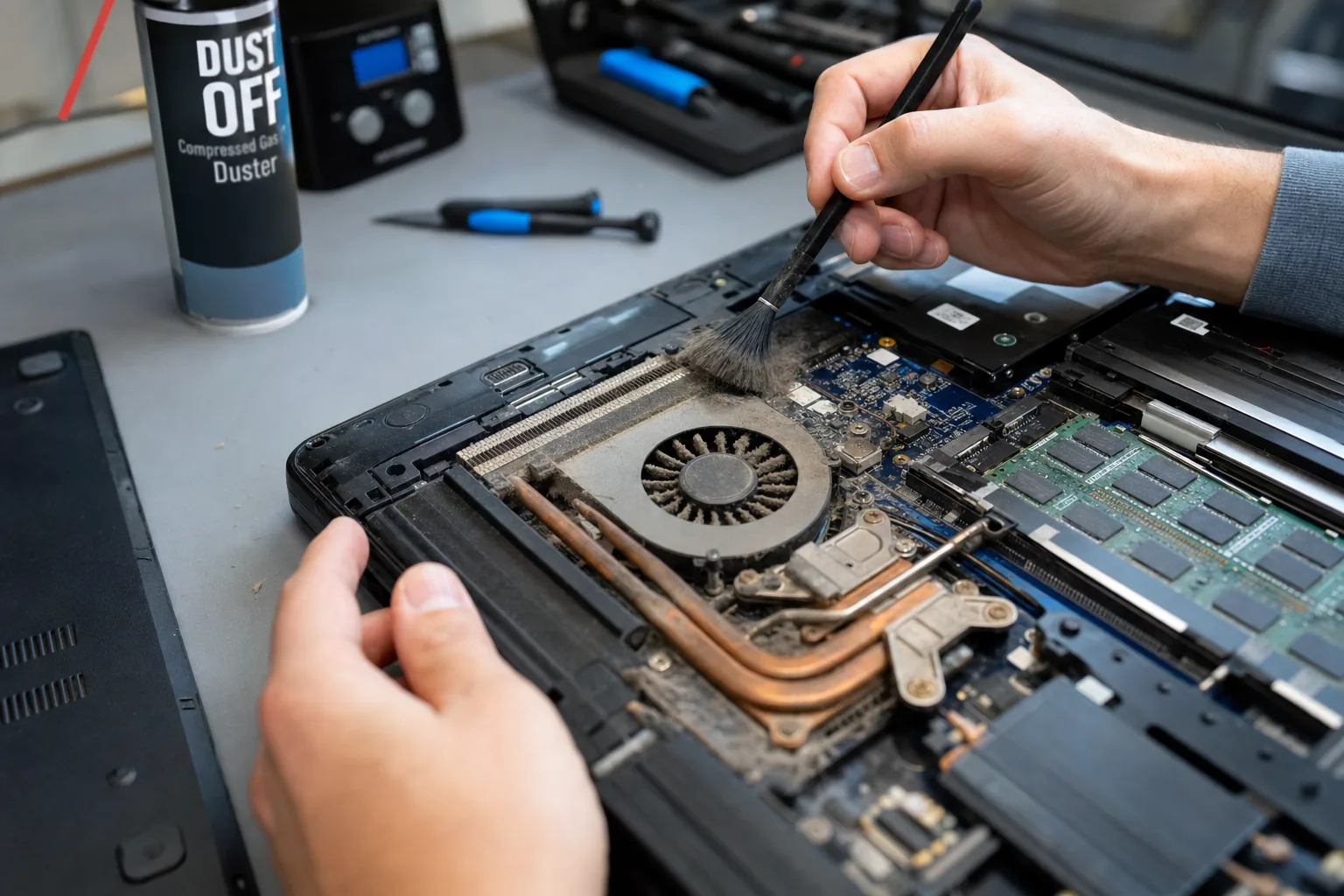

A customer brought in a Dell Inspiron last month that had shut itself off mid-presentation at work. She was mortified, understandably, and convinced the machine was done for. When I opened it up, I found a heatsink so clogged with dust it looked like a small grey blanket had been tucked inside. A thirty-minute clean, a fresh application of thermal paste, and it ran cooler than it probably had in years. She'd been weeks, maybe days, away from cooking the processor permanently.
That kind of job comes in regularly, and it frustrates me every time — not because of the work, but because it was so avoidable. A basic service once a year or two would have caught it long before it became a crisis. Laptops are sealed, compact machines that pull air through tiny vents, and they accumulate dust, lint and debris faster than most people realise. Add in a battery that's quietly degrading and a drive that's been throwing errors nobody noticed, and you've got a machine that's heading for a cliff in slow motion.
What a proper service actually involves
When a laptop comes to me for a routine service, I'm looking at three things above everything else:
- Thermal system. I remove the bottom panel, clear the fan blades and heatsink fins of dust, and replace the thermal paste between the processor and heatsink. Old paste dries out and loses its ability to transfer heat. This alone can drop idle temperatures by ten degrees or more.
- Storage drive health. I run a S.M.A.R.T. diagnostic, which reads the drive's own internal health data. Most failing drives flag up reallocated sectors and read errors well before they actually give up. If I catch it here, you get to choose when the drive gets replaced — not the drive.
- Battery condition. Windows and third-party tools can report a battery's current full-charge capacity versus its original design capacity. A battery sitting at 40% of its original capacity isn't just annoying — it can cause unexpected shutdowns, which puts the drive at risk every time it happens.
How to tell if your laptop is overdue
You don't always need a technician to spot the early signs. A few things worth checking yourself:
- Fan noise. If the fan runs loudly almost constantly, or the underside of the laptop gets uncomfortably hot, the thermal system is struggling.
- Unexpected shutdowns or sleep. If the machine cuts out under load rather than when the battery runs out, that's a thermal or battery problem — either way, it needs looking at.
- Slow performance that wasn't there before. Modern processors throttle their own speed when they overheat to protect themselves. A machine that's got slower over time without any obvious software reason may simply be running too hot.
- Age. If your laptop is four or more years old and has never been opened or serviced, it's overdue — full stop.
Why people put it off
Honestly, most people don't think about servicing a laptop the way they think about servicing a car. It feels like a device that just works until it doesn't. But the failure mode for laptops is rarely sudden — it's gradual, quiet, and almost always detectable in advance if someone actually looks. The cost of a service is a fraction of a replacement machine. More importantly, it protects whatever data is on there, which is often worth far more than the hardware.
The Dell from last month is fine now. She's booked in again for twelve months' time. That's how it should work.
The Repair Bench verdict
If your laptop is over four years old: book a service before something forces your hand — cleaning, thermal paste, S.M.A.R.T. check and battery health check should all be on the list.
Warning signs to act on now: constant fan noise, unexpected shutdowns, and performance that's noticeably worse than it used to be are all the machine asking for help.
Worth remembering: a service that catches a failing drive early lets you back up and replace it calmly — a drive that fails without warning often takes your data with it.