
reMarkable Paper Pro Review: The Closest Digital Paper Has Come to Feeling Real
A large colour e-paper notebook that makes a surprisingly persuasive case for doing less — provided you genuinely want to write.
We link to the exact model on Amazon UK. Prices change often, so check the live price before you buy. As an Amazon Associate we earn from qualifying purchases.
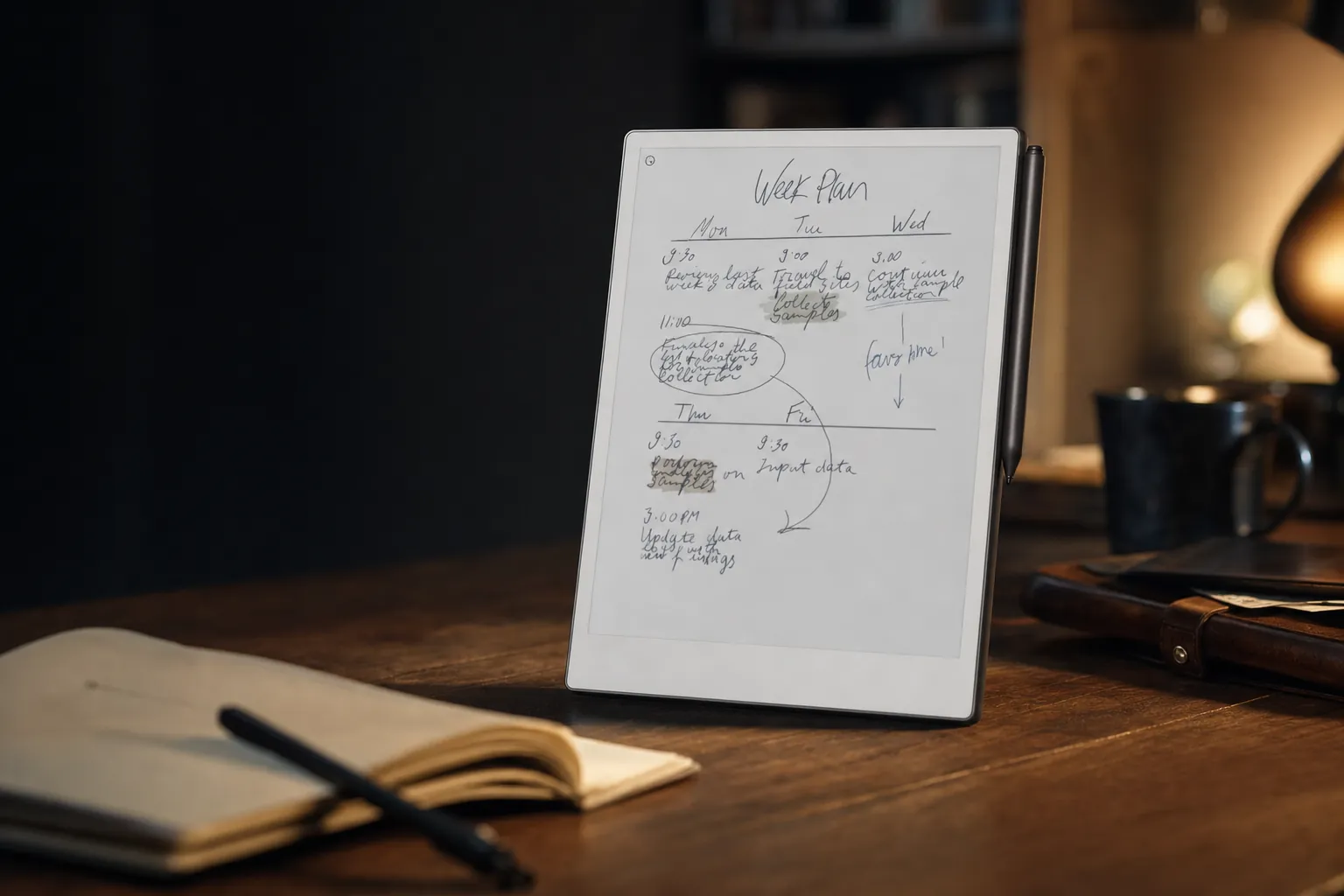
The reMarkable Paper Pro is a deliberately narrow tool: a large, low-glare digital notebook rather than a conventional tablet with an e-paper screen.
The digital notebook that finally feels like paper
There is a danger with e-paper tablets that they become an expensive compromise. They are slower than an iPad, less capable than a laptop and nowhere near as cheerful as a Kindle when all you want is a holiday novel. The reMarkable Paper Pro gets around that problem by refusing to compete on those terms. It is not trying to be your everything device. It is trying to be a very good pad of paper that happens to remember everything you write on it.
That sounds almost quaint in 2026. It is also exactly why the Paper Pro works. This is a large 11.8-inch colour e-paper tablet with a 4:3 Canvas Color display, 2160 × 1620 resolution, 229ppi density, 64GB of storage and a claimed 12ms writing latency. Those are respectable numbers, but the real magic is the combination: the textured glass surface, very small 0.92mm pen-to-ink distance, muted colour, adjustable front light and software that has no interest in interrupting you with a notification about somebody's lunch.
It is the flagship of a current reMarkable family that also includes the smaller Paper Pro Move and the monochrome Paper Pure. The Paper Pro remains the big desk-friendly option: the one for marked-up reports, meeting notes, workshop diagrams, essays, research papers and the kind of sprawling plan that starts as three boxes and ends as a conspiracy board.
The central idea
The Paper Pro is best understood as a premium digital notebook, not a cheaper iPad alternative. If your priority is apps, video, web browsing, games or bright colour, it is the wrong machine. If you want to think with a pen without your phone nicking your attention every four minutes, it is unusually convincing.
The questions, then, are nicely straightforward. Does it really feel like paper? Does colour add enough to justify the premium? How often will e-paper sluggishness make you sigh? And does the Connect subscription turn a focused device into an awkward long-term commitment? The short answer is that the Paper Pro is brilliant at its one job. The longer answer is worth taking properly.
A large, calm canvas with serious desk presence
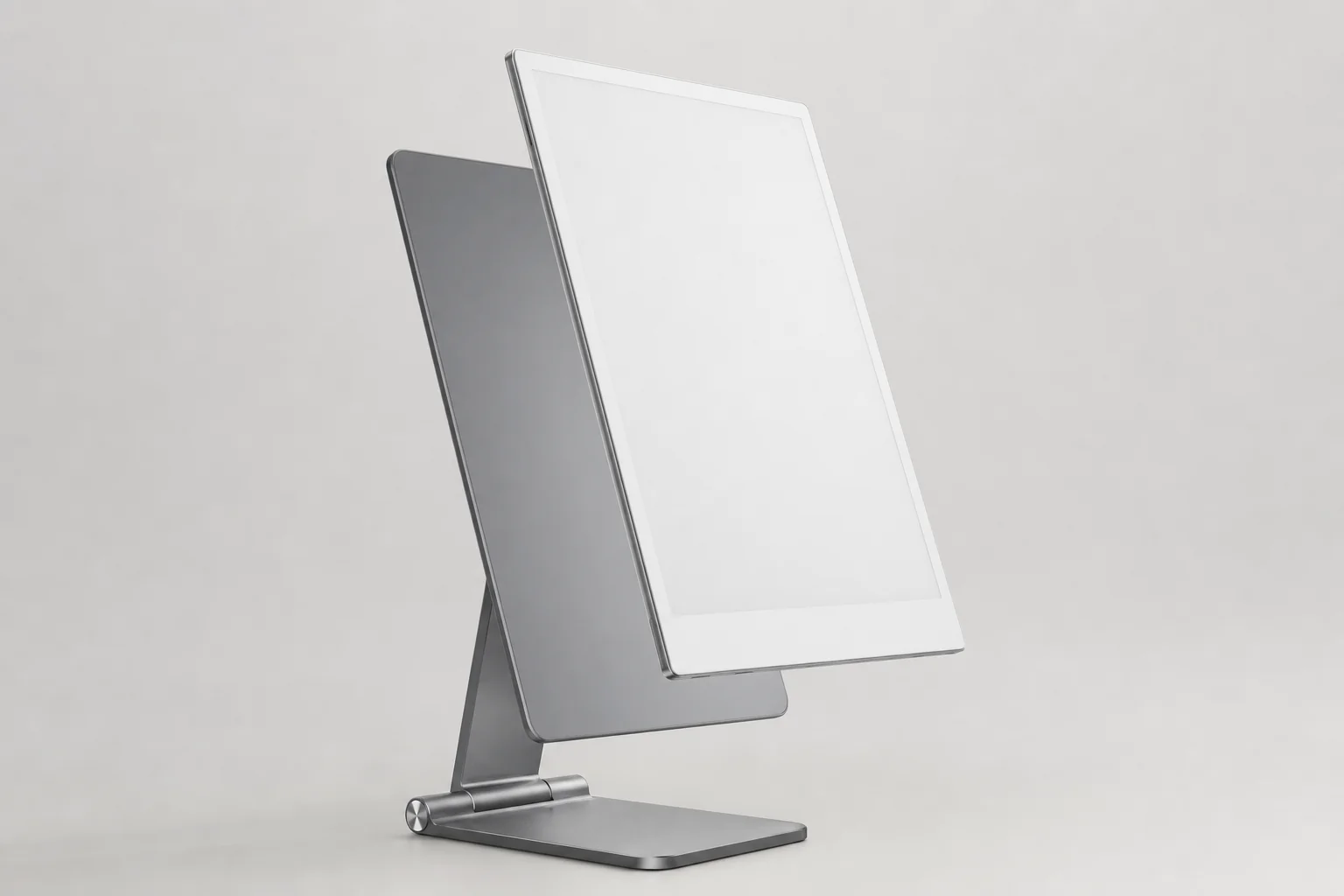
At 274.1 × 196.6 × 5.1mm, the Paper Pro is impressively thin for something with an 11.8-inch display. Its approximately 525g weight is noticeable in a bag but not punishing, and that is the important distinction. This is a notebook-sized object, not a pocket device. You will carry it to a meeting, a lecture, a train or a favourite café; you will not slip it into a jacket and forget it exists.
The proportions matter as much as the raw size. The 4:3 panel feels far closer to an A4 pad or a page of printed notes than the stretched widescreen shape used by many tablets. It gives PDFs room to breathe, lets diagrams sit naturally on the page and makes landscape orientation useful rather than merely available. Four rubber feet help it sit securely on a desk, which sounds trivial until you are trying to write quickly and the slab beneath your hand starts wandering about.
The aluminium construction feels appropriately premium. More importantly, it does not feel fussy. There is no camera bump, no forest of ports, no speaker grille asking you to pretend this is a media tablet. There is one USB-C port, Wi-Fi support on 2.4GHz and 5GHz networks, and that is about the level of drama. For this product category, restraint is a feature.
Marker attachment and charging
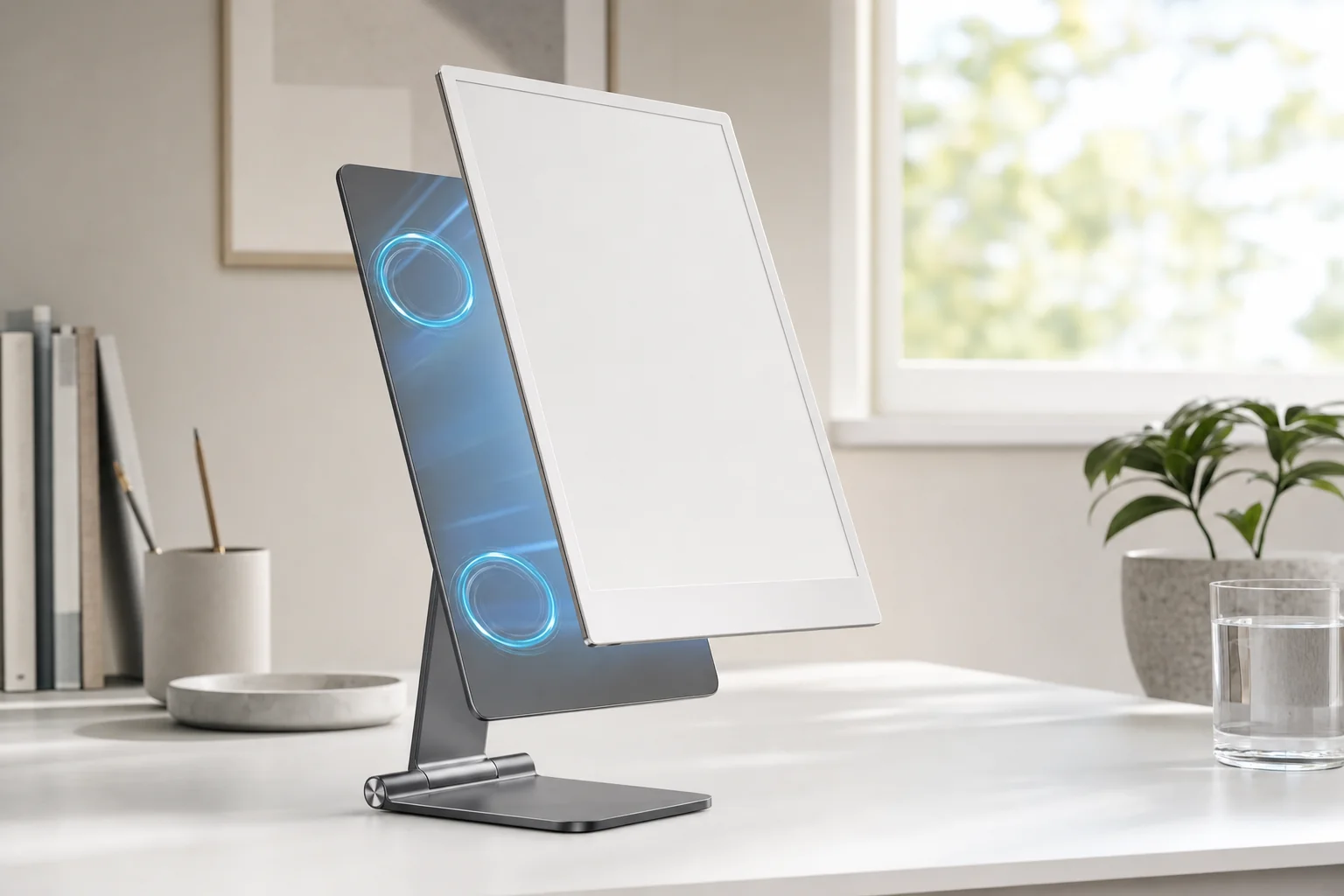
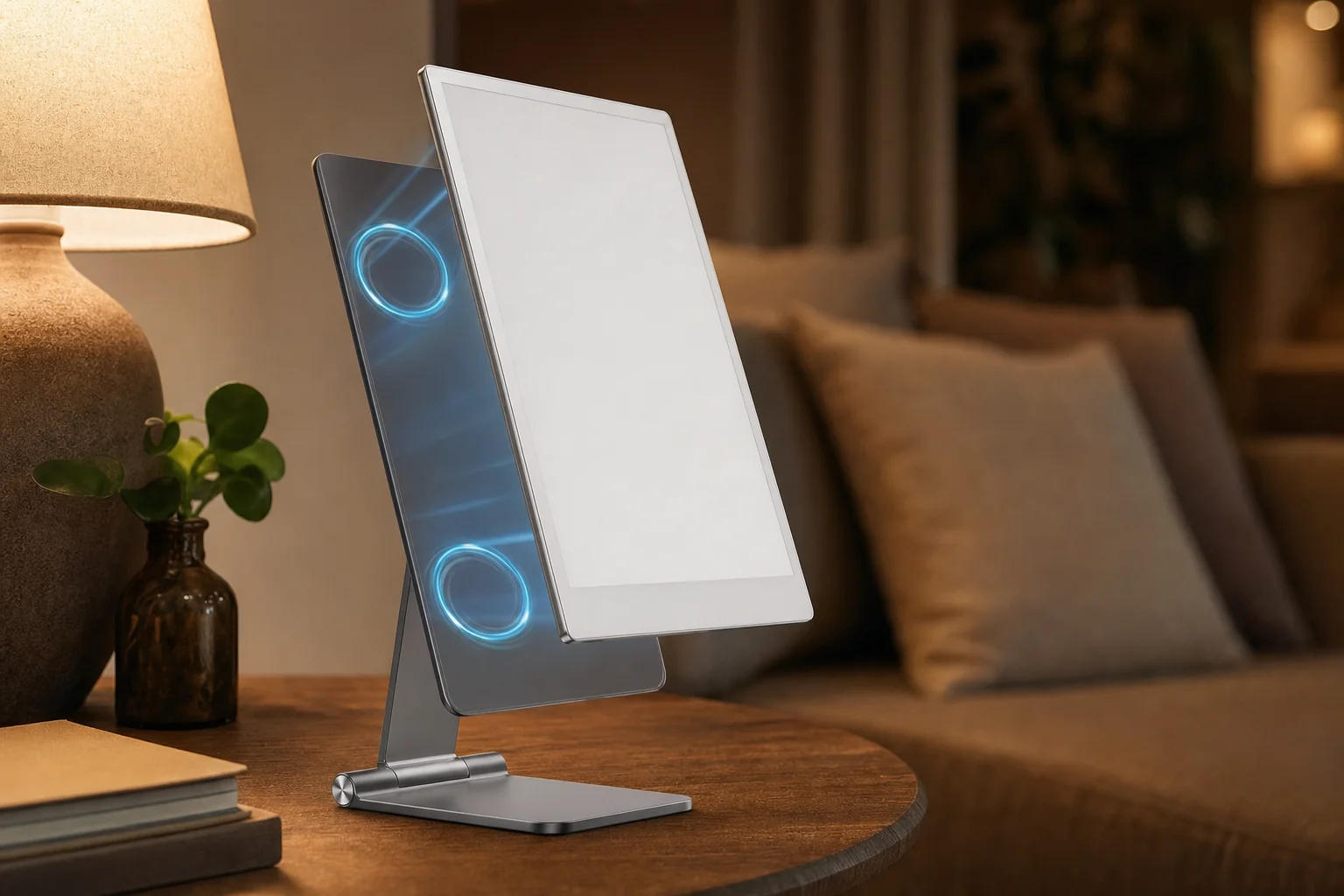
The active Marker attaches magnetically and charges wirelessly on the tablet. It is the sort of small convenience that makes the device feel properly self-contained rather than like a tablet with yet another cable to lose.
Palm rejection that gets out of the way
You can rest your hand naturally on the screen while writing. That sounds like a basic requirement, but it remains one of the places where a note-taking device either feels like a tool or feels like a toy.
Folio-aware sleep and wake
Folio and device sensors handle automatic wake and sleep, making the Paper Pro behave more like a physical notebook: open it, write, close it, leave it alone.
Low-glare writing surface
The textured glass cover lens is readable in bright daylight and does not turn every nearby lamp into a mirror. For long reading sessions, that is a more meaningful advantage than it first appears.
The Paper Pro is portable, but it is not the reMarkable to choose if portability means genuinely compact. The 7.3-inch Paper Pro Move, at approximately 230g, exists for commuters and meeting-hoppers who want the same colour platform in a much smaller notebook.
Its 4:3 shape and notebook-scale display make the Paper Pro particularly comfortable for PDFs, lecture notes and full-page planning.
Writing on it is the whole point — and it mostly works
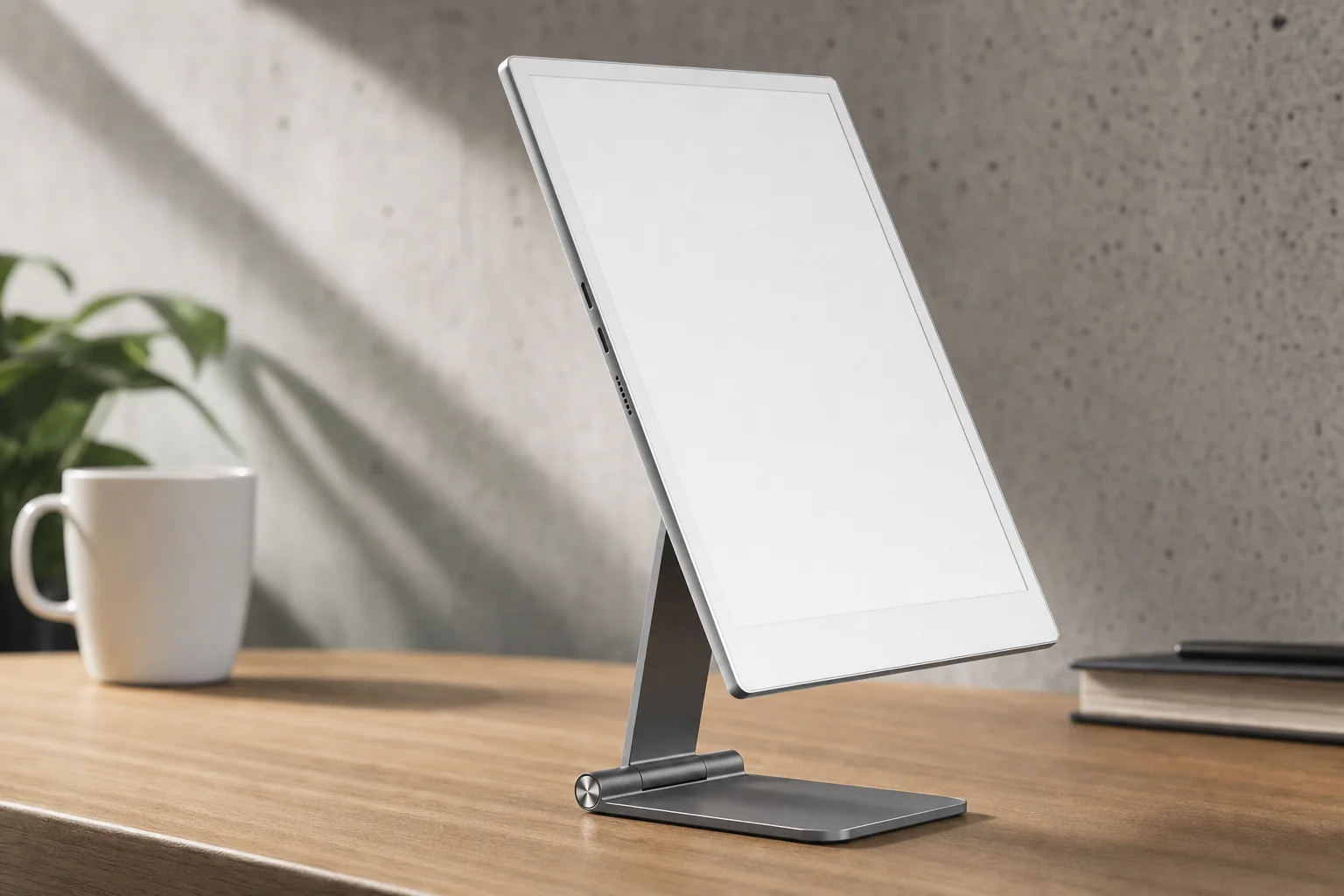
Let's get to the bit that earns the price. The Paper Pro feels better to write on than almost any digital tablet because it does not try to imitate paper with a software trick. Its textured glass surface adds actual friction. The tip has resistance; strokes have control; your handwriting does not skid away from you as it can on a bare iPad display. There is a faint, pleasing scratchiness too. Not a dramatic pencil squeak, thankfully. More the quiet suggestion that you are doing something physical.
The 0.92mm pen-to-ink distance is a key part of that. It means the displayed ink appears remarkably close to the nib rather than seemingly underneath a layer of glass. When you are forming small letters, drawing a quick arrow between two ideas or adding a note in a thin PDF margin, that closeness makes the interaction feel direct. You are writing on the page, not hovering above it.
reMarkable claims 12ms writing latency, and independent hands-on reviews broadly agreed that the Paper Pro felt meaningfully quicker than the old reMarkable 2. Slow handwriting comes through with very little obvious lag. Fast note-taking remains coherent rather than turning into a chasing line. Diagonal strokes are controlled, small lettering is manageable and quick sketches benefit from the fact that the line appears where your hand expects it to be.
That does not mean physics has been cancelled. The ink response is fast for e-paper, not instant in the way a high-refresh LCD tablet can be. The difference is most apparent when you change pages, zoom around a document or make the system redraw a more complicated view. During ordinary handwriting, though, the Paper Pro gets close enough that you stop thinking about latency and start thinking about what you are writing. That is the win.
Paper Pro versus Paper Pure on paper
The current Paper Pure has a slightly smaller stated pen-to-ink distance of 0.84mm, but its claimed writing latency is 21ms rather than the Paper Pro's 12ms. These are manufacturer figures, not controlled independent measurements. In practical buying terms, Paper Pure is the sensible monochrome value option; Paper Pro is the stronger choice if you want the fastest stated response, colour and a front light.
There is a useful caveat here. "Paper-like" does not mean it will feel identical to your favourite notebook and favourite pencil. The Paper Pro's surface is relatively firm and deliberate. Some writers will love the precise, pencil-on-paper resistance; others may prefer a softer, more yielding sensation. But compared with writing on standard tablet glass, it is a night-and-day improvement for people who value handwriting control.
The Marker Plus is the more premium stylus option if you want its built-in eraser, but the standard Marker is included in the listed starting configuration. Either way, the basic proposition is strong: this is not an accessory you reluctantly tolerate because the software is useful. The pen is the product experience.
Colour e-paper: useful annotation, not a mini iPad screen
Colour is the Paper Pro's headline feature, and it is also the thing most likely to be misunderstood. reMarkable says the Canvas Color display can render 20,000 colours. That sounds like an invitation to judge it against an OLED screen full of neon app icons. Please do not. This is colour e-paper based on E Ink Gallery 3. It is muted, natural and deliberately low-key.
That restraint is not necessarily a weakness. In fact, it is rather the point. A bright conventional screen demands attention; the Paper Pro's palette carries information without trying to entertain you. Android Authority described the colour as adding "nuance, not noise", which is a very good way of putting it. You can use colour to distinguish projects, teams, deadlines, revisions and themes without turning your page into a packet of sweets.
PDF annotation
Colour highlighting makes it easier to separate actions, questions, approved copy and points to revisit. That is far more useful than simply making a page prettier.
Diagrams and mind maps
Use colour to group ideas, clarify process steps and show relationships. A planning page with a few meaningful colours is easier to scan weeks later.
Meeting-note systems
Assign one colour to actions, another to decisions and another to open questions. It is a simple system, but it makes notes more useful after the meeting has faded from memory.
Documents where colour matters
Charts, review marks, presentations and teaching material all benefit when colour carries meaning. Plain text novels and black-ink journalling benefit much less.
The adjustable reading light is equally practical. Unlike a backlit tablet display, it illuminates the page-like surface rather than blasting light through it. It means you can read and write in a dim room without needing a lamp, yet the screen still behaves properly outdoors. Low glare remains one of e-paper's great strengths, particularly if you spend long days looking at documents and already have enough glowing rectangles in your life.
Ars Technica was much less impressed by the Paper Pro's colour and front light when compared with conventional screens, and that criticism is fair in context. The Paper Pro is not colourful in an iPad sense. Buy it for functional visual organisation, not vivid photography, film, comics or colour-critical artwork.
For the right person, colour changes the Paper Pro from a handsome monochrome notebook into a genuinely better work tool. A consultant juggling clients, a student annotating lecture slides, a researcher coding documents or a project lead mapping dependencies can make real use of it. For someone who writes a daily black-ink journal and reads novels, it is a very expensive way to add the occasional pale blue heading.
Colour works best when it carries information: categories in a plan, annotations in a report and relationships in a diagram rather than tablet-style visual spectacle.
The quiet operating system — and the moments it reminds you it is e-paper
reMarkable OS is custom Linux-based software with a fairly uncompromising personality. It is designed for notebooks, folders, templates, handwriting, PDFs and EPUBs. There is no general app store waiting to turn your distraction-free writing pad into a small, slow version of your phone. Depending on your temperament, that is either bliss or a deal-breaker.
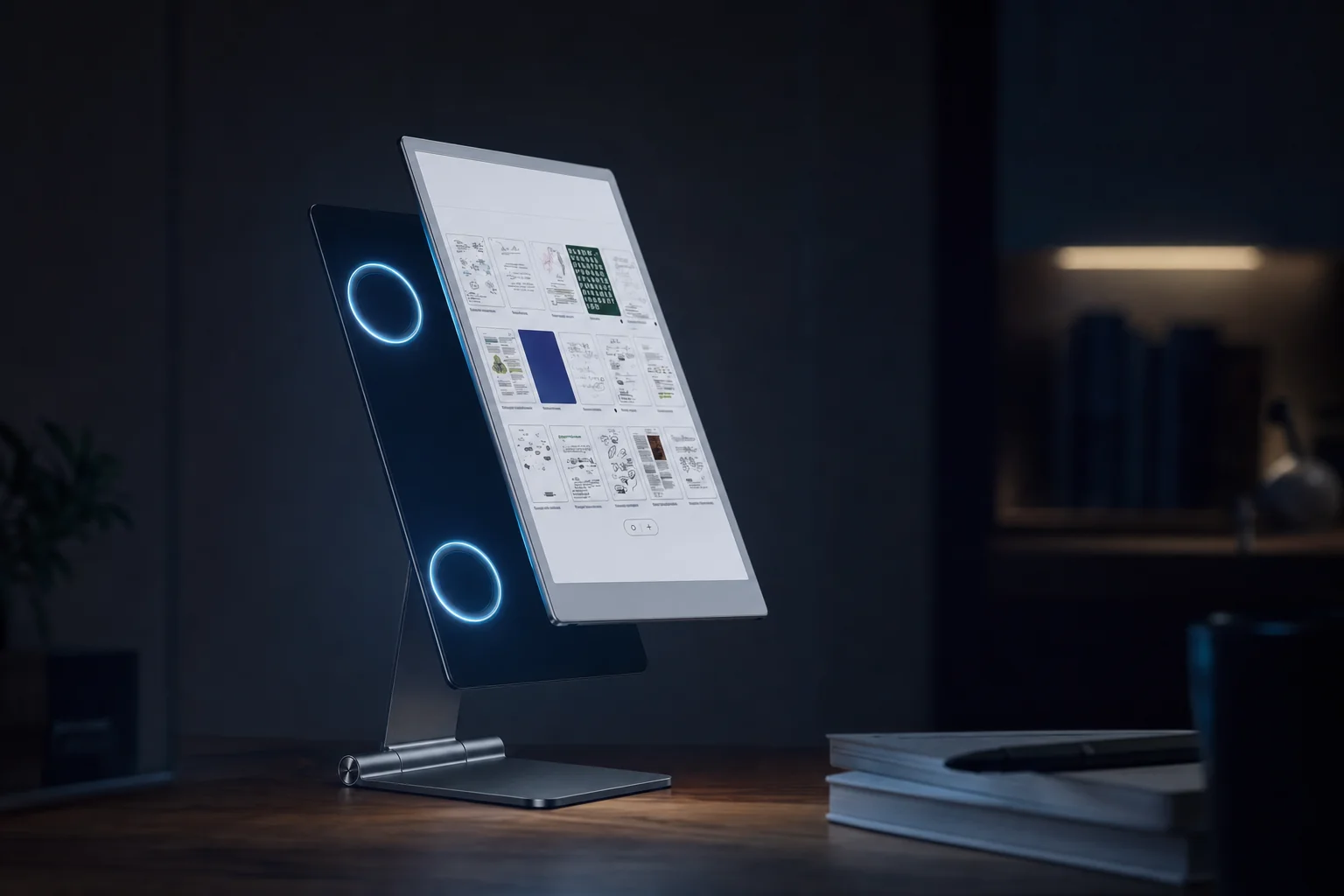
I think it is mostly bliss. The software does not ask you to configure an ecosystem before you can make a note. You create notebooks, arrange folders, use tags, write, erase, select handwriting, resize it, move it, copy it and export the result. There is handwriting conversion, screen sharing, mobile and desktop apps, browser extensions and integrations with Google Drive, Microsoft OneDrive and Dropbox. The workflow is focused, but it is not isolated.
File handling needs a little more thought. The Paper Pro imports PDF and EPUB files, then exports PDF, PNG and SVG. That is a sensible set for a digital paper tablet, but it means Word files, PowerPoint decks and other office documents need to enter your workflow in a suitable format rather than simply opening as native editable files. If your work depends on constantly editing cloud-native documents, shifting slides around and running complex spreadsheets, this is not a laptop replacement wearing a nice cardigan.
Navigation is the area where e-paper's limits remain visible. Opening notebooks and moving through ordinary pages is perfectly manageable. Lasso selection, erasing, resizing and rearranging handwriting are useful and intuitive. But long, image-heavy PDFs, rapid scrolling and frequent zooming reveal a display technology that refreshes differently from LCD. The Paper Pro is faster than reMarkable 2 according to reviewers, and its pen response is excellent, yet a modern iPad still feels far quicker when you want to fly through a complex document.
What the software gets right
- Distraction-free notebook-first interface.
- PDF and EPUB imports suit reading and annotation.
- PDF, PNG and SVG exports are useful for sharing work.
- Folders, tags and handwriting tools keep large note collections manageable.
- Cloud services and desktop/mobile apps support a wider workflow.
Where it feels restricted
- No third-party app ecosystem for general tablet jobs.
- Complex PDFs and frequent navigation still expose e-paper refresh limits.
- Office-file-heavy workflows require more preparation.
- It cannot replace a conventional tablet for media, calls, games or rapid browsing.
- Some of the most useful cross-device features sit behind Connect.
Buy the limitation, not despite it
The Paper Pro works best when its narrowness is a relief. If you want fewer choices, fewer alerts and a place where the only sensible action is to read, write or think, reMarkable OS is excellent. If you want one device to do everything, it will feel expensive and underpowered very quickly.
A battery designed to disappear into the routine
The Paper Pro uses a built-in 5,030mAh rechargeable lithium-ion battery. reMarkable rates it for up to 14 days, or two weeks, of regular use and up to 90 days of standby. Those figures depend on how much you use the adjustable reading light, how often Wi-Fi is active and the type of content you are working through, but they fit the whole point of e-paper: this is not a device you expect to charge every evening.
That difference changes daily life more than most specification tables suggest. With a conventional tablet, you often think about charge before you leave home because the screen is power-hungry and the device is usually doing ten things at once. With the Paper Pro, an hour of notes, a period of PDF reading, occasional syncing and some standby time should simply become part of the background. Engadget used it for roughly one to two hours per day for more than a week and reported that the battery had not dropped below half.
There are sensible real-world limits. If you use the front light at maximum brightness for extended reading, expect the headline endurance to come down. If you are flipping constantly through a very large PDF, syncing heavily and leaving Wi-Fi active, you are asking more of it than somebody who opens a notebook for an hour each evening. None of that is a scandal; it is just how battery claims work.
For normal note-taking, though, this is exactly the sort of battery profile I want. You charge it, you use it, and it quietly gets on with being ready. There is no battery percentage anxiety during a meeting and no lovely new routine where you hunt for a socket in a lecture theatre. That is not glamorous. It is much better than glamorous.
The practical battery takeaway
The Paper Pro's endurance is strongest when you treat it like paper: open it for focused work, put it away afterwards and use the light only when the room needs it. It is not designed for eight hours of streaming, because it is not designed for streaming at all. Happily, that is precisely why its battery can last so long.
The adjustable front light makes late-night reading practical, while the low-glare e-paper surface remains most comfortable in daylight.
The price of focus starts at £559 — and keeps climbing
The reMarkable Paper Pro starts at £559 in the UK and $629 in the US, including the standard Marker in the listed starting configuration. That is not casual money for a device whose software does relatively little by modern tablet standards. Then again, "does relatively little" is a misleading way to judge something designed to remove distractions rather than collect features like trophies.
Accessories are where the number begins to climb. The Book Folio starts at £79 in the UK and $89 in the US, depending on material. The Type Folio keyboard cover costs £179 in the UK and $229 in the US. It is a handsome option for focused drafting, but it also pushes the Paper Pro into serious laptop territory without granting it laptop flexibility.
Paper Pro starter setup
Paper Pro with standard Marker in the listed starting configuration.
With Book Folio
Paper Pro plus the starting Book Folio price.
With Type Folio
Paper Pro plus the keyboard cover for focused typing.
Put another way: an 11-inch iPad Air with M3 started at £599 in the UK and $599 in the US. It had a full colour LCD, an app ecosystem, optional 5G, cameras, microphones, speakers, gaming, fast browsing and a great deal more raw performance. Add Apple Pencil Pro and the gap changes again, of course, but the basic comparison remains uncomfortable for reMarkable: at this price, a buyer can buy broadly capable hardware instead.
The counterargument is that the iPad is a terrible substitute if you specifically want an e-paper writing surface. Its smooth glass, notifications, bright display and general-purpose nature are the point for many people — and exactly the problem for others. You are paying for focus here. Whether that is good value depends entirely on whether focus is the thing you are actually missing.
| Current reMarkable model | UK starting price | US starting price | Display | Storage |
|---|---|---|---|---|
| reMarkable Paper Pure | £359 | $399 | 10.3-inch monochrome Canvas | 32GB |
| reMarkable Paper Pro Move | £399 | $449 | 7.3-inch Canvas Color | 64GB |
| reMarkable Paper Pro | £559 | $629 | 11.8-inch Canvas Color | 64GB |
The value argument for Paper Pro
- Exceptional writing feel is difficult to replicate on a conventional tablet.
- Large colour e-paper canvas is excellent for notes and PDFs.
- Standard Marker is included in the listed starting price.
- Battery life and low glare suit long, focused sessions.
The value argument against it
- £559 is steep before a folio or keyboard cover.
- The Type Folio makes the total substantially higher.
- Software remains narrow beside an iPad or Android tablet.
- Connect can add an ongoing cost for cloud-first users.
Connect: optional convenience or an awkward subscription toll?
Connect is the part of the Paper Pro experience that needs the most careful thought before buying. It costs $3.99 per month or $39.90 per year, with a 50-day free trial. Basic writing, reading and local organisation do not require it. You can still create notebooks, organise files and use the tablet as the focused paper replacement it was designed to be.
But Connect becomes important once the Paper Pro needs to become part of a wider workflow. It adds unlimited cloud storage, automatic sync, handwriting search, mobile and desktop note editing, additional integrations, AI-powered conversion and summaries, Convert to Notebook, Meeting Notes tools and extra protection-plan benefits. Those are not silly extras. Handwriting search alone can be transformative once your notebook archive becomes properly large.
Without Connect, the Paper Pro still works locally. The important limitation is cloud behaviour: reMarkable says cloud files that go unused or unedited for 50 days stop syncing to the mobile and desktop apps. If your notes need to flow constantly between device, phone and computer, that detail matters.
I have mixed feelings here. A subscription for advanced cloud services is not inherently unreasonable. Servers, search systems and AI features cost money. The awkwardness comes from the price of the hardware. Once somebody has spent £559 on a deliberately specialist notebook, it is understandable that they may expect uncomplicated cross-device syncing to be part of the deal for longer than a short initial window.
The good news is that you can make a sensible decision based on your actual habits. If you want a private, local, calm writing machine and occasionally export PDFs, Connect is optional. If you plan to capture every meeting, search years of handwritten material, edit notes on a desktop and rely on cloud continuity, it is closer to part of the ownership cost than a bonus.
Connect makes sense for
- People building a long-term searchable note archive.
- Users who move between Paper Pro, desktop and mobile apps.
- Teams or professionals using integrations and meeting tools.
- Anyone who values automatic, always-current sync.
You may not need it if
- Your Paper Pro is mainly a local notebook.
- You export finished work rather than continually editing it elsewhere.
- You prefer simple folders and periodic manual housekeeping.
- You dislike paying a recurring fee after buying premium hardware.
Paper Pro, Paper Pure, Paper Pro Move — or an iPad?
reMarkable's current range is pleasantly easy to understand once you ignore the names for a moment. Paper Pure is the lighter, lower-cost monochrome notebook. Paper Pro Move is the compact colour notebook for people who need portability. Paper Pro is the large-format colour pad for serious writing, document review and desk use.
| Feature | reMarkable Paper Pure | reMarkable Paper Pro Move | reMarkable Paper Pro |
|---|---|---|---|
| Starting price | £359 / $399 | £399 / $449 | £559 / $629 |
| Display | 10.3-inch monochrome Canvas | 7.3-inch Canvas Color | 11.8-inch Canvas Color |
| Resolution | 1872 × 1404 | 1696 × 954 | 2160 × 1620 |
| Claimed writing latency | 21ms | 12ms | 12ms |
| Storage | 32GB | 64GB | 64GB |
| Battery claim | Up to three weeks | Up to two weeks | Up to two weeks |
| Reading light | No | Adjustable | Adjustable |
| Weight | Approx. 360g | Approx. 230g | Approx. 525g |
Paper Pure is the sensible choice if your world is black text, pencil-style notes and long battery life. Its 10.3-inch monochrome screen, 32GB storage and claimed three-week battery life will be more than enough for a lot of writers and readers. It does not have a reading light, though, and its claimed 21ms latency is slower than the colour Paper Pro models' stated 12ms.
Paper Pro Move is the fun little outlier. Its 7.3-inch colour screen, 64GB storage, adjustable light, 12ms claimed latency and approximately 230g weight make it the obvious choice for meeting notes, travel and carrying everywhere. The trade-off is page space. For reading full PDFs, sketching complex diagrams or replacing a broad notebook, the larger Paper Pro is vastly more comfortable.
Then there is the iPad Air 11-inch with M3. It is not really a reMarkable rival in spirit, but it is absolutely a rival at the till. The iPad Air started at £599/$599, supported Apple Pencil Pro, ran iPadOS, offered a full app ecosystem, USB 3 and optional cellular connectivity. It is faster, brighter, more colourful and capable of doing almost every other digital job you own. It is also less calming, less paper-like and far more likely to become a very expensive way to procrastinate.
Best value: Paper Pure
Choose the £359/$399 Paper Pure if monochrome notes and long battery life matter more than colour, a reading light or the biggest page.
Best portable pick: Paper Pro Move
Choose Paper Pro Move if you want colour and the same 12ms claimed latency in a roughly 230g device built for being carried everywhere.
Best large notebook: Paper Pro
Choose Paper Pro for serious PDF annotation, large handwritten notes, visual planning and the most expansive reMarkable canvas.
The Paper Pro sits at the premium end of reMarkable's range, trading portability and price for a much larger colour page.
Who gets the most from this unusually specialised tablet?
The Paper Pro is for people who still think best with a pen. That sounds obvious, but it narrows the audience in a helpful way. If you already take notes in meetings, lectures, workshops and planning sessions — and you find yourself surrounded by paper pads you do not quite trust yourself to keep organised — the Paper Pro solves a real problem without trying to change your working style.
Researchers, postgraduate students, consultants, project leads, architects, writers and teachers all make sense here. The large display makes it comfortable to annotate PDFs without constantly zooming, colour helps with systems and categories, and the low-glare surface works beautifully in rooms where an LCD feels aggressive after several hours. The device rewards people who have a repeatable note-taking method, even if that method is currently "write everything down and hope future me understands it".
Meetings and workshops
Best for people who need a reliable place for agendas, actions, diagrams and follow-up notes without a parade of notifications breaking concentration.
Study and research
Excellent for marking PDFs, making colour-coded study notes and keeping reading, annotations and handwritten ideas together.
Focused writers
The optional Type Folio suits drafting and revision, especially for writers who want a quiet second device rather than another general-purpose computer.
The Type Folio deserves a little perspective. It can make Paper Pro a lovely place to draft an article, a chapter outline, a proposal or a long email. But it does not turn the device into a laptop. There is still no full desktop-style software environment, no broad app library and no quick route into all the fiddly things a computer does. Buy the keyboard because you want focused typing on an e-paper screen, not because you are hoping to replace your work machine.
You should buy an iPad instead if you need broad apps, fast browsing, video calls, streaming, gaming, cameras, microphones, speakers, full-colour media, advanced illustration tools or a device that can handle all your digital life. The iPad Air 11-inch with M3 is close enough in starting price that pretending this comparison does not exist would be silly.
But if you have tried writing on glass and never quite bonded with it, the Paper Pro may be the first digital notebook that changes your mind. It understands that note-taking is not simply text input. It is a physical act, with pace, pressure, messiness and memory wrapped up in it.
The scorecard: exceptional writing, conditional value
The Paper Pro earns a high score because it does its defining job exceptionally well. The display is not impressive in the same way as a high-end LCD or OLED screen, but that would be the wrong benchmark. For notes, documents and diagrams, the 11.8-inch 2160 × 1620 panel is spacious, sharp enough at 229ppi, low-glare and usefully illuminated by its adjustable reading light. Colour is muted, yes, but it adds real utility for annotation and planning.
Performance is similarly contextual. The quad-core 1.8GHz Cortex-A53 processor and 2GB of RAM are not headline hardware in conventional tablet terms. Yet the Paper Pro's priority is pen response, and the stated 12ms latency plus 0.92mm pen-to-ink distance create a writing experience that reviewers consistently found among the best in e-paper. It feels much faster while writing than its modest internals might suggest.
Where it falls behind is navigation speed. It can open, organise and work through documents perfectly well, but e-paper page refreshes remain visible. A long PDF with lots of images is not a place where you want to pinch, zoom and bounce around at speed. An iPad is simply better at that. The Paper Pro asks you to slow down a little, which is either a feature or a frustration depending on the task.
Why it scores so well
- One of the most convincing handwriting experiences in digital paper.
- Large colour display genuinely helps with visual organisation.
- Low-glare screen and reading light make it flexible day or night.
- 64GB storage and strong battery claims support long-term daily use.
- Focused software encourages work rather than distraction.
Why it is not an automatic five
- Starting price is high before folios and keyboard accessories.
- Colour is functional rather than vivid.
- E-paper refresh remains slower than an iPad for navigation.
- Restricted software will not suit general tablet buyers.
- Connect complicates the value equation for cloud-first users.
Verdict: the closest digital paper has come to feeling real
The reMarkable Paper Pro is the best fit for somebody who wants a large, colour-capable digital notebook and is prepared to pay for a genuinely distinctive writing experience. Its textured glass surface, tiny pen-to-ink gap and stated 12ms latency combine to make handwriting feel startlingly natural. Not theoretically natural. Not "good for a gadget". Actually pleasant.
It also gets the rest of the formula right. The 11.8-inch 4:3 Canvas Color display is generous for PDFs and notes. The adjustable front light is useful without spoiling the paper-like character. The 64GB storage should satisfy all but the most extreme hoarder of documents. Battery life is built around weeks rather than days. And the quietness of reMarkable OS is not merely marketing copy; it is one of the product's most important features.
The compromises are real. It starts at £559/$629, colour is subtle rather than punchy, page refreshes are still slower than a modern iPad and the Type Folio raises the price substantially. It is not a media tablet, a gaming machine, a video-call device or a practical substitute for broad desktop-style work. Connect also remains an awkward consideration for anybody who expects seamless, lasting cloud-first use.
Gadget Scout verdict
Buy the reMarkable Paper Pro if you want the finest digital-paper writing experience in a large colour format, and you value focus as much as features. Choose Paper Pure if colour and a light do not matter, Paper Pro Move if portability is everything, or an iPad Air if you need a proper all-purpose tablet. Paper Pro is expensive, specialised and occasionally slow — but for serious handwritten thinking, it is remarkably close to the real thing.

See reMarkable Paper Pro on Amazon UK
Check today's price & availability on Amazon UK
The Paper Pro's appeal is not raw computing power; it is the rare feeling that a digital device has stepped back and let the writing take over.
Paper Pro questions, answered before you buy
- reMarkable Paper ProView on Amazon