
Logitech G Pro X Superlight 2 vs Razer Viper V3 Pro: which mouse wins?
Two ultra-light, solid-shell FPS mice, separated by six grams, two very different shapes and a few daily-use compromises that matter more than the DPI headline.
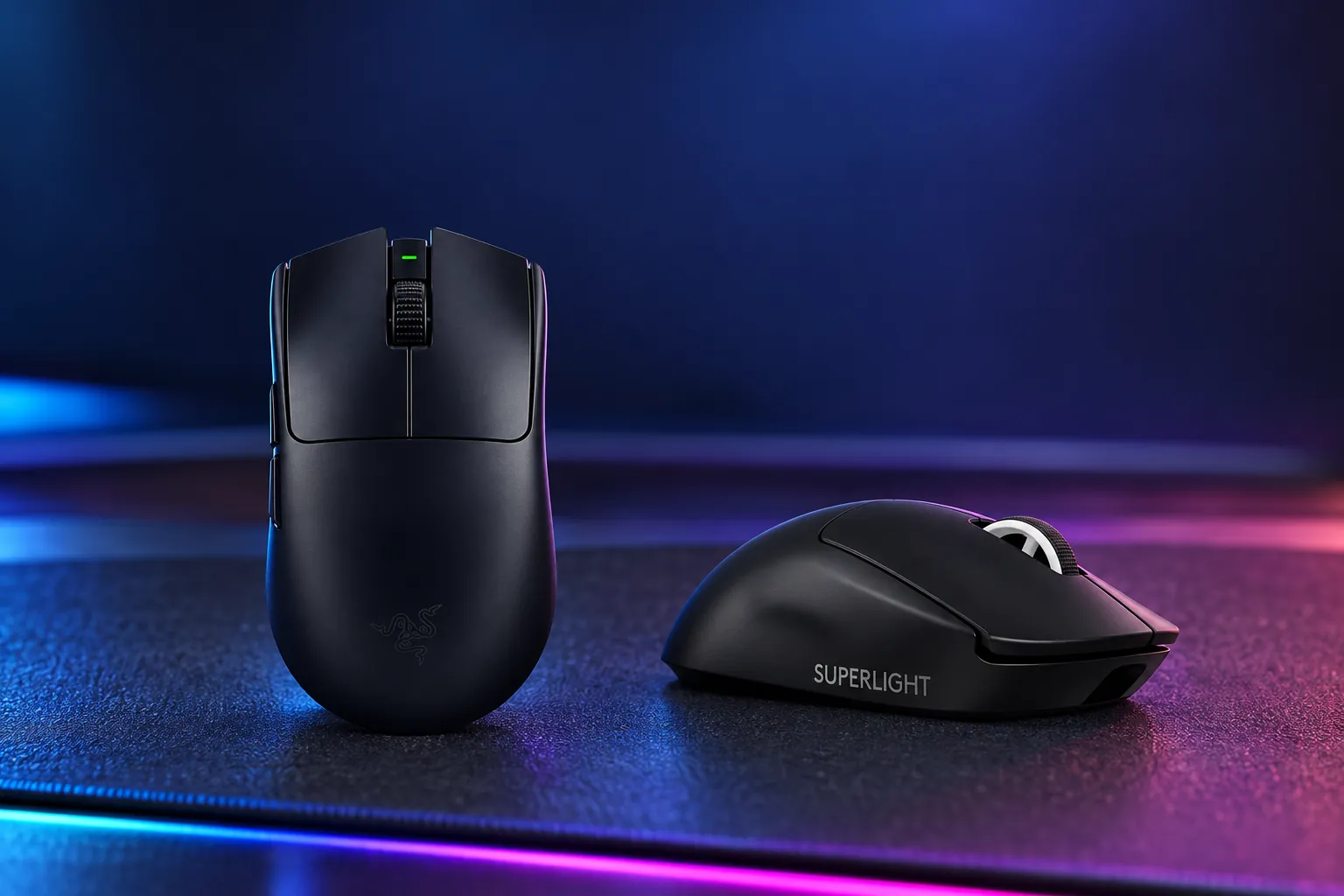


Around 6g lighter, with included 8K hardware, smoother reported feet and detailed high-polling battery figures.
Check price on Amazon
Choose it for the familiar Superlight shell, Powerplay compatibility and equally strong 1,000Hz battery life.
Check price on AmazonWe link to the exact model on Amazon UK. Prices change often, so check the live price before you buy. As an Amazon Associate we earn from qualifying purchases.
Two Different Roads to the Same Esports Goal
These are premium wireless esports designs rather than all-purpose desktop mice. Neither has Bluetooth, RGB lighting, a free-spinning wheel or a bank of MMO controls. Instead, Logitech and Razer spent their budgets on low mass, high-speed wireless connectivity, optical switch technology and sensors built for fast, repeated aim corrections.
The Logitech G Pro X Superlight 2 arrived in September 2023 at a UK launch RRP of £149. The Razer Viper V3 Pro followed in April 2024 at £159.99. That seven-month gap is visible in Razer's package: its 8,000Hz HyperPolling receiver shipped in the box and Razer published runtime figures for each major polling tier. Logitech's original Superlight 2 specification later evolved through firmware to support 8,000Hz and 44,000 DPI on the same generation.
Neither outline is truly ambidextrous in use. Both put thumb controls on the left side only, making them primarily right-handed mice despite their symmetrical silhouettes. Their focus is also similar: claw and fingertip FPS players, especially people who make large low-sensitivity movements and care about a clean, unperforated shell.
| At a glance | Logitech G Pro X Superlight 2 | Razer Viper V3 Pro |
|---|---|---|
| Official weight | 60g | 54g in black; 55g in white |
| Independent weight figure | 59.5g, according to Tom's Hardware | 53.8g, according to RTINGS |
| Dimensions | 125 × 63.5 × 40mm | 127.1 × 63.9 × 39.9mm |
| Sensor | HERO 2 | Focus Pro 35K Optical Sensor Gen-2 |
| Maximum sensitivity | 44,000 DPI | 35,000 DPI |
| Wireless polling | Up to 8,000Hz | Up to 8,000Hz with included HyperPolling dongle |
| Claimed battery at 1,000Hz | Up to 95 hours | Up to 95 hours |
| Main-switch rating | 70 million clicks | 90 million clicks |
| Wireless charging | Logitech Powerplay compatible | Not supported |
| Bluetooth | Not supported | Not supported |
| Buy | Check price | Check price |
RTINGS rated both mice highly for build, sensor and click performance. Its comparison also concluded that the Viper V3 Pro held a modest raw-performance advantage, whilst warning that the measurable difference may not be perceptible in ordinary play. Shape remains the larger gamble.
Logitech G Pro X Superlight 2: The Refined Incumbent
The Logitech G Pro X Superlight 2 is the second-generation version of Logitech's widely adopted Superlight formula. Its 125 × 63.5 × 40mm body retains the simple, smooth shell that made the original popular: little sculpting, a moderate hump, two thumb buttons and a clean top surface without a DPI switch or decorative lighting.
Logitech specifies the mouse at 60g, while Tom's Hardware recorded 59.5g and Tom's Guide reported roughly 59.9g. Those figures are still very light for a full-size solid-shell wireless mouse. Tom's Guide also described its review unit as sturdy, without obvious squeaking when squeezed, which matters because low mass can otherwise make a plastic shell feel hollow or fragile.
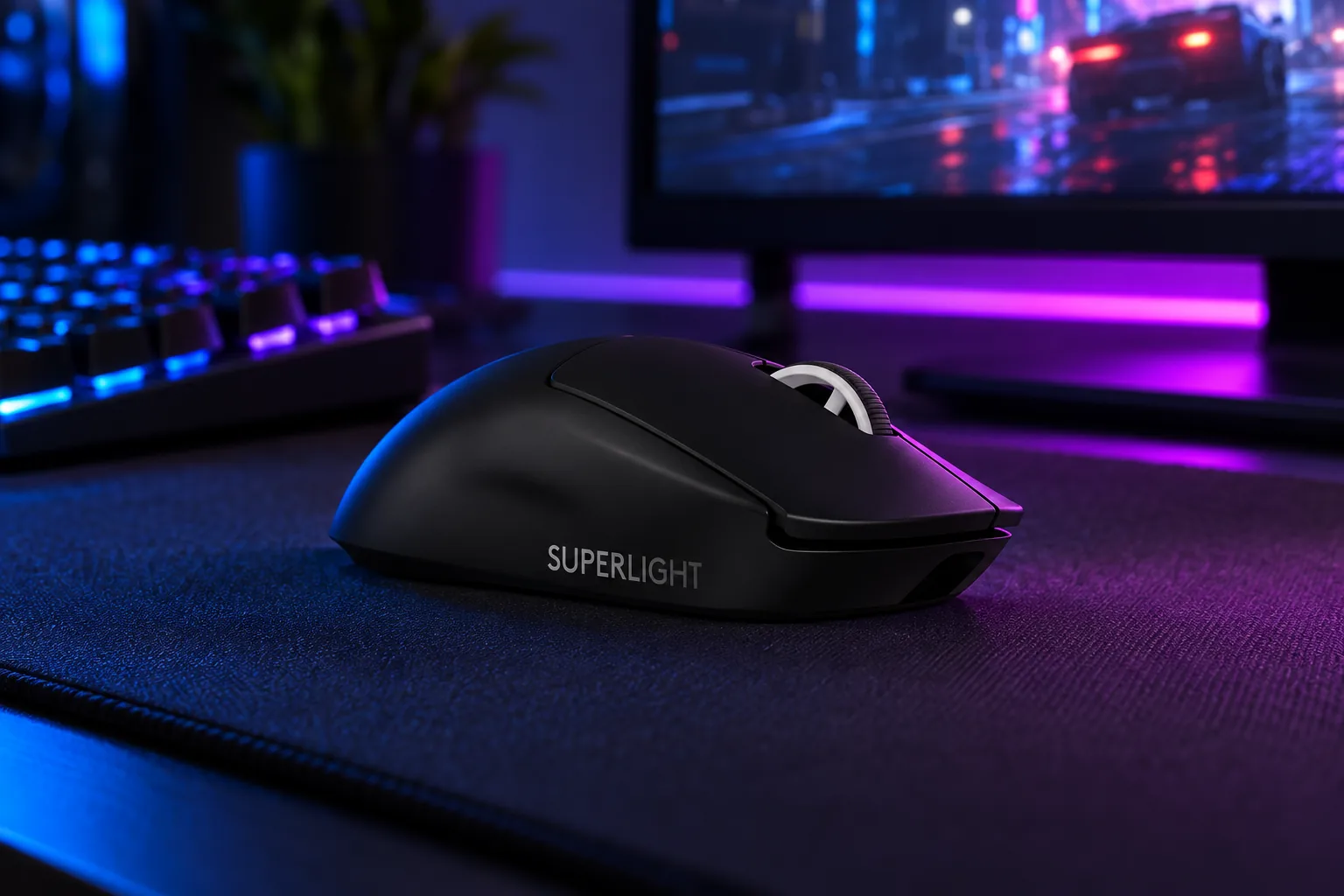
The hardware change over the first Superlight is the LIGHTFORCE main switch. Logitech combines optical actuation with a mechanical-feeling click mechanism, rating it for 70 million clicks. In practical descriptions, that created a more deliberate character than lighter, softer esports clicks: Tom's Hardware found the main buttons heavier than some rivals, and PC Gamer called them loud enough to cut through music played through over-ear headphones.
The HERO 2 sensor is now specified for 100 to 44,000 DPI, more than 888 IPS tracking speed and more than 88G acceleration, with zero smoothing, acceleration and filtering claimed by Logitech. Those ceilings are far beyond ordinary competitive settings, but the useful point is consistency. RTINGS described click latency as exceptionally low and sensor performance as outstanding, while Tom's Hardware reported accurate tracking in CS:GO and Overwatch 2.
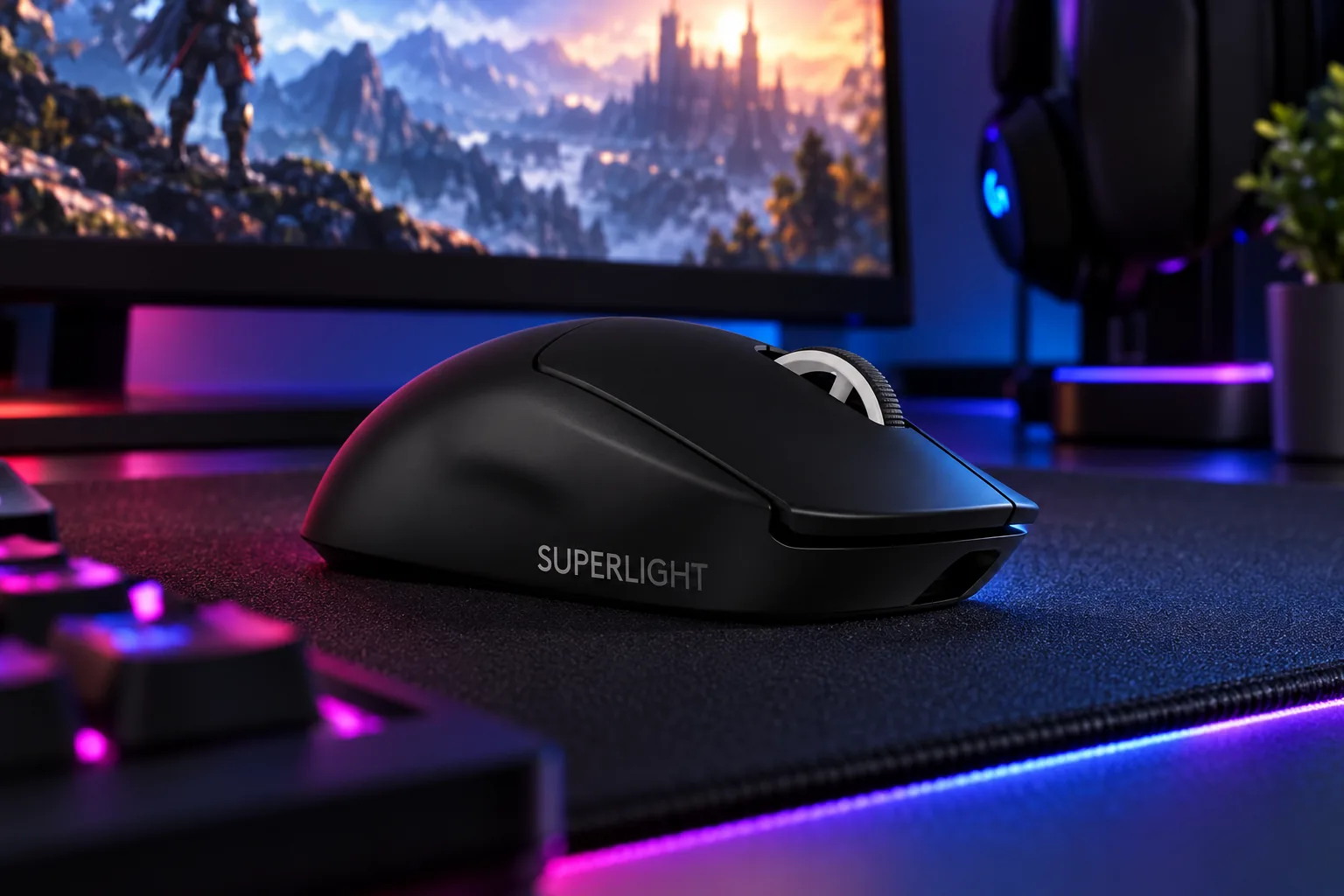
Its practical strengths are familiar rather than flashy. USB-C replaced the original model's Micro-USB connection, onboard memory supports saved settings, and Logitech includes grip tape, a receiver extension adapter and an alternate PTFE-covered Powerplay puck. The zero-additive PTFE feet drew a mixed reaction: TechRadar liked them on a gaming mat but found bare-desk glide less convincing, and RTINGS similarly felt some rivals moved more smoothly.
Why it works
- Neutral Superlight shape accommodates a wide range of grip styles, according to RTINGS.
- HERO 2 offers 44,000 DPI, 888+ IPS and 8,000Hz wireless support.
- Powerplay compatibility removes charging friction for existing Logitech mat owners.
- Measured weight stayed close to the 60g claim without a perforated shell.
- Up to five onboard profiles were reported by Tom's Hardware.
Daily compromises
- No dedicated DPI button; changing sensitivity means G HUB or remapping another control.
- Main clicks are comparatively heavy and can be audible.
- Only five programmable buttons limit it for productivity shortcuts or MMO use.
- Tom's Hardware found G HUB's button-mapping workflow convoluted.
- Powerplay hardware costs extra despite compatibility being built in.
For a player coming from another Superlight, this is the low-risk choice. The shell has a broad reputation because it does not force the hand into aggressive finger grooves or a pronounced ergonomic slant. It is particularly sensible for claw, fingertip and relaxed palm users who want a medium-large neutral body rather than an intensely sculpted FPS tool.
Razer Viper V3 Pro: The Lighter, Faster Challenger
The Razer Viper V3 Pro approached the same brief with a more explicitly performance-led specification. The black model weighs 54g, and RTINGS recorded 53.8g. It is also fractionally longer and wider than Logitech's mouse at 127.1 × 63.9 × 39.9mm, with a rounder rear profile, subtle finger shaping and a ring-finger ledge that make the silhouette feel more intentional in a claw grip.
Razer positioned that shape around claw and fingertip use. RTINGS found it comfortable across a wide span of hand sizes and grips, but TechRadar's reviewer did not get on with its more pronounced rear hump for palm use. That is the crucial warning: lower weight does not rescue a shape that presses in the wrong place against your hand.
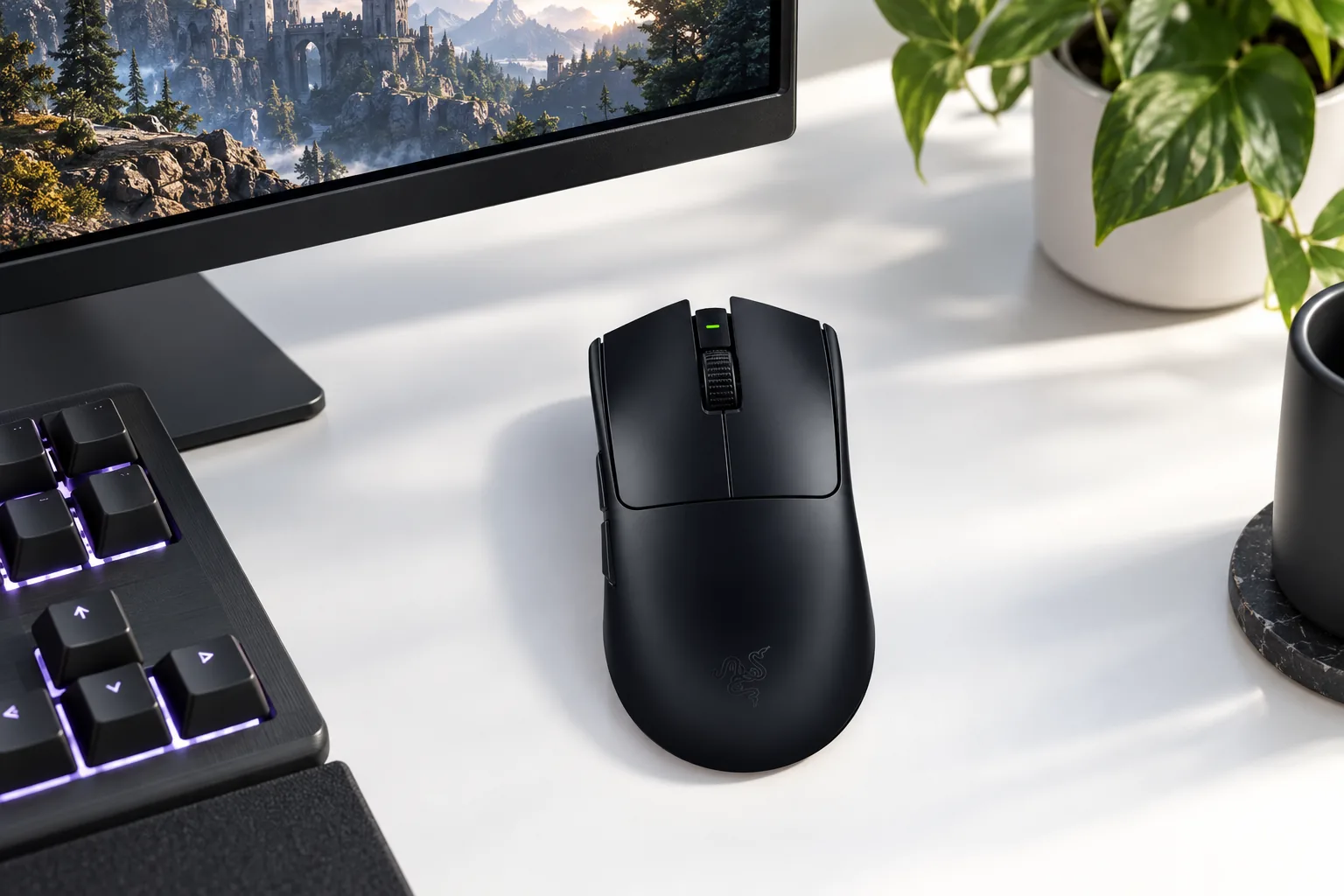
The Focus Pro 35K Optical Sensor Gen-2 reaches 35,000 DPI, 750 IPS and 70G acceleration. Razer also claims 99.8% resolution accuracy. Its Gen-3 optical switches are rated for 90 million clicks, 20 million more than Logitech's rating, and Razer claims 0.2ms actuation with no debounce delay. Those ratings do not guarantee a particular lifespan for every individual mouse, but they underline Razer's all-optical approach.
Razer bundled the HyperPolling Wireless Dongle, so the 8,000Hz headline works without adding a separate receiver. RTINGS praised the Viper V3 Pro's click and sensor latency, whilst its April 2026 firmware retest still classified the results as exceptional after a small 0.4ms increase to the receiver click-latency result. TechRadar also reported a stable wireless connection without dropouts or noticeable lag.
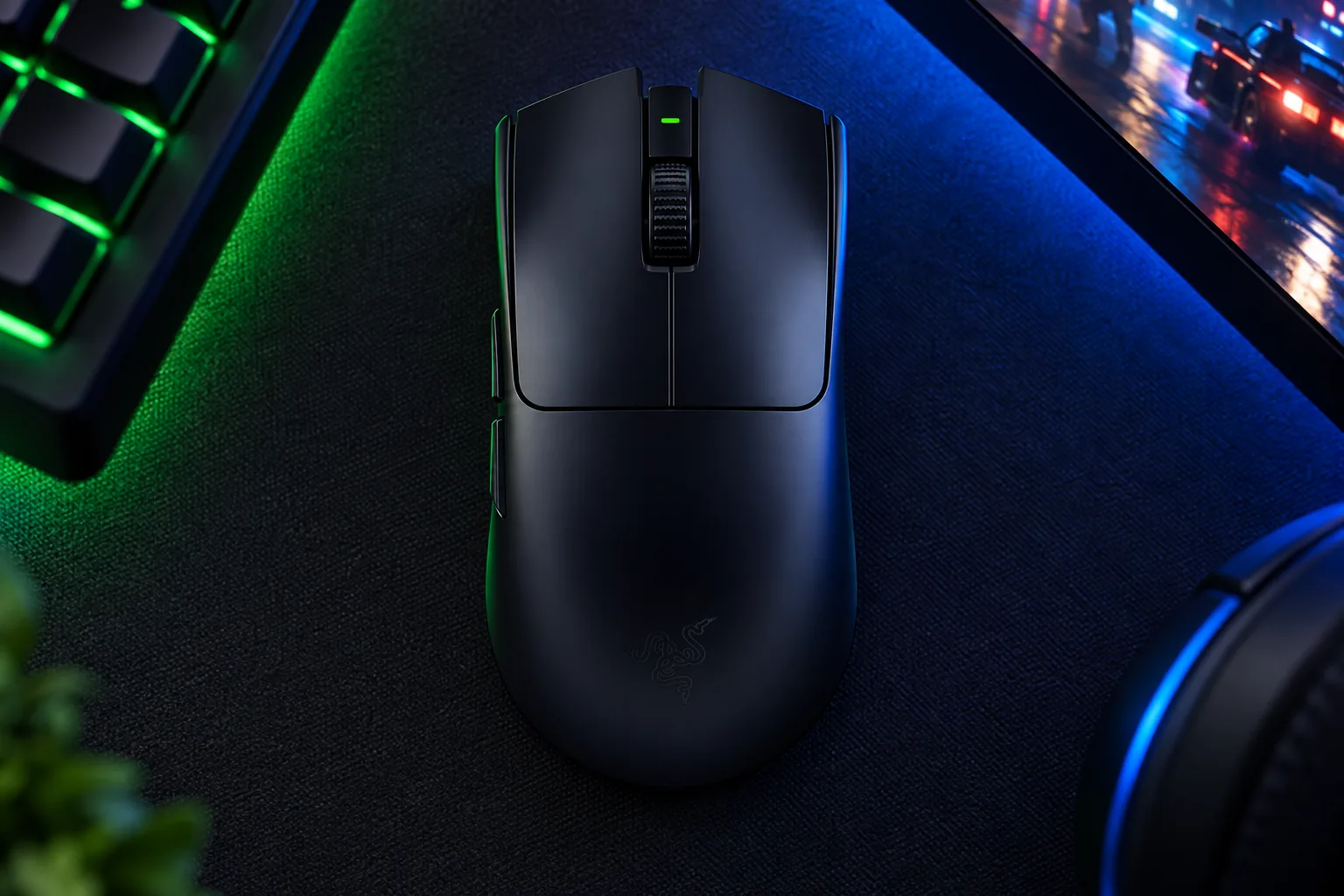
The Viper's larger 100% PTFE feet are a meaningful physical advantage. RTINGS specifically judged them smoother than Logitech's stock feet, and Tom's Hardware liked the wide contact patches. The supplied USB-C cable is less flattering: TechRadar described it as relatively thick and draggy, which matters more with a mouse this light if you often play while charging.
Why it works
- Approximately 6g lighter than Logitech's mouse in measured figures.
- Included 8,000Hz HyperPolling dongle and clear battery figures at 1K, 2K, 4K and 8K.
- Large PTFE feet received stronger glide feedback from RTINGS.
- Gen-3 optical switches carry a 90-million-click rating.
- Synapse supports deep remapping, macros and HyperShift functions.
Daily compromises
- Its rear hump will not suit every palm-oriented grip.
- The DPI and power button sits underneath, which is inconvenient for frequent changes.
- Razer rates 8,000Hz battery life at only up to 17 hours.
- No Bluetooth, multi-device pairing, tilt wheel or free-scrolling mode.
- The bundled cable was described by TechRadar as noticeably draggy.
Weighing the Difference: 60g vs 54g in the Hand
Six grams can sound abstract until you compare it with the total. RTINGS' 53.8g measurement for the Viper V3 Pro against Tom's Hardware's 59.5g figure for the Superlight 2 puts Razer about 5.7g ahead: roughly a 10% reduction in the moving mass under your hand. For a low-sensitivity player repeatedly lifting a mouse at the edge of a pad, that is a credible difference.
Do not mistake the chart for a comfort ranking. Logitech's body is 2.1mm shorter and 0.4mm narrower, with a slightly taller 40mm peak. Razer is longer, marginally wider and almost identical in height, but its hump and lateral shaping alter where support lands in the palm and fingers. A player who relaxes their grip may prefer Logitech's simpler shape despite the weight penalty.
The useful way to think about six grams
The Viper's reduction is meaningful during fast flicks and frequent repositioning, but it is not a substitute for a comfortable shell. A mouse that feels planted and natural will usually deliver more consistent aim than one that is lighter but causes you to tense your hand.
Both designs achieve these figures with closed, solid shells. That means no honeycomb cut-outs collecting dust and no need to accept the flexible feel associated with some earlier ultra-light designs. Build quality was a positive in RTINGS' coverage of each mouse, so weight is not being bought at the expense of an obviously compromised chassis.
Sensors and Switches: Where the Real Performance Gap Lives
On paper, Logitech takes the sensor-specification lead in two columns. HERO 2 reaches 44,000 DPI and more than 888 IPS, against the Viper's 35,000 DPI and 750 IPS. Logitech also specifies more than 88G acceleration, while Razer specifies 70G. For almost every competitive player, however, all of these ceilings are surplus to requirement.
| Performance specification | Logitech G Pro X Superlight 2 | Razer Viper V3 Pro |
|---|---|---|
| Sensor | HERO 2 optical sensor | Focus Pro 35K Optical Sensor Gen-2 |
| Maximum DPI | 44,000 | 35,000 |
| Maximum tracking speed | More than 888 IPS | 750 IPS |
| Maximum acceleration | More than 88G | 70G |
| Wireless polling ceiling | 8,000Hz | 8,000Hz |
| Main switch type | LIGHTFORCE hybrid optical-mechanical | Gen-3 optical |
| Switch durability rating | 70 million clicks | 90 million clicks |
| Stock feet | Zero-additive PTFE | 100% PTFE |
The numbers that might matter over ownership are switch feel, glide and software control. Logitech's hybrid switches preserve a more mechanical click character, but reviewers found that character weightier and louder. Razer's optical switches were described by Tom's Hardware as firm and clicky, though still somewhat loud. Neither is a quiet-office mouse; both are designed around deliberate FPS inputs.
RTINGS rated both products highly for raw competitive performance, and its direct comparison gave Razer a small advantage for latency, feet and optical-switch durability. This should not be read as Logitech failing to keep pace. Both sensors are comfortably capable of CS2, Valorant, Apex Legends and Overwatch 2; the practical selection comes down to weight, shape and the configuration you actually intend to run.
Polling Rate and the 8,000Hz Battery Trade-off
At 1,000Hz, the competition is a dead heat on official claims: both quote up to 95 hours. PC Gamer reported that the Superlight 2 still showed 89% after more than 35 hours of combined gaming and work use, while TechRadar saw the Viper V3 Pro lose around 1% after a little more than an hour of continuous gaming. Those observations support the idea that both can comfortably cover several ordinary sessions at sensible polling settings.
Razer gives the clearer picture once you raise the report rate. It specifies up to 62 hours at 2,000Hz, 40 hours at 4,000Hz and 17 hours at 8,000Hz. Tom's Hardware recorded Logitech operating estimates of around 51 hours at 2,000Hz, compared with up to 95 hours at 1,000Hz in power-saving hybrid-switch mode.
| Polling rate | Logitech G Pro X Superlight 2 | Razer Viper V3 Pro |
|---|---|---|
| 1,000Hz | Up to 95 hours | Up to 95 hours |
| 2,000Hz | Approximately 51 hours, via Logitech figures reported by Tom's Hardware | Up to 62 hours |
| 4,000Hz | 8,000Hz supported through current firmware | Up to 40 hours |
| 8,000Hz | Supported through current firmware | Up to 17 hours |
The theoretical interval between reports drops from 1ms at 1,000Hz to 0.25ms at 4,000Hz, then 0.125ms at 8,000Hz. Tom's Hardware made the sensible point that the difference between 4,000Hz and 8,000Hz is only 0.125ms, whilst higher polling makes a substantial call on battery life and can increase system load. A fast monitor and a powerful gaming PC make the mode easier to justify, but it is not mandatory for competitive play.
Logitech has one counterpoint that matters for long-term convenience: Powerplay compatibility. A compatible Logitech charging mat can keep the Superlight 2 topped up during use through its puck system. The accessory is sold separately, but for someone already invested in Powerplay, it is a real ecosystem advantage that Razer does not offer.
Buttons, Software and the Bits That Annoy You Daily
The Superlight 2 takes minimalism further. It has five programmable buttons: left and right click, scroll-wheel click and two left-side buttons. There is no dedicated DPI button on the body, so sensitivity changes happen in Logitech G HUB unless you assign DPI duties to a control you would otherwise use in-game.
The Viper V3 Pro has six physical controls, including an underside power/DPI button, with scroll-up and scroll-down assignments allowing eight programmable functions in the relevant Synapse configuration. Razer also offers HyperShift secondary assignments. That is useful for players who want push-to-talk, a temporary DPI setting or utility functions without surrendering a combat bind.
Logitech's cleaner layout
Five programmable buttons keep the shell uncluttered, but the lack of a dedicated DPI control is inconvenient for people who alter sensitivity regularly.
Razer's deeper mapping
Synapse supports macros, remapping and HyperShift layers. TechRadar highlighted this breadth of customisation as a major strength.
Profile storage
Tom's Hardware reported up to five onboard profiles for Logitech, while Razer specifies one onboard profile for the Viper V3 Pro.
Bottom-mounted DPI button
Razer's placement prevents accidental presses during a match, but TechRadar found it less convenient for routine desktop changes.
Neither software suite is friction-free. Tom's Hardware criticised G HUB's mapping workflow, and PC Gamer reported confusing macro assignment and a DPI-reset issue until the relevant setting was found. On the Razer side, Synapse offers more options, including sensitivity matching, power controls and lift-off adjustments, although more options can mean more setup time.
For pure competitive play, Logitech's restraint can be an advantage: fewer controls mean fewer accidental actions and a simpler muscle-memory layout. For mixed desktop and gaming use, Razer's extra assignable functions are more flexible. Neither mouse is designed to replace a productivity mouse with Bluetooth switching, wheel tilt or many side buttons.
Pound for Pound: UK Pricing and What You Actually Get
At launch, the Logitech G Pro X Superlight 2 cost £149 in the UK, while the Razer Viper V3 Pro cost £159.99. The roughly £11 gap was modest considering both were positioned as flagship esports mice, but Logitech's lower launch price gave it a cleaner value argument for players who already preferred the Superlight shape.
Logitech G Pro X Superlight 2
Powerplay compatibility, optional grip tape, receiver extension adapter and an alternate PTFE-covered puck were included with the mouse.
Razer Viper V3 Pro
The HyperPolling Wireless Dongle and Razer Mouse Grip Tape shipped in the box, making 8,000Hz wireless available without another receiver purchase.
In current UK shopping, street pricing can matter more than old RRPs. If the Logitech is substantially discounted, it is the more compelling value route because its core competitive performance remains extremely strong. If prices sit close together, the Viper's 6g weight advantage, larger PTFE feet, included 8K receiver and fuller high-polling battery information justify its premium for players who like the shape.
Do not count Powerplay as "free" value unless you already own the compatible charging mat. It is an extra purchase for a new buyer. Equally, do not pay extra solely for 8,000Hz if you plan to stay at 1,000Hz for battery life; both mice are equally rated at up to 95 hours in that mode.
Shape and Grip: Which Hand Does Each Mouse Actually Fit?
Shape determines this comparison more decisively than sensor specifications. RTINGS found the Superlight 2's symmetrical body accommodating for most hand sizes and grip types. TechRadar also found all five controls reachable for a small-handed reviewer. Its smooth, unsculpted flanks leave more room to find your own grip rather than directing fingers to fixed grooves.
Razer's shell is still symmetrical in outline, but it feels more sculpted. The 127.1mm length, 63.9mm width and rear-shifted hump make it a natural proposition for claw and fingertip players who hold the mouse actively. Razer itself recommends those grips, and RTINGS found it broad in appeal, but TechRadar's palm-focused experience is an important counterexample.
| Handling consideration | Logitech G Pro X Superlight 2 | Razer Viper V3 Pro |
|---|---|---|
| Overall shape | Neutral symmetrical/pseudo-ambidextrous shell | Right-handed symmetrical shell with more sculpting |
| Length | 125mm | 127.1mm |
| Width | 63.5mm | 63.9mm |
| Height | 40mm | 39.9mm |
| Thumb controls | Two buttons on the left side | Two buttons on the left side |
| Grip guidance from reviewers and makers | RTINGS found it suitable for most hand sizes and grips | Razer recommends claw and fingertip; RTINGS found broad suitability |
| Specific comfort caution | Smooth coating can become slippery for sweaty hands, according to Tom's Hardware | Pronounced rear hump did not suit TechRadar's palm-oriented reviewer |
Grip-first buying advice
Choose Logitech if you want the safer, familiar Superlight shape or if you use a relaxed palm-claw hold. Choose Razer if you want a lighter mouse with more rear-hump support for claw and fingertip movement. Both are right-handed in practical use because their side buttons sit on the left.
Frequently Asked Questions on Choosing Between Them
The Verdict: Two Winners for Two Different Grips
The narrow overall lean: Razer Viper V3 Pro
For a competitive FPS player choosing from a blank slate, the Razer Viper V3 Pro has the stronger performance package. It is around 6g lighter, carries a 90-million-click optical-switch rating, includes its 8,000Hz receiver, has smoother stock feet according to RTINGS and offers published battery expectations from 1,000Hz through 8,000Hz.
That does not make the Logitech G Pro X Superlight 2 obsolete or inferior for every hand. Logitech holds the higher nominal DPI and IPS figures, its neutral Superlight shell is easier to recommend across palm-claw and relaxed grips, and Powerplay compatibility is genuinely useful for existing Logitech users. RTINGS' own qualification remains the right one: these are margins, not a dramatic gulf in normal play.
Buy Razer Viper V3 Pro if…
You use claw or fingertip grip, value the lowest possible weight, want 8,000Hz hardware in the box and prefer more configurable controls. It is the stronger choice for players chasing marginal competitive advantages without using a perforated shell.
Buy Logitech G Pro X Superlight 2 if…
You already know you like the Superlight shape, want Powerplay compatibility, prefer a simpler shell or find the Logitech at a meaningful saving. It remains a highly capable FPS mouse with excellent sensor performance and long 1,000Hz endurance.
For most people, the decisive question is simple: do you prefer the Viper's lighter, more shaped claw-focused body or Logitech's safer, smoother Superlight silhouette? Pick the Viper if the answer is the former. Pick Logitech if the latter is more familiar to your hand, particularly if Powerplay or a lower purchase price closes the deal.
Sources
- Logitech G product pages and Superlight 2 technical documentation.
- Razer UK product pages, support documentation and April 2024 launch announcement.
- RTINGS reviews and comparison material for Logitech G Pro X Superlight 2 and Razer Viper V3 Pro.
- Tom's Hardware reviews of Logitech G Pro X Superlight 2 and Razer Viper V3 Pro.
- TechRadar reviews of Logitech G Pro X Superlight 2 and Razer Viper V3 Pro.
- Tom's Guide and PC Gamer coverage of Logitech G Pro X Superlight 2.
- Razer Viper V3 ProPerformance pickView on Amazon
- Logitech G Pro X Superlight 2Shape and ecosystemView on Amazon
Sources and evidence (29)
- doi-product-assets.s3.amazonaws.com (other)
- news.logitech.com (other)
- ir.logitech.com (other)
- tomshardware.com (other)
- tomsguide.com (other)
- pcgamer.com (other)
- techradar.com (other)
- rtings.com (other)
- logitechg.com (other)
- logitechg.com (other)
- logitechg.com (other)
- survivalconfigs.com (other)
- rtings.com (other)
- razer.com (other)
- razer.com (other)
- razer.com (other)
- razer.com (other)
- techradar.com (other)
- press.razer.com (other)
- mysupport.razer.com (other)
- razer.com (other)
- tomshardware.com (other)
- kitguru.net (other)
- logitechg.com (other)
- razer.com (other)
- logitechg.com (other)
- mousespecs.org (other)
- pcgamer.com (other)
- gearscout.co (other)