
High-end gaming gear: which mouse, keyboard or headset deserves your money?
Four premium peripherals, three very different jobs: sharper competitive input, a more capable desk, or immersive audio across the screens you actually use.
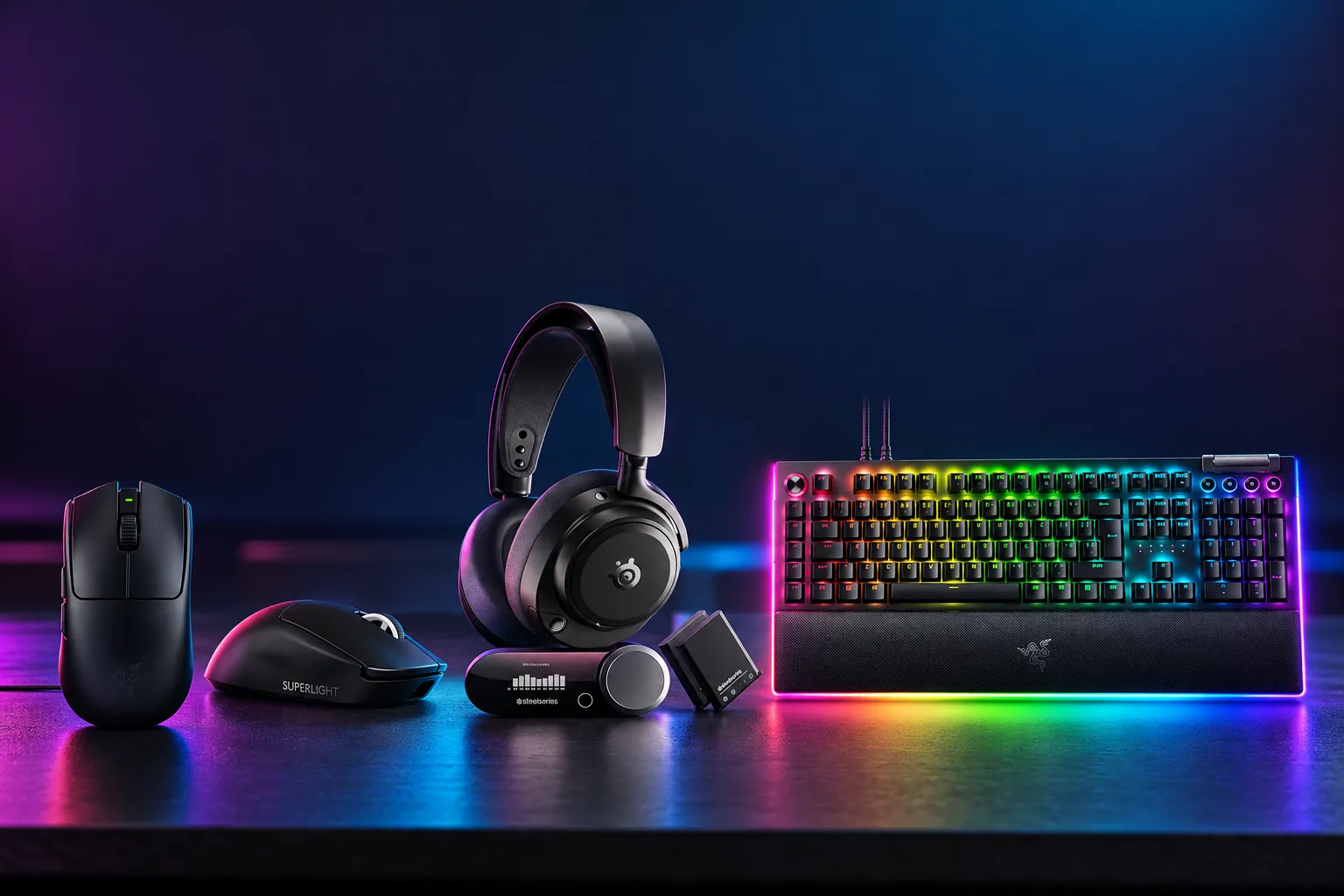 1Razer Viper V3 Pro2Logitech G PRO X Superlight 23SteelSeries Arctis Nova Pro4Razer BlackWidow V4 Pro

A 54g wireless mouse with included 8,000Hz support, excellent latency assessments and clear battery-setting trade-offs.
Check price on Amazon
A 60g competitive mouse with a proven neutral shell, 95-hour battery claim and firmware-enabled 8,000Hz polling.
Check price on Amazon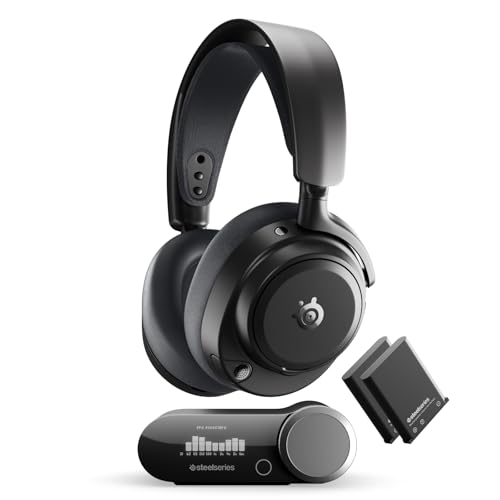
Its GameHub, four-source mixing, ANC and hot-swappable batteries suit gaming across PC, consoles and mobile.
Check price on Amazon
Eight macro controls, a Command Dial and extensive media inputs justify its size for shortcut-heavy setups.
Check price on AmazonWe link to the exact model on Amazon UK. Prices change often, so check the live price before you buy. As an Amazon Associate we earn from qualifying purchases.
The expensive part of a gaming setup is often not the PC: it is the kit beneath your hands and around your ears. A mouse that feels too tall, a keyboard that fills half the desk, or a headset that cannot handle a phone call and console chat at once can make a premium purchase feel wrong very quickly. The useful answer is not one universal winner. We recommend the Razer Viper V3 Pro for players specifically pursuing a light 8,000Hz esports mouse, the Logitech G PRO X Superlight 2 for a familiar and restrained competitive shape, the Razer BlackWidow V4 Pro for macro-heavy desks, and the SteelSeries Arctis Nova Pro for multi-platform audio.
The Real Decision: What Kind of Gamer (Or Desk) Are You Buying For?
These are not four interchangeable products. The two mice compete directly: both are premium wireless FPS-focused designs with symmetrical shells and 8,000Hz polling. The keyboard and headset solve different problems altogether. Buying the BlackWidow V4 Pro instead of a mouse makes no more sense than choosing a headset instead of a keyboard; the choice starts with the friction in your own setup.
For competitive shooters, shape, weight, click feel and polling behaviour matter more than decorative features. The Viper V3 Pro is the lighter option at 54g in black, while the Superlight 2 is 60g and has a notably established, neutral shell. The Razer's launch RRP was £159.99; Logitech launched the Superlight 2 at £149. They sit in the same premium purchase bracket, so comfort and control preferences should decide it.
The BlackWidow V4 Pro was a £229.99 launch-RRP full-size keyboard built around controls: eight dedicated macro inputs, a Command Dial, media buttons and a roller. The Arctis Nova Pro Omni launched at £349.99 and earns its price through a three-USB GameHub, source mixing, ANC and hot-swappable batteries. Neither is a casual add-on, and neither should be bought merely because it has more features than a simpler alternative.
| Product | Category | Launch RRP | Core specification | Suited to |
|---|---|---|---|---|
| Logitech G PRO X Superlight 2 | Wireless mouse | £149 | 60g; up to 8,000Hz; 95-hour battery claim | Competitive players wanting a familiar neutral shape |
| Razer Viper V3 Pro | Wireless mouse | £159.99 | 54g; up to 8,000Hz; 35,000 DPI sensor | Claw and fingertip players focused on low weight |
| Razer BlackWidow V4 Pro | Wired full-size keyboard | £229.99 | 8 macro controls; Command Dial; 8,000Hz polling | Macro-heavy games, streaming and desk workflows |
| SteelSeries Arctis Nova Pro | Wireless headset | £349.99 | 2.4GHz and Bluetooth; ANC; hot-swappable batteries | PC, console and mobile audio across one setup |
All four exact configurations were listed in stock through Amazon UK on 15 October 2026. Launch RRPs provide useful position-in-range context, but a retailer's current selling price can move independently.
Logitech G PRO X Superlight 2: The Safe, Proven Shape for Competitive Play
The Logitech G PRO X Superlight 2 in this guide is the standard second-generation LIGHTSPEED model, identified by Logitech as MR0097. It replaced the original 2020 G PRO X SUPERLIGHT and arrived after Logitech's 5 September 2023 announcement. The Amazon UK configuration is black, though black, white and magenta versions were sold in the UK. It is not the later right-handed DEX, the smaller 2c or another Superlight derivative.
Its appeal is almost deliberately understated. There is no RGB, no Bluetooth, no tilting wheel and no forest of side controls. Instead, Logitech retained the familiar closed-shell, pseudo-ambidextrous design with left-side buttons, updated it with USB-C, LIGHTFORCE hybrid optical-mechanical switches and the HERO 2 sensor, then enabled stronger specifications through firmware.
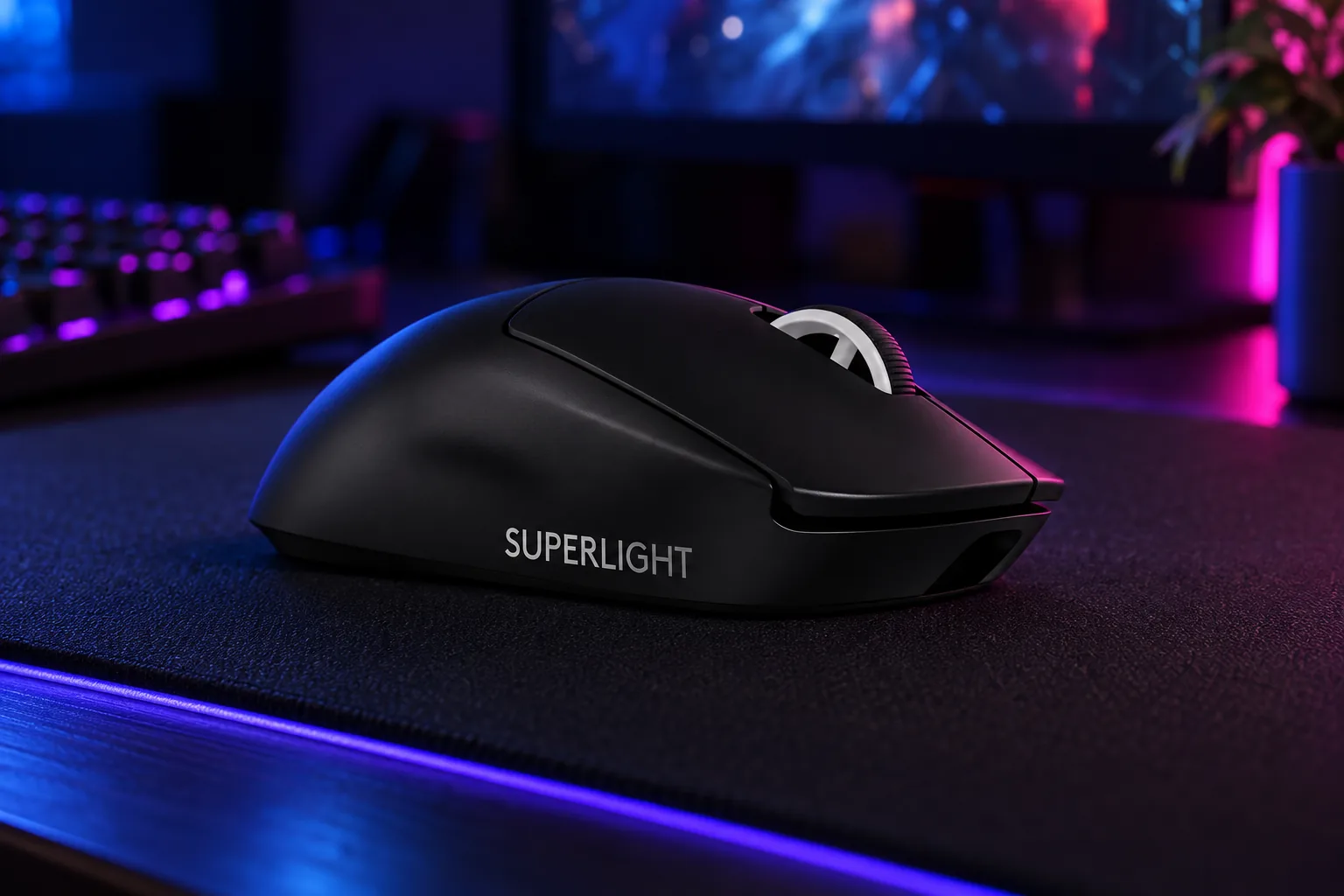
Logitech specifies tracking at more than 888 IPS and more than 88G, figures far beyond ordinary desk movement. More relevant day to day is the 125 × 63.5 × 40mm body and a weight that Tom's Hardware put at 59.5g on its scale. That close agreement with Logitech's 60g claim matters because this is a solid-shell mouse rather than a perforated ultralight.
The battery claim is 95 hours under Logitech's constant-motion method. In mixed real use, PC Gamer reported 89% remaining after just over 35 hours of gaming and work. TechRadar's Michelle Rae Uy also did not need to recharge over two weeks of mixed use. Those observations do not create a universal runtime figure, but they support the broader point: at ordinary polling settings, charging should not be a regular interruption.
The catch is click feel. ProSettings measured approximately 96g of actuation force for the main buttons, versus roughly 66g on the first-generation Superlight. Tom's Hardware and PC Gamer also described the clicks as firmer or louder than expected. That can give rapid taps a definite, positive stop, but players who prefer feather-light clicks may find it tiring or simply less satisfying.
Why it earns consideration
- Neutral, established shell that suits many palm and claw grips.
- Low 60g weight without a honeycomb design.
- Up to 8,000Hz wireless polling after firmware updates.
- Long 95-hour manufacturer battery claim at standard settings.
- USB-C and POWERPLAY compatibility improve daily convenience.
The honest compromises
- Main clicks require noticeably more force than the original model.
- No dedicated DPI button on the shell.
- No Bluetooth, RGB or expansive button layout.
- Reviewers found the PTFE feet surface-dependent.
- G HUB drew criticism from Tom's Hardware and PC Gamer.
Choose this Logitech if you want a competitive mouse that fades into the setup rather than asking you to adapt to it. It is particularly sensible for someone moving into premium wireless gear for the first time, or for a player whose current mouse has a similarly safe medium-size profile. Skip it if your wish list begins with many side buttons, rapid DPI changes, Bluetooth or a soft click.
Razer Viper V3 Pro: The 8,000Hz Specialist for Esports Purists
The Razer Viper V3 Pro is Razer's third-generation flagship Viper Pro, replacing the Viper V2 Pro. It launched in the UK on 23 April 2024 at £159.99. The Amazon UK listing covered here is the standard black RZ01-0512 version, specified at 54g. White is specified at 55g, while Faker, Sentinels, Esports Green and Counter-Strike 2 versions are cosmetic editions rather than alternate sizes.
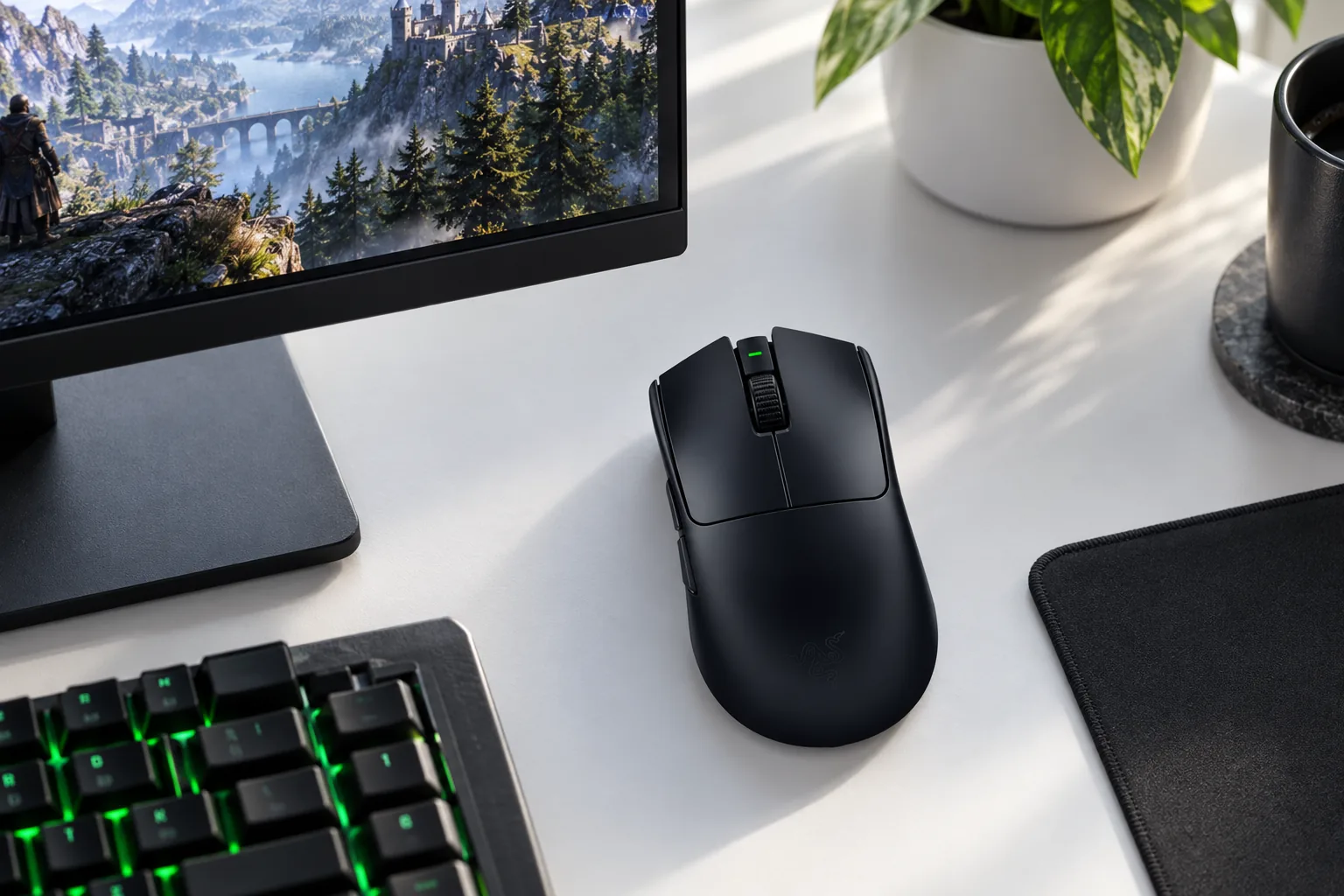
Razer built this mouse around speed without opening up the shell. The Focus Pro 35K Optical Sensor Gen-2 reaches 35,000 DPI, 750 IPS and 70G, while the included HyperPolling Wireless Dongle enables 8,000Hz polling wirelessly. There is no separate booster purchase to budget for, a practical advantage over flagships that advertise a high refresh rate but package it as an accessory.
The headline performance comes with an unusually clear battery trade-off. Razer claims up to 95 hours at 1,000Hz, 62 hours at 2,000Hz, 40 hours at 4,000Hz and 17 hours at 8,000Hz. The sensible setting for many buyers is 1,000Hz or 2,000Hz, preserving endurance whilst still providing a highly responsive experience. Tom's Hardware argued that the practical leap from 4,000Hz to 8,000Hz is small for most players.
RTINGS characterised click latency as exceptional and sensor latency as outstanding. Its April 2026 firmware retest found a 0.3ms wired click-latency increase and a 0.4ms receiver increase against its earlier result, though the site still classified the outcome as exceptional. Tom's Hardware also confirmed that 8,000Hz operates wirelessly with the included dongle, whereas wired operation is limited to 1,000Hz.
Shape is the bigger differentiator than sensor numbers. TechRadar described a pronounced rear hump, which can be very comfortable for claw and fingertip use but less accommodating for a relaxed, fully flat palm grip. The underside DPI control also keeps the clean six-control layout uncluttered, although it is less convenient for frequent workday sensitivity switching.
Buy the polling rate you will actually run
The Viper V3 Pro's 8,000Hz mode is a real included feature, not a marketing footnote. But it is most rational for players with a fast PC, high-refresh-rate display and a competitive reason to pursue it. At 1,000Hz, the mouse retains Razer's full 95-hour battery claim; at 8,000Hz, that claim falls to 17 hours.
Razer's Gen-3 optical switches have a 90-million-click durability rating. Tom's Hardware called them firm, clicky and slightly loud. That means neither mouse in this guide is the quiet, light-click option: the Superlight 2 is firmer in actuation force, whilst the Viper's response is more audibly assertive.
Head-to-Head: PRO X Superlight 2 vs Viper V3 Pro on the Numbers That Matter
The performance gap is narrower than the marketing sheets suggest. Both mice have 8,000Hz wireless capability, 95-hour battery claims at 1,000Hz and no Bluetooth. The Viper V3 Pro is 6g lighter and includes the hardware needed for 8,000Hz in the box. The Superlight 2 offers its maximum polling through later firmware, and its shell is the more conservative choice.
| Specification | Logitech G PRO X Superlight 2 | Razer Viper V3 Pro |
|---|---|---|
| Weight | 60g | 54g in black |
| Maximum wireless polling | 8,000Hz after firmware update | 8,000Hz with included HyperPolling dongle |
| Maximum resolution | 44,000 DPI | 35,000 DPI |
| Battery claim at 1,000Hz | 95 hours | 95 hours |
| Main switch design | LIGHTFORCE hybrid optical-mechanical | Gen-3 optical |
| Switch rating | 70 million clicks | 90 million clicks |
| UK launch RRP | £149 | £159.99 |
| Bluetooth | No | No |
| Buy | Check price | Check price |
Our recommendation is simple. Pick the Logitech G PRO X Superlight 2 if shape certainty, strong endurance and a restrained design matter most. Pick the Razer Viper V3 Pro if you prefer a lighter 54g body, like a rear-humped claw-grip shape and specifically want the included 8,000Hz wireless route. Neither is the obvious choice for MMO play or work involving frequent multi-device switching.
Razer BlackWidow V4 Pro: When a Keyboard Becomes a Control Deck
The Razer BlackWidow V4 Pro here is the original full-size, wired RZ03-04680300-R3W1 with Green clicky switches and UK layout. It launched on 16 February 2023 at £229.99 and replaced the BlackWidow V3 Pro in Razer's range. It is not the later BlackWidow V4 Pro 75%, which is a distinct smaller wireless and hot-swappable design.
This is a conventional mechanical keyboard only in the sense that it has a full-sized layout and a cable. Its actual proposition is control density. Alongside the number pad are five dedicated macro keys on the left and three macro buttons on the side, a programmable Command Dial, a multi-function roller and four separate media buttons. If that sounds like too much, it probably is; this keyboard makes the most sense when those controls become routine rather than novelty.
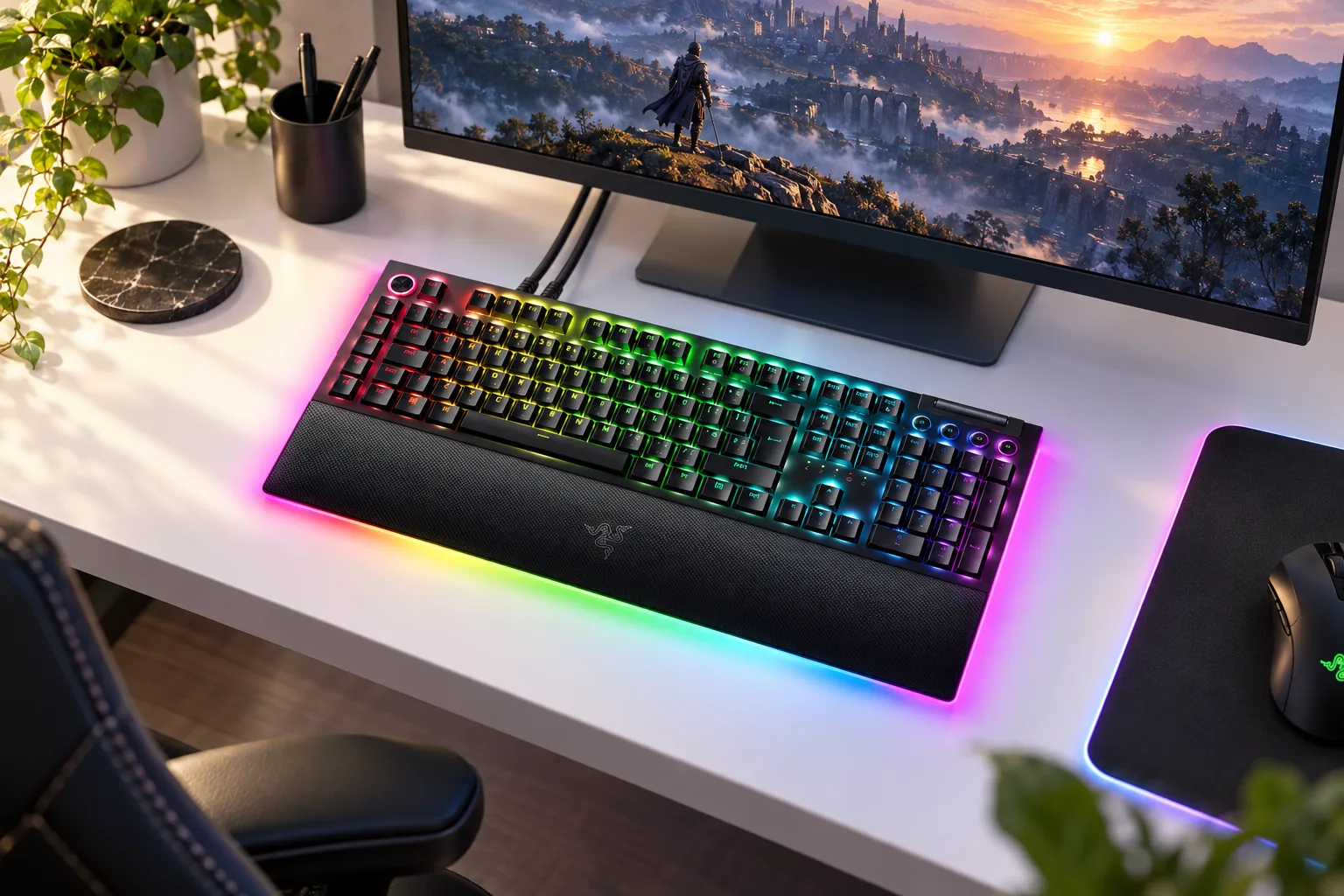
The Green mechanical switches actuate at 1.9mm with 50g of force, travel 4mm and carry an 80-million-keystroke rating. They are tactile and clicky rather than smooth or muted. Tom's Hardware called the sound extra loud and somewhat hollow or plasticky, whilst RTINGS found variation in individual switches' feel and noise. Anyone sharing a room or taking frequent work calls should take those reports seriously.
Razer includes sound-dampening foam in the bottom case and between the board and top case, plus lubricated stabilisers. That treatment does not turn the Green version into a quiet keyboard. Ars Technica still noted residual metallic ping, and Tom's Hardware found different sounds from the spacebar and larger keys. The construction is designed for a lively click, not library-friendly typing.
Command Dial for repeated actions
Razer's programmable dial can handle tasks including volume, brightness, zoom, application switching and scrolling through Synapse configuration.
Eight dedicated macro controls
Five left-edge keys and three side buttons give MMO players, streamers and shortcut-heavy workers physical controls that do not displace ordinary keys.
Lighting designed for a fixed desk
Per-key Chroma RGB is joined by two-sided keyboard underglow and three-sided lighting in the detachable padded wrist rest.
USB passthrough with a condition
The USB 2.0 Type-A passthrough requires the second supplied USB cable. TechRadar identified this as an inconvenience compared with a single-cable solution.
It is physically demanding too. Razer specifies 466 × 152.5 × 44mm without the wrist rest and 1,128.5g bare, rising to 1,530g with the wrist rest. PCWorld's separate measurements differed, including a lower recorded weight, but both its review and Razer's dimensions agree on the practical conclusion: this keyboard occupies substantial desk space and is not something to slide aside between work and play.
Is the BlackWidow V4 Pro's Hardware Worth £230 If You Don't Touch the Dial?
Probably not. The premium is primarily a payment for dedicated controls, visual flourishes and a very complete full-size desktop package, not a promise that the Green switches offer universally preferable typing. TechRadar awarded the design 5/5, specifically praising its vivid lighting, abundant controls and comfortable magnetic wrist rest. That is compelling if you can picture the dial controlling a stream, a creative tool or a repeated in-game task every week.
For straightforward competitive gaming and ordinary writing, the logic changes. RTINGS praised low latency and the 8,000Hz polling implementation, but also criticised ABS keycaps and switch inconsistency. PCWorld found the board unusually large and heavy, and suggested that the Green switches lack enough bounce for some longer typing sessions. The keyboard's extra hardware earns its place only when you use it.
A quick desk test before buying
List the actions you would put on the eight macro controls and Command Dial. Scene changes, push-to-talk functions, game abilities, media controls and editing shortcuts are credible answers. If the list is blank, a simpler full-size keyboard is likely to meet the same core typing and gaming needs with less cost and desk bulk.
SteelSeries Arctis Nova Pro: One Headset Across Every Screen You Own
The SteelSeries Arctis Nova Pro covered here is the Arctis Nova Pro Omni in Graphite, model family HS39/HS39TX. It succeeded the 2022 Arctis Nova Pro Wireless and launched in the UK on 5 May 2026 at £349.99. Midnight Blue and White were also sold, but this is one over-ear headset design rather than a choice of sizes.
Its central idea is the OmniPlay GameHub. Rather than making you swap dongles or reconnect a cable when moving between devices, the hub has three USB ports, line-in and line-out, plus Bluetooth. SteelSeries says it can mix up to four sources simultaneously: two USB inputs, Bluetooth and line-in. For a PC player who also answers phone calls, uses a console and keeps a handheld nearby, that is more valuable than another small increment in headline audio specification.
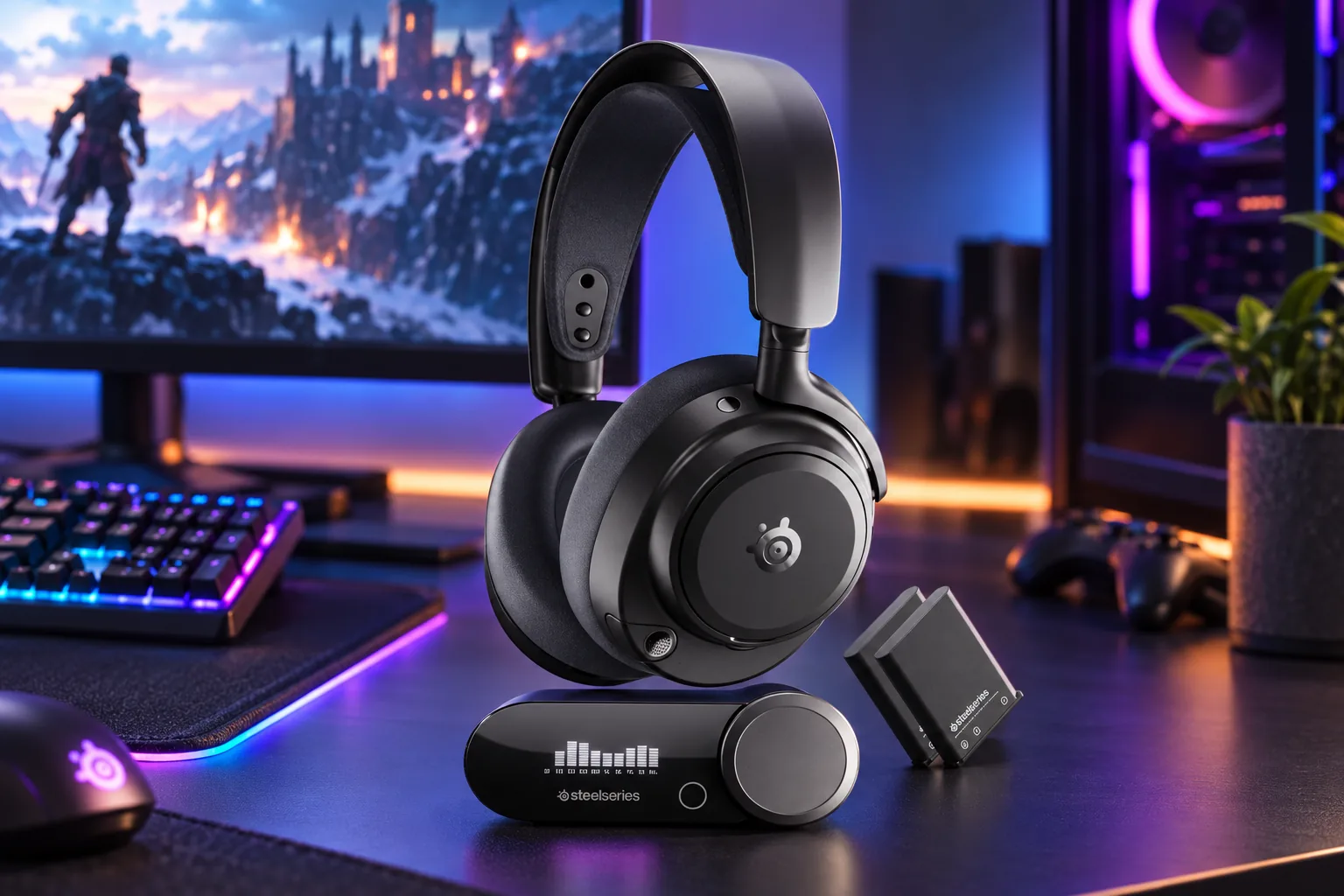
The closed-back headset uses 40mm Hi-Res neodymium drivers rated from 10Hz to 40kHz. It supports 2.4GHz wireless plus Bluetooth codecs including LC3+, LC3 and SBC, and it can also connect through the headset's 3.5mm socket. ANC is adjustable, transparency mode is available, and the retractable ClearCast Pro microphone includes onboard AI noise rejection.
Battery design is more useful than a single huge runtime claim. One battery can charge in the GameHub while the other powers the headset. SoundGuys recorded 32 hours and 51 minutes from one battery over 2.4GHz, while RTINGS recorded approximately 26.75 to 27 hours with ANC enabled. SteelSeries claims up to 60 combined hours across both batteries. Swapping causes a brief power interruption, but it avoids the familiar moment where a wireless headset dies mid-session and must remain tethered.
Audio and microphone results are nuanced. PC Gamer praised the spacious soundstage, accurate imaging and powerful sound, and RTINGS regarded microphone voice reproduction as natural and balanced with effective background-noise handling. SoundGuys thought noise removal was effective but said AI processing could make speech sound muffled or robotic. That is a fair trade-off to understand before relying on the AI mode for meetings as well as game chat.
A serious multi-device hub
PC, Mac, PlayStation, Xbox, Switch in TV mode, USB-C mobile devices and selected handhelds are included in SteelSeries' compatibility list.
ANC for the room around you
RTINGS found the ANC useful against low-frequency rumble and office noise, although it did not match leading dedicated noise-cancelling headphones.
Controls beyond the headset buttons
SteelSeries GG/Sonar and the Arctis Companion mobile app provide EQ tools and more than 200 game-specific EQ presets.
The compromises are weight and value. At 339g, it is considerably more substantial than a lightweight headset, and RTINGS criticised the plastic-heavy build and somewhat unstable fit. The default tuning was described by RTINGS as V-shaped with bright treble, while SoundGuys found it sharply sibilant for music and longer listening. Buyers who want effortless music playback should be prepared to use the EQ tools rather than treating the factory tuning as final.
Which One Actually Earns a Place on Your Desk?
The Logitech G PRO X Superlight 2 is the grounded mouse purchase. Its battery claim remains strong at 1,000Hz, its 60g shell is still very light, and its neutral shape has a long competitive pedigree. It is the sensible choice for someone who wants a premium FPS mouse without turning every setting into a hobby. Just accept the heavy main clicks and absence of a DPI button.
The Razer Viper V3 Pro earns the recommendation for the player who knows why they want an 8,000Hz wireless setup. It weighs less, includes the required dongle and offers extensive Synapse tuning. It is not automatically the right choice merely because its number is higher: 8,000Hz cuts Razer's claimed endurance to 17 hours, and the value of that mode depends on the display, system and game in front of it.
The Razer BlackWidow V4 Pro is less a keyboard upgrade than a fixed command station. It is worth its desk footprint for MMO players, streamers and shortcut-heavy users who can put the macro keys, dial, roller and media buttons to work. For quiet spaces, compact desks or people who only need ordinary keyboard functions, its loud Green switches and size make it hard to justify.
The SteelSeries Arctis Nova Pro makes the strongest case when one person's gaming life stretches across devices. The GameHub, simultaneous-source mixing, Bluetooth, ANC, mobile app and twin-battery arrangement all solve real annoyances in a PC-and-console household. For a single-console player, that capability may be excessive; for a multi-platform desk, it can replace a pile of cables, dongles and charging routines.
Competitive FPS player
Choose the Razer Viper V3 Pro for a 54g shell and included 8,000Hz wireless dongle, provided its rear hump suits your grip.
Familiar-shape mouse buyer
Choose the Logitech G PRO X Superlight 2 for its restrained 60g shell, strong battery claim and long-established shape language.
Streamer or macro-heavy player
Choose the Razer BlackWidow V4 Pro if you will genuinely use the eight macro inputs and programmable Command Dial.
PC-and-console household
Choose the SteelSeries Arctis Nova Pro for its GameHub, source mixing, ANC and swappable battery system.
Decisive verdict
Do not buy the most expensive peripheral simply to make a setup look complete. Buy the Viper V3 Pro for dedicated lightweight esports play, the Superlight 2 for a safer competitive shape, the BlackWidow V4 Pro for hands-on control density, and the Arctis Nova Pro when one headset must serve several systems. Each earns its premium in a different way.
Quick questions
Sources
- Logitech: G PRO X Superlight 2 specifications; launch announcement.
- Razer: Viper V3 Pro product page; Viper V3 Pro support specifications; BlackWidow V4 Pro specifications.
- SteelSeries: Arctis Nova Pro Omni product page; Arctis Nova Pro Omni guide.
- Independent reporting: RTINGS, Tom's Hardware, TechRadar, PC Gamer, ProSettings, SoundGuys, Tom's Guide, PCWorld, Ars Technica, Stuff and GamesRadar reviews cited throughout.
- Razer Viper V3 ProEsports mouse pickView on Amazon
- Logitech G PRO X Superlight 2Safe shape choiceView on Amazon
- SteelSeries Arctis Nova ProMulti-device audioView on Amazon
- Razer BlackWidow V4 ProControl-heavy deskView on Amazon
Sources and evidence (75)
- support.logi.com (other)
- rtings.com (other)
- news.logitech.com (other)
- techradar.com (other)
- logitechg.com (other)
- tomshardware.com (other)
- pcgamer.com (other)
- prosettings.net (other)
- survivalconfigs.com (other)
- marketplace.logi.com (other)
- tomsguide.com (other)
- gamesradar.com (other)
- mysupport.razer.com (other)
- razer.com (other)
- razer.com (other)
- rtings.com (other)
- techradar.com (other)
- tomshardware.com (other)
- razer.com (other)
- mysupport.razer.com (other)
- razer.com (other)
- rtings.com (other)
- techradar.com (other)
- tomshardware.com (other)
- razer.com (other)
- razer.com (other)
- tomshardware.com (other)
- pcworld.com (other)
- rtings.com (other)
- techradar.com (other)
- arstechnica.com (other)
- dl.razerzone.com (other)
- razer.com (other)
- razer.com (other)
- dl.razerzone.com (other)
- rtings.com (other)
- tomshardware.com (other)
- techradar.com (other)
- pcworld.com (other)
- arstechnica.com (other)
- kitguru.net (other)
- steelseries.com (other)
- support.steelseries.com (other)
- steelseries.com (other)
- support.steelseries.com (other)
- downloads.steelseriescdn.com (other)
- tomsguide.com (other)
- soundguys.com (other)
- rtings.com (other)
- gamesradar.com (other)
- pcgamer.com (other)
- stuff.tv (other)
- steelseries.com (other)
- steelseries.com (other)
- support.steelseries.com (other)
- downloads.steelseriescdn.com (other)
- rtings.com (other)
- pcgamer.com (other)
- tomsguide.com (other)
- soundguys.com (other)
- stuff.tv (other)
- gamesradar.com (other)
- wooting.io (other)
- igorslab.de (other)
- rtings.com (other)
- rtings.com (other)
- pcgamer.com (other)
- steelseries.com (other)
- rtings.com (other)
- razer.com (other)
- razer.com (other)
- razer.com (other)
- wooting.io (other)
- checkout-row.wooting.io (other)
- mysupport.razer.com (other)