
LG Wallpaper OLED W6 First Look: The TV That Almost Disappears Into the Wall
LG's return to the Wallpaper TV idea was real, gloriously thin and rather less cable-free than the marketing made it sound. Here is what was confirmed, what early hands-ons suggested, and what needs planning before this OLED gets anywhere near your wall.
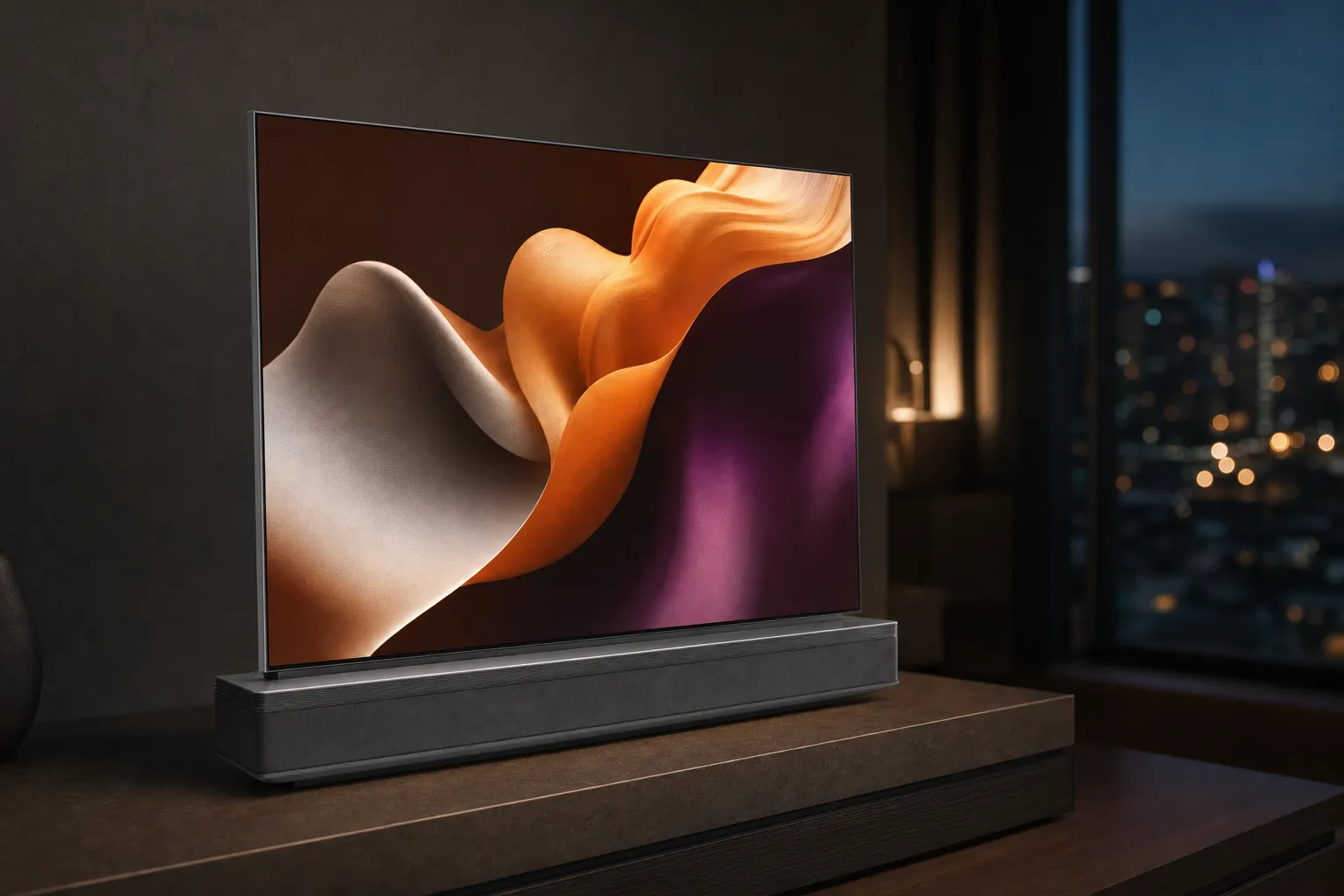
The LG OLED evo W6 was the sort of television that made people stop mid-conversation at CES 2026. Not because it had grown another inch or acquired a dafter AI button, but because it looked as though somebody had pressed an OLED panel flat against a wall and forgotten to leave the television part behind. At 9.95mm thick, it was properly startling. But the W6 was never just a thin TV. It was an installation project with a screen attached, and that distinction mattered.
What the W6 story actually was
LG announced the OLED evo W6 at CES on 4 January 2026, reviving the company's "Wallpaper" approach for a new generation. The range consisted of 77-inch and 83-inch models: the OLED77W69LA and OLED83W69LA in the UK, with OLED77W6PUA and OLED83W6PUA variants in the US.
This was not a conventional ultra-thin OLED with a tidier rear panel. LG had designed the W6 around a separate Zero Connect Box, shifting consoles, streaming boxes, aerial connections and other source devices away from the screen itself. The display received picture and sound wirelessly from that box, while the supplied wall mount was designed to bring the panel almost flush with the wall.
That gives the W6 a genuinely different brief from a standard flagship telly. A normal premium OLED is broadly designed to sit on furniture or hang neatly on a wall. The W6 was designed to become part of the wall. There is a touch of theatre to that, obviously, but it also solved a practical problem for anyone who dislikes seeing four HDMI leads, an aerial cable and a small nest of black plastic disappearing into the back of a very expensive screen.
The important reality check: LG called the W6 a True Wireless OLED, but it was wireless between the display and the Zero Connect Box. The screen still needed mains power, and the box still needed mains power too. This was cable reduction, not electrical wizardry.
Early coverage was primarily based on CES demonstrations, manufacturer specifications and first-look sessions rather than finished independent retail testing. That matters. LG's claims around brightness, response time and the visual quality of the wireless link should be treated as manufacturer claims unless a later independent measurement says otherwise. It is a lovely-looking television, but lovely-looking demo rooms have made fools of us all before.
LG OLED evo W6 at a glance
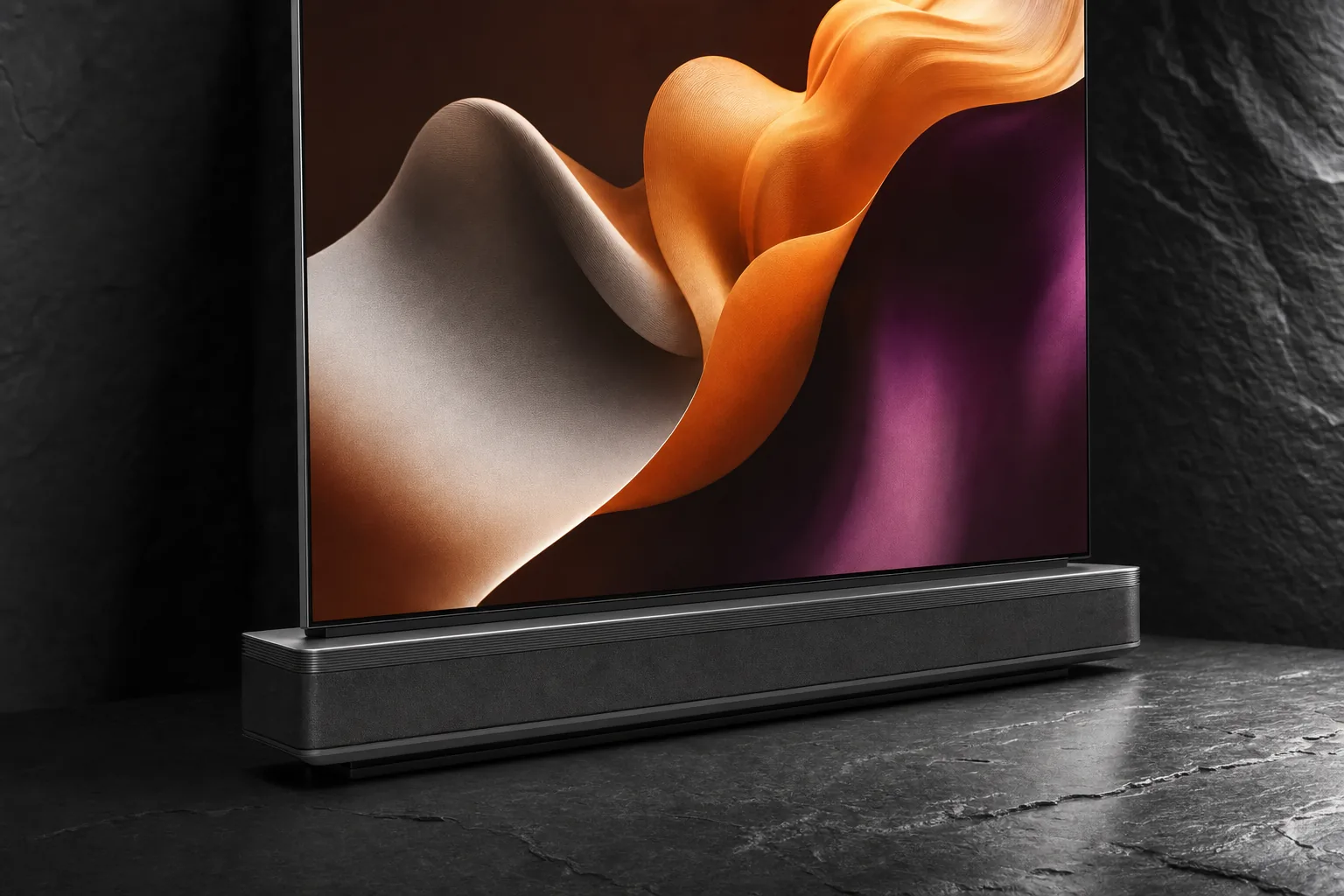
The W6 sat at the design-led end of LG's 2026 OLED line-up. Both sizes used a 4K OLED panel with a 3,840 x 2,160 resolution, a native 120Hz refresh rate and VRR support up to 165Hz. LG paired that panel with its Alpha 11 AI Processor 4K Gen3 and Dual AI Engine, plus the company's new Hyper Radiant Color Technology, Brightness Booster Ultra and Reflection Free Premium treatment.
There was plenty here for people who simply wanted a high-spec OLED, not just a fashionable wall ornament. Dolby Vision, HDR10, HLG, Dolby Atmos, NVIDIA G-SYNC Compatible, AMD FreeSync, ALLM, HGiG and Game Optimizer were all listed for the W6 platform. Dolby Vision gaming at 4K/120Hz was included too. In other words, this was not a compromised art TV that happened to play games when asked politely.
The W6 concept was all about removing visual clutter from the display itself: a 9.95mm panel, an almost flush fit and source devices relocated to the separate Zero Connect Box.
LG claimed that Brightness Booster Ultra could make the W6 up to 3.9 times brighter than a conventional OLED when measured using a 3% window in its internal testing. That is not the same thing as an independently measured peak-brightness figure, and it is worth resisting the temptation to turn it into one. Small-window brightness, full-screen brightness, tone mapping and reflection handling all affect what a television looks like in a real room.
The more useful takeaway is that LG positioned the W6 as a top-tier OLED rather than a slimmed-down lifestyle model. The 83-inch version was listed with a 4.2-channel, 60W down-firing speaker system, Dolby Atmos, AI Sound Pro and virtual 11.1.2 up-mixing. It also had webOS 26, LG ThinQ, AirPlay, Apple Home, Google Cast, LG Channels, Gallery+, Multi View, a full web browser, AI Voice ID and an AI Magic Remote.
The Wallpaper bit: flush mounting and why it is not a five-minute job
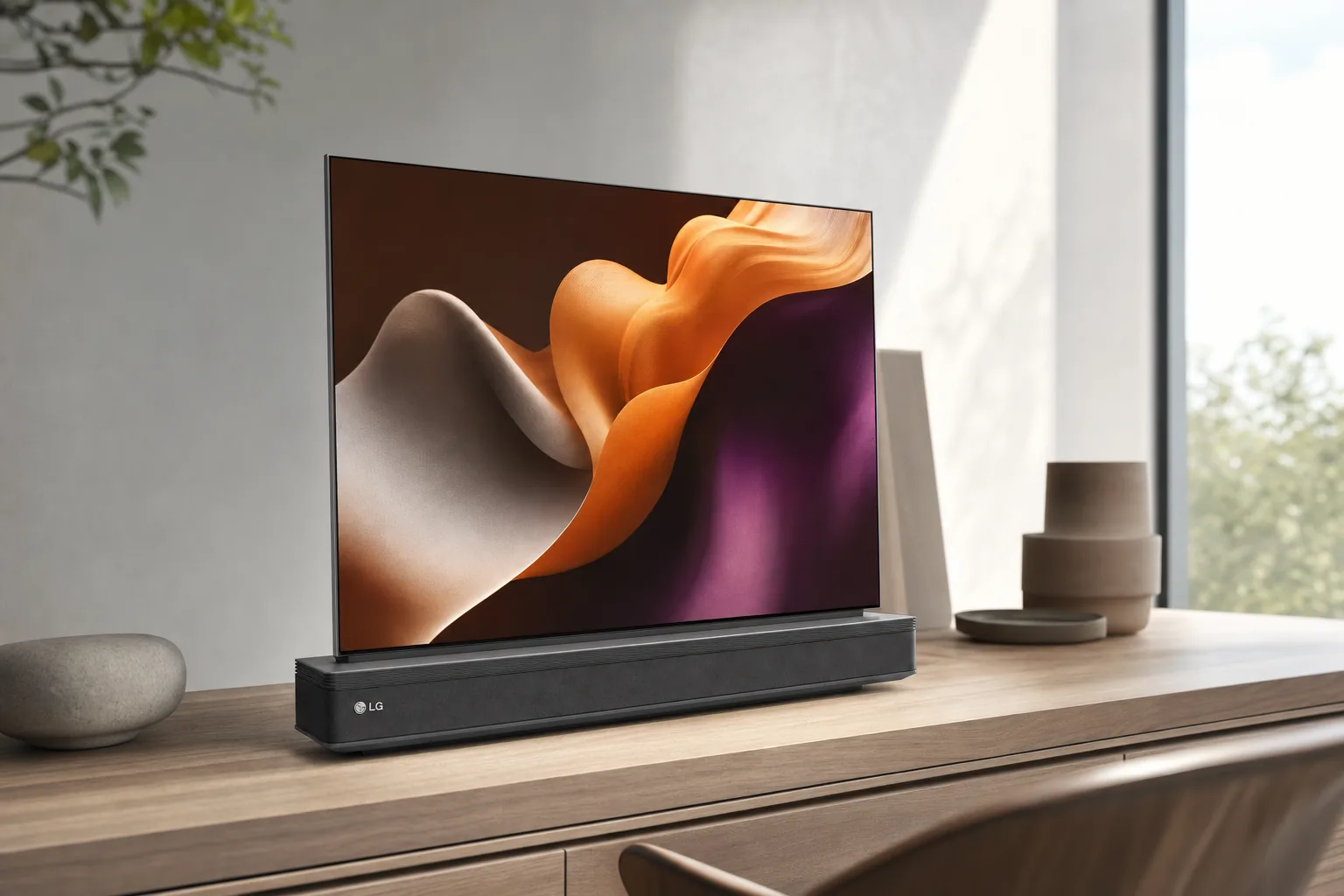
The W6's best feature was also the one most likely to make a casual buyer pause. This television was built to be mounted. There was no conventional stand listed, and the supplied flush mount was not merely an accessory: it was central to the entire point of the product.
LG described the fit as "zero gap" or flush. That wording is doing a little bit of marketing work, as marketing wording tends to do, but the intention was clear. Unlike a typical VESA-mounted TV, which often sits noticeably proud of the wall, the W6 was designed to hug it closely enough that it read more like a framed object than a television cabinet.
Early hands-on examination reported that the system used two special brackets, each fixed with four screws. That does not sound frightening in isolation. Eight screws and a nice cup of tea, job done. But an 83-inch display still measured 1,844mm wide by 1,061mm high and weighed 22.5kg without a stand, so this was exactly the kind of fitment where careful measuring was cheaper than repairing a wall after lunch.
Installation tip: design the wall around the W6, not the other way round
If the clean, floating look is why the W6 appeals, decide where its mains feed, Zero Connect Box and source devices will live before drilling anything. A lovely 9.95mm screen loses some of its magic if the final result includes a trailing lead and a visible lower-edge gap.
There was another detail that deserved much more attention than it initially received. A first-impressions report found that the W6's power cable exited from the side of the rear of the TV rather than centrally. That could complicate a wall with an existing central cable channel. If your wiring had been planned for a conventional TV with its inputs and power supply roughly in the middle, the W6 could require a sideways cable route or a different approach to hiding the lead.
That is not necessarily a deal-breaker. It simply means the dream installation is more exacting than the marketing image suggests. For a new-build media wall, a renovation or a carefully planned living-room upgrade, this is manageable. For somebody replacing an old television on a finished wall on a Saturday afternoon, it is worth stopping to think before assuming the screen will sit perfectly flat without extra work.
A display designed to recede
The 9.95mm body and supplied flush mount were designed to minimise the visual gap between the panel and the wall, rather than merely making the TV look slim from the side.
Power still had to go somewhere
The screen had an attached power cable, while the separate Zero Connect Box used a detachable adaptor. Both parts of the system required mains power.
Proprietary mounting matters
The W6 used LG's supplied flush wall mount rather than a conventional listed VESA pattern. Accuracy was part of the product experience, not an optional extra.
An ebony wood frame
Early hands-ons noted the wood detailing, which LG associated with heat management as well as decoration. That was a design observation, not an independent thermal result.
Zero Connect Box: cleaner living room, less magic than it sounds
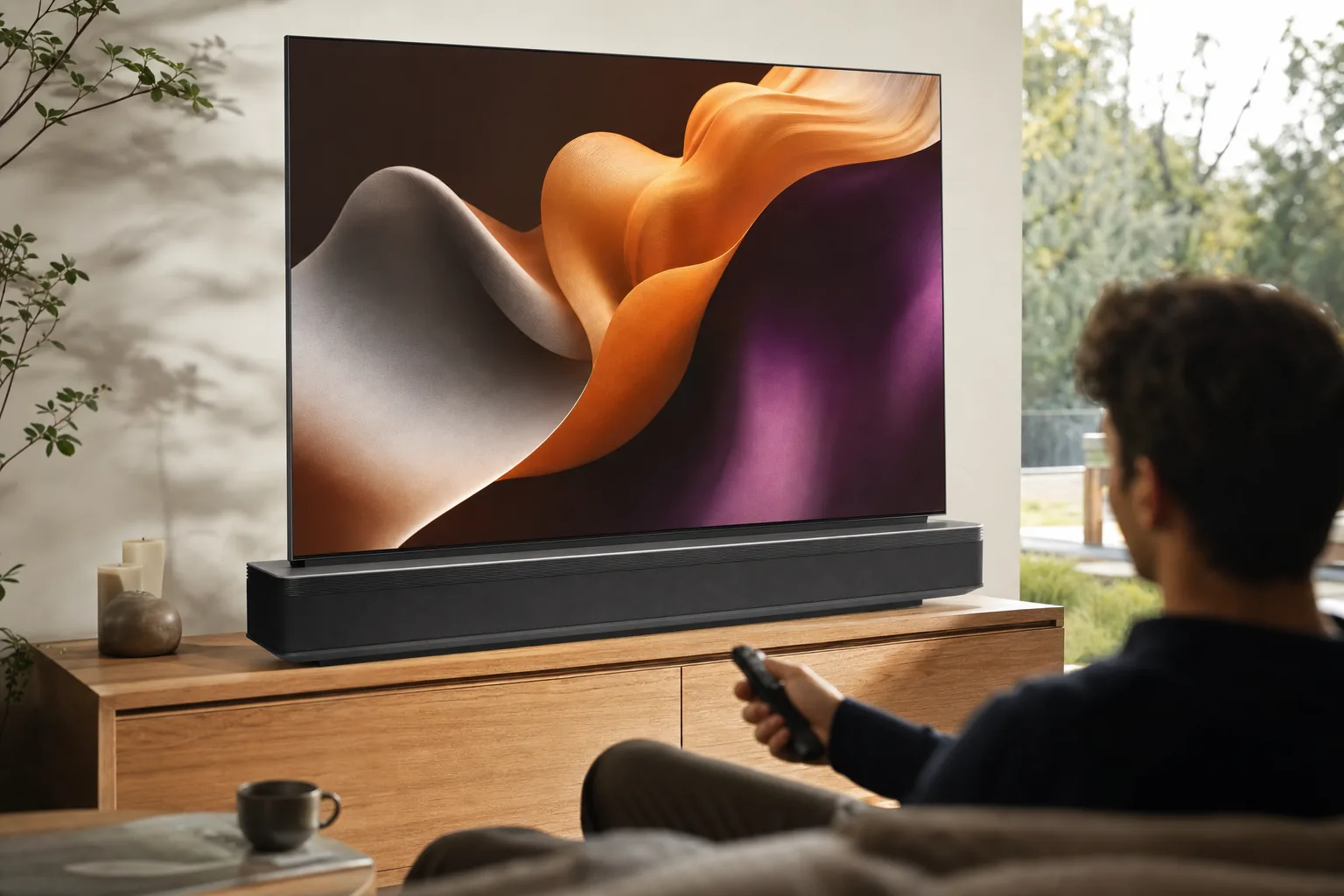
The Zero Connect Box was the practical heart of the W6. All the usual source connections were routed into this separate unit, which then sent video and audio wirelessly to the panel. The display itself had no normal visible HDMI connection panel. That is why the W6 could stay so thin and so clean-looking on the wall.
For the 83-inch UK model, LG listed four HDMI inputs on the box, with 4K/120Hz, eARC, VRR, ALLM, QMS and QFT support. eARC was assigned to HDMI 3. There was also Ethernet, an optical digital audio output, two USB 2.0 ports, two RF inputs, a CI slot, Bluetooth 5.3, Wi-Fi 6E and HDMI-CEC via Simplink.
That was a generous connection set. More importantly, it put all the messy bits somewhere you could actually reach. If your console gets swapped, your soundbar gets upgraded or a set-top box develops one of its periodic sulks, you work at the box rather than trying to reach behind a flush-mounted 83-inch screen. It is a small quality-of-life win, but a very real one.
The separate Zero Connect Box carried the physical inputs, leaving the panel free of visible HDMI sockets and making a tidier wall installation possible.
LG's UK materials specified a maximum distance of 10 metres between the box and television. US documentation put it at up to 30 feet. The sensible reading is not "stick it in the loft and hope for the best"; it is "put it in the same room, in a sensible location, and leave the system a clear chance to work properly". Room layout, furniture, wall materials and other wireless equipment can all make real homes less forgiving than a trade-show floor.
LG described its 4K/165Hz transmission as visually lossless under TÜV Rheinland certification and testing conditions. That is encouraging, and it was a more specific claim than the usual "looks amazing" fluff. It was still not a substitute for broad independent testing across awkward living rooms, lengthy gaming sessions and the sort of Wi-Fi-heavy households where someone is always downloading a game update at the worst possible moment.
Early demonstrations reportedly showed no obvious image or sound degradation over the wireless link. That is exactly what you would want from a system like this. But "no obvious loss in a demonstration" and "proven over years of ownership" are different sentences. The W6's wireless design was clever; it was not exempt from the laws of radio, walls and human impatience.
Picture tech: premium OLED ingredients, sensible caveats
There was no shortage of headline picture technology. The W6 combined LG's Alpha 11 AI Processor 4K Gen3 with Hyper Radiant Color Technology, Brightness Booster Ultra, Perfect Black, Perfect Color and Reflection Free Premium. On paper, it was an all-star list of OLED buzzwords. Fortunately, there was substance behind the basic idea: LG was trying to improve brightness and reduce distracting reflections without sacrificing the black-level strengths that make OLED special.
Reflection Free Premium was especially relevant to a screen intended to hang flat on a feature wall. A beautiful TV becomes a very expensive mirror if it lives opposite a bay window, patio doors or a room full of ceiling spots. LG claimed the coating reduced reflections and improved bright-room performance. The claim made sense as a design priority, though full independent W6 measurements were not yet established.
Early first-look coverage described the W6 as bright, colourful and sharp. What Hi-Fi reported that the W6 and G6 appeared to improve sharpness and detail over the prior G5. Choose.tv reported an approximately 10% improvement over the G5 in its HDR testing procedure, with up to roughly 400 nits difference in the brightest scenes. Those observations were useful early context, not a complete retail calibration verdict.
This is where it is worth keeping one foot on the ground. OLED picture quality is never just about a peak number. Film performance depends on near-black handling, tone mapping, colour accuracy, motion, processing restraint and how the set behaves in a normal lounge rather than an aggressively dark demo booth. The W6 had serious potential, but it deserved a proper independent review before anyone started declaring it the automatic picture-quality champion.
These bars illustrate confirmed headline figures rather than independent performance scores. LG's 3.9× brightness statement came from internal testing using a 3% window.
Filmmaker Mode and Filmmaker Mode with Ambient Light Technology were supported, alongside Dolby Vision, HDR10 and HLG. HDR10+ was not part of the confirmed feature set, so anyone with a library built around that format should keep their expectations in check. For most streaming and disc viewers, though, Dolby Vision was the more material inclusion.
Gaming: why 165Hz made the W6 more than a design object
There was a danger that the Wallpaper concept could have become a luxury living-room display for films and artwork alone. LG avoided that. The W6 supported VRR up to 165Hz, AMD FreeSync, NVIDIA G-SYNC Compatible, ALLM, HGiG, Game Optimizer and Game Dashboard. It also supported Dolby Vision gaming at 4K/120Hz.
For console players, 4K/120Hz, VRR and ALLM were the important practical points. For PC players with suitably capable hardware, the 165Hz maximum was the more unusual headline. The W6 supported 4K/165Hz subject to compatible PC hardware and source equipment. That is not a promise that every game will run at 165fps at 4K, obviously. Your graphics card will have opinions about that. But the display was not the ceiling.
LG listed a response time of under 0.1ms for the W6. That was a manufacturer-listed figure, not an independently measured result, so it should not be treated as a direct real-world input-lag reading. The more useful contextual data came from the older LG M5 wireless OLED: AVForums measured 10.5ms input lag at 4K/60Hz and 6ms at 120Hz, while What Hi-Fi reported that the M5's wireless transmission added approximately 1.3ms compared with the wired G5 in its testing.
Those M5 figures were not W6 results. They should not be copied across as though LG had stapled them to the W6. Still, they offered reassurance about what the Zero Connect system was trying to achieve: make wireless connection practical without turning fast games into a sluggish mess. The W6 needed its own testing, but the architecture had a promising precedent.
A quick gaming reality check
"Wireless" did not mean a console could connect to the panel without cables. Your console still connected to the Zero Connect Box by HDMI. The benefit was that the HDMI cable ended at the box rather than having to reach the screen on the wall.
LG also listed GeForce NOW support, with market availability and subscriptions varying, plus Bluetooth Ultra Low Latency controller support. LG claimed controller latency below 3ms in that ULL mode, again as a manufacturer claim rather than an independent measurement. It was an interesting addition for cloud-gaming users, although cloud gaming remains heavily dependent on broadband quality and local network conditions. A TV cannot negotiate with a congested connection, no matter how clever its processor is.
The W6 supported 4K gaming at up to 165Hz through the Zero Connect Box, with VRR, FreeSync, G-SYNC Compatible and Dolby Vision gaming among its confirmed features.
Audio, smart features and the problem with physics
LG listed a 4.2-channel, 60W down-firing audio system for the W6. That was a meaningful attempt to make the television self-contained, particularly compared with the original Wallpaper concept, which leaned much more heavily on an external soundbar and connection assembly. Dolby Atmos, AI Sound Pro, Clear Voice Pro, Adaptive Acoustic Tuning, WOW Orchestra and Simultaneous Audio Output were also listed.
However, there is no escaping the basic acoustic challenge. A television that is 9.95mm deep does not have much cabinet volume in which to create bass, channel separation or a convincing sense of scale. LG's processing may help, and virtual 11.1.2 up-mixing may produce an expansive effect, but neither repeals physics. What Hi-Fi raised that exact concern in early coverage, and there were no independent W6 SPL or frequency-response measurements to settle it.
For straightforward TV, sport and casual streaming, the integrated system may be perfectly adequate. For cinema lovers, a separate sound system remained the sensible expectation. The positive twist is that the Zero Connect Box included eARC on HDMI 3 and an optical output on the 83-inch UK model, so adding a soundbar or AV setup did not mean sacrificing the W6's tidy display-side installation.
On the smart side, webOS 26 brought the familiar LG mix of streaming, smart-home and personalisation tools. LG ThinQ, Apple AirPlay, Apple Home, Google Cast, LG Channels and Google Home integration were all included. Gallery+ was part of the W6's pitch too, helping the screen act as an art display when it was not doing television duty. The W6 also supported a motion sensor and Always Ready functions on the 83-inch listing.
The Gallery+ idea suited the hardware. A giant black rectangle is less of a problem when it can become a framed artwork or ambient display rather than sitting dormant in the middle of the wall. It still used electricity, of course, and paid-service availability for Gallery+ varied by country. But aesthetically, this was one of the rare televisions where an art mode felt like part of the original design rather than a feature bolted on late in the meeting.
UK pricing expectations and the design premium
The W6 was never positioned as a bargain OLED, nor should anyone have expected it to be. UK launch pricing was reported at £4,699.99 for the 77-inch model, while the 83-inch version was reported at approximately £6,999.99. In the US, LG listed MSRPs of $5,499.99 for the 77-inch W6 and $7,499.99 for the 83-inch model.
Those numbers made the W6 a specialist purchase. You were paying for a premium OLED platform, certainly, but also for exceptional thinness, the supplied flush wall mount, the Zero Connect architecture and the labour or preparation needed to make the whole thing look as intended. The design premium was not hidden. It was basically standing in the room waving at you.
| Model | Size | UK launch/list context | US MSRP | Key design point |
|---|---|---|---|---|
| LG OLED evo W6 | 77-inch | £4,699.99 | $5,499.99 | 9.95mm Wallpaper panel with Zero Connect Box |
| LG OLED evo W6 | 83-inch | Approximately £6,999.99 | $7,499.99 | Same Wallpaper concept on a larger scale |
The pricing made the 77-inch model the more obvious entry point for somebody who wanted the W6 concept specifically. The 83-inch was a bigger visual statement, but the difference between 77 and 83 inches is not merely a matter of six extra diagonal inches. It affects seating distance, wall width, delivery access and how dominant the screen feels in a room.
More broadly, the W6 was hard to justify purely as a picture-quality purchase against LG's own more conventional high-end OLEDs. That was not a criticism; it was simply the product's identity. If you did not value the nearly invisible wall installation, the Zero Connect Box and the absence of source cables at the panel, much of the W6's appeal disappeared with them.
LG W6 vs LG G6 vs LG M5: the useful comparisons
The cleanest way to understand the W6 was to compare it with two nearby LG ideas. The LG G6 was the premium wired alternative: similar high-end 2026 picture ambitions, a more conventional cabinet and direct physical connections. The LG M5 was the previous-generation wireless OLED: less extreme in its physical thinness, but the closest precedent for the Zero Connect approach.
The W6 and G6 were reported to share LG's high-end 2026 OLED platform, including the Alpha 11 Gen3 and 165Hz VRR support. The W6's point was not that it automatically beat the G6 in picture quality. Its point was that it wrapped comparable flagship intent in a 9.95mm body, moved the inputs off the panel and turned wall integration into the headline feature.
The M5 comparison was more technical. It had already proven the broad concept of wireless video transmission, with 4K/144Hz support rather than the W6's 4K/165Hz claim. Importantly, the M5 had independent gaming measurements that the W6 did not yet have. That made it useful context for prospective buyers who were wary of putting a wireless link between a gaming PC and their display.
The W6 was best understood as LG's ultra-thin wireless alternative to the G6, while the earlier M5 provided the most relevant real-world context for Zero Connect gaming performance.
| Feature | LG OLED evo W6 | LG OLED evo G6 | LG OLED evo M5 |
|---|---|---|---|
| Model year | 2026 | 2026 | 2025 |
| Connection approach | Wireless Zero Connect Box | Wired TV connection | Wireless Zero Connect Box |
| Maximum refresh-rate support | 4K/165Hz wireless | 165Hz VRR | 4K/144Hz wireless |
| Panel thickness | 9.95mm | Conventional flagship chassis | Thicker than W6 |
| Independent 4K/60 input lag | Not independently measured here | — | 10.5ms |
| Independent 120Hz input lag | Not independently measured here | — | 6ms |
| Main reason to choose it | Near-flush Wallpaper installation | Premium picture platform with conventional connectivity | Wireless OLED with established independent testing |
A small but important note on that table: the M5's 10.5ms and 6ms measurements came from AVForums testing and belonged to the M5 alone. They are useful evidence that LG's earlier wireless system could perform well, not evidence that the W6 produced identical results. The W6 still needed to earn its own numbers.
Practical catches before you fall for the wall-shot
It is very easy to look at a W6 photograph and think, "Yes. That one." I understand. The product was designed to create exactly that reaction. But the smartest W6 buyer would be the person who admired the design and then spent ten minutes considering the boring bits. Boring bits are where expensive televisions become excellent installations or expensive regrets.
Reasons the W6 made sense
- The 9.95mm panel and flush mount created a genuinely unusual wall-mounted look.
- The Zero Connect Box removed HDMI and source-cable clutter from the display.
- 4K OLED, Dolby Vision, up to 165Hz VRR and flagship LG processing made it a serious TV as well as a design object.
- The 83-inch model's four HDMI inputs, eARC, optical output, Ethernet and Wi-Fi 6E gave the external box strong system flexibility.
- Gallery+ and motion-sensor features suited a television intended to live visibly on a feature wall.
Reasons to pause
- The TV and the Zero Connect Box both needed mains power, so it was not wholly cable-free.
- The side-exiting display power cable could complicate an existing central cable channel.
- The supplied proprietary flush mount demanded more wall preparation than a normal bracket.
- There were no independent W6 figures for HDR brightness, input lag, wireless latency, thermals or audio output.
- The price premium was substantial if the near-invisible installation was not your main priority.
First, wall construction. A flush fit rewards a flat, suitable wall. An uneven surface, dodgy plaster or poorly considered cable route can undermine the effect. Second, power. Ideally, the screen's power supply is planned behind or immediately adjacent to the display in a way that does not fight the side cable exit. Third, box placement. The Zero Connect Box needs its own power, room for source devices and sensible positioning within LG's stated range.
Then there is sound. The W6's 60W system sounded more ambitious than a token pair of tiny television speakers, but anybody building a premium cinema space should think about audio from the beginning. A soundbar, an eARC-connected system or a more comprehensive AV arrangement may still be part of the finished installation. The good news is that this can all happen at the box, leaving the panel itself clean.
Finally, there was long-term uncertainty. Burn-in behaviour, sustained wireless reliability, panel replacement cost, Zero Connect Box replacement cost and long-duration thermal performance were not yet established in independent reporting. That did not make the W6 risky by default. It did mean that early adopters were buying a fresh and technically ambitious form factor without years of ownership evidence behind it.
Who the LG OLED evo W6 was really for
The W6 was not a one-size-fits-all flagship. It had a very clear audience, and that is often a good sign. Rather than pretending every buyer needed a 9.95mm wireless OLED, it made more sense to decide whether your room and your priorities could take proper advantage of what it did differently.
Best for the design-first home
Pick: LG OLED evo W6. If cables offend you on a spiritual level and the television needs to look calm and intentional on the wall, this was the obvious LG option. Its entire proposition was visual integration.
Best for a premium conventional setup
Pick: LG OLED evo G6. Buyers who wanted high-end 2026 OLED ambitions but preferred ordinary wired connections and a less specialised mounting arrangement had a more straightforward alternative.
Best for evidence-led wireless gaming
Pick: LG OLED evo M5. The prior wireless model had independent input-lag figures: 10.5ms at 4K/60Hz and 6ms at 120Hz in AVForums testing. Its ceiling was 4K/144Hz rather than 165Hz.
Best for a planned renovation
Pick: LG OLED evo W6. It made most sense where power routing, wall preparation and the Zero Connect Box position could be planned before the screen went up. The product rewarded preparation.
The W6 was especially compelling for somebody creating a polished living room rather than a traditional gadget corner. Put the sources in a cabinet, route the power neatly, use the Gallery+ mode when the TV is idle, and the whole arrangement could look less like a home cinema installation and more like a carefully considered interior.
It was less compelling for someone who regularly moved equipment, wanted the cheapest route to a premium OLED picture, or needed the television to sit on furniture. Likewise, anyone whose wall wiring had already been completed around a central rear power point should inspect the W6's side-exiting cable arrangement carefully before committing. The final few millimetres were kind of the whole point.
The confirmed W6 feature set that mattered most
There was plenty of AI language around the W6, as there tends to be with modern premium TVs. I would not buy it for AI Chatbot or Voice ID alone. Those are conveniences. The real value was the combination of panel, mounting system and external connection architecture. Still, the wider feature list made the W6 feel complete rather than compromised.
Reflection Free Premium
LG positioned the anti-reflection treatment as a major bright-room improvement, especially useful for a screen intended to be the visual centrepiece of a living space.
4K/165Hz wireless transmission
LG described the Zero Connect link as visually lossless under TÜV Rheinland certification and testing conditions, with up to 165Hz support for compatible sources.
Dolby Vision and filmmaker tools
Dolby Vision, HDR10, HLG, Filmmaker Mode and Filmmaker Mode with Ambient Light Technology were included for film and streaming use.
Flexible sound-system upgrade path
The 83-inch model's eARC connection on HDMI 3 and optical output made it possible to keep the panel wall clean while placing audio hardware by the Zero Connect Box.
Gallery+ and motion sensing
Gallery+ was intended to turn the panel into artwork or an ambient display between viewing sessions, while the W6 range included motion-sensor support.
webOS 26 and LG Shield
LG's webOS 26 platform brought its current smart TV environment, with ThinQ, casting options, smart-home controls and the company's LG Shield security platform.
The W6 also carried a five-year limited panel warranty in LG's UK listing. Warranty terms are always worth reading in full, particularly for a high-value television with an unusual installation method, but the inclusion helped reinforce that LG saw this as a serious flagship proposition rather than an experimental side project.
What early impressions could not answer
There is a difference between a first look and a final verdict, and the W6 was a very good example of why that distinction exists. Its most dramatic qualities were obvious immediately: thickness, fit, cable reduction, clean industrial design and the appeal of the separate box. The more important long-term questions were less visible.
Independent HDR peak brightness had not been established. LG's up-to-3.9-times-brighter statement was based on internal 3% window testing against conventional OLED, which was interesting but not a substitute for calibrated measurements. Independent W6 input lag and wireless latency had not been established either, despite the encouraging M5 precedent. Nor had independent thermal tests, maximum sound-pressure measurements or frequency-response testing.
Early demonstrations made the W6's design strengths easy to see, but long-term tests of wireless stability, thermals, brightness behaviour and sound still mattered more than any showroom flourish.
There was also no meaningful long-term evidence on burn-in, panel durability or Zero Connect reliability. OLED technology is mature enough that this should not trigger panic, but a 2026 Wallpaper TV with a very thin panel and a separate wireless hub was still a specific ownership proposition. Anyone buying primarily for longevity would be sensible to wait for long-term reports rather than relying entirely on the initial wow factor.
That is not me pouring cold water on the W6. It is me trying to keep the water in the right glass. A television can be genuinely exciting and still need more testing. In fact, the more unusual and expensive the product, the more it deserves that scrutiny.
LG OLED evo W6 FAQ
The best W6 installation was never just about hanging a television: it was about planning power, box placement and cable routes so the panel could deliver its intended almost-invisible wall effect.
Bottom line
The LG OLED evo W6 was one of the most distinctive televisions of 2026 because it solved a problem most TVs simply accept: a huge screen does not have to look like a huge appliance. The 9.95mm panel, supplied flush mount and Zero Connect Box could create a genuinely extraordinary wall installation, while the 4K OLED panel, up-to-165Hz VRR support and flagship processing meant it was not merely a pretty frame.
But do not mistake "wireless" for "effortless". The W6 still needed power at the panel, power at the box, sensible source placement and careful wall preparation. If you wanted the cleanest possible living-room screen and were willing to plan for it, the W6 was the obvious premium pick. If you mainly wanted elite OLED picture quality with simpler wiring and less installation fuss, LG's more conventional G6 made more practical sense. The W6 almost disappeared into the wall. The planning absolutely should not.