
Beelink SER9 First Look: A Ryzen AI Mini PC That Doubles as a Work Machine
The original Ryzen AI 9 HX 370 SER9 brought substantial integrated-graphics and CPU performance to a compact desk PC. The harder part in 2026 is working out which SER9 name actually matches the hardware on sale.

We link to the exact model on Amazon UK. Prices change often, so check the live price before you buy. As an Amazon Associate we earn from qualifying purchases.
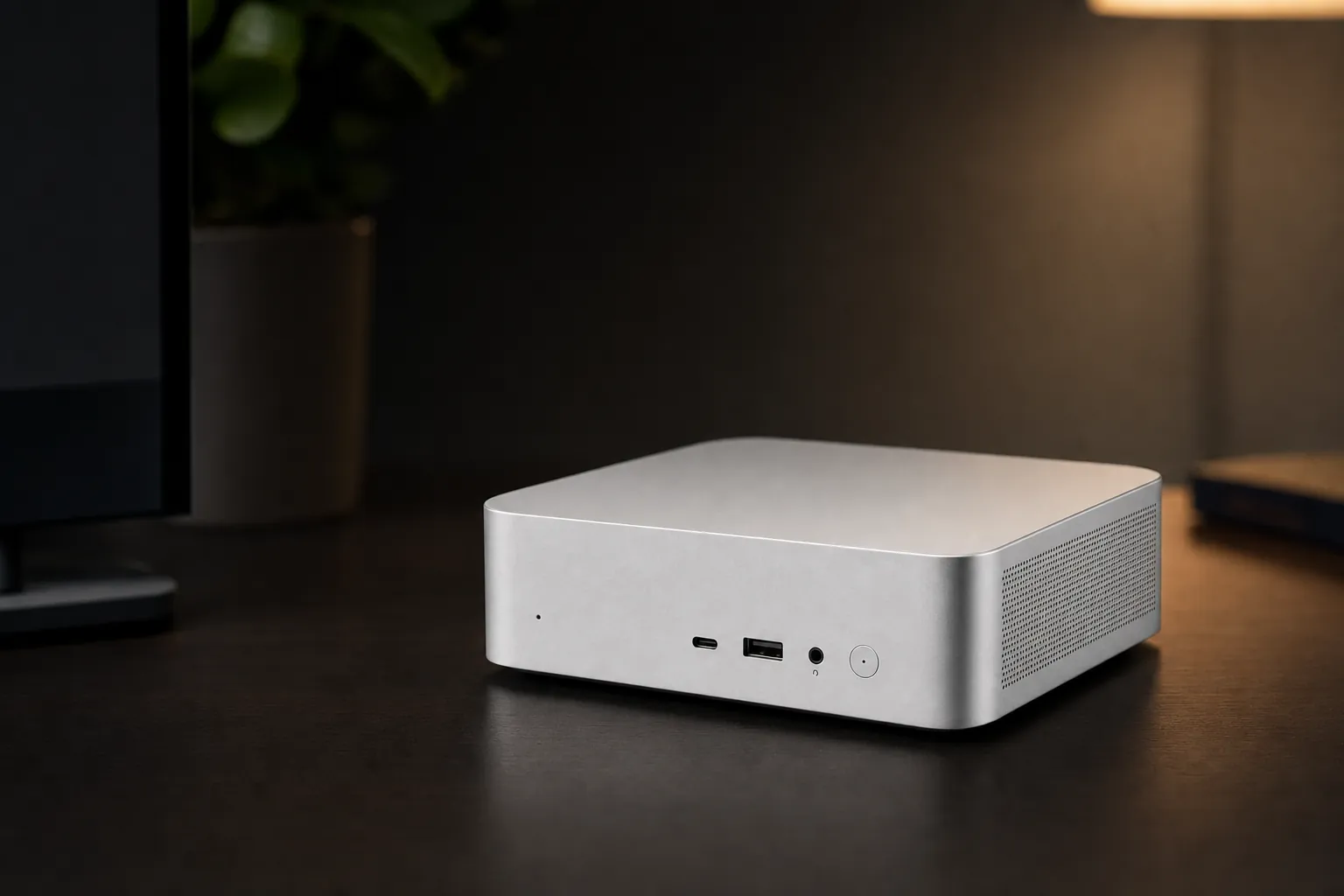
For a home office where desk space is limited but a laptop feels too restrictive, the Beelink SER9 proposition remains straightforward: a roughly 135mm-square Windows mini PC with enough processor headroom for demanding everyday work, three-display support and integrated graphics capable of more than casual gaming. The buying decision is less straightforward. "SER9" now covers several related machines, and the original 2024 HX 370 model should not be treated as interchangeable with every current SER9 Pro or SER9 MAX listing.
For UK shoppers, that distinction is especially important because official pricing, available configurations and warranty wording differ between regional pages. The currently listed £639 SER9 Pro H 255 is not simply a discounted HX 370 machine, while the £1,099 SER9 MAX headline is attached to a page that groups several processor and memory combinations. Before ordering, treat the processor, RAM capacity, storage capacity and network specification as separate checks rather than relying on the family name or a retailer's shortened title.
Untangling the Beelink SER9 Family Tree

See Beelink SER9 MAX (Ryzen AI 7 H 350, 64GB/1TB) on Amazon UK
Check today's price & availability on Amazon UK
Listing checked: This Amazon link is for the SER9 MAX with Ryzen AI 7 H 350, 64GB RAM and a 1TB SSD. It is a different configuration from the original HX 370 / Radeon 890M model assessed below; its performance should not be assumed to match those results.
The model in focus here is the original Beelink SER9 built around AMD's Ryzen AI 9 HX 370 processor and Radeon 890M integrated graphics. It was publicly presented in September 2024, with Tom's Hardware reporting a $999 launch price that month. PC Gamer's published review followed in October 2024.
Since then, Beelink has broadened the naming. The SER9 Pro line retained the same small chassis concept and includes an HX 370 version, but it has been listed with faster LPDDR5X-8000 memory and 32GB/1TB or 64GB/2TB configurations. The original SER9 was generally sold with 32GB of LPDDR5X-7500 memory and 1TB storage. Those differences matter because the memory is soldered: the configuration bought is effectively the configuration kept.
Buying by processor name matters more than buying by "SER9" alone. A SER9 Pro can contain the same Ryzen AI 9 HX 370 as the original, but it can also contain a Ryzen AI 9 365 or Ryzen 7 H 255. The later SER9 MAX range adds DDR5 memory and 10GbE networking, yet it is a distinct refresh rather than a simple renaming of the original model.
| Model | Processor | Integrated graphics | Memory configuration | Networking |
|---|---|---|---|---|
| Original Beelink SER9 | Ryzen AI 9 HX 370 12 cores / 24 threads |
Radeon 890M 16 compute units |
32GB LPDDR5X-7500, soldered | 2.5GbE, Wi-Fi 6 |
| Beelink SER9 Pro HX 370 | Ryzen AI 9 HX 370 12 cores / 24 threads |
Radeon 890M 16 compute units |
32GB or 64GB LPDDR5X-8000, soldered | 2.5GbE, Wi-Fi 6 |
| Beelink SER9 Pro AI 9 365 | Ryzen AI 9 365 10 cores / 20 threads |
Radeon 880M 12 compute units |
32GB LPDDR5X-8000, soldered | 2.5GbE, Wi-Fi 6 |
| Beelink SER9 Pro Ryzen 7 H 255 | Ryzen 7 H 255 8 cores / 16 threads |
Radeon 780M 12 compute units |
24GB or 32GB LPDDR5X-6400, soldered | 2.5GbE, Wi-Fi 6 |
| Beelink SER9 MAX | Ryzen 7 H 255 or Ryzen AI 7 H 350 | Radeon 780M or Radeon 860M | 32GB or 64GB DDR5-5600 | 10GbE, Wi-Fi 6 |
The Ryzen AI 9 365 version was discontinued in at least one regional Beelink store, according to a Beelink support-forum response. Availability therefore varies by territory and seller.
What's Actually Inside the Original Beelink SER9 HX 370
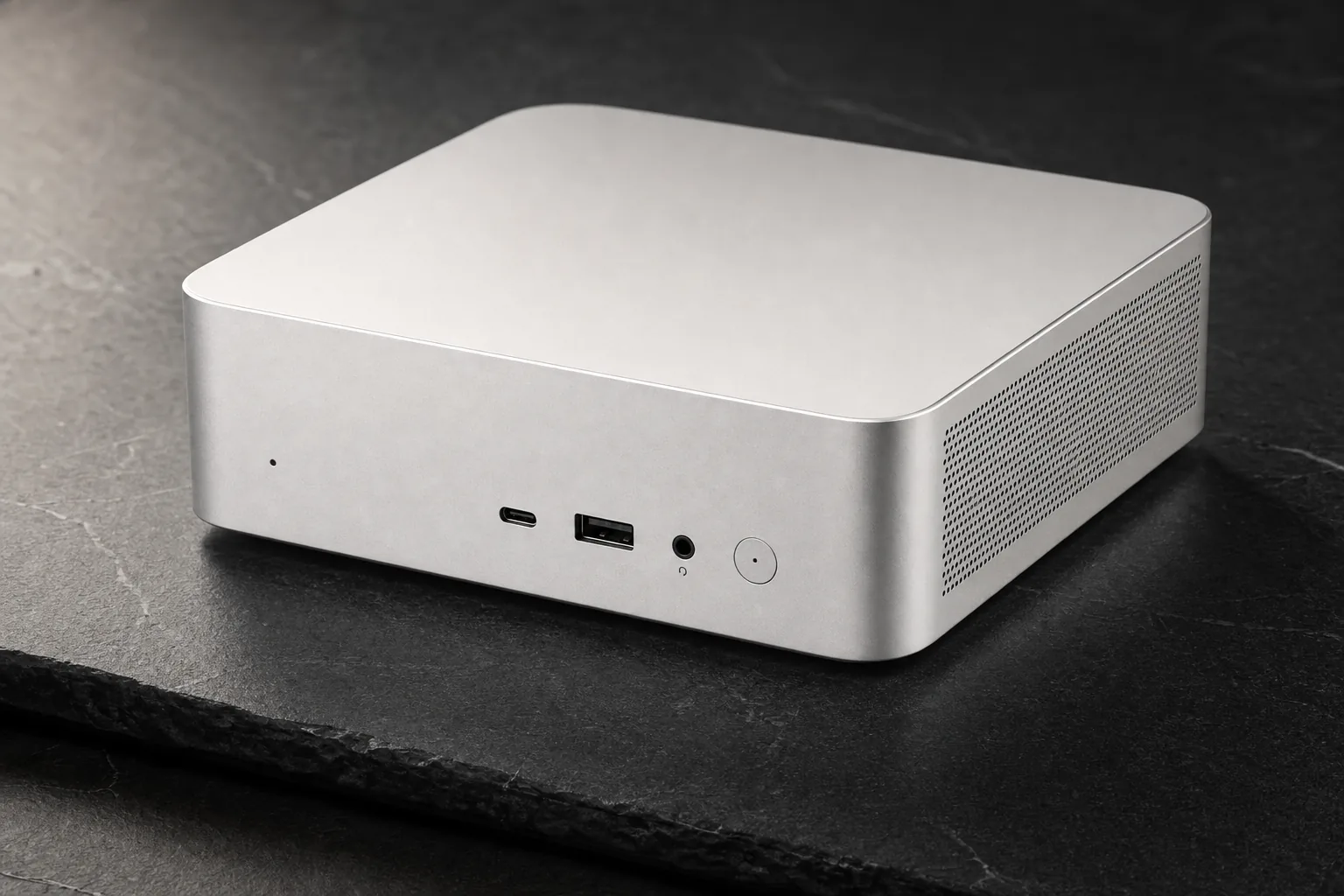
The original SER9's appeal rests on the Ryzen AI 9 HX 370, a 12-core, 24-thread mobile processor combining four Zen 5 cores with eight Zen 5c cores. AMD specifies boost clocks of up to 5.1GHz. This is a higher-end mobile chip placed in a desktop-style enclosure with a more accommodating cooling system than many thin laptops can offer.
Graphics come from the Radeon 890M, based on AMD's RDNA 3.5 architecture. It has 16 compute units and a stated maximum frequency of 2.9GHz. That is the crucial distinction between this machine and lower-priced SER9 versions with Radeon 880M or Radeon 780M graphics. For office work, all can handle conventional productivity tasks; for gaming and GPU-accelerated creative work, the 890M configuration has materially stronger externally reported results.
24 threads
16 compute units
Bluetooth 5.2
Read the AI figures carefully
AMD's processor specification rates the HX 370 NPU at up to 50 TOPS. Beelink's "up to 80 AI TOPS" figure combines NPU, CPU and GPU resources. Both numbers describe different things, so the latter should not be read as an 80-TOPS NPU rating. For everyday office use, local AI capability may be useful for compatible software, but it is not a reason on its own to pay a large premium over a non-AI configuration.
The original system was supplied with Windows 11 Pro, a 1TB PCIe 4.0 SSD in many retail listings and two internal M.2 PCIe 4.0 slots according to reviewers. That second SSD slot is meaningful for a work machine: it provides a route to expand local project storage without replacing the supplied drive. Memory does not offer that route, as the 32GB LPDDR5X is soldered.
In practice, that creates a simple split in buying priorities. Someone who expects their storage library to grow can use the second M.2 slot later, making the standard 1TB starting point less restrictive. Someone whose workloads are likely to grow in memory demand has less flexibility. A 32GB original SER9 can remain a sensible fit for mainstream home-office use, but buyers planning extensive virtual-machine use or larger local creative workloads should regard the 64GB SER9 Pro HX 370 option as a purchase-time decision, not an upgrade path.
Design and Build: Compact Aluminium, Substantial Cooling
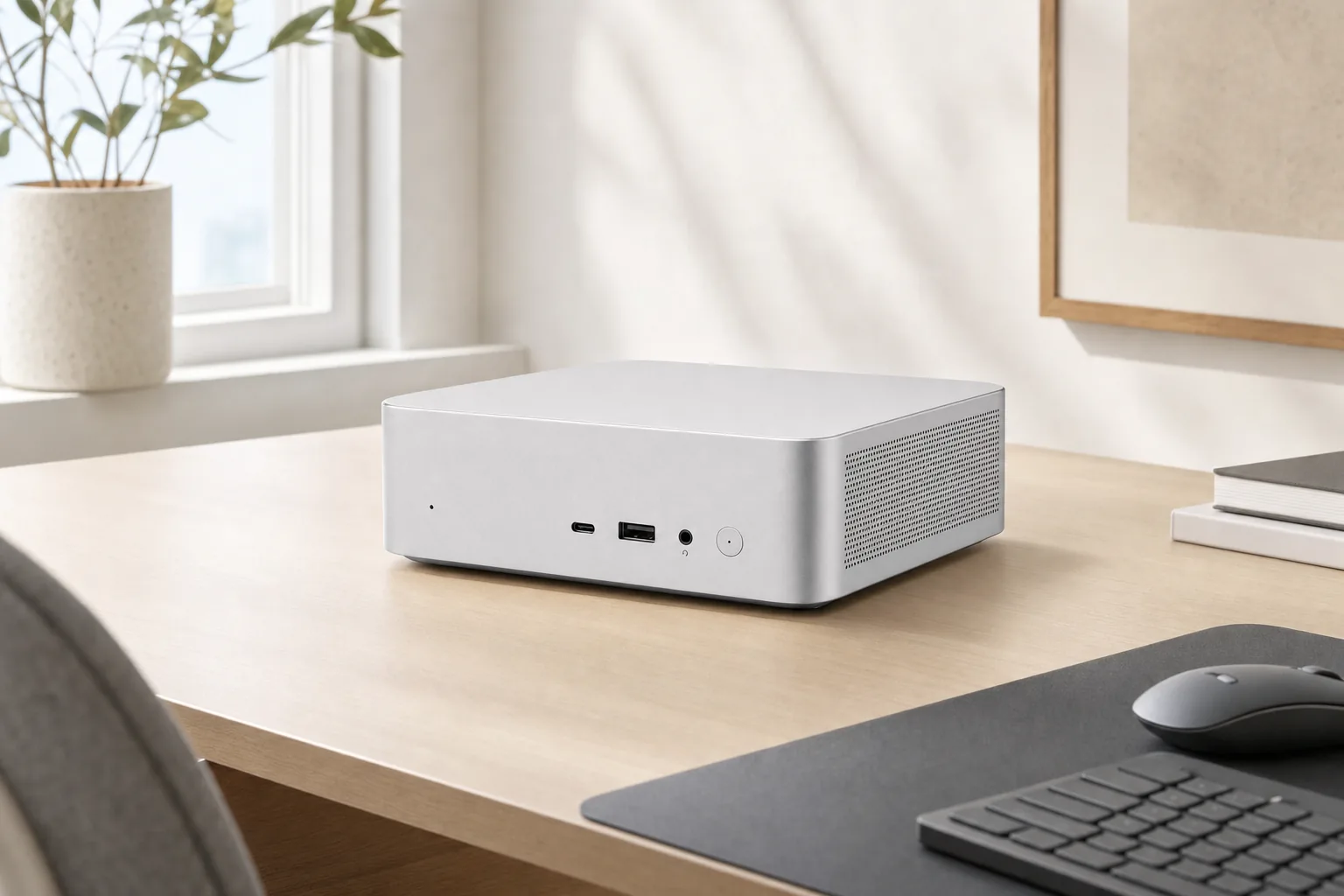
Notebookcheck listed the original SER9 at 135 × 135 × 44.7mm. TechRadar measured roughly 136 × 136 × 50mm, likely reflecting the feet or a different measurement method. Either way, this is a small square desktop that should fit beneath a monitor, beside a dock or in a shared workspace without consuming the footprint of a conventional tower.
Weight figures sit around 0.8kg for the computer itself: 814g in Notebookcheck's report and 819g in TechRadar's. Notebookcheck also recorded the external power supply at 277g. It is portable enough to move between a home desk and an office, but it remains a mains-powered desktop rather than a battery-equipped travel computer.
MSC 2.0 vapour-chamber cooling
Beelink's cooling approach combines a vapour chamber, fan and SSD heatsink. The hardware is designed to sustain higher processor power than a passively cooled mini PC.
Bottom-mounted dust filter
The underside mesh is useful for a PC intended to remain on a desk for long periods. ServeTheHome noted that access requires removing screws, so it is less convenient than a slide-out filter.
Built-in speakers and microphone array
The original SER9 includes speakers and a microphone array with AI processing. This can simplify occasional calls, although ServeTheHome characterised the speakers as poor-sounding and limited.
The evidence on acoustics is encouraging, particularly for a home office. Notebookcheck recorded 26.6–26.8dB(A) at idle and 33.4–33.8dB(A) under load, measured from 15cm with a 23.2dB(A) ambient level. PC Gamer described the machine as virtually silent, including in its 65W performance mode, though shader compilation in Forza Motorsport raised fan speed noticeably. Windows Central also heard a quiet low-pitched buzz when the Radeon 890M was active on its sample, a reminder that electrical noise can vary between individual units.
Day to day, the cooling results matter more than the compact dimensions alone. A mini PC used beside a monitor for calls, document work and browser sessions should be unobtrusive most of the time, yet it also needs to avoid slowing down during longer exports, compilation or gaming sessions. The independent reports suggest the SER9 largely manages that balance. The caveat is that the dust filter is not a quick-access component, so a buyer placing the PC in a dusty room should factor occasional underside maintenance into ownership.
Connectivity: Where the Beelink SER9 Earns Its Home-Office Keep
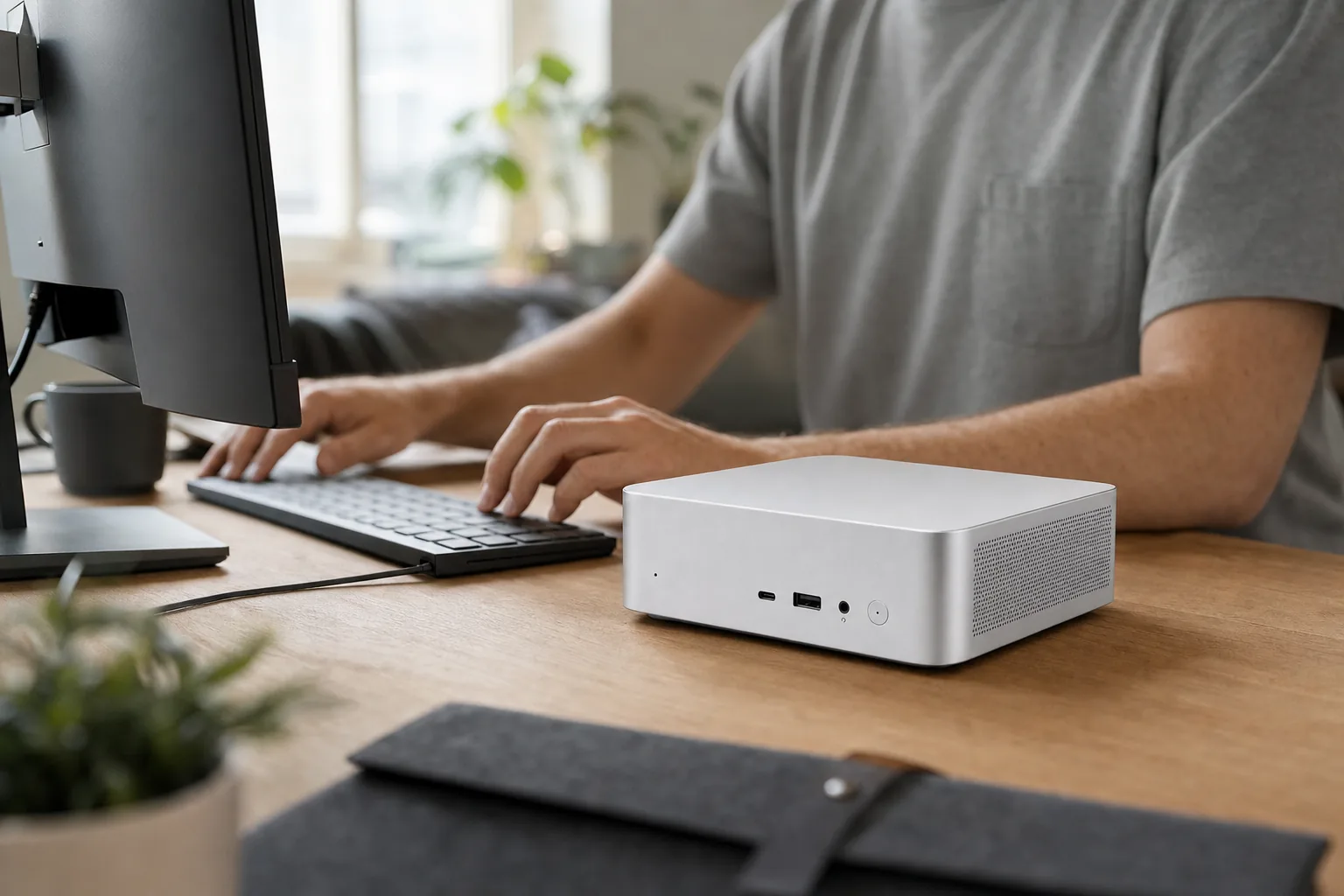
The SER9 has a credible work-focused I/O selection. Its rear USB4 Type-C connection is specified at 40Gbps, with display output, Power Delivery and Thunderbolt 3 compatibility listed for the related SER9 Pro specification. Alongside it are HDMI and DisplayPort outputs, enabling three displays at once. For spreadsheet-heavy work, coding, trading dashboards, photo organisation or a desk split between a laptop and mini PC, this is more useful than raw benchmark numbers.
Ethernet is 2.5GbE on the original model, joined by Wi-Fi 6 through an Intel AX200 card and Bluetooth 5.2. Wired 2.5GbE is valuable for fast local storage, office NAS access and reliable video calls where the network supports it. Buyers prioritising very high-speed wired transfers should look at the newer SER9 MAX, which moves to 10GbE, rather than assuming that feature is available on the original system.
Check the port layout on the exact listing. PC Gamer described a front 10Gbps USB-C port, a front 10Gbps USB-A port and three rear USB-A ports. Notebookcheck's inventory counted two USB 2.0 ports and three USB 3.x ports alongside USB4. That variation makes product photos and the supplied manual important where a particular peripheral depends on a particular port speed.
For setup, the practical order is straightforward: connect the main display by HDMI, DisplayPort or USB4 as appropriate, add Ethernet if the desk has access to faster wired networking, then reserve the high-speed USB connections for the peripherals that benefit from them. The three-display capability is a genuine advantage for a fixed workstation, but it does not remove the need to check the inputs on each monitor. Likewise, USB4 support should not be interpreted as confirmation that the mini PC itself is normally powered over USB-C; its standard operating arrangement uses the external DC adapter.
Sizing Up the Wider Beelink SER9 Range
The original HX 370 remains the performance-led version of the core SER9 idea. The SER9 Pro HX 370 keeps that processor and Radeon 890M graphics, while raising memory speed to LPDDR5X-8000 and offering a 64GB/2TB tier. For workloads involving virtual machines, larger creative projects or extensive local multitasking, that 64GB option may be more relevant than minor processor differences.
The SER9 Pro Ryzen AI 9 365 moves to 10 CPU cores and Radeon 880M graphics with 12 compute units. It retains LPDDR5X-8000 memory and the compact chassis. This makes sense only when discounted sufficiently below the HX 370 version, because the Radeon 890M has four more compute units and the higher-tier processor has two additional CPU cores.
The Ryzen 7 H 255 SER9 Pro is the lower-cost entry point. It uses an eight-core, 16-thread processor and Radeon 780M graphics with 12 compute units, plus slower LPDDR5X-6400 memory. It remains suitable for office applications, browser-heavy working and lighter games, but it should not be bought on the assumption that it will match the HX 370's gaming or CPU performance.
SER9 Pro Ryzen 7 H 255
Confirmed official-store promotional pricing for a 24GB/1TB US configuration and current UK listing. This is the value-led route into the family.
SER9 Pro HX 370
Confirmed US official price for 32GB/1TB, reduced from $1,169. UK pricing varied by configuration, with an OpenClaw/local-LLM edition listed at £1,059.
SER9 MAX H 255 / H 350
Current UK page grouped several configurations under one headline price. Check the live selector before treating that figure as applicable to every processor and memory option.
The original HX 370 SER9 had historical prices of $999 at launch, with TechRadar reporting $999 for a 500GB version and $1,249 for 1TB at launch. A historical UK review price was £761. Its current standalone availability was not clearly established by the supplied retail evidence, so a current listing should be checked carefully rather than assumed to be an original retail configuration.
The sensible comparison is not always "newer versus older". A buyer whose priority is 10GbE and DDR5 may prefer the SER9 MAX concept, while a buyer seeking the strongest integrated graphics in this family should pay close attention to whether the listing actually contains Radeon 890M rather than Radeon 860M, 880M or 780M. Conversely, someone buying primarily for Word, Teams, web applications and standard multi-monitor work may find the lower-priced H 255 configuration more rational than paying for HX 370 gaming headroom they will not use.
Reading the External Verdicts: What Reviewers Measured
The original HX 370 configuration has a useful body of independent performance evidence. Notebookcheck reported 21,897 points in Cinebench R23 multi-core and 2,035 points in single-core. In the same comparison set, that multi-core result was around 31% higher than the 16,661 recorded for Beelink's previous SER8 with a Ryzen 7 8845HS.
Graphics results showed a similar generational step. Notebookcheck recorded 3,917 in 3DMark Time Spy, while Windows Central reported 4,022. The small difference is unsurprising: driver versions, performance modes and system configuration all influence synthetic benchmarks. PC Gamer described the SER9 as the strongest 1080p gaming mini PC it had reviewed at the time among machines without a discrete GPU.
Figures are from Notebookcheck's comparison results. The bar widths are visual comparisons within each benchmark, not cross-benchmark performance scores.
| External comparison | Beelink SER9 HX 370 |
|---|---|
| Beelink SER8 | Cinebench R23 multi-core: 21,897 vs SER8 Ryzen 7 8845HS 16,661 Time Spy: 3,917 vs SER8 3,274 |
| Asus NUC 14 Pro+ | Cinebench R23 multi-core: 21,897 vs Core Ultra 9 185H 17,615 Time Spy: 3,917 vs 3,881 |
| Minisforum MS-A1 | Cinebench R23 multi-core: 21,897 vs Ryzen 7 8700G 17,128 Time Spy: 3,917 vs 3,254 |
Gaming needs careful framing. Notebookcheck observed Cyberpunk 2077 frame-rate dips from 25fps to 22fps at 1080p Ultra. That does not make the SER9 unsuitable for games, but it does demonstrate the limits of integrated graphics in demanding current titles. Reduced settings, upscaling and sensible frame-rate expectations are part of the proposition. Lighter games and esports titles are a more natural fit, while buyers who want consistently high settings in AAA games should consider a compact PC with a discrete GPU.
ServeTheHome reported around 7–9W at the wall when idle and about 78W at the wall under sustained load. It also reported no down-clocking during more than 30 minutes of sustained load. That is wall-power consumption rather than the processor's configured power target. PC Gamer described selectable 54W balanced and 65W performance modes, and found no meaningful noise penalty when moving to the higher mode.
Those figures make the two modes a useful day-to-day choice rather than a specification-sheet curiosity. Balanced mode is the natural starting point for office work and ordinary use, particularly when low fan noise matters. Performance mode is the setting to consider for longer CPU- or GPU-heavy sessions, given PC Gamer's observation that it did not introduce a meaningful noise penalty. Neither changes the underlying limitation of an integrated GPU, however: it can improve the experience within the system's class, not turn the SER9 into a discrete-GPU gaming machine.
Where the Beelink SER9 Makes Sense — and Where It Doesn't
Home-office multitaskers
The HX 370 model is well suited to large browser sessions, office software, coding, image work and multiple displays. 2.5GbE and Wake-on-LAN are practical additions for a permanent desk setup.
Light and flexible PC gamers
The Radeon 890M is the version to seek for integrated-graphics gaming. It can run many games, but demanding releases require settings compromises rather than console-like certainty.
Fast-network users
Choose the SER9 MAX rather than the original SER9 if 10GbE is central to the purchase. Its newer network hardware is a more direct fit for large NAS transfers.
A fourth group should be cautious: buyers who want a machine to improve incrementally over several years. The original SER9 and SER9 Pro allow storage expansion through their two M.2 slots, but their soldered LPDDR5X means the core memory allocation is fixed. The SER9 MAX changes the memory approach to DDR5, but the supplied information does not establish the exact user-upgrade mechanism. If repairability or future memory expansion is the priority, confirm that practical detail before treating the MAX as an automatic solution.
Reasons to shortlist the HX 370 SER9
- Strong externally reported CPU performance for a compact mini PC.
- Radeon 890M graphics outperformed the cited Radeon 780M mini PCs in Time Spy.
- Three display outputs, USB4 and 2.5GbE are useful for a serious desk setup.
- Independent reports indicated low noise even when the system was working hard.
- Two M.2 PCIe 4.0 slots offer practical storage expansion.
Reasons to pause before buying
- Memory is soldered on the original SER9 and SER9 Pro range.
- The original flagship launched at a premium and current HX 370 configurations remain expensive.
- Integrated graphics still require compromises in demanding modern games.
- Built-in speakers are a convenience feature rather than a credible audio system.
- Wi-Fi 6 feels dated beside later Wi-Fi 6E and Wi-Fi 7 hardware at this price level.
The upgradeability point deserves emphasis. Storage is the genuine user-serviceable growth path in the original SER9 and SER9 Pro models; memory is not. A buyer who expects to run virtual machines, edit high-resolution media or keep the PC for many years should give serious thought to the 64GB SER9 Pro HX 370 configuration rather than assuming a later RAM upgrade is possible.
Common Questions Before You Buy
No. The SER9 Pro HX 370 shares the same processor family and compact chassis concept, but it has been listed with LPDDR5X-8000 memory and 32GB/64GB options, while the original SER9 generally shipped with 32GB LPDDR5X-7500 and 1TB storage. SER9 Pro is also used for Ryzen AI 9 365 and Ryzen 7 H 255 configurations, which have different CPU and graphics hardware.
Not on the original SER9 or the documented SER9 Pro versions. Their LPDDR5X memory is soldered. Both provide two M.2 PCIe 4.0 storage slots, so SSD capacity can be expanded. The SER9 MAX uses DDR5 memory, but the supplied evidence does not establish its user-upgrade mechanism.
AMD specifies up to 50 TOPS for the HX 370's NPU itself. Beelink's up-to-80-TOPS figure combines potential compute from the NPU, CPU and integrated GPU. They are not directly interchangeable measures, and the 80-TOPS number should not be interpreted as NPU-only performance.
The HX 370 version is capable for an integrated-graphics mini PC, supported by Time Spy scores around 3,917 to 4,022 in the cited reviews. PC Gamer praised its 1080p credentials among non-discrete-GPU mini PCs. Demanding games still require lower settings, upscaling or reduced resolution, and Notebookcheck recorded frame-rate dips in Cyberpunk 2077 at 1080p Ultra.
The Ryzen 7 H 255 SER9 Pro provides the more accessible entry price for conventional office use. The HX 370 version is more appropriate where local creative workloads, heavier multitasking or stronger integrated graphics justify the additional outlay. The SER9 MAX is the relevant branch for buyers who specifically need 10GbE networking.
Not necessarily. USB4 Power Delivery support is listed, but the supplied evidence does not confirm that the SER9 is intended to run from USB-C power. The normal operating input is the supplied external DC adapter, so buyers should not plan a single-cable USB-C power setup unless the exact retail documentation explicitly confirms it.
First-look verdict
The original Beelink SER9 HX 370 was a convincing compact work-and-play machine on the external evidence: its 21,897 Cinebench R23 multi-core score, 3,917 Time Spy result, quiet reported operation and sustained-load behaviour place it well ahead of many Radeon 780M-era mini PCs. USB4, triple-display support and 2.5GbE strengthen its case as a home-office desktop rather than a novelty box.
Its weaknesses are equally clear. The RAM cannot be upgraded, speakers should not replace dedicated audio, and the Radeon 890M cannot remove the need for compromises in demanding games. In 2026, the main purchasing discipline is to verify the processor, memory capacity, port layout and regional warranty on the exact SER9 listing. A lower-priced SER9 Pro may carry a materially weaker chip, while a SER9 MAX may offer 10GbE and DDR5 but a different graphics tier.
Sources
- Notebookcheck, Beelink SER9 review: AMD Zen 5 makes this mini PC faster than ever — benchmark results, dimensions, acoustics, port inventory and competitor comparisons.
- PC Gamer, Beelink SER9 review — power modes, gaming assessment, design and connectivity reporting.
- ServeTheHome, Beelink SER9 AMD Ryzen AI 9 HX 370 Mini PC review — wall-power figures, sustained-load observations, speakers and dust-filter access.
- Windows Central, Beelink SER9 review — Time Spy figure and sample-specific electrical-noise observation.
- Beelink official global, US and UK product pages — current SER9 Pro and SER9 MAX configurations, stated specifications and regional pricing checked on or around 19 September 2026.
- Tom's Hardware and TechRadar — original SER9 launch pricing, release coverage and physical measurements.
- Beelink SER9 MAX (Ryzen AI 7 H 350, 64GB/1TB)View on Amazon
Sources and evidence (12)
- pcgamer.com (other)
- uk.bee-link.com (other)
- notebookcheck.net (other)
- bee-link.com (other)
- bee-link.com (other)
- bbs.bee-link.com (other)
- us.bee-link.com (other)
- servethehome.com (other)
- tomshardware.com (other)
- ixbt.com (other)
- techradar.com (other)
- windowscentral.com (other)