
LG UltraGear 45GX950A Review: Is the Bendable 5K2K OLED Worth £2,000?
LG's huge 45-inch-class ultrawide delivered glorious 5K2K OLED gaming, a very serious curve and a clever 330Hz fallback mode. There was just one important catch in that bendable headline.
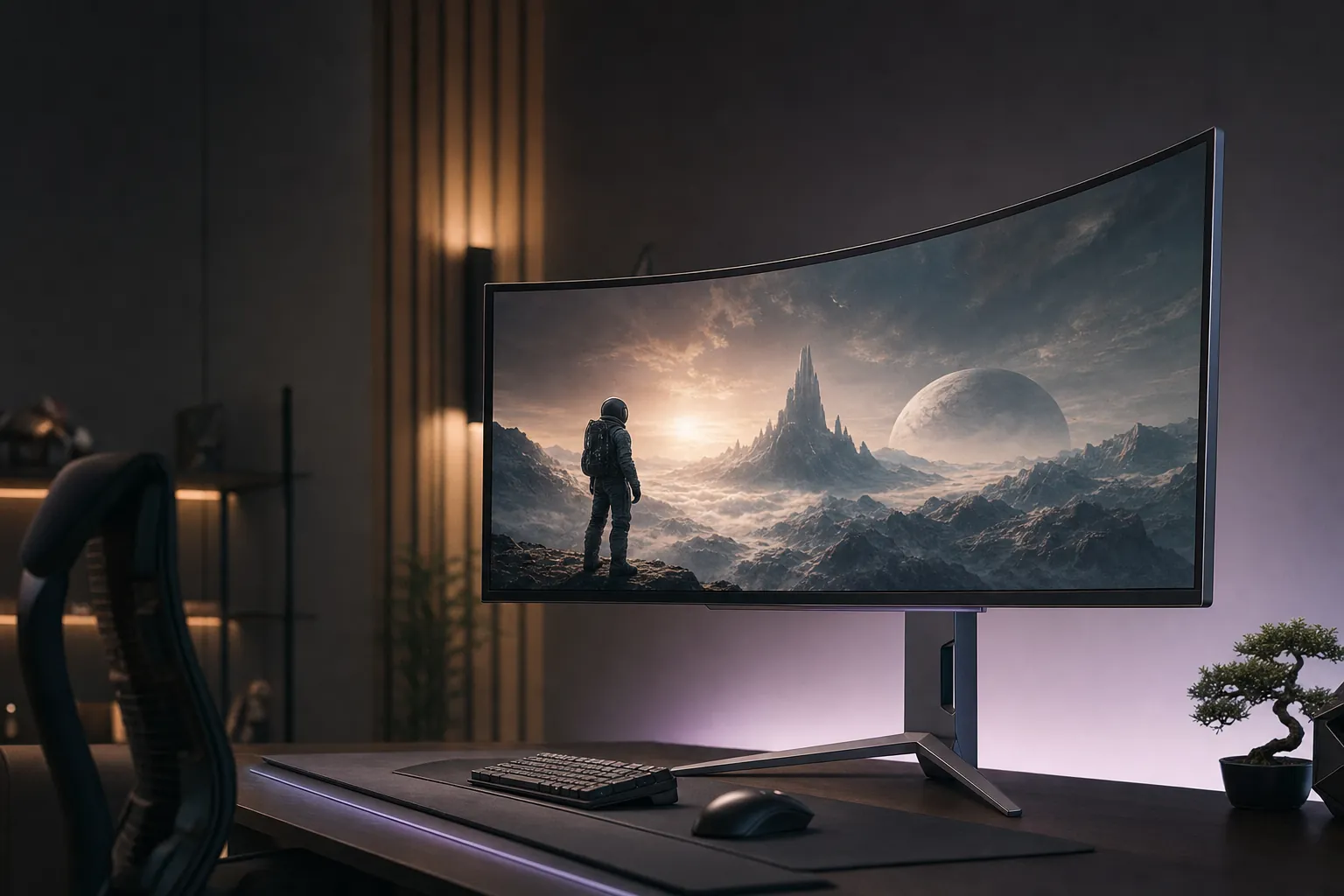
The LG UltraGear 45GX950A-B was one of those monitors that made immediate sense the moment I sat in front of it. Deep blacks. Proper desktop space. A panoramic curve that made racing games feel less like a game and more like an expensive hobby. But it was also a £2,000-class monitor with a curve you absolutely needed to try before committing to. This was not a casual desk upgrade. It was a lifestyle decision with HDMI ports.
First, the Crucial Model-Number Correction
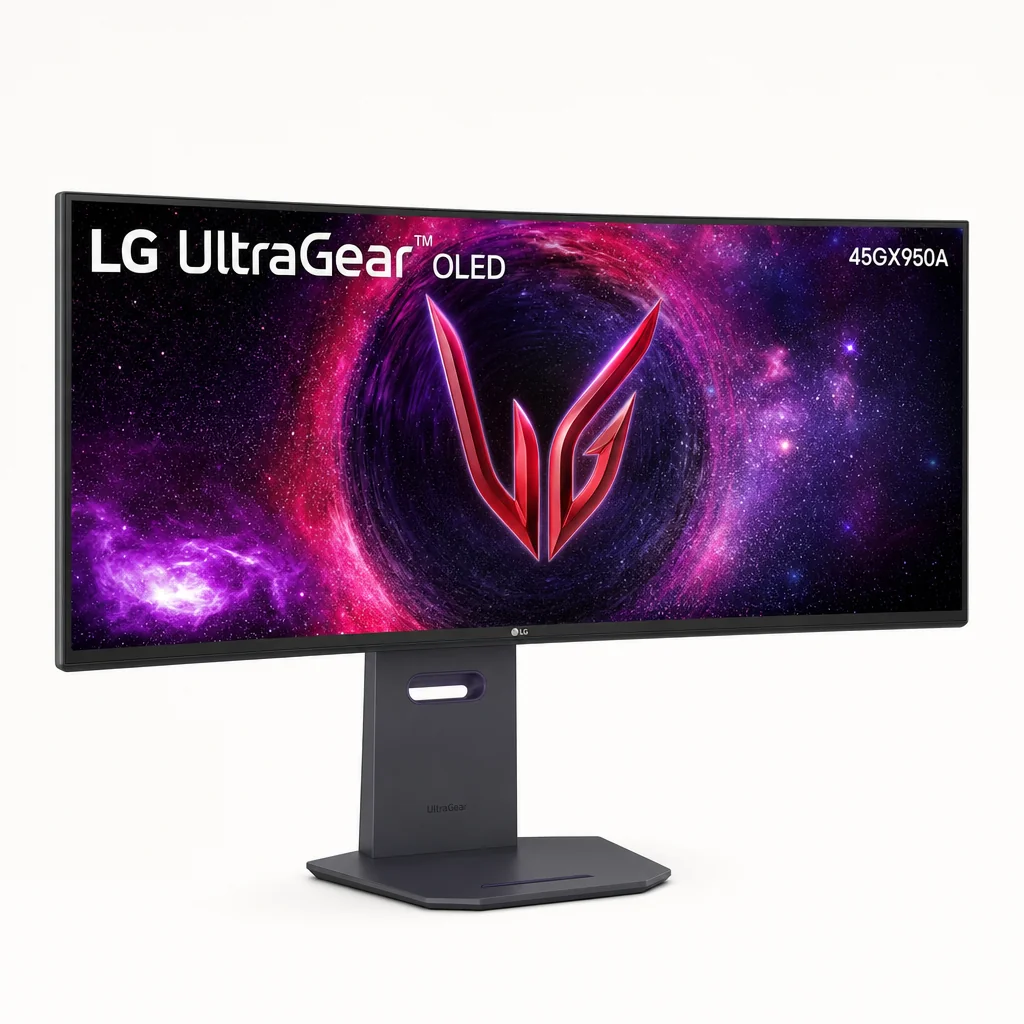
Let's clear up the biggest point before we get lost in pixels, ports and the sort of GPU upgrade this screen could quietly encourage. The commercially available LG UltraGear 45GX950A-B was not bendable. It used a fixed, factory-set 800R curve.
That distinction mattered. An 800R curve was not a gentle suggestion of curvature; it was a full-on commitment. The panel wrapped around your field of view in a way that made conventional flat monitors look slightly unfinished afterwards. For games, especially racing, flight simulation and first-person titles, it could be spectacular. For spreadsheets, image work or anyone who preferred straight visual geometry, it could take rather longer to make peace with.
The bendable model was the LG UltraGear 45GX990A-B. LG announced that monitor with a mechanism that moved from flat to a 900R curve. It was a separate product, not an alternative operating mode hidden inside the 45GX950A-B's menus.
So this review focused on the monitor buyers could actually put on a desk: the 44.5-inch-class UltraGear 45GX950A-B. Its proposition was still unusual enough without a motorised bend. You got a 5120×2160 21:9 WOLED panel, 165Hz at its native resolution and LG's second-generation Dual Mode, which switched it to 2560×1080 at 330Hz for competitive play.
That meant the 45GX950A-B was trying to be two very different displays. In one mood it was a sharp, expansive ultrawide for single-player games, editing timelines and multi-window work. In the other, it was a large competitive gaming display chasing high frame rates. The theory was sound. The compromises were real. And, as ever with giant OLEDs, the answer depended heavily on what you did between the games.
The short version
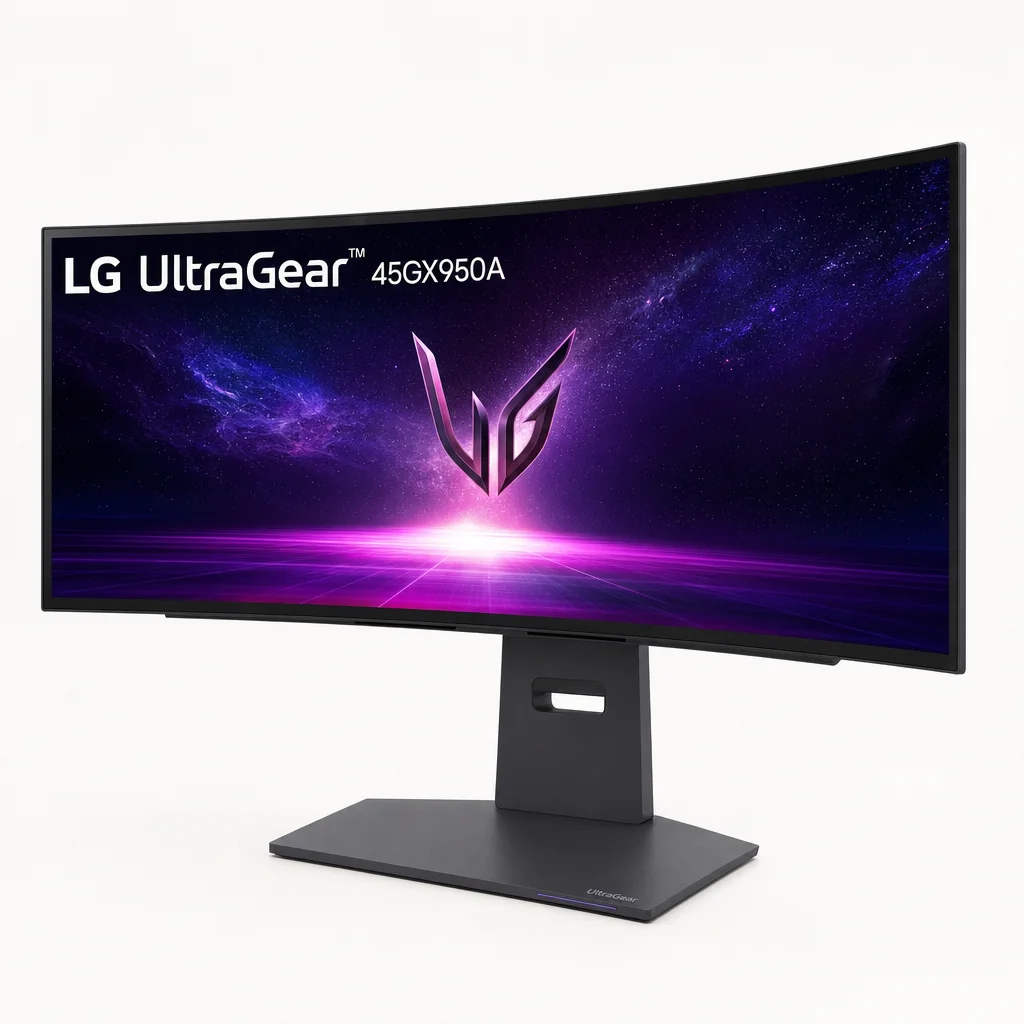
Buy the 45GX950A-B for its fixed 800R 5K2K OLED experience, not because you expected it to bend. If adjustable curvature was your must-have feature, this was simply the wrong model number.
The UltraGear 45GX950A-B's defining visual feature was its fixed 800R curve, designed to pull a huge 21:9 panel into your peripheral vision.
A 45-Inch Desk Dominator with an 800R Point of View
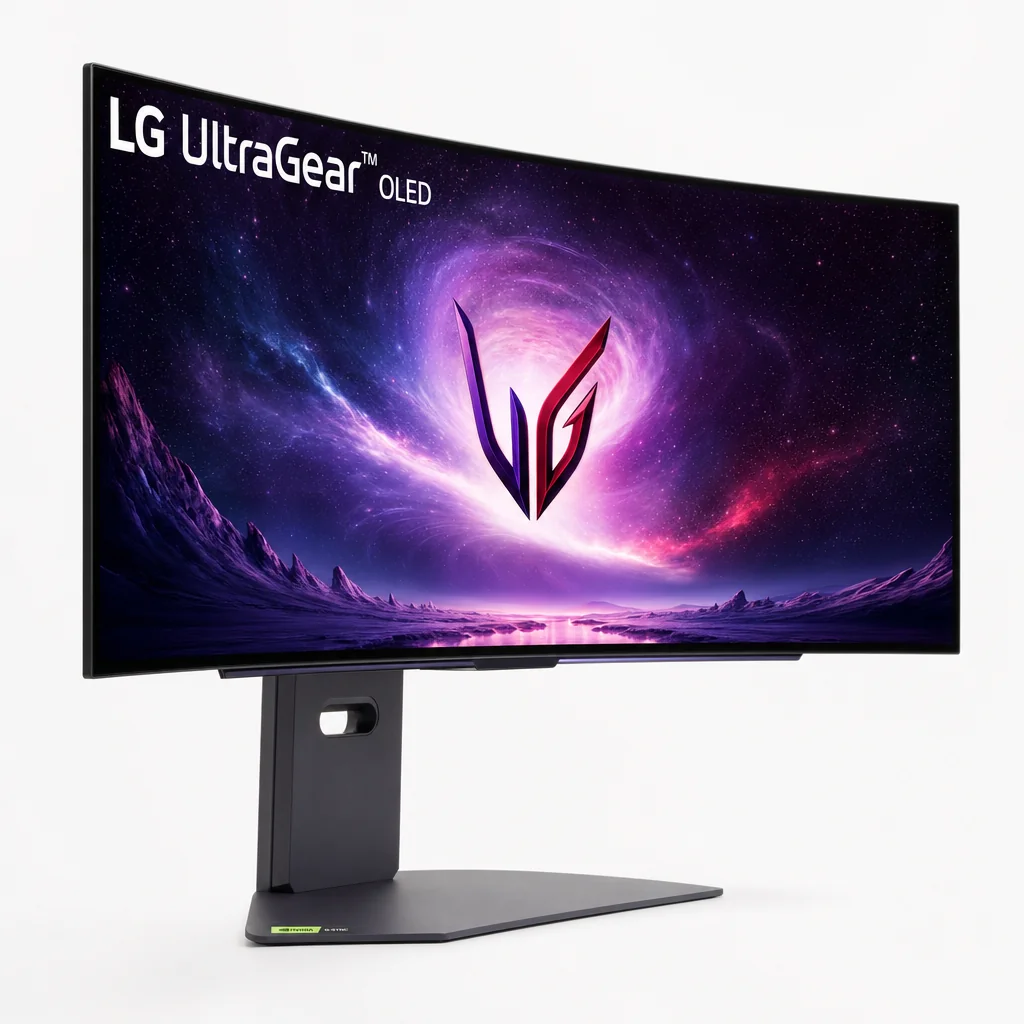
There was no pretending this was a subtle monitor. At 991.6mm wide, it occupied nearly a metre of desk before you had even considered speakers, a laptop stand or the collection of tiny accessories everyone somehow accumulates. It was 342mm deep on its stand and stood between 545.6mm and 665.6mm tall depending on the height setting. With the stand attached, it weighed 14kg.
In other words: measure your desk. Then measure it again when you have had a cup of tea and feel optimistic. A shallow desk placed the panel too close, which made the size feel overwhelming rather than cinematic. Give it enough distance and the 800R curve started doing its job, bringing the far edges back towards you instead of making you constantly turn your head like you were watching tennis.
The stand deserved credit. For something supporting such a broad, aggressively curved panel, it remained stable and offered height, tilt and swivel adjustment. That was not a trivial inclusion. A lot of enormous gaming displays treated ergonomics as an afterthought, as though everybody had identical desks and necks. LG at least gave you useful adjustment before you needed to start shopping for a VESA arm.
There was 100×100mm VESA mounting if you did go down that route, though do not forget the weight. A monitor arm needed to be rated appropriately, and the physical breadth of the display still imposed its own rules on your setup.
Immersive by design
The 800R curve made particular sense for games where peripheral vision mattered more than ruler-straight lines.
Useful stand adjustment
Height, tilt and swivel adjustment made it easier to position such a large panel sensibly.
Unity Hexagon Lighting
LG's rear RGB lighting added atmosphere behind the panel, although it was more mood lighting than a productivity breakthrough.
VESA-ready
A 100×100mm mount offered another route for users building a more customised cockpit or workstation.
Styling was classic UltraGear: unmistakably gaming-led, but not so theatrical that it could not sit in a home office. The rear Unity Hexagon Lighting was attractive in a dark room and helped soften the monitor's outline against a wall. It did not improve your K/D ratio, sadly. It did make the desk feel a bit more finished.
5K2K OLED: The Pixel-Dense Ultrawide LG Had Been Missing
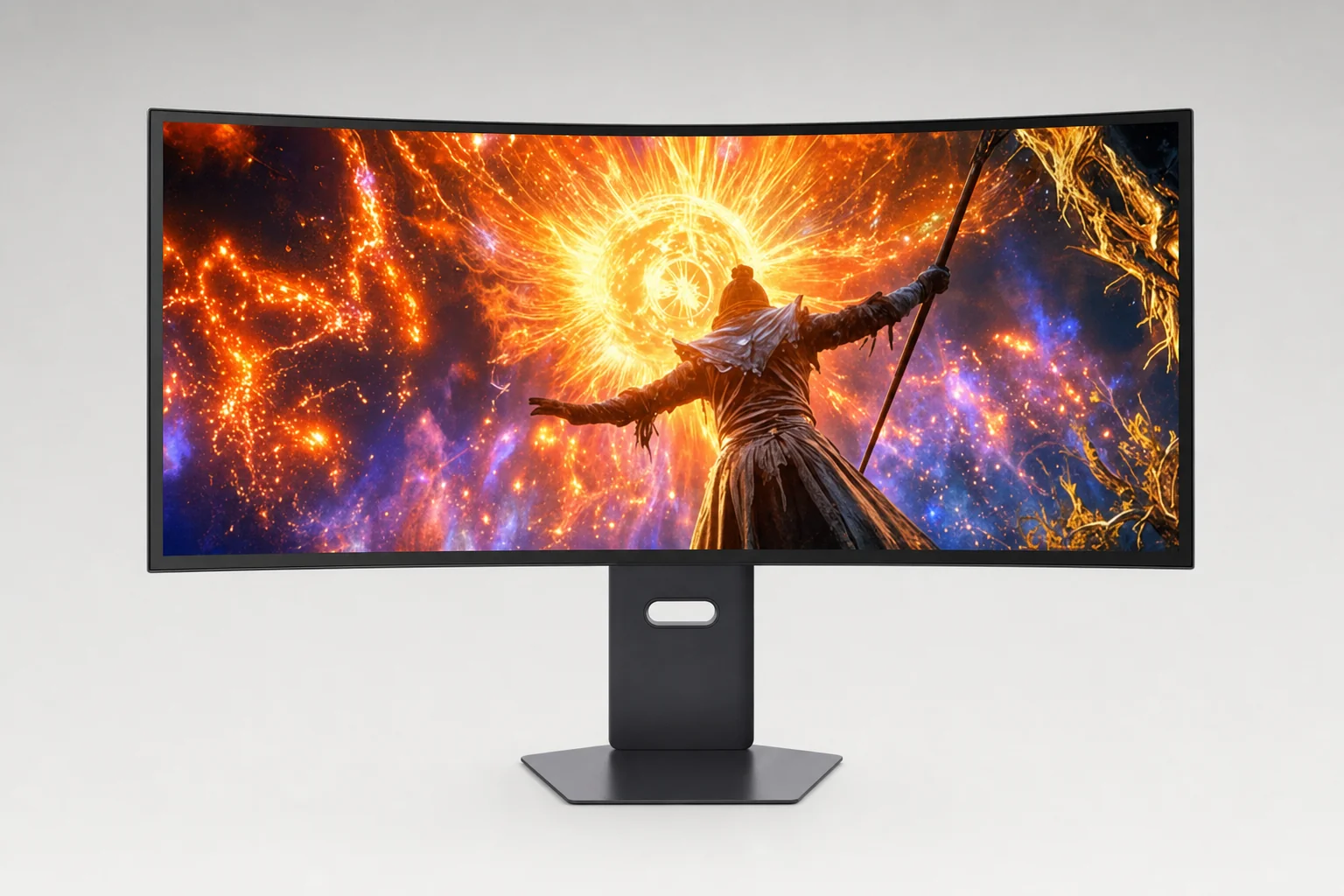
This was where the 45GX950A-B earned its flagship status. Previous 45-inch OLED ultrawides using 3440×1440 resolution had a fairly obvious problem: they were enormous, but not especially dense. They delivered scale without the crispness many people wanted for desktop work.
The 45GX950A-B corrected that with a 5120×2160 resolution. In 21:9 language, that is 5K2K or WUHD. More importantly, it worked out at roughly 125ppi. That was a dramatic improvement for text, fine UI elements and detailed game environments. You could have a browser, a document and a communications app open without feeling as though every word had been inflated for the back row.
OLED's inherent contrast was still the star. Blacks were genuinely black rather than merely very dark grey, which gave games and video a sense of depth that even excellent LCD monitors struggled to reproduce. Space scenes, dark corridors and moody films all benefited. It was the familiar OLED trick, but at this scale it remained rather convincing.
The panel used an RGWB subpixel arrangement. That was an improvement over older low-density 45-inch OLED designs, and PCWorld's testing found roughly 125ppi helped considerably with desktop clarity. But it did not erase OLED text quirks altogether. Fine text could still show slight fringing in certain applications and at particular scaling settings. If you were coming from a high-density conventional RGB-stripe LCD, you would notice it. If you were coming from an older 45-inch 3440×1440 OLED, you would notice the improvement far more.
Colour performance was good rather than the most exuberant available. LG quoted 98.5% DCI-P3 coverage typically, with 94% as the minimum figure. The panel could look vivid and rich, while factory calibration and hardware calibration readiness made it a better starting point for colour-conscious work than a purely game-first screen. Still, QD-OLED rivals generally delivered stronger colour volume and saturation.
HDR support included HDR10 and VESA DisplayHDR True Black 400 certification. Small highlights were a real strength, but this was not a monitor that maintained huge brightness across large white areas. OLED's automatic brightness behaviour remained part of the deal. That mattered most with large documents, bright webpages and full-screen HDR scenes. OLED magic? Yes. OLED physics? Also yes.
The move to 5120×2160 gave LG's 45-inch ultrawide format far sharper text and desktop detail than older 3440×1440 versions.
Why 5K2K mattered more than a headline number
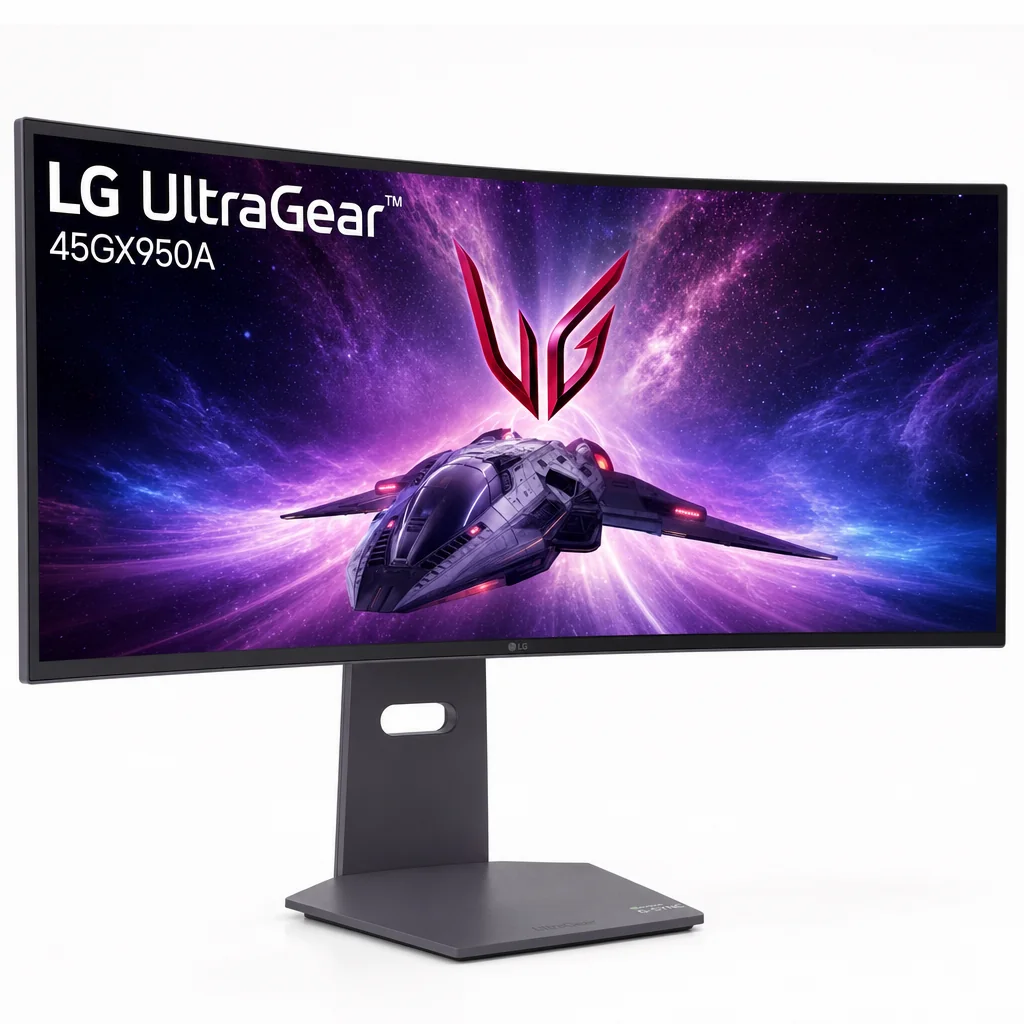
The extra vertical resolution was the key. Compared with a 49-inch 5120×1440 super-ultrawide, the LG gave you much more room for documents, toolbars, timelines and browser content without sacrificing the broad 21:9 view games handled so well.
165Hz for Everything, 330Hz When Frames Matter More Than Pixels
LG's Dual Mode feature was the most interesting part of the 45GX950A-B after the panel itself. At native resolution, it ran at 5120×2160 and 165Hz. That was the mode for the screen's core purpose: richly detailed ultrawide gaming, desktop work and anything where pixel count genuinely mattered.
Then there was the second personality: 2560×1080 at 330Hz. That mode was aimed squarely at competitive play, where refresh rate and lower frame-time latency could matter more than native sharpness. It made sense on paper. Many modern esports-style games were easier to drive at very high frame rates than a full 11-million-pixel 5K2K image.
| Dual Mode setting | Resolution | Refresh rate |
|---|---|---|
| Native ultrawide mode | 5120×2160 | 165Hz |
| Competitive mode | 2560×1080 | 330Hz |
The important thing was not to view 330Hz as a free upgrade. It was a trade. At 2560×1080, the image was visibly softer than native 5K2K. You were not getting 330Hz and all the benefits of that lovely 125ppi desktop at the same time. You were choosing speed over definition.
That was not necessarily bad. If you played Counter-Strike-style shooters seriously, it was useful to have a high-refresh setting without owning a second display. The reduced resolution also made extreme frame rates more attainable. But for anyone who fell in love with the 45GX950A-B because it looked like a giant, crisp, high-resolution OLED, switching down could feel a little like putting budget tyres on a sports car.
0.03ms GtG claim
OLED pixel response remained exceptionally quick, helping movement look clean and immediate.
Eight Dual-Mode combinations
LG allowed different aspect ratios and active picture sizes rather than locking you into two blunt presets.
21:9 and 16:9 options
You could tailor the active image area to the game, rather than forcing every title across the full panel.
Adaptive sync support
AMD FreeSync Premium Pro, Nvidia G-Sync Compatible and VESA AdaptiveSync support covered the major PC gaming camps.
TechSpot measured sub-1ms processing delay in both SDR and HDR modes. That was excellent. The unavoidable caveat was frame timing: 165Hz naturally had more refresh-related latency than a 240Hz display, simply because each frame took longer. The 330Hz mode narrowed that gap considerably, though it did so by sacrificing the panel's native resolution.
There were plenty of gaming tools on hand, including Black Stabilizer, Dynamic Action Sync, a crosshair, FPS counter and a user-defined shortcut key. These were useful extras rather than the main reason to buy. The panel and Dual Mode were the reason. The menu toys were just icing.
Dual Mode let the monitor switch between a detailed 5K2K 165Hz desktop and a lower-resolution 330Hz competitive gaming setup.
GPU reality check
5120×2160 demanded serious graphics horsepower if you wanted high settings and high frame rates in current demanding games. The 330Hz mode was useful precisely because it offered an escape hatch when chasing frames mattered more than maximum image detail.
One Screen for a Gaming PC, a Laptop and a Workday
This was not merely a gaming monitor with a few obligatory ports glued on the back. Connectivity was one of the 45GX950A-B's strongest arguments, especially for anyone using one desk for both work and play.
You got two HDMI 2.1 inputs, one DisplayPort 2.1 input with DSC, USB-C with DisplayPort Alt Mode and up to 90W Power Delivery, two USB 3.0 downstream ports, plus a four-pole headphone and microphone output. That was a properly useful selection. A desktop PC could occupy DisplayPort, a console could use HDMI and a work laptop could connect via USB-C without turning the setup into a cable-management crime scene.
For a typical office laptop, that USB-C connection was the dream. One cable handled display output, data through the monitor's USB hub and charging at up to 90W. You could arrive at your desk, plug in and be working in seconds. It was exactly the sort of convenience that made a premium monitor feel premium every day, not only when you launched a game.
The qualifier was important, though: 90W was generous, but it was not automatically enough for every high-performance laptop under sustained load. A thin-and-light machine would be perfectly comfortable. A chunky workstation or gaming laptop might still want its own power brick nearby when pushed hard. That was not LG failing; it was the unavoidable difference between charging a laptop and feeding a small portable power station with a keyboard attached.
One-cable working was a genuine strength. USB-C with up to 90W Power Delivery made the 45GX950A-B far more practical for hybrid workers than a gaming-only monitor, while PIP and 2PBP added flexibility for two connected sources.
LG also included PIP and 2PBP, hardware calibration readiness, LG Calibration Studio and True Color Pro support, LG Dual Controller and compatibility with the LG Switch app. Taken together, these features helped the monitor make sense as a creative or productivity screen rather than merely a giant place to put Steam.
There were built-in speakers too: two 10W units, alongside DTS Headphone:X support through the headset output. They were handy for podcasts, video calls and casual audio. I would still use dedicated speakers or headphones for games and films, but having respectable built-in sound was better than the usual premium-monitor silence.
Auto input switching was another small but practical touch. On a multi-device desk, little conveniences matter. Nobody buys a 45-inch OLED because they enjoy navigating input menus with a joystick every morning.
DisplayPort 2.1, twin HDMI 2.1 ports and USB-C charging made the LG unusually well equipped for a mixed PC, console and laptop setup.
How It Stacked Up Against LG's Bendable Sibling and OLED Rivals
The 45GX950A-B occupied an unusual niche. Its nearest conceptual relative was LG's 45GX990A-B, the announced bendable model. Both were 45-inch-class 5120×2160 OLED ultrawides with 0.03ms response claims and Dual Mode functionality. The difference was physical: the 950A was permanently curved at 800R, while the 990A could move from flat to 900R.
For buyers, that distinction was not academic. A fixed 800R display rewarded people who loved the wraparound effect and wanted it every time they sat down. An adjustable design made more sense for someone sharing a desk, doing geometry-sensitive creative work or simply unsure whether they wanted a curved screen at all. The fixed LG was the more straightforward purchase because it was commercially released and available through retailers. The bendable sibling remained a different proposition entirely.
| Feature | LG UltraGear 45GX950A-B | Samsung Odyssey OLED G9 G93SD | Philips Evnia 49M2C8900/00 |
|---|---|---|---|
| Screen size | 44.5-inch class | 49-inch | 48.9-inch |
| Resolution | 5120×2160 | 5120×1440 | 5120×1440 |
| Aspect ratio | 21:9 | 32:9 | 32:9 |
| Curvature | 800R | 1800R | 1800R |
| Maximum refresh rate | 330Hz at 2560×1080 | 240Hz | 240Hz |
| USB-C Power Delivery | Up to 90W | Not confirmed | Up to 90W |
Samsung's 49-inch Odyssey OLED G9 G93SD took a different route: a much wider 32:9 QD-OLED layout with 5120×1440 resolution, 1800R curvature and 240Hz refresh. It offered immense horizontal workspace and generally stronger QD-OLED colour saturation. But its lower vertical resolution meant it could not replicate the LG's roomy 2160-pixel-tall desktop.
The Philips Evnia 49M2C8900/00 was similarly broad, also pairing 5120×1440 with 240Hz and 1800R curvature. It was particularly strong for people who valued a KVM, 90W USB-C, PIP/PBP, Ambiglow lighting and more powerful 30W built-in audio. The LG's answer was sharper text, more vertical workspace and a format that games tended to support more naturally.
The smaller Alienware 34 AW3425DW was the sensible reality check. Its 34.2-inch 3440×1440 QD-OLED panel ran at 240Hz and cost dramatically less. It was nowhere near as expansive or as pixel-dense in raw workspace terms, but it made a lot more financial sense for someone who wanted gorgeous OLED gaming rather than a giant hybrid-work centrepiece.
LG's 21:9 5K2K layout traded some of the extreme width of 49-inch 32:9 screens for substantially more vertical desktop space.
The LG's real advantage
This was not the widest OLED ultrawide, nor the highest-refresh monitor at native resolution. Its special trick was combining a 45-inch OLED canvas with 5120×2160 resolution and a useful 21:9 aspect ratio that worked for both games and actual work.
The £2,000 Question: Flagship Features or Expensive Compromise?
At launch, the 45GX950A-B sat around £1,800 to £1,850 in the UK. That made the £2,000 framing entirely fair. This was an unapologetically premium purchase, aimed at people who knew exactly what they wanted rather than anyone casually browsing for a nice monitor after payday.
By August 2026, observed UK pricing around £1,579 made it a more compelling proposition. It was still expensive, obviously. But a £200-ish reduction mattered when you were comparing it with high-end 49-inch OLED alternatives and deciding whether the 5K2K resolution was worth paying for.
UK launch pricing
The price band that established the 45GX950A-B as a flagship rather than a mainstream OLED ultrawide.
Observed UK price
A markedly better place to buy if the 45-inch 5K2K format is exactly what your desk and games demand.
US launch MSRP
US pricing later fell to around $1,499.99 at Best Buy, with other sale prices reported lower.
What did that money buy? Quite a lot, to be fair. You got a unique 5120×2160 OLED format, native 165Hz, the option of 330Hz competitive mode, DisplayPort 2.1, two HDMI 2.1 inputs, USB-C with up to 90W charging, a USB hub, built-in speakers and a properly adjustable stand. That was a more complete package than many enthusiast OLED monitors.
What it did not buy was perfection. Native 165Hz was behind 240Hz OLED competitors. Full-screen brightness was modest, as OLED monitors tend to be. The 330Hz setting dropped resolution sharply. And the 800R curve would be a dream for one person and a reason to return it for another.
Pros
- 5120×2160 resolution delivered much sharper desktop clarity than older 45-inch 3440×1440 OLEDs.
- Deep OLED blacks and fast pixel response created a superb gaming image.
- Dual Mode gave buyers both 165Hz 5K2K and 330Hz competitive options.
- DisplayPort 2.1, HDMI 2.1 and USB-C with up to 90W charging were excellent connectivity.
- The 800R curve was wonderfully immersive for racing, simulation and cinematic games.
Cons
- The fixed 800R curve was extremely aggressive for some office and creative workflows.
- 330Hz mode ran at only 2560×1080, so it looked noticeably softer than native 5K2K.
- Large bright scenes and white desktop work exposed OLED brightness limits.
- Text rendering was improved, but RGWB artefacts could still be visible.
- It remained a costly display even after price reductions.
What Living with a Giant OLED Actually Involved
Daily use with the 45GX950A-B was mostly a question of setup discipline. If you gave it enough desk depth and sat at a sensible distance, the panel felt enveloping rather than exhausting. The curve helped because the outer edges were physically closer to your eyes than they would be on a flat metre-wide screen.
It also changed habits. On a flat display, you can glance across the panel and trust straight lines to look exactly straight. On an 800R monitor, your brain adapted, but it took a little time. Spreadsheets were fine. Writing was fine. Browsing was excellent because the extra height let pages breathe. But photographers, video editors and designers who needed a visually neutral canvas might prefer something flatter.
Desk distance matters
The wide panel needed room. Sitting too close made the curve and scale feel more demanding than immersive.
Excellent workspace
5K2K offered enough room for serious multitasking without the short vertical feel of 5120×1440 screens.
OLED care required
Pixel orbiting and OLED image-care functions helped, but static desktop elements remained part of long-term OLED ownership.
Active cooling
The built-in fan was near-silent in one reviewed unit, though some users reported audible fan or high-pitched noise on other examples.
Power use was substantial but not surprising for such a large OLED. Measurements came in at 85.3W at 200 nits in one test and around 92W at 200-nit full-screen white in another. Bright HDR use could draw more, while mixed and darker OLED content could draw less. It was not a battery-powered product, of course, but it was worth remembering that big OLED luxury carried an ongoing electricity cost too.
Its sleep consumption sat below 0.5W and off consumption below 0.3W. More important in practice was how you treated the panel: allowing its OLED-care routines to run, avoiding static content for endless unattended hours where possible and using sensible brightness settings for the room. This was not fragile glassware. It simply benefited from a little more consideration than an old office LCD.
Shared viewing was not its strength. The tight curve was tailored to one person sitting centrally. It looked great from the main seat, but it was not the natural choice for a desk where several people regularly gathered around the screen.
A carefully positioned 45GX950A-B could replace a multi-monitor desk, but it needed enough depth and a central seating position to feel comfortable.
The Scorecard: Brilliant Display, Conditional Value
The 45GX950A-B was one of the most exciting OLED ultrawides of its generation because it solved a genuine complaint about the category: low pixel density on giant 45-inch panels. Its 5K2K resolution made it far more credible for a full workday, while OLED contrast and the extreme curve made games wonderfully dramatic.
It lost points not because it was poor, but because the price and compromises were impossible to ignore. A fixed 800R curve was a specialist choice. The high-refresh mode did not preserve native resolution. And although HDR highlights could be very bright in small windows, full-screen brightness was less spectacular than headline peak figures suggested.
Display: 4.5/5. Sharp 5K2K output, deep blacks and strong small-window HDR performance made it exceptional, though large bright areas and remaining RGWB text quirks prevented a clean sweep.
Performance: 4.4/5. Native 165Hz was smooth, response was extremely fast and sub-1ms processing delay was excellent. The 330Hz option was clever, even if 2560×1080 was a significant visual downgrade.
Daily use: 4.1/5. USB-C charging, useful ports, speakers and desktop space were all welcome. The curve, active cooling and OLED maintenance requirements made it less universally easy-going than a conventional flat LCD.
Value: 3.7/5. At around £1,579 it was easier to recommend than at launch, but it still asked buyers to pay a premium for a format that was brilliant only when its distinctive strengths matched their needs.
Who Should Buy the LG UltraGear 45GX950A-B—and Who Should Wait?
The best buyer for this LG was someone who wanted one enormous screen to cover a high-end gaming PC and a serious work setup. It made more sense for a person who loved ultrawide gaming and wanted more vertical working room than a 49-inch 5120×1440 panel delivered.
Best for immersion: LG UltraGear 45GX950A-B
See LG UltraGear 45GX950A-B on Amazon UK
Choose it for racing, flight simulation, cinematic single-player games and anyone who actively wants the wraparound feel of an 800R 45-inch OLED.
Best for 5K2K hybrid work: LG UltraGear 45GX950A-B
The taller 5120×2160 desktop, USB-C with up to 90W charging and PIP/2PBP made it an excellent single-screen workstation for the right user.
Best for extreme width: Samsung Odyssey OLED G9 G93SD
Its 49-inch 32:9 format was better for buyers who wanted maximum side-by-side workspace and 240Hz gaming over extra vertical pixels.
Best value OLED gaming: Alienware 34 AW3425DW
See Alienware 34 AW3425DW on Amazon UK
A much cheaper route into 240Hz 21:9 QD-OLED gaming if you did not need a giant 5K2K workstation display.
Buy the LG if you had the desk depth, the graphics card and a genuine appetite for curved ultrawide gaming. It was especially compelling if you alternated between office work in the day and immersive games at night. The 90W USB-C connection made that rhythm delightfully simple.
Wait, or choose differently, if your work depended on flat geometry, if you primarily played competitive games and wanted native 240Hz or higher, or if your budget would stretch further by accepting a smaller panel. Also wait if the word "bendable" was the reason you clicked in the first place. Again: this one did not bend.
For the right buyer, the LG combined a wide work canvas with a deeply immersive gaming screen instead of forcing a choice between two monitors.
Your LG 45GX950A-B Questions, Answered
Verdict: A Remarkable 5K2K OLED—But Not the Bendable One
The LG UltraGear 45GX950A-B was a remarkable monitor because it finally gave LG's huge 45-inch OLED ultrawide format the resolution it deserved. At roughly 125ppi, 5120×2160 made the display dramatically more convincing for office work, browsing and creative applications than the old 3440×1440 versions. Add deep OLED blacks, rapid pixel response, 165Hz native gaming and an immersive 800R curve, and it was capable of making ordinary monitors feel terribly ordinary.
It also made a persuasive case as a single-display desk setup. DisplayPort 2.1, two HDMI 2.1 ports, USB-C video with up to 90W charging, USB downstream ports, PIP/2PBP and built-in speakers all made it better prepared for real life than many gaming flagships.
But its limitations were not footnotes. The curve was extreme. Full-screen HDR brightness was restrained. Competitive 330Hz gaming required a drop to 2560×1080. OLED text rendering was improved, rather than flawless. And even at its lower observed UK price, this was a premium monitor that required both a powerful PC and a very deliberate desk setup.
The final appeal was simple: a huge, sharp OLED ultrawide built for immersive PC gaming and ambitious single-screen desk setups.
Gadget Scout verdict: 8.6/10
The LG UltraGear 45GX950A-B was worth considering below £1,600 if you specifically wanted a 45-inch 5K2K OLED ultrawide. Its combination of sharpness, contrast, 165Hz native performance, 330Hz Dual Mode and excellent connectivity remained genuinely distinctive.
Just buy it with your eyes open. It was fixed at 800R, not bendable; it demanded desk space and GPU power; and it rewarded a particular kind of owner rather than every owner. For the right gamer-worker hybrid, though, it was one of the most spectacular desktop displays around.