
ONEXPLAYER X2 Mini Pro First Look: A £2,000 Handheld With Desktop Ambitions
A very expensive Windows handheld with an 8.8-inch OLED screen, detachable controls, up to 64GB of memory and a liquid-cooled desk mode. It is fascinating. It is also wildly unnecessary for most people.
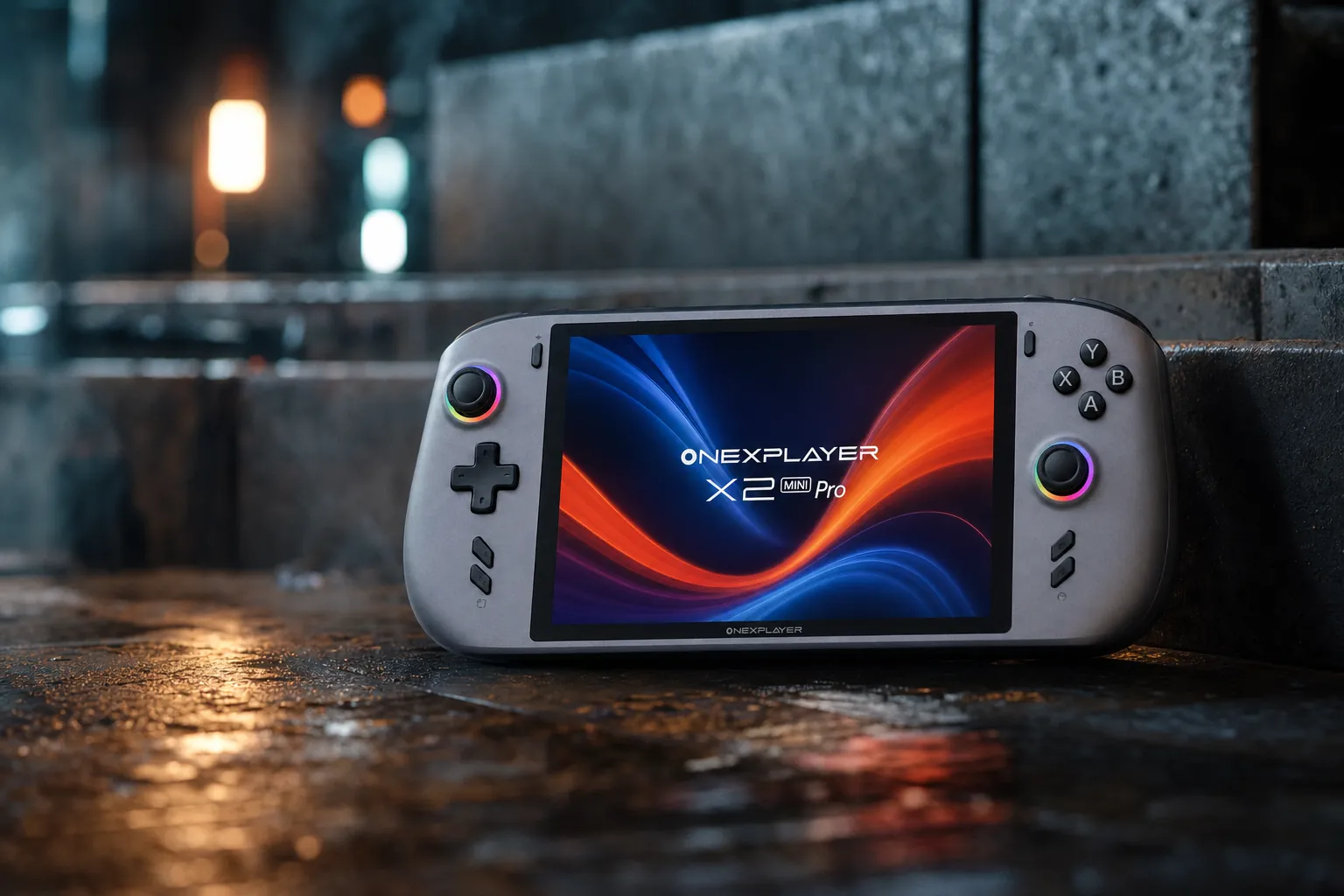
We link to the exact model on Amazon UK. Prices change often, so check the live price before you buy. As an Amazon Associate we earn from qualifying purchases.
The X2 Mini Pro's pitch is unusually broad: a Windows handheld for games, a tablet for touch-first tasks and a compact laptop when paired with its magnetic keyboard.
The ONEXPLAYER X2 Mini Pro sits at the extreme end of handheld gaming hardware. This is not a Steam Deck-style machine designed around sensible pricing, sofa comfort and a quick round of Balatro before bed. It is a portable Windows PC that happens to have controllers attached, and it wants to stretch from handheld gaming to local AI work, desktop use and occasional laptop duty.
The £2,000 Windows handheld that wants to be a desktop
Let's be blunt from the start: the X2 Mini Pro is a curiosity for most readers. Its confirmed direct-store starting price was $2,499, while the highest listed liquid-cooled bundle reached $3,229 before any UK taxes or import costs. The £2,000 framing is therefore useful shorthand for the sort of financial territory we are in, rather than an official British price.
That money does buy unusual hardware. ONEXPLAYER is pairing AMD's Ryzen AI Max+ 388 with Radeon 8060S integrated graphics, up to 64GB of unified memory, an 8.8-inch 144Hz OLED panel, a removable 85Wh battery, detachable controllers and a magnetic keyboard. The liquid-cooled version can also work with the Frost Bay external cooling system for a claimed 120W operating mode.
In other words, this is less "another handheld console" and more "a small workstation that can cosplay as a console". That distinction matters. If you just want to play games at sensible settings on the train, there are saner options. If you want to run a big Windows application, travel with a keyboard, dabble in local AI and then launch a demanding game through the same machine, the proposition starts to make more sense.
The important bit
The X2 Mini Pro's price is not paying for one headline feature. It is paying for a stack of premium ideas at once: Strix Halo-class graphics, vast unified memory, a large OLED display, a removable battery, modular controls and a higher-power desktop mode. Whether you need that stack is the whole buying question.
This remains an early look at an unreleased product. Manufacturer material and direct-sale listings establish the broad platform, but independent testing of final retail hardware remains thin. Treat performance, battery and noise claims with the appropriate raised eyebrow.
What is actually confirmed about the X2 Mini Pro?
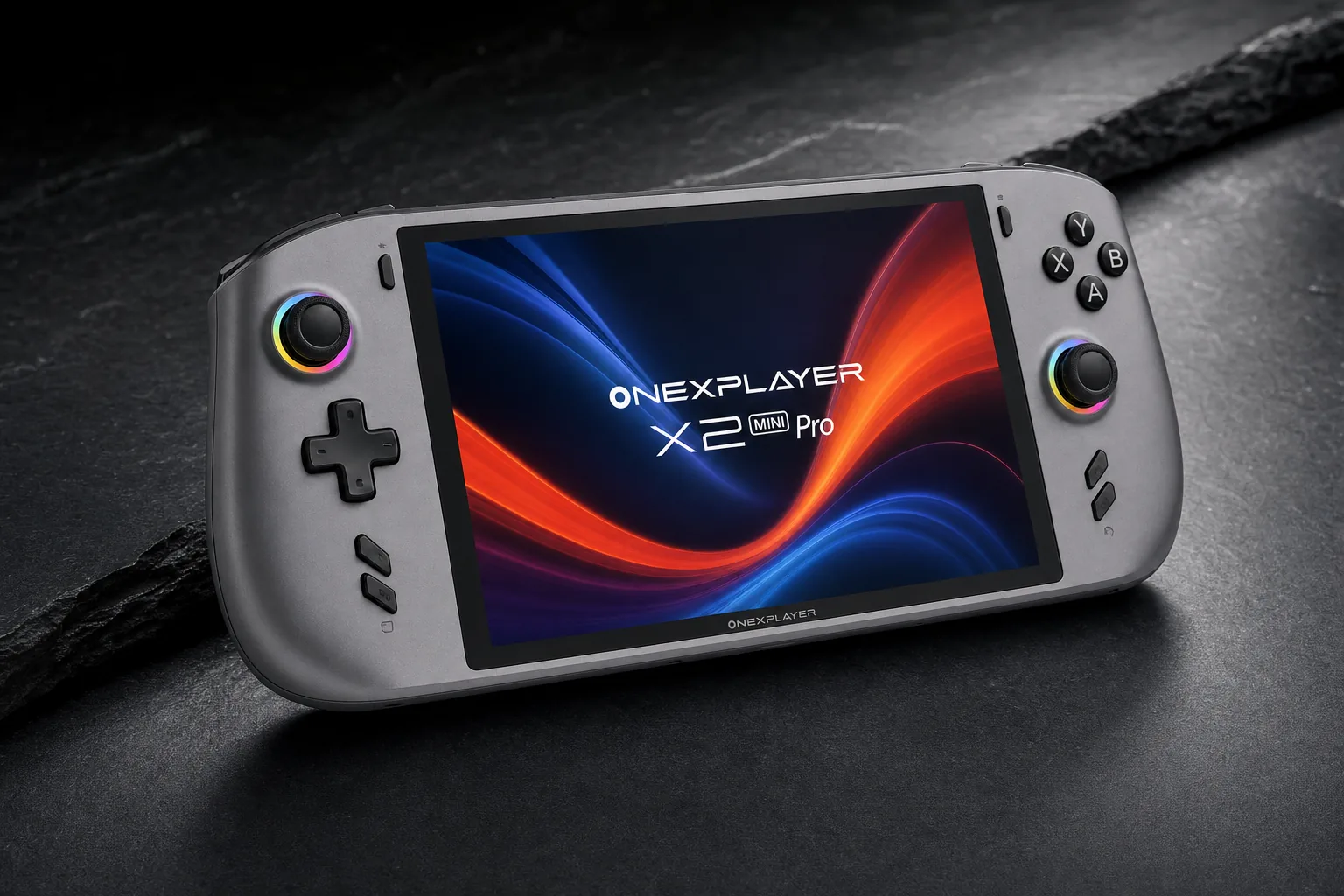
The X2 Mini Pro appears to be one core hardware platform offered in different memory, storage and cooling configurations. There is a standard air-cooled version, a liquid-cooling version and Frost Bay bundles. They are not fundamentally different handhelds: the meaningful split is whether you want the external cooling route and its higher claimed power ceiling.
The central chip is AMD's Ryzen AI Max+ 388. It has eight CPU cores and 16 threads, with boost speeds up to 5GHz. Graphics come from Radeon 8060S integrated silicon with 40 RDNA 3.5 compute units and a claimed maximum graphics frequency of 2,900MHz. That is a long way from the low-power integrated graphics philosophy used in mainstream handheld PCs.
One detail deserves emphasis because early coverage muddied the water. Earlier reports associated the range with AMD's Ryzen AI Max+ 395. The current material instead points to the Ryzen AI Max+ 388. Both chips use Radeon 8060S graphics, but the 388 is an 8-core, 16-thread CPU where the 395 has 16 cores and 32 threads. For straightforward gaming, graphics capability and power limits may matter more; for heavily threaded rendering, compilation or productivity work, that core-count change is much more consequential.
Desktop-grade storage thinking
Configurations include a 1TB or 2TB M.2 2280 PCIe 4.0 SSD. There is also mini-SSD expansion and microSD support, which is unusually generous for a handheld expected to carry large PC games and AI files.
Windows-first hardware
Windows 11 Home is the operating system, with a fingerprint reader and OneXConsole performance-management software forming part of the wider PC-like approach.
More than a controller shell
Detachable controllers and a magnetic keyboard are core parts of the platform, not bolt-on ideas. The whole device is designed to move between handheld, tablet and laptop roles.
AMD's Ryzen AI Max+ 388 and Radeon 8060S platform is the X2 Mini Pro's real differentiator, particularly beside conventional 16GB and 24GB handheld PCs.
The screen, controls and three-device design
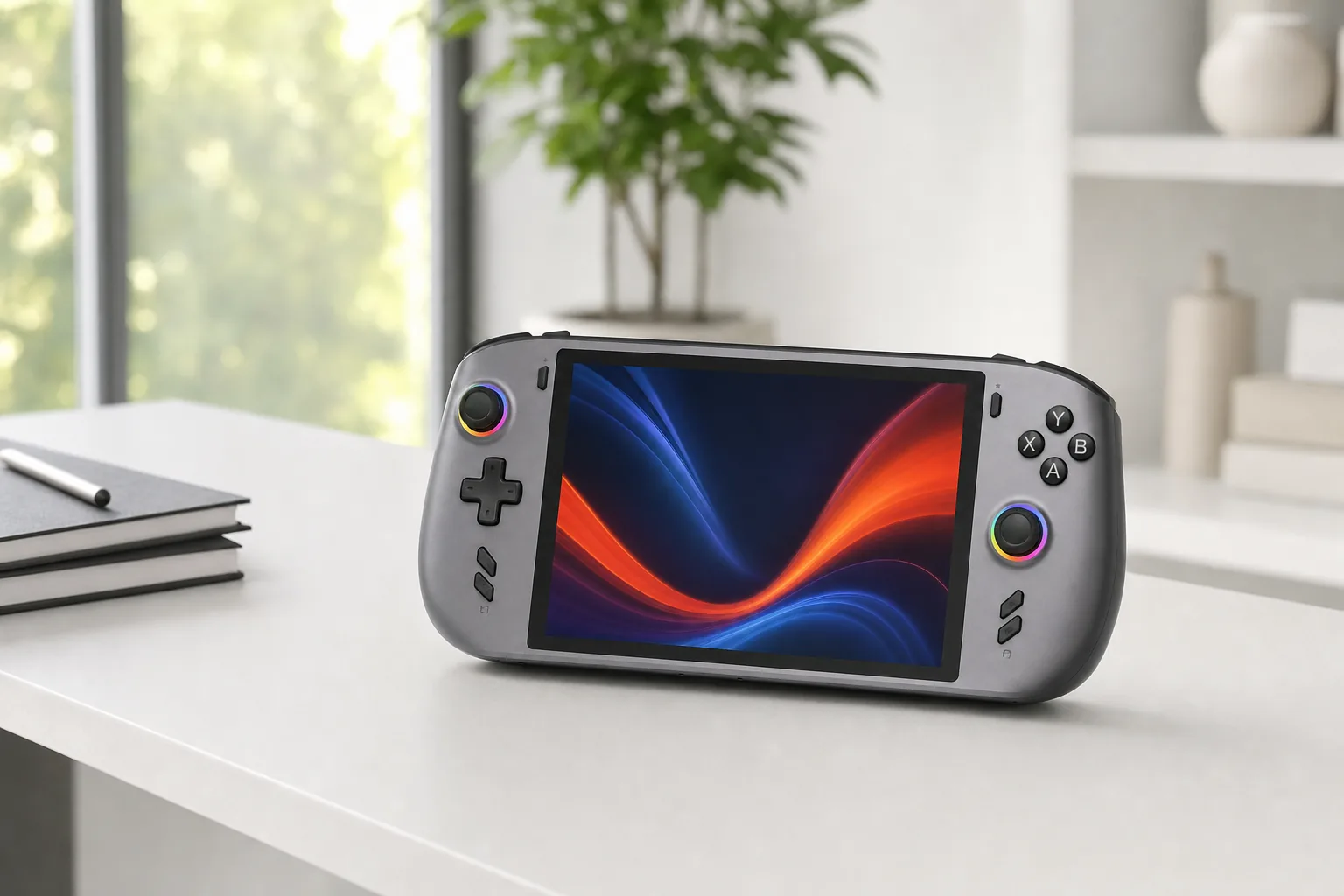
The display is arguably the part you will notice first. ONEXPLAYER specifies an 8.8-inch OLED touchscreen at 1920×1200, using a 16:10 aspect ratio. It has a maximum 144Hz refresh rate and a claimed 30–144Hz variable refresh range. That combination should make Windows feel less cramped than on a 7-inch handheld, whilst giving games a properly roomy view.
A bigger screen is not automatically better, of course. A large 16:10 panel makes sense for PC game interfaces, browser tabs, file management and any real attempt at laptop-style work. It is also part of why this is not a pocketable little machine. The device component was reported at approximately 719g without its battery. Put another way: this is one of those gadgets you are likely to use with elbows supported, a stand nearby or a desk within reach.
Controls are properly ambitious. The detachable pads include Hall-effect analogue sticks and Hall-effect triggers, along with adjustable trigger travel and RGB lighting. Hall-effect hardware is a welcome inclusion at this price, because it avoids the conventional potentiometer design associated with stick-drift worries. The controllers can be removed for tablet mode, and a connector accessory is used when they are detached.
The magnetic keyboard is what pushes the X2 Mini Pro over the line from "handheld with ideas above its station" to "portable PC with a very odd silhouette". That may sound flippant, but it is the right lens. A keyboard makes sense here because Windows makes sense here. You can use touch and controls for games, then move into typing, browsing and ordinary desktop tasks without pretending a controller overlay is a serious productivity tool.
Display brightness needs care. One set of manufacturer material cited 700cd/m² peak brightness and 475cd/m² typical brightness, while later direct-sale material described a 1,100-nit panel. Until final documentation or independent measurement settles it, neither figure should be treated as the last word.
A more PC-like canvas
The 8.8-inch, 1920×1200 OLED panel is bigger than the display on many handheld competitors, and the 16:10 shape is friendlier for a Windows desktop than a wide 16:9 screen.
VRR for uneven game performance
The claimed 30–144Hz VRR range matters because demanding PC games rarely hold one fixed frame rate. It should help the screen match output more gracefully when performance moves around.
Handheld, tablet or laptop
Most handhelds are a single thing. This one can lose its controllers, gain a keyboard and sit in a dock. It is a more flexible idea, even if it is also a more cumbersome one.
Ryzen AI Max+ 388: why this is not a normal handheld chip
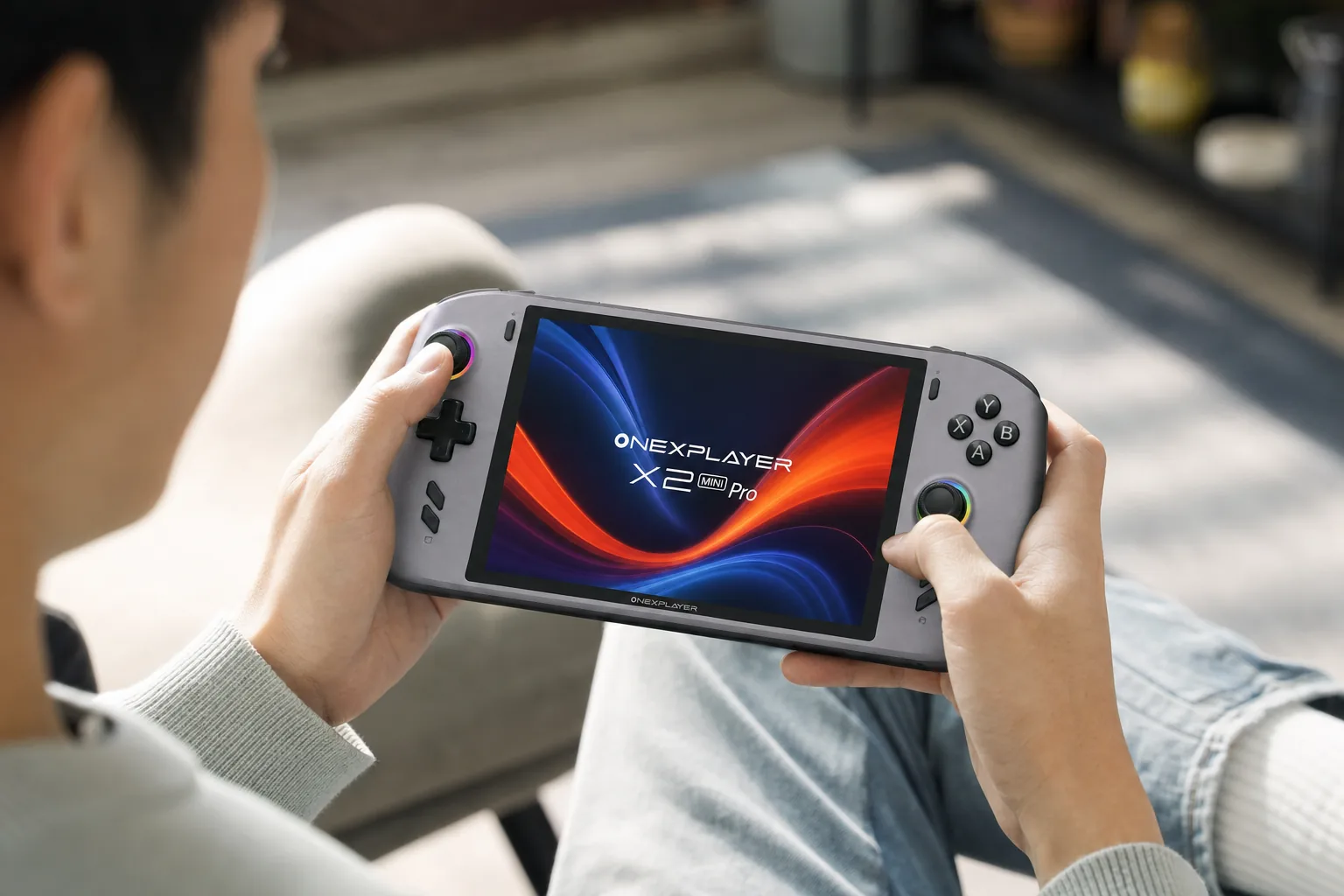
Handheld PCs usually make a straightforward compromise: enough CPU and GPU power to play modern games at modest settings, within a tight battery and thermal envelope. The Ryzen AI Max+ 388 is built for a broader job. It combines its 8-core, 16-thread CPU, Radeon 8060S graphics and AI-focused NPU in a package that can run games, Windows applications and local AI workloads.
The graphics side is doing much of the heavy lifting. Radeon 8060S has 40 compute units, which is a very different proposition from the graphics hardware found in the usual handheld price brackets. ONEXPLAYER markets it as RTX 4060-class graphics. That is positioning rather than an independently verified benchmark conclusion, but it explains why this machine has been designed around 80W and 120W operating modes rather than the quieter 15W-to-30W world most handheld owners know.
Then there is memory. You can choose 48GB or 64GB of unified LPDDR5X memory, with store material citing speeds up to 8,000MT/s. Unified memory means the processor and graphics share the same pool. For games, that can give the GPU substantially more breathing room than a typical handheld. For creators and developers, it can also be useful for large applications, image work and local models that would quickly squeeze a 16GB machine.
OneXPlayer advertises 50 NPU TOPS and 118 TOPS of total platform AI performance, plus one-click deployment for DeepSeek, Llama, MiniCPM and Qwen models. That is an intriguing feature, particularly for someone who wants experimentation without hauling a conventional gaming laptop around. But do not translate a TOPS figure into a promise about model size or speed. Local AI performance depends on the model, memory allocation, software stack, quantisation and workload. The numbers on the box are only the beginning.
Why 64GB changes the conversation
Memory capacity is one of the X2 Mini Pro's least glamorous but most important advantages. A mainstream handheld can be brilliant for games yet quickly become constrained as a Windows workstation. The 48GB and 64GB options are the reason this machine can credibly pitch itself at developers, creators and local-AI tinkerers as well as gamers.
The X2 Mini Pro is being positioned around unusually large unified-memory configurations, a key part of its workstation and local-AI ambitions.
80W in your hands, 120W on the desk
There are two broad cooling stories here. The standard model is air-cooled and is claimed to sustain operation up to 80W. The liquid-cooling model is designed to work with Frost Bay, an external liquid-cooling system that raises the claimed ceiling to 120W. Same core platform, very different use case.
At 80W, the air-cooled unit is already operating far beyond what most people think of as normal handheld territory. That does not mean it will be unusable in the hands. It does mean you should understand what the mode is for: maximum performance, likely near a power socket, with thermal output and fan noise accepted as part of the bargain. This is not the profile you reach for during a three-hour train journey unless you enjoy living dangerously.
Frost Bay takes the concept further. It is not merely a charging stand. The point is to give the liquid-cooled X2 Mini Pro a plugged-in, desktop-style operating mode where higher sustained power becomes practical. Put it on a desk, connect your peripherals, use the big OLED as a secondary display or primary screen, and the machine starts to look less like a portable console and more like a compact all-in-one PC.
ONEXPLAYER also claims 47,200mm² of fin area for the air-cooling design. That is useful engineering context, but it is not evidence that the device will be quiet, cool or stable under every load. Until there are repeatable acoustic and thermal measurements, it is best read as an explanation for the ambition rather than proof of the result.
Why the cooling concept is appealing
- The air-cooled model claims up to 80W without an external liquid system.
- Frost Bay gives the liquid model a genuine desk-mode purpose beyond charging.
- Higher power ceilings could make demanding games and desktop workloads more practical when plugged in.
- Users can think of it as one PC for sofa, hotel and desk rather than three separate devices.
The unavoidable compromise
- High power and long battery life are natural enemies. Physics remains deeply uncooperative.
- The Frost Bay setup is less portable than the word "handheld" normally implies.
- Fan noise and sustained thermals still need independent measurement.
- A liquid-cooling bundle pushes an already extravagant machine further into workstation money.
Performance claims, owner reports and the numbers we do not have
The cleanest way to assess early performance information is to split it into two buckets. First, there are the stated platform figures: Radeon 8060S graphics with 40 compute units, a claimed maximum 2,900MHz graphics frequency, up to 80W in air-cooled form and up to 120W with the liquid-cooling setup. These establish the hardware's intent. They do not, on their own, tell you how a particular game will behave.
Second, there are community figures. One owner reported approximately 17fps at 10W, 30fps at 15W, 46fps at 20W, 60fps at 25W, 69fps at 30W, 81fps at 35W, and 90fps at 45W. It is an interesting scaling curve because it illustrates that the graphics platform can apparently make use of additional power rather than simply running into a wall immediately.
But this is not a universal benchmark chart. The accessible owner report did not fully standardise or document the game, graphics settings, resolution, frame-generation options or testing conditions. It might reflect a CPU-heavy title, a GPU-limited title, a particular upscaling mode or something else entirely. Use it as a glimpse of potential power scaling, not as a promise that your favourite game will hit 90fps at 45W.
These are owner-reported figures from one early test, not controlled cross-game laboratory results. They show reported scaling with power, rather than a dependable performance score for the X2 Mini Pro.
What sensible buyers should wait for
The headline figures that still matter most are repeatable gaming results at common settings, sustained clocks over a long session, fan noise in dB(A), display measurements, charging time and battery life at several power levels. Until those exist, the X2 Mini Pro remains technically compelling but practically unproven.
The cooling system is central to the X2 Mini Pro story: its claimed 80W handheld mode and 120W Frost Bay mode are far beyond ordinary portable-console power limits.
Battery, storage and the portable-PC compromises
The removable 85Wh battery is one of the more unusual elements here. ONEXPLAYER reports the battery at approximately 380g, while the device without it weighs approximately 719g. Add those figures together and you reach roughly 1,099g for the assembled unit, although that total has not been independently measured.
That is a serious amount of hardware to hold. It is not necessarily a deal-breaker: a large screen, detachable controllers and desktop-class hardware all take space and mass. But it changes how you should imagine using it. The X2 Mini Pro is better thought of as a portable system you can set up almost anywhere, rather than a lightweight handheld you will casually hold above your face in bed. Your wrists may submit a formal complaint.
The removable design does have genuine advantages. It makes eventual replacement less intimidating than a sealed internal pack, and it gives power users the potential appeal of a spare battery. The battery can also be connected by cable, potentially taking some weight out of your hands. None of that changes the fundamental challenge, however: a 40-CU GPU at elevated wattages will ask a great deal of any battery.
Storage is more clearly encouraging. Alongside the M.2 2280 PCIe 4.0 SSD, the X2 Mini Pro has mini-SSD expansion and microSD expansion. The manufacturer claims up to 8TB of combined storage across internal SSD, mini SSD and microSD. That is exactly the sort of flexibility a Windows machine with enormous game libraries and local AI models benefits from.
The detached controller connector has a manufacturer claim of up to 12 hours of battery life. That applies to the controller accessory, not the X2 Mini Pro's main battery. It should not be read as a handheld gaming-runtime claim.
What the $2,499–$3,229 asking price buys
The base direct price was $2,499 for the 48GB RAM and 1TB SSD standard model. The listed ceiling was $3,229 for a liquid-cooled 64GB and 2TB configuration with Frost Bay. Those are serious sums before British taxes or import costs enter the conversation, and they explain why this is not competing on ordinary handheld value.
What you are buying is not merely frame rate. You are buying the sort of specification list normally spread across several products: a large OLED display, 48GB or 64GB of unified memory, a 40-CU Radeon 8060S, a removable 85Wh battery, detachable Hall-effect controllers, keyboard functionality, substantial storage expansion and power limits that move into compact desktop territory.
That can be rational for a narrow audience. If you would otherwise buy a premium handheld, a travel laptop and a compact desktop, an expensive all-in-one device has a logic to it. The danger is buying it as a normal handheld and discovering that you have paid workstation money for capabilities you rarely use.
Where the money goes
- 48GB or 64GB unified-memory options dwarf the capacities of mainstream handhelds.
- The 8.8-inch 144Hz OLED panel is a premium screen built for games and desktop work.
- The 85Wh removable battery and multi-drive expansion make it more PC-like than console-like.
- Frost Bay gives the liquid-cooled version a distinct high-power desk role.
What it does not buy
- It does not automatically make Windows as simple as a dedicated console interface.
- It does not guarantee long battery life at high power.
- It does not make a 1.1kg assembled device feel lightweight in the hands.
- It does not yet come with a deep bank of independent final-hardware testing.
How it compares with Lenovo Legion Go Gen 2, ROG Xbox Ally X and MSI Claw 8 EX AI+
The X2 Mini Pro is unusual, but it does not exist in a vacuum. Lenovo, ASUS and MSI all offered high-end Windows handhelds with clearer mainstream positioning and considerably lower UK prices. The comparison below is not a neat apples-to-apples contest, because ONEXPLAYER's memory capacity and cooling ambitions are exceptional. It does show just how large the price gap becomes.
| Feature | ONEXPLAYER X2 Mini Pro | Lenovo Legion Go Gen 2 | ROG Xbox Ally X | MSI Claw 8 EX AI+ |
|---|---|---|---|---|
| Starting or listed price | $2,499 direct price | £1,049.99 | £849 | £1,449 |
| Processor | AMD Ryzen AI Max+ 388 | AMD Ryzen Z2 Extreme | AMD Ryzen AI Z2 Extreme | Intel Arc G3 Extreme |
| Memory | 48GB or 64GB LPDDR5X | Up to 32GB LPDDR5X | 24GB LPDDR5X | Up to 32GB LPDDR5X |
| Display | 8.8-inch OLED, 1920×1200, 144Hz | 8.8-inch OLED, 1920×1200, 144Hz | 7-inch IPS-level, 1920×1080, 120Hz | 8-inch, 1920×1200, 120Hz VRR |
| Battery | 85Wh removable | 74Wh | 80Wh | 80Wh |
| Weight | Approx. 719g without battery | Not listed here | 715g | 785g |
| Distinctive hardware | Detachable controls, keyboard, Frost Bay option | Detachable controllers | Xbox-focused Windows interface | Two Thunderbolt 4 ports |
| Buy | Check price | Check price |
The Lenovo Legion Go Gen 2 is the closest philosophical rival on the display-and-detachable-controller front. It also has an 8.8-inch 144Hz OLED screen and detachable controls, but it is much cheaper, has up to 32GB memory and a 74Wh battery. Tom's Guide measured two hours and 15 minutes in its PCMark 10 gaming battery test, a useful reminder that even more conventional high-performance handhelds live under real battery constraints.
ASUS's ROG Xbox Ally X is the value reality check. At £849, it had an 80Wh battery, 24GB of memory, a 7-inch 120Hz display and a 715g weight. It gives up the X2 Mini Pro's enormous memory capacity, big OLED panel and detachable design, but it comes from a much more conventional retail proposition.
MSI's Claw 8 EX AI+ occupies another premium corner of the market. It had an 8-inch 120Hz VRR display, 80Wh battery, up to 32GB memory, Wi-Fi 7, Bluetooth 6 and dual Thunderbolt 4 ports. At £1,449, it was still expensive, but it makes the ONEXPLAYER's price look positively extraterrestrial.
The X2 Mini Pro belongs beside premium Windows handhelds, but its huge memory options and optional Frost Bay setup make it a distinctly more workstation-focused proposition.
Who is this enormous handheld really for?
The best way to understand the X2 Mini Pro is to stop asking whether it is the best handheld for everyone. It plainly is not. Ask instead whether it solves several expensive problems for a particular kind of person. A developer who travels, a creator who wants a compact Windows machine, a local-AI enthusiast and a PC gamer who enjoys oddball premium hardware may each see a different appeal.
Best for money-no-object enthusiasts: ONEXPLAYER X2 Mini Pro

See ONEXPLAYER X2 Mini Pro on Amazon UK
Check today's price & availability on Amazon UK
This is the pick for the buyer who wants the most ambitious integrated-graphics handheld concept, and is prepared to pay heavily for 64GB memory, OLED, modular controls and a desktop-style cooling path.
Best on a lower budget: ROG Xbox Ally X
At £849, ASUS's handheld is dramatically less expensive while retaining Windows, an 80Wh battery, 24GB memory and a 120Hz display. It is the far more rational starting point for ordinary portable PC gaming.
Best for detachable controls: Lenovo Legion Go Gen 2
Lenovo offers the closest mainstream route to an 8.8-inch OLED, 144Hz display and detachable controller design, without jumping into the X2 Mini Pro's extreme memory and cooling territory.
Best for connectivity-minded buyers: MSI Claw 8 EX AI+

See MSI Claw 8 EX AI+ on Amazon UK
Check today's price & availability on Amazon UK
MSI's premium machine brings dual Thunderbolt 4 ports, Wi-Fi 7 and Bluetooth 6. It remains expensive, but it is more recognisably a high-end handheld than a portable desktop experiment.
The Frost Bay angle is particularly relevant to the desktop-replacement crowd. Combine USB4, a large OLED screen, the magnetic keyboard, detachable controls and a high-power dock mode, and you can picture a compact setup for a hotel room, living room or temporary desk. It will not replace a full workstation for everyone, but it could replace a surprising amount of kit for the right owner.
The local-AI angle should be approached with the same practical caution. OneXPlayer advertises deployment tools for DeepSeek, Llama, MiniCPM and Qwen. That makes the X2 Mini Pro more interesting than a gaming-only device. It does not tell us what models will be comfortable, how quickly they will run or what compromises you will need to make. For now, call it potential rather than a solved feature.
The unresolved specification list readers should not overlook
Rumour coverage gets messy when a product has a very detailed marketing page but only a light independent review trail. The X2 Mini Pro already has enough confirmed information to understand its ambition, but there are still a few areas where sensible readers should avoid drawing final conclusions.
Display brightness is the clearest example. Manufacturer material referred to 700cd/m² peak and 475cd/m² typical brightness in one place, while later sales material used a 1,100-nit figure. Those cannot simply be blended into one specification. A final manual or proper instrumented panel test needs to settle which number applies and under what conditions.
The wider performance picture is equally unfinished. The machine's core hardware, compute-unit count and claimed power modes are clear. What is not yet established by a substantial independent test record is how those figures translate into long gaming sessions, display behaviour, charging habits, acoustics and battery runtime. The X2 Mini Pro has the ingredients for an exceptional machine. Ingredients are not dinner, unfortunately.
Community impressions provide useful colour. Some owners described the unit as relatively cool to the touch at 30W to 45W, with lower-pitched or quieter fan behaviour than some Legion Go models. The same reports said it becomes loud above roughly 55W. Those observations are worth hearing, but they are still personal impressions rather than calibrated noise testing.
Confirmed platform fundamentals
Ryzen AI Max+ 388, Radeon 8060S graphics, 48GB or 64GB unified memory, an 8.8-inch 144Hz OLED display, 85Wh removable battery, detachable controllers and magnetic keyboard are the core established proposition.
Manufacturer claims
Up to 80W air-cooled operation, up to 120W with the liquid-cooling system, 47,200mm² air-cooling fin area, 50 NPU TOPS and 118 total AI TOPS should be treated as stated manufacturer figures.
What needs final testing
Battery endurance, long-session performance, fan noise, charging behaviour and display measurement all need repeatable testing before this can be judged as a finished retail experience.
A removable 85Wh battery is a rare handheld feature, but its approximately 380g weight illustrates why the X2 Mini Pro is closer to a portable PC than a lightweight console.
Questions still hanging over the launch
The X2 Mini Pro makes most sense when treated as a compact desk-and-travel PC that can also become a handheld, rather than as a simple alternative to a conventional console.
A fascinating technical experiment, not a sensible default buy
The ONEXPLAYER X2 Mini Pro is easy to admire. It throws a huge amount of hardware at a category that usually lives by compromise: Radeon 8060S integrated graphics with 40 compute units, up to 64GB of unified memory, a large 144Hz OLED display, a removable 85Wh battery, detachable Hall-effect controls, keyboard support and a route to 120W liquid-cooled operation.
That is what the money buys. It buys headroom. It buys flexibility. It buys the ability to carry one very unusual Windows machine instead of a handheld, a travel laptop and perhaps a compact desktop. For a niche audience of early adopters, developers, creators and PC hardware enthusiasts, that may be genuinely compelling.
But it also buys a device weighing approximately 719g before its battery, with an inferred assembled weight around 1,099g, high claimed power demands, an external cooling setup if you want its maximum mode, and a final experience that still needs far more independent testing. The $2,499 base price and $3,229 top bundle place it firmly in enthusiast workstation territory before any British taxes or import costs.
Gadget Scout verdict
The ONEXPLAYER X2 Mini Pro is a fascinating technical experiment: a premium Windows handheld that genuinely has desktop ambitions rather than merely borrowing the language. It is not the sensible default purchase, and it is not trying to be. If you want portable PC gaming without the cost, weight and complexity, look towards the ROG Xbox Ally X or Lenovo Legion Go Gen 2. If you want a maximalist machine with huge memory, a big OLED screen and the option to turn into a liquid-cooled desktop companion, this is the one to watch very closely.
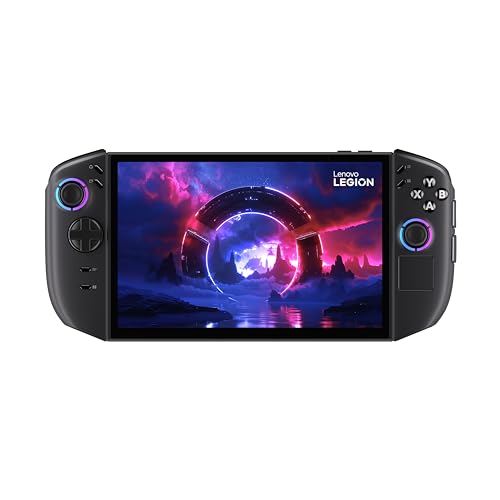 Lenovo Legion Go Gen 2View on Amazon
- MSI Claw 8 EX AI+View on Amazon