
Asus TUF Gaming A14 Review: The Compact Gaming Laptop With Grown-Up Battery Life
The 2026 TUF Gaming A14 FA401EA made a serious case for leaving the charger behind — at least when the game had finished and the real work started.
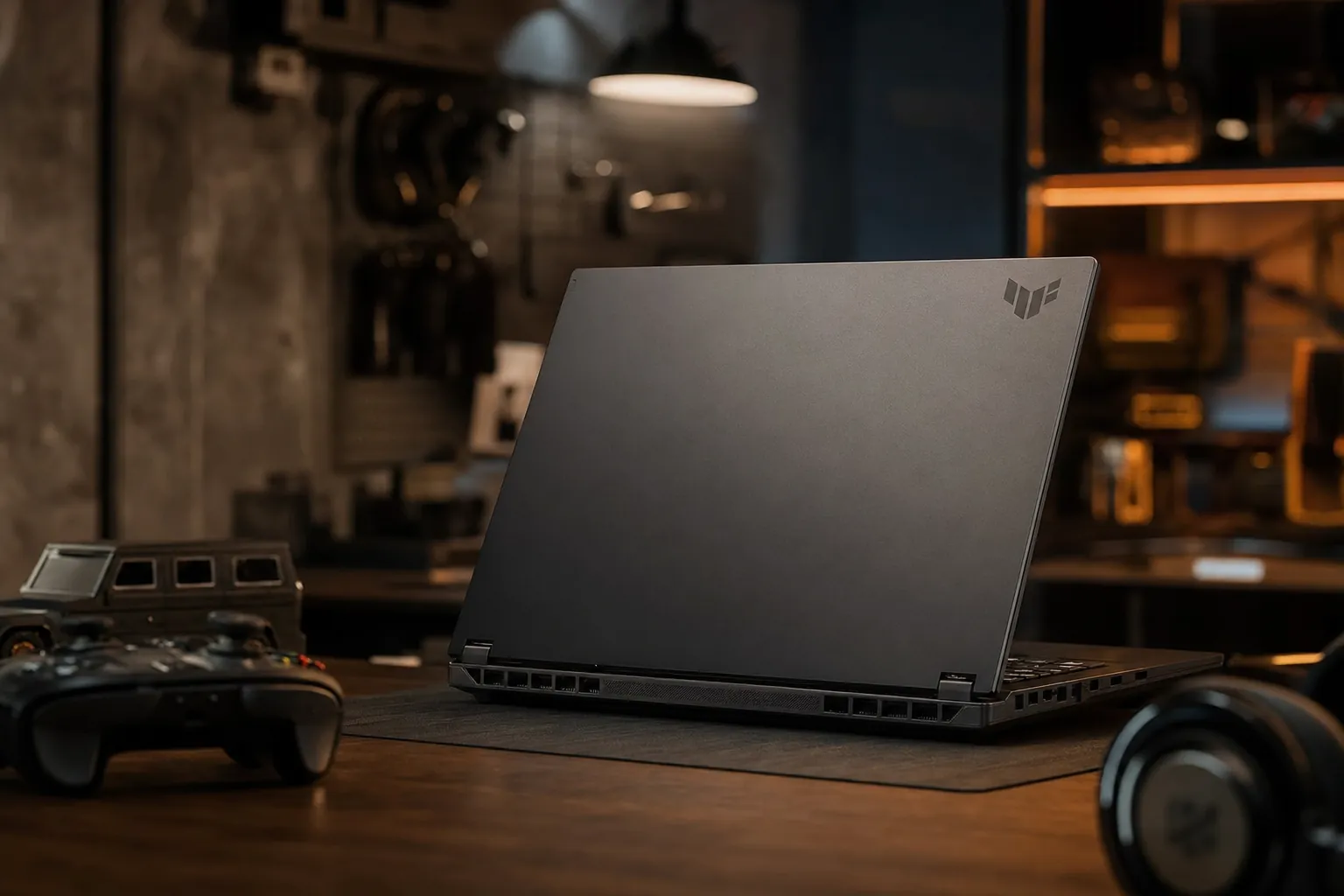
We link to the exact model on Amazon UK. Prices change often, so check the live price before you buy. As an Amazon Associate we earn from qualifying purchases.
Gaming laptops have traditionally been brilliant at two things: running games and reminding you where the nearest plug socket lives. The Asus TUF Gaming A14 FA401EA attempted to break that slightly exhausting tradition. At 1.48kg, with a 73Wh battery and AMD's unusually muscular Ryzen AI Max+ 392 platform, it was designed to be the laptop you could put in one bag for work, travel, study and an evening game. That is a much harder brief than sticking a large GPU in a large box. Happily, this little TUF got remarkably close.
Asus TUF Gaming A14 FA401EA: the short version

See Asus TUF Gaming A14 FA401EA on Amazon UK
Check today's price & availability on Amazon UK
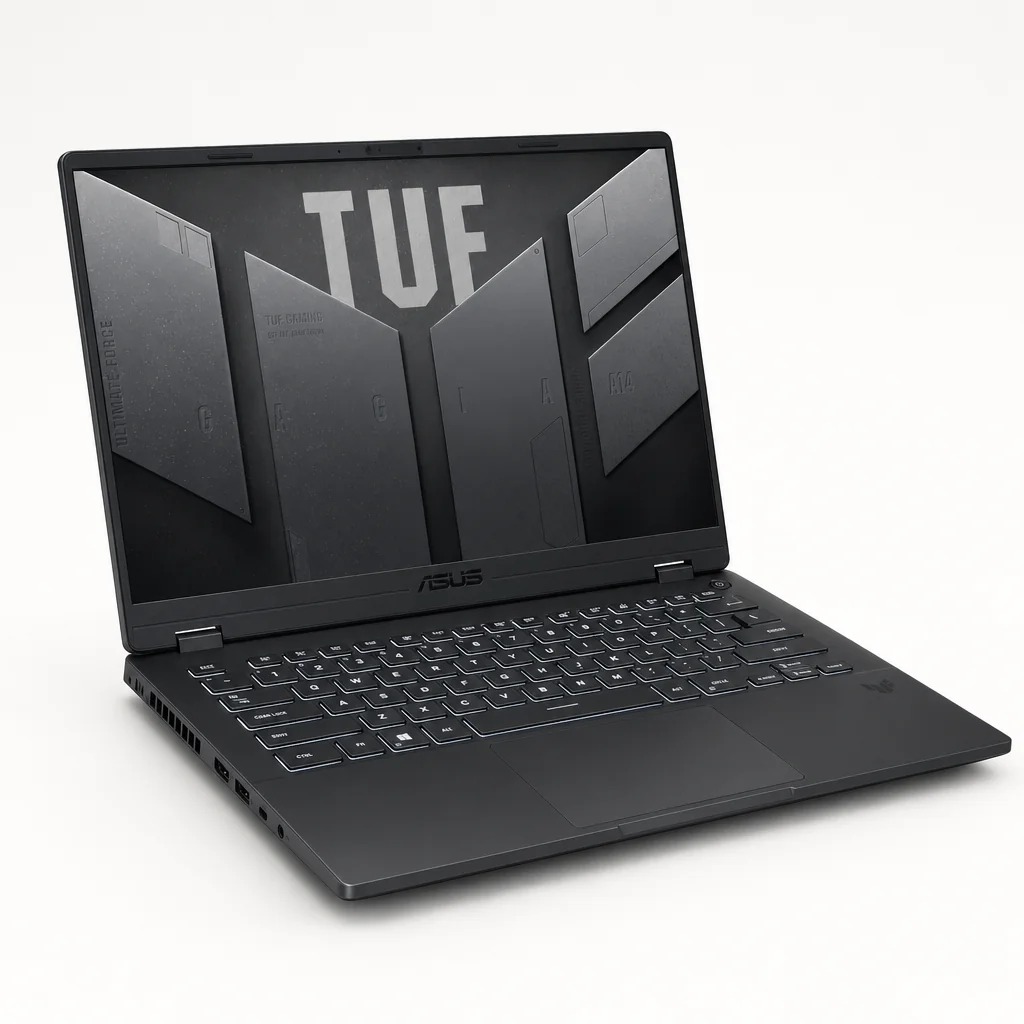
The machine under review here was the 2026 Asus TUF Gaming A14 FA401EA. Its defining choice was to use AMD Radeon 8060S integrated graphics rather than a conventional discrete graphics chip. That might sound like a compromise on a product carrying the word "Gaming" in its name, but this was not the usual thin-and-light integrated GPU story. The Radeon 8060S sat within AMD's Strix Halo design, brought up to 40 RDNA 3.5 compute units to the party, and relied on a frankly hefty 32GB pool of fast LPDDR5X memory.
There was also a 2026 FA401GM version with an NVIDIA GeForce RTX 5060 Laptop GPU, capable of up to 115W in Manual mode. That was the more obvious route if maximum graphics performance was the only objective. The FA401EA was more interesting for a different reason: it asked whether a 14-inch laptop could feel like a grown-up general-purpose computer first, yet still have enough graphical ambition for proper play when the working day had ended.
Measured battery endurance was the headline-grabber. In a test combining web browsing, OpenGL and video streaming at 150 nits, the FA401EA lasted 9 hours and 7 minutes — the longest result in its test group. That is not "all-day gaming", because no sensible gaming laptop gets to make that promise without an asterisk the size of a small county. It is, however, genuinely useful all-day light use from a gaming-capable machine. Different thing. Much better thing.
My broad verdict was simple. If you wanted a compact gaming laptop that did not behave like an appliance tethered permanently to a wall, the FA401EA was one of the most convincing designs around. If you wanted the most brute-force graphics performance possible from this chassis, the discrete RTX 5060 model was the better fit. The integrated version's virtue was balance, not chest-beating.
Specs at a glance: what the FA401EA actually brought
It is worth slowing down over the specification because this was a laptop whose personality came from how its parts worked together. The Ryzen AI Max+ 392 was a 12-core, 24-thread processor with a 3.2GHz base clock, boost speeds up to 5.0GHz and 80MB of cache. Alongside the CPU cores sat an AMD XDNA NPU rated at up to 50 TOPS, while the Radeon 8060S graphics shared the platform's memory architecture.
12 cores / 24 threads
Up to 5.0GHz boost
RDNA 3.5, up to 40 CUs
8533MHz onboard
Two M.2 expansion slots
165Hz IPS-level panel
50% charge in 30 minutes
3.26lb
The 1TB SSD was a sensible starting point rather than a token gesture, and the presence of two M.2 PCIe expansion slots meant storage was not a dead end. Games are enormous now. A laptop that lets you expand storage without performing a small ritual sacrifice is always welcome.
The important limitation is memory. The FA401EA's 32GB LPDDR5X 8533MHz RAM was soldered to the board and 32GB was the maximum capacity. It was a generous amount for a compact laptop in 2026, particularly because integrated graphics used system memory, but it was also the amount you would live with for the machine's entire life.
The 14-inch TUF Gaming A14's appeal was its complete travel-ready specification: high-resolution screen, substantial battery and 32GB memory in a 1.48kg package.
Elsewhere, the essentials were well judged. Windows 11 Home came installed. Connectivity included Wi-Fi 6E, a microSD card reader, HDMI 2.1 FRL, a 3.5mm combo audio jack, USB4 and USB-C connectivity, plus two USB-A 3.2 Gen 2 ports. The supplied power adaptor was rated at 100W. That is a refreshingly sensible number beside the hulking 230W bricks that accompanied many thicker gaming laptops. It still belonged in your bag, obviously, but it did not turn the bag into a gym membership.
Built for the commute, not just the desk
At 1.48kg, the FA401EA landed squarely in genuine one-bag territory. That phrase gets thrown around a bit too easily, usually by people who have never tried to carry a large gaming laptop, its oversized charger, headphones, lunch and a water bottle through Waterloo at 6pm. This was different. The A14 was light enough that it could travel with you without becoming the thing you silently resent by mid-afternoon.
That compactness mattered because this was not merely a gaming device. It had the ingredients of a credible travel workstation: a 16:10 panel, 32GB of memory, a 1TB SSD, a microSD slot for moving files and a processor with enough cores to take demanding productivity work seriously. In other words, it could plausibly be the laptop you used at a café, in a lecture hall, at a client meeting and then in a hotel room. One machine, not two. That was the point.
1.48kg travel weight
The A14 was light enough to be carried daily rather than reserved for the occasional gaming trip. It sat in a different practical category from a typical thick, high-wattage gaming laptop.
100W included adaptor
A 100W power supply was a far more manageable travelling companion than the very large adaptors associated with more power-hungry gaming hardware.
Useful physical connections
MicroSD, HDMI 2.1 FRL, USB-A, USB-C and USB4 made the A14 less dependent on dongles — a small luxury that becomes a major one when travelling.
Asus' TUF line had long leaned into a more robust identity than the company's sleeker ROG Zephyrus range, and the A14 had MIL-STD-810 testing certification in the family. That does not mean you should treat it as a frisbee, nor does it grant immunity from coffee-shop mishaps. It did, though, suit the job description: a laptop meant to leave the house often.
The one-bag test matters more than a spec sheet
A portable gaming laptop is not defined only by its chassis weight. The usable test is whether you can add the charger, a mouse, headphones and ordinary daily clutter without deciding it would be easier to stay at home. The A14's 1.48kg weight and 100W adaptor gave it a meaningful advantage here.
There was a practical compromise to that compact approach: a small chassis gave heat less room to disperse and left less scope for the kind of vast cooling assembly you find in a 17-inch gaming monster. Asus had to balance size, power and noise carefully. As you will see, that balance was strong for mixed daily use and more nuanced under sustained heavy loads.
The screen test: 2.5K and 165Hz made sense here
The 14-inch panel was one of the A14's best arguments for being an all-purpose laptop. It used a 2560 × 1600 WQXGA resolution in a 16:10 aspect ratio, with a 165Hz refresh rate, anti-glare treatment and 100% sRGB coverage. Those were numbers that served both halves of the laptop's identity rather nicely.
For work, the 16:10 shape was the quiet hero. The extra vertical space compared with 16:9 made web pages, documents, code, timelines and spreadsheets feel less cramped. It did not turn a 14-inch display into a desktop monitor — let us not get carried away — but it helped the screen feel more practical than its diagonal measurement suggested. This is why aspect ratio deserves more attention than it usually gets.
For games, 165Hz gave a smooth target for titles that could run at high frame rates. The 2.5K resolution also made the desktop and text look crisp. At around 216 pixels per inch, the panel had enough density that individual pixels disappeared at a normal laptop viewing distance. That made it particularly pleasant for reading and general productivity. You did not buy this screen because it shouted "gaming"; you bought it because it was nice to look at every hour of the day.
The 2560 × 1600, 16:10 display gave the compact A14 useful vertical working space whilst retaining a 165Hz refresh rate for fast-moving games.
| Measured or confirmed figure | Asus TUF Gaming A14 FA401EA | Acer competitor | Lenovo LOQ competitor |
|---|---|---|---|
| Battery test result | 9 hours 7 minutes | 8 hours 16 minutes | 6 hours 50 minutes |
| Test conditions | Web browsing, OpenGL and video streaming at 150 nits | Same test group | Same test group |
The anti-glare finish was another sensible inclusion for a machine likely to spend time outside a dark bedroom. Bright office lights and a sunny train table are not a gaming laptop's natural habitat, but they are ordinary life. A glossy panel may look punchier in a shop; anti-glare is generally kinder once you have to get actual work done.
The trade-off, naturally, was that 2560 × 1600 demanded more graphical effort than a 1080p display. That was particularly relevant to the integrated Radeon 8060S. The good news was that the screen gave you options: keep the sharp native resolution for productivity and lighter games, or adjust game settings and resolution when chasing better performance. Flexibility is the underrated luxury here.
AMD Ryzen AI Max+ 392 and Radeon 8060S performance
AMD's Strix Halo approach was significant because it challenged the old assumption that "integrated graphics" automatically meant very basic gaming. The Ryzen AI Max+ 392 paired a serious 12-core, 24-thread CPU with Radeon 8060S graphics carrying up to 40 RDNA 3.5 compute units. This was not an entry-level processor given a token graphics block; it was a high-end integrated platform aimed at blurring the boundary between portable productivity hardware and discrete-GPU machines.
The CPU specification alone was formidable for a 14-inch system. With a 3.2GHz base clock, boost frequencies up to 5.0GHz and 80MB cache, it had enough on-paper headroom for demanding multi-threaded work. In Cinebench 2026 multi-thread testing, the chip ranked fifth globally. Rankings need context and can shift as results are submitted, but the takeaway was not subtle: this was a processor built for more than emails and browser tabs.
That mattered in a laptop intended as a one-machine solution. A student compiling code, a creator processing media, or a professional handling heavy multitasking did not need a separate non-gaming laptop simply to get a strong CPU. The A14's computational muscle was real. The only important caveat was the shared-memory design. The 32GB allocation was substantial, but because the graphics hardware used system memory too, people whose workloads already consumed giant pools of RAM should think carefully about the soldered 32GB ceiling.
Gaming was more complicated, as it should be. The Radeon 8060S was designed to rival entry-level discrete graphics whilst using less power, rather than to replace every high-wattage gaming GPU in existence. At its best, that was exactly the right goal for a 1.48kg laptop. It gave you a system capable of serious gaming sessions without carrying the thermal, weight and battery penalties of a full-blown desktop replacement.
It also paid to be realistic about the display's native resolution. A 2.5K panel was lovely for work, but modern demanding games could require sensible graphics settings to maintain the performance you wanted. That was not a failure of the laptop; it was simply physics, wearing a sensible jumper. The A14 asked you to make sensible trade-offs between image settings, resolution and frame rate. If you found that sort of tuning irritating, the RTX 5060-equipped FA401GM was the more straightforward choice.
Do not confuse "integrated" with "casual"
The Radeon 8060S was not a conventional low-power integrated solution. Its RDNA 3.5 design and up-to-40-compute-unit configuration were central to the machine's appeal. Even so, the discrete RTX 5060 option existed for buyers who preferred outright graphics headroom over the integrated model's efficiency-led proposition.
For context, the 2024 TUF Gaming A14 used an NVIDIA GeForce RTX 4060 Laptop GPU with a confirmed 100W TGP in its higher specification. In 1080p testing, that earlier model delivered around 30fps in Cyberpunk 2077 with Ray Tracing Ultra, 77fps in Far Cry 6 Ultra and 61fps in Red Dead Redemption 2 Medium. Those results belonged to a different configuration and should not be treated as FA401EA benchmark results. They did, however, show that the A14 line had always aimed beyond lightweight esports fare.
Cooling, fan behaviour and the compact-chassis compromise
Cooling a system with up to a 95W TDP in Manual mode inside a 14-inch chassis is not magic. It is engineering, compromise and a certain amount of fan noise when you ask for everything at once. Asus equipped the FA401EA with two fans, each using 97 ultra-thin 0.1mm blades, plus two heatsinks lined with copper fins as thin as 0.1mm. The point was to create more surface area and airflow without making the laptop thicker or heavier.
For ordinary work, the more relevant technology was 0dB Ambient Cooling in Silent mode. In light use, CPU package power sat between 13W and 25W. That was the setting that made the A14 feel notably less like a gaming laptop in daily life: it could write, browse, stream video and manage routine productivity without constantly announcing itself. Fan silence is one of those features you barely notice until you return to a laptop that never stops whirring.
Dual-fan cooling
The paired fans were designed to move air through a chassis where every millimetre counted, with 97 ultra-thin blades per fan.
Ultra-thin copper fin arrays
Two heatsinks used 0.1mm copper fins, increasing cooling surface area without needing a bulky body.
0dB Ambient Cooling
Silent mode targeted low-noise operation for everyday light workloads, where raw wattage mattered less than a calm workspace.
The A14's compact cooling assembly relied on dual 97-blade fans and fine copper heatsink fins — necessary hardware when a 14-inch machine could run at up to 95W in Manual mode.
Under sustained gaming or intensive rendering, expectations should be different. A compact gaming laptop had to expel heat somehow, and fan activity was the price of sustained performance. The FA401EA's hardware was designed to offer high-power Manual mode, not make high-power operation inaudible. Anyone buying a machine like this for regularly long gaming sessions should plan to use it on a hard desk surface with clear airflow around the underside and rear. Cushions, duvets and laps were not thermal engineering tools, despite their popularity.
The earlier 2024 A14 illustrated the challenge vividly. In gaming testing, its touchpad measured 77°F to 79°F, the G/H key area reached 86°F to 104°F, and the underside registered between 104°F and 116°F. Those measurements were specific to the earlier RTX 4060 configuration, not this 2026 FA401EA, but they are a useful reminder that small, powerful systems can become physically warm under sustained load. The TUF did not escape the laws of thermodynamics because it had a tough name.
The sensible conclusion is this: Silent mode was the mode to use for meetings, writing and normal travel use. Manual mode was there for the moments when performance took priority. The laptop could do both, but it could not make them the same experience. That is fair. It is also honest.
Battery life: the grown-up bit really did hold up
This was where the A14 FA401EA separated itself from a great many compact gaming machines. Its 73Wh battery was not enormous in absolute terms, especially compared with the capacity found in some larger laptops. What made the result impressive was the platform efficiency around it. The integrated Radeon 8060S avoided the baseline power demands of a separate high-wattage GPU, and the Ryzen AI Max+ 392 could operate at low package power for lighter work.
In the web browsing, OpenGL and video-streaming test run at 150 nits, the laptop achieved 9 hours and 7 minutes. That was the best outcome among its test group, beating an Acer competitor's 8 hours and 16 minutes and the Lenovo LOQ's 6 hours and 50 minutes. A result like that changes how you use the machine. You can take it out for a day of documents, browsing, messages, video and admin without beginning every hour with a battery-percentage calculation.
That is the headline, but it needs the usual dose of adult supervision. The test involved mixed productivity and media activity at a controlled 150-nit brightness. Your result would vary with brightness, Wi-Fi conditions, background apps, browser habits and performance mode. More importantly, games were an entirely different workload. You should not expect a long modern gaming session away from mains power simply because the laptop was excellent at browsing and video playback.
For lighter real-world use in Silent mode, the 13W to 25W CPU package power range projected to roughly seven to eight hours of mixed productivity. That felt like the more useful expectation to take away. It made multiple hours of writing, browsing, communication and video genuinely plausible, rather than an optimistic marketing line. You could travel with the A14 and use it like a normal laptop. This sounds mundane. It is not mundane at all in gaming-laptop land.
A 30-minute charge could save a journey
The 73Wh battery supported fast charging from zero to 50% in 30 minutes. That is especially practical when travelling: half an hour near a socket before a train or flight could give you a meaningful reserve for notes, a film, web work or emails. It was not a substitute for planning, but it was a very useful safety net.
It is also helpful to compare this result with the previous-generation landscape. The 2024 TUF Gaming A14 lasted 10 hours and 14 minutes in a similar mixed browsing, OpenGL and video-streaming test at 150 nits. By contrast, an RTX 4070 Razer Blade recorded 6 hours and 45 minutes, whilst a ROG Zephyrus G14 lasted roughly 5 hours and 10 minutes. The previous A14 could game for just under two hours in some circumstances, with some titles lasting less. That historical comparison reinforces the truth that portable gaming and unplugged gaming remain separate promises.
Windows 11, AI hardware and everyday usability
The FA401EA shipped with Windows 11 Home, which meant it entered the familiar ecosystem of PC gaming launchers, productivity applications and desktop utilities. That mattered because the strongest argument for this machine was versatility. A console-style gaming handheld can be wonderfully convenient, but it does not replace a proper Windows laptop when you need to work with files, browser tools, external displays or a full desktop application.
The Ryzen AI Max+ 392 also included an AMD XDNA NPU rated at up to 50 TOPS. In practical terms, that gave the machine dedicated local AI acceleration capability alongside the CPU and GPU resources. The important thing was not to buy the A14 solely for an "AI" label — that would be a very 2026 way to spend money on a feature you may never use. Rather, it was useful headroom in a laptop already built around a powerful CPU and capable integrated graphics architecture.
The daily-use story was more convincing than the buzzword story. The 165Hz 16:10 display made ordinary work pleasant. Wi-Fi 6E gave it modern wireless connectivity. The microSD slot removed one nuisance for photographers and creators moving files. HDMI 2.1 FRL allowed straightforward connection to an external display or television. Two USB-A ports meant older peripherals did not immediately require a hub, while USB-C and USB4 gave it a sensible path for newer accessories.
Think of the A14 as a portable Windows workstation that happened to take gaming seriously. The NPU, fast CPU and Radeon 8060S graphics made it technically ambitious, but the better everyday benefit was having one compact computer capable of handling many different kinds of day.
That said, Windows gaming laptops always ask a little more of their owners than a simple appliance does. You had performance modes to consider, updates to manage, game settings to tune and the eternal question of whether a game needed native resolution or a more performance-friendly configuration. Some buyers enjoy this. Others want the machine to make every decision quietly in the background. The FA401EA rewarded the former, whilst remaining accessible enough for the latter.
The Asus TUF Gaming A14 FA401EA versus its closest context
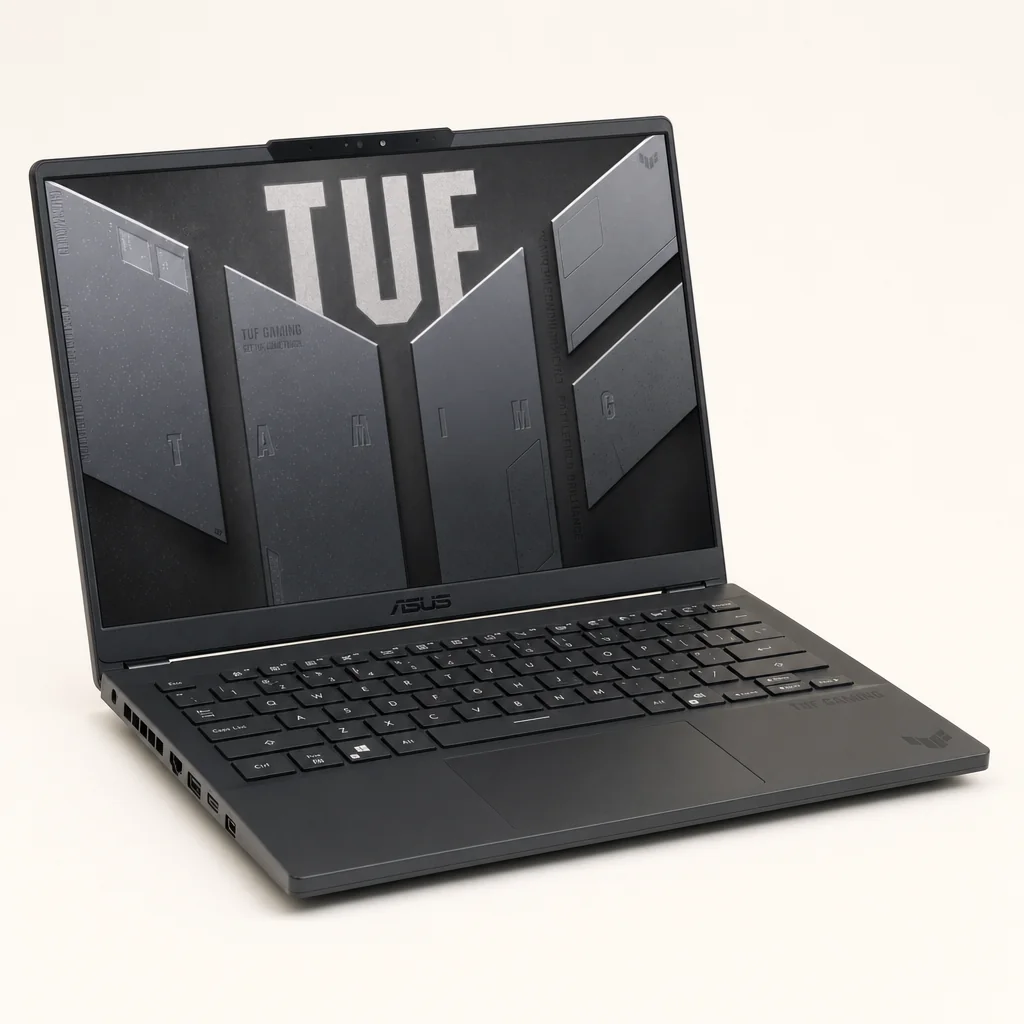
Product comparisons are most useful when they identify the right compromise, not when they pretend every laptop has one universal winner. The FA401EA's clearest advantage was endurance in its test group. It beat the Acer and Lenovo LOQ results listed above, and its 1.48kg weight made its battery result more meaningful than it would have been in a much larger chassis.
| Feature | Asus TUF Gaming A14 FA401EA | Razer Blade with RTX 4070 | ROG Zephyrus G14 |
|---|---|---|---|
| Battery test result | 9 hours 7 minutes | 6 hours 45 minutes | Roughly 5 hours 10 minutes |
| Battery test type | Web browsing, OpenGL and video streaming at 150 nits | Mixed productivity/media comparison result | Mixed productivity/media comparison result |
| Graphics approach | Integrated Radeon 8060S | RTX 4070 discrete GPU | Not listed here |
The central comparison was not simply frame rate: the FA401EA combined its compact 1.48kg form with a measured 9 hours 7 minutes in mixed browsing, OpenGL and video streaming.
The Razer Blade comparison was instructive. An RTX 4070 machine naturally pursued a different balance, with discrete graphics at the heart of the proposition, but its 6 hours and 45 minutes of mixed-use battery life showed the cost of that approach when you were away from a socket. The Zephyrus G14's roughly 5 hours and 10 minutes under the same broad comparison added further perspective. The A14 FA401EA was built to give up some of the uncomplicated GPU brute force in exchange for a much more relaxed travelling life.
Within Asus' own range, the choice was equally clear. The FA401GM's RTX 5060 Laptop GPU could reach 115W TGP in Manual mode and supported NVIDIA features including DLSS 4 with Multi Frame Generation and Ray Reconstruction. Buyers who wanted the highest gaming potential from this form factor would understandably be drawn that way. The FA401EA made the stronger case for those who valued the efficiency, lower-power nature and unified design of the Radeon 8060S platform.
Strengths, compromises and who the A14 suited
The A14 FA401EA was not trying to be everything. It was not a massive gaming rig with limitless upgrade potential, and it was not a fanless ultraportable that disappeared into a sleeve. It sat in the more interesting middle ground: a small Windows laptop with substantial CPU resources, unusually ambitious integrated graphics and battery life that made it practical beyond the desk.
What it did brilliantly
- Measured 9 hours 7 minutes in mixed browsing, OpenGL and video streaming at 150 nits.
- 1.48kg weight made it genuinely viable as a daily travel laptop.
- Excellent 14-inch 2560 × 1600, 16:10, 165Hz anti-glare display specification.
- Ryzen AI Max+ 392 offered 12 cores, 24 threads and a strong multi-threaded showing.
- 32GB memory and 1TB storage gave it a serious starting configuration.
- Two M.2 expansion slots provided a clear storage upgrade route.
What to consider carefully
- The 32GB LPDDR5X memory was soldered and could not be upgraded.
- Integrated graphics required realistic settings choices in demanding games at 2.5K.
- Compact high-power gaming systems necessarily generated heat and fan noise under sustained load.
- The discrete RTX 5060 FA401GM was the clearer choice for buyers prioritising maximum graphical performance.
- Long battery life applied to light and mixed use, not extended unplugged gaming.
Best for commuters
The 1.48kg weight, 100W adaptor and measured mixed-use endurance made the FA401EA a strong choice for people carrying one laptop every day.
Best for students and hybrid workers
The 16:10 high-resolution display, 32GB RAM and powerful 12-core CPU suited work, research, media and downtime in one compact system.
Best for balanced PC gaming
Choose the FA401EA if sensible settings, efficiency and portable use matter as much as having a gaming-capable machine.
Best alternative for raw graphics
The Asus TUF Gaming A14 FA401GM with RTX 5060 was the better route for buyers who wanted the discrete-GPU configuration and up to 115W Manual-mode TGP.
I would recommend the FA401EA most readily to someone who had a real need for a laptop before they had a need for a gaming laptop. That distinction matters. If your day involved work, lectures, travel, writing, streaming and the occasional proper gaming session, this was exceptionally well aligned with your life. If every evening involved demanding games at the highest possible settings, it was wise to favour the RTX 5060 version or a larger, more aggressively cooled machine instead.
Asus TUF Gaming A14 FA401EA FAQ
The best reason to choose the TUF Gaming A14 FA401EA was not one headline specification: it was the rare combination of compact weight, all-day mixed-use stamina and meaningful gaming capability.
Final verdict: a gaming laptop that remembered you have a life
8.4/10 — Recommended for the right buyer.
The Asus TUF Gaming A14 FA401EA was a compelling answer to a very modern problem: wanting one compact laptop that could travel comfortably, last through a proper workday of mixed tasks and still deliver credible gaming performance when you had time to play. Its measured 9 hours and 7 minutes of battery life, 1.48kg weight, excellent 16:10 165Hz display and powerful Ryzen AI Max+ 392 processor made it far more versatile than the average gaming machine.
The compromises were real. The 32GB RAM was fixed forever, demanding games needed sensible configuration at 2.5K, and sustained high-power use could not be silent or cool in such a small chassis. But none of those caveats undermined the main achievement. This was a gaming laptop that did not require you to arrange your whole day around it. For commuters, students, hybrid workers and travellers who wanted gaming ability without the usual power-socket anxiety, that was a properly grown-up result.
- Asus TUF Gaming A14 FA401EAView on Amazon