
Asus ROG Zephyrus Duo First Look: Two Screens, One Ridiculous Gaming Laptop
ASUS has turned its dual-screen experiment into a proper two-panel workstation. The result is gloriously excessive, genuinely clever, and not automatically the right gaming laptop for everyone.
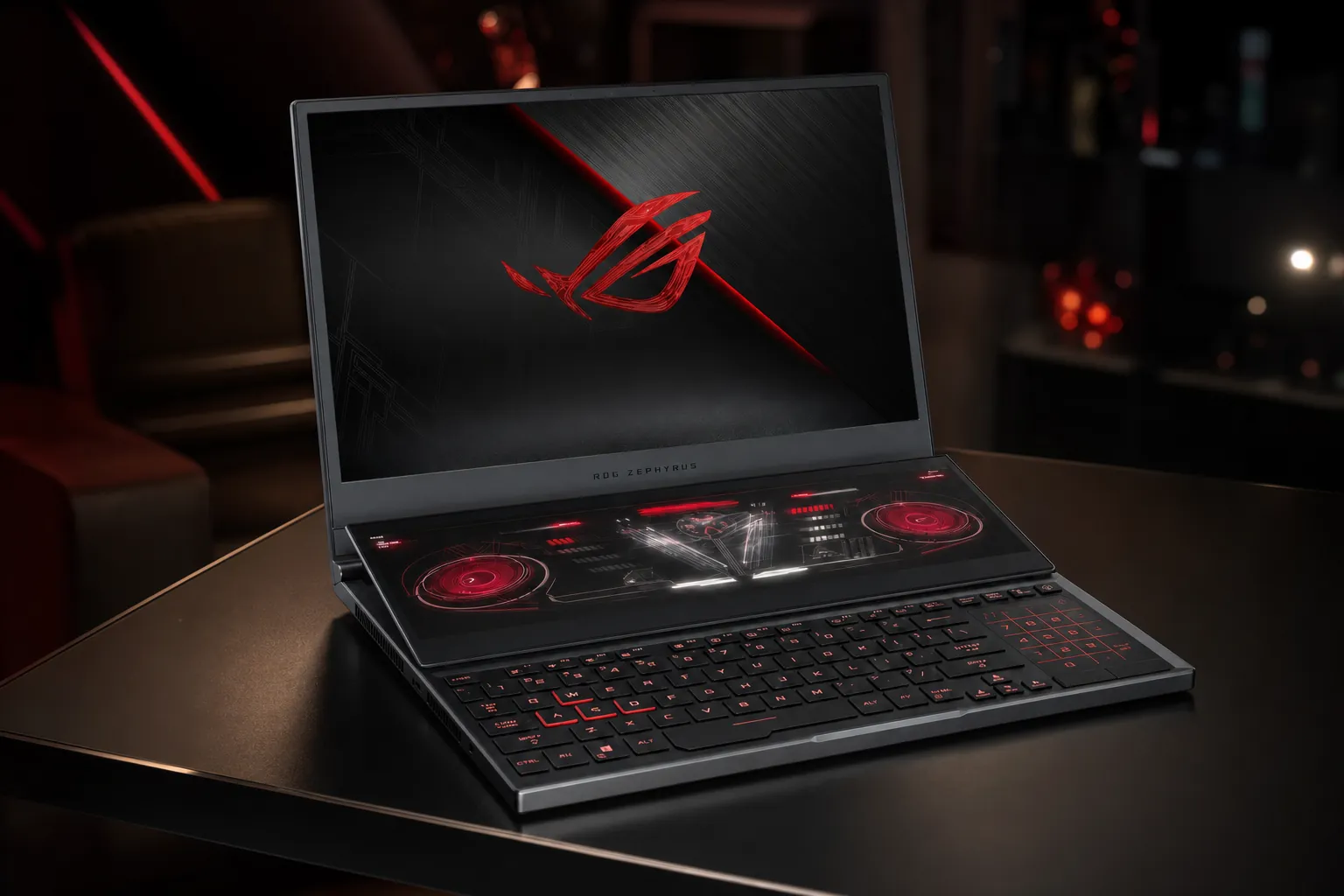
The 2026 ROG Zephyrus Duo GX651 replaces the old narrow ScreenPad Plus idea with two full-size 16-inch OLED displays.
We link to the exact model on Amazon UK. Prices change often, so check the live price before you buy. As an Amazon Associate we earn from qualifying purchases.
The ASUS ROG Zephyrus Duo GX651 is exactly the sort of laptop that makes sensible people pause, squint, and ask whether somebody has put two machines on top of one another. That is not a criticism. It is, in fact, the whole point. ASUS announced the 2026 Zephyrus Duo at CES on 6 January 2026, and the hardware has since been shown, reviewed and documented in detail. So whilst this is a rumour-style round-up, there is very little fog left around the machine itself: the real question is whether two OLED screens make your own work and gaming life better.
For the right person, this is a proper lightbulb-moment laptop. Stream chat below the game, keep a video timeline open while checking footage, run documentation and a terminal side by side, or place a dashboard where it is always visible without carrying a travel monitor. For somebody who mainly plays single-player games on the sofa, though, it is a spectacularly expensive way to watch YouTube beneath a health bar.
That distinction matters more than any GPU badge. The Zephyrus Duo is not simply a conventional gaming laptop with a bonus screen glued on for the marketing photos. It is a mobile dual-monitor workstation that also happens to carry either an RTX 5070 Ti Laptop GPU or an RTX 5090 Laptop GPU. It can game very well. It just is not designed to be the fastest possible RTX 5090 laptop at any cost.
The short version: ASUS has confirmed the GX651 platform, its dual 16-inch OLED design, its two GPU configurations, the detachable keyboard and its five physical modes. There are no credible product-spec leaks worth treating as fact here; the interesting uncertainty is mainly regional memory, storage and Windows edition variations on the RTX 5090 model.
What was rumour, what became official, and what still needs care
Dual-screen ROG laptops are not a new concept. ASUS had already explored the idea with the Zephyrus Duo 15, Duo 15 SE and Duo 16 generations, each using a smaller secondary screen above the keyboard. The 2026 GX651 was the bigger reset. ASUS moved from that angled utility strip to two full-size 16-inch panels, then built a hinge, kickstand and detachable keyboard arrangement around them.
That is an important historical line to draw. The older Duo machines were gaming laptops with an unusually capable secondary control display. The GX651 is closer to a foldable, stacked desktop arrangement that can pack itself into a laptop bag. It is a much bolder proposition, and it explains why the chassis is heavier than a conventional Zephyrus.
ASUS confirmed two core versions of the current family. The ROG Zephyrus Duo GX651AR uses Intel's Core Ultra 9 386H and an NVIDIA GeForce RTX 5070 Ti Laptop GPU with 12GB of GDDR7 memory. The GX651AX retains the same processor, displays, chassis, battery, keyboard and connectivity, but steps up to an RTX 5090 Laptop GPU with 24GB of GDDR7 memory.
The broad platform is shared. That bears repeating because laptop ranges have a bad habit of hiding a weaker screen, smaller battery or stripped-back port selection in the cheaper trim. That is not the split here. ASUS's two versions use the same dual-OLED arrangement, the same 90Wh battery, the same 250W adapter, the same Thunderbolt 4 and HDMI connectivity, and the same physical operating modes. The differentiators are graphics power, graphics memory, and region-dependent system memory and SSD capacity.
The useful way to read the "Duo" name
Do not think of the lower display as a gaming performance upgrade. It does not add frames, make ray tracing cheaper or turn a 120Hz panel into a 240Hz one. Think of it as an integrated second monitor that changes where you put your tools, chat, notes, controls and reference material. If that sounds transformative, the Duo starts making sense. If it sounds like clutter, save your back and your bank balance.
The confirmed Zephyrus Duo hardware at a glance
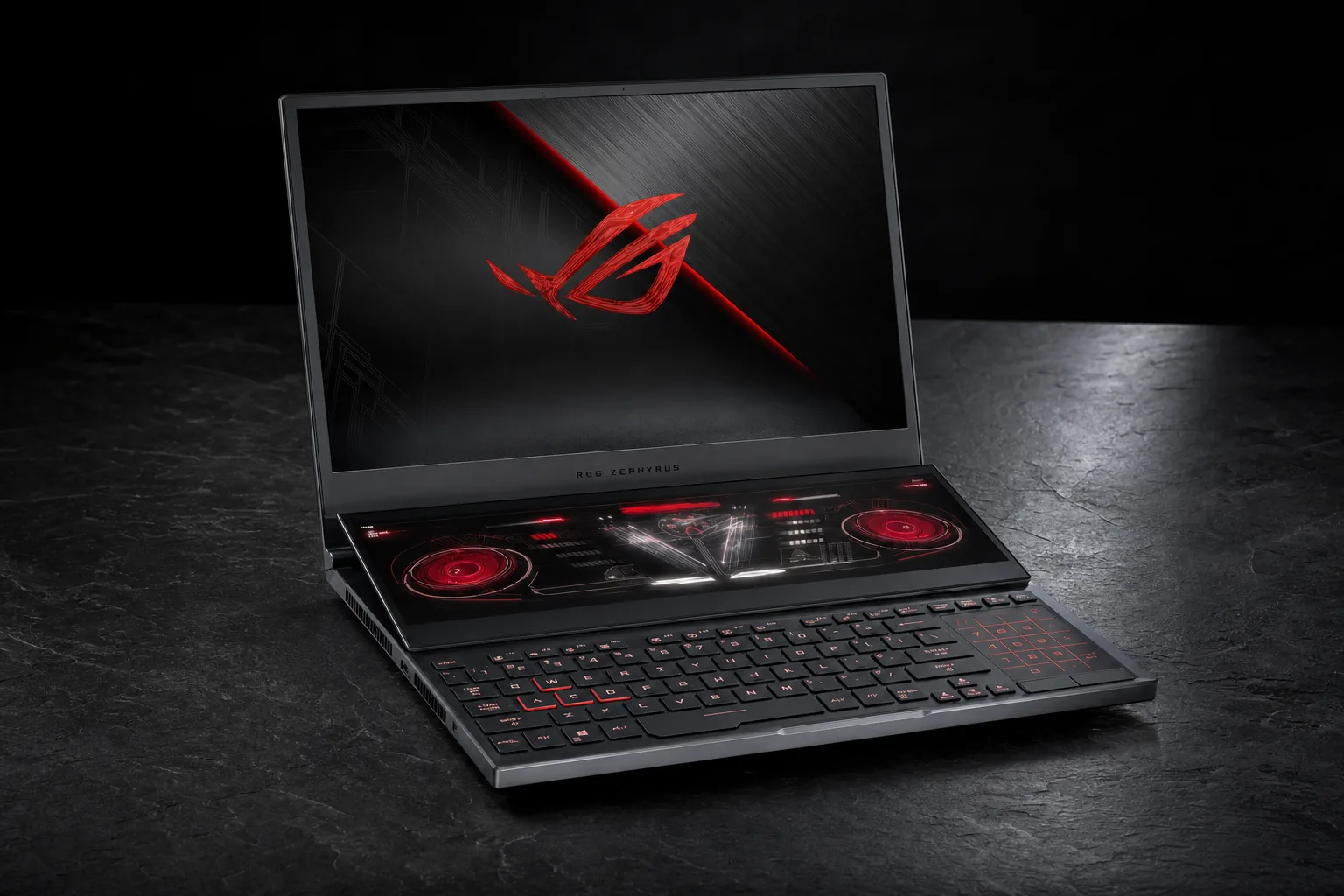
On paper, the GX651 is every bit as ambitious as it looks. Both versions pair a 16-core, 16-thread Intel Core Ultra 9 386H with an NPU rated for up to 50 TOPS. That gives ASUS plenty of headline-friendly AI capability, but the more immediately useful stuff is rather less glamorous: two sharp OLED panels, lots of ports, a webcam with facial recognition, and a design that allows the keyboard to leave the laptop entirely.
Each OLED has a 16:10 aspect ratio, 2880 × 1800 resolution, 120Hz refresh rate and claimed 0.2ms response time. ASUS also specifies 100% DCI-P3 coverage, Pantone Validation, ROG Nebula HDR branding, VESA DisplayHDR True Black 1000 certification and a claimed 1,100-nit peak brightness. They are touchscreens, they support stylus input, and the main display supports NVIDIA G-SYNC.
This is not a cheap-looking or compromised panel arrangement. Quite the opposite: it is arguably the clearest statement of what the machine is for. A bright, colour-rich OLED second screen is overkill for a humble Discord window, but makes a lot more sense for colour-sensitive creative work, editing tools and a genuinely useful second workspace. It is also much more pleasant for plain old browsing than the skinny secondary displays ASUS previously used.
Both panels are 16-inch 3K OLED touchscreens, so the lower screen is a true workspace rather than a narrow shortcut strip.
The chassis is CNC-machined aluminium in Stellar Grey, measuring 35.5 × 24.7 × 1.99–2.49cm. It includes a 1080p FHD IR camera for Windows Hello, Wi-Fi 7, Bluetooth 6.0, two Thunderbolt 4 ports, two USB-A 3.2 Gen 2 ports, HDMI 2.1 FRL, a UHS-II SD-card reader, a 3.5mm audio jack and the proprietary rectangular charger connection. That is a healthy selection for a machine intended for creators as much as gamers. The missing built-in Ethernet port is the only especially noticeable omission.
Memory is soldered, which is the less charming part of this otherwise premium package. The RTX 5070 Ti configuration is confirmed with 32GB of LPDDR5X-8533 memory and a 1TB PCIe 4.0 SSD. RTX 5090 configurations vary by market between 32GB and 64GB of memory, and between 1TB and 2TB of storage. The SSD situation is more flexible than the RAM situation, because ASUS provides two M.2 slots: one Gen5 and one Gen4.
Two screens, five modes, and a keyboard that finally moves out of the way
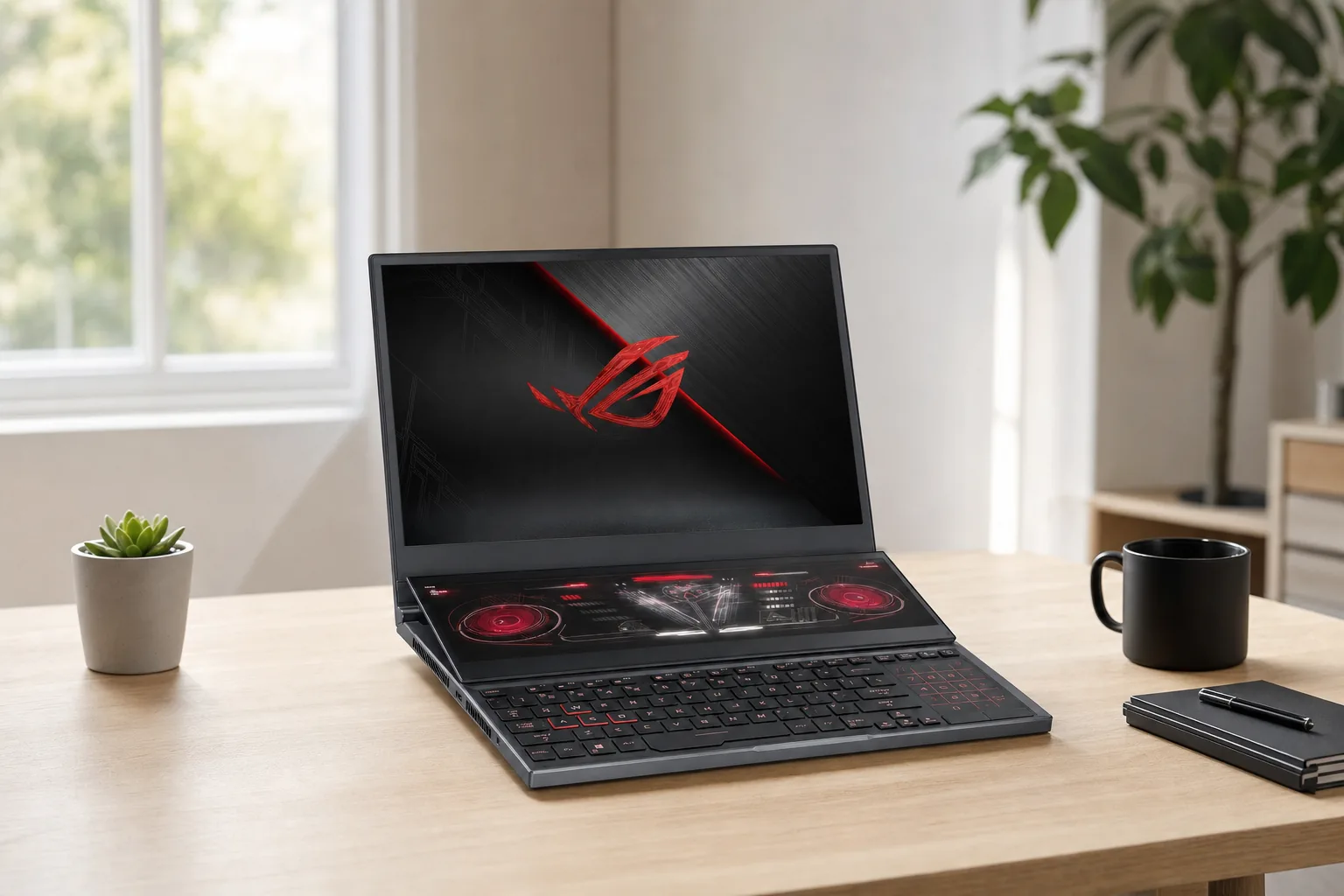
The GX651's trick is not merely the second panel. Plenty of people can connect a portable monitor to a laptop. The clever bit is that ASUS has attempted to make the second screen usable in several genuinely different positions rather than leaving it permanently trapped under your wrists.
There are five confirmed operating modes: Laptop, Dual Screen, Sharing, Book and Tent. Laptop Mode puts the magnetic keyboard back where you expect it, creating the most conventional layout. This is the mode for working at a café, typing on a train tray table, or simply pretending you own a normal computer. The catch is obvious: the keyboard sits over much of the lower display, which limits how naturally you can interact with it.
Dual Screen Mode is the real headline act. Remove the keyboard, deploy the 90-degree kickstand, and position the wireless keyboard separately. The two displays then become a stacked workstation. It is a desk-first setup, but a seriously compact one. If you have ever worked from a hotel room with a laptop balanced on a pile of books and wished for a proper second screen, this is the bit that will get you.
Detachable magnetic keyboard
The keyboard attaches through magnets and pogo pins, then works over Bluetooth when detached. It has 1.7mm key travel and one-zone RGB lighting.
Stacked dual-monitor setup
Dual Screen Mode puts both 16-inch displays in front of you, with the keyboard placed wherever your wrists are happiest.
Book and Sharing modes
The hinge arrangement can present the panels like an open book or orient them for collaborative viewing and discussion.
Tent mode
The A-frame position is intended for shared viewing, local multiplayer and presentations where two people need a better view.
Book Mode is particularly interesting for technical work. A programmer can keep documentation, logs, chat or a browser on one panel and code or a live preview on the other. It is not a replacement for a full desktop monitor setup, of course, but it is far more coherent than juggling tiny windows across one display. Traders and dashboard-heavy users have a similar argument: if you travel regularly and need several panes of information visible, an integrated second screen is less faff than relying on a portable monitor every time.
Sharing and Tent Modes sound a little like the sort of feature names that get used twice at launch events and then forgotten. Yet they are not entirely frivolous. Tent Mode can make local co-op more sociable, and ASUS has highlighted games such as It Takes Two, Portal 2 and Stardew Valley as plausible examples. The number of games that truly benefit from a two-screen layout is limited, but the physical flexibility is real.
The removable Bluetooth keyboard and 90-degree kickstand matter more than the headline number of displays: they let the Duo become a stacked working setup.
The displays are the star, but they are not a competitive-gaming masterstroke
The display specification is strong enough that it would be notable on a normal premium gaming laptop. Here, you get it twice. OLED gives the Duo excellent contrast and inky blacks, whilst 100% DCI-P3 coverage and Pantone Validation are meaningful for creators who care about colour rather than just neon sci-fi wallpapers. HDR support is also not being treated as an afterthought: both panels carry VESA DisplayHDR True Black 1000 certification.
The 120Hz refresh rate is the awkward part, depending on your priorities. For story-driven games, strategy titles, creative work and everyday use, 120Hz is smooth and entirely reasonable. For someone buying an RTX 5090 specifically to chase very high frame rates in competitive shooters, it is less ideal. Many gaming laptops now push 240Hz or 300Hz panels, and a 120Hz ceiling means the Duo is not tuned first and foremost for esports.
That does not make the screen slow. It just tells you where ASUS's priorities sat. The company chose dual 3K OLED quality and physical flexibility over a high-refresh, single-screen competitive setup. Given the product's identity, I think that was the sensible call. A 240Hz lower screen would be spectacularly wasteful, and a cheaper second panel would have undermined the entire point.
One detail worth keeping straight: G-SYNC support is confirmed for the main display. Hands-on testing indicated that it was main-display-only, so do not assume the lower panel has identical gaming-display features simply because the physical panels share the same size and resolution.
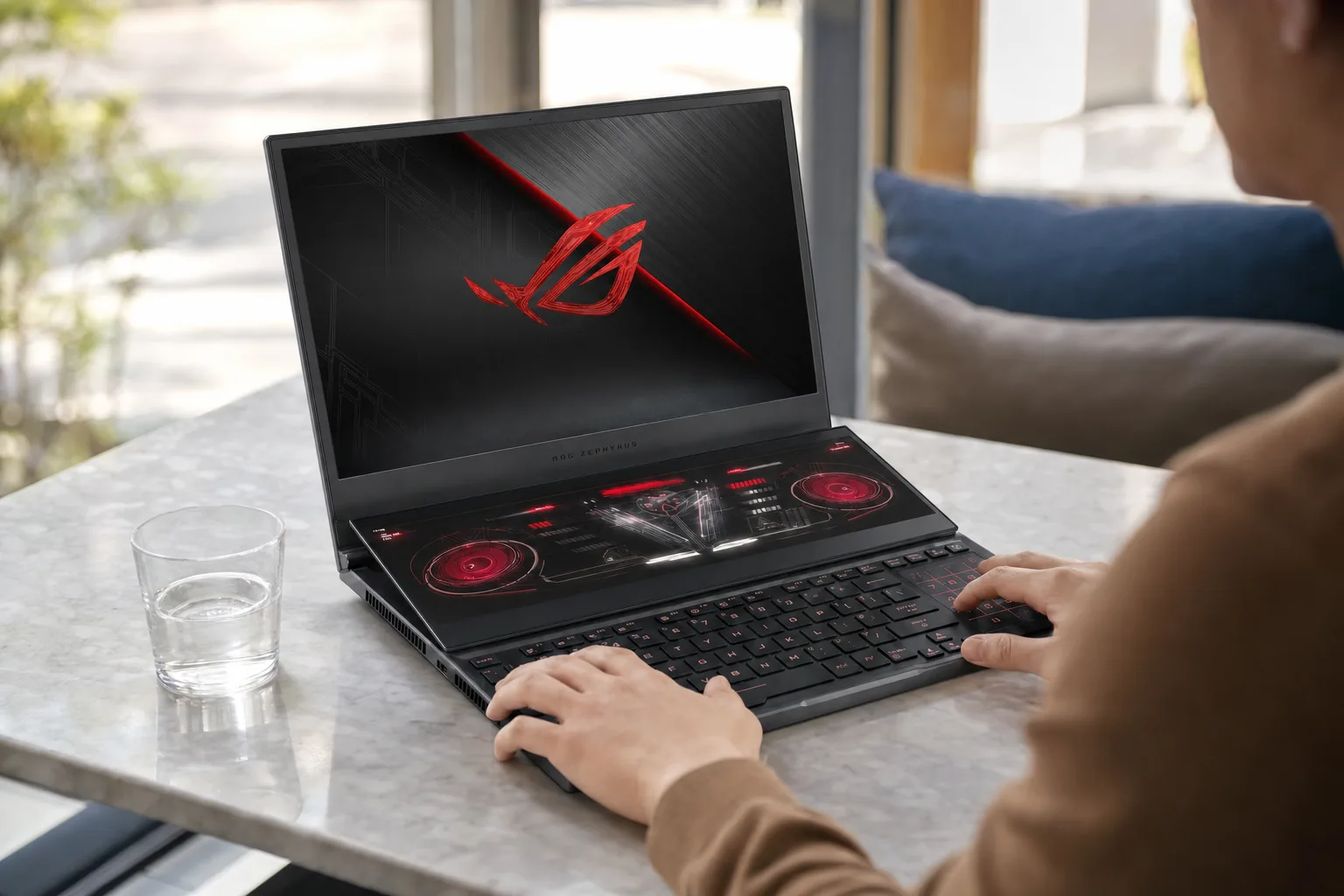
There is also an ergonomic reality check. In normal laptop mode, the lower screen is below the keyboard and therefore not as naturally accessible as a second monitor next to your main display. You can see it, but touching it can mean reaching over the keyboard. It works brilliantly for passive information — stream chat, music controls, a guide, system monitoring — and less brilliantly for something that needs constant tapping. The Duo earns its keep when you can remove the keyboard and put both panels where they belong: directly in front of you.
RTX 5090 performance: fast, capable, and deliberately not the fastest
The RTX 5090 version is the model most likely to get attention, because stuffing NVIDIA's flagship laptop GPU into a dual-OLED hinge contraption is undeniably bonkers. ASUS advertises up to 150W maximum TGP for the Duo family. Windows Central measured the RTX 5090 at 150W in Turbo and Manual modes, and 135W in Performance mode. That clears up a slightly confusing detail from ASUS's January launch material, which described the RTX 5090 at 135W TGP.
In plain English, the Duo can run its RTX 5090 hard, but it is still operating inside a compact, complicated dual-display chassis. Bigger, thicker RTX 5090 laptops have more thermal headroom and higher power budgets. That is not a bug. It is the engineering exchange you make for two OLEDs, a 320-degree hinge system, a kickstand and a removable keyboard in a 2.82kg package.
Those Windows Central results were recorded in Turbo mode at the main display's native 2880 × 1800 resolution. They show a machine that can absolutely handle demanding games at its own high-resolution panel, including visually brutal settings in Cyberpunk 2077. The important caveat is the same one repeated by reviewers: it is not the RTX 5090 performance leader.
GamesRadar+ recorded a Steel Nomad score of 5,285 from its Core Ultra 9 386H, RTX 5090, 64GB RAM and 1TB SSD configuration. That review placed the Duo at the bottom of its RTX 5090 comparison group, behind the Razer Blade 16, MSI Raider A18 HX, ASUS ROG Strix Scar 18 and MSI Raider 16 Max in demanding performance tests. It still managed more than 60fps in Cyberpunk 2077 at QHD+ with ray tracing set to Ultra, which is hardly embarrassing. But you do not buy this machine solely to win benchmark graphs.
The RTX 5090 version delivered high-end 3K gaming results, but larger RTX 5090 laptops retained the advantage in sustained performance testing.
The second display has a measurable, if modest, impact when it is doing actual work. Running a YouTube stream on the lower screen reduced the Zephyrus Duo's average Red Dead Redemption 2 performance by roughly 5fps under the same test conditions. That is a remarkably useful reality check. The lower panel is not free, but the hit is manageable if you are using it for the sort of background content most owners are likely to want.
Cooling, noise and battery: physics remains undefeated
ASUS uses a custom vapour chamber, dual fans, liquid metal on the CPU, dust filters, rear and underside exhaust, and a graphite nano-insulated film between the motherboard and lower display. The design is more interesting than it first appears because it has to cool serious silicon without using the keyboard deck as a conventional cooling intake. There is a second OLED sitting where a traditional laptop might otherwise have found some useful airflow.
Windows Central's stress testing found no throttling during a 15-minute AIDA64 run. The RTX 5090 reached 76°C and the hottest CPU core reached 92°C. Those are high figures in isolation, but they were recorded under extreme load, and the absence of throttling is the more important point. The chassis does get properly warm: the attached keyboard surface was around 40°C, the exposed lower OLED reached around 42°C with the keyboard removed, and the exhaust hotspot reached 54.7°C.
Noise is the price. Turbo mode measured 61.2dB while running Red Dead Redemption 2, with Performance mode roughly 5dB quieter. That means this is not a stealthy little gaming machine unless you are wearing headphones or you are happy to turn down the profile. It is a powerful laptop, with two screens and a 150W-capable GPU mode. The fans were never going to whisper encouragingly from the corner.
What the engineering gets right
- No throttling was observed in a 15-minute stress test.
- The RTX 5090 could reach 150W in Turbo and Manual modes.
- The chassis supports a genuinely useful detached-keyboard layout.
- The cooling design preserves strong gaming performance despite the unusual form factor.
- The 90Wh battery is substantial for a machine with two 16-inch OLED panels.
The unavoidable compromises
- Turbo-mode fan noise reached 61.2dB in testing.
- The chassis and lower OLED can become noticeably warm under sustained load.
- Gaming battery life was roughly 1.5 hours in GamesRadar+ testing.
- The 250W power adapter is part of the real-world travel burden.
- At 2.82kg before the charger, this is not an ultralight machine.
Battery life follows the same pattern: respectable for light work, decidedly ordinary for gaming. GamesRadar+ measured approximately 4.5 hours with both OLED screens active, several Chrome tabs open and Spotify running. That is better than many people would expect from a dual-display gaming laptop, although it is still not a day away from a socket. Playing Forza with one display active lasted roughly 1.5 hours before the first battery warning.
USB-C charging up to 100W is supported, which is handy for lighter work and travelling with a smaller charger. It is not the same thing as the supplied 250W adapter, and it should not be treated as a route to full gaming performance. Again: physics. The Duo is trying to power two OLED screens and serious gaming hardware, not charge a tablet and look decorative.
Who actually benefits from a second screen above the keyboard?
This is the section that matters. It is easy to look at the Zephyrus Duo and become distracted by the theatre of it all. Two screens! A folding chassis! A detachable keyboard! But if you cannot identify a repeated, everyday job for the lower panel, you probably do not need this laptop.
Streamers are the clearest beneficiaries. The lower panel can hold chat, OBS controls, alerts, an audio mixer, Discord or a dashboard whilst the upper display runs the game. That setup is not new in a desktop environment, obviously, but doing it without a second monitor changes the usefulness of the laptop when travelling. You can set up a genuinely workable streaming or recording station in a hotel, at a client location or in a spare room without the usual monitor-balancing act.
Video editors and creators are next in line. A full-size lower OLED can hold a timeline, bins, tool palettes, colour controls, reference footage or audio tools. This is where the difference between the GX651 and an old ScreenPad-style design becomes stark. The lower display is large enough to be a real workspace. Software window management still matters, and some applications will make better use of the arrangement than others, but the raw canvas is there.
For creators, streamers and developers, the lower display can carry timelines, chat, tools, terminals and reference material without an external monitor.
Programmers, technical users and traders have the least glamorous but arguably most sensible case. Documentation on one screen and code on the other. A terminal and system logs kept visible while a build runs. Dashboards, issue trackers, monitoring tools and chat all available without burying the main task under windows. The Duo cannot replace a desk with three 27-inch monitors, but it can make a laptop-only workflow much less cramped.
For ordinary gaming, the argument becomes softer. You can put a browser guide, video, music controls, chat or a hardware monitor on the lower display. That is convenient. It is not transformative. Most games do not meaningfully use the lower panel, and the 120Hz main display does not specifically cater to the competitive player trying to get the absolute most from an RTX 5090. If your main activity is simply playing games, a conventional single-screen gaming laptop may serve you better for less complication and, in many cases, more frame-rate headroom.
The best fit for each kind of buyer
There is no universal winner in this category because the Zephyrus Duo is solving a very particular problem. It is best understood as a premium specialist machine rather than a default recommendation for anybody shopping for a powerful laptop.
Best for streamers: ASUS ROG Zephyrus Duo GX651AX
The RTX 5090 model combines strong gaming performance with a second full-size display for chat, OBS, alerts and Discord. It makes most sense if you genuinely use those tools every session.
Best for creators: ASUS ROG Zephyrus Duo GX651AR

See ASUS ROG Zephyrus Duo GX651AR on Amazon UK
Check today's price & availability on Amazon UK
The shared dual 3K OLED workspace, ports, SD-card reader and detachable keyboard matter more than the GPU jump for many editing and multitasking workflows.
Best for technical multitasking: ASUS ROG Zephyrus Duo GX651
Developers, traders and dashboard-heavy workers are the people most likely to turn the second screen from a novelty into a daily productivity tool.
Best for raw gaming performance: MSI Raider 16 Max
GamesRadar+ reported a 300W total power budget and found the Raider 16 Max ahead of the Duo in demanding performance testing. It is the more straightforward choice when maximum speed matters most.
The RTX 5070 Ti version is worth taking seriously rather than viewing as the "cheap one" — it is not cheap in any meaningful sense. It has the same chassis, screens, ports, battery and modes as the RTX 5090 model. If the two-screen concept is your priority, that is crucial. You do not have to buy the most expensive GPU option to get the defining Duo experience.
Conversely, the RTX 5090 version makes sense for buyers who need both the second-screen workflow and high-end graphics capability. Its 24GB of GDDR7 is the clearest hardware step-up, alongside the market-dependent 64GB memory and 2TB storage configurations. Just go in knowing that you are prioritising versatility over the kind of performance-per-pound efficiency a larger, more conventional gaming machine can offer.
ASUS ROG Zephyrus Duo versus conventional RTX 5090 laptops
The Zephyrus Duo is easiest to understand beside the gaming systems it was tested against. The MSI Raider 16 Max, Lenovo Legion Pro systems, Razer Blade 16, MSI Raider A18 HX and ASUS ROG Strix Scar 18 all represent more traditional answers to the high-performance laptop brief: one display, more room for cooling and power, and fewer moving parts.
GamesRadar+ specifically found the Duo behind the Razer Blade 16, MSI Raider A18 HX, ASUS ROG Strix Scar 18 and MSI Raider 16 Max in demanding RTX 5090 performance tests. The MSI Raider 16 Max was reported with a 300W total power budget, a useful contrast with the Duo's 250W adapter and GPU ceiling of up to 150W. That does not make one machine "better" in every sense. It makes them built for different jobs.
| Comparison point | ASUS ROG Zephyrus Duo GX651AX | MSI Raider 16 Max | Lenovo Legion Pro systems |
|---|---|---|---|
| Reported high-end price point | $5,499.99 for the flagship configuration | Approximately $4,299.99 | Approximately $4,500 |
| Reported power figure | RTX 5090 measured at 150W in Turbo and Manual modes | 300W total power budget | Not stated in the compared testing |
| Display approach | Two 16-inch 2880 × 1800 120Hz OLED touchscreens | Conventional single-screen gaming design | Conventional single-screen gaming design |
| Performance emphasis | Work/play hybrid; strong gaming within a dual-screen chassis | Higher gaming-performance focus | Higher-performance conventional gaming focus |
| Best suited to | Creators, streamers, programmers and frequent multitaskers | Buyers chasing maximum gaming performance | Buyers wanting a conventional premium gaming design |
The Zephyrus Duo's premium buys dual-screen flexibility and unusual working modes, not class-leading RTX 5090 performance.
Razer's Blade 16 is an especially telling comparison because it is also a premium design-led laptop rather than a hulking desktop replacement. Yet GamesRadar+ still found it ahead in demanding tests. The Duo's extra screen, hinge mechanism and thermal constraints all have consequences. ASUS has made a conscious trade: put more capability into the way you use the machine, rather than funnel every last watt into the GPU.
That is why I would resist calling the Duo bad value simply because it loses some performance comparisons. It is poor value if you only care about frames. It is potentially very good value if it replaces a gaming laptop, a portable monitor and some of the hassle of setting up a mobile two-screen workspace. Same product. Entirely different calculation.
Ports, webcam, audio and the practical desktop-replacement bits
It would have been easy for ASUS to make the Duo a gorgeous design object and then forget the mundane bits people need for work. Thankfully, the connection selection is strong. Two Thunderbolt 4 USB-C ports give you flexibility for docks, fast storage and displays; the HDMI 2.1 FRL port handles direct display output; and the two USB-A 3.2 Gen 2 ports mean you do not have to immediately reach for a dongle for a mouse, keyboard receiver or external drive.
The UHS-II SD-card reader is especially welcome for photographers and video creators. It sounds like a small inclusion until you have spent enough time hunting for a card reader in the bottom of a camera bag. The 3.5mm combo audio jack also remains useful for proper wired headphones when the fans are in full flight.
The 1080p FHD IR camera supports Windows Hello, so logging in can be pleasantly frictionless. For the sort of person who uses the Duo as a travelling work machine as well as a gaming system, that is more meaningful than another RGB lighting mode. Speaking of which, the chassis has ASUS Slash Lighting with 35 lighting zones and 15 pre-programmed animations. It is undeniably extra. It is also a ROG product, so the alternative would have been a suspicious absence of flair.
Audio is described in ASUS's detailed specifications as a four-speaker setup with dual force woofers and two tweeters, plus Smart Amp, Dolby Atmos and AI noise cancellation. ASUS's marketing page also refers to six speakers, so the driver-count wording is not entirely consistent. The practical takeaway is simpler: this is designed as a premium multimedia laptop with a more substantial speaker arrangement than most thin machines, rather than a device that assumes you will always plug in a headset.
The things I would love, and the things that would irritate me
The Zephyrus Duo is unusually easy to admire and unusually easy to overbuy. Both feelings can be true at once. The rigid CNC-machined aluminium chassis, confident kickstand tension and secure magnetic keyboard were all praised in hands-on coverage. The thin keyboard was also considered surprisingly comfortable, with 1.7mm travel helping it feel more like a proper keyboard than a travel accessory.
It also looks like ASUS has solved the ergonomic problem that dogged previous Duo models. A permanently forward-mounted keyboard can feel like a compromise on a lap and a compromise at a desk. By allowing the keyboard to come off, ASUS gives you a choice. Work conventionally when space is tight. Spread out when you have a desk. That is much smarter than forcing every owner into one odd posture.
Reasons to be excited
- Two genuinely full-size OLED screens in a portable chassis.
- Excellent panel credentials for HDR, colour and contrast-focused work.
- Five modes make the unusual hardware more practical than it first appears.
- Strong connectivity includes Thunderbolt 4, HDMI 2.1 FRL and UHS-II SD.
- The RTX 5090 model still delivers genuinely high-end gaming results.
- The RTX 5070 Ti model retains the same core dual-screen platform.
Reasons to think twice
- Many games have little meaningful use for the lower display.
- Thicker RTX 5090 laptops outpace it in demanding performance testing.
- The 120Hz ceiling is less compelling for competitive esports players.
- The machine is heavy, and its power adapter is another thing to carry.
- Soldered memory means you must choose your capacity carefully.
- Normal laptop-mode access to the lower touchscreen is inherently awkward.
My biggest practical concern would be the lifestyle fit. The Duo is much more compelling on a desk than on a lap. That is not a failure; it is simply a limitation worth admitting before you fall in love with the renders. If you spend most of your time at a desk, travel occasionally and hate working from one cramped laptop screen, this could be ideal. If you play games in bed, write emails on the sofa and rarely take your laptop anywhere that has a proper table, the second panel may spend more time hidden under the keyboard than helping you.
ASUS ROG Zephyrus Duo GX651 FAQ
The Zephyrus Duo is at its most convincing when it replaces a laptop-plus-portable-monitor setup, rather than when it is treated as a normal gaming laptop with a party trick.
The bottom line
The ASUS ROG Zephyrus Duo GX651 is ridiculous in the best possible way — but only if you understand what it is actually trying to do. This is not the fastest RTX 5090 gaming laptop, the lightest portable machine, or the cleverest choice for someone who only ever uses one screen. Bigger single-display systems beat it in raw performance, and a normal laptop is easier to live with on your lap.
What ASUS has made instead is a premium mobile workstation with serious gaming ability. The two 16-inch OLED screens, removable keyboard and five operating modes give streamers, creators, programmers, traders and obsessive multitaskers a setup that no ordinary laptop can quite match. If you would regularly use that second screen, the Duo is not a gimmick at all. It is the point. If you would not, it is one very beautiful, very heavy, very expensive reminder that sometimes more screen is simply more screen.
- ASUS ROG Zephyrus Duo GX651ARView on Amazon