
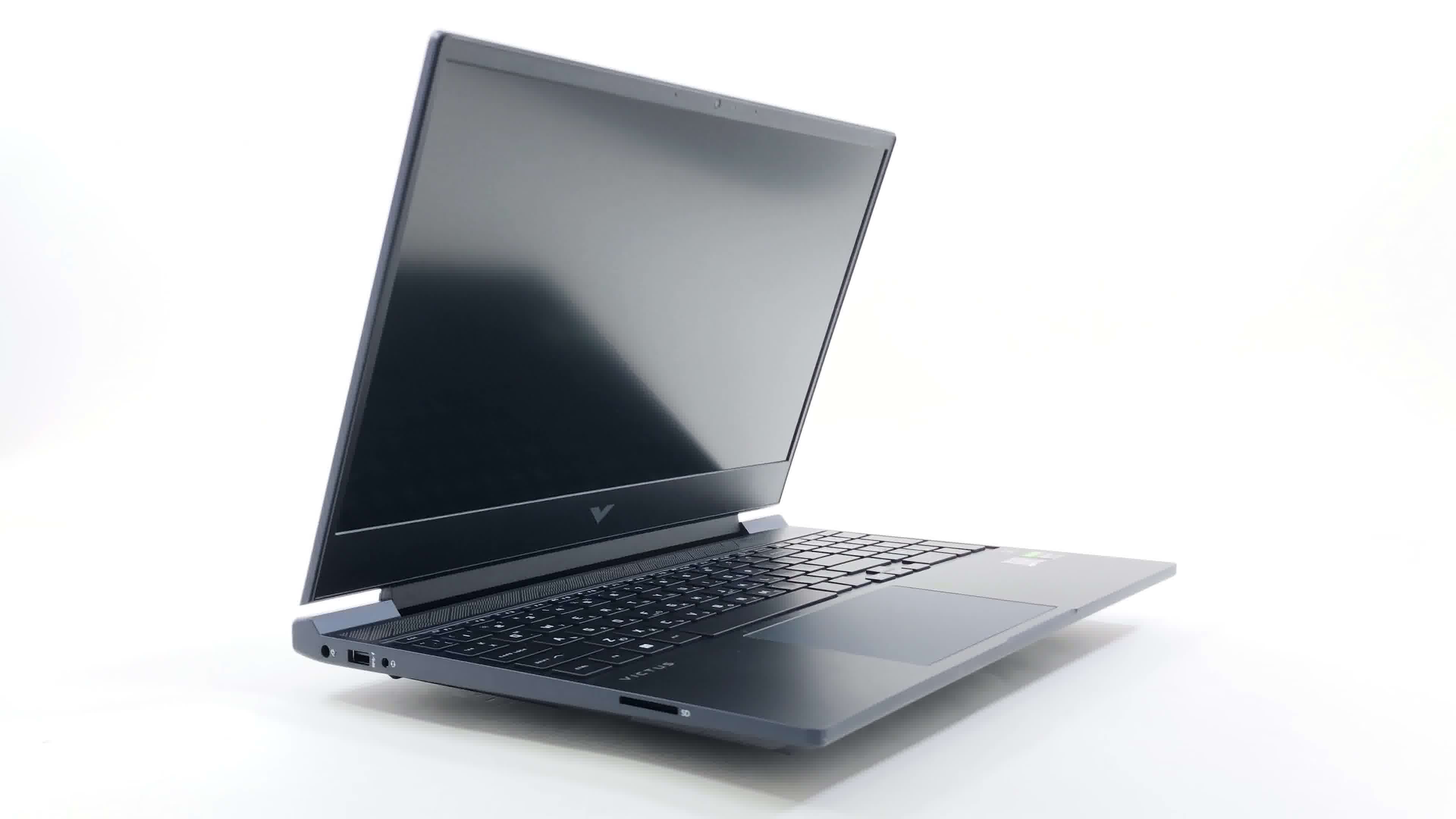
HP's Victus 15 remains the sensible-looking gateway into PC gaming, now spanning RTX 2050, RTX 4050, RTX 5050 and RTX 5060-class configurations.
HP Victus 15 Gaming Laptop Review: The Budget Gaming Workhorse Gets More Complicated
A practical UK buying guide to the 2026 Victus 15 range, covering the common configurations, GPU power limits, display compromises, upgrade paths, thermals and the alternatives worth checking before you buy.
We link to the exact model on Amazon UK. Prices change often, so check the live price before you buy. As an Amazon Associate we earn from qualifying purchases.
The HP Victus 15 has never been the flashiest gaming laptop on the shelf, and that is precisely why it keeps working. It is HP's more affordable gaming line, sitting below the Omen 16 and HP Omen Max 16, and the 2026 range continues the same idea: modern CPUs, NVIDIA RTX graphics, a fast 15.6-inch screen and a design that does not look ridiculous in a lecture theatre, office or coffee shop.
For UK buyers, though, the Victus 15 is also a laptop you need to choose carefully. HP sells it as a single chassis with multiple configurations rather than as one fixed machine, and those configurations vary meaningfully. You will see entry-level RTX 2050 models, plenty of RTX 4050 versions, new RTX 5050 machines, and UK RTX 5060 options such as the 15-fa2005sa and 15-fa2007na. On paper, that sounds simple: bigger GPU number, better laptop. In practice, the Victus 15's GPU power limits, display quality and memory configuration matter just as much as the badge on the sticker.
I like the Victus line because it usually feels honest. It does not pretend to be an ultra-premium esports weapon. It is a budget-to-midrange gaming laptop with clear compromises, and if you understand those compromises before buying, it can be a very sensible pick. This review is written as a buying guide rather than a single-SKU verdict, because the 2026 Victus 15 range is really a family of machines sharing the same core identity.

See HP Victus 15 gaming laptop on Amazon UK
Check today's price & availability on Amazon UK
See HP Victus 15 gaming laptop on Amazon UK
Check today's price & availability on Amazon UK
What this review covers
- Where the Victus 15 sits in HP's 2026 gaming range
- The UK configurations to look for
- RTX 4050, RTX 5050 and RTX 5060 power limits
- Display quality and why 144Hz is not the whole story
- Thermals, combined CPU/GPU behaviour and charger headroom
- RAM and storage upgrade considerations
- Battery expectations and everyday usability
- Alternatives including Lenovo LOQ 15 and Medion Erazer Scout 17 E1
- Who should buy it, and who should move up to an Omen
1. Quick Verdict: A Sensible Budget Gamer, But Pick the Right GPU
The HP Victus 15 gaming laptop 2026 is best understood as a value-focused 1080p gaming machine. Its strengths are straightforward: it offers familiar 15.6-inch practicality, a 144Hz Full HD IPS display on the confirmed models, RTX graphics with modern feature support, PCIe Gen4 storage, dual-channel memory support and a design that is easier to live with than many shoutier budget gaming laptops.
The catch is that the Victus 15 does not always let its GPUs stretch as far as some rivals. The RTX 4050 version runs at a confirmed 50W TGP, which is below some competing RTX 4050 laptops at 75W. The newer RTX 5050 and RTX 5060 Victus configurations are listed with 8GB of GDDR7 VRAM and an 80W GPU limit. That is a useful step up from the RTX 4050 models, but it still places the Victus 15 behind higher-powered competitors such as the Medion Erazer Scout 17 E1, where the RTX 5050 can run at up to 115W.
So, the short version is this: the Victus 15 is a good budget gaming laptop when the configuration matches your needs. The RTX 4050 models make sense for mainstream 1080p gaming and general use. The RTX 5050 and RTX 5060 versions are the ones I would focus on if you want stronger longevity, mainly thanks to their 8GB VRAM and higher 80W GPU limit. The RTX 2050 model is the entry point, but it is the one I would only consider if your gaming demands are modest.
Pros
- Wide range of configurations, including UK RTX 4050 and RTX 5060 options.
- Confirmed 15.6-inch Full HD IPS display with 144Hz refresh rate across the main 2025/2026 models.
- RTX 5050 and RTX 5060 configurations move to 8GB GDDR7 VRAM and an 80W GPU limit.
- Dual-channel memory support and PCIe Gen4 storage keep the platform practical.
- Some configurations offer generous RAM and SSD pairings, including 24GB RAM and 1TB SSD options.
- Subtler design than many gaming laptops, so it works well for school, uni and work use too.
Cons
- The RTX 4050 is limited to 50W, lower than some 75W competitor implementations.
- RTX 5050 and RTX 5060 models are capped at 80W, so the GPU name alone does not tell the whole story.
- The Full HD panel's 62.5% sRGB coverage is a clear compromise for colour-sensitive work.
- 17ms response time means fast motion can look blurrier than you might expect from a 144Hz screen.
- Cheaper models may use 8GB RAM or a 512GB SSD, both of which can feel tight for modern gaming.
2. Specs and Configurations: The 2026 Victus 15 Range Explained
The Victus 15 is not one exact specification. It is a single 15.6-inch chassis sold in multiple CPU, GPU, RAM and SSD combinations. That is normal for gaming laptops, but HP's range is broad enough that two Victus 15 listings can perform quite differently. The most common UK-relevant models include AMD Ryzen 5 and Ryzen 7 machines with RTX 4050 graphics, Intel carry-over RTX 4050 configurations, and newer Intel RTX 5060 models.
At the entry end, the 15-fb2002sa pairs an AMD Ryzen 5 8645HS with 8GB RAM, a 512GB SSD and NVIDIA GeForce RTX 2050 graphics. Above that, the 15-fb3002na uses the same Ryzen 5 8645HS but steps up to an RTX 4050 6GB GPU and 16GB RAM. There are also Ryzen 7 8845HS RTX 4050 models, including the 15-fb2005na and retail listings under 15-fb3003sa, with 16GB RAM and 512GB SSD. Intel buyers will still find the 15-fa2300na with a Core i5-13420H, 16GB RAM, 512GB SSD, RTX 4050 and a 15.6-inch Full HD 144Hz IPS display.
The newer-generation models are where things get more interesting. RTX 5050 configurations include AMD Ryzen AI 5 340 options with 16GB DDR5-5600 memory, 512GB PCIe NVMe storage and a 15.6-inch Full HD 144Hz IPS panel rated at 300 nits. Another RTX 5050 configuration reviewed in early 2026 paired the GPU with an AMD Ryzen 7 260, 24GB DDR5 5600MHz memory, a 1TB Gen 4 SSD and an 80W RTX 5050 with 8GB VRAM. For the UK high end, the 15-fa2005sa combines an Intel Core 5-210H, 16GB RAM, 1TB SSD and RTX 5060, whilst the 15-fa2007na goes further with an Intel Core 7 240H, 24GB DDR5 RAM, 1TB SSD and RTX 5060.
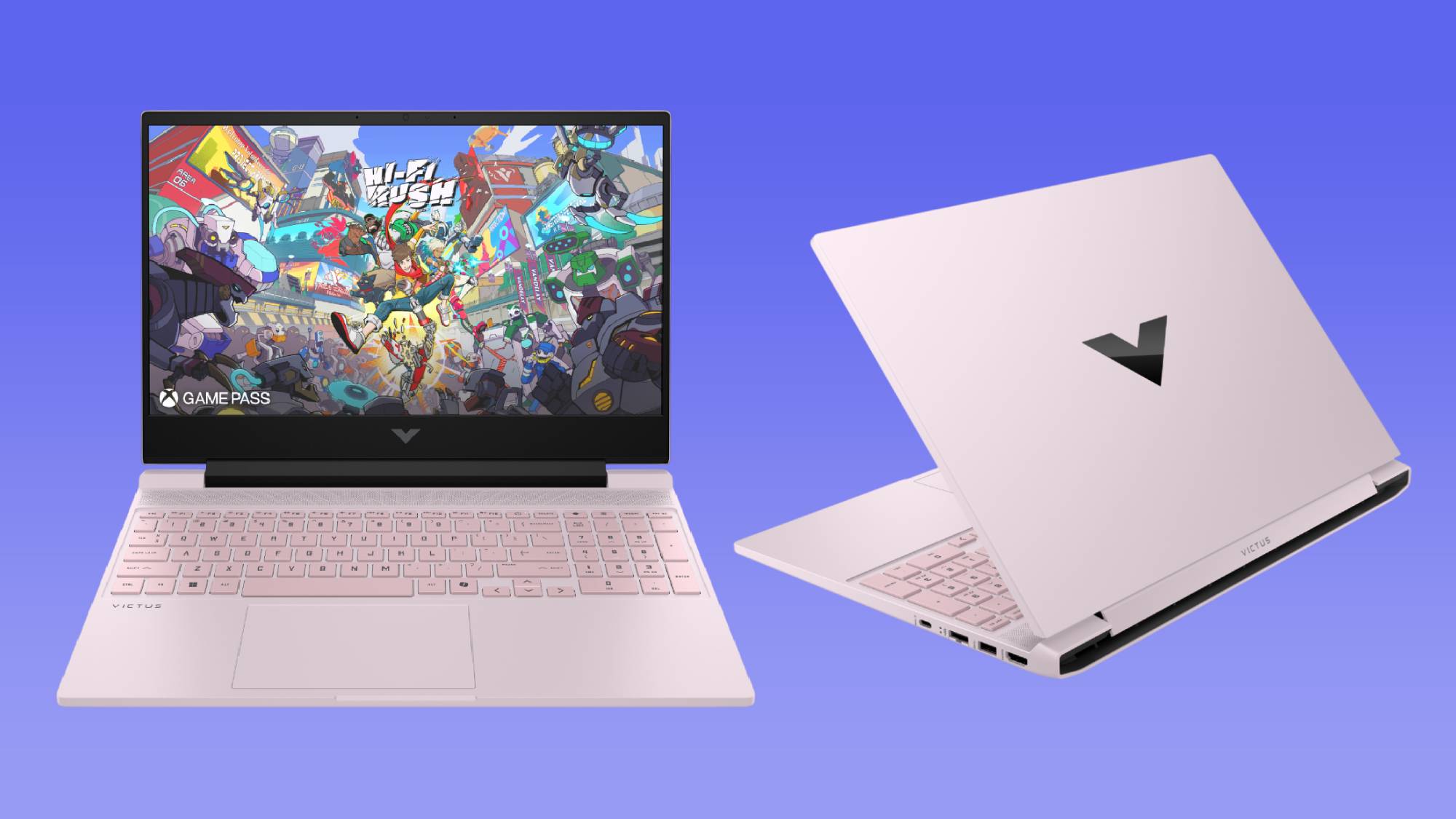
The Victus 15 is best judged by configuration: RAM, SSD size, GPU generation and GPU power limit all matter.
Configuration tip
If you are comparing two Victus 15 listings, do not stop at "RTX 4050" or "RTX 5060". Check the RAM, SSD and exact model code. A 16GB RAM / 1TB SSD model will feel more comfortable than an 8GB / 512GB configuration, even before you think about GPU performance.
3. Display: Fast Enough, But Clearly Built to a Budget
The display is one of the Victus 15's most important compromises. The confirmed 2025/2026 models use a 15.6-inch Full HD IPS micro-edge anti-glare panel with a 144Hz refresh rate. That sounds ideal for budget gaming, and for many people it will be perfectly fine: 1920 × 1080 remains the right resolution for this class of GPU, and 144Hz gives you a smoother desktop and more fluid gameplay than a standard 60Hz office laptop.
However, refresh rate is only one part of display quality. The Victus 15 panel is rated at 62.5% sRGB coverage, which is limited. For gaming, coursework, streaming and everyday browsing, that is acceptable. For photo editing, video colour grading or design work where colour accuracy matters, it is a weak point. You can absolutely edit content on it, but you should not expect rich colour reproduction or creator-laptop accuracy.
Brightness varies by model listing, with higher-tier configurations listing 300 nits and some older or cheaper SKUs listed at 250 nits. Again, this is normal for budget gaming laptops, but it matters if you use your laptop near a bright window or in shared spaces with overhead lighting. The anti-glare finish helps, but the Victus 15 is not trying to be a premium mini-LED or OLED machine.
The other compromise is response time. The Full HD panel is listed with a 17ms response time, which can make fast motion look blurrier than you might expect from the 144Hz number alone. This is the classic budget gaming laptop trap: a fast refresh rate does not always mean crisp motion handling. In slower single-player games, RPGs, strategy titles and general use, it is not a deal-breaker. If your favourite games are competitive shooters and you are sensitive to ghosting, it is a point to take seriously.
144Hz refresh rate
A good match for 1080p gaming, especially esports titles and lighter games where the GPU can push higher frame rates.
250 to 300 nits depending on model
Fine indoors, but not a display I would choose primarily for bright environments or outdoor use.
62.5% sRGB coverage
The panel is usable for everyday entertainment but limited for colour-critical creative work.
17ms response time
Fast motion may appear blurrier than on stronger gaming panels, despite the 144Hz refresh rate.
One UK retail listing cites a 165Hz display for an RTX 5060 SKU, but the consistent confirmed specification across the main models is 144Hz Full HD IPS. My advice is simple: treat 144Hz as the standard Victus 15 expectation, and if a listing claims otherwise, check the product page carefully before ordering.
4. Gaming Performance: RTX 4050, RTX 5050 and RTX 5060 Are Not Equal Upgrades
The Victus 15's gaming performance depends heavily on which GPU you choose and how much power HP allows that GPU to use. This is especially important in 2026, because laptop GPU names can be misleading. An RTX 5060 in a thin or power-limited chassis will not behave the same as an RTX 5060 in a larger, higher-wattage machine. The Victus 15 sits on the sensible, controlled side of that equation.
The RTX 2050 model is the entry option, with 4GB GDDR6 VRAM. It is the least future-proof choice in the range and is best viewed as a casual gaming and general-purpose laptop rather than the configuration I would recommend for someone building a Steam library around demanding modern titles. It makes the Victus 15 more accessible, but the rest of the range is more interesting for gaming.
The RTX 4050 is the mainstream option and appears across several UK configurations. It has 6GB GDDR6 VRAM in the Victus 15, but the key number is the 50W TGP. That is slightly lower than some competitors that run RTX 4050 graphics at 75W. For everyday 1080p gaming, the RTX 4050 Victus 15 remains a capable option, but the 50W limit means you should not assume it will match every RTX 4050 laptop you see online.
The RTX 5050 and RTX 5060 versions are the more exciting 2026 options. Both are listed with 8GB GDDR7 VRAM and an 80W GPU limit in Victus 15 configurations. That additional VRAM is a meaningful practical advantage over the RTX 4050's 6GB, especially as games continue to ask more from texture memory at 1080p. The RTX 5060 UK options are particularly appealing if you want the strongest Victus 15 without moving up to HP's Omen range.
The comparison above tells the story more clearly than the GPU names alone. The Victus 15 RTX 5050 at 80W is not the same proposition as a larger laptop running an RTX 5050 at up to 115W. That does not make the Victus bad; it simply means HP is prioritising a balanced budget chassis rather than maximum GPU wattage. For many buyers, that balance will be fine. For performance hunters, it is the reason to compare against Lenovo LOQ or Medion Erazer machines before committing.
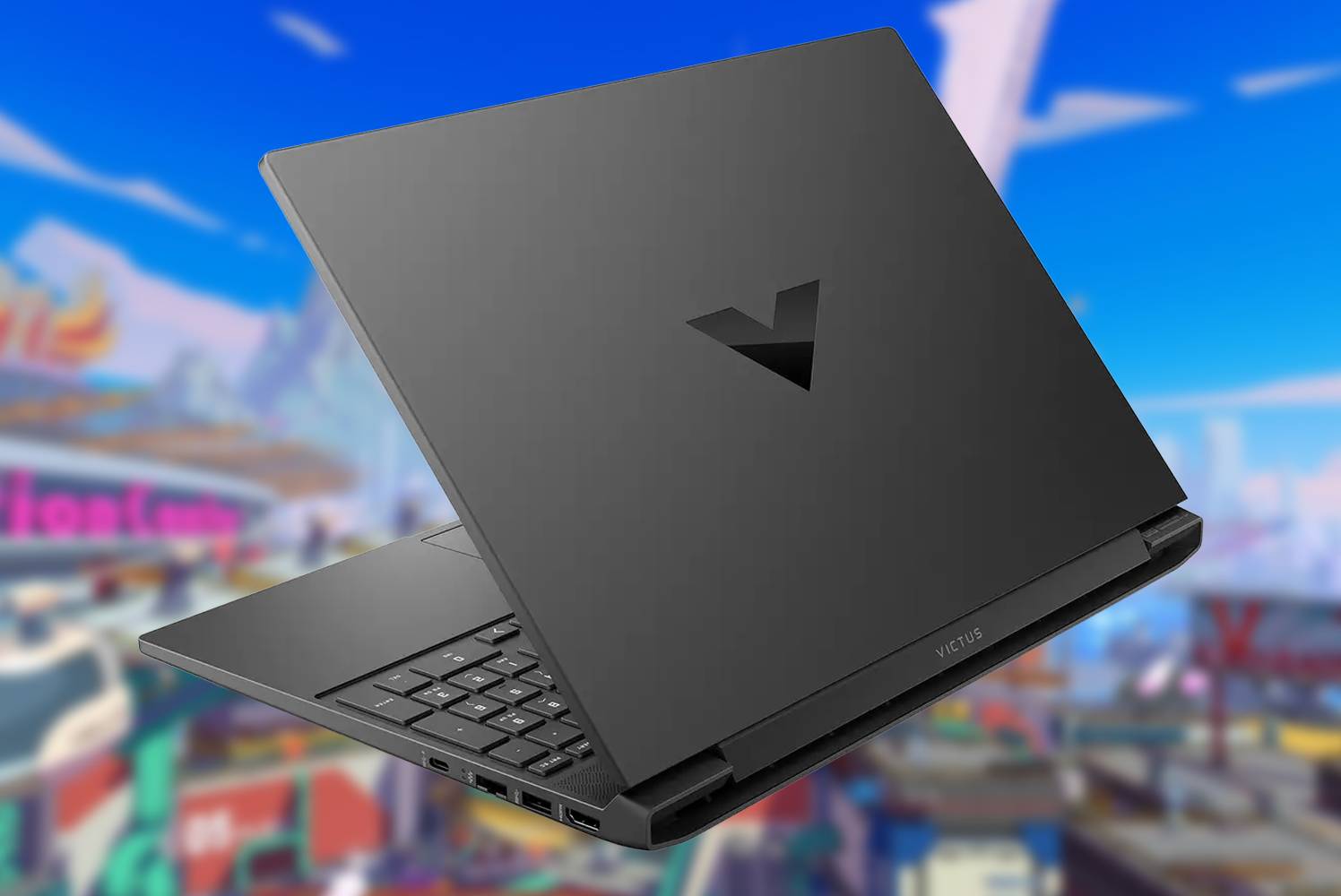
The Victus 15 can be a strong 1080p gaming laptop, but GPU wattage is the spec that separates "good on paper" from "good in practice".
For the best long-term gaming value within the Victus 15 range, I would prioritise 16GB or more of RAM and either RTX 5050 or RTX 5060 graphics with 8GB VRAM. The RTX 4050 models still make sense, but the 50W TGP is worth remembering when comparing against rivals.
5. Thermals and Power: Controlled Rather Than Wild
Thermals are where budget gaming laptops often reveal their true personality. HP's approach with the Victus 15 is not to chase the highest possible wattage. Instead, the 2026 Victus 15 uses controlled power limits that help keep the platform within a sensible operating envelope. During combined tasks, HP restricts GPU usage to 80W and CPU power to around 25W. The laptop ships with a 200W charger, which gives more adapter headroom than many competitors, but the internal power limits still define sustained performance.
That 80W GPU figure is central to understanding the RTX 5050 and RTX 5060 Victus models. It is enough to make them meaningfully more capable than lower-end configurations, but not enough to turn the Victus 15 into a desktop-replacement gaming laptop. The 200W charger sounds powerful, and it is generous for the class, yet HP is clearly choosing not to let the CPU and GPU both run unchecked under heavy combined loads.
In my experience with laptops in this segment, that sort of approach often makes day-to-day ownership more predictable. A lower-wattage GPU can mean less heat stress than a chassis trying to push too hard. The trade-off is that benchmark-chasers and competitive players looking for every possible frame may prefer a rival with a higher GPU ceiling. It is a classic budget gaming decision: do you want a calmer, more controlled machine, or do you want the highest wattage you can get for the money?
The RTX 4050 version is even more conservative at 50W. That can be a positive if you care about manageable heat and noise, but it also means the Victus 15 RTX 4050 should be compared against other RTX 4050 laptops by wattage, not just name. A 75W RTX 4050 competitor has more electrical headroom, and that can translate into stronger gaming performance.
Thermal reality check
The Victus 15's power profile is sensible for a budget 15-inch gaming laptop, but it is not an enthusiast tuning platform. If you want the absolute fastest RTX 5050 or RTX 5060 implementation, look for higher-wattage competitors. If you want a balanced machine for 1080p gaming, the Victus approach is easier to justify.
6. Upgradeability: RAM and Storage Matter More Than Ever
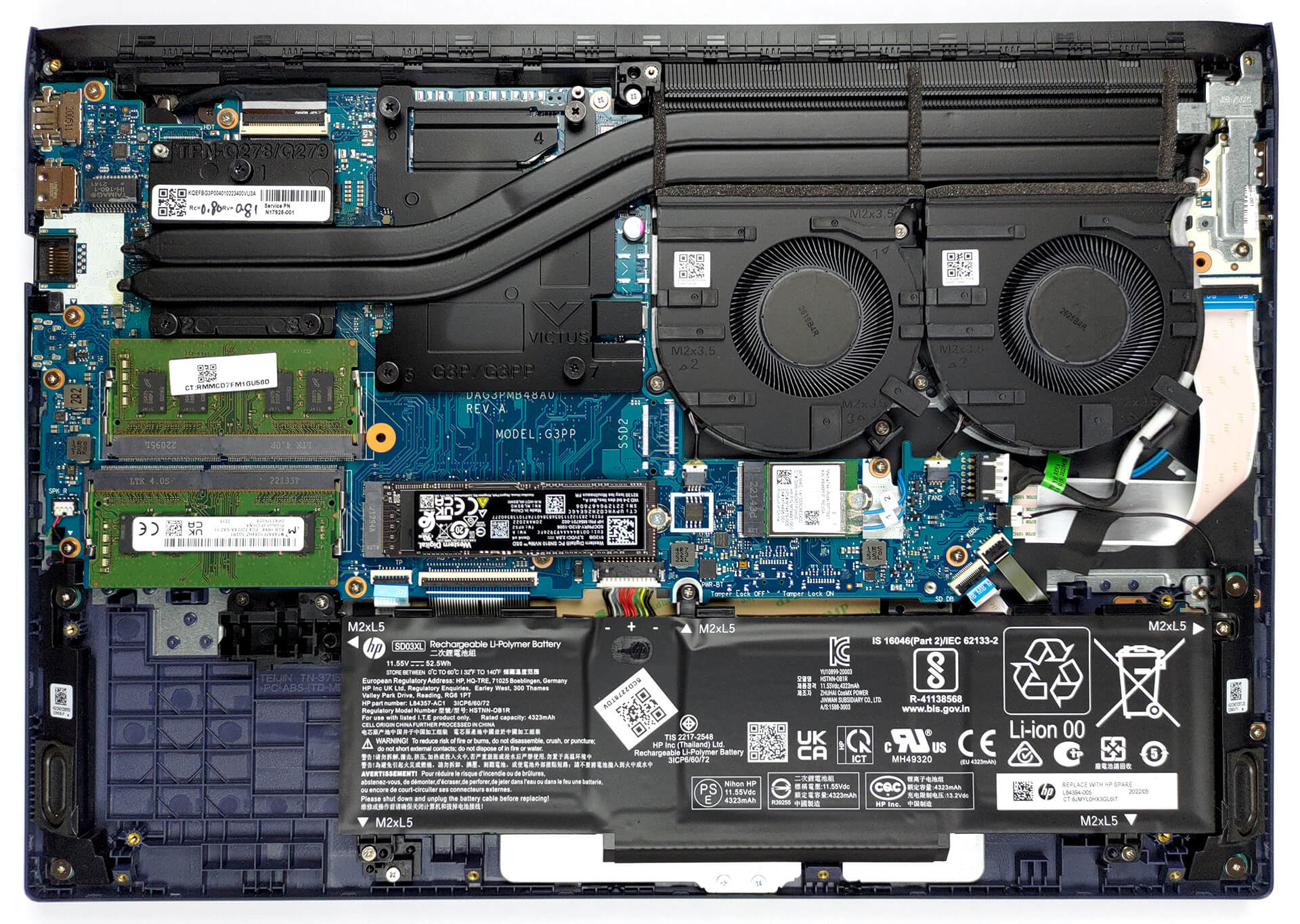
One of the Victus 15's practical strengths is that it is not a sealed ultra-thin machine pretending to be a gaming laptop. The platform supports dual-channel memory and PCIe Gen4 storage, which is exactly what you want in this class. Several configurations ship with 16GB RAM, and the higher UK RTX 5060 15-fa2007na is listed with 24GB DDR5 RAM and a 1TB SSD. Those are far more comfortable starting points for modern gaming than the entry 8GB / 512GB combinations.
The 8GB RAM models are the ones I would treat with caution. Windows 11, a game launcher, Discord, a browser and a modern game can make 8GB feel cramped very quickly. The 15-fb2002sa entry configuration with Ryzen 5 8645HS, 8GB RAM, 512GB SSD and RTX 2050 is usable, but I would not buy it expecting the same lifespan as a 16GB RTX 4050 model or a 24GB RTX 5060 version.
Storage is the other obvious pressure point. A 512GB SSD is fine for Windows, apps and a handful of games, but modern game installs can quickly eat that space. The 1TB models are more comfortable, especially the RTX 5050 configuration reviewed with a 1TB Gen 4 SSD and the UK RTX 5060 listings with 1TB SSDs. If you are the sort of player who keeps several big games installed at once, 1TB should be your target.
There is also a particularly useful detail on the Ryzen 7 260 / RTX 5050 configuration: it was listed with two M.2 slots for expansion and support for RAM upgrades up to 48GB. That is excellent for a budget gaming laptop, especially if you want to buy a sensible configuration now and expand later. The same configuration used 24GB DDR5 5600MHz memory in single channel, which is an unusual capacity mix and a reminder to check the memory layout of the exact model you are buying.
Dual-channel memory support
Important for gaming consistency and general responsiveness, especially on configurations starting with 16GB RAM.
PCIe Gen4 storage
A modern storage platform that suits fast boot times, quick game loading and practical SSD upgrades.
Two M.2 slots on the reviewed RTX 5050 Ryzen 7 260 model
A useful expansion path if your game library outgrows the original SSD.
Up to 48GB RAM support on that RTX 5050 configuration
More than enough headroom for gaming, multitasking and heavier productivity work.
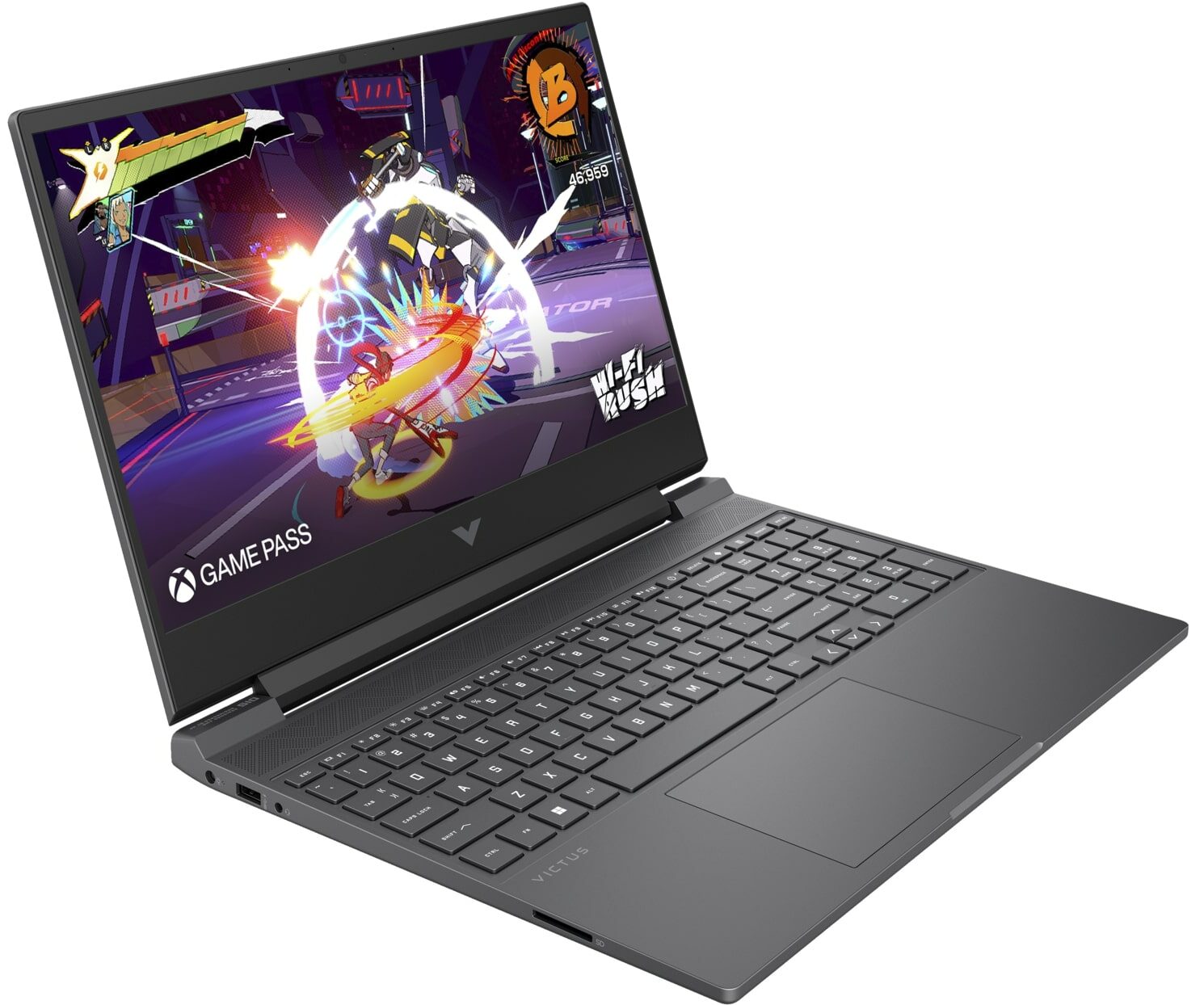
For the Victus 15, the sweet spot is not just the GPU — it is the combination of GPU, RAM, storage and upgrade room.
7. Everyday Use: Design, Keyboard, Battery and Student Appeal
The Victus 15 has become popular partly because it does not look like a toy. HP's budget gaming design language is calmer than many rivals: still gamer-oriented, but not covered in aggressive vents, oversized logos and bright accents. That matters if the laptop is also going to be used for school, university, work or commuting between rooms at home. It is a gaming laptop you can put on a desk in public without making a statement.
Several configurations include a backlit keyboard, and the UK RTX 5060 15-fa2005sa listing specifies an RGB keyboard. I would not buy the Victus 15 purely for the keyboard lighting, but backlighting is genuinely useful if you game or type in the evening. DTS:X Ultra audio is also part of the confirmed feature set, though as always with gaming laptops, headphones will still be the better choice for competitive play and late-night sessions.
Battery capacity varies across the range, with options from 52.5Wh to 70Wh. The entry 15-fb2002sa listing cites up to 6 hours 15 minutes of battery life, but gaming laptops should always be judged realistically here. On battery, you can use a Victus 15 for browsing, documents, streaming and general Windows work. For gaming, you will want the charger connected, both for performance and for session length. That is not a Victus-specific flaw; it is simply how gaming laptops behave.
The newer AMD Ryzen AI 5 340 configuration includes AMD Ryzen AI with a 50 TOPS NPU, whilst the Ryzen 7 260 model includes a basic 16 TOPS NPU. That gives the 2026 range a more modern platform story than older budget gaming laptops, although I would still buy the Victus 15 primarily for CPU/GPU balance rather than for AI features. For most gaming buyers, the GPU, RAM and display remain the important parts.
If you are buying for a student, I would start with a 16GB RAM model and avoid choosing solely on the lowest upfront cost. The Victus 15 is at its best as a mixed gaming, coursework and media laptop, but 8GB RAM is a limiting baseline in 2026.
8. Buying Advice: Which Victus 15 Configuration Should You Choose?
Because exact retail offers change frequently, the smartest way to buy the Victus 15 is by configuration tier rather than by chasing a single headline listing. The entry RTX 2050 model is the low-cost route into the chassis, but it is also the easiest to outgrow. I would only choose it if your gaming is light, your budget is strict, and you mainly want a capable everyday Windows laptop with some gaming ability.
The RTX 4050 models are the safer mainstream choice. The AMD Ryzen 5 8645HS / RTX 4050 15-fb3002na with 16GB RAM and 512GB SSD is a sensible baseline. The Ryzen 7 8845HS / RTX 4050 versions give you a stronger CPU, whilst the Intel Core i5-13420H / RTX 4050 15-fa2300na remains a common UK retail configuration with 16GB RAM, 512GB SSD and a 144Hz Full HD IPS screen. The important caveat is the 50W RTX 4050 limit, which means you should compare carefully against other RTX 4050 laptops.
If you want the most future-proof Victus 15 options, look at RTX 5050 and RTX 5060 versions. The RTX 5050 brings 8GB GDDR7 VRAM and an 80W GPU limit, and configurations such as the Ryzen AI 5 340 model include 16GB DDR5-5600 memory and a 512GB PCIe NVMe SSD. The Ryzen 7 260 / RTX 5050 configuration with 24GB DDR5, 1TB Gen 4 SSD and two M.2 slots is particularly appealing on paper because it combines stronger memory and storage with useful upgrade flexibility.
For UK shoppers who want the top Victus 15 spec, the 15-fa2007na is the standout listing: Intel Core 7 240H, 24GB DDR5 RAM, 1TB SSD, RTX 5060, Wi-Fi 6 and Windows 11 Home. The Intel Core 7 240H is listed with a 2.5GHz base speed and up to 5.2GHz turbo boost, which gives it a strong platform position within the Victus line. The 15-fa2005sa is also worth noting, pairing Intel Core 5-210H, 16GB RAM, 1TB SSD, RTX 5060, a 144Hz Full HD IPS anti-glare display, Windows 11, RGB keyboard and fast charge.
Check the latest price and any current bundles before choosing between RTX 4050, RTX 5050 and RTX 5060 configurations.
Best for students
Choose a 16GB RAM RTX 4050 model if you want a balanced laptop for coursework, streaming and mainstream 1080p gaming without stepping into the heavier Omen range.
Best for longevity
Look at RTX 5050 or RTX 5060 models with 8GB VRAM, ideally with a 1TB SSD, if you want more headroom for modern games.
Not ideal for creators
The 62.5% sRGB panel is the main reason colour-focused creators should consider a different laptop or use an external monitor.
9. Alternatives: Lenovo LOQ, Medion Erazer and HP Omen
The Victus 15 is not short of competition. The budget gaming laptop market is crowded, and the best choice often depends on whether you value maximum GPU wattage, display quality, chassis design or overall configuration balance. The key point is that the Victus 15 should be compared against alternatives by actual GPU power, not just GPU name.
The Medion Erazer Scout 17 E1 is one of the more direct performance comparisons mentioned alongside RTX 5050 and RTX 5060-class affordable gaming notebooks. Its standout data point is GPU power: whilst the Victus 15 RTX 5050 uses a maximum of 80W, the Scout 17 E1's RTX 5050 can run at up to 115W. That is a major difference if your priority is raw gaming performance. The trade-off is that the Victus 15 is a 15.6-inch machine with HP's more subdued positioning, whereas the Medion is playing a different power-and-size game.
The Lenovo LOQ 15 is another obvious rival. It competes in the same affordable gaming space and is often cross-shopped against Victus configurations. Without getting lost in every possible LOQ specification, the buying logic is the same: compare the exact GPU wattage, RAM, SSD and display. If a LOQ configuration offers a stronger GPU power limit or better display at the same budget, it deserves serious consideration. If the Victus offers the cleaner overall spec, especially at RTX 5060 level, it remains a strong pick.
Then there is HP's own Omen 16. The Victus 15 sits below the Omen 16 and HP Omen Max 16 in HP's gaming stack, and that hierarchy matters. If you are the type of buyer who already knows you want higher-end gaming performance, stronger cooling and fewer budget compromises, the Victus may not be the endpoint. It is the affordable choice; Omen is where HP pushes further upmarket.
The Victus 15 competes in a tough field, so compare wattage, RAM, SSD and display quality rather than relying on GPU names alone.
| Feature | HP Victus 15 Gaming Laptop 2026 | Medion Erazer Scout 17 E1 | Lenovo LOQ 15 | HP Omen 16 |
|---|---|---|---|---|
| Positioning | HP's affordable gaming line below Omen 16 and HP Omen Max 16. | Affordable gaming notebook competitor with RTX 5050 / RTX 5060-class competition. | Affordable gaming rival commonly cross-shopped with Victus 15. | HP's higher-tier gaming option above Victus. |
| Confirmed GPU examples | RTX 2050, RTX 4050, RTX 5050 and RTX 5060 configurations. | RTX 5050 option referenced as a direct competitor. | Competes against affordable RTX 5050 / RTX 5060-style notebooks. | Higher-tier HP gaming range. |
| RTX 5050 GPU power | 80W maximum in Victus 15 configuration. | Up to 115W. | Check exact configuration. | Consider if moving beyond budget Victus limits. |
| RTX 4050 GPU power | 50W TGP in Victus 15. | Not the key comparison point here. | Some RTX 4050 competitors run at higher wattage, so compare carefully. | Not the budget-focused choice. |
| Display focus | 15.6-inch Full HD IPS, mostly 144Hz, 62.5% sRGB. | Performance-oriented rival; compare screen specs before buying. | Compare exact panel quality and refresh rate by listing. | Better fit if you want fewer compromises. |
| Best reason to choose | Balanced 1080p gaming, subtle design and broad UK configuration choice. | Higher RTX 5050 wattage for buyers chasing more performance. | Strong alternative if the exact spec beats Victus at the same budget. | Step up if you want HP gaming with a more premium platform. |
10. FAQ: HP Victus 15 Gaming Laptop 2026
The Victus 15 earns its place by being practical and configurable — but the best version for you depends on what you play and how long you plan to keep it.
Final Verdict
The HP Victus 15 gaming laptop 2026 is a strong budget gaming choice, but not a laptop I would buy blindly. Its appeal is real: a sensible 15.6-inch design, Full HD 144Hz IPS display, modern CPU choices, RTX 4050 / RTX 5050 / RTX 5060 configurations, PCIe Gen4 storage and practical RAM options. It is approachable, versatile and far less shouty than many gaming laptops in this class.
Its weaknesses are equally clear. The display is fast but not especially colourful, with 62.5% sRGB coverage and a 17ms response time. The RTX 4050 version's 50W TGP limits its ceiling versus some rivals. The RTX 5050 and RTX 5060 versions are more attractive, but their 80W GPU limit still means higher-powered competitors can outperform them. Entry models with 8GB RAM and 512GB storage are also worth approaching cautiously.
My buying advice is simple: choose the Victus 15 if you want a balanced, affordable 1080p gaming laptop and you find a configuration with at least 16GB RAM. Prioritise RTX 5050 or RTX 5060 if you want better longevity, and look closely at the 15-fa2007na if you want the top UK Victus 15 specification. If your priority is maximum GPU wattage or a better display, compare carefully with Lenovo LOQ 15, Medion Erazer Scout 17 E1 and HP's own Omen 16 before making the final call.
See HP Victus 15 gaming laptop on Amazon UK
Check today's price & availability on Amazon UK
- HP Victus 15 gaming laptopView on Amazon