
Aqara vs SwitchBot: Which Matter Smart Home Ecosystem Should You Build Around?
Aqara brings the deeper smart-home plumbing. SwitchBot brings the friendlier retrofit toolkit. Here is how their hubs, sensors, radios and real-world costs stack up in a British home.
We link to the exact model on Amazon UK. Prices change often, so check the live price before you buy. As an Amazon Associate we earn from qualifying purchases.
Aqara Hub M3 and SwitchBot Hub 3 represent two very different ideas of what a Matter hub should be: invisible infrastructure versus a hands-on control centre.
Matter has made smart-home shopping both easier and slightly more confusing. Easier, because a Matter badge suggests your gadgets should talk to Apple Home, Google Home, Alexa, SmartThings and other compatible platforms. More confusing, because that badge does not tell you whether a device is a controller, a bridge, a Thread Border Router, or simply a product that needs another box to do the clever bit. Aqara and SwitchBot both sit in that muddle, but they approach it from opposite directions.
Aqara vs SwitchBot: Two Matter Paths, One Smart-Home Decision
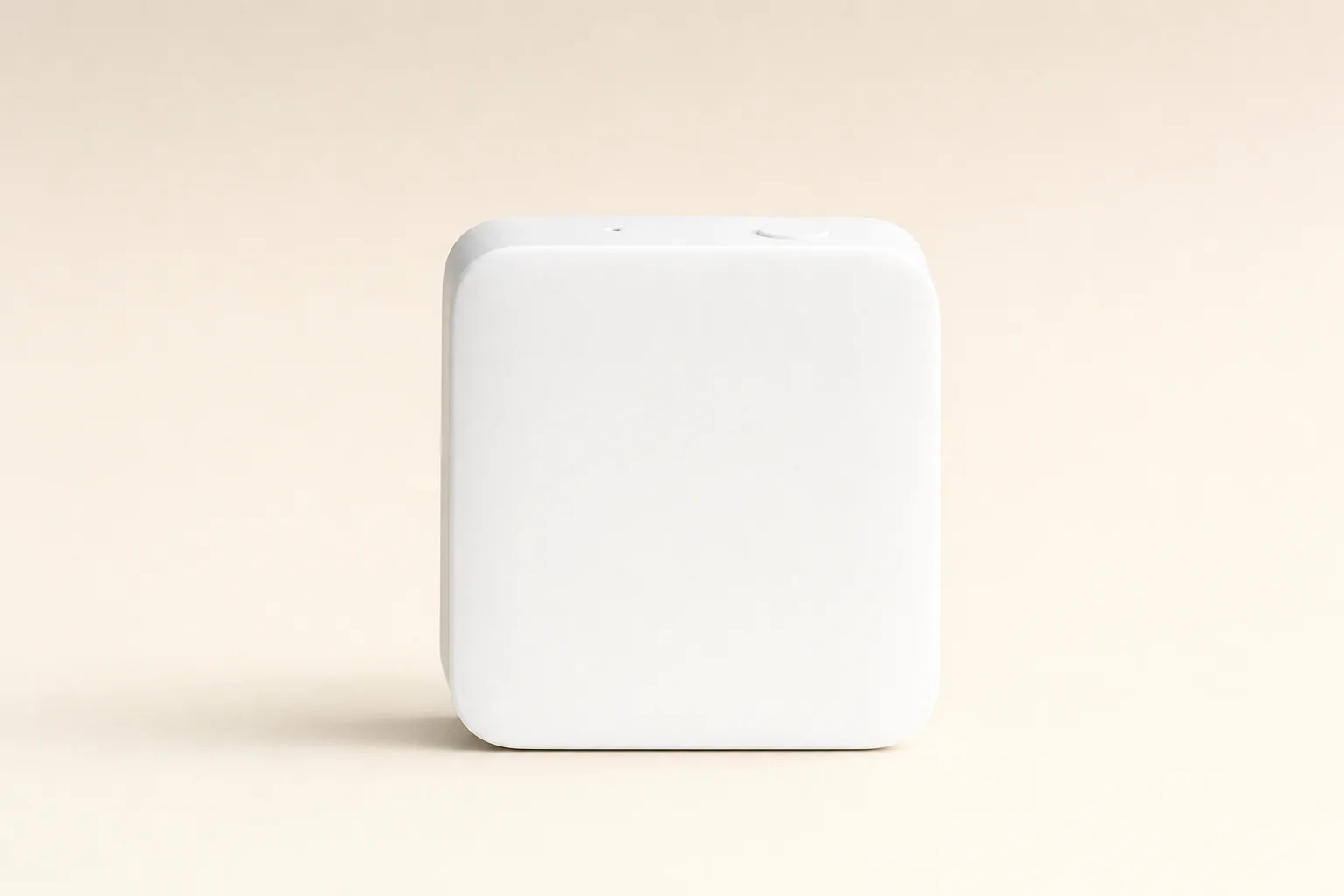
If you are starting from scratch and want the strongest technical base, Aqara is the easier recommendation. The Aqara Hub M3 is not merely a way to get one manufacturer's accessories online. It combines Zigbee 3.0, Thread, Bluetooth 5.1, Wi-Fi, Ethernet, PoE, a Matter controller role and a Matter bridge role in one neat, square hub. That is a serious amount of infrastructure for something designed to sit quietly on a shelf.
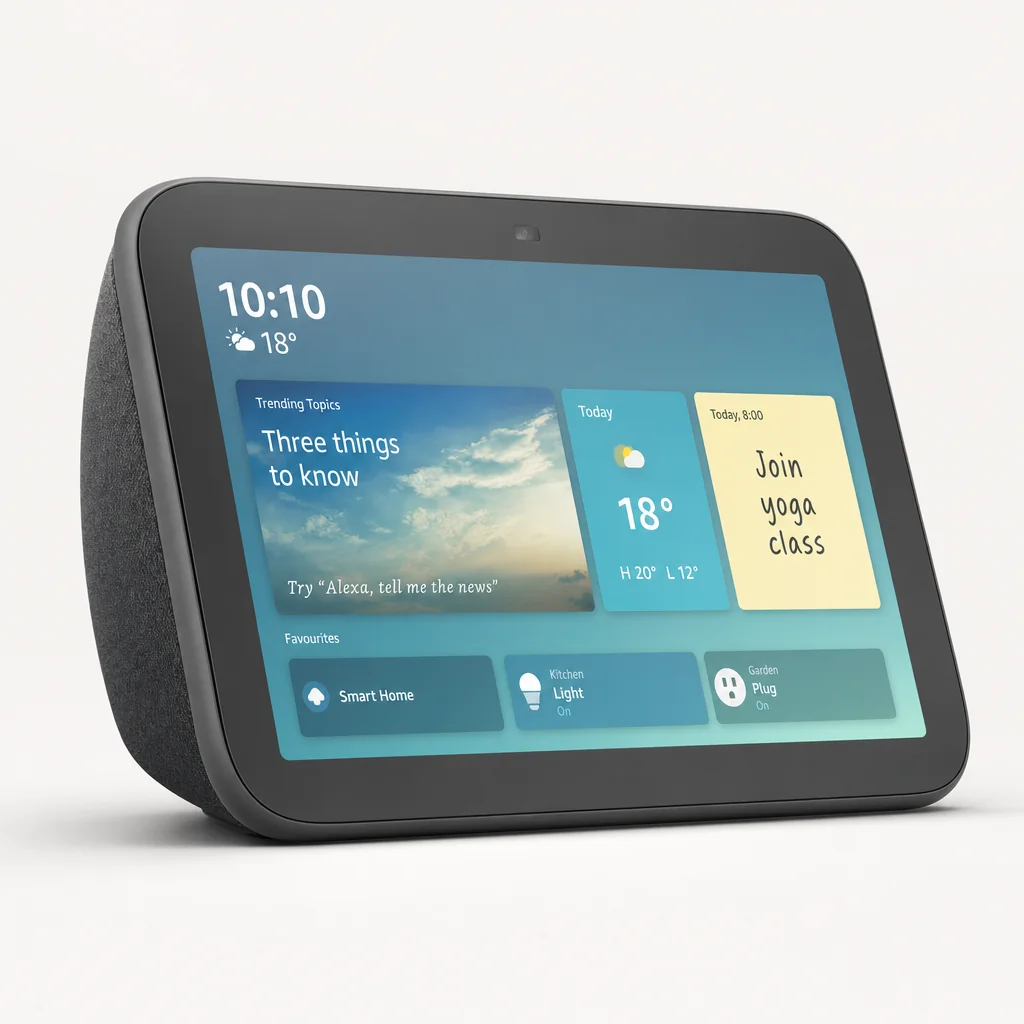
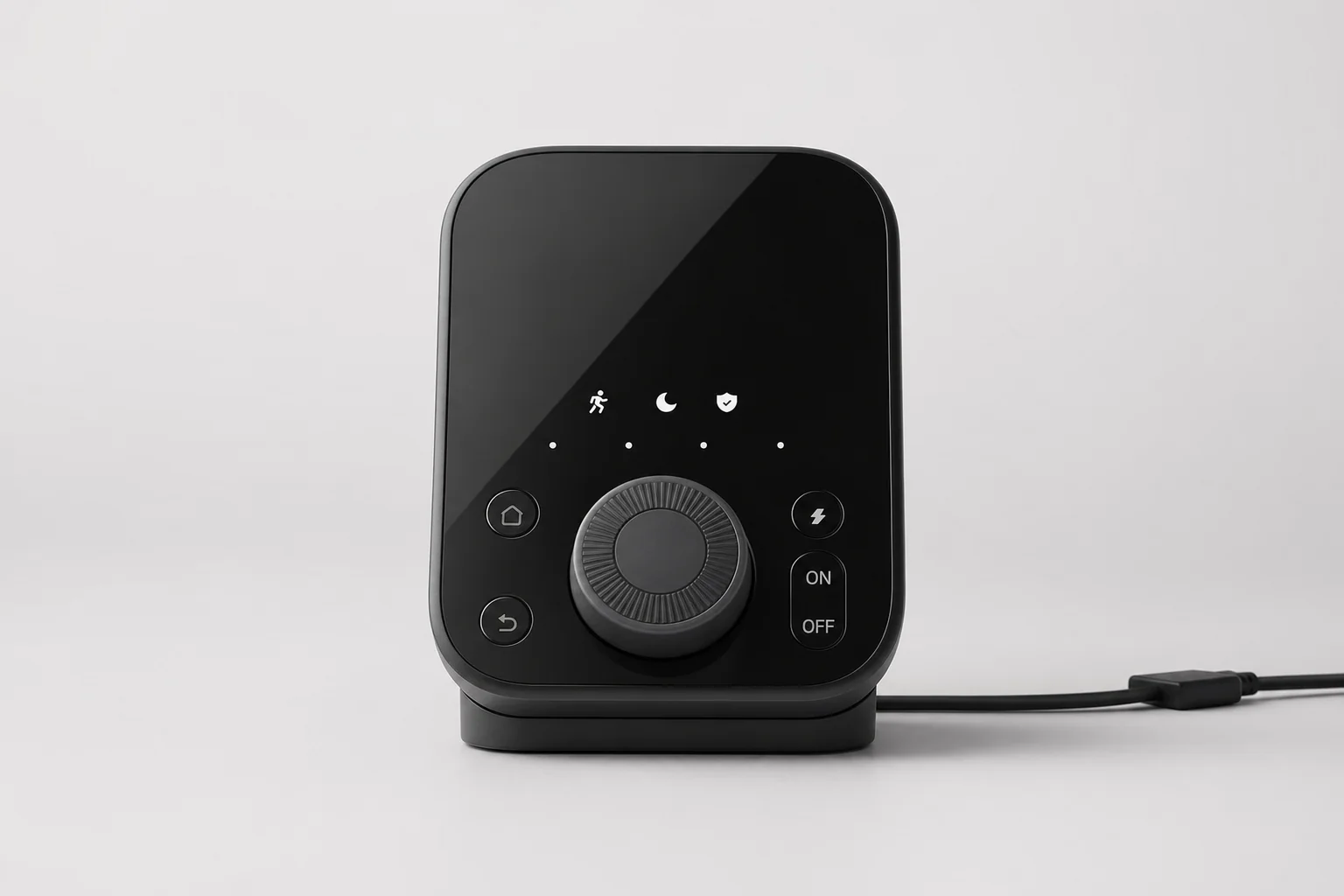
SwitchBot's Hub 3 is more immediately personable. It has a colour display, physical dial, four programmable buttons, infrared control and built-in sensing for temperature, humidity, light and presence. You can put it beside the sofa or on a bedside table and use it as an actual household control panel. Aqara's M3 is the quiet brain; SwitchBot's Hub 3 is the bit that invites somebody to turn a dial.
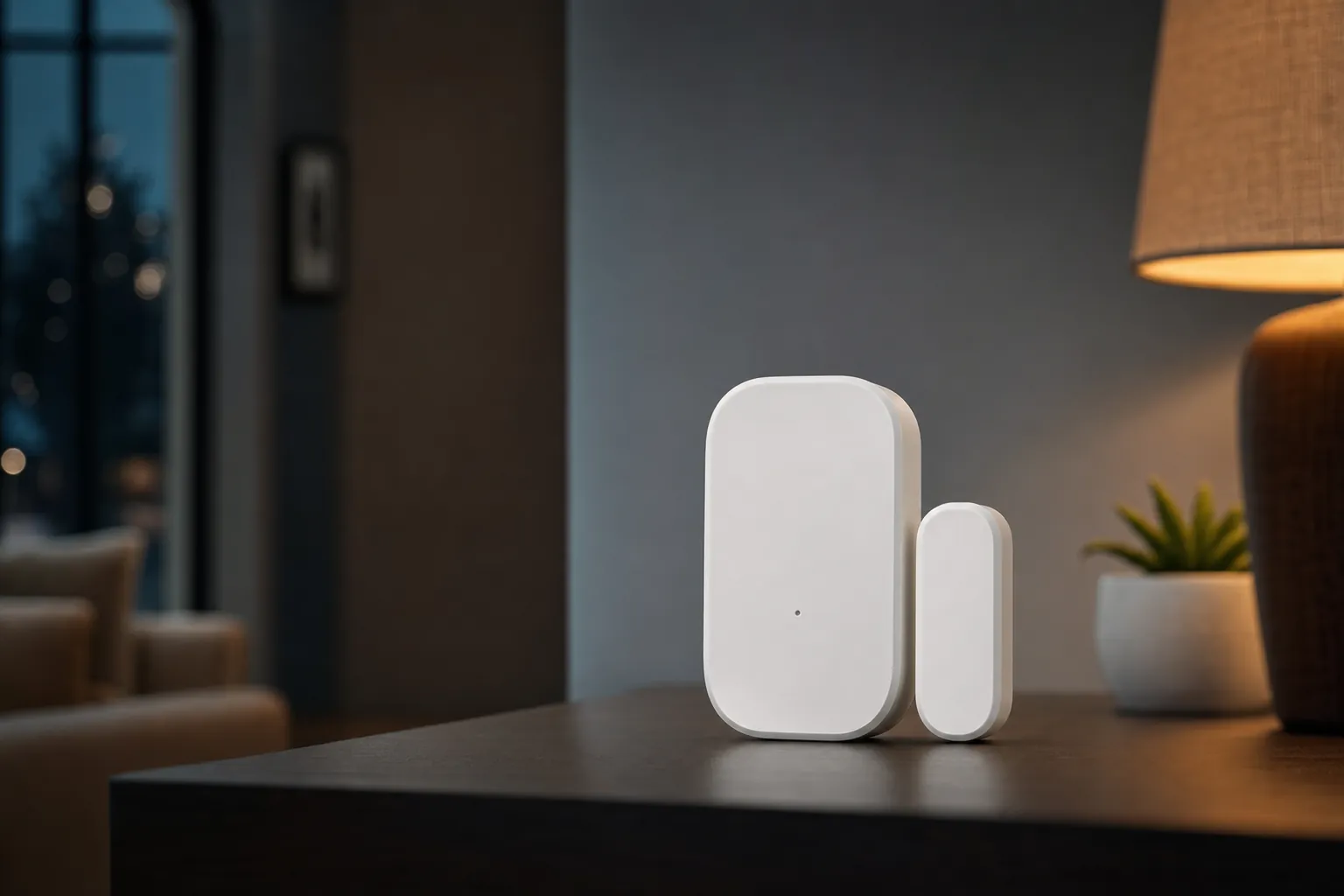
For this comparison, I have matched the products that make the decision most useful in practice: Aqara Hub M3 against SwitchBot Hub 3; Aqara Door and Window Sensor P2 against SwitchBot Contact Sensor; and Aqara Motion Sensor P1 against SwitchBot Motion Sensor. That gives us one flagship hub, one contact sensor and one movement sensor from each ecosystem. It also reveals something important: neither brand has taken a single, pure Matter-only route.
The short version
Build around Aqara Hub M3 if you want Thread and Zigbee under one roof, wired networking options and a sensible route into a larger low-power sensor network. Choose SwitchBot Hub 3 if your home is full of existing remotes, curtains, locks, appliance buttons and practical problems you would rather solve without rewiring anything.
Matter vocabulary, minus the marketing fog: a Matter controller adds and manages Matter devices; a Matter bridge exposes compatible non-Matter devices to Matter platforms; and a Thread Border Router joins a Thread mesh to your home network. Those jobs overlap sometimes, but they are not interchangeable. This is why two hubs with Matter branding can feel very different once you start expanding.
Matter is also an interoperability standard, not a promise that every special trick inside a manufacturer's app will travel perfectly into every other platform. A sensor may appear in Apple Home, for example, whilst a particular automation setting or diagnostic option remains in Aqara Home or SwitchBot's own app. That is not necessarily a failure. It is simply where the standard stood in August 2026.
The Hardware Face-Off: What You Actually Get for £129.99
At the flagship-hub level, there is no meaningful UK price advantage. SwitchBot Hub 3 was listed at £129.99. Aqara Hub M3 launched at approximately £129.99 in the UK and EU pricing position. So this is not really a fight between "premium Aqara" and "cheap SwitchBot". The first box costs broadly the same; the question is which kind of box earns its place in your home.
SwitchBot Hub 3
UK listing price for the display-equipped Matter bridge and Bluetooth hub.
Aqara Hub M3
UK launch pricing position for Aqara's multi-protocol flagship hub.
SwitchBot Hub 3
Direct US listing price, rather than a conversion of the UK figure.
Aqara Hub M3
Official US store price for Aqara's Hub M3.
That said, hub pricing is only the opening act. The cost of a smart home is determined by what you add after it: door sensors, motion sensors, blind controls, switches, locks, buttons and all the little "wouldn't it be nice if…" purchases that happen after the first successful automation. Aqara's older Zigbee sensors remain especially important here because they can be less expensive than its newer Matter-over-Thread equivalents.
| Hub specification | Aqara Hub M3 | SwitchBot Hub 3 |
|---|---|---|
| Release date | 8 May 2024 | 21 May 2025 |
| Dimensions | 105 × 105 × 36.5mm | 126 × 94 × 38mm |
| Weight | — | 190g |
| Power input | USB-C, 5V ⎓ 2A; PoE supported | USB-C, 5V ⎓ 2A |
| Wi-Fi | 2.4GHz and 5GHz 802.11 a/b/g/n/ac | 2.4GHz 802.11 b/g/n |
| Matter bridge | Yes | Yes |
| Infrared control | Built-in 360-degree IR blaster | Built-in IR remote control |
| Buy | Check price | Check price |
Physically, neither hub is huge. The M3 is a 105 × 105 × 36.5mm square; SwitchBot Hub 3 is 126 × 94 × 38mm and weighs 190g. The more important difference is not footprint but placement. Aqara makes most sense tucked somewhere sensible and central, perhaps near a router or network switch. Hub 3 rather likes being visible, because its screen, dial and buttons are wasted if it lives behind a television cabinet with the spiders.
The Hub M3 suits a permanent, central installation, whilst SwitchBot Hub 3 earns its keep when its display, dial and shortcut buttons are within reach.
Matter, Thread and Zigbee: The Radio Architecture Matters More Than the Logo
This is the section that decides the long game. The Aqara Hub M3 has Zigbee 3.0, Thread, Bluetooth 5.1, dual-band Wi-Fi, Ethernet and PoE. Aqara describes it as both a Thread Border Router and a Matter controller, alongside its Matter bridge role. In plain English, it can host Aqara's established Zigbee products, connect Thread devices into your network and take a more active role in a mixed Matter home.
That combination matters because smart homes rarely stay tidy. You might begin with two sensors and a smart plug. Six months later, there are temperature sensors in bedrooms, an automation for the hallway at night, a contact sensor on the freezer, a button by the bed and a rather elaborate rule that stops the bathroom fan running forever. It happens to the best of us.
Aqara's architecture is well suited to that gradual expansion. Its Motion Sensor P1 uses Zigbee 3.0. Its Door and Window Sensor P2 uses Matter over Thread. The M3 gives those two generations of Aqara hardware a sensible shared home. Aqara advertised support for up to 127 Thread and Zigbee devices, although the practical total naturally depends on the types of devices, firmware and how your network is built.
Aqara Hub M3: one hub, several radio jobs
Zigbee 3.0 keeps Aqara's long-running sensor range relevant. Thread makes room for newer Matter-over-Thread hardware, whilst Bluetooth 5.1, Wi-Fi and wired Ethernet handle the wider network connection.
Thread is a mesh, not just another wireless logo
Thread devices can form a low-power mesh network. A Thread Border Router is the gateway between that mesh and the rest of your home network, which is why it is a meaningful capability when buying a long-term hub.
Bridging keeps older devices useful
A Matter bridge can expose compatible devices that do not speak Matter directly. Aqara's mature Zigbee devices and SwitchBot's Bluetooth accessories can therefore still participate in a Matter-led household through their respective hubs.
SwitchBot takes a more focused route. Hub 3 connects to SwitchBot Bluetooth devices, has 2.4GHz Wi-Fi and works as a Matter bridge for SwitchBot gear. It also markets control for selected third-party Matter devices, including products such as Hue and IKEA lights. But it is best understood as a SwitchBot bridge and control centre rather than as a direct equivalent to the M3's multi-protocol foundation.
That distinction is not a criticism; it simply changes the buying logic. If your smart-home plans are built around SwitchBot Curtain, SwitchBot Lock, SwitchBot Bot, Meter products and appliance remotes, Hub 3 is exactly the kind of translator you want. If you are deliberately building a Thread and Zigbee sensor estate with a wired hub at the centre, Aqara is plainly the more natural starting point.
Do not buy a hub on the assumption that "Matter" means unrestricted compatibility with every Matter product and every advanced feature. Device type, firmware and the platform you use still shape the experience. Matter removes a lot of friction, but it has not abolished the small print.
Hubs in Daily Use: Aqara's Quiet Brain vs SwitchBot's Control Centre
The M3 is at its best when you think of it as household infrastructure. It has local automation capability, 8GB of claimed end-to-end encrypted local storage, Ethernet, PoE and a built-in 360-degree infrared blaster. It is the sort of hub you fit once, keep powered, update when required and mostly forget about. That is a compliment. The best automation usually feels a little bit boring because it simply happens.
Its infrared system is more useful than it first sounds. TVs, air conditioners and plenty of older AV equipment still rely on IR remotes. Aqara's air-conditioner integration and feedback capability give the M3 a route into appliances that would otherwise remain resolutely dumb. For a home with a wall-mounted air conditioner, an ageing television or a fan that only answers to an infrared remote, this is a handy bridge between old and new.
There is also a privacy angle. Aqara says the M3 has neither a camera nor a microphone. That makes it a reassuringly plain always-on box for people who do not want another listening device in the room just to run their automations.
Aqara Hub M3 strengths
- Local automation capability and claimed 8GB encrypted local storage.
- Ethernet and PoE support for a stable, permanent installation.
- Thread Border Router, Zigbee 3.0 hub, Matter controller and Matter bridge roles.
- 360-degree IR control for televisions, air conditioners and other infrared kit.
- No camera or microphone.
Aqara Hub M3 trade-offs
- The Aqara app can feel more complex than SwitchBot's friendlier setup experience.
- It does not include Z-Wave.
- Third-party Zigbee device support is limited rather than a free-for-all.
- Local and offline behaviour can vary by automation and firmware.
SwitchBot Hub 3 goes in another direction. Its colour display shows household information, and its dial plus four programmable buttons offer physical interaction that most smart-home hubs abandoned years ago. That matters in a shared home. A visitor should not have to install an app to lower a light level or start a familiar scene. Nor should every simple action require shouting at a voice assistant when somebody is asleep upstairs.
It also includes temperature, humidity, light and presence sensing. The result is a hub that feels less like network equipment and more like a compact smart-home dashboard. The display does not replace a phone app, but it makes basic status information glanceable. That is something SwitchBot has understood particularly well: convenience often means fewer taps, not more features.
Why the physical controls matter
The Hub 3's dial and four programmable buttons are not just decorative. They make the hub useful for somebody who wants smart-home benefits without turning every household task into a phone-based admin job. In a family kitchen or living room, that can be more valuable than another protocol acronym.
SwitchBot Hub 3's display, dial and four buttons make it a more visible part of the home than a conventional headless hub.
Contact Sensors: Native Matter Convenience vs Bluetooth Practicality
Contact sensors look wonderfully boring. They open and close. That is the point. But they are often the most useful devices in a smart home because a door or window state can trigger lights, heating, security alerts, ventilation reminders and all manner of sensible automations.
Aqara Door and Window Sensor P2 is the cleaner Matter choice. It communicates using Matter over Thread, with Bluetooth Low Energy also listed, and requires a compatible Matter and Thread Border Router. If you want to use it in Aqara Home, an appropriate Aqara Matter hub such as M3 provides the natural route. Once set up, it can be added to Apple Home, Alexa, Google Home and SmartThings through Matter.
SwitchBot Contact Sensor is a Bluetooth Low Energy device. It uses a SwitchBot hub for remote notifications, cloud access and wider automation. Its appeal is not native Thread or native Matter; it is practical sensing. Alongside open and closed detection, it includes a light sensor and motion sensing for entry and exit detection. That makes it more ambitious than a simple magnetic contact, particularly on a front door where knowing that somebody has come or gone can be useful.
| Contact sensor | Aqara Door and Window Sensor P2 | SwitchBot Contact Sensor |
|---|---|---|
| UK price | £29.99 | £29.99 |
| US price | $29.99 | $16.99 |
| Release date | 6 July 2023 | 7 June 2022 |
| Primary communication | Matter over Thread | Bluetooth Low Energy 5.0 or later |
| Battery | 1 × CR123A lithium | 2 × AAA alkaline |
| Operating temperature | -10°C to 50°C | -10°C to 60°C |
| Door/window status | Open/closed Hall sensor | Open/closed detection |
Both cost £29.99 in the UK, so the choice is much less about price than it first appears. P2 is the more future-facing sensor if you are deliberately building a Thread home and want its Matter connection to be native. SwitchBot's Contact Sensor is the more feature-packed little retrofit sensor, with its additional light and entry/exit sensing, but it belongs to the SwitchBot Bluetooth-and-hub model.
The Aqara P2 can join third-party Matter ecosystems directly through a compatible Thread Border Router. SwitchBot Contact Sensor reaches Matter platforms through a SwitchBot Matter hub. Both approaches can work well; one simply has fewer layers between sensor and platform.
Motion Detection and Battery Life: Where Aqara's Older Sensor Still Wins
Aqara Motion Sensor P1 is a useful reminder that a sensor does not need to be native Matter to be a very sensible purchase. It is a Zigbee 3.0 PIR motion sensor, powered by two CR2430 lithium batteries, with a claimed battery life of up to five years. It detects movement up to 7m away and has one unusually valuable feature for automation fans: an adjustable detection timeout from one to 200 seconds.
That timeout is more important than it sounds. A motion sensor that stays "occupied" for too long can make a hallway light linger annoyingly. One that resets too quickly can plunge you into darkness when you are sitting relatively still. Being able to tune the P1 between one and 200 seconds makes it more flexible in a bathroom, landing, pantry or home office. Aqara also includes an adjustable mounting holder, which is rather more useful than the usual sticky-pad-and-good-luck approach.
SwitchBot Motion Sensor is also a PIR sensor, but it works through Bluetooth Low Energy and relies on a SwitchBot hub for remote alerts and wider ecosystem functions. It has an advertised detection distance of up to 30ft, or approximately 9.1m, with a detection angle of up to 110° horizontally and 55° vertically. It uses two AAA batteries and has a battery-life claim of up to three years.
| Motion sensor | Aqara Motion Sensor P1 | SwitchBot Motion Sensor |
|---|---|---|
| UK price | £24.99 | £29.99 |
| US price | $22.99 | $19.99 |
| Release date | April 2022 | 7 June 2022 |
| Communication | Zigbee 3.0 | Bluetooth Low Energy |
| Battery | 2 × CR2430 lithium | 2 × AAA |
| Claimed battery life | Up to five years | Up to three years |
| Detection distance | 7m | Up to approximately 9.1m |
The P1's quietly excellent feature
Aqara's 1-to-200-second detection timeout is the reason the P1 remains appealing. It lets you tailor responsiveness to a room instead of accepting a one-size-fits-all delay. For lighting automations, that can be the difference between "this is clever" and "why has the hall light gone off again?"
On headline range, SwitchBot has the larger claimed figure. On low-power sensor architecture and configurability, Aqara wins. The P1 is also physically tiny at 33.1 × 33.1 × 41.6mm and 33g, which is useful when you do not want a sensor becoming a prominent piece of hallway décor. Neither claim should be confused with a controlled real-world battery benchmark, but five years on two small lithium cells is an attractive target for a sensor you might otherwise forget exists.
Aqara Motion Sensor P1 is compact and configurable, whilst SwitchBot Motion Sensor prioritises a wider claimed detection area and simple Bluetooth installation.
Interoperability in the Real World: The Features Matter Offers—and the Ones It Does Not
There is a difference between a device appearing in Apple Home, Google Home, Alexa, SmartThings or Home Assistant and that device retaining every single native feature it has in its manufacturer's app. This distinction is where many Matter disappointments begin. You scan a QR code, the device appears on the platform you wanted, and then you discover that a special setting, advanced automation option or manufacturer-specific readout lives elsewhere.
Aqara Door and Window Sensor P2 is the clearest example of Matter working as intended. It can join third-party Matter ecosystems, which is exactly the point of a Matter-over-Thread contact sensor. Pair it with an M3 in Aqara Home, though, and Aqara offers additional functionality inside its own ecosystem. That is not a contradiction. Matter gives you a common route in; native ecosystems often still offer the deeper cupboard full of tools.
The Motion Sensor P1 illustrates the market's transitional state just as neatly. It is not natively Matter. It is a Zigbee sensor, designed to work through an Aqara hub. Yet it remains a very practical choice because the M3 can bridge compatible Aqara devices into Matter platforms. The hardware is older, but it is hardly obsolete. In fact, mature Zigbee sensors are one reason Aqara is such a compelling ecosystem for buyers who care about expanding beyond a couple of starter gadgets.
Use the manufacturer app for setup and deeper settings
Aqara Home and SwitchBot's app remain important for configuring their own accessories and using brand-specific functionality. Matter is a useful common language, not necessarily the only interface you will ever need.
Use your preferred smart-home platform for cross-brand routines
Once devices are visible in a Matter platform, you can build broader automations around the systems you already use, such as Apple Home, Google Home or SmartThings.
Keep expectations sensible
The best buying strategy is to choose the ecosystem whose native hardware you genuinely like, then treat Matter as the interoperability layer that keeps your options open rather than as a guarantee of perfect feature parity.
Counting the Cost: Hub Price Is Only the First Line on the Receipt
At the entry level, the maths is almost comically close. An Aqara Hub M3 at its approximate £129.99 UK launch position plus an Aqara Door and Window Sensor P2 at £29.99 came to approximately £159.98. SwitchBot Hub 3 at £129.99 plus SwitchBot Contact Sensor at £29.99 came to exactly the same £159.98.
So, no: SwitchBot was not automatically cheaper at the hub level. It may feel like the simpler retrofit brand because its product range is built around practical add-ons, but its current flagship hub costs the same broad amount as Aqara's flagship. The difference appears later, once you decide whether you need native Matter-over-Thread sensors, lower-cost Zigbee sensors, curtain controls, locks, Bots or infrared appliance control.
Aqara Thread starter
Hub M3 at approximate £129.99 launch position plus P2 contact sensor at £29.99.
SwitchBot starter
Hub 3 at £129.99 plus Contact Sensor at £29.99.
Aqara Motion Sensor P1
Lower-cost Zigbee motion sensor with an up-to-five-year battery claim.
SwitchBot Motion Sensor
Bluetooth motion sensor with an up-to-three-year battery claim.
For a buyer whose plan is primarily environmental sensing, motion detection and contact detection, Aqara's legacy Zigbee products provide a cost-conscious expansion route. For somebody who wants to automate existing curtains, locks, appliance buttons and IR-controlled products, SwitchBot's value is less about the unit cost of a contact sensor and more about avoiding replacement work. A renter does not necessarily need a technical masterpiece; they need the curtain to close at sunset without drilling holes in somebody else's wall.
Buy for the next ten devices, not only the first two
A £129.99 hub is only expensive if it leads you into an ecosystem you outgrow. Before buying, make a rough list of the next rooms you want to automate. Sensors-heavy home? Aqara has the stronger foundation. Existing appliances, curtains and physical controls? SwitchBot can save a remarkable amount of faff.
The entry price is effectively tied in the UK; the bigger cost question is what type of accessories you expect to add over the next year or two.
Reliability, Privacy and Installation: The Boring Details You'll Notice Every Day
It is tempting to choose a hub based on the flashy bit: a display, a Matter logo or a list of supported assistants. But installation details decide whether a smart home feels dependable or merely clever on a good day.
Aqara Hub M3 has a clear advantage for a fixed installation. It supports Ethernet and PoE, so you can place it near a network switch, give it a stable wired connection and even power it through the same Ethernet cable where your setup allows it. It also supports USB-C power and can work with a power bank or mini-UPS, which is useful if you want the hub to ride through a brief power interruption.
SwitchBot Hub 3 uses USB-C power and 2.4GHz Wi-Fi. That makes setup straightforward and placement flexible, particularly if the hub needs to be in the same room as infrared-controlled appliances. The trade-off is that it does not offer the same wired-networking route as Aqara's M3. If your Wi-Fi is flaky in the room where your television and air conditioner live, that is worth thinking about before committing.
Both hubs are mains-powered and neither has an internal battery. The sensible plan is therefore to position either hub where it has reliable power and a good network signal. A hub tucked into the furthest corner of a sprawling house may look tidy but can create the sort of troubleshooting evening nobody enjoys.
Installation wins for Aqara
- Ethernet and PoE support offer a more robust permanent-install option.
- Dual-band Wi-Fi gives more flexibility than 2.4GHz-only networking.
- USB-C support allows use with a power bank or mini-UPS.
- Local automation and claimed encrypted local storage reduce reliance on cloud services for supported tasks.
Installation wins for SwitchBot
- Hub 3 is designed to sit in the room where people will use its display and controls.
- Its IR control is immediately useful beside televisions and air conditioners.
- The screen, dial and buttons reduce dependence on apps and voice assistants.
- Bluetooth accessory support fits the brand's retrofit-focused products naturally.
Aqara's local automation design is a genuine advantage, but local behaviour still depends on the individual automation and firmware. The most sensible approach is to test your important rules—such as lighting, heating safety or leak alerts—rather than assuming every cloud-linked feature will behave identically during an internet outage.
Which Ecosystem Fits Your Home? Four Buying Scenarios
There is no absolute winner because these ecosystems solve different problems. Aqara is the stronger choice when you want to build a home automation system. SwitchBot is the more compelling answer when you want to make an existing home behave better with as little upheaval as possible. That distinction sounds subtle until you live with the result.
Aqara Hub M3

See Aqara Hub M3 on Amazon UK
Check today's price & availability on Amazon UK
Choose Aqara if you want Thread, Zigbee 3.0, a Matter controller, a Matter bridge, Ethernet, PoE and a hub that can sit at the centre of a growing low-power sensor network.
SwitchBot Hub 3

See SwitchBot Hub 3 on Amazon UK
Check today's price & availability on Amazon UK
Choose SwitchBot if your priority is working with what you already own: IR appliances, curtains, locks, button-operated devices and Bluetooth sensors, without a rewiring project.
Aqara Hub M3 + Motion Sensor P1
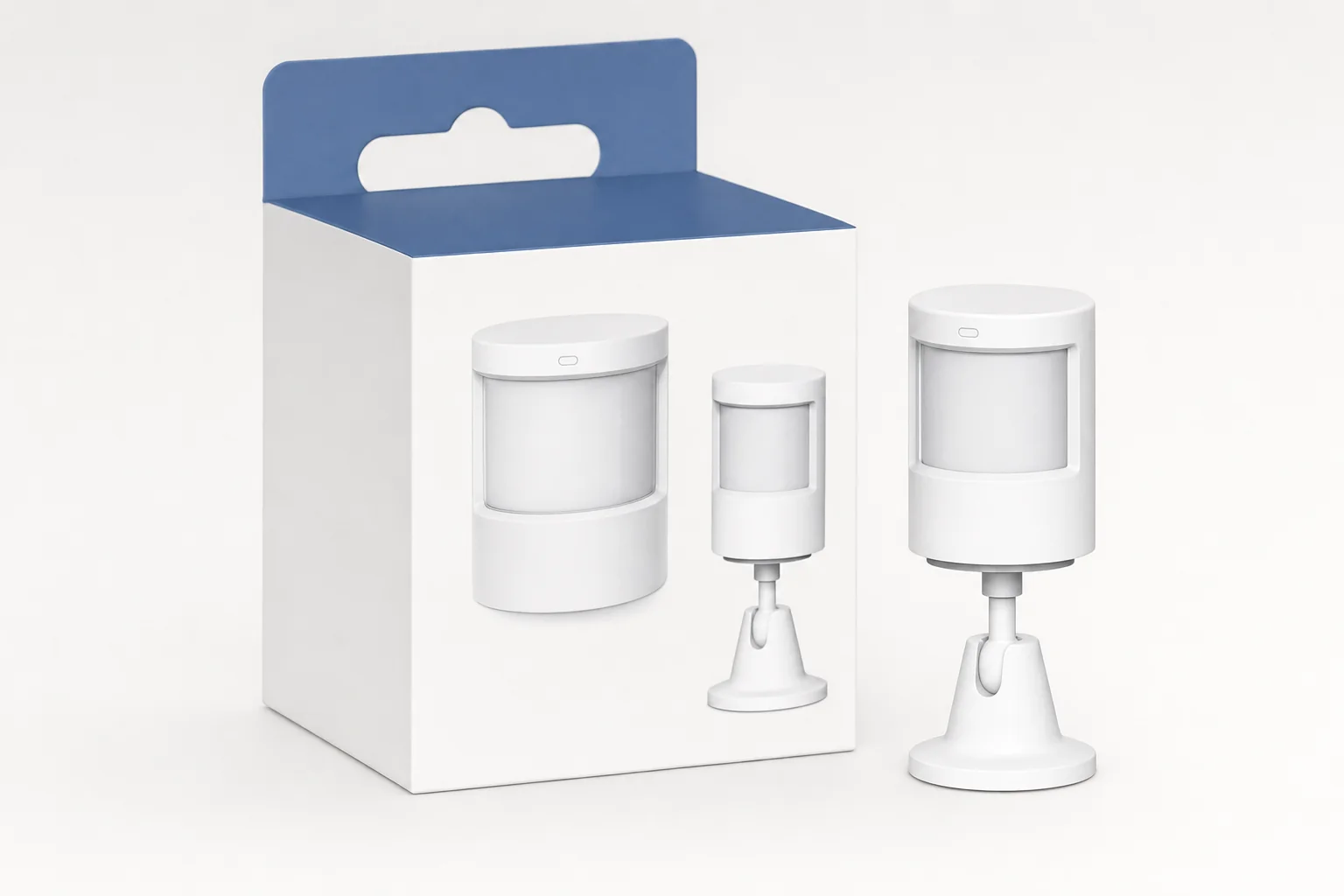
Aqara is the better fit for a sensor-led smart home. The P1's Zigbee 3.0 radio, adjustable timeout and up-to-five-year battery claim are exactly the kind of practical details that matter once sensors multiply.
SwitchBot Hub 3
The colour display, dial and four programmable buttons make Hub 3 the friendlier choice for a shared household where not everyone wants to use an app for every basic action.
The technical builder should also consider what happens if they change platforms in future. Aqara's combination of Matter, Thread and Zigbee is simply more flexible for that kind of thinking. You might run Apple Home today, add Home Assistant later, and still want a sensible route for both your established Zigbee sensors and newer Thread products. M3 was made for that sort of mixed household.
By contrast, the SwitchBot buyer often has a very obvious goal. Perhaps the bedroom curtains need automating. Perhaps the old air conditioner has an awful remote. Perhaps a rental flat has a buzzer, light switch or appliance button you cannot replace. Perhaps you just want a proper physical dial by the sofa. In those cases, SwitchBot's ecosystem feels unusually grounded in real-world nuisance removal.
The best ecosystem is not the one with the longest specification sheet; it is the one that makes the next room you want to automate easier rather than harder.
The Verdict: Aqara Builds the Stronger Foundation, SwitchBot Makes Retrofitting Easier
For the technical foundations, Aqara Hub M3 takes the win. It is the more complete smart-home hub: Matter controller and bridge roles, Thread Border Router capability, Zigbee 3.0, Bluetooth 5.1, dual-band Wi-Fi, Ethernet, PoE, infrared control, local automation and 8GB of claimed end-to-end encrypted local storage. That is not just a feature checklist. It gives you several sensible ways to build and expand a home over time.
For approachable retrofit control, SwitchBot Hub 3 is the better buy. Its colour display, physical dial, four programmable buttons, IR remote functionality and built-in temperature, humidity, light and presence sensing give it a day-to-day personality that Aqara's M3 deliberately lacks. It is the hub I would point towards for somebody who wants less fiddling, more tangible control and a simple way to bring existing appliances into the smart-home fold.
At £129.99 for SwitchBot and approximately £129.99 for Aqara's launch pricing position in the UK at the flagship hub level, neither is a bargain-basement choice. But both can earn their price quickly when they remove repetitive tasks and make rooms behave in the way you actually want. Aqara is the better ecosystem to build around if you care most about the invisible engineering. SwitchBot is the better ecosystem to build around if you care most about adapting the home you already have.
Aqara wins the infrastructure argument; SwitchBot wins when hands-on controls and retrofitting existing household kit are the priority.
Bottom line
Buy Aqara Hub M3 for a long-term Matter, Thread and Zigbee smart-home foundation with Ethernet, PoE and strong sensor-network potential. Buy SwitchBot Hub 3 for a friendlier retrofit hub that combines IR control, environmental sensing, a display, a dial and real physical shortcuts. Both are capable; they simply make different promises.
Frequently Asked Questions
- Aqara Hub M3View on Amazon
- SwitchBot Hub 3View on Amazon