
Smart Home Starter Kit UK: The Best Gadgets to Begin With
Building your first UK smart home in 2026? Here's the practical starter-kit guide - what to buy, what to skip, the right order to add things in, and how to avoid the dozen-different-apps trap most smart home beginners fall into.
We link to the exact model on Amazon UK. Prices change often, so check the live price before you buy. As an Amazon Associate we earn from qualifying purchases.
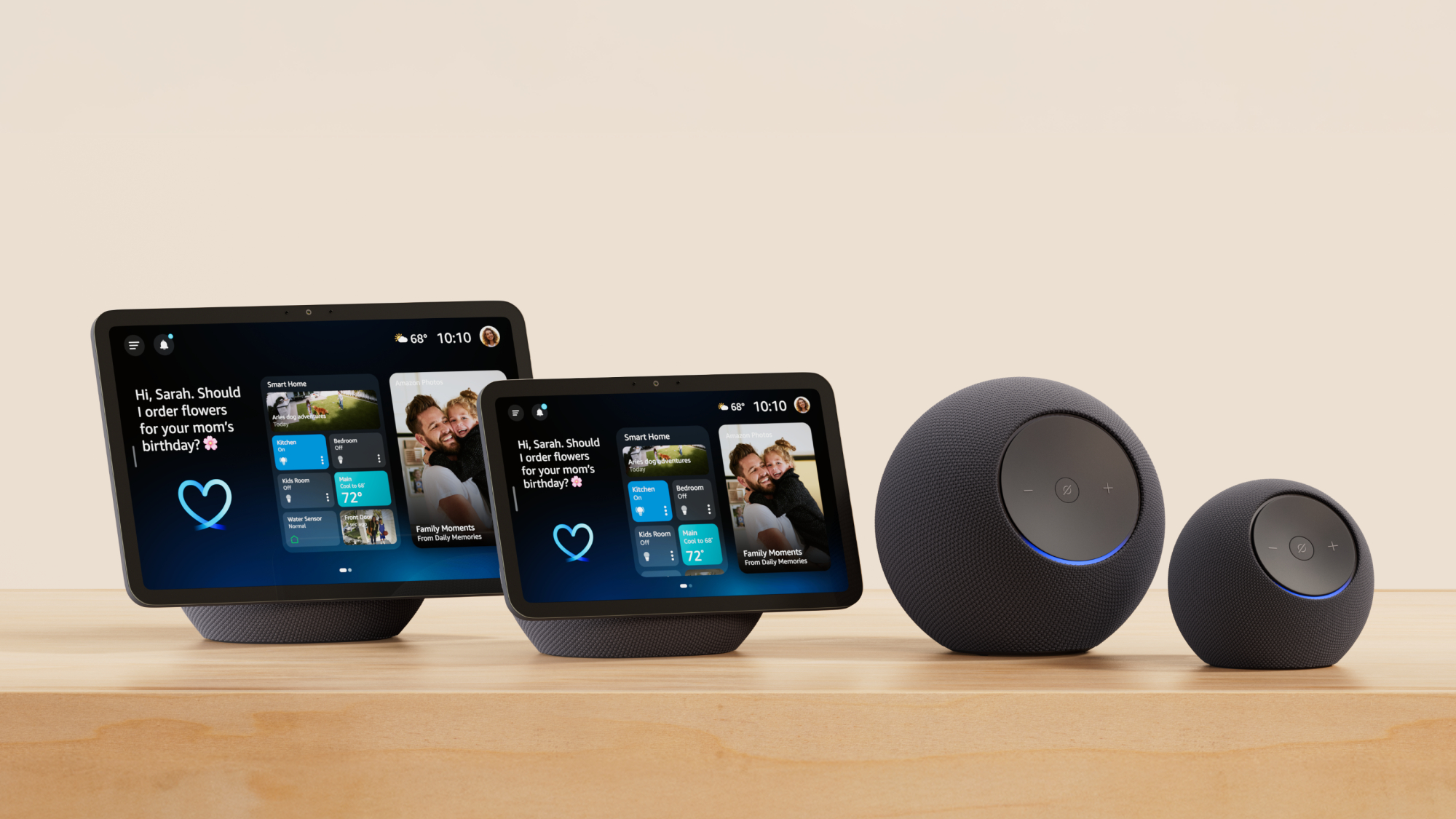
An Echo Dot, smart plug and smart bulb - the simplest UK smart-home starter kit you can build for well under £80.
1. What 'smart home' actually means in 2026
'Smart home' has gone through three eras. The first (2014-2018) was the Wild West - hundreds of incompatible standards, every brand its own walled garden. The second (2018-2024) was the consolidation phase - Alexa, Google Home and Apple Home emerged as the three big platforms, plus Samsung SmartThings as a fourth. The third era - which we're firmly in now - is the Matter era. Matter is a cross-platform smart home standard backed by Apple, Amazon, Google and Samsung. New devices supporting Matter work with all four major platforms simultaneously - and as of 2026 even the Philips Hue Bridge has been updated to expose every Hue light and accessory as a Matter device.
For a UK beginner in 2026, this means three practical things:
- You don't have to commit to one ecosystem forever. Buy Matter-compatible devices and you can switch between Alexa, Google Home and Apple Home later.
- Cross-brand interoperability finally works - a Hue bulb, a Tapo plug and an Eve sensor can all live in the same Apple Home app even though the underlying brands are different.
- 'Works with' has actual meaning again - the Matter logo on a box means it really does work across platforms, unlike the dubious 'Works with Alexa' badging of years past.
What a smart home actually does (the realistic version)
- Turns lights on at sunset and off at midnight, automatically.
- Plays music, podcasts, radio when you ask.
- Tells you who's at the door without you opening it.
- Switches the heating on remotely, schedules it to warm rooms before you arrive home.
- Vacuums the floor while you're at work.
- Reminds you to take an umbrella when it's about to rain.
- Sets a timer when you're cooking and your hands are wet.
What it doesn't do (despite the marketing)
- Save you significant money on bills - with one genuine exception: smart heating, which tado° claims can save around £244 a year (about 22% of a typical UK gas heating bill) through better scheduling and geofencing.
- Make your home meaningfully more secure than a decent lock would (it changes which threats you can detect, not the lock itself).
- Become 'self-aware' or genuinely intelligent.
- Replace good housekeeping habits.
It does, however, take a fair bit of friction out of daily life and genuinely make a home feel calmer. The goal is small, useful automations that fade into the background, not a sci-fi command centre.
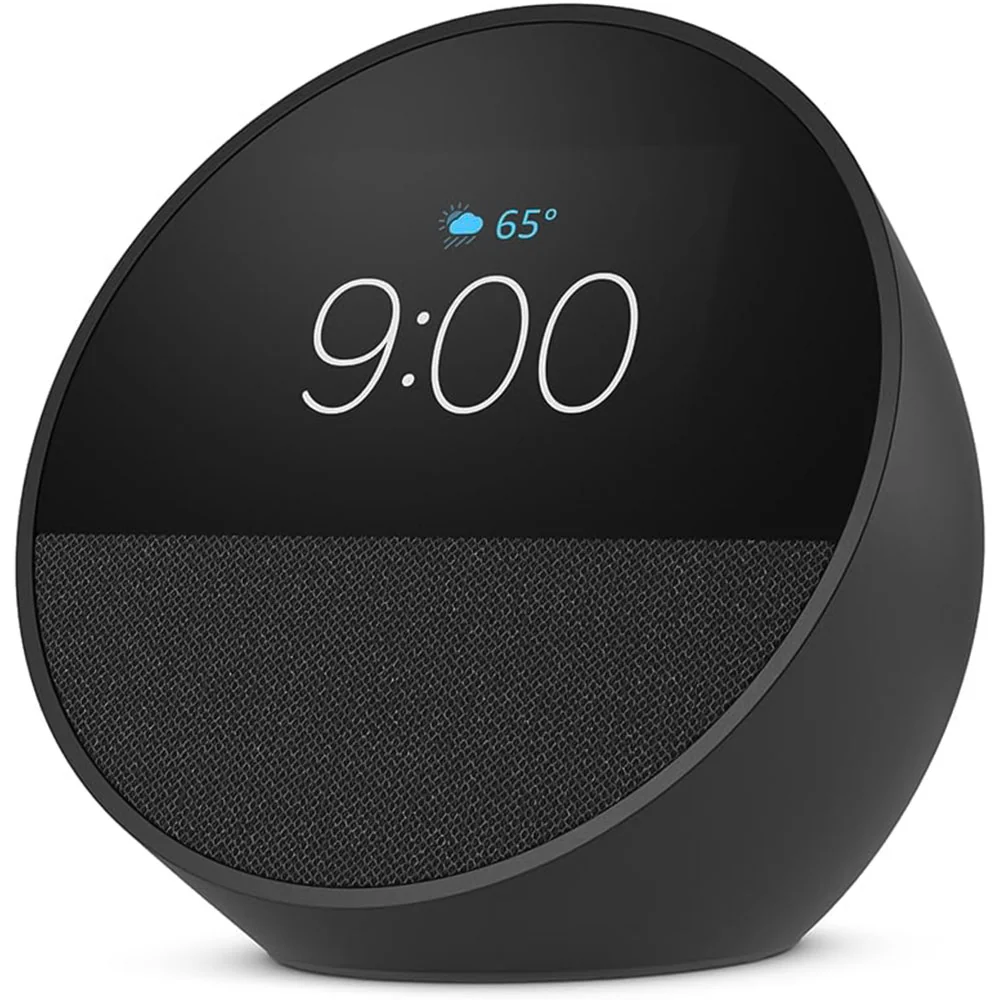
A smart home is a series of small everyday automations - lights at dusk, heating before you arrive, music on demand - not a command centre.
2. The order to add things in (the staircase)
Most smart home beginners fail because they try to do everything at once. Here's the order we recommend - you can stop at any step and already have a useful smart home.
Step 1: Wi-Fi reliability and a voice assistant (week 1)
Before any smart device, your Wi-Fi has to be solid. Smart home devices accumulate; if your router struggled with three devices it will fail with thirty. Then pick a voice assistant - Alexa, Google Home, or Apple Home (HomeKit). a smart speaker is only a hub for the radios and ecosystems it explicitly supports.
Step 2: A smart plug (week 1-2)
The cheapest, easiest first device. Plug a lamp into it, voice- control the lamp. Schedule it for sunset/sunrise. Five minutes of setup, immediate utility. (See our 'Best Smart Plugs for Alexa UK' guide for specific recommendations.)
Step 3: Smart speakers / displays (week 2-3)
An Echo Dot, Echo Show, Google Nest Mini or HomePod Mini in the kitchen. This is the device that makes voice control hands-free.
Step 4: A few smart bulbs (week 3-4)
For lamps where you want dimming or colour. Hue, Tapo, IKEA or Innr.
Step 5: Smart heating (month 2)
The first device that genuinely saves money - and with the Ofgem price cap keeping winter energy costs high, smart heating is the one upgrade that actively pays for itself. Hive, tado°, Honeywell.
Step 6: Doorbell / camera (month 2-3)
Once the basics work, security and visibility devices add real value. Ring, Nest, Eufy.
Step 7: Robot vacuum (month 3+)
One of the bigger lifestyle improvements but also one of the bigger upfront costs. (See our 'Best Robot Vacuum and Mop UK 2026' guide for picks.)
Step 8: Smart locks, garden lighting, smart curtains, etc. (year 2+)
The 'I really love my smart home' tier. Optional, often expensive, genuinely nice when working but not where to start.
The single rule
Don't add the next device until the previous one is working reliably and you've used it for a week. Adding too many devices too fast makes the whole thing feel fragile and frustrating; adding them gradually means each new device improves life measurably.
3. Pick a voice assistant first (Alexa vs Google vs Apple)
This is the single most important early decision. Your voice assistant is the central hub - everything talks to it, you control everything through it, and switching later is painful.
Amazon Alexa
The most popular UK choice. Cheapest hardware (Echo Pop is genuinely inexpensive, and the Echo Dot 5th Gen regularly drops to around £35 in sales), widest device support, the easiest setup experience. Ecosystem of skills is enormous. The downside: Alexa shows you ads and tries to upsell Amazon services. Privacy is acceptable but not strong - voice queries go to Amazon's servers.
See Amazon Echo Pop (Alexa speaker) on Amazon UK
Google Home
Shop Google Home on Amazon UK
Better at general knowledge questions and conversational queries. Strong for households with Pixel phones, Chromecasts, or YouTube Music subscriptions. Hardware (Nest Mini, Nest Hub) is good but a narrower range than Echo. Privacy is similar to Alexa - voice queries go to Google.
Apple Home (HomeKit)
Shop Apple Home (HomeKit) on Amazon UK
The privacy-positive option. Most processing happens locally on a HomePod or Apple TV; queries don't go to Apple's servers in the same way. Strong if your household is iPhone-first. The HomePod Mini (£99) is the most affordable entry point, though it's still pricier than the Amazon/Google equivalents. Note that remote access to Apple Home accessories needs a home hub (a HomePod or Apple TV) in the house. An iCloud+ subscription is not required simply to control accessories remotely — that is for features such as secure video recording. Device range is smaller but Matter is improving this rapidly.
Samsung SmartThings
Shop Samsung SmartThings on Amazon UK
The fourth option, especially if your TVs and appliances are Samsung - and now relevant for IKEA fans too, since IKEA's new range launched with SmartThings as a partner. Strong for families with Samsung phones / appliances. Less popular in the UK than Alexa or Google but very capable. The main caveat is that Samsung's long-term commitment to the platform has wavered over the years.
The decision tree
- iPhone household, privacy-conscious: Apple Home.
- Mostly Android, want easy setup: Alexa.
- Mostly Android, want best AI: Google Home.
- Mixed household, undecided: Alexa - cheapest hardware to experiment with.
- Samsung phone + Samsung TV: SmartThings.
You can run two systems if needed
Many UK households end up with Alexa as the daily-driver voice assistant and Apple Home as a privacy-respecting backup for sensitive devices (smart locks, cameras). Matter-compatible devices register in both. Don't overthink the decision; you can change your mind in year two.
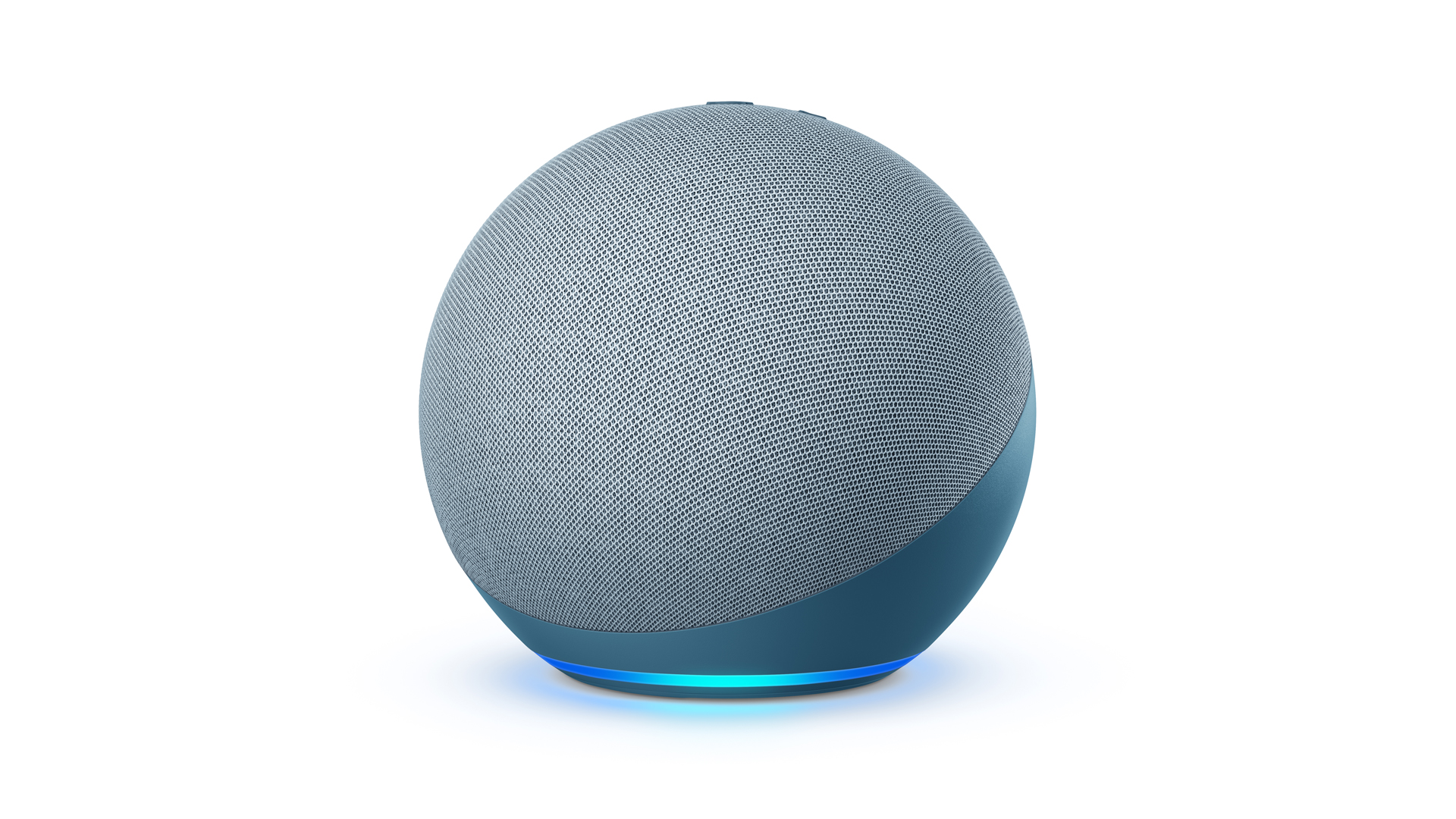
Echo, Nest Mini and HomePod Mini - the three smart speakers that anchor most UK smart homes.
4. The Wi-Fi reality - what your network needs
The biggest cause of 'my smart home is rubbish' isn't the smart devices. It's the Wi-Fi. Smart devices are unforgiving - they need constant, reliable connectivity.
How many devices do typical UK smart homes have?
- Beginner (year 1): 5-15 smart devices (plugs, bulbs, speakers, doorbell).
- Intermediate (year 2-3): 20-40 devices.
- Advanced (year 4+): 50-100+ devices.
Each smart device sits on your Wi-Fi using one IP address and periodically checking in. A 1990s router built for a desktop and a laptop will collapse around 30 devices. Modern routers handle 200+ without breaking a sweat.
What your router needs
- 2.4GHz Wi-Fi support - virtually every smart device uses 2.4GHz, not 5GHz. Router must broadcast 2.4GHz.
- Capacity for 50+ simultaneous devices - older routers cap at 30 or so.
- WPA2 or WPA3 security - WPA3 is stronger; WPA2 is acceptable.
- Reliable signal in every room - smart devices in the cellar, attic and garden all need to work. Mesh systems often help.
If your current router is more than 4-5 years old or your ISP- provided one struggled with the family's phones and laptops, upgrading the router is the single best smart-home investment you can make. See our 'Best Wi-Fi 7 Routers and Mesh Systems UK 2026' guide for specific recommendations.
The IoT network trick
Most modern routers (TP-Link Deco, Asus, Eero) let you create a separate Wi-Fi network just for smart home devices - typically called 'Guest' or 'IoT' network. use an isolated IoT or guest network only after checking whether client isolation blocks the local discovery and controller traffic your devices need.
Smart-home protocols other than Wi-Fi
- Zigbee - low-power mesh protocol used by Hue lights, many smart locks, sensors. Needs a hub (an Echo with Zigbee, a Hue Bridge, a SmartThings hub).
- Thread - newer low-power mesh, supported by Matter. Devices using Thread don't need a separate hub if you have a 'Thread border router' (newer Echos, HomePod Mini, Nest Hub Max).
- Z-Wave - older mesh protocol, less common in UK consumer use; popular for high-end alarm systems.
- Bluetooth - some smart locks and sensors. Range is limited; really only practical at close range.
You don't need to know these in detail to start. They become relevant once you have 20+ devices and want to add lights or sensors that don't burden the main Wi-Fi.
5. Smart plugs - the cheapest, best first buy
If you can buy only one smart device to start, make it a smart plug. They're cheap, easy to set up, and immediately useful. Plug a lamp, fan, Christmas tree, or coffee machine into one and control the appliance by voice or schedule.
What we recommend for UK beginners
- TP-Link Tapo P110 / P110M (~£12-18) - the standout budget pick, and the only sub-£20 plug with real-time energy monitoring. The P110M adds Matter; both are rated at UK 13A (2,990W) with easy setup via Alexa or Google Home. One caveat that matters more than the headline figure: TP-Link limits capacitive or inductive loads — motors, compressors, pumps — to roughly a sixth of that, about 500W / 2.2A. Check the appliance before plugging in anything with a motor. The one catch is that the standard P110 needs a Tapo account and has no HomeKit support.
- Meross Matter Smart Plug (~£18-25) - works natively across Apple Home, Alexa and Google Home out of the box, a good cross-platform choice.
- Eve Energy (Matter) (~£35-50) - the premium HomeKit pick, with Matter + Thread and 100% local processing, no cloud account required.
- TP-Link Tapo P100 4-pack - the best value if you want to put plugs on multiple lamps in one go.
For a much deeper guide on smart plugs - including UK 13A safety, energy monitoring, lamp-specific picks and what NOT to put on a smart plug (irons, hair straighteners, certain heaters) - see our companion article 'Best Smart Plugs for Alexa in the UK'.
What to put a first smart plug on
- The lamp you most often forget to turn off.
- A side-table lamp you'd like on at sunset.
- The Christmas tree (December).
- A heated towel rail in the bathroom (with care - see safety notes).
- A coffee machine you'd like ready in the morning.
What to never put on a smart plug
- Irons
- Hair straighteners
- Tumble dryers
- Slow cookers (food safety)
- Anything with an open flame or oil
- High-draw kettles or heaters above the plug's 13A / 2.3kW limit
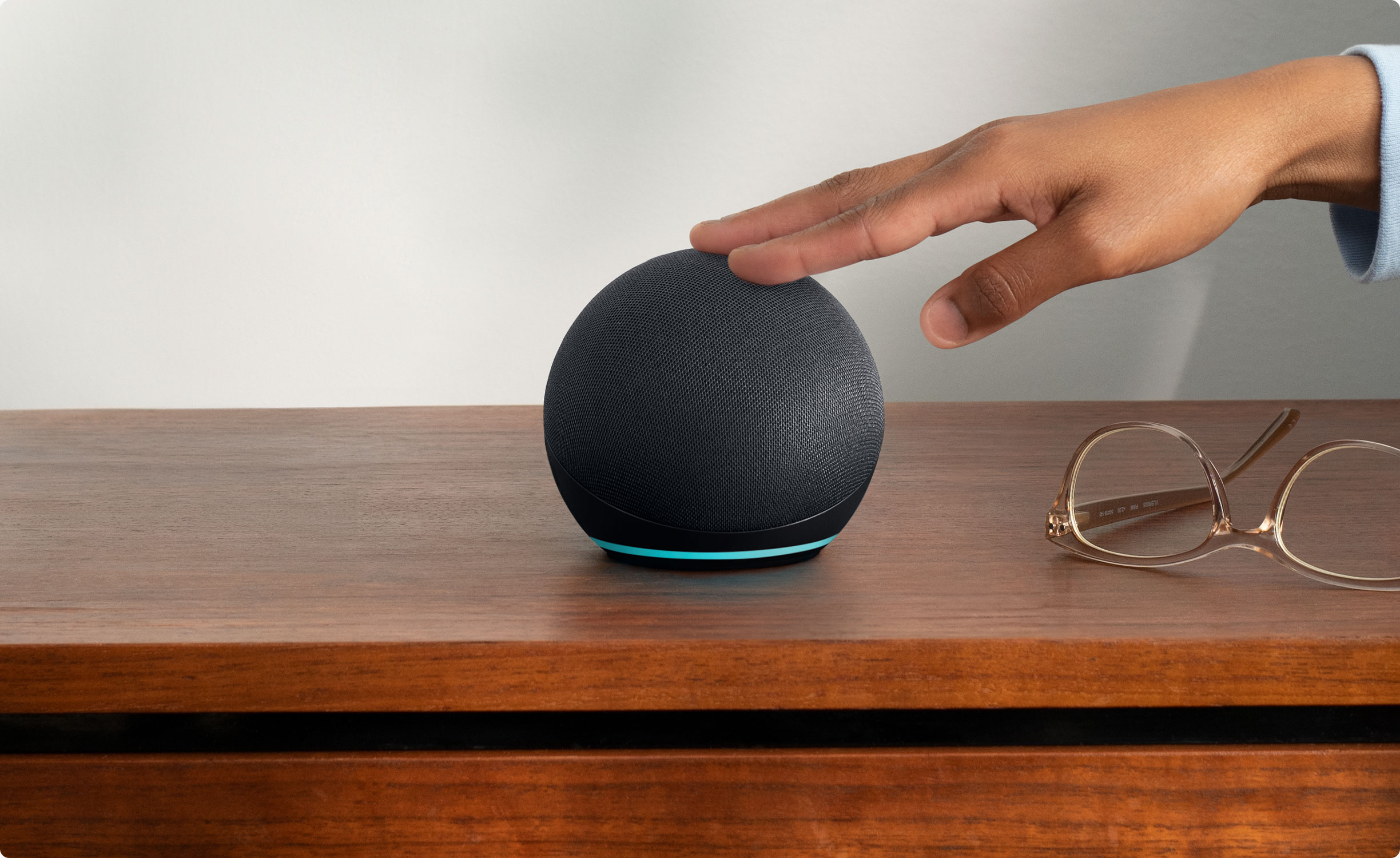
A single smart plug + a lamp + an Echo Dot is the entire MVP smart home. Add from there as you find the value.
6. Smart bulbs and lighting
The next obvious upgrade after smart plugs - except for two specific needs:
- Dimming. A smart plug only switches on/off; smart bulbs can dim.
- Colour. Coloured bulbs change scenes, ambience, mood lighting.
Smart bulbs cost more per device than smart plugs. We'd suggest starting with one or two for specific uses, not replacing every bulb in the house from day one.
The big brands in UK smart bulbs
- Philips Hue - the gold standard. Excellent app, reliable, requires the Hue Bridge (a small ~£50 hub, now Matter-enabled) for full features. Individual bulbs run from around £15-£40, and a Bridge-plus-three-colour-bulb starter kit is typically £180-£220.
- IKEA (TRÅDFRI / DIRIGERA) - the new budget champion. IKEA relaunched its entire range as Matter-compatible in late 2025, and a starter setup of three colour bulbs plus the DIRIGERA hub (~£55) costs around £90 - roughly half the Hue equivalent. The DIRIGERA hub exposes IKEA devices over Matter to Apple Home, Google Home, Alexa and SmartThings. One caveat for UK homes: IKEA is quietly phasing out its B22 bayonet smart bulbs, so check the fitting before you buy.
- TP-Link Tapo - excellent value, Wi-Fi-based (no hub needed), Matter-compatible. Bulbs from £8-£20 each.
- Innr - works with the Hue Bridge as a Hue-compatible alternative at lower cost. Bulbs from £10-£25.
The 'do you need a hub?' question
Hue bulbs use Zigbee and need the Hue Bridge for the best experience (full Hue scenes, faster response, up to 50 bulbs in one ecosystem). Tapo bulbs use Wi-Fi and don't need a hub but each one takes up an IP address on your Wi-Fi. For a few bulbs, Tapo's Wi-Fi approach is simpler. For 10+ bulbs, a hub-based system like Hue or IKEA's DIRIGERA is more elegant - the hub handles routing without overloading Wi-Fi.
White vs Colour
- White-only smart bulbs - cheapest. Schedule on/off, dim. Useful for hallways and 'practical' rooms.
- White ambience smart bulbs - mid-tier. Adjustable from warm yellow to cool blue-white. The most useful upgrade for living rooms - cool white in the morning, warm white in the evening.
- Colour smart bulbs - top tier. Full RGB colour change (Hue offers over 16 million shades). Useful for mood scenes, kids' rooms, accent lighting. Overkill for ceiling lights you mainly use as actual room lighting.
Smart light switches
An alternative to smart bulbs is a smart switch - the wall switch itself becomes smart, controlling the existing 'dumb' bulbs. This preserves the muscle-memory of physical switching. Aqara, Innr, and some Hive switches do this. Installation needs UK electrical competence - we recommend a qualified electrician.
7. Smart speakers and displays
The voice assistant lives in a smart speaker. After the first one, adding more lets you control the home from any room.
Echo (Amazon)
- Echo Pop - smallest, cheapest. Bedside or bathroom. Tinny audio for music.
- Echo Dot (5th gen) - the bestseller. Better speaker than Pop (a 44mm front-firing driver), full Alexa features. Includes a temperature sensor and accelerometer (tap to pause music or silence alarms) - both handy in routines. Often £35 or so in sales, with a Clock version at £64.99.
- Echo (4th gen) - bigger, much better speaker for music. Built-in Zigbee hub - useful for Hue and other Zigbee devices.
- Echo Show 5 / 8 / 11 - with screen. Useful in the kitchen for timers, recipes, video calls. The Show 11 has a swivel mount that follows you across the room.
- Echo Studio - flagship music speaker.
See Amazon Echo Pop on Amazon UK
Nest (Google)
See Nest (Google) on Amazon UK
- Nest Mini - small, cheap, Google's equivalent to Echo Dot.
- Nest Audio - mid-tier, better sound.
- Nest Hub (2nd gen) - 7-inch screen with sleep tracking sensor. Excellent kitchen/bedside device.
- Nest Hub Max - 10-inch screen with camera, doubles as security cam.
HomePod (Apple)
- HomePod Mini - small, surprisingly good audio for the price, £99. Thread border router.
- HomePod (2nd gen) - serious music speaker, AirPlay 2, room sensing.
Where to put smart speakers
- Kitchen: the most useful first place. Timers, music, asking questions while cooking with messy hands. A display variant (Echo Show 8 / Nest Hub) is genuinely brilliant in the kitchen.
- Living room: music + voice control of lighting/TV.
- Bedside: Echo Dot or Nest Mini. Alarms, weather, white noise.
- Bathroom: avoid - moisture damage. If you must, IP54-rated speakers exist; otherwise stick to a phone playing through Bluetooth.
Multi-room audio
All three platforms support multi-room audio. 'Alexa, play Radio 4 everywhere' plays the station on every Echo. Useful for parties or just having music follow you around the house.
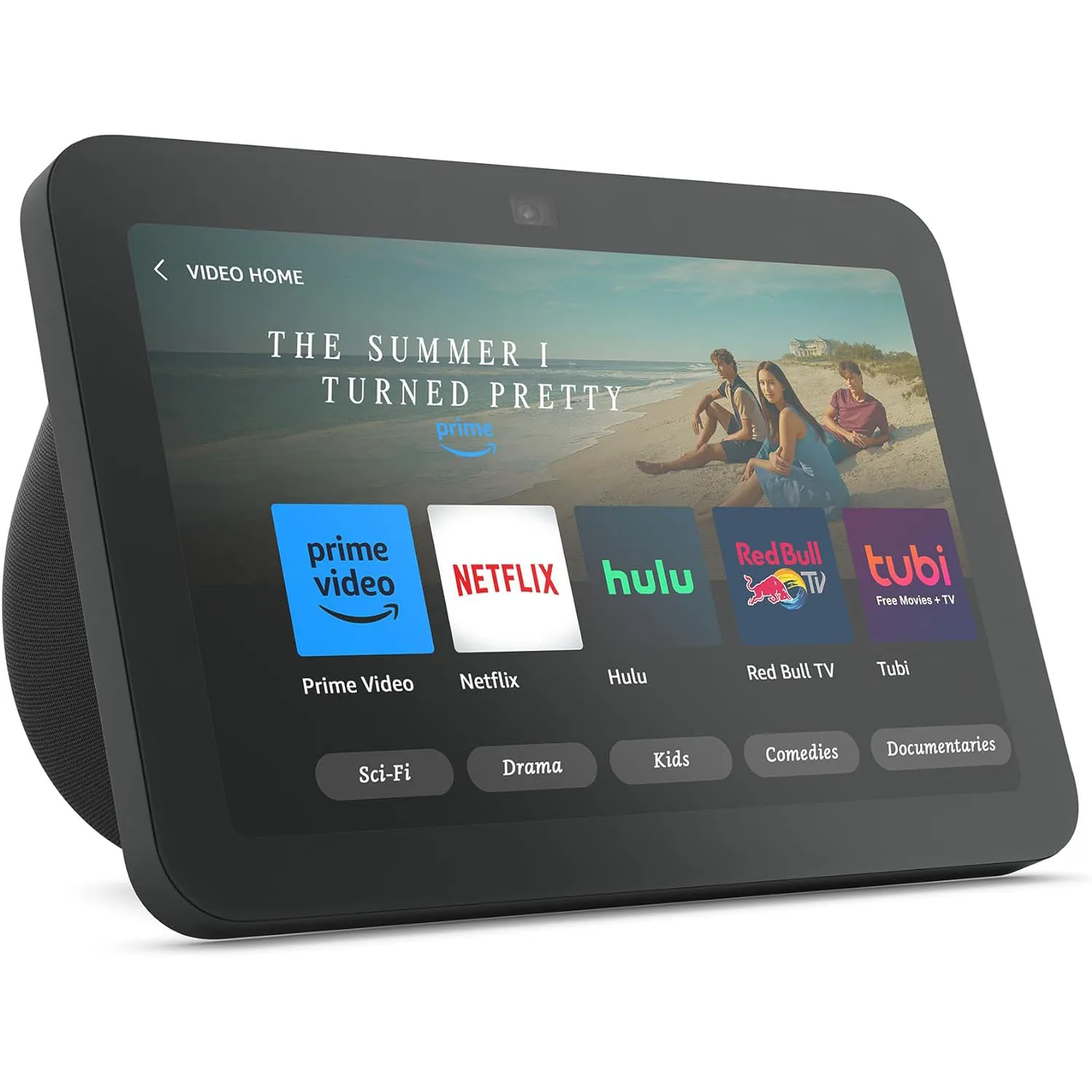
An Echo Show or Nest Hub in the kitchen turns timers, recipes, and quick questions into a hands-free experience that's genuinely better than a phone.
8. Smart cameras and doorbells
Once the basics work, security and visibility devices add real value. Two categories - cameras (indoor or outdoor) and video doorbells.
Video doorbells
The single most useful 'security' upgrade for most UK homes. See who's at the door from your phone, talk to the courier, get an alert when post arrives.
- Ring Doorbell range - the dominant UK brand. The 2026 lineup spans battery and wired models, from the Battery Video Doorbell (2nd Gen) up to the new Wired Video Doorbell Elite (2nd Gen) with Retinal 4K and Power over Ethernet. Cheap hardware, but a subscription (from around £4/month) is required to save and view recorded clips.
- Google Nest Doorbell - excellent if you're on Google Home. Better quality recordings than Ring. Subscription for full features.
- Eufy / Tapo / Reolink Video Doorbells - local storage (no monthly fee), strong privacy positioning. Great if you don't want subscriptions.
Indoor cameras
For pet monitoring, child rooms, or general security. Privacy- sensitive - keep them out of bedrooms and bathrooms.
- Eufy Indoor Cam - local storage, no subscription, AI detection.
- Tapo C200/C220 - very cheap, good performance, basic features.
- Google Nest Cam (indoor) - integrates beautifully with Google Home.
Outdoor cameras
For driveway, garden, garage:
- Eufy SoloCam / S330 - solar-powered, no wires, local storage.
- Ring Stick Up Cam - Ring ecosystem.
- Reolink Argus PT - mid-range, capable, no subscription needed.
The privacy trade-off
Cloud-based cameras (Ring, Nest, Arlo) send video to the manufacturer's servers, where it's accessible from your app. Local- storage cameras (Eufy, Reolink, Tapo) keep video on a card in the camera or a separate base station. The cloud option is more convenient; the local option is more private - and avoids the monthly subscriptions that brands like Ring and Nest rely on.
UK-specific GDPR considerations
UK home cameras must follow GDPR. Two practical points:
- Don't film public space deliberately. A doorbell capturing the pavement in front of your house is fine; a camera mounted to capture the neighbour's garden specifically is a problem.
- If you film visitors / tradespeople, you should ideally have a sticker or sign indicating CCTV is in operation. Most doorbells display a small visible camera.
9. Smart heating and thermostats
The first smart device that genuinely saves you money. UK home heating is the biggest energy cost, and with the Ofgem price cap still keeping winter bills high, smart heating control is an essential financial defence. tado° claims around £244 a year in savings - roughly 22% of a typical UK gas heating bill - through better scheduling, geofencing and zone control.
The big UK options
- Hive (British Gas) - the most installed UK smart thermostat. Easy install (often a 30-minute job for a heating engineer or competent DIYer). Hive describes compatibility with most UK heating systems, subject to checking yours — there are exclusions and installation conditions. Note too that a standard combi heats water on demand and has no stored cylinder, so there is no separate hot-water schedule to set on that kind of system. Hive's app integrates with smart plugs and lights too.
- tado° (Wireless Smart Thermostat X / V3+) - more advanced, works with most UK boilers. Uses GPS geofencing to turn heating off when no one's home and warm the house just before you return, and it detects open windows without extra sensors. The current flagship X starter kit includes an Internet Bridge with Hot Water Control and OpenTherm compatibility; the app is excellent.
- Honeywell Evohome - the premium choice for multi-zone heating. Each radiator gets its own smart valve; different rooms can be at different temperatures. Genuinely the best heating control on the UK market, but expensive (£500+ for a typical home).
- Drayton Wiser - similar to Honeywell, slightly cheaper.
- Nest Learning Thermostat - smart, learns your patterns. Less common in UK than Hive or tado°.
What 'smart heating' actually does
- Schedule the heating week-by-week (warmer in the mornings, cooler at night).
- Switch off if the house is empty (geofencing).
- Switch on as you approach home.
- Allow zone control - heat the bedroom in the evening, the office during the day.
- Track energy use and report monthly.
- Detect open windows and pause heating.
Installation considerations
- Most UK smart thermostats replace your existing wall-mounted thermostat or programmer.
- The wiring is usually simple but if you're uncertain, hire a plumber/heating engineer (£60-150 for a couple of hours).
- If your boiler is OpenTherm-compatible (most modern combis), you get smarter modulation.
- Multi-zone systems (Honeywell, Drayton) require fitting smart radiator valves on every radiator - takes a half-day for a competent DIYer.
The 'hot water' question
Hive, tado° and others can also schedule your hot water tank heating - useful for combi boilers and unvented cylinders alike. UK installations vary; check compatibility before buying.
10. Smart locks - the conditional recommendation
Smart locks are useful but they're the highest-stakes smart home device. A failed bulb is annoying; a failed lock is a serious problem.
What they offer
- Keyless entry via PIN, app or fingerprint.
- Temporary codes for visitors - cleaner, dog walker, holiday house guests.
- Auto-lock after a set time.
- Lock/unlock from your phone.
- Notification when family members arrive home.
The risks
- Battery failures - if the lock dies and you're locked out, getting in is harder. Most have a backup key cylinder; some are app-only.
- Wi-Fi failures - if your home Wi-Fi is down, remote unlocking from outside the home doesn't work.
- Insurance - some UK home insurance policies don't recognise smart locks as 'British Standard' for insurance purposes. Check before installing.
UK-specific recommendations
- Yale Linus L2 Smart Lock - retrofits over your existing UK door (no rim lock changes needed). Battery powered, app + PIN access. Most UK-friendly install.
- Nuki Smart Lock 4 Pro - similar retrofit approach. Works with both Yale and standard UK Euro cylinders.
- Yale Conexis L1 - replaces the entire lock. More secure (full BS certification) but a bigger install.
- Avoid: Cheap unbranded smart locks from Amazon listings. Lock security matters.
UK insurance and smart locks
Most UK home insurance policies require BS3621 or BS8621 certified locks. Some smart locks meet these (Yale Conexis L1, Yale Linus when fitted with a compatible rim cylinder). Others don't. Verify with your insurer before installing - using a non-compliant lock can invalidate your policy.
11. Robot vacuums and the lifestyle tier
Once the basics work, the lifestyle tier of smart home is what makes the daily life difference. Robot vacuums are the obvious flagship product.
For specific recommendations - top overall, best for pet hair, best on a budget, common problems and how to fix them - see our 'Best Robot Vacuum and Mop UK 2026' guide.
Other lifestyle smart home devices
- Smart curtains / blinds - retrofittable motors (SwitchBot Curtain, Aqara Curtain) attach to existing curtain tracks. Schedule sunrise opening, evening closing. Genuinely lovely if you have lots of curtains.
- Smart garden lights - Hue Outdoor, Lytmi, Govee. Schedule on at dusk, off at midnight. Adds atmosphere to evenings.
- Smart sprinkler controllers - Rachio, Hunter Hydrawise. Skip watering when rain is forecast. Useful if you have a real garden lawn.
- Smart pet feeders - Petlibro, Sure Petcare. Schedule food, monitor consumption. Useful for cats with weight management plans.
- Smart door / window sensors - Aqara, Hue. Trigger lights or notifications when doors open. Useful for kids' bedtime checks or security.
The 'do I need it?' filter
Before buying any lifestyle smart home device, ask: 'Will I use this every week, or am I imagining a use case?' Smart curtains in the bedroom that you'd open every morning anyway: yes, probably useful. Smart curtains in a guest bedroom you use twice a year: definitely not. Smart sprinkler controller for a 5m square lawn: no.
12. The 'too many apps' problem - how to keep it manageable
The biggest beginner failure: every brand has its own app, and you end up with twelve of them on your phone. Hue app, Tapo app, Ring app, Hive app, Nest app, Eufy app... each requiring login, settings, and notifications. The smart home becomes an admin task.
The 'one app to rule them all' approach
Pick a single primary app. For most UK households this is the voice assistant's app:
- Alexa app if you've gone with Echo.
- Google Home app if you've gone with Nest.
- Apple Home app if you've gone with HomePod.
Add every smart device to that primary app. Each manufacturer typically has a 'works with Alexa / Google / Apple Home' integration that brings the device into the central hub. You don't need to use the manufacturer's app daily after initial setup.
What to use the manufacturer app for
- Initial setup and naming the device.
- Firmware updates (some only available through the brand app).
- Advanced settings the central hub doesn't expose.
- Detailed energy reports (Tapo, Hive).
Routines and automations - one place to manage them
Build all your home routines in your central hub's app. Don't duplicate them across multiple manufacturer apps. Two reasons:
- Routines firing twice (because both apps trigger them) is annoying and confusing.
- Editing them is easier when there's one source of truth.
The Matter shortcut
Matter-compatible devices appear in all major smart home apps simultaneously without manufacturer-app dependencies. Buy Matter devices where possible and the 'too many apps' problem largely disappears.
Notifications - turn most of them off
Default smart home notifications are aggressive. Smart plug turned on. Light scheduled. Heating warmed up. After a week you'll start ignoring them, then miss the actually-important ones.
- Keep on: doorbell rings, package detected, motion in unusual times, water leak alerts, smoke alarms.
- Turn off: 'Plug turned on at 8am as scheduled', 'Light dimmed to 30%', 'Routine completed', 'Update available'.
One-app discipline
Six months in, count the smart-home apps on your phone. If there are more than three you actively use, something's gone wrong. Consolidate into your central hub, delete the manufacturer apps you don't need, and keep the experience simple.
13. What NOT to buy first - the beginner's mistakes
Five categories of smart home device that beginners frequently buy and frequently regret.
Smart fridges and ovens
Smart kitchen appliances sound brilliant. In practice, the 'smart' features are almost never used after week 1 (you don't actually want to look inside your fridge from your phone). The connected features break before the appliance does, leaving you with a 10-year-old appliance whose touchscreen is now obsolete. Buy regular appliances unless the smart features are genuinely needed.
Smart speakers in every room
One in the kitchen, one in the lounge, one bedside is plenty for most homes. Putting an Echo in every room creates duplicate responses ('which Echo did you mean?'), more noise, more privacy concerns, and more cost. Add speakers as you find specific need, not as a 'completeness' goal.
Smart everything
Smart toilets, smart taps, smart showers, smart bins, smart soap dispensers. The marketing is constant; the actual usefulness rarely justifies the cost or maintenance. Stick to the basics.
Hub-required ecosystems on day one
Some smart home brands (Aqara, SmartThings, Hue, IKEA's DIRIGERA) require a dedicated hub. The hub is fine - and often cheap - but adds setup complexity. Start with hub-less Wi-Fi smart devices for your first month; add hub-based systems once you understand the basics.
Cheap smart devices from unknown brands
Amazon and AliExpress are full of generic smart bulbs, plugs and sensors at half the price of name brands. They usually work for a few months, then the manufacturer disappears and the app stops being maintained. Stuck with bricks. Brand names (TP-Link Tapo, Hue, IKEA, Eufy, Ring, Hive) have longer-term support track records.
Honourable mention: smart curtains in a low-curtain household
Smart curtains are lovely, expensive, and only really useful if you have lots of curtains and currently open and close them daily. For homes with blinds, no curtains, or curtains you rarely move, they're a £100-200 solution to a problem you don't have.
The 'I bought it and never use it' anti-pattern
Before any smart device purchase, ask: 'When in the past month did I genuinely wish I had this?' If you can't think of a clear moment, you don't need it. The smart home that gets used is the smart home that solves real, recurring annoyances.
Frequently asked questions
What's the cheapest way to start a smart home in the UK in 2026?
Around £40 covers the absolute starter kit: an Amazon Echo Pop (£20) + a TP-Link Tapo P100 smart plug (£10-15) + a smart bulb (£10-15). That gives you voice control, scheduled appliances and dimmable lighting. From there you add in £20-50 increments as you find genuine uses. A more rounded value kit - budget speaker, two-plug pack, two bulbs and an entry battery doorbell - typically lands around £165.
Should I start with Alexa, Google Home or Apple Home?
Alexa for the cheapest hardware and easiest setup. Google Home if you live in Google's ecosystem (Pixel phone, Chromecast, YouTube Music). Apple Home if you have iPhone and care about privacy. None is wrong; Alexa is the most beginner-friendly default in the UK.
Do I need fast internet for a smart home?
No. Smart devices use very little bandwidth. A 50Mbps line handles 50+ devices comfortably. The thing that fails first is usually Wi-Fi reliability inside the house, not internet speed - older routers struggle once you go beyond 30 connected devices, regardless of how fast the internet itself is.
Will my smart home work if my internet is down?
Partially. Local control (between devices and your Echo or HomePod) often continues to work without internet. Remote control from your phone outside the house typically doesn't. Some platforms (Apple Home with a HomePod) handle this better than others (Alexa with no internet is severely limited).
How much does a typical UK smart home cost to build?
Realistic budgets: £100-£200 for a starter kit (one Echo, plugs, a couple of bulbs); £400-£700 for a 'comfortable' smart home (heating, doorbell, several smart speakers, robot vacuum); £2,000+ for a fully kitted house with smart locks, multi-zone heating, full lighting, smart curtains. Most households end up in the £500-£1,500 range over 2-3 years.
Can my smart home be hacked?
Smart devices are exposed surface area, so yes in principle - though it's rarer than headlines suggest. Mitigations: use strong Wi-Fi password and WPA3, set unique strong passwords on each smart-home account, enable 2FA on Alexa/Google/Apple accounts, put smart devices on a separate IoT network if your router supports it, and keep firmware up to date. The biggest practical risk in UK homes isn't sophisticated attacks - it's reused passwords on cheap-brand accounts.
Which smart home platform is best for UK households?
For most UK households, Alexa is the safe default - cheapest hardware, widest device support, easiest setup. Apple Home is the privacy choice for iPhone households. Google Home is excellent for Pixel households. SmartThings is best if your appliances and TVs are Samsung (or if you're going all-in on IKEA's new range). Pick based on your existing phone/devices and the people in the household.
Will Matter make my older smart devices obsolete?
No. Older smart devices continue to work as before. Matter just makes new devices work across more platforms. Don't rush to replace existing kit. Buy Matter where it's available for new purchases and your future flexibility improves over time.
Are smart home devices safe in the UK rain and weather?
Outdoor-rated devices (look for IPX4 or higher rating) handle UK rain and humidity fine. Indoor-rated devices should never be installed outdoors. UK winter cold is fine for almost all smart devices; UK summer heat (rare but happening) doesn't cause issues either.
Should I rent a smart home (like with subscription smart heating) or buy?
Buying is almost always better long-term. Rental smart heating (some installer schemes) typically costs £20-40/month indefinitely, vs a one-off £180-£250 purchase that pays back in 12-24 months. Subscriptions for ongoing service (Ring video storage, tado° Auto-Assist) are different - those have ongoing costs because they provide ongoing services.
Will smart home devices keep working in 5+ years?
Generally yes for major brand devices. Hue, Ring, Hive, Nest, TP-Link Tapo all have multi-year support track records. Generic Amazon-marketplace devices have less predictable lifecycles - the manufacturer can disappear and the cloud service can shut down at any time. Stick to established brands for things you'd hate to replace.
How do I avoid the 'spouse hates smart home' trap?
Two rules: (1) every smart device must work as a regular device too - the smart bulb still turns on with the wall switch, the smart lock still has a physical key, the smart heating still has a manual override. (2) Don't add new devices faster than the household can absorb them. The non-techie household members lose patience faster than the techie one - their experience is the actual experience.
The starter-kit recommendations for UK beginners
The £100 starter kit:
- Amazon Echo Pop (£20-25)
- TP-Link Tapo P110M smart plug (£15-20)
- Two TP-Link Tapo white-ambience smart bulbs (£20-30)
- A weekend to set them all up and run a few routines
The £300-£400 'comfortable' smart home:
- Two Echo devices (one Show 5 in the kitchen, one Echo Dot bedside)
- 4-pack of smart plugs for lounge lamps, Christmas tree etc.
- A Hive or tado° thermostat - the one upgrade that actually pays for itself
- A Ring or Eufy video doorbell
- A few colour-capable smart bulbs (Hue, or IKEA's new ~£90 three-bulb Matter kit) in scenes the whole household uses
What to add next (year 2):
- A robot vacuum (see our Best Robot Vacuum and Mop UK 2026 guide)
- A second smart speaker for multi-room audio
- Smart sensors for windows / leaks where useful
- Smart garden lighting if you have a garden you use in the evenings
What never to start with: smart fridges, smart ovens, twelve-pack smart bulb sets, hub-required ecosystems on day one, no-name Amazon brands, or anything you've imagined a use for rather than experienced.
Foundation reads:
- Best Smart Plugs for Alexa in the UK - the cheapest first device, done well.
- Best Wi-Fi 7 Routers and Mesh Systems UK 2026 - your network has to handle 30+ smart devices reliably; this is where to start.
- Best Robot Vacuum and Mop UK 2026 - when you're ready to step up to the lifestyle tier.
Building a smart home in the UK in 2026 is more practical, cheaper and more enjoyable than ever - Matter now works, and IKEA's budget Matter range has put colour lighting within reach for half the old price. The trick is still going slowly. Buy the cheap, easy first device. Use it for a week. Add the next one when you find a real use. In two years you'll have a calm, low-friction smart home that actually saves time - rather than the chaotic collection of half-working gadgets most beginners end up with.
 Smart plugView on Amazon
 Amazon Echo Show 5View on Amazon