
UGREEN NASync DXP4800 Plus First Look: The NAS Challenging Synology
A four-bay NAS with 10GbE, 2.5GbE, Intel Quick Sync and far more expansion than its price suggests — but with software and running-cost compromises worth understanding first.

We link to the exact model on Amazon UK. Prices change often, so check the live price before you buy. As an Amazon Associate we earn from qualifying purchases.
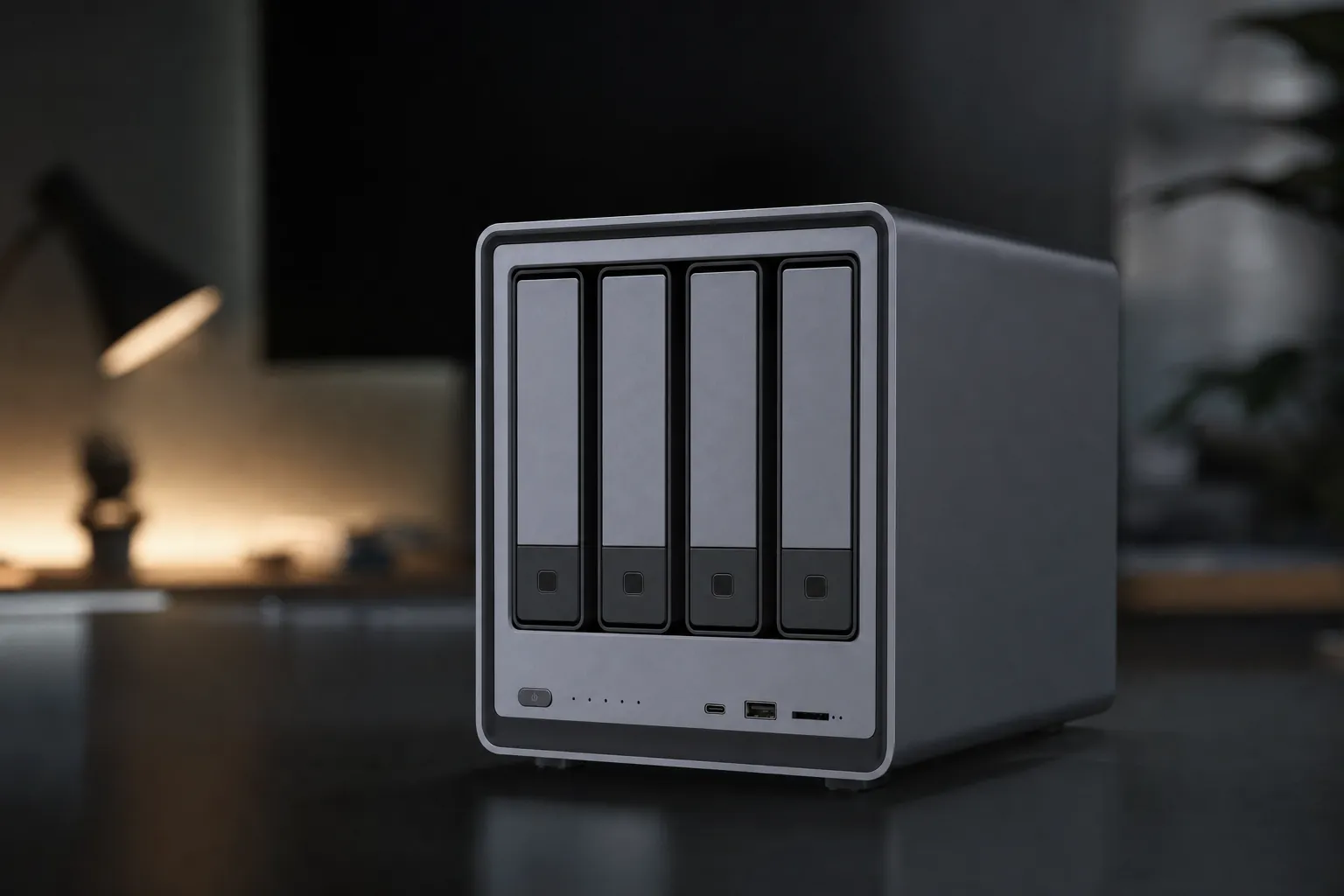
The UGREEN NASync DXP4800 Plus makes sense for a fairly specific buyer: someone who wants a serious home media server or fast backup box, but does not want to pay extra for add-in networking and memory upgrades before the NAS can keep up with modern PCs. At £525.99 diskless on UGREEN's UK store on 20 September 2026, it costs real money before drives are added. Yet its combination of 10GbE, 2.5GbE, an Intel Pentium Gold processor and two PCIe 4.0 M.2 slots gives it a hardware profile that is unusual beside similarly priced Synology four-bay models. The caveat is that the box is only half the purchase: UGOS Pro remains less established than Synology DSM, and the electricity figures reported by reviewers deserve a place in the buying decision.
What's Actually Inside the UGREEN NASync DXP4800 Plus

See UGREEN NASync DXP4800 on Amazon UK
Check today's price & availability on Amazon UK
At the centre of the DXP4800 Plus is Intel's 12th-generation Pentium Gold 8505. It has five cores, six threads and a turbo frequency up to 4.40GHz. This is not merely a specification-sheet flourish. It is the reason this NAS can plausibly serve several roles at once: shared storage, a Docker host, a media server and a relatively quick destination for workstation backups.
UGREEN pairs the processor with 8GB of DDR5-4800 memory as supplied. Two SO-DIMM slots permit expansion to 64GB, according to UGREEN and KitGuru. That matters less for a straightforward archive of family documents, but becomes relevant once containers, media indexing, virtual machines and multiple network users enter the picture. A separate 128GB SSD holds UGOS Pro, so the operating system does not occupy one of the main drive bays.
5 cores / 6 threads
two SO-DIMM slots
3.5in or 2.5in drives
PCIe 4.0 slots
for UGOS Pro
The four front-loading SATA bays accept 3.5-inch hard drives without tools. 2.5-inch hard drives and SSDs require screws. UGREEN supports JBOD, Basic, RAID 0, RAID 1, RAID 5, RAID 6 and RAID 10, alongside Btrfs and ext4 file systems. For a four-bay machine, RAID 5 is likely to be the practical starting point for many people who want one-drive fault tolerance without surrendering half their raw capacity. RAID 6 offers protection against two drive failures, albeit with a greater capacity penalty and, in some reported workloads, a performance one as well.
For a UK buyer building from scratch, choosing the array layout before ordering drives is more useful than simply filling all four trays. A household storing replaceable media may value usable capacity most, whereas a photographer or small office holding active work may place more value on the additional failure protection offered by RAID 6. Neither arrangement replaces a separate backup: RAID keeps a NAS available after a drive failure, but it does not create another copy of the files. The DXP4800 Plus supports the RAID options required for either approach, but the diskless price means the cost and intended protection level should be decided together.
The two M.2 2280 PCIe 4.0 slots can operate as SSD cache or as additional storage volumes. ComputerBase reported that read/write cache required a RAID 1 pair. That is a sensible arrangement from a resilience perspective, although it raises the cost of adding cache. Buyers should avoid assuming that cache automatically accelerates every task: it tends to matter more for repeated small-file activity and busy multi-user workloads than for a one-off copy of a large video file.
The DXP4800 Plus is sold diskless. Its enclosure price is therefore not the finished cost of a usable NAS: budget separately for hard drives, and potentially NVMe drives, an uninterruptible power supply and faster networking equipment if 10GbE is the goal.
The Port Selection Makes the Hardware Case
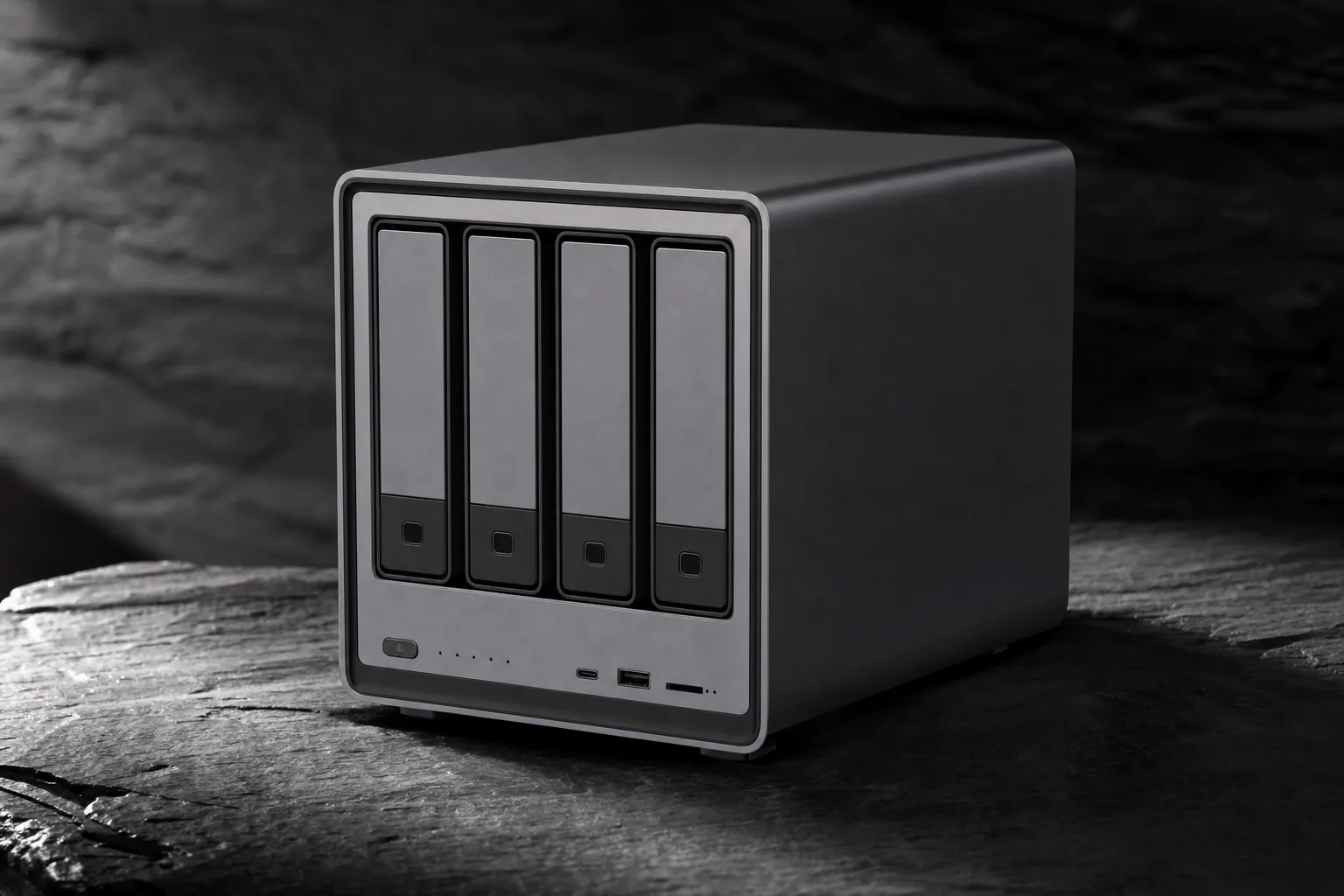
The DXP4800 Plus's connectivity is the core of its challenge to Synology. On the rear are both a 10GbE RJ-45 port and a 2.5GbE RJ-45 port. This means a buyer with an existing 2.5GbE switch can get started immediately, whilst a future 10GbE workstation or switch can exploit more of the NAS's potential without buying a separate expansion card. ComputerBase also reported link aggregation support.
That split-port arrangement makes day-to-day setup less all-or-nothing than the headline 10GbE specification suggests. A buyer whose router or switch is limited to 2.5GbE can connect there first and reserve the faster port for a 10GbE-equipped desktop when the wider network permits it. Conversely, someone focused on one editing workstation can concentrate investment on the NAS-to-PC path rather than expecting every device in the home to need 10GbE. The measured backup results show that 2.5GbE is still useful, while the second port gives the system a credible upgrade route instead of forcing a replacement NAS later.
For creators, the front panel is unusually useful rather than decorative. It provides USB 3.2 Gen 2 Type-A, USB 3.2 Gen 2 Type-C and an SD 3.0 card reader. The intended workflow is obvious: place a camera card or portable SSD at the front of the NAS and send footage or photographs directly to central storage. That does not remove the need for a separate backup strategy, but it can make the first ingest stage less awkward than routing everything through a laptop.
Two speeds, two networks
10GbE and 2.5GbE RJ-45 ports give the DXP4800 Plus flexibility for both new and existing local networks.
Direct media offload
The front SD 3.0 reader, USB-C and USB-A ports are suited to bringing camera media and portable storage into a shared archive.
Direct HDMI output
HDMI 2.0b supports output up to 4K at 60Hz, opening a direct-display option not listed on the Synology comparisons below.
Rear expansion ports
The rear panel adds USB 3.2 Gen 1 Type-A plus two USB 2.0 Type-A ports for peripherals and external storage.
The direct comparison with the Synology DS923+ is revealing. The DS923+ is a capable four-bay NAS and retains Synology's better-established software platform, but it begins with two 1GbE ports. Its optional 10GbE route involves additional hardware. The UGREEN arrives with 10GbE already fitted, 8GB rather than 4GB of memory, and HDMI output. Those are not minor conveniences if the NAS is being bought for larger creative projects or a media-heavy household.
| Feature | UGREEN NASync DXP4800 Plus | Synology DS923+ |
|---|---|---|
| Drive bays | 4 | 4 |
| Processor | Intel Pentium Gold 8505, 5 cores / 6 threads | AMD Ryzen R1600 |
| Installed memory | 8GB DDR5 | 4GB DDR4 ECC |
| Maximum memory | 64GB, according to UGREEN | Up to 32GB, according to Synology documentation |
| Built-in networking | 10GbE plus 2.5GbE | 2 × 1GbE |
| M.2 slots | 2 × PCIe 4.0 M.2 | 2 × NVMe M.2 |
| HDMI output | 4K at 60Hz | Not confirmed |
| SD card reader | Supported | Not confirmed |
| Operating system | UGOS Pro | DSM |
Crunching the Transfer Numbers: 10GbE Versus 2.5GbE
Networking ports alone do not guarantee a fast NAS. Drive choice, RAID layout, file size, client storage and the switch between devices all play their part. KitGuru's figures are nevertheless useful because its assessment covered the DXP4800 Plus with four 6TB WD Red drives in RAID 0, RAID 5, RAID 6 and RAID 10 over both 2.5GbE and 10GbE.
For 4K QD32 T1 activity, the highest reported 10GbE result was 450MB/s read and 278MB/s write. The corresponding highest 2.5GbE figures were 275MB/s read and 233MB/s write. The gap is meaningful, particularly on reads, but it is not a simple fourfold multiplier. Mechanical drives and RAID overhead remain part of the system's ceiling.
The more sobering numbers came from 4K QD1 T1, a low-queue small-file scenario closer to the sort of activity generated by folders full of documents, catalogue data or application files. The highest reported result was 40.45MB/s read and 36.76MB/s write over 10GbE. Over 2.5GbE, results were around 18MB/s in each direction. This is why a NAS should not be judged solely by a headline large-file transfer number: small files often involve latency and drive mechanics rather than just raw network bandwidth.
Large sequential-style reads told a much more encouraging story. KitGuru reported approximately 900MB/s in its 3D Print Folder read workload over 10GbE, with the lowest reported RAID result in that workload still 865MB/s. That is close enough to saturating a practical 10GbE workflow to make the port worthwhile for a properly equipped desktop, although it should not be read as a guarantee for every array or every file set.
Buying implication
A 10GbE NAS is only a 10GbE experience if the computer, Ethernet adapter, cabling and switch support it. The DXP4800 Plus still has a clear reason to exist on a 2.5GbE network, but buyers should not purchase it solely for 900MB/s transfers unless the rest of the network can sustain them.
Office Files, Photo Libraries and Real-World Traces
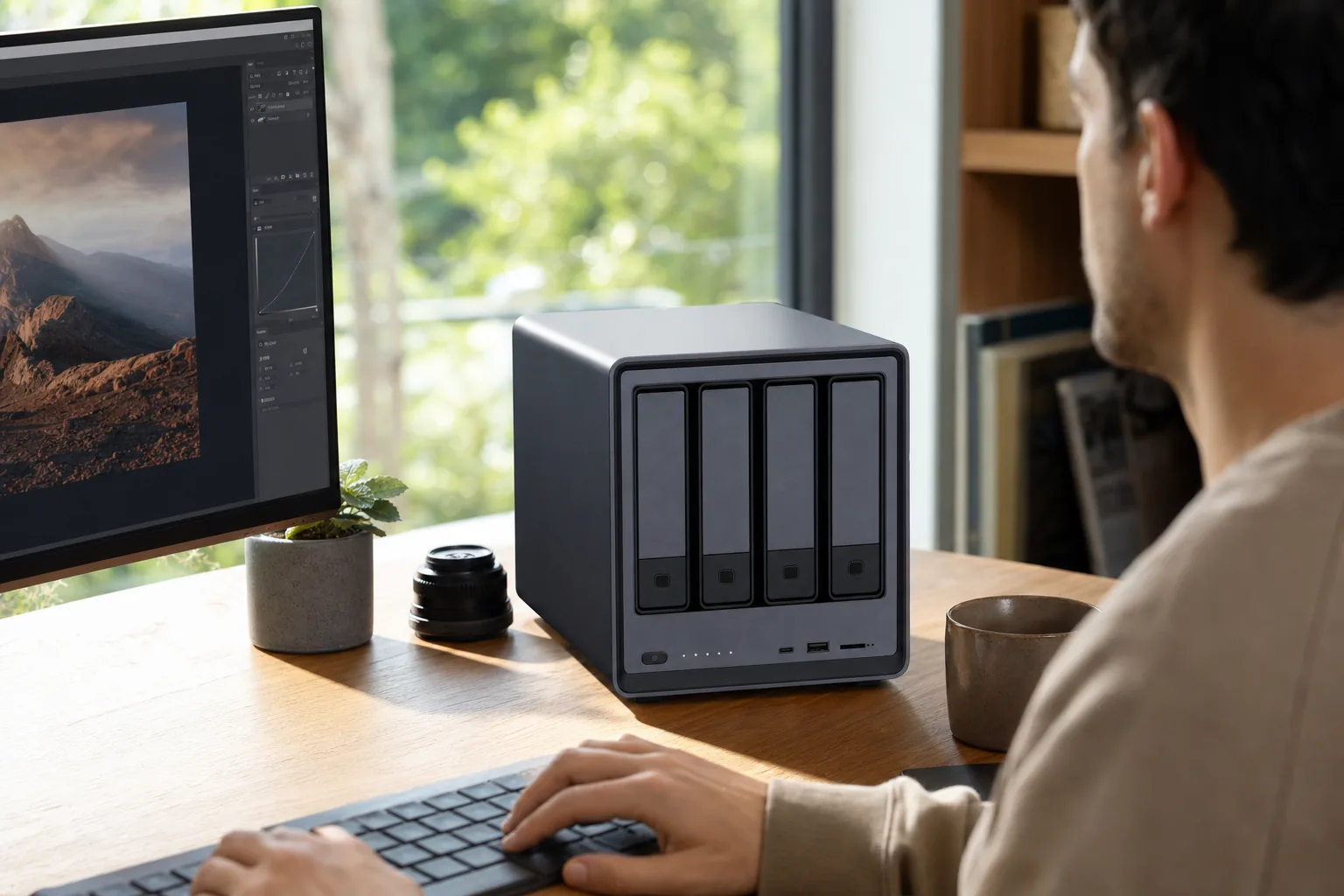
KitGuru's NASPT traces provide a more grounded view than synthetic figures. The HD Playback and Record trace reached 527MB/s in RAID 0 and 526MB/s in RAID 5, suggesting that RAID level made little difference in that specific workload. It is a useful outcome for a media-focused NAS, where the ability to read and write large streams simultaneously can matter more than raw random I/O.
The Office Productivity trace showed a much narrower network advantage: 85.4MB/s in RAID 0 over 10GbE, against 73.9MB/s over 2.5GbE. In other words, moving from 2.5GbE to 10GbE does not magically transform every collection of spreadsheets and documents. Photo Album activity reached 59.75MB/s over 10GbE and 35.8MB/s over 2.5GbE, whilst the Content Creation trace reached 20.37MB/s and 10.27MB/s respectively.
For backup work, the result is easier to interpret. A 118GB Windows 10 backup folder transferred to the DXP4800 Plus at 297MB/s over 10GbE and restored at 347MB/s. The same task reached 230MB/s write and 257MB/s read over 2.5GbE. Those are useful numbers for creators with large photo libraries, project directories and video rushes. They also demonstrate that 2.5GbE remains a credible middle ground if a full 10GbE network is beyond budget.
What Plex and Jellyfin Buyers Should Know
The DXP4800 Plus has the hardware credentials for a media server. Its Intel platform offers Quick Sync acceleration, and reviewer reporting confirmed hardware decoding support for MPEG-2, AVC, VC-1, JPEG, VP8, VP9, HEVC and AV1. It also has HDMI 2.0b output up to 4K at 60Hz. The important distinction is between what the silicon can do and how straightforward the software makes it.
At the point covered by the relevant review, Plex was not available as a native UGOS app-store package. Plex could be installed through Docker, but that adds container management and iGPU pass-through configuration for anyone seeking hardware transcoding. A reviewer instead used Jellyfin and reported a 4K HEVC file transcoding to 1080p H.264 in real time with CPU utilisation barely above 20%. Two simultaneous 1080p transcodes also ran with low reported processor use.
For a straightforward living-room setup, HDMI makes the hardware more flexible, but it should not be confused with a confirmed answer to every home-cinema requirement. The evidence here confirms 4K/60Hz output, not HDR formats, Dolby Vision, audio passthrough or HDMI-CEC behaviour. Buyers who simply want a local display connection have a useful option; buyers planning a specific AV receiver or television workflow should verify the features that matter to them. The stronger proven case is networked Jellyfin or Docker-based Plex, where the reviewed Quick Sync results demonstrate useful transcoding capacity.
That is persuasive evidence that the Pentium Gold 8505 has useful media headroom. It is not, however, a blanket promise that every 4K source, subtitle format, audio conversion or remote streaming situation will behave identically. Plex and Jellyfin performance is affected by source codec, bitrate, clients, subtitle burn-in and whether a client can direct-play the material. The responsible conclusion is that the DXP4800 Plus looks capable for hardware-accelerated media duties, whilst requiring more technical confidence than a native-package route.
Media-server strengths
- Intel Quick Sync hardware acceleration offers a meaningful advantage for Jellyfin or Docker-based Plex use.
- A reviewer reported real-time 4K HEVC to 1080p H.264 conversion with CPU use barely above 20%.
- 4K/60Hz HDMI, 10GbE and spacious internal storage make a flexible local media platform.
- Docker expands the software options beyond the native app catalogue.
Media-server caveats
- Plex was absent from the reviewed UGOS app store, so Docker configuration was required.
- Hardware acceleration setup is more involved than simply selecting an app-store package.
- UGOS has a smaller application ecosystem than Synology DSM.
- Some advanced services may require containers rather than a straightforward native installation.
The Power Bill Question: Different Setups, Different Numbers
Always-on storage has a cost beyond the purchase price. The DXP4800 Plus's power draw varied considerably across published measurements, which is unsurprising because drive count, drive model, disk sleep state, caching, network interface and workload all influence the result. The important point is that the figures were not especially low for a four-bay NAS.
KitGuru, using four 6TB WD Red drives, reported 24.25W idle on 2.5GbE and 30.45W idle on 10GbE. Peak reads reached 52.07W and 58.17W respectively, while peak writes reached 61.35W on 2.5GbE and 67.02W on 10GbE. ComputerBase's reported figures were higher: around 27W with hard drives sleeping, around 52W at idle with drives active and 72.3W while writing. ComputerBase described that level as high for a NAS expected to operate continuously.
| Reported scenario | KitGuru (four WD Red 6TB drives) | ComputerBase |
|---|---|---|
| Idle / drives in low activity | 24.25W on 2.5GbE; 30.45W on 10GbE | Approximately 27W with HDDs in standby |
| Idle with drives active | Not confirmed | Approximately 52W |
| Peak read | 52.07W on 2.5GbE; 58.17W on 10GbE | Not confirmed |
| Peak write | 61.35W on 2.5GbE; 67.02W on 10GbE | 72.3W while writing |
Mighty Gadget's longer-term figures added more context, reporting around 39W to 45W during a light-load photo transfer, approximately 47W during local 4K playback and around 45W to 49W with Jellyfin playback or transcoding activity. Its reviewer estimated roughly 350kWh annually at a constant 40W, using the electricity rate current to that calculation. UK household tariffs vary, so that should be treated as an illustration of energy use rather than a current bill forecast.
Noise is similarly workload-dependent. ComputerBase measured 30.0dB(A) at idle and 36.7dB(A) during disk access, although it used four 20TB drives and noted that drive noise was clearly audible. Mighty Gadget characterised the 140mm fan as barely audible from more than a metre away at idle. In contrast, KitGuru reported the CPU reaching around 100°C during some large transfers, at which point the rear fan ramped sharply and became loud. For a living room, bedroom or quiet studio, that latter observation is not something to dismiss.
UGOS Pro Is the Main Reason to Pause Before Buying
UGOS Pro handles the essentials: storage pools, RAID, files, remote access, Docker, media functions and photo features. Reviewer reporting also covered rsync and UGREEN-to-UGREEN synchronisation, while photo tools included recognition features for people, text, duplicates, scenes, objects and pets. That is enough to build a useful personal storage platform without immediately becoming a container enthusiast.
But the software remains the DXP4800 Plus's defining trade-off. Synology DSM has years of refinement behind its backup, photo, surveillance and package workflows. The DXP4800 Plus counters with more muscular hardware at a similar price, not a software ecosystem of equal maturity. Reviews repeatedly framed the decision in those terms: very capable silicon, networking and construction, paired with a smaller native catalogue and more frequent need to use Docker.
A practical buying test is to list the jobs the NAS must perform in its first week, then separate them into native UGOS tasks and services that may need containers. If the list is mainly shared folders, RAID, local backups, photo storage and a media server that the owner is happy to configure, the hardware advantage can outweigh the software gap. If the list depends on a particular package being maintained and installed with minimal intervention, DSM remains the safer proposition. This is especially relevant for anyone moving from Synology rather than starting fresh: familiar workflows and established apps have value beyond processor speed.
That does not automatically make UGREEN unsuitable for less technical users. Someone who wants centralised files, RAID storage, a photo library and straightforward PC backups may find UGOS Pro sufficient. The greater concern is for buyers who already rely on particular services and assume every popular self-hosted tool will appear as a maintained native package. Reviewer coverage specifically highlighted the lack of straightforward native options for services such as the Arr stack, Sabnzbd, Pi-hole, AdGuard Home, Unbound and Tailscale in the installation discussed.
Price and the Synology Comparison
As of 20 September 2026, UGREEN's UK store listed the diskless DXP4800 Plus at £525.99, reduced from £619.99. UGREEN's US store listed it at $619.99, reduced from $729.99. Those are enclosure prices, not ready-to-run storage bundles, and retailer pricing can move. The original Kickstarter starting price of approximately $419 had long passed by this point and is not a useful expectation for current buyers.
United Kingdom
Diskless DXP4800 Plus listed by UGREEN on 20 September 2026; previous listed price £619.99.
United States
Diskless DXP4800 Plus listed by UGREEN on 20 September 2026; previous listed price $729.99.
Against the DS923+, the value argument is not that UGREEN's software is more complete. It is that the DXP4800 Plus includes hardware which would require a different buying path on the Synology: built-in 10GbE, 2.5GbE, 8GB DDR5, HDMI, USB-C, an SD reader and a more media-friendly Intel processor. Synology's own documentation quoted sequential throughput up to 625MB/s read and 559MB/s write for the DS923+, while KitGuru reported approximately 900MB/s in one large-file read workload on the UGREEN.
The DS423+ is another relevant home-oriented comparison. Its launch MSRP was $499.99 and it offered four bays, an Intel Celeron J4125, 2GB of RAM and two 1GbE ports. It is not a like-for-like networking proposition. The UGREEN costs more than that historical launch price, but it supplies substantially different connectivity and memory from the outset. Historical pricing should not be treated as a present retail comparison, yet the hardware distinction remains useful.
Who the UGREEN NASync DXP4800 Plus Is Actually Built For
Media-server enthusiasts
Suitable for people comfortable with Docker who want Quick Sync-assisted Plex or Jellyfin capability and have media libraries large enough to benefit from four bays.
Creators and photographers
The SD reader, front USB-C, 10GbE networking and reported 297MB/s backup writes make a credible case for centralising project and camera storage.
Advanced homes and small offices
A strong fit for users who can make use of Docker, virtual-machine support, expandable RAM and faster local backups rather than just basic shared folders.
Buy with caution if
You want a very quiet always-on appliance, minimal power use, or an extensive native app catalogue with little appetite for container administration.
The most convincing use case is a technically confident home or small creative workspace. A desktop with 10GbE, several terabytes of active work and a need for redundancy can put the DXP4800 Plus's hardware to work immediately. A household wanting a Jellyfin server can draw on the reported Quick Sync transcoding results. A less technical buyer who primarily needs reliable backups may still benefit, but should first decide whether Synology's more mature software experience is worth paying for or accepting slower built-in networking.
First-look verdict
The UGREEN NASync DXP4800 Plus presents a well-supported hardware argument against similarly priced Synology four-bay NAS units. Its Intel Pentium Gold 8505, 10GbE and 2.5GbE networking, upgradeable DDR5 memory, PCIe 4.0 M.2 slots and direct HDMI output offer clear practical value for backups, creator storage and Docker-based media serving. Published figures also show genuinely quick large-file and backup performance. The decision is less straightforward on software, power and acoustics: UGOS Pro has a smaller native ecosystem, Plex required Docker in the reviewed app-store version, sustained transfers could make the fan conspicuous, and reported active-drive power draw was high. Buy it for the hardware capabilities you will genuinely use, rather than assuming it is a simple software-for-software replacement for Synology DSM.
Sources
- UGREEN official NASync DXP4800 Plus product and comparison material, pricing and status pages, checked 20 September 2026.
- KitGuru, UGREEN NASync DXP4800 Plus 4-Bay NAS Review: configuration details, RAID and filesystem support, port inventory, transfer figures, backup results, thermals and power measurements.
- ComputerBase, UGREEN DXP4800 Plus NAS assessment: power, acoustic figures, link aggregation and comparison context.
- Mighty Gadget, UGREEN NASync DXP4800 Plus Review: Jellyfin hardware-transcoding observations, build discussion, media codec support and longer-term power observations.
- Synology DS923+ data sheet and Synology DS423+ launch information: comparison specifications and historical pricing context.
- IT Pro, UGREEN NASync DXP4800 Plus review: UGOS Pro and software-ecosystem context.
- UGREEN NASync DXP4800View on Amazon
Sources and evidence (9)
- ai.ugreen.com (other)
- computerbase.de (other)
- kitguru.net (other)
- mightygadget.com (other)
- ai.ugreen.com (other)
- us.ugreen.com (other)
- global.download.synology.com (other)
- synology.com (other)
- itpro.com (other)