
Cheap NAS for Home Backup and Plex: Best Options
Synology, UGREEN and budget alternatives that keep your files safe and your films streaming — without you needing a degree in IT.
A modern home NAS quietly handling backups and Plex in the corner of a living room.
If you've ever lost a folder of family photos, or fought with a streaming app that buffers every thirty seconds, you've already discovered why a network-attached storage box (NAS) is one of the best purchases a household can make. The good news in 2026 is that you no longer need to spend a fortune. Between Synology's polished software, UGREEN's aggressive newcomer hardware, and a handful of genuinely cheap budget boxes, there's something here for everyone — and I've spent a good while getting to grips with all of them.
Shop Synology DS224+ and DS423+ on Amazon UK
£531.99price at 23 Aug, may change
In this guide I'll walk you through the best affordable NAS options for two jobs most people actually care about: keeping reliable backups of your important files, and running a smooth Plex (or Jellyfin) media server for your films and TV. I'll be honest about where each one shines and where it falls flat, because the worst thing you can do is buy a box that can't transcode the way you assumed it could. Let's dig in.
What we'll cover
- Why a NAS beats an external drive
- Transcoding explained (the important bit)
- Synology DS224+ and DS423+
- Synology DS923+ and DS925+
- UGREEN DXP2800 and DXP4800 Plus
- Budget picks: TerraMaster, QNAP, DS223j
- Head-to-head comparison
- Choosing the right hard drives
- Who should buy what
- FAQs and final verdict
Backup rule: RAID and Synology SHR provide redundancy, not a backup. Use a 3-2-1 plan with another independently managed copy on different media and one off-NAS or off-site copy.
Plex cost: hardware-accelerated transcoding generally requires Plex Pass, apart from Plex's documented device exceptions.
Why bother with a NAS at all?
An external USB drive is fine until it isn't. It only backs up the one computer it's plugged into, it can't stream to your telly on its own, and if it dies, your single copy of everything goes with it. A NAS solves all of that. It sits on your network, available to every device in the house, runs around the clock, and — crucially — uses multiple drives so a single failure doesn't wipe you out.
For backups, a two-bay NAS configured in a mirror (Synology calls this SHR-1) keeps two copies of your data across two physical drives. Lose one drive, swap it, and the NAS rebuilds itself. For media, the same box can run Plex or Jellyfin, serving your library to phones, tablets, smart TVs and streaming sticks anywhere in the world. One device, two enormous problems solved.
Redundant backups
Mirror your drives so a single failure never costs you your photos, documents or projects.
Your own streaming service
Plex and Jellyfin turn your library into a Netflix-style app, accessible at home and away.
Docker and apps
Most modern boxes run containers, so you can self-host everything from photo management to ad-blocking.
The one thing that trips everyone up: transcoding
Before you spend a penny, you need to understand transcoding, because it's the single biggest reason people buy the wrong NAS. When you play a film through Plex, sometimes the device on the other end can't handle the original file — maybe it's a chunky 4K HEVC file and you're watching on an older phone over a weak connection. Plex then has to convert, or "transcode", that video on the fly into something the device can play.
That conversion is hard work. If the NAS has an Intel processor with Quick Sync, it can do this in dedicated hardware — fast, efficient and barely breaking a sweat. If it has an AMD chip without Quick Sync, it has no supported hardware transcoding, so it leans on "direct play", where the client device handles the file as-is. Software transcoding is still technically possible; it is just far too slow to rely on. This matters enormously: a beautifully powerful AMD-based NAS can actually be a worse Plex server than a humble Intel box costing far less.
The golden rule for Plex
If transcoding matters to you, choose a NAS with an Intel processor that includes Quick Sync. Every box in this guide that I recommend specifically for Plex — the DS423+, DXP2800, DXP4800 Plus, TerraMaster F2-425 and QNAP TS-464 — uses Intel silicon for exactly that reason.
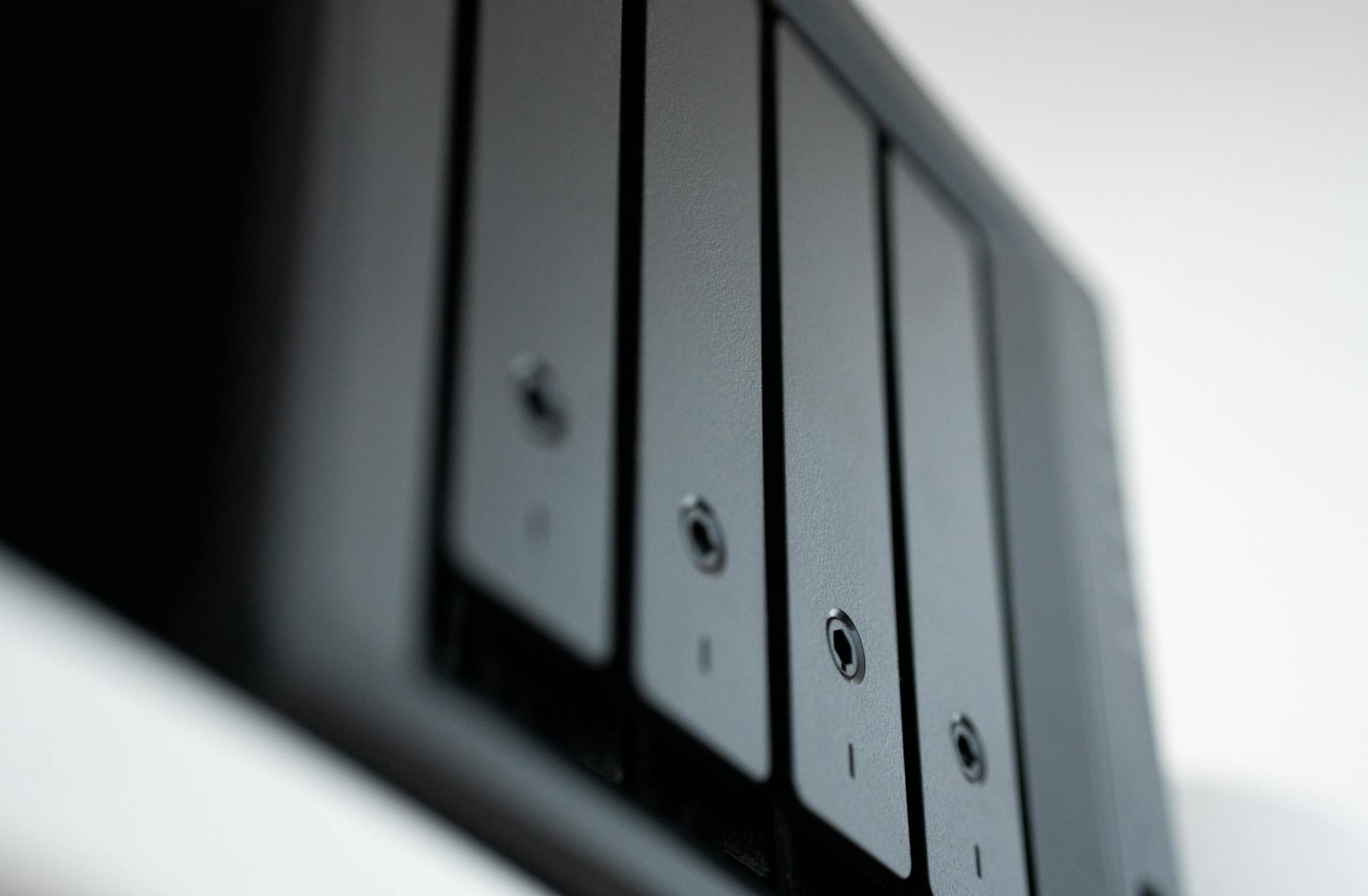
Hardware transcoding via Intel Quick Sync is what keeps Plex playback smooth on weaker client devices.
Synology DS224+ and DS423+: the safe, software-first picks
Shop Synology DS224+ and DS423+ on Amazon UK
£531.99price at 23 Aug, may change
Synology earned its reputation on software, not hardware, and DSM (DiskStation Manager) remains the most polished, beginner-friendly NAS operating system out there. If you want a box that "just works" and holds your hand through setup, this is the family to look at.
The DS224+ is the sensible entry point. It's a two-bay box built around an Intel Celeron J4125 — the same chip generation as the older DS220+ — with 2GB of DDR4 RAM that you can expand to 6GB. Critically, that J4125 includes Quick Sync, so it manages limited Plex hardware transcoding. Two bays in a mirror give you redundancy on a single failed drive, which is exactly what most households need from a first NAS.
Step up to the DS423+ and you get the same J4125 platform in a four-bay chassis. This is the one I'd point Plex-focused Synology buyers toward. That Intel chip with Quick Sync handles 4K-to-1080p conversion smoothly, and the extra two bays give you far more room to grow your media library over time. Interestingly, the DS224+ and DS423+ share nearly identical spec sheets aside from the bay count, and both take has two SATA drive bays and no M.2 slots; DS423+ is the model with two M.2 slots.
Pros
- DSM is the friendliest NAS software you can buy
- Intel Quick Sync means real Plex hardware transcoding
- DS423+ offers four bays for serious library growth
- Rock-solid reliability and long software support
Cons
- 1GbE networking only — slower than newer rivals
- Only 1GbE networking — slower than newer rivals
- Modest base RAM out of the box
- You pay a premium for the Synology name
Synology DS923+ and DS925+: power users, with a Plex caveat
Shop Synology DS923+ and DS925+ on Amazon UK
£589.01 · 10% offprice at 23 Aug, may change
Here's where things get interesting — and where you need to keep that transcoding rule firmly in mind. Both of these are excellent NAS boxes, but neither is a natural Plex transcoding machine.
The DS923+ is a four-bay unit powered by an AMD Ryzen R1600 dual-core (four threads) with 4GB of DDR4 ECC RAM that expands all the way to 32GB. It adds two M.2 NVMe slots for SSD caching and a PCIe slot that lets you fit a 10GbE card — and with an expansion unit you can grow to nine drives. In testing it manages up to 625/559 MB/s sequential read/write throughput, which is genuinely quick. The catch? Being AMD-based, it has no supported hardware transcoding for Plex. It can still transcode in software, but slowly and at the cost of the whole CPU, so in practice you plan around direct play.
Synology's four-bay boxes give you room to grow, but the AMD models prioritise raw throughput over Plex transcoding.
The DS925+ is Synology's newest four-bay flagship, released in April 2025. It uses an AMD Ryzen V1500B — four cores, eight threads at 2.2GHz — and brings native 2.5GbE networking, two ports of it, plus two built-in M.2 slots. Note that unlike the DS923+ it has no user PCIe slot, so the add-in-card route to 10GbE is not available; capacity expansion is via the DX525 unit instead. The USB ports jump to USB 3.2 Gen 2 (10 Gbps) versus Gen 1 on the DS923+. That faster networking translates into real-world gains: expect around 280–300 MB/s transfers versus roughly 115 MB/s on the DS923+, making it about 2.5× quicker over the network.
One historic Synology frustration was its locked-down drive compatibility. The good news: after the DSM 7.3 update in October 2025, third-party drives including WD Red Plus, Seagate IronWolf and Toshiba N300 work fully on the DS925+, so you're no longer forced into Synology's own branded drives.
So who are these for? Power users who want speed, expandability, SSD caching and heavy multitasking — file serving, virtual machines, lots of Docker containers — rather than buttery Plex transcoding. The DS923+ is the best all-rounder for that crowd; the DS925+ is the same idea with much faster networking. Just don't buy either expecting it to chew through 4K transcodes, because that's not what the AMD silicon is built for.
UGREEN NASync DXP2800 and DXP4800 Plus: the disruptors
See UGREEN NASync DXP2800 and DXP4800 Plus on Amazon UK
UGREEN arrived in the NAS world and immediately undercut the establishment on hardware, and these two boxes are genuinely exciting. The software (UGOS Pro) is younger and less mature than DSM, but the spec sheets are a different league, and both use Intel chips — which, as you now know, is exactly what you want for Plex.
The DXP2800 is a two-bay box that punches well above its class. It runs an Intel N100 quad-core (Alder Lake-N) with a generous 8GB of DDR5 RAM expandable to 16GB, 2.5GbE networking, a 4K HDMI output, and — unusually at this price — two M.2 NVMe slots alongside the two SATA bays. It maxes out at a hefty 76TB, compared to 32TB on the Synology DS220+ and QNAP TS-230. For Plex, the N100's Quick Sync supports AV1, H.264, VP8, VP9 and H.265 in both 8-bit and 10-bit. That's a remarkably complete codec list for an entry-level home NAS.
The DXP2800's 76TB ceiling dwarfs comparable two-bay rivals.
The DXP4800 Plus is the flagship of this pair and a properly ambitious machine. It pairs a five-core Intel Pentium Gold 8505 (12th Gen) with 8GB of DDR5, four SATA bays plus two M.2 NVMe slots, and the standout feature: 10GbE networking alongside a 2.5GbE port. That 8505 chip handles 4K media transcoding efficiently, and the box can reach up to 136TB across its four drive bays. The M.2 slots can be used for SSD caching or set up as a dedicated SSD storage pool for Docker and VMs, which is a clever, flexible touch.
Pros
- Intel chips with Quick Sync — great for Plex transcoding
- Far more RAM and capacity than rivals at the price
- DDR5 memory and M.2 NVMe slots even on the 2-bay model
- DXP4800 Plus offers genuine 10GbE networking
- Full Docker support for self-hosting
Cons
- UGOS Pro is newer and less mature than Synology's DSM
- Smaller community and third-party app ecosystem
- RAID options on the DXP2800 are limited to 0, 1 and JBOD
Budget and alternative picks worth knowing
Beyond the two headline brands, three more boxes deserve a place on your shortlist depending on your priorities.
TerraMaster F2-425 — best overall budget pick for Plex
A two-bay box built around an Intel Celeron N5095 quad-core CPU clocking up to 2.9GHz. That Intel silicon means hardware transcoding works, making this the standout cheap option for Plex users who want smooth playback without spending big.
QNAP TS-464 — best 4-bay under £349
A four-bay budget machine with strong transcoding and plenty of expandability. If you want four drives and Plex muscle without stepping up to flagship pricing, this is the one to beat.
Synology DS223j — the gentlest entry point
The most accessible way into Synology's ecosystem. It's aimed squarely at beginners who prioritise software usability over raw power — ideal if backups, not heavy transcoding, are your main goal.
Head-to-head: how the contenders stack up
Here's the at-a-glance comparison I keep coming back to when advising friends. Notice how the choice between Synology's AMD boxes and the Intel-based options cleanly splits along the Plex transcoding line.
| Feature | Synology DS423+ | UGREEN DXP4800 Plus | Synology DS925+ |
|---|---|---|---|
| Bays | 4 SATA | 4 SATA + 2 M.2 | 4 SATA + M.2 |
| CPU | Intel Celeron J4125 | Intel Pentium Gold 8505 | AMD Ryzen R1700 |
| RAM | DDR4 | 8GB DDR5 | 4GB, expandable |
| Networking | 2 × 1GbE | 10GbE + 2.5GbE | 2 × 2.5GbE |
| Plex transcoding | Yes (Quick Sync) | Yes (4K efficient) | Limited (no Quick Sync) |
| Max capacity | 72TB (4x18TB) | Up to 136TB | 80TB (4x20TB) |
| OS | Synology DSM | UGOS Pro | Synology DSM 7.3+ |
For pure Plex duty, the Intel-powered boxes win out; for raw power and software polish, Synology still has a strong case.
Choosing the right hard drives
Your NAS is only as good as the drives inside it, and this is where people often skimp at their peril. Desktop drives aren't designed to run 24/7 in a multi-drive enclosure; NAS-rated drives are. Three families dominate, and pleasingly, all three are now fully supported on Synology's DS925+ following the DSM 7.3 update.
WD Red Plus
A long-standing favourite for home and small-office NAS builds, tuned for round-the-clock operation in multi-bay enclosures.
Seagate IronWolf
Another proven NAS line, widely used and a safe choice across all the boxes in this guide.
Toshiba N300
Often the value pick of the trio, and now officially compatible with Synology's latest hardware.
Pro Tip: buy in pairs, plan for growth
For a mirrored backup setup, buy two identical drives so capacity matches across the mirror. And if you've chosen a box with M.2 NVMe slots — like the UGREEN DXP2800, DXP4800 Plus or Synology DS923+/DS925+ — consider adding an SSD for caching or a dedicated fast pool for Docker and VMs. It makes a noticeable difference to responsiveness.
Who should buy what?
The first-timer
If this is your first NAS and you mostly want safe backups with a gentle learning curve, the Synology DS224+ or DS223j is the no-stress choice — DSM holds your hand the whole way.
The Plex devotee
Want smooth 4K-to-1080p streaming? Go Intel. The Synology DS423+, UGREEN DXP2800 or budget TerraMaster F2-425 all transcode in hardware via Quick Sync.
The power user
Lots of VMs, Docker, fast transfers and SSD caching? The UGREEN DXP4800 Plus with its 10GbE, or Synology's DS923+/DS925+, are built for heavy lifting.
Our overall rating
Taking the category as a whole — the balance of value, performance, software and Plex capability across these boxes in 2026 — here's how the affordable NAS landscape scores. The standout story is just how competitive the entry and mid-range have become.
Frequently asked questions
The right NAS depends on whether Plex transcoding, raw power or simplicity matters most to you.
The verdict
There has never been a better time to buy an affordable NAS. If your priority is Plex, follow the Intel rule: the Synology DS423+ is the safe, polished pick, the TerraMaster F2-425 is the bargain hero, and the UGREEN DXP2800 squeezes in DDR5, M.2 slots and a 76TB ceiling at the entry level. Step up and the UGREEN DXP4800 Plus is a genuine standout, pairing an Intel Pentium Gold 8505 capable of efficient 4K transcoding with 10GbE networking that most rivals can't touch.
If, on the other hand, you want raw throughput, expandability and the most mature software around — and you're happy to direct-play your media — Synology's AMD-powered DS923+ and the newer, 2.5GbE-equipped DS925+ are superb all-rounders. And for absolute beginners who just want bulletproof backups, the DS224+ or DS223j won't let you down.
Match the box to the job, pair it with proper NAS-rated drives, and you'll have a quiet little machine in the corner that guards your memories and streams your films for years to come.
Prices on NAS hardware shift regularly with bundles and seasonal deals. Check the latest price and any current bundles on Amazon before you buy.