
The WhatsApp Setting Nobody Checks Until Every Message Is Gone For Good
A customer handed me her dead phone hoping I could pull back three years of chats with her late father - here's what I found, and what I couldn't do.
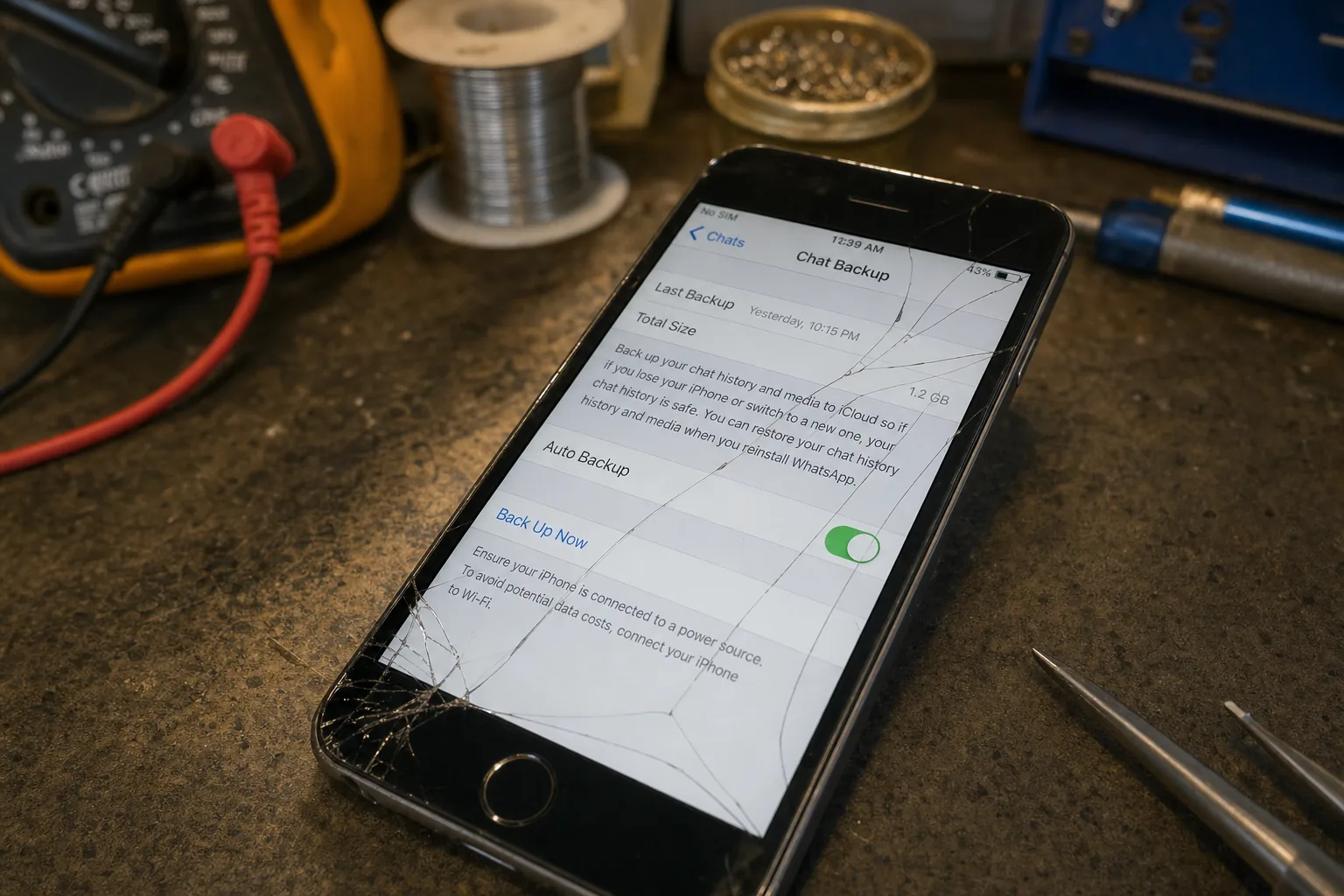

A woman brought a phone into the shop a few weeks back with a cracked screen and a dead battery, and she wasn't fussed about either. "I just need the messages from my dad," she said. He'd passed away, and their last two years of WhatsApp conversations were on that phone. I got the phone powered up. I opened WhatsApp. There was nothing there older than about ten days. Auto-backup had been switched off the whole time, and the chat history simply didn't exist anywhere else.
That's the sting with WhatsApp. People assume it's like photos, quietly copied to the cloud in the background. It isn't, unless you've told it to be.
Where WhatsApp actually keeps your backup
WhatsApp stores your chat history in two possible places, and it's worth knowing the difference:
- A local backup sits on the phone itself, usually made once a day, and is kept for about a week. It's fine if the phone still works, but useless if the phone is lost, stolen, or won't turn on.
- A cloud backup goes to Google Drive on Android or iCloud on iPhone. This is the one that survives a broken phone, because it's stored somewhere else entirely.
The cloud backup only exists if you've switched it on. Go to Settings > Chats > Chat backup in WhatsApp and look at the date next to "Last backup." If that date is old, or the screen shows the toggle for automatic backup as off, you're relying entirely on the phone in your hand not breaking.
What to do before it happens, not after
I can't fix this after the fact, and I want to be straight about that rather than sell false hope. Once a phone is wiped, sold, or the battery's finished for good and the local backup can't be reached, there is no service - mine or anyone else's - that recovers WhatsApp messages from nowhere. The data genuinely isn't stored anywhere else. So the useful bit of this article is what to do now, whilst your phone still works.
- Turn on Chat backup and set it to back up daily, not weekly or monthly.
- On Android, check you're backing up to the correct Google account, and that account has enough free storage - Google Drive stopped exempting WhatsApp backups from its storage limit back in December 2022, so a full Drive can quietly stop your backups working.
- On iPhone, check Settings > [your name] > iCloud to confirm iCloud Backup or the WhatsApp-specific backup toggle is actually on, and that you've got signal and Wi-Fi for it to run.
- If you're moving to a new phone, use WhatsApp's own transfer tool (chat transfer between two Android phones, or "Move to iOS") rather than trusting a cloud backup you've never actually checked.
It takes about thirty seconds to check this. I'd genuinely rather you did it tonight than brought me a phone in the state that one arrived in.
The Repair Bench verdict
Do this today: open WhatsApp, go to Settings > Chats > Chat backup, and confirm auto-backup is on and recent.
Best for most: daily backup to Google Drive or iCloud, checked every so often to make sure it's actually still running.
Watch out for: once a phone is gone and there's no cloud backup, the messages are gone too - nobody can recover chats that were never copied anywhere.