
The Graphics Card That Was Quietly Cooking Itself For Months
A gaming PC came in for random shutdowns - the real fault had been sat in plain sight since spring.
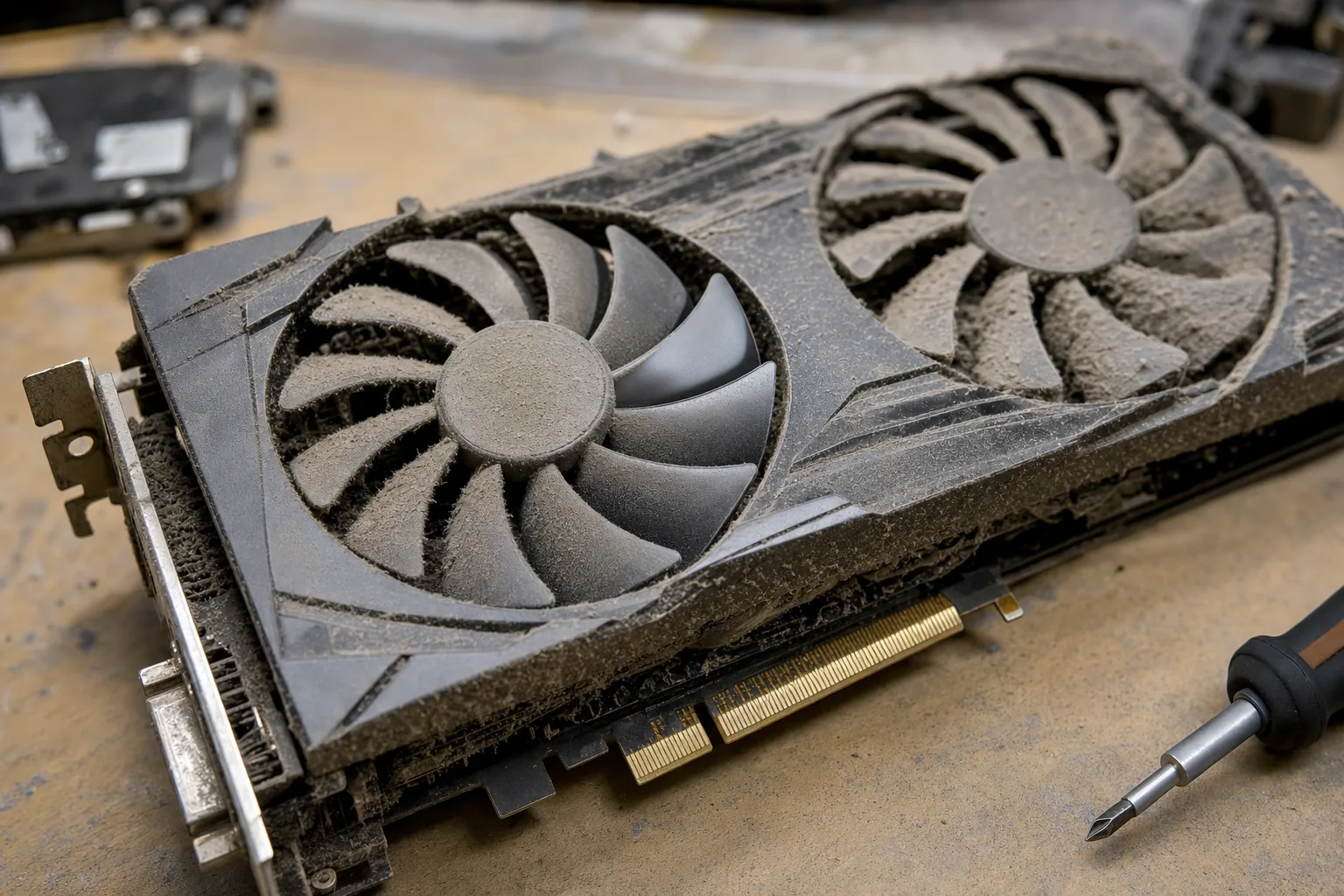

A gaming PC came in last month with a fault that made no sense at first: it would run fine for an hour, then shut itself off without warning. The owner assumed it was a power supply issue. When I opened the case, the graphics card's second fan wasn't turning at all - and going by the dust caked around the blade, it hadn't turned for a long while.
That's the odd thing about a dead GPU fan. Unlike a hard drive clicking or a laptop screen flickering, there's no obvious symptom to begin with. Most graphics cards have two or three fans, and modern cards are designed to idle them completely when the card is cool - so a fan sitting still during light use looks completely normal. The card only leans on that fan when it's under load, which is exactly when nobody's watching the inside of the case.
How this one goes unnoticed for so long
The card doesn't die the moment a fan stops. It compensates by throttling itself - lowering clock speeds to keep temperatures down - so games still run, just slower than they should. Most people put that down to "the game's just demanding" rather than a cooling fault. It's only when temperatures climb high enough to trigger a safety shutdown, as happened here, that anyone comes looking.
- Open a monitoring tool such as HWiNFO64 or GPU-Z and watch the fan speed and temperature readings whilst running a game or benchmark. A fan reading 0 RPM under load is the fault, plain and simple.
- Look, don't just listen. With the side panel off and the PC under load, watch each fan directly. A seized fan often still gets power - it just won't spin.
- Check the temperature. Most GPUs are happy up to around 80-85°C under load. Anything regularly higher, or a card that throttles hard within minutes, points to a cooling problem.
What's usually behind it
Nine times out of ten it's dust and age together. Years of dust build-up around the bearing adds drag until the motor can't overcome it, or the bearing simply wears out after running for years. Thermal paste drying out under the heatsink makes the same fault feel worse, because the card is fighting a losing battle even with working fans.
On the card I had on the bench, a proper clean with compressed air and a fan swap sorted it. The fan itself was a standard 90mm unit, available cheaply from the card manufacturer or a generic replacement of the right size - no need to replace the whole card, which is what the owner had been quietly dreading.
The Repair Bench verdict
Before you blame the whole card: check fan speed and temperature under load with a free tool like HWiNFO64 - a stopped fan is an easy, cheap fix on its own.
Best for most: open the case once every year or two, whilst under load, and just watch the fans turn. It takes two minutes and catches this early.
Watch out for: a card that's throttled for months on a worn bearing can also have degraded thermal paste underneath - factor a repaste into the fix, not just the fan.