
How to Choose a MicroSD Card That Won't Slow Down Your Camera or Switch
Decoding speed classes, A1 vs A2 ratings and counterfeit traps — plus the exact cards I'd put in a camera or a Nintendo Switch in 2026.
We link to the exact model on Amazon UK. Prices change often, so check the live price before you buy. As an Amazon Associate we earn from qualifying purchases.

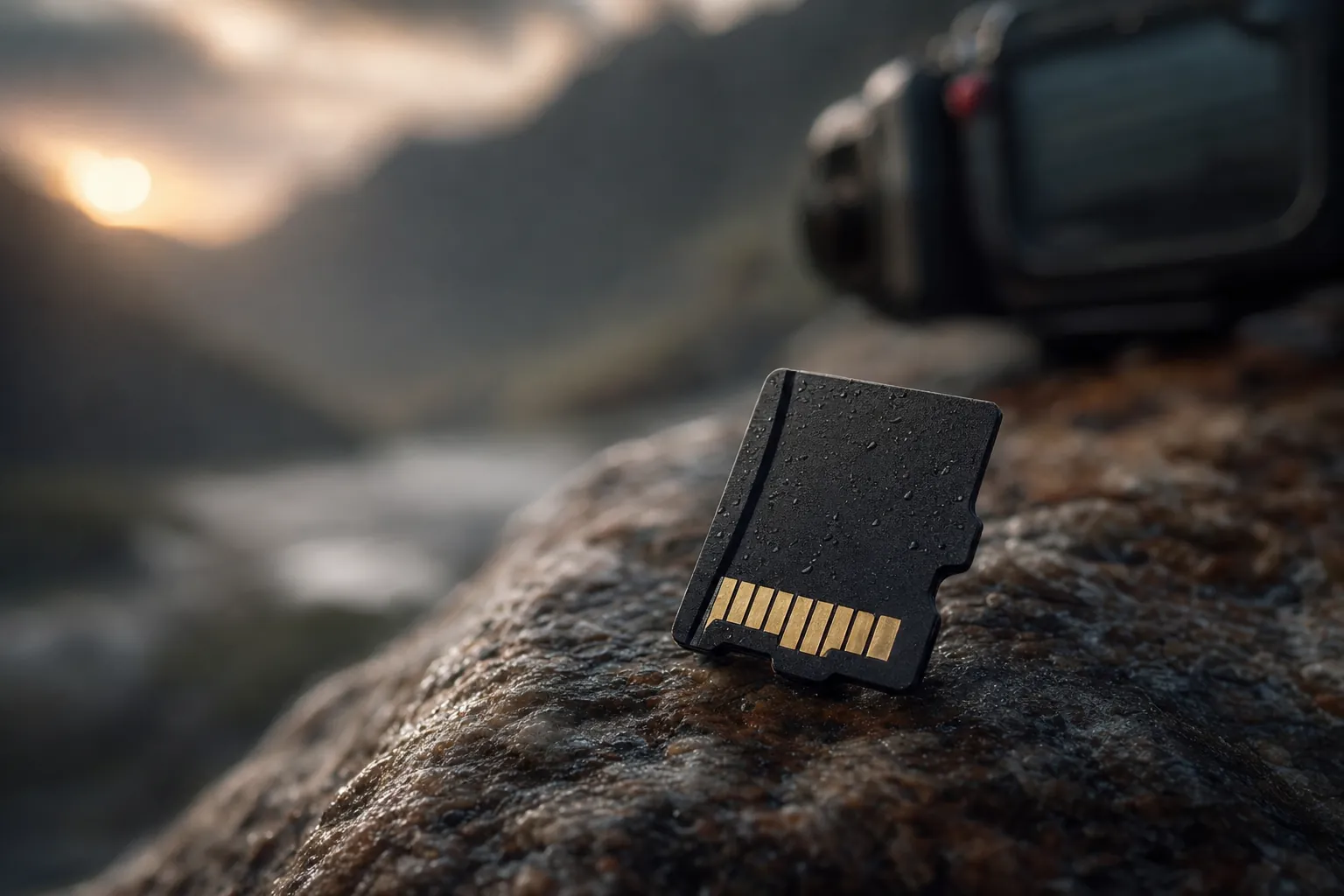
The humble microSD card hides an enormous amount of jargon on a fingernail-sized sliver of plastic.
If you've ever stared at the back of a microSD card and wondered why on earth there are five different logos crammed onto something the size of your fingernail, you're not alone. I've lost count of the number of people who've bought a card that's "fast" on the packaging, only to find their camera dropping 4K frames or their Switch taking an age to load a game. The truth is that picking the right card isn't about buying the biggest number — it's about understanding which of those cryptic symbols actually matters for your device. In this guide I'll decode the lot, show you how to spot the fakes that flood Amazon and eBay, and recommend specific cards I'd happily put in my own kit.

See SanDisk Extreme (A2) on Amazon UK
Check today's price & availability on Amazon UK
Why the Wrong Card Quietly Ruins Everything
Here's the frustrating thing about microSD cards: a slow or fake one rarely fails dramatically. Instead, it sabotages you quietly. Your camera stutters mid-burst. A 4K clip cuts out halfway through. Your Switch sits on a loading screen far longer than it should. And because the card "works", you spend ages blaming the device rather than the storage.
The root cause almost always comes down to one of two things. Either the card's sustained write speed is too low for what you're throwing at it, or — worse — the card isn't what it claims to be at all. Counterfeit cards are genuinely rampant, and they're designed to pass a quick glance whilst failing under real workloads.
The good news is that once you understand the handful of ratings that actually matter, the whole thing becomes refreshingly simple. There are essentially three families of markings: the legacy speed classes, the video speed classes (the V-ratings), and the application performance classes (A1 and A2). Each was designed for a different job, and knowing which one to read for your particular device is the entire game.
The markings that matter most depend entirely on whether you're filling a card with 4K video or game installs.
Speed Classes Decoded: Sequential vs Random
Let's start with the bit that confuses everyone: there are two completely different types of "speed" on these cards, and they answer two completely different questions.
Sequential speed is how quickly the card can read or write one big continuous stream of data — think a long 4K video clip, or a burst of high-resolution RAW photos. This is what the speed classes (Class 10, U1, U3) and the video speed classes (V30, V60, V90) measure. Random speed, on the other hand, is how quickly the card can deal with lots of tiny, scattered reads and writes — which is exactly what happens when an app or a game loads. That's what A1 and A2 measure, and we'll come to those shortly.
For now, focus on sequential. The most important number in this entire family is the guaranteed minimum write speed, because that's what determines whether your camera can keep up.
U1 (UHS Speed Class 1)
Guarantees a minimum sustained write speed sufficient for basic Full HD recording. Perfectly fine for casual snaps and 1080p video, but I wouldn't trust it with 4K.
U3 (UHS Speed Class 3)
This is the one to look for. U3 guarantees a minimum sustained write speed of 30 MB/s, which is the threshold most high-end cameras need for 4K capture without dropped frames.
V30 (Video Speed Class 30)
Effectively a re-badge of U3's promise — a guaranteed 30 MB/s minimum write. This is desirable for high-end cameras and anyone shooting 4K photos and video.
V60 & V90
Higher tiers guaranteeing 60 MB/s and 90 MB/s minimum writes respectively, aimed at high-bitrate and professional video. Most microSD shooters will never need to climb this high.
The number you should actually trust
Ignore the giant "190MB/s" splashed across the front of the packaging — that's the maximum read speed under ideal conditions, and it tells you almost nothing about whether your camera will keep up. The figure that protects you from dropped frames is the guaranteed minimum write, and that's exactly what the U3 and V30 logos certify.
A1 vs A2: The Rating Cameras Don't Care About
Now for the markings that cause the most confusion of all: A1 and A2. These are the Application Performance Classes, and they exist specifically to certify how well a card handles the small, random read/write operations that apps and games rely on. Crucially, they say nothing useful about big sequential video work — which is why I'll save you some money in a moment.
Here's how the two tiers compare on paper:
| Specification | A1 | A2 |
|---|---|---|
| Minimum random read | 1500 IOPS | 4000 IOPS |
| Minimum random write | 500 IOPS | 2000 IOPS |
| Minimum sustained write | 10 MB/s | 10 MB/s |
| Best suited to | App launching, basic game loading | Faster app/game loading, large titles |
Notice something interesting in that table? Both A1 and A2 share an identical minimum sustained write of just 10 MB/s. The leap from A1 to A2 is entirely about random performance — A2 jumps from 1500 to 4000 IOPS on random reads and from 500 to 2000 IOPS on random writes. That's a meaningful boost when you're loading apps or sprawling game worlds, but it does nothing to help a camera that's busy streaming a single fat video file.
So who actually benefits from A2?
For cameras: ignore the A rating entirely
A still or video camera reads and writes large continuous files, so random IOPS are irrelevant. Focus on the V-ratings (V30, V60, V90) instead and don't pay a premium for A2.
For phones, tablets, the Steam Deck and the Switch: the A rating is critical
On these devices the A rating determines how fast apps and games load, because everything is constantly fetching scattered chunks of data. Here, A2 genuinely earns its keep.
A2 on the original Switch
A2 random-I/O benefits require an A2-capable host; Nintendo specifies UHS-I and 60–95MB/s guidance rather than promising an A2 advantage
This is the single most common money-wasting mistake I see: photographers paying extra for an A2 card thinking it'll make their camera quicker. It won't. Spend that budget on a higher V-rating or more capacity instead.
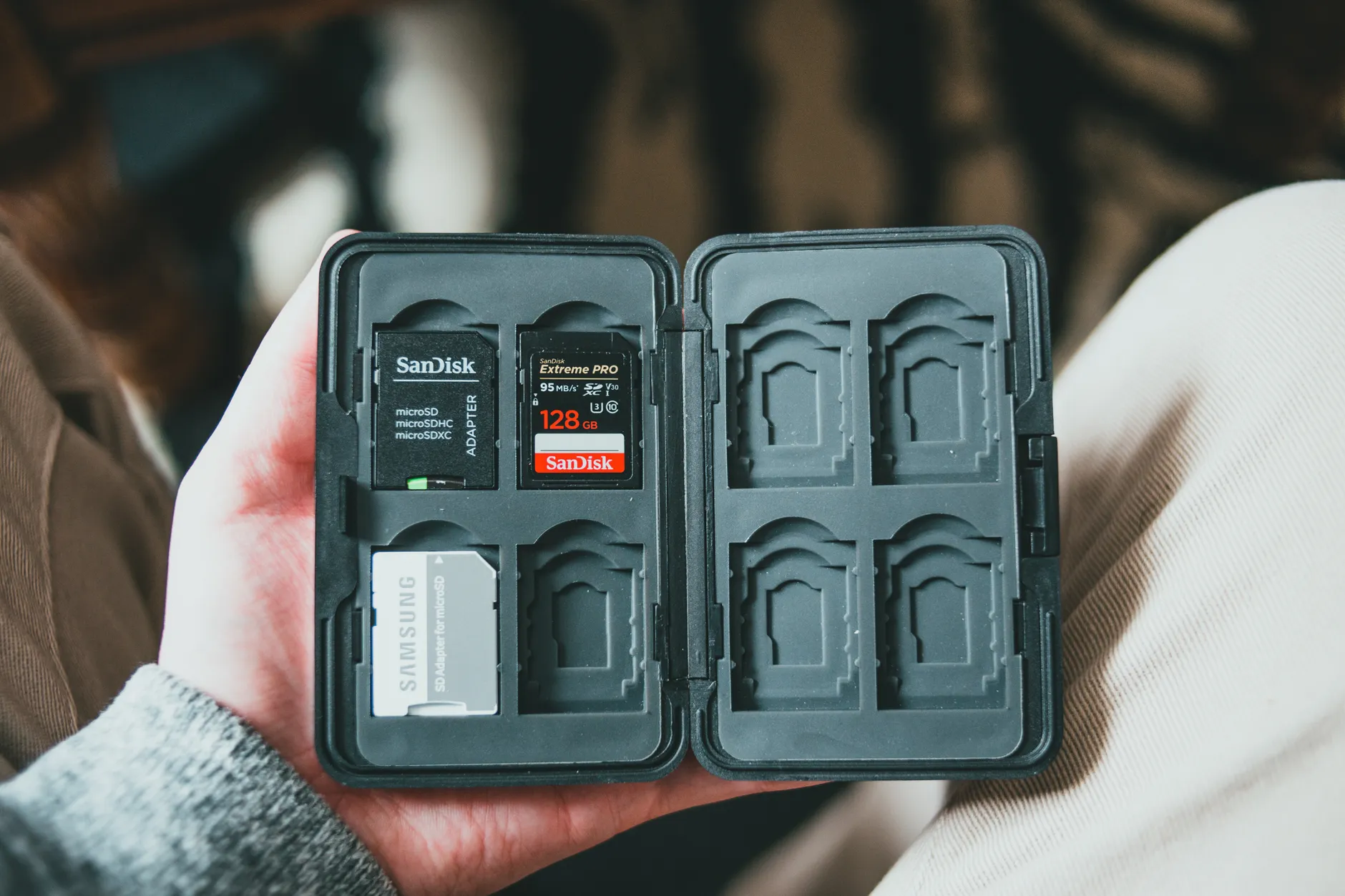
A2 ratings shine in gaming handhelds and phones — but for a camera they're a red herring.
Counterfeit Traps: How to Spot a Fake Before It Eats Your Footage
If there's one section of this guide I'd beg you to read carefully, it's this one. Counterfeit microSD cards are a leading cause of the exact problems people blame on their devices: unrecognised cards, formatting failures, and cameras that can't overwrite their own recordings. And the fakes have got cleverer.
The most common type by far is the fake-capacity card, where a small-capacity chip has been modified to report a far larger size. Slot it into a computer and it'll proudly claim to be 512GB. Fill it past the real limit, though, and your files silently corrupt — often without any error message until it's far too late to recover that holiday footage.
The red flags worth memorising
Reduced read/write speed
A fake might display impressive ratings — say "maximum 95MB/s read and 90MB/s write" alongside a V30 label promising 30MB/s minimum write. In practice, real-world transfers using a fast SD card reader may crawl along at just 5 to 10 MB/s. If your "V30" card writes at a fraction of its promise, it's not genuine.
Reduced capacity
The card reports a large storage size in your computer, camera or other device, but actually holds only a fraction of that. Everything looks fine until you cross the real limit.
Off colours on the print
In most cases the most prominent visible giveaway is a slight discolouration. Often a red colouring will appear faded — or, conversely, far too saturated. It applies to other colours too, but red is the usual offender. Compare against a known-genuine card if you can.
Dodgy packaging
Inspect the packaging for missing labels, absent warranty information, and a missing or incorrect UPC barcode. Genuine cards from the big brands are remarkably consistent about this.
Verify before you trust — every single time
Visual inspection only gets you so far, because the truly insidious fakes lie about capacity in software. The fix is to test the card with a tool that writes data across the entire claimed capacity and reads it back to confirm it survived. I run this on every new card before I rely on it, and you should too.
The verification tools I'd reach for
- H2testw — the go-to on Windows for confirming real capacity and rough speed.
- F3 — the equivalent for Mac users.
- SD Insight — a handy Android app that reads the card's manufacturer details directly on your phone.
Where the counterfeits proliferate
It's worth being honest about where the danger lurks. Wish.com is far from the only culprit — eBay is awash with counterfeit microSD cards, and even Amazon has sold (and occasionally still does sell) fakes through its third-party seller scheme. The lesson isn't "never buy online", it's to be deliberate: buy from a seller you trust, prefer listings that are sold and shipped directly by a reputable retailer rather than an unknown third party, and always run a verification test the moment your card arrives.
Pro Tip
If a 512GB or 1TB card is being sold for a price that feels suspiciously cheap, it almost certainly is. Genuine high-capacity cards from established brands cost what they cost for a reason. A "bargain" terabyte card is the single biggest fake-capacity giveaway there is.
Choosing for a Camera: V-Ratings Over Everything
Let's pull this together into a clear buying rule for cameras, because this is where the wrong choice hurts most — there's nothing worse than a clip cutting out partway through a moment you can't recreate.
For stills and video, your priority order should be:
- Minimum write speed via the V-rating. For 4K, you want V30 (30 MB/s guaranteed minimum) as your baseline. Step up to V60 or V90 only if your camera's high-bitrate modes specifically demand it.
- Capacity appropriate to your shooting style — 4K eats space frighteningly fast.
- Maximum read speed, which only really matters when you're offloading footage to a computer, not while shooting.
And the thing not to fixate on? The A rating. For cameras you can safely ignore it. Let's see how a strong UHS-I card stacks up against the marketing.
That last, much shorter bar is the one that actually keeps your footage intact. The headline read speeds are lovely for offloading at the end of the day, but the modest 30 MB/s minimum write is the figure your camera leans on while it's recording.
The Cards I'd Actually Buy in 2026
Enough theory — here are the specific cards I'd hand to friends depending on what they're doing. These are the models that consistently deliver on their ratings and come from brands with the warranty backing to match.
Lexar Professional Silver Plus
A good UHS-I card is quick enough for most people's needs, and the Lexar Professional Silver Plus is the best value of the ones I've come across in 2026. It's rated for read speeds up to 205 MB/s and write speeds up to 150 MB/s, with benchmarks showing write speeds that can run even higher. It covers the full spread of speed standards you'd want, and it's tough into the bargain.
SanDisk Extreme (A2)
See SanDisk Extreme (A2) on Amazon UK
Check today's price & availability on Amazon UK
The SanDisk Extreme is a brilliant value pick. Its 190 MB/s maximum read speed is excellent for a UHS-I card, and although its rated write speed is lower at 130 MB/s, that comfortably handles the vast majority of use cases. Hitting the A2 criteria is great news for phone and handheld users — it means quicker app loading — whilst the V30 rating guarantees a 30 MB/s minimum write, enabling 4K video recording, albeit at lower bit rates.
Samsung Pro Plus (microSDXC)

See Samsung Pro Plus (microSDXC) on Amazon UK
Check today's price & availability on Amazon UK
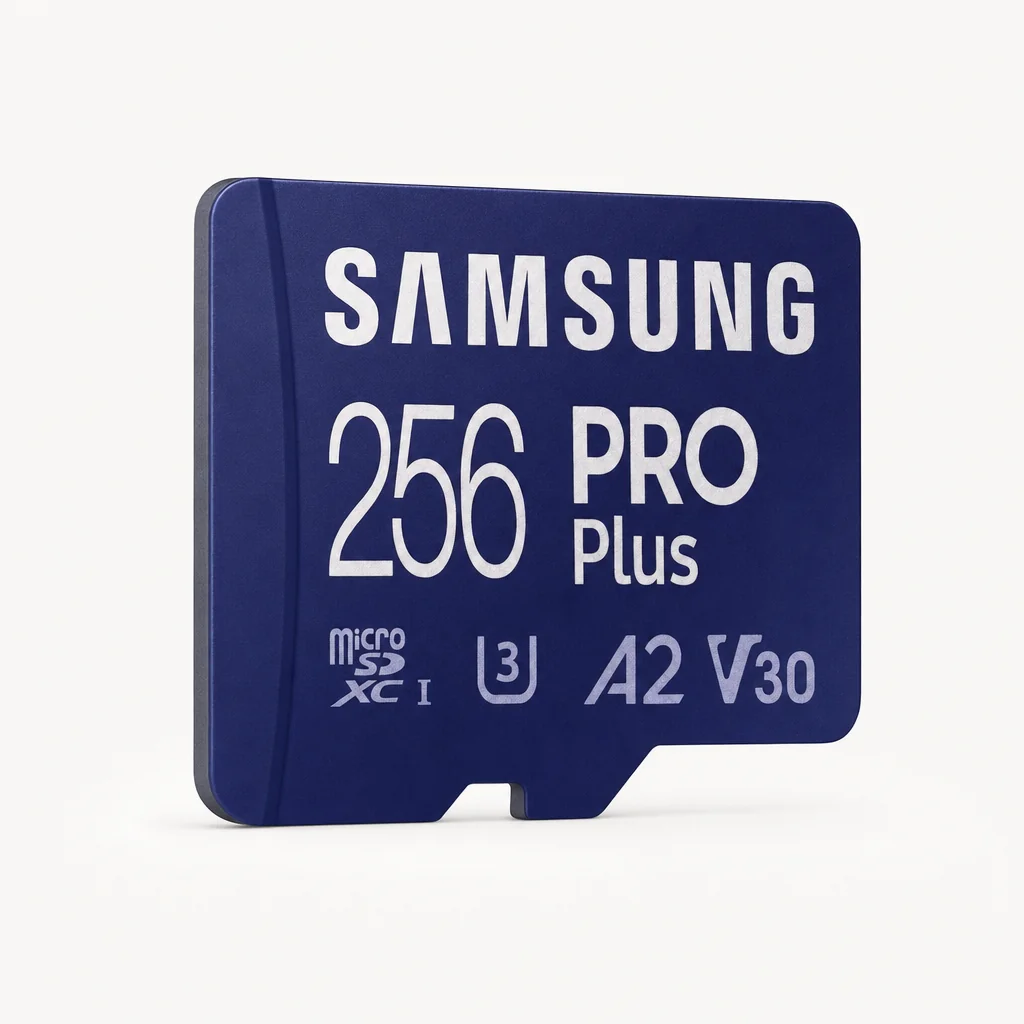
If you want the single safest recommendation for most people, the Samsung Pro Plus is the best microSD card overall for 2026. It earns that crown because it delivers the strongest blend of speed, consistency, device compatibility, warranty coverage and price — there's no single area where it lets you down, which is exactly what you want from a card you'll trust with irreplaceable files.
Ready to buy?
Check the latest price and any current bundles on Amazon.
My shortlist for 2026: the Lexar Professional Silver Plus, the SanDisk Extreme and the Samsung Pro Plus.
Choosing for the Switch (and the Switch 2)
The Nintendo Switch is a slightly different beast from a camera, because here we genuinely care about random performance — the A rating — alongside the sequential speeds. The console is constantly streaming small chunks of game data, so the right card noticeably tightens up loading.
The original Nintendo Switch
The original Switch works well with U3 or V30 cards, which hit that 30 MB/s minimum write speed. Officially it supports A1, but as I noted earlier, an A2 card will work fine and can cut 2–5 seconds off load times on chunky open-world titles. My pragmatic advice: a quality V30 card that also happens to carry an A2 badge — like the SanDisk Extreme or Lexar Professional Silver Plus — gives you the best of both worlds without overspending.
| Requirement | Original Switch | Camera (4K) | Phone / Steam Deck |
|---|---|---|---|
| Key rating to read | U3/V30 + A1/A2 | V30 (or higher) | A2 |
| Minimum write that matters | 30 MB/s | 30 MB/s | 10 MB/s |
| Random performance important? | Yes | No | Yes |
| A2 worth paying for? | Nice bonus | No | Yes |
The Nintendo Switch 2 — a whole new format

See The Nintendo Switch 2 on Amazon UK
Check today's price & availability on Amazon UK
Here's where things change significantly. The Nintendo Switch 2 is currently the only popular device that supports microSD Express cards. These are pricier than standard UHS-I cards, but they're necessary if you want to expand storage on that console — a standard microSD card simply won't cut it for the Switch 2's storage expansion.
And the performance leap is dramatic. With a 256GB SanDisk microSD Express card, sequential read speeds checked in just under 900 MB/s in both CrystalDiskMark and ATTO, with sequential writes topping out around 650 MB/s. That's a different league entirely to the ~205 MB/s reads of the fastest UHS-I cards.
If you own a Switch 2, don't waste money on a standard UHS-I card for storage expansion — you specifically need microSD Express. If you own the original Switch, the reverse is true: microSD Express is overkill and your money is better spent on capacity.
Lexar Professional Silver Plus: The Honest Pros and Cons
Since the Lexar Professional Silver Plus is my best-value pick, it's only fair to look at it squarely — strengths and limitations both.
Pros
- Excellent 205 MB/s max read for a UHS-I card — quick offloads
- Strong 150 MB/s max write, with benchmarks sometimes exceeding it
- Covers U3, V30, A2 and Class 10 in one card
- Capacities all the way from 128GB to a full 1TB
- IPX7 water resistance for peace of mind in the field
- Lifetime limited warranty
Cons
- As a UHS-I card, it can't approach microSD Express speeds
- Not suitable for Switch 2 storage expansion
- A2 rating is wasted if you're only ever using it in a camera
- Top read speed only matters once you're transferring to a computer
Who Should Buy What
The 4K shooter
Prioritise a V30 card and treat the A rating as irrelevant. The Lexar Professional Silver Plus or SanDisk Extreme both clear the 30 MB/s minimum write bar comfortably.
The original Switch owner
Go for a U3/V30 card that also carries an A2 badge for snappier loads. The SanDisk Extreme hits this sweet spot nicely.
The Switch 2 owner
You need microSD Express — full stop. A standard card won't expand your storage. Expect to pay more, but enjoy near-900 MB/s reads.
The phone / Steam Deck user
The A rating is king here. Choose an A2 card to keep apps and games launching quickly. The Samsung Pro Plus is a dependable all-rounder.
The "I just want one card" buyer
Get the Samsung Pro Plus. It blends speed, consistency, broad compatibility, warranty and price better than anything else for most people.
The budget-conscious
The SanDisk Extreme delivers excellent read speeds and full V30/A2 credentials without stretching the wallet.
Frequently Asked Questions
Run a quick verification test on any new card before you trust it with anything you'd hate to lose.
The Verdict
Choosing a microSD card that won't bottleneck your kit really does boil down to three habits. First, read the right rating for the right device: V-ratings for cameras, the A rating for phones, handhelds and the Switch. Second, never confuse the headline read speed with the guaranteed minimum write — that minimum is what protects your footage. And third, treat counterfeits as a genuine threat by buying from trusted sellers and verifying every new card before you rely on it.
For the vast majority of people in 2026, the Samsung Pro Plus is the safest all-round buy, the Lexar Professional Silver Plus is the standout value pick with its 205 MB/s reads and IPX7 toughness, and the SanDisk Extreme is a superb budget alternative. Own a Switch 2? Skip all of those for storage expansion and buy microSD Express instead. Get the rating right for your device, sidestep the fakes, and your card will simply disappear into the background — which is exactly what good storage should do.
Similar reads
- The first lens to buy after your kit lens — six upgrades from GBP 279 to GBP 849, and the mount trap to check first
- Nintendo Switch 2View on Amazon
- SanDisk Extreme (A2)View on Amazon
- Samsung Pro Plus (microSDXC)View on Amazon