
Lenovo ThinkPad X1 Carbon Gen 14 Review: Still the Business Laptop King?
Panther Lake brings more muscle to Lenovo's featherweight flagship, but the keyboard, weight and screen choice still matter more than a benchmark headline.
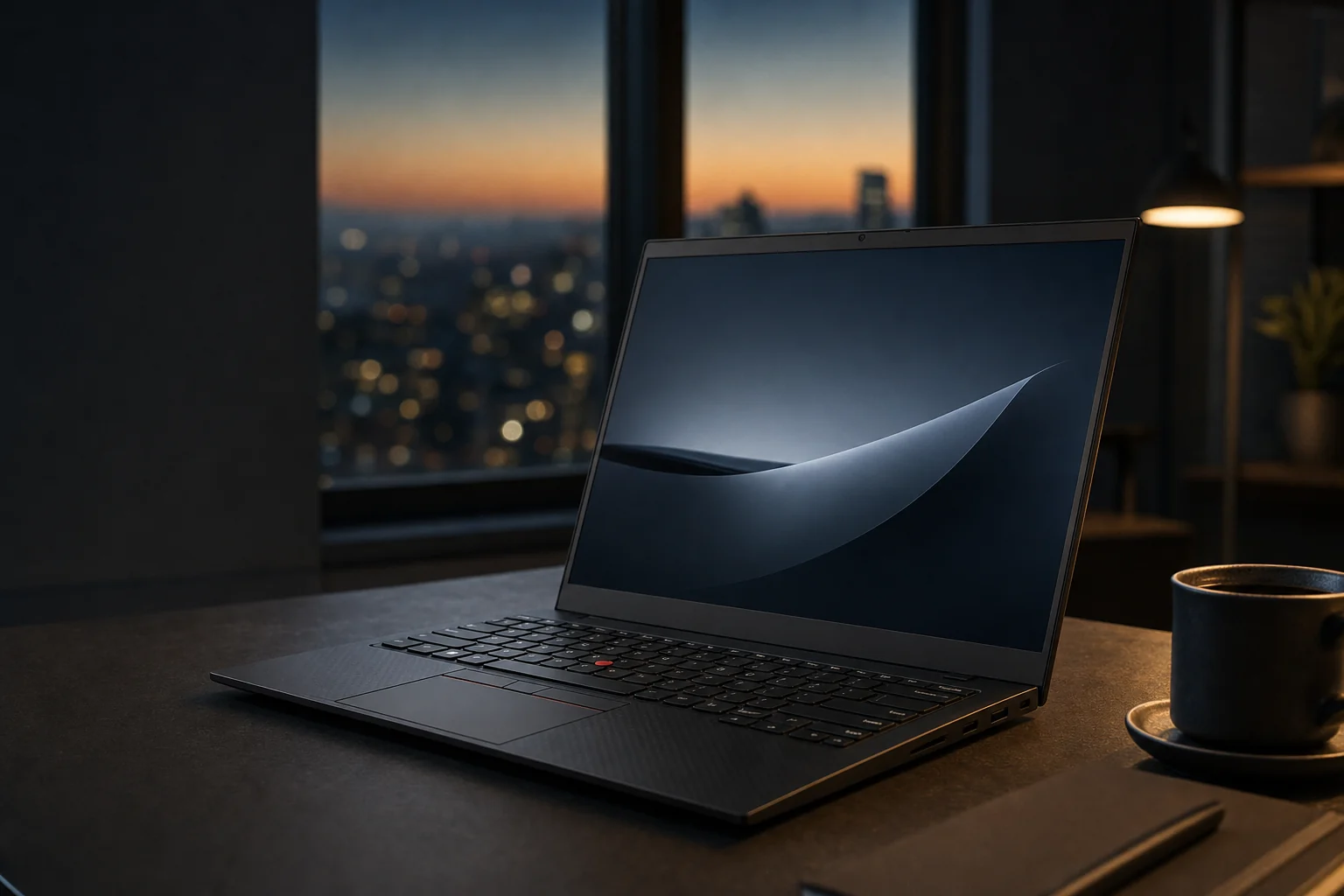
The ThinkPad X1 Carbon Gen 14 Aura Edition keeps the familiar business-first silhouette, but its internal Space Frame redesign is doing far more work than the exterior suggests.
The Business Laptop Benchmark, Rebuilt for Panther Lake
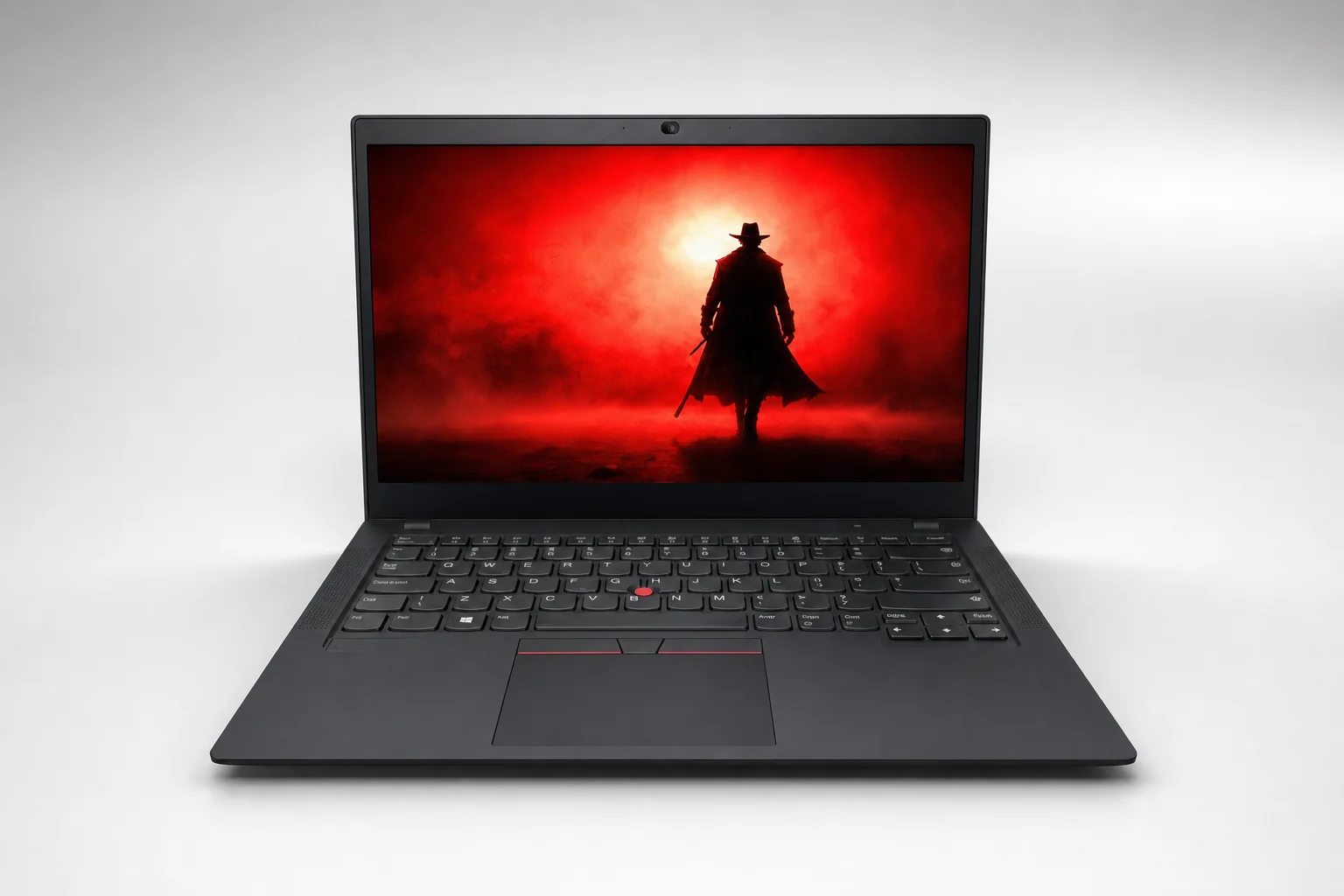
The ThinkPad X1 Carbon has spent years being the laptop people recommend when someone says, "I write all day, travel constantly and cannot be faffed with dongles." The Gen 14 Aura Edition did not throw that formula in a blender. Sensibly, Lenovo refined it.
The central question in 2026 is whether that refinement was enough. The premium Windows ultraportable market got rather more interesting: OLED screens became common, battery expectations rose, and Intel's Panther Lake platform gave thin machines a more serious performance ceiling. Meanwhile, Lenovo's own asking prices could become distinctly eye-watering once you selected more memory, OLED, WWAN and the faster processors. Business laptop buyers may wear sensible shoes, but they still notice a bill.
The important thing to understand is that the ThinkPad X1 Carbon Gen 14 Aura Edition is one family, not several separately named laptops. A Core Ultra 7 355 with 16GB memory and a low-power IPS display is a very different proposition from an X7 model with Arc B390 graphics, 64GB RAM and a 120Hz OLED panel. The chassis, keyboard philosophy, 58Wh battery and port selection are shared; the experience is not.
That matters because this review is less interested in claiming a single universal result than in helping you buy the sensible version. The four pillars are exactly what they should be for an X1 Carbon: typing comfort, genuinely low carry weight, battery consistency outside a laboratory, and whether Panther Lake performance finally makes this little ThinkPad feel as capable as its price suggests.
The short version
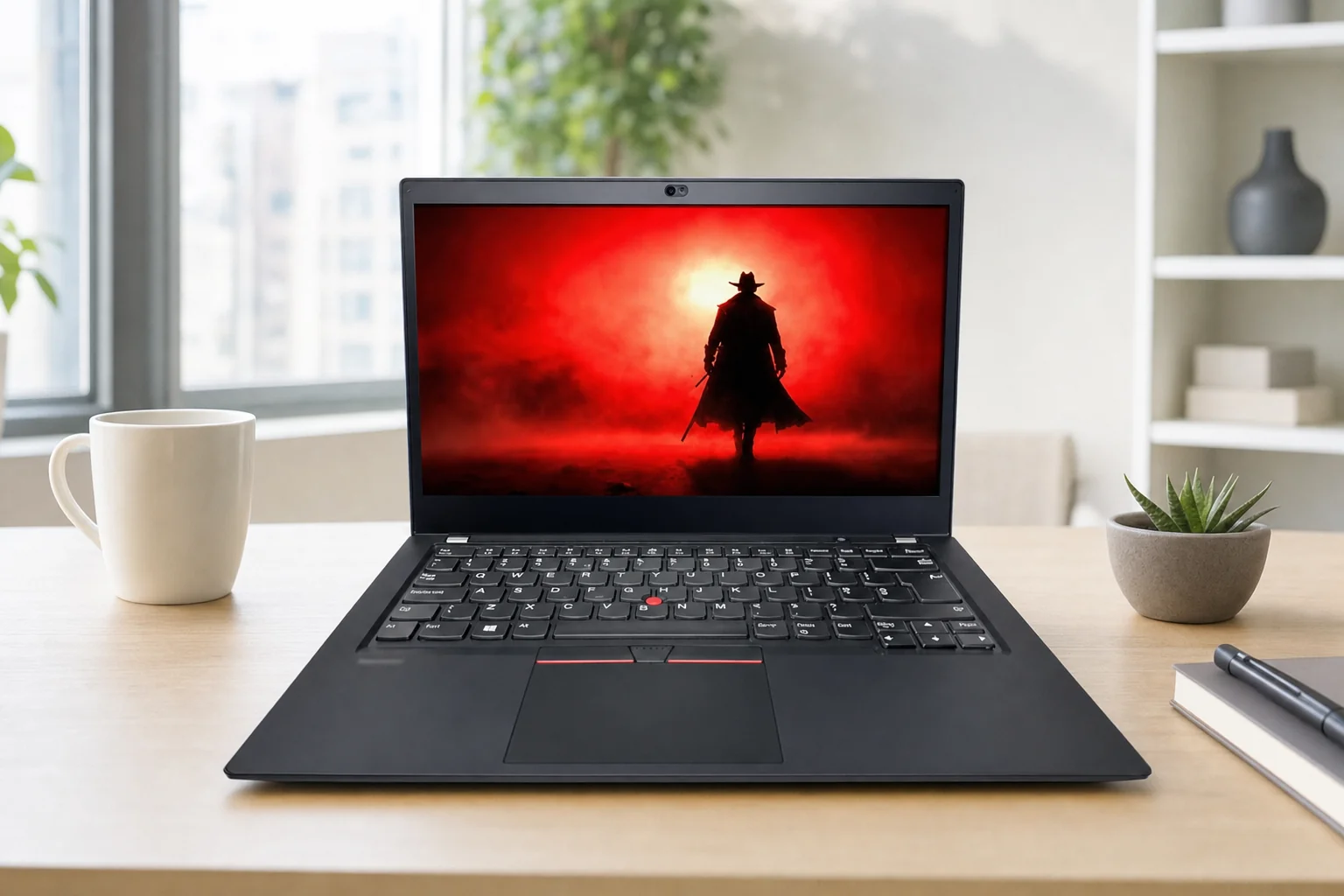
Yes, the X1 Carbon Gen 14 remained one of the best all-round Windows business ultraportables. It was not automatically the performance king, battery king or value king. It was the unusually convincing combination of keyboard, portability, connectivity, security and serviceability that kept it in the conversation.
The familiar ThinkPad advantage
A six-row, spill-resistant, backlit keyboard with 1.5mm travel on the main keys remains the headline feature. The red TrackPoint is still here too, gloriously stubborn and genuinely useful.
Properly travel-friendly, not merely "thin"
Standard touchpad configurations started at 0.977kg. That is the kind of number you feel every time you pick up your bag, not just one that looks nice in a marketing slide.
A rare repairability win
The reported 9/10 iFixit score made this a remarkable premium ultraportable: the SSD, battery, keyboard, fans, speakers and several I/O parts were designed to be serviced in relevant configurations.
A Featherweight Frame with More Engineering Underneath
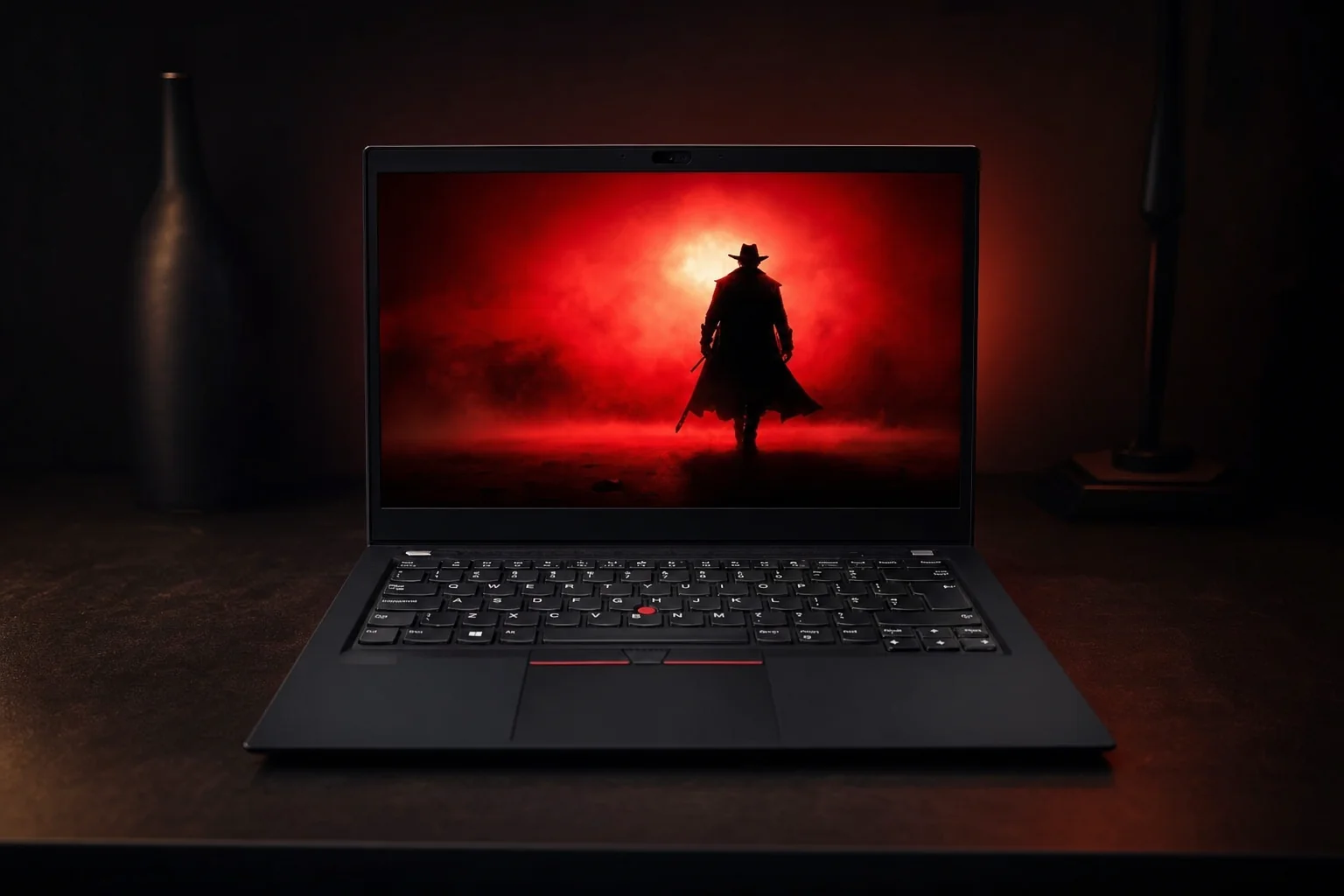
From across a meeting-room table, the Gen 14 looked like a ThinkPad X1 Carbon. That was not a criticism. Lenovo did not chase gaming-laptop drama, luminous logos or a lifestyle-magazine makeover. It stayed restrained, black and unmistakably businesslike, with the red TrackPoint providing its small flash of personality. If you like your computer to look like it belongs in a boardroom rather than a streamer's bedroom, this remains very much your sort of machine.
The lid opened flat to 180 degrees, which is still more useful than it sounds. It made sharing a spreadsheet, sketching out a seating plan or using the laptop in a cramped train seat less awkward. The chassis combined a carbon-fibre display cover with a magnesium or aluminium lower section depending on the display configuration, and Lenovo rated the family to MIL-STD-810H durability standards.
Non-touch models measured 312.50 x 215.75mm, with a 7.7mm front edge and 14.3mm rear profile, reaching 16.85mm at their thickest point. Touch versions were slightly chunkier, reaching 17.6mm maximum. Those numbers are all perfectly respectable. The thing that made the X1 Carbon special, though, was weight. A standard pad configuration started at 0.977kg or 2.15lb, while the larger glass haptic-touchpad version began at 0.998kg or 2.20lb.
There was some inevitable give in parts of the chassis. Physics has not yet been cancelled, sadly. This is an extraordinarily light computer, and a little flex is part of the deal. The lid was stiffer than the base, while the keyboard deck did not have the granite-solid feel of a chunky mobile workstation. It still felt premium; it simply prioritised low mass over brute-force rigidity.
The bigger design story is inside. Lenovo's new Space Frame layout reduced the motherboard footprint by roughly 20%, making room for more cooling hardware and helping improve serviceability. Lenovo claimed a 20% improvement in heat dissipation compared with the previous approach.
At under 1kg in standard-pad form, the X1 Carbon Gen 14 is one of the few 14-inch business laptops that genuinely disappears into a work bag.
The Keyboard Still Has the Last Word
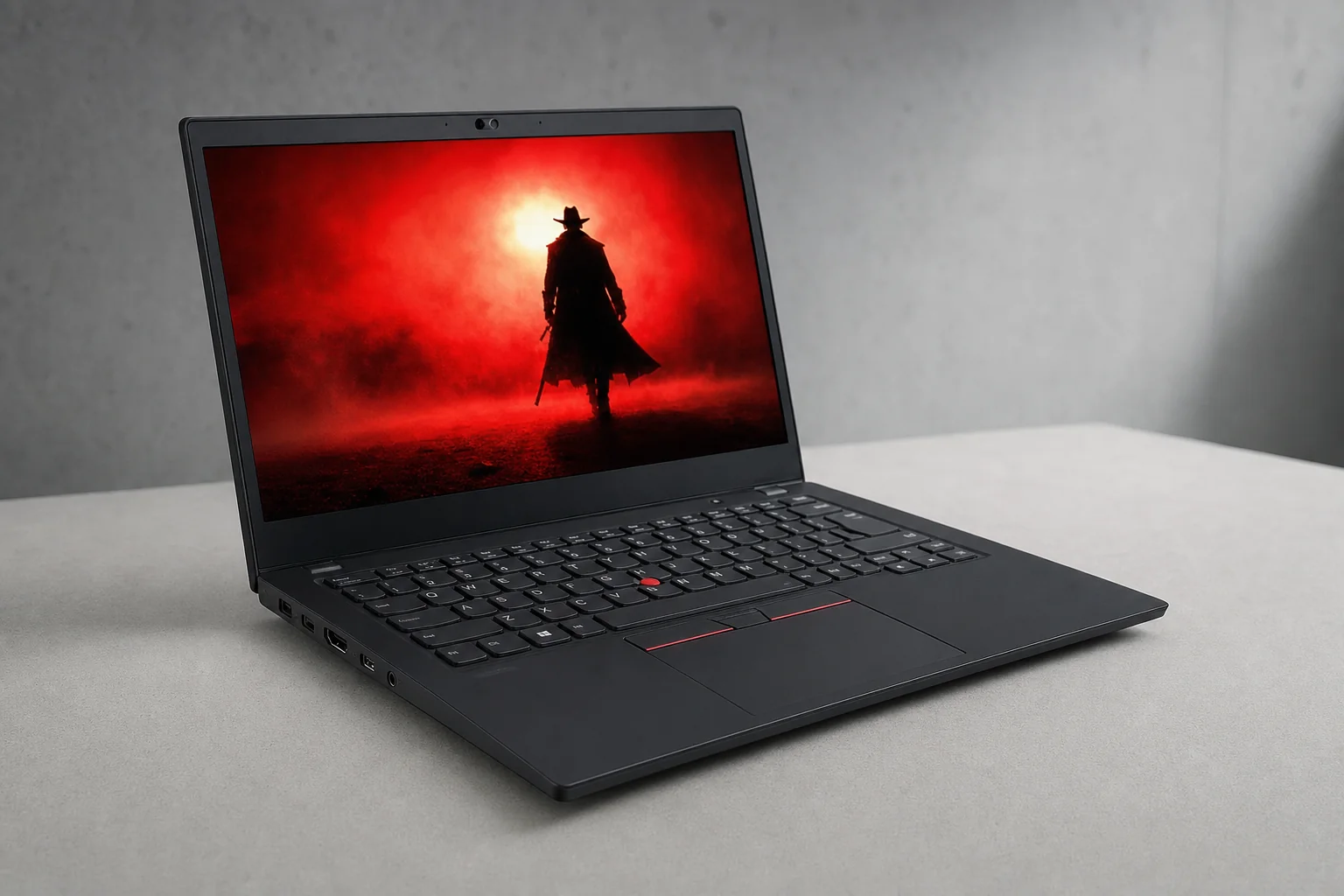
There are plenty of laptops with excellent screens. Plenty have fast processors. A growing number can manage a Teams call without making you look like a suspect in a CCTV still. The ThinkPad keyboard is still the bit rivals struggle to copy.
The Gen 14 used Lenovo's six-row, spill-resistant, backlit ThinkPad layout. Main keys had 1.5mm travel, while the Fn row and the G, H and B keys had 1.35mm. On paper, that tiny difference might look like the sort of detail only a keyboard forum could love. In normal use, it was not disruptive. The main typing area retains the more generous movement where it matters, and the shortened travel on those few keys did not turn into an odd dip or a feeling of missed consistency.
For writing, this is where the X1 Carbon earns its reputation. Long emails, reports, meeting notes and the kind of spreadsheet work that makes the afternoon vanish all benefit from the clear tactile response. The keys have enough depth to avoid the brittle, flat sensation common on very thin laptops, but they do not need a heavy press. That reduces fatigue over a proper day of typing. It is not a mechanical keyboard in miniature, thankfully. It is quieter, more controlled and better suited to an office where your colleagues would rather not hear your quarterly report being composed.
Spacing is also well judged for a 14-inch body. Lenovo did not turn the keyboard into a compromised island surrounded by decorative speaker grilles. The usual ThinkPad layout takes a little adjustment only if you are coming from another brand, and long-term ThinkPad users will feel at home immediately. The arrow keys remain practical rather than token-sized. The dedicated Copilot key may or may not become part of your muscle memory; the quality of the actual typing surface absolutely will.
The TrackPoint remains a dividing line between people who get it and people who have not spent a day editing a document without moving their hands off the home row. With the physical buttons above the touchpad, it is still brilliant for precise selection, scrolling and spreadsheet navigation. If you never use it, it does not get in your way. If you do, there is no equivalent on the Dell XPS 14, HP EliteBook Ultra G1i or Surface Laptop 7.
The keyboard verdict
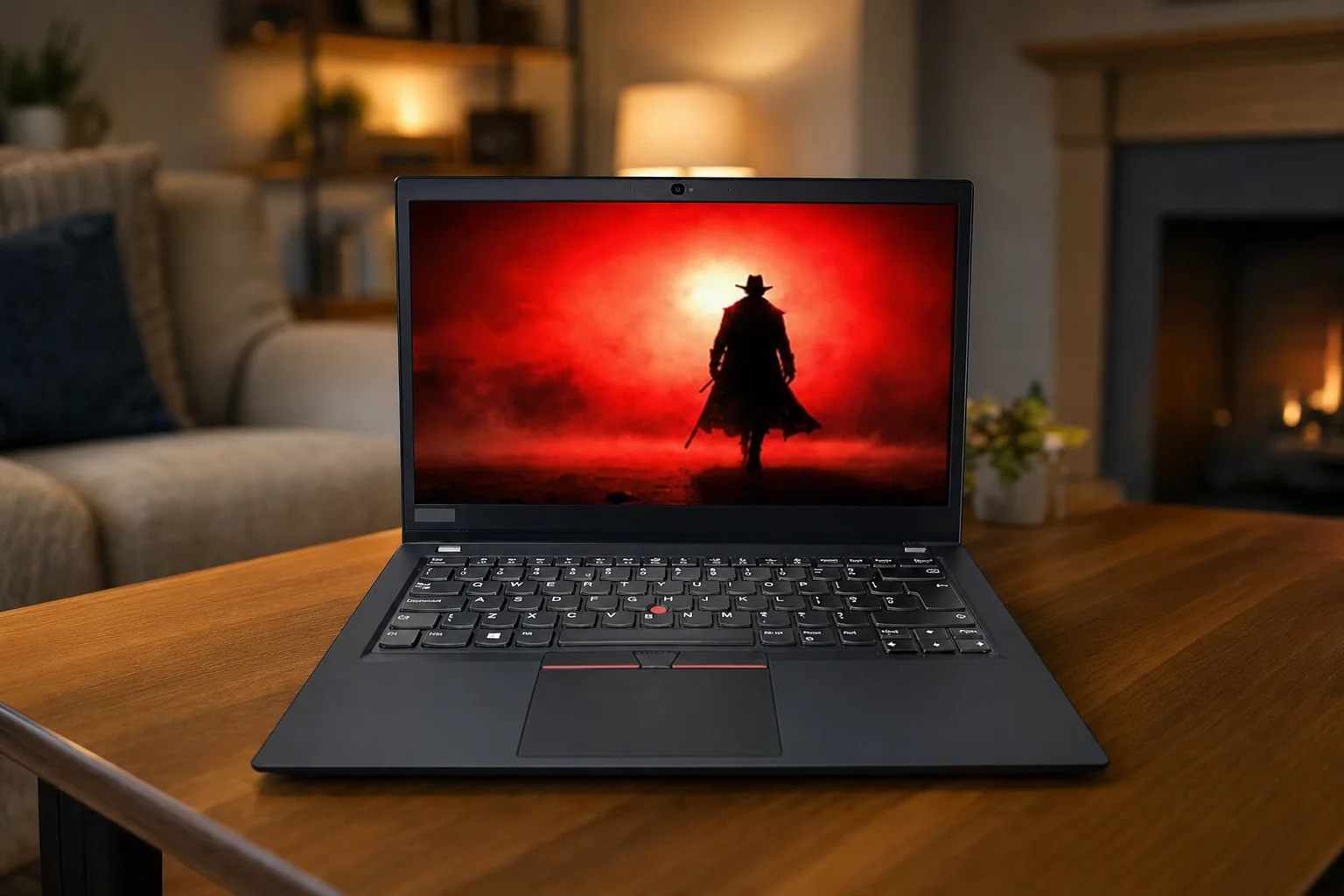
The 1.5mm main-key travel was more than nostalgia. It made the X1 Carbon a better tool for people whose actual work is words, numbers, code and replies that needed to sound far warmer than they felt at 6pm on a Friday.
Spill-resistant by design
This is not a licence to pour coffee into it, obviously. It is a sensible layer of reassurance in the sort of mobile working life where drinks and laptops often share very small tables.
Two touchpad approaches
Buyers could choose an 80 x 120mm standard glass-like Mylar pad or an 80 x 130mm glass haptic touchpad. The haptic option added a little weight, but gave more room for gestures.
Fingerprint reader in the power button
It is a practical placement for a business laptop: wake, authenticate and start working without turning login into another little ceremony.
IPS Efficiency or OLED Impact?
Do not buy an X1 Carbon Gen 14 simply because a review said it had a lovely display. It can have a lovely display. It can also have a very sensible display. Those are not necessarily the same thing.
The pragmatic route is the 14-inch 1920 x 1200 IPS panel. It offered 500 nits of brightness, a matte anti-glare finish, 60Hz refresh, 100% sRGB colour coverage and 1500:1 contrast. For a typical business workload, that is a remarkably well-balanced specification. The 16:10 shape gives you more useful vertical room for documents than a 16:9 panel, 500 nits is enough for bright offices and travel, and the anti-glare coating is exactly what you want when someone has positioned you under a ceiling light apparently designed for interrogations.
There was also an IPS privacy-display option with ThinkPad Privacy Guard. This is a genuinely useful variation for financial, medical, legal or otherwise sensitive work in public places. It is not a glamorous feature, but neither is avoiding an accidental data leak. That tends to be the point.
The more exciting choice is the 2880 x 1800 OLED. It raised the refresh rate to 120Hz with variable refresh rate support, delivered 100% DCI-P3 coverage and carried DisplayHDR True Black 500 certification. It also reached 500 nits, with anti-glare treatment on the non-touch version and anti-glare, anti-reflection and anti-smudge finishes on the touch version. Contrast, black depth and colour richness are a clear step above IPS. Scrolling feels smoother, photos look more immediate, and a long day in presentation decks becomes marginally less bleak.
For designers working inside a business environment, the OLED's DCI-P3 coverage is compelling. For executives who spend half their life looking at PowerPoint, it is simply more pleasurable. For the buyer who uses the X1 Carbon mostly for Word, browser tabs, Excel and a remote desktop connection, it is a luxury rather than a necessity. A very nice luxury, to be fair, but still one with consequences.
The OLED is the screen to choose for visual impact, colour work and a smoother everyday feel. The 1920 x 1200 low-power IPS panel is the better choice if battery consistency, office readability and a sensible fleet specification matter more than cinematic blacks.
The Gen 14's display choice is unusually consequential: OLED adds 120Hz VRR, DCI-P3 colour and HDR, while the low-power IPS option is the more conservative all-day-working bet.
Panther Lake Finds Its Performance Ceiling
Intel Core Ultra Series 3, better known as Panther Lake, was the major internal change. Lenovo offered the ThinkPad X1 Carbon Gen 14 with Core Ultra 7 355, Core Ultra 7 356H, Core Ultra X7 358H and, in selected regional material, Core Ultra X7 368H processors. Treat those as meaningful choices, not a long list of slightly different labels.
The Core Ultra 7 355 reviewed by Tom's Hardware returned 2,635 in Geekbench 6 single-core and 11,107 in multi-core testing. It converted a 4K video to 1080p in 6 minutes 12 seconds, transferred a 25GB file at 1,256.31MB/s and stayed stable at roughly 2,500 to 2,600 through a 10-loop Cinebench 2026 run after opening at 2,581. That is solid modern ultrabook performance: brisk in everyday work, credible for occasional media tasks and far from flimsy.
But it is not the whole story. The 356H and X7 options are materially more capable products. Ultrabookreview measured a Core Ultra 7 356H at around 45W sustained in Best Performance mode, with brief peaks around 65W. Lenovo's own claim was up to 30W sustained system performance, so the precise result depended on mode and configuration. In practical terms, the faster chips brought more headroom for heavier spreadsheets, virtualised workloads, code builds and content work, rather than making the X1 Carbon a workstation in a cardigan.
Graphics split in the same way. Some models used standard integrated Intel Graphics, while higher-end X7 versions could include Intel Arc B390 integrated graphics with up to 12 Xe cores. The Arc route was the one to choose if you wanted GPU-assisted creative work, lighter 3D tasks or an occasional game after hours. Measured graphics results included 6,590 in 3DMark Fire Strike, 3,426 in Time Spy and 1,647 in Unigine Superposition 1080p Extreme. Playable is the right word here, not effortless. XeSS and Frame Generation could help in supported titles, but this remained a slim business laptop first.
The Dell comparison makes the point nicely: a laptop family's processor choice can matter more than the logo on its lid. The Core Ultra 7 355 X1 Carbon did well against the similarly specified Dell XPS 14, but a 16-core X7 configuration sat in a different performance class. Buy on the exact chip, not the vague promise of "Panther Lake".
Thermals were encouraging. Tom's Hardware recorded an average internal CPU temperature of 91°C during sustained work, with the keyboard area between G and H reaching 34°C and the underside peaking at 41°C. That underside warmth is noticeable if you are actually using a laptop on your lap. The good news is that the keyboard stayed comparatively comfortable, and performance-mode fan noise on the 356H sample remained under 35dBA. Balanced mode was around 30dBA at a 25W target, while efficiency mode stayed below 30dBA.
AI without the confetti cannon
The NPU offered up to 50 TOPS, enough for Copilot+ PC features, local AI effects and video-call enhancements. That is useful headroom, but it is not a reason to assume every app suddenly becomes brilliant. The more immediate benefit is a capable, current Windows platform rather than magical office automation.
The Space Frame cooling layout helped the X1 Carbon sustain more performance than its sub-1kg weight suggests, though the underside could still warm up under prolonged heavy work.
A Full Working Day Depends on the Screen You Choose
Battery life is where this ThinkPad needs the most careful reading. Lenovo fitted a 58Wh lithium-ion battery and supplied a 65W USB-C Power Delivery adapter, with Rapid Charge rated for roughly 80% in one hour. The charger is compact enough that carrying it does not rather defeat the point of buying a sub-1kg laptop. So far, so good.
Lenovo's official figures were exceptionally strong in the right conditions: up to 19.2 hours in MobileMark 30 at 250 nits, up to 18.9 hours of video under JEITA 3.0 at 200 nits, up to 38 hours idle under the same method, and up to 32.6 hours of local video playback at 150 nits in one configuration. These are valid manufacturer figures, but they are not the same thing as a normal busy day full of browser tabs, meetings, cloud sync, messaging apps and someone sending a "quick" 80MB PowerPoint at 4:48pm.
Independent tests told a more complicated story. Thurrott saw around 6.5 hours of average real-world use. Tom's Hardware achieved 13 hours 10 minutes in a web, OpenGL and video battery test over Wi-Fi at 150 nits on an OLED review unit. That is a huge spread, and it should stop anybody treating a single battery estimate as gospel.
Panel, brightness, CPU tier, power mode and workload all mattered. An OLED panel has obvious advantages in contrast and colour, but it also places a different demand on the battery than the 1920 x 1200 low-power IPS option. If you routinely work away from sockets, want a fleet configuration with fewer surprises or simply dislike looking for a plug before the afternoon meeting, the IPS model is the safer choice. If your priorities are display quality and you can top up during the day, OLED remains very tempting.
| Battery reference | ThinkPad X1 Carbon Gen 14 | Dell XPS 14 (2026) | HP EliteBook Ultra G1i |
|---|---|---|---|
| Battery capacity | 58Wh | 70Wh | 64Wh |
| Published mixed-use result | 13h 10m on OLED in Tom's Hardware testing | 20h 41m LCD; 12h 23m OLED in Tom's Hardware testing | Up to 16.5 hours claimed |
| Charging claim | Approximately 80% in one hour | — | 50% in 30 minutes |
The battery comparison is not a clean head-to-head laboratory shoot-out because testing methods differ. What it does establish is simple: the X1 Carbon can last well, especially in favourable conditions, but it is not the safest choice if class-leading endurance is the single requirement.
One encouraging daily-use note came from Thurrott, which reported excellent instant-on behaviour and no major sleep/wake problems, with overnight standby drain no higher than around 3% in testing. That boring reliability is a bigger deal than it sounds. A business laptop should open, wake and be ready when you need it. It should not begin every meeting with a small administrative drama.
Ports, Privacy and the Practical Business Toolkit
Lenovo deserves credit for resisting the temptation to call a USB-C-only port selection "minimalist". The X1 Carbon Gen 14 had three Thunderbolt 4/USB-C ports, one USB-A 5Gbps port with Always On support, HDMI 2.1 TMDS and a 3.5mm headphone/microphone combo jack. That is an excellent set for a machine this light.
Three Thunderbolt 4 ports are particularly useful. One can handle charging, another can connect a dock or fast external SSD, and you still have a spare port without beginning a cable-swapping ritual. Combined with HDMI and USB-A, the X1 Carbon is more practical in older meeting rooms and mixed-device offices than thin rivals that demand adapters for a projector, a flash drive or a wired presentation remote.
It supported up to four independent external displays. HDMI could reach up to 4K at 60Hz, while Thunderbolt could support up to 8K at 60Hz, subject to display-pipe limitations. Most people will not be building an eight-screen trading desk from a laptop that weighs less than a litre of water. But the point is that it can dock properly, not merely charge and hope.
Three Thunderbolt 4 / USB-C ports
Useful for charging, docks, storage and display connectivity without treating every peripheral as a reason to buy another dongle.
HDMI 2.1 plus USB-A
This is old-fashioned in the best sense: you can turn up to a meeting room and have a decent chance of connecting to what is already there.
Wi-Fi 7 and optional mobile connectivity
Wi-Fi 7 and Bluetooth 5.4 were available depending on configuration and region, while selected markets offered optional 4G, 5G or eSIM capabilities.
Proper business security options
ThinkShield, discrete TPM 2.0, fingerprint login, IR facial recognition on relevant camera configurations, optional vPro and optional presence detection give IT teams useful layers to work with.
The camera options were also stronger than the average ultrabook's. Depending on configuration, Lenovo offered a 5MP + IR camera or a 10MP UHD + IR unit. Both included a privacy shutter, fixed focus, vHDR and temporal noise reduction; the 10MP option added an ultrawide view and a ToF sensor. Add dual far-field microphones and stereo 2W speakers with Dolby Atmos, and this became a genuinely credible video-call laptop rather than one that simply ticked the webcam box.
There was no onboard Ethernet, card reader or smart-card reader, so certain corporate deployments will still want a dock or adapter. That is not unusual in this class, but it is worth planning for rather than discovering halfway through a client visit.
Three Thunderbolt 4 ports, HDMI, USB-A and a headset jack make the X1 Carbon unusually adaptable in real offices, not just at a tidy desk with a dock.
The Rare Ultraportable You Can Actually Maintain
Repairability is one of those subjects manufacturers love to mention in a footnote and buyers only notice when something breaks. Lenovo made it a genuine X1 Carbon Gen 14 strength. The machine received a reported iFixit score of 9/10, which is exceptional for a premium sub-1kg laptop.
That matters because business laptops are often bought for longer service lives than consumer machines. They get passed between staff, taken through airport security trays, used in meeting rooms and expected to survive a few years of daily work. A laptop that can accept a replacement battery, SSD, fan, speaker, keyboard, USB-C port or I/O daughterboard is a much better long-term asset than one that becomes an expensive paperweight after a single component failure.
The removable M.2 2280 NVMe SSD is particularly welcome. Lenovo listed PCIe Gen 4 and Gen 5 options depending on SKU, and having a removable drive helps with servicing and managed deployments. The redesigned Space Frame, smaller motherboard footprint and keyboard air intake are not glamorous features, but together they suggest a company that still understands how enterprise hardware is actually used.
The catch is memory. RAM is soldered LPDDR5X, with 16GB, 24GB, 32GB and 64GB capacities available depending on configuration, and speeds ranging from LPDDR5X-7467 through 8533 to 9600. You cannot add more later. That means memory is the one decision you need to make with some pessimism about your future workload. For basic Office, browser and collaboration work, 16GB may be sufficient. For longer ownership, heavier multitasking, local development or virtualised work, 32GB is the more comfortable floor. If you know you need 64GB, buy it at the start.
Pros
- Reported 9/10 iFixit repairability is outstanding for this class.
- SSD, battery, keyboard, speakers, fans, USB-C ports and I/O components can be serviced in relevant configurations.
- Sub-1kg portability does not force a USB-C-only port selection.
- Improved cooling supports longer sustained performance than previous X1 Carbon designs.
Cons
- LPDDR5X memory is soldered and cannot be upgraded.
- OLED configurations can trade endurance for visual quality.
- The underside can become warm during prolonged heavy workloads.
- No onboard Ethernet, card reader or smart-card reader.
Premium Pricing Needs a Premium Use Case
In the UK, Lenovo's live build-and-buy pages showed ThinkPad X1 Carbon Gen 14 configurations around £2,499 and above. A 64GB configuration appeared at roughly £3,183 after discount, against an estimated value of £3,525. In the US, the family had been announced from $1,999, while current starting and review pricing commonly sat above $2,000, with high-end prebuilt versions reported at $3,099 and $3,499.
That is plainly expensive. It is not a laptop to buy because you want the most gigabytes per pound. It is a laptop to buy when time spent typing, travelling, docking, presenting and maintaining hardware costs more than the initial saving on a cheaper machine. This is a familiar business-laptop argument, but the Gen 14 is one of the few machines that can make it convincingly.
Typical UK entry point
Lenovo UK build-and-buy configurations varied by processor, screen, memory and storage.
High-memory UK example
A listed 64GB configuration after discount, with an estimated value of £3,525.
US launch estimate
Actual US configurations and review units generally appeared above $2,000.
Configuration changes value radically. The Core Ultra 7 355 is adequate for mainstream office work, but it is not the same proposition as the 356H or X7 options. OLED is prettier; IPS is the safer battery choice. The haptic touchpad brings more surface area but nudges the weight up. WWAN is valuable for the right traveller and dead money for someone who only works at home and in the office. Memory is soldered, making a cheap 16GB purchase potentially less cheap over a four-year deployment.
| Premium 14-inch comparison | ThinkPad X1 Carbon Gen 14 | Dell XPS 14 (2026) | ASUS ExpertBook Ultra B9406CAA |
|---|---|---|---|
| UK price | From around £2,499 | From around £1,599–£1,849 | £2,399.99 on ASUS UK eShop |
| Starting weight | 0.977kg | 1.36kg | 0.99kg |
| Battery capacity | 58Wh | 70Wh | 70Wh |
| Screen option | 1920 × 1200 IPS or 2880 × 1800 OLED | 1920 × 1200 LCD or 2880 × 1800 tandem OLED | 2880 × 1800 tandem OLED touchscreen |
| Port selection | 3× Thunderbolt 4, USB-A, HDMI, audio | 3× Thunderbolt 4, audio | 2× Thunderbolt 4/USB4, 2× USB-A, HDMI, audio |
The Dell XPS 14 was cheaper at entry level and had a larger 70Wh battery, with notably strong LCD endurance in Tom's Hardware testing. The ASUS ExpertBook Ultra was the closest match for sheer weight, while bringing a 70Wh battery, a brighter HDR OLED and two USB-A ports. The ThinkPad's answer was not to win every line of the spreadsheet. It was to be the machine with the better keyboard, TrackPoint, very strong repairability and a more complete business-minded balance.
The ThinkPad's premium price is easiest to justify for buyers who will exploit its keyboard, low weight, ports, security options and serviceability over several years.
Who Gets the Crown—and Who Should Look Elsewhere?
The ThinkPad X1 Carbon Gen 14 is most convincing when you value its combination rather than one isolated specification. If you are a frequent business traveller, this is the sort of laptop that makes the difference between "I brought my work machine" and "I forgot it was in my bag." The low weight, compact 65W charging, HDMI, USB-A and excellent keyboard all make life easier in small, cumulative ways.
It also suits executives, consultants and remote workers who spend their days in documents, calls and presentations. Optional WWAN, fingerprint security, IR camera options and the discreet design are all well judged for that audience. The 10MP camera configuration, dual far-field microphones and decent integrated speakers further strengthen its credentials as a machine that can handle modern hybrid work without an external webcam permanently clamped to the lid.
For IT departments, the argument is even stronger. Optional vPro, ThinkShield, TPM 2.0, MIL-STD-810H positioning, removable SSD storage and the reported 9/10 repairability score make it easier to see the Gen 14 as a long-term fleet investment. Provided the memory capacity is specified properly at purchase, it is the rare premium ultraportable that does not treat servicing as an embarrassing secret.
Best for frequent travellers
Choose the X1 Carbon with the low-power IPS display if weight, ports and more predictable unplugged working matter most. At 0.977kg, it remains exceptional for a fully equipped 14-inch business laptop.
Best for heavy typists
Writers, analysts, coders and spreadsheet regulars will get more from the 1.5mm ThinkPad keyboard and TrackPoint than from a marginally prettier industrial design elsewhere.
Best for long-term fleets
The serviceable SSD, battery, keyboard, fans, speakers and ports make a better ownership case than many sealed premium rivals. Specify sufficient memory from day one.
Best for visual work on the move
The 2880 x 1800 OLED, 120Hz VRR, 100% DCI-P3 coverage and True Black 500 certification make the higher-end display configuration the more compelling presentation and creative option.
Who should look elsewhere? Buyers who need the longest possible battery life should consider the Dell XPS 14, particularly its LCD configuration, which recorded 20 hours 41 minutes in Tom's Hardware's mixed-use test. Buyers who want a 70Wh battery in a near-1kg business laptop should look closely at the ASUS ExpertBook Ultra B9406CAA. And buyers whose work absolutely requires upgradeable memory should not pretend soldered RAM is fine just because the rest of the laptop is excellent. It will not become upgradeable through optimism.
Rating: Still the Business Laptop King?
The X1 Carbon Gen 14 scored highly because Lenovo improved the things that matter without breaking the personality that made the line special. The display score reflects the excellent choice available: a practical, bright IPS panel for business endurance or a genuinely impressive 120Hz OLED for colour, contrast and polish. The exact screen you buy changes the verdict slightly, but both options have a clear purpose.
Performance is strong for the category, especially with the 356H and X7 options. The Space Frame cooling redesign gave Panther Lake more room to stretch than previous X1 Carbon generations allowed. Still, a faster configuration did not transform this into a workstation replacement, and the more modest Core Ultra 7 355 should be judged as an efficient office chip rather than an all-out multicore monster.
Battery was the one score held back by uncertainty. The 58Wh pack, very strong manufacturer claims and 13-hour OLED test result demonstrate potential, but the approximately 6.5-hour real-world result reported elsewhere shows why screen, brightness and workload must be considered before you buy.
That overall score assumes you are shopping for a premium Windows business ultraportable, rather than simply the cheapest way to own a 14-inch laptop. In that category, the X1 Carbon remains unusually complete. It is expensive, yes. It is also one of the few machines that earns much of that expense through daily comfort rather than just a fancy specification sheet.
The ThinkPad X1 Carbon Gen 14's strongest case is not a single benchmark number; it is how little compromise it asks of people who travel and type for a living.
Answers Before You Add It to the Procurement List
Verdict: The Crown Stays, with Conditions
The Lenovo ThinkPad X1 Carbon Gen 14 Aura Edition kept the crown because it understood what made the X1 Carbon special in the first place. It is still staggeringly light, still has one of the best laptop keyboards you can buy, still offers a better port selection than many thin premium rivals, and now pairs that foundation with improved cooling, stronger serviceability and much more capable Panther Lake options.
The conditions are important, though. Buy OLED because you want OLED, not because you assume every X1 Carbon has the same battery life. Buy enough memory because soldered RAM makes later regret surprisingly permanent. Choose the faster 356H or X7 chips only if your workload warrants them, because the Core Ultra 7 355 is a different class of machine. And make sure the final price fits an ownership case, not merely a momentary desire for the nicest thing on the configurator.
Still the business laptop king — for the right buyer
Overall score: 8.8/10
The ThinkPad X1 Carbon Gen 14 Aura Edition remained a business-laptop leader in August 2026. Its outstanding 1.5mm keyboard, sub-1kg starting weight, three Thunderbolt 4 ports, HDMI, USB-A, serious security options and rare 9/10 repairability score made it a superb tool for frequent travellers and long-term professional use.
Choose the IPS model for the safer endurance-focused configuration, choose OLED for visual impact, and spec the memory with your future workload in mind. It is expensive and not flawless, but for people who type, travel and work for a living, it still made an unusually convincing case for the crown.