
Why A Laptop That Survives A Spill Can Still Die Weeks Later
Liquid damage rarely kills a machine on the spot - it's the slow chemical rot afterwards that finishes the job.
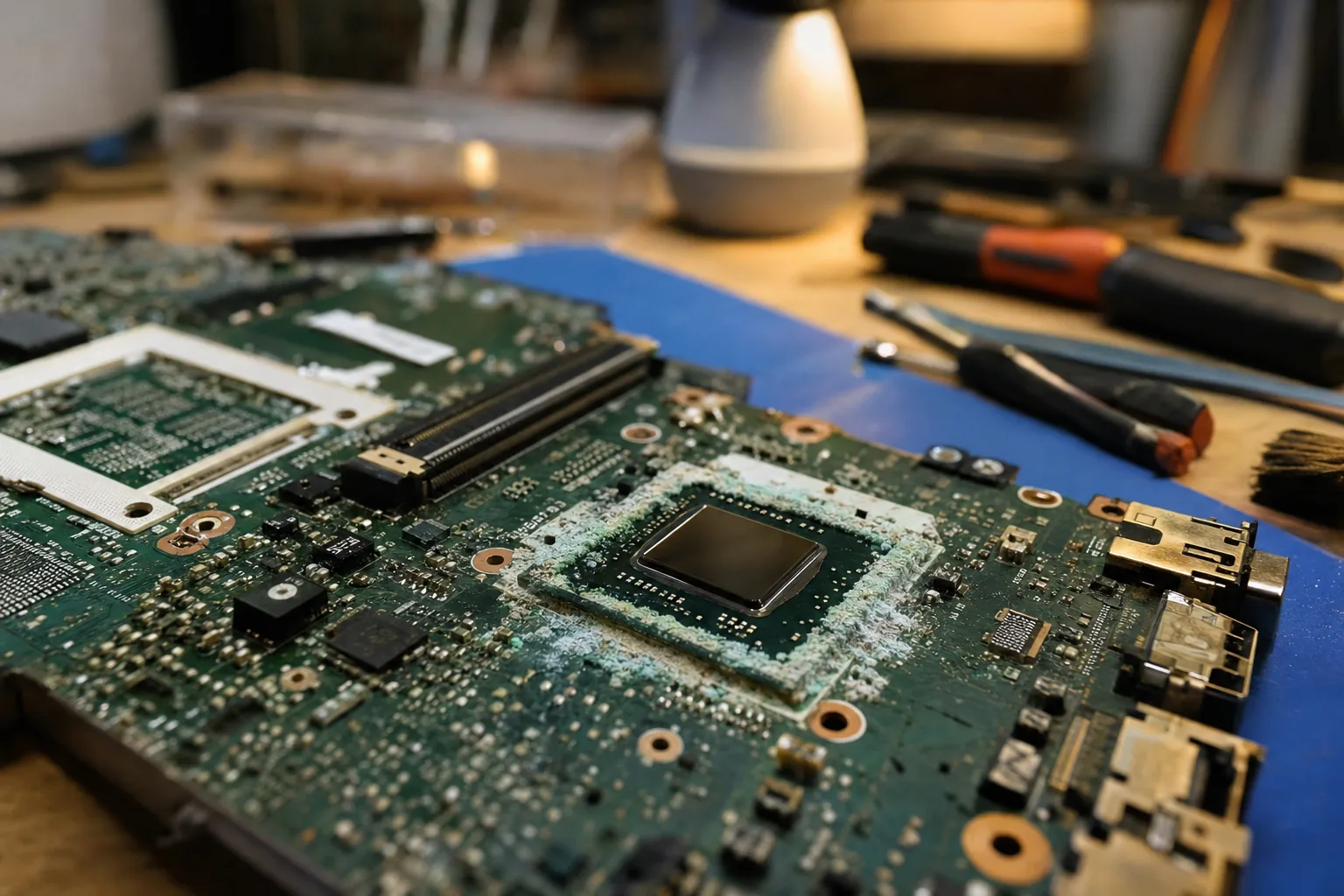

A customer brought me a laptop last month convinced it had "dodged a bullet." Her daughter had knocked a mug of tea over it six weeks earlier, she'd dried it out, and it had worked perfectly ever since - until the morning it wouldn't turn on at all. She was baffled. I wasn't. This is one of the most common patterns I see on the bench, and it catches people out every time because it doesn't fit how we expect damage to behave.
Why the damage doesn't show up straight away
Water on its own is a fairly poor conductor. The real trouble comes from what's dissolved in it - tea, coffee, squash, even plain tap water carry salts and sugars. Once that residue is sitting on a circuit board, it starts a slow electrochemical reaction every time the laptop is powered on. Tiny metal filaments called dendrites grow across component pins, and the board surface begins to corrode from underneath the protective coating.
None of that happens instantly. It's a gradual chemical process that can take anywhere from a few days to several months, depending on how much liquid got in, what was in it, and how humid the environment is. That's why a laptop can seem completely fine for weeks and then develop faults that seem to come from nowhere.
What to actually watch for afterwards
If a device has had any liquid contact, I tell people to keep an eye on it for at least two months, not just the first few days. The early warning signs are usually small and easy to write off as unrelated:
- Keys that stick or repeat on a keyboard that was previously fine - a classic sign of corrosion under the key membrane.
- Random shutdowns or freezes that have no obvious pattern, especially under load.
- A battery that stops charging properly, or a charge percentage that jumps about.
- Ports that work intermittently - a USB stick recognised one day and not the next.
Any one of these on its own might be nothing. Two or more turning up in the weeks after a spill, on a machine that had no history of problems before, is worth taking seriously.
What I do differently to just "letting it dry out"
Drying a laptop with rice or a fan only deals with the liquid that's still wet - it does nothing about the residue already left behind on the board. When a spill comes in fresh, I open the case, remove the battery straight away to stop any current flowing through wet components, and clean the affected areas properly rather than just letting them air dry. That's the step most people miss at home, because it means taking the machine apart, which understandably puts people off.
If a laptop has already been "fine" for a few weeks after a spill, I still recommend having it opened and checked rather than assuming it's escaped unharmed. Catching early corrosion before it spreads is a much smaller job than replacing a motherboard that's failed outright.
The Repair Bench verdict
Don't be reassured by a laptop working fine straight after a spill: corrosion from dried-in residue can take weeks or months to cause a fault.
Watch for: sticky keys, random shutdowns, charging faults or unreliable ports appearing in the two months after any liquid contact.
Best next step: have any spilled-on laptop opened and cleaned properly rather than just dried out, ideally as soon as possible after the spill.