
Elgato Facecam MK.2 Review: The Streamer Webcam Worth the Upgrade?
A close look at Elgato's premium 1080p creator camera, from clean daylight streams to the sort of dim, monitor-lit corner where webcams usually begin making artistic choices.
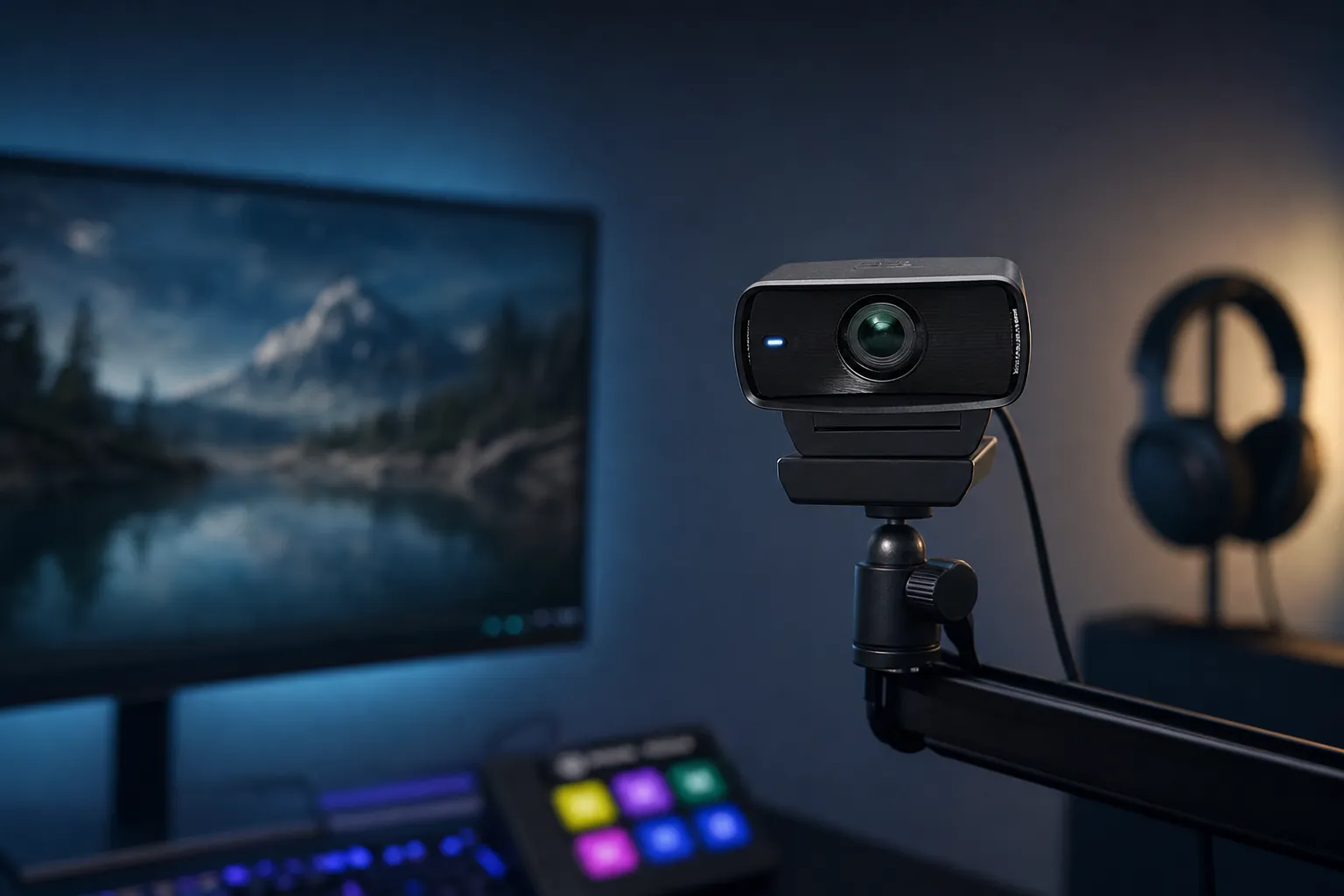
We link to the exact model on Amazon UK. Prices change often, so check the live price before you buy. As an Amazon Associate we earn from qualifying purchases.
The Facecam MK.2 remains Elgato's premium 1080p option: compact enough for a monitor, but built around proper manual camera control rather than basic video-call convenience.
The Elgato Facecam MK.2 is not trying to be every webcam for every person. It has no microphone, no autofocus and no 4K badge for the product page. What it does offer is a large 1/2.5-inch Sony STARVIS sensor, uncompressed 1080p60 over USB 3.0, a proper privacy shutter, onboard settings memory and enough manual control to make a streamer feel slightly less at the mercy of auto-exposure. That focus is both its charm and its limitation.
First Impressions: Has Elgato Finally Cracked the 1080p Ceiling?
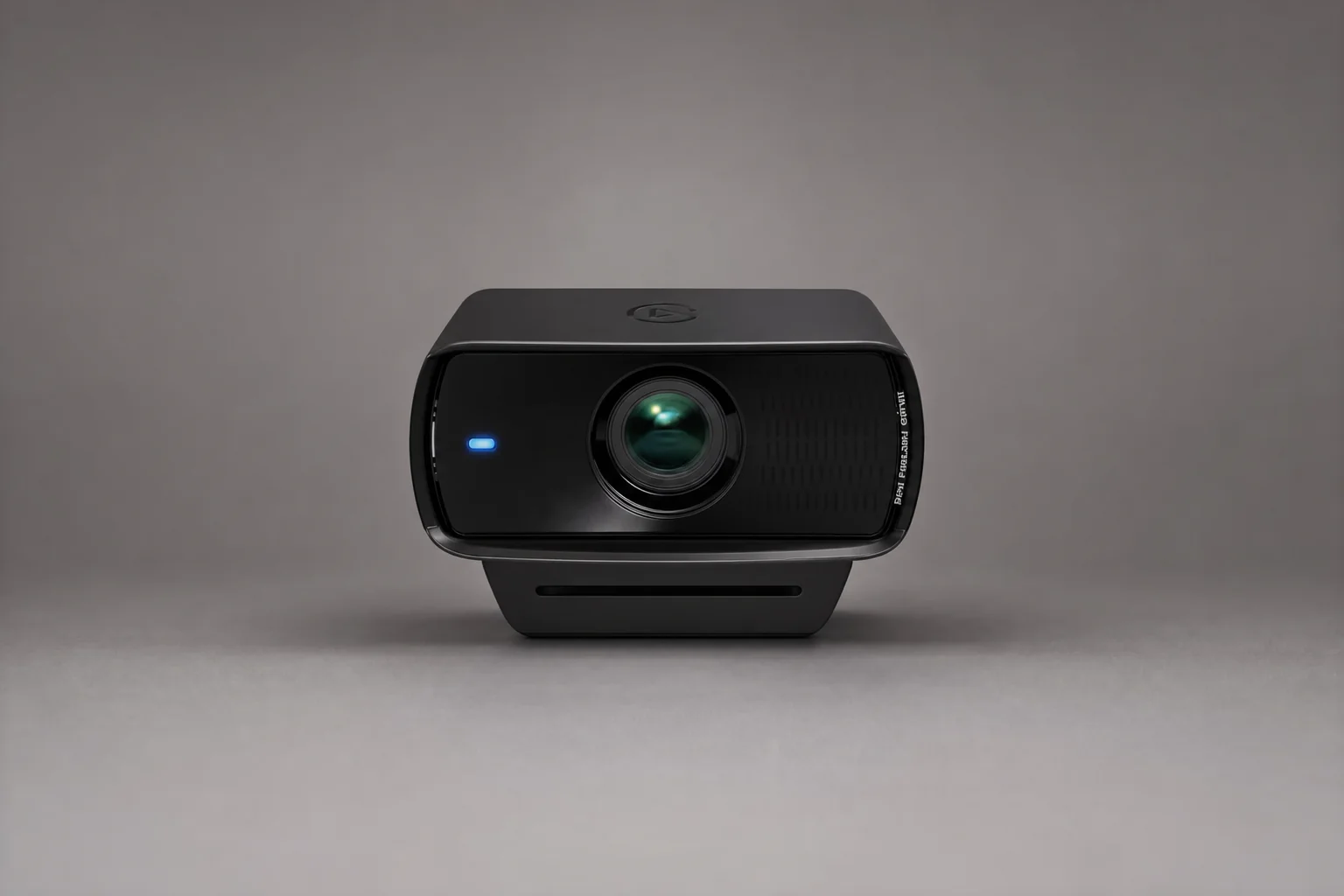
There is a funny thing about premium 1080p webcams in 2026. On paper, they can look slightly old-fashioned next to 4K alternatives and phone cameras with computational wizardry pouring out of every pixel. In real streaming setups, though, 1080p remains the working resolution for a huge number of people. It is kinder to bandwidth, kinder to PCs, friendlier to live platforms and far easier to run at a genuinely smooth 60fps. That is the lane the Elgato Facecam MK.2 occupies.
At £129.99 in the UK and $139.99 in the US, the MK.2 sits between the £59.99 Facecam Neo and the £179.99 Facecam 4K. It launched on 28 March 2024 as Elgato's flagship 1080p webcam. Since the Facecam 4K arrived on 29 July 2025, it has no longer been the range-topper overall. That does not make it irrelevant. It simply makes its job clearer: deliver the most polished 1080p experience in the family without asking buyers to pay for 4K capture they may not use.
My main question here is not whether the MK.2 produces a decent picture. It does, given decent lighting. The more useful question is whether its improvements over the original Facecam are substantial enough to justify upgrading, and whether its clean USB workflow beats using a modern phone as a webcam. That comparison is more complicated than the marketing makes it sound.
A modern smartphone can produce an impressively clean-looking image in a dark room because it is constantly combining frames, smoothing noise and making exposure decisions behind your back. Sometimes that looks brilliant. Sometimes it looks as though your face has been gently airbrushed by a well-meaning algorithm. The Facecam MK.2 is more direct. It gives you a stable fixed-focus camera, manual settings and predictable output, but it still needs light. A webcam cannot negotiate with physics. It can only lose more gracefully.
The short version
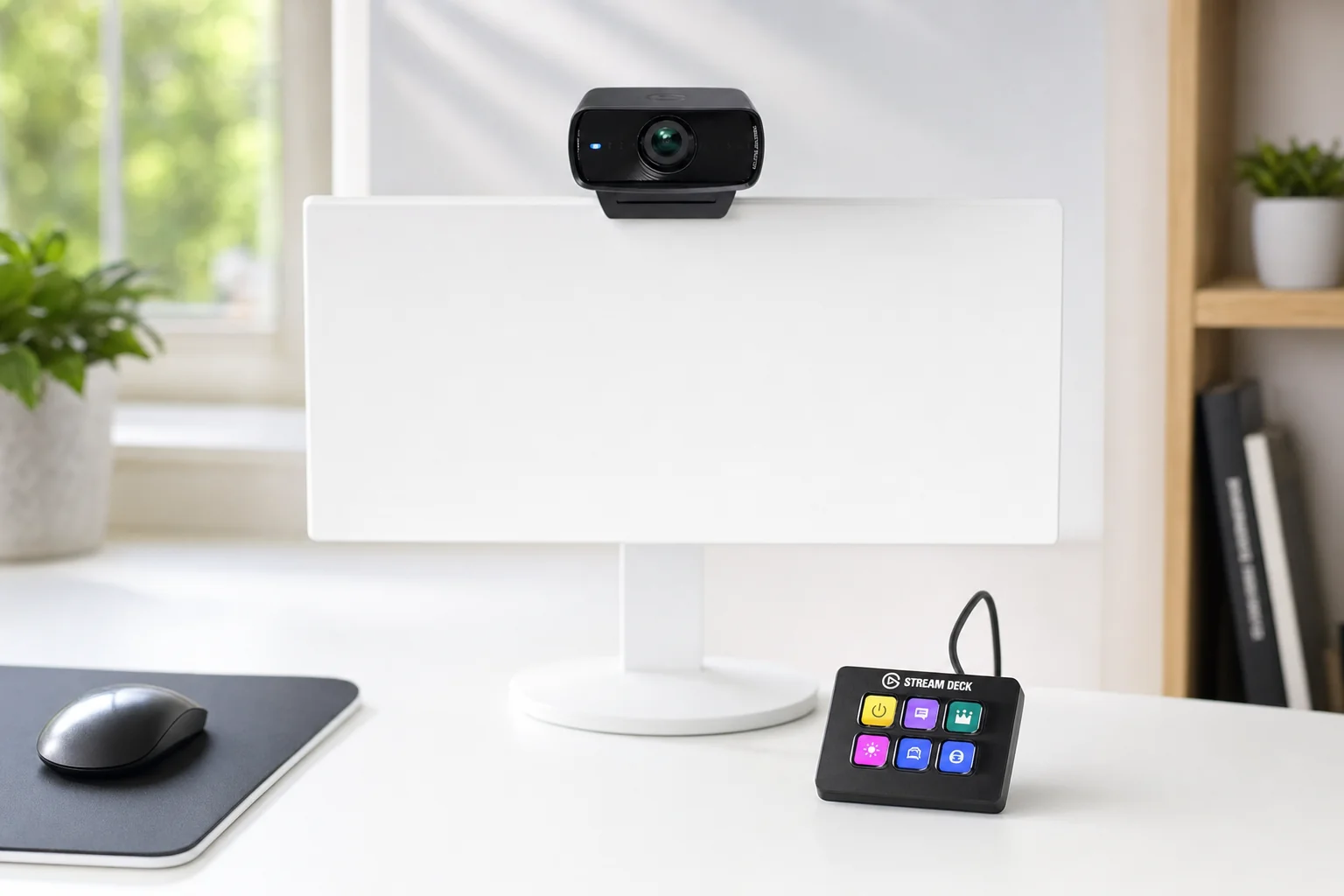
The Facecam MK.2 is a meaningful upgrade in usability over the original Facecam, especially thanks to HDR, a sliding privacy shutter, onboard settings memory and digital framing tools. Its raw image-quality leap is more evolutionary than dramatic, particularly in low light. If you already have good lighting and separate audio, that may be exactly the sensible upgrade it needs to be.
Redesigned Body, Familiar Bones: Unboxing and Build Quality
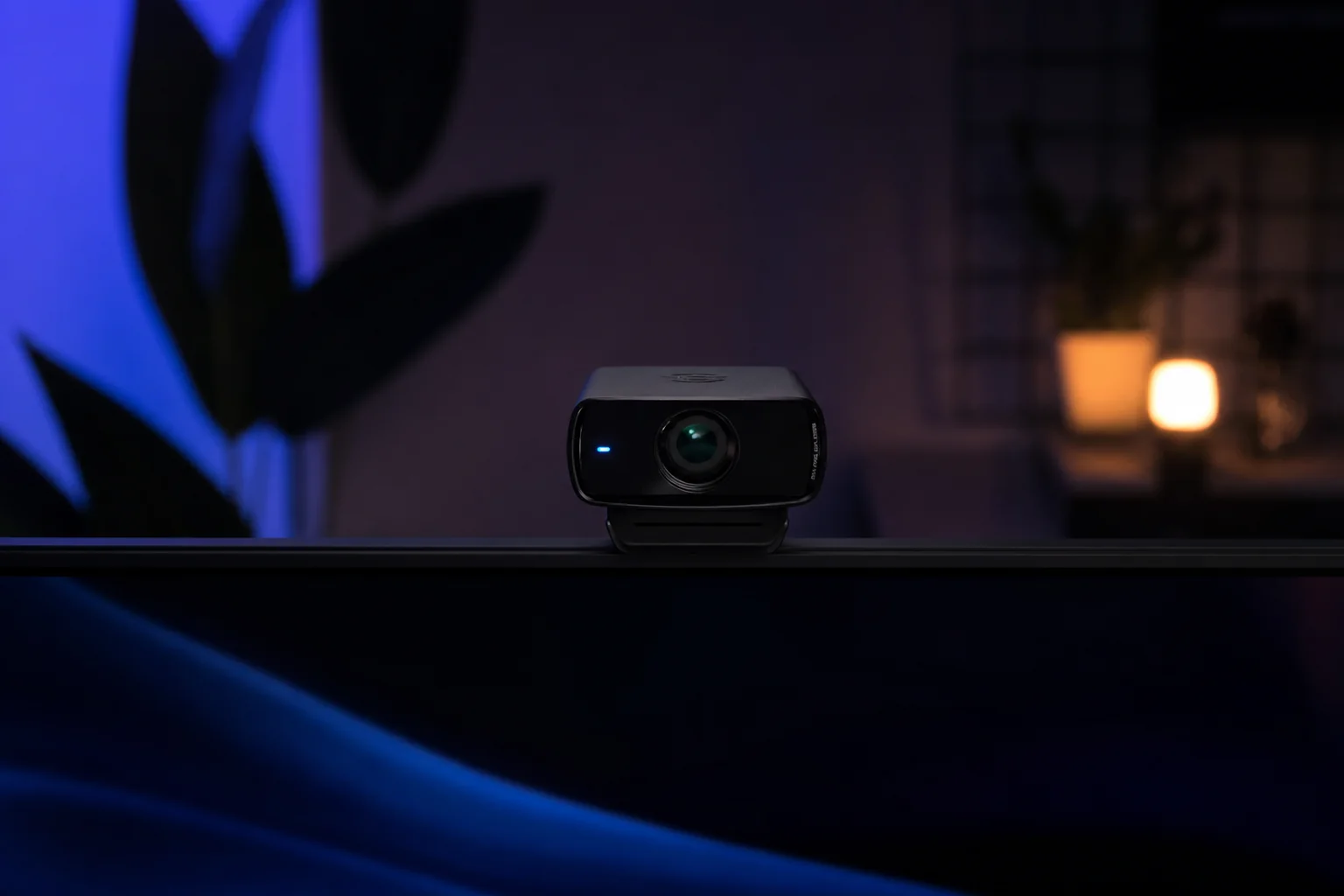
The MK.2 is recognisably Elgato, but it is a tidier take on the original Facecam's rather purposeful black-box aesthetic. The body measures 84 × 38 × 61mm without the mount and weighs 90g. Add the supplied monitor mount and it reaches 136g. That is still light enough that most monitor lids will cope perfectly well, though thin laptop displays always deserve a gentler hand than we tend to give them at 11pm when a stream is about to start.
For context, the Facecam Neo measures 88 × 32 × 40mm and weighs 80g without its mount. The Neo is slimmer and lighter, but the MK.2 feels like the more deliberate bit of kit. It is not enormous, yet its deeper body and wide lens assembly give it more visual presence above a display. Whether that looks professional or slightly like a small robot observing your emails depends largely on your desk.
The most immediately useful physical change is the built-in sliding privacy shutter. It is a tiny addition that makes a disproportionate difference to daily comfort. Close it and you have a physical visual confirmation that the lens is blocked. No tape, no clip-on cover to lose behind the desk, no faint nagging doubt when an app unexpectedly wakes up. It is one of those features that seems boring until you have used it for a week. Then every webcam without one feels oddly unfinished.
Sliding privacy shutter
A physical shutter is quicker and more reassuring than relying on software permissions alone. It is one of the MK.2's clearest everyday improvements over the original Facecam.
Detachable braided USB cable
The detachable connection is welcome for transport, cable routing and replacement. Regional bundles have differed in USB-A and USB-C cable configuration, so it is worth checking the exact package before ordering.
Monitor mount with 1/4-inch thread
The removable monitor mount gives the MK.2 an easy default home, while the standard thread leaves the door open for tripods, arms and more elaborate streaming rigs.
Built for long sessions
Elgato includes a custom heat sink intended to reduce visual distortion during extended use, which matters more for a four-hour stream than a ten-minute meeting.
The body is largely plastic, and that is the one area where the MK.2 does not quite feel as premium as its price suggests. It is lightweight rather than luxurious. Still, webcams spend their working lives perched above displays, not being passed around like a camera body, and there is a practical advantage to keeping the weight down. The mount is easy to position, the 1/4-inch thread is useful, and the detachable cable is the kind of repair-friendly decision I wish were universal.
The redesigned chassis is light at 90g without its mount, while the integrated shutter adds a practical privacy layer that matters more than it sounds.
Under the Hood: The Sensor, Lens and Numbers That Matter
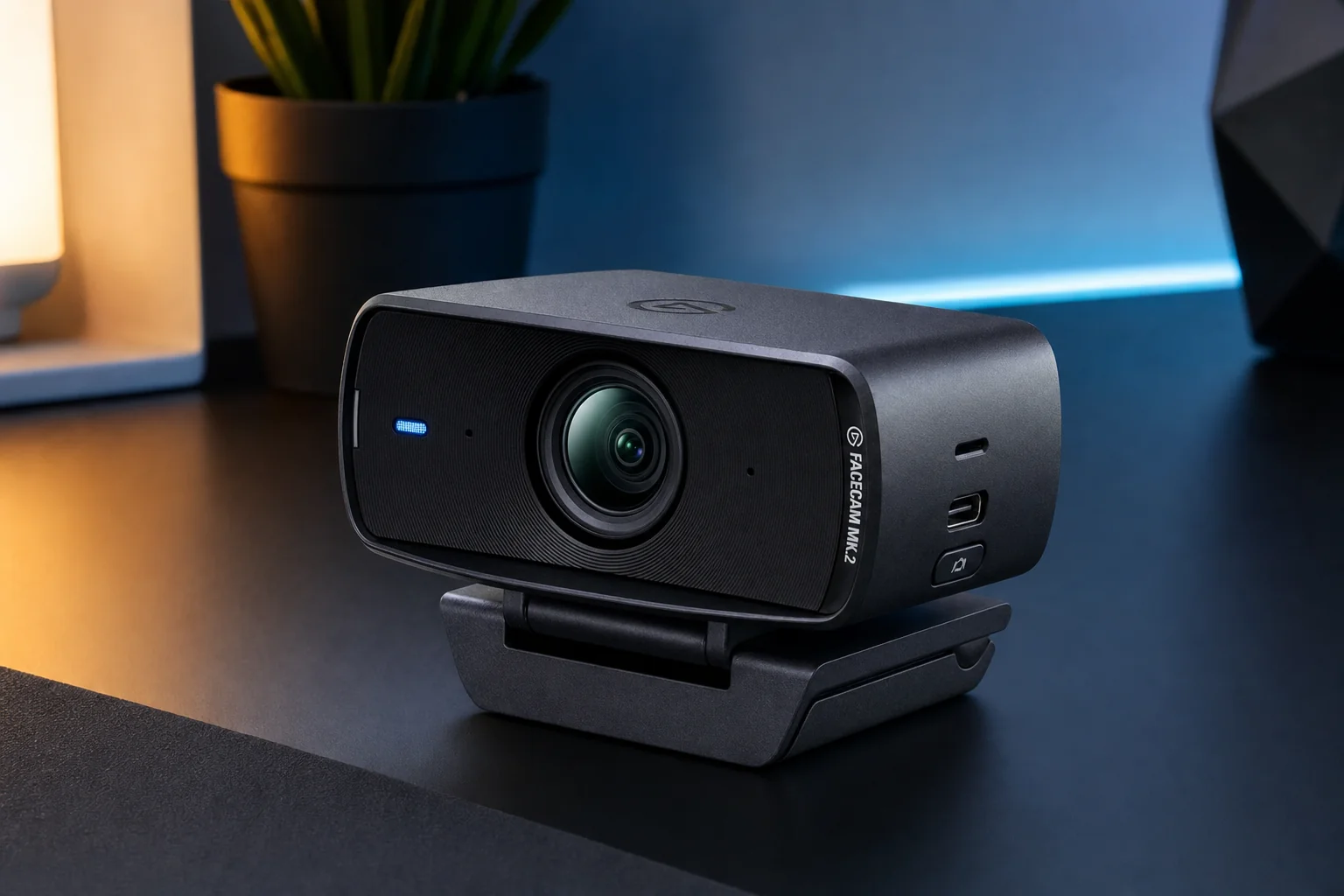
The Facecam MK.2's key hardware story is refreshingly straightforward. It uses a 1/2.5-inch Sony STARVIS CMOS sensor behind an Elgato Prime Lens. That lens has an f/2.4 aperture, a 24mm full-frame equivalent focal length and an 84-degree field of view. This is wider than a traditional head-and-shoulders crop, but not so wide that your room becomes an accidental supporting character.
The sensor is larger than the 1/2.9-inch CMOS chip in the Facecam Neo. That does not guarantee a night-and-day difference by itself, but it gives the MK.2 a stronger starting point for light gathering and image detail. It also helps explain why Elgato has positioned the MK.2 as the creator-focused 1080p model rather than merely a nicer video-call camera.
Fixed focus deserves a proper pause here because it divides buyers more than most spec sheets admit. The MK.2 is optimised for a 30–120cm range, or 11.8–47.2 inches. Put it on top of a normal monitor, sit at a normal desk and it behaves exactly as intended. You do not get focus hunting every time you shift in your chair, hold up a coffee mug or lean back to think of something clever to say.
The downside is obvious if your work involves product close-ups, tabletop demonstrations, moving around a room or frequently sharing objects with the camera. The MK.2 will not refocus because it cannot. This is a fixed-focus streaming tool, not a flexible studio camera. For the right person, predictable focus is a feature. For the wrong person, it becomes an argument with your hardware.
Capture modes include 1080p at 60fps or 30fps, 720p at 120fps, 60fps or 30fps, and 540p at 120fps, 60fps or 30fps (the 120fps high-speed modes are listed on Elgato's US specification page). With USB 3.0, the MK.2 can deliver uncompressed output including YUY2 formats. On USB 2.0, it can still work through MJPEG compression, but that is not where the camera earns its keep.
Daylight Testing: Sharpness, Colour and the Uncompressed Advantage
In a well-lit room, the Facecam MK.2 does the important things properly. It produces the level of detail you would expect from a good 1080p camera, handles automatic exposure reasonably well and tends to give skin tones a slightly warm, generally flattering presentation. That last point matters. Plenty of webcams can make a face technically visible; fewer make it look like a face you would willingly put on a stream thumbnail.
The MK.2's colour handling is also one of its better improvements over the original Facecam. The earlier model was often described as overly red and contrast-heavy. By comparison, the MK.2 holds onto darker detail more naturally and avoids pushing every warm skin tone towards sunburn territory. It is not cinematic colour science. It is a webcam. But it is a calmer, more believable starting point.
The advantage of uncompressed 1080p60 is not that it magically adds resolution. It does not. The benefit is that, with USB 3.0, the camera is not depending on MJPEG compression to push its feed through the connection. That can mean fewer compression artefacts, a cleaner signal for OBS and other production software, and a more direct capture path for people who care about getting the most out of 1080p. Smooth 60fps motion is also genuinely useful for energetic streams, games, tutorials and anyone who simply does not want gestures to resemble a flipbook.
Over USB 2.0, the MK.2 falls back to MJPEG. It remains usable, but it gives away one of the reasons to buy this model rather than a cheaper webcam. If your desktop or laptop only has a convenient USB 2.0 path available, do not assume the premium will be fully reflected in the result. Cable routing and ports are boring until they are suddenly the entire problem.
Noise reduction is another area where the MK.2 rewards a little experimentation. Camera Hub offers Low, Medium and High processing levels. Low applies 2D noise reduction, Medium moves to 3D noise reduction and High combines both approaches. In a bright room, Low or even no extra processing can preserve the most fine texture in hair, fabric and facial detail. Raise it too far and the camera starts sanding down that detail in pursuit of a smoother image.
There is no universal best setting here. If you are streaming gameplay in a small webcam box, a touch more smoothing may be sensible because nobody is pausing the broadcast to inspect your jumper fibres. If you are filming tutorials full-screen, recording talking-head videos or relying on the camera for client calls, it is worth prioritising detail and giving yourself more light instead. Light remains the cheapest upgrade. It is not glamorous, but neither is looking noisy on every call.
A practical daylight setup
Use USB 3.0, set framing before touching digital zoom, position a soft key light in front of you and then adjust exposure manually if auto mode keeps reacting to a bright monitor or window. The MK.2 is at its best when you treat it as a small camera rather than a webcam you plug in and forget.
In good lighting, the MK.2's 1080p60 feed is sharp and pleasantly warm, with more natural colour handling than the original Facecam.
The Low-Light Showdown: MK.2 vs Phone vs the Original Facecam
This is the part most buyers care about, and also the part that needs the least marketing fluff. The Facecam MK.2 is competent in dim conditions. It is not noise-free in dim conditions. Both statements can be true, and pretending otherwise is how people end up buying a premium webcam before discovering that their actual problem was a dark room.
In a low-light test with room lighting and monitors switched off apart from one 34-inch monitor acting as the light source, the MK.2 kept the subject visible and made an effort to expose the background too. White balance remained reasonably good, with the same slightly warm tendency seen in brighter conditions. That is a respectable result for a dedicated webcam. The image was still visibly noisy, however, particularly once shadows and background detail entered the frame.
That outcome tells you a lot about what the STARVIS sensor is doing for the MK.2. It is not simply giving up when the room gets dark, which is good. It retains a usable face, sensible colour balance and enough separation from the background to keep a stream or call going. But it cannot create clean detail from light that never reached the sensor. Stronger noise reduction can make the grain less obvious, though it does so by smoothing over fine detail. That trade-off is not a fault unique to Elgato. It is the eternal low-light tax.
Against the original Elgato Facecam
The newer camera's advantage over the original is more about refinement than reinvention. The MK.2 has more natural colours, less aggressive contrast and better dark-area retention. In a room with uneven light, those improvements make the picture easier to live with. You are less likely to see crushed shadows or overly red skin tones, and the Camera Hub controls give you more room to correct a difficult scene.
It is important not to oversell this, though. The original Facecam was already built around a large sensor for a webcam, and the MK.2 does not suddenly transform a poor room into a studio. The upgrade becomes most convincing when you value the full package: HDR, the physical shutter, settings saved to the camera, digital pan and zoom, and a cleaner baseline image. If your original Facecam is working and you have decent lighting, this is a quality-of-life upgrade rather than a mandatory replacement.
Against a modern smartphone used as a webcam
A current phone can be brutally good in a dark room. Computational image processing can reduce apparent noise, lift shadows and make a low-light scene look cleaner than a conventional webcam feed. For a casual call, that can make the phone look like the obvious winner. It may well be, depending on the lighting and the specific phone.
For regular streaming, the practical picture changes. Phones need mounting, charging, cable management or a wireless connection, and attention to heat over long sessions. Notifications are another small but very real nuisance. You can manage them, of course, but a dedicated webcam is simply less fussy. The MK.2 stays at your monitor, wakes as a UVC camera and retains its settings. It is not as clever as a phone at computational rescue work; it is more predictable as part of a desk setup.
The fairest conclusion is this: a phone may produce a cleaner-looking low-light image, especially when its processing is working in your favour. The MK.2 wins on persistent mounting, 1080p60 workflow, manual exposure control, stream-friendly ergonomics and the fact that it does not require sacrificing your actual phone every time you go live. Choose according to the problem you are solving. If the problem is "my desk is dark", buy a light first. If the problem is "my phone setup is a faff every single time", the Elgato begins to make more sense.
Backlighting and HDR: useful, not miraculous
HDR is the MK.2's headline improvement, but it has boundaries. It is supported up to 1080p30, not the camera's 1080p60 headline mode. In backlit testing, HDR slightly improved contrast and reduced some overexposure around bright sources, but it did not dramatically improve the foreground subject. If you sit with a bright window behind you, do not expect the MK.2 to solve the entire scene by itself.
That matters because the MK.2 can expose a subject less effectively in difficult backlit or overexposed scenes than some cheaper Logitech models. If you make calls in front of a window, work from a bright conservatory or stream from the sort of flat where the sun has one very specific idea about where your face should be, you will still need to manage the room. A curtain, blind, repositioned desk or small front light will do more than endlessly nudging sliders.
In Tom's Hardware's dim-room test, lit only by a single 34-inch monitor, the MK.2 kept the subject visible, made some attempt to expose the background, held a reasonably warm and accurate white balance, and remained fairly noisy throughout. No numeric scores for these observations were published, so no percentage figures are given here.
HDR can help tame highlights, but it does not replace a front-facing light and it requires dropping to a 30fps mode. If your priority is the smoothest 1080p60 stream, treat lighting and manual exposure as the better fix for difficult rooms.
Low-light performance keeps faces visible and colours controlled, but grain remains apparent when the room is lit mainly by a monitor.
Camera Hub Deep Dive: Manual Controls, Memory and RTX Extras
Camera Hub is the reason the MK.2 feels less like an ordinary webcam and more like a small, highly constrained camera system. You can adjust ISO, shutter speed, exposure and white balance rather than merely hoping auto mode chooses a flattering moment to settle down. That is a substantial benefit for streamers who use the same desk, lighting and framing day after day.
Once you have dialled in a setup, the MK.2's onboard flash memory saves those settings to the camera. Move it to another compatible computer and your adjustments travel with it. That sounds like a tiny detail, but it saves a surprising amount of annoyance. Anyone who has had a carefully tuned webcam revert to default exposure before a call will understand the appeal immediately.
Digital pan, tilt and zoom are included too, with up to 4x digital zoom. It is useful for correcting a slightly too-wide framing, centring yourself after moving the camera or creating a tighter shot without physically shifting the mount. Just remember that digital zoom is a crop. At 1080p, it is helpful in moderation rather than a substitute for putting the camera where you actually want it.
ISO, shutter and exposure control
Manual adjustment lets you stop the camera chasing a changing monitor, bright window or ring light. It is especially useful once your desk lighting is consistent.
White balance and image tuning
Locking colour temperature can prevent the webcam from changing your skin tone every time a screen changes from a blue desktop to a warm video scene.
Onboard flash memory
Settings are retained by the camera itself, which makes moving between machines far less irritating than rebuilding a look from scratch.
Digital framing tools
Software pan, tilt and up to 4x zoom offer flexible framing for streams, video calls and slightly awkward desk layouts.
The MK.2 also works with Stream Deck through the Camera Hub plugin. If you already live in Elgato's ecosystem, that is the sort of integration that feels immediately natural. You can keep camera controls within reach rather than hunting through software windows during a live broadcast. It is not essential to using the webcam, but it does make the system feel more coherent.
With compatible NVIDIA RTX hardware, Camera Hub can add background effects, face tracking and simulated eye-contact effects. These are useful tools, though I would not make them the reason to buy the camera. Background effects can rescue a less-than-perfect room, but they are still processing effects. A clean backdrop and sensible light are usually kinder to your computer and your credibility.
Camera Hub is where the MK.2 earns its creator credentials, offering manual exposure controls, noise reduction choices and framing tools that go beyond ordinary plug-and-play webcams.
Meet the Family: Where the MK.2 Sits Between Facecam Neo and Facecam 4K
Elgato's current webcam range is unusually easy to understand once you ignore the temptation to assume that one model suits every job. The Facecam Neo is the affordable, autofocus 1080p60 choice. The Facecam MK.2 is the premium 1080p60 creator camera with uncompressed output, fixed focus and deeper manual control. The Facecam 4K is the current high-end model, offering 4K60 capture, a larger Sony STARVIS 2 sensor and support for 49mm screw-in lens filters.
All three omit a built-in microphone. That is a deliberate Elgato choice. The company is clearly targeting buyers who already use a headset, USB microphone or separate audio interface. For streamers, that is entirely sensible: audio tends to matter more than webcam resolution, and a tiny mic embedded in a camera body is rarely the star of the show. For ordinary work calls, though, it means the total setup cost may be higher than the sticker price suggests.
| Feature | Elgato Facecam Neo | Elgato Facecam MK.2 | Elgato Facecam 4K |
|---|---|---|---|
| UK direct price | £59.99 | £129.99 | £179.99 |
| Maximum resolution | 1080p | 1080p | 4K |
| Maximum frame rate | 60fps | 60fps | 60fps |
| Sensor | 1/2.9-inch CMOS | 1/2.5-inch Sony STARVIS CMOS | 1/1.8-inch Sony STARVIS 2 CMOS |
| Focus system | Autofocus | Fixed focus, 30–120cm | Fixed focus |
| Field of view | 77 degrees | 84 degrees | 90 degrees |
| Connection | USB-C | USB-C | USB-C |
| Built-in microphone | No | No | No |
| 1/4-inch mount | Yes | Yes | Yes |
| 49mm filter support | — | Yes | Yes |
| Buy | Check price | Check price | Check price |
The MK.2 is the sensible middle ground if you are committed to 1080p. It offers the larger sensor, fixed desk-focused lens, privacy shutter, onboard memory and USB 3.0 uncompressed output that the Neo does not target in the same way. The 4K model has the stronger sensor and more future-facing resolution, but costs £50 more. Whether that extra spend is worthwhile comes down to how you publish, crop and archive footage.
If your streams and calls are 1080p anyway, the MK.2 is not automatically the lesser option. It is the more focused one. If you need 4K capture, wide reframing headroom or the ability to use lens filters, save for the Facecam 4K. If you just need a straightforward camera that autofocuses and does not cost much, the Facecam Neo is the obvious value choice.
How It Stacks Up: Facecam MK.2 vs Logitech, Razer and Insta360
Outside Elgato's own range, the Facecam MK.2 occupies a more competitive part of the market. The Logitech MX Brio, Razer Kiyo Pro Ultra and Insta360 Link 2 all bring their own strengths: higher resolution, autofocus, microphones, tracking or much larger sensors. The MK.2 counters with a cleaner 1080p60 streaming focus, uncompressed output over USB 3.0 and the mature Camera Hub ecosystem.
| Feature | Elgato Facecam MK.2 | Logitech MX Brio | Insta360 Link 2 |
|---|---|---|---|
| UK price | £129.99 | £219.99 | £199.99 |
| Maximum resolution | 1080p | 4K30 | 4K |
| 1080p60 | Yes | Yes | Not confirmed |
| Focus | Fixed focus | Autofocus | Autofocus |
| Sensor | 1/2.5-inch Sony STARVIS CMOS | 8.5MP Sony STARVIS | 1/2-inch |
| Privacy feature | Built-in shutter | Built-in shutter | Not confirmed |
| Connection | USB-C | USB-C | USB-C |
| Built-in microphone | No | Dual beamforming microphones | Built-in microphone system |
The Logitech MX Brio is the more conventional premium all-rounder. It offers 4K30, 1080p60, autofocus, selectable 90-, 78- and 65-degree fields of view, dual beamforming microphones and a privacy shutter. It is also substantially more expensive at £219.99. That makes it attractive for hybrid workers, presenters and anyone who wants one self-contained camera for calls and content, rather than a webcam designed around a separate audio setup.
The Insta360 Link 2 is more theatrical in the useful sense. Its motorised gimbal, AI tracking and auto-framing make it far more capable when you move around. It has a 1/2-inch sensor, f/1.8 aperture and autofocus, and it costs £199.99. If you teach, present, demonstrate products or pace while thinking, it makes a lot of sense. If you sit in the same chair every day and simply want a stable stream camera, its extra movement hardware may be more complexity than you need.
The Razer Kiyo Pro Ultra is the low-light hardware monster of this group, with a 1/1.2-inch Sony STARVIS 2 sensor, f/1.7 aperture, autofocus, HDR at 30fps and 4K30 capture. It launched at £299 MSRP and has appeared at lower retailer pricing. It is also large and heavy at 348g without the lens cover. This is a serious camera-shaped webcam for buyers who want natural bokeh, stronger sensor hardware and a more camera-like result. It is not the tidy, lightweight monitor companion the MK.2 aims to be.
Back to phones for a moment: the MK.2 is not supposed to defeat a flagship phone in every image-quality scenario. It is supposed to remove friction from streaming. A phone can look terrific, but the best webcam is often the one mounted, configured and ready before you have had time to talk yourself out of going live.
The Facecam MK.2 is cheaper than 4K rivals such as Logitech MX Brio and Insta360 Link 2, but its appeal is controlled 1080p streaming rather than maximum resolution or motorised tracking.
Living With the MK.2: Streaming Setup and Everyday Reliability
For daily use, the MK.2's greatest strength is predictability. It is a UVC-compliant webcam, which means it works as a standard camera source in the software people already use: OBS, Streamlabs, Zoom, Discord and similar applications. You do not need a separate capture card, and you do not need to turn your desk into a tiny film set just to get a clean feed on screen.
USB 3.0 is strongly recommended because that is how you access uncompressed video output. USB 2.0 is supported, but it means MJPEG compression. That fallback is useful for compatibility, not ideal performance. If the MK.2 is a serious part of your setup, plug it directly into a capable USB 3.0 port where possible rather than through an overloaded hub full of drives, lights and whatever mysterious device has been charging on your desk since last Tuesday.
The fixed-focus system is particularly easy to live with when your position is consistent. There is no refocusing when you gesture, no distracting transition during a reaction shot and no chance that a product held close to the lens steals focus from your face. Again, it is a trade-off. A presenter who wants to show small items to camera will likely prefer autofocus. A seated streamer will appreciate the stability.
There is no microphone, and that deserves repetition because casual buyers can miss it. Elgato's intention is clear: use a proper microphone, headset or audio interface. That is sensible for streaming, where even an inexpensive dedicated USB microphone is normally a significant step up from webcam audio. It is less convenient for a laptop user who simply wants to improve calls without adding another device.
A sensible desk setup
Mount the MK.2 at eye level, keep yourself inside its 30–120cm focus range, use USB 3.0, add a soft front light and save your manual settings to onboard memory. That small checklist gets more out of the camera than endlessly shopping for another webcam ever will.
Pricing Reality Check: Is £129.99 Justified in 2026?
At £129.99 in the UK and $139.99 in the US, the Facecam MK.2 is not cheap for a 1080p webcam. That sentence is unavoidable. Buyers can spend less on an ordinary webcam, and buyers can spend more on 4K models with autofocus and microphones. The MK.2 has to justify itself through the quality of its 1080p feed, manual controls, uncompressed USB 3.0 workflow, privacy shutter and integration with Elgato's wider creator ecosystem.
Elgato Facecam Neo
Budget 1080p60 model with autofocus and a 1/2.9-inch sensor.
Elgato Facecam MK.2
Premium 1080p60 camera with STARVIS sensor, shutter and manual controls.
Elgato Facecam 4K
4K60 model with a 1/1.8-inch STARVIS 2 sensor and 49mm filter support.
The £70 gap between the Neo and MK.2 is easy to understand if you want fixed-focus streaming reliability, the larger sensor, a removable cable, onboard settings memory and deeper control. It is harder to justify if your needs begin and end with "I want to look less awful in Teams". The Neo is likely the more rational buy for that person.
The £50 gap from MK.2 to Facecam 4K is the more difficult decision. If you are buying new and already considering premium hardware, £50 is not an enormous jump for 4K60 capture, a much larger 1/1.8-inch STARVIS 2 sensor, a 90-degree field of view and 49mm lens-filter compatibility. For creators who crop, edit or record locally at high resolution, I would seriously consider saving the extra money.
On the other hand, if your actual output is 1080p60 and you want the physical privacy shutter the MK.2 includes, it remains a sensible sweet spot. Do not buy 4K just because 4K exists. Buy it if your workflow uses it. Otherwise, the MK.2 can be the more disciplined purchase.
Remember the separate microphone too. None of the current Elgato Facecam models includes one. If you do not already own a headset, USB microphone or audio interface, factor that into the total cost. Video can be merely decent and people will stay. Audio can be bad and people will suddenly discover they have somewhere else to be.
The Scorecard: Strengths, Weaknesses and Who Should Buy One
Pros
- Sharp 1080p60 output in a properly lit setup.
- 1/2.5-inch Sony STARVIS sensor gives it a stronger hardware base than basic webcams.
- Uncompressed output over USB 3.0 is useful for creator workflows.
- Physical sliding privacy shutter is genuinely handy.
- Onboard memory retains Camera Hub settings between compatible computers.
- Strong manual control over ISO, shutter speed, exposure and white balance.
- Stable fixed focus suits seated streamers and desk-based creators.
- Stream Deck and NVIDIA RTX effects add useful ecosystem value.
Cons
- Low-light video remains visibly noisy despite the larger sensor.
- HDR tops out at 1080p30 rather than 1080p60.
- Backlit scenes can still leave the subject less well exposed than some cheaper Logitech webcams.
- No built-in microphone for calls or emergency backup audio.
- Fixed 30–120cm focus range is limiting for product demos and active presenters.
- Plastic build feels functional rather than luxurious.
- It is no longer Elgato's highest-spec camera since Facecam 4K arrived.
Best for seated streamers: Elgato Facecam MK.2

See Elgato Facecam MK.2 on Amazon UK
Check today's price & availability on Amazon UK
Choose the MK.2 if you already have separate audio, sit in a consistent position and want 1080p60 with manual exposure control, onboard settings and a proper privacy shutter.
Best on a budget: Elgato Facecam Neo

See Elgato Facecam Neo on Amazon UK
Check today's price & availability on Amazon UK
At £59.99, the Neo is the sensible pick for buyers who want 1080p60 and autofocus without paying creator-camera money.
Best premium Elgato option: Elgato Facecam 4K
The £179.99 Facecam 4K suits creators who need 4K60, a larger STARVIS 2 sensor, wider framing and 49mm filter support.
Best for presenters who move: Insta360 Link 2

See Insta360 Link 2 on Amazon UK
Check today's price & availability on Amazon UK
Its motorised gimbal, AI tracking and autofocus make more sense for people who teach, demonstrate or move around rather than sit in one fixed streaming position.
The Facecam MK.2 is best understood as a tool for the creator who has already outgrown basic webcams but does not necessarily need 4K. It rewards a repeatable setup. It rewards people who are willing to place a light in front of their face. It rewards anyone who likes adjusting settings once and then never thinking about them again.
It is not the best choice for every buyer. If you need autofocus, a built-in microphone or one webcam that covers both client calls and casual content without extra kit, Logitech MX Brio is the more complete all-rounder. If you need natural bokeh and the strongest low-light hardware, Razer Kiyo Pro Ultra is more ambitious. If you move around, Insta360 Link 2 has the cleverest framing. The MK.2 remains the cleanest fit for a traditional, static streaming desk.
The MK.2 makes most sense in a deliberate creator setup: stable desk position, separate microphone, front-facing light and USB 3.0 connection.
Final Verdict: The Questions Readers Keep Asking
The Elgato Facecam MK.2 is a good webcam made more useful by excellent practical decisions. The privacy shutter, detachable cable, onboard memory, Camera Hub controls and Stream Deck integration all make it easier to live with than the original Facecam. The image is cleaner in colour, less aggressively contrasty and better at holding onto darker detail.
But the central caveat remains. This is not a miracle low-light camera. It keeps you visible when a room is dim, maintains decent colour balance and gives you the controls to improve the situation. It does not replace proper lighting, and it does not make a bright window behind you irrelevant. The best way to make the MK.2 look expensive is still to give it enough light.
As an upgrade from the original Facecam, it is worthwhile for users who care about the shutter, HDR, settings memory and more natural image tuning. As a first webcam purchase, it is best for the streamer or creator who already owns a microphone and values a focused, stable 1080p60 workflow. If 4K is genuinely useful to you, the newer Facecam 4K is only £50 more in the UK and deserves serious consideration. If 1080p is where you live, however, the MK.2 is still one of Elgato's most coherent cameras.
The final picture: a refined, streamer-first 1080p webcam whose strongest upgrade is control and consistency, not a dramatic leap in dark-room image quality.
Bottom line: a very good 1080p streaming camera, provided you give it light
The Elgato Facecam MK.2 is worth the upgrade from the original Facecam if your priorities are better colour handling, a physical privacy shutter, saved settings and proper manual control. It is not a low-light miracle and it is not the best option for people who need autofocus or built-in audio. For a desk-bound streamer with a separate microphone, USB 3.0 and a modest key light, though, it remains a polished, dependable and refreshingly controllable webcam.
- Elgato Facecam MK.2View on Amazon
- Elgato Facecam NeoView on Amazon
- Insta360 Link 2View on Amazon