
Dell UltraSharp 52 Review: Can One Monitor Replace an Entire Desk Setup?
Dell's 51.5-inch U5226KW promised one giant, cable-taming workspace. It largely delivered — but only if your desk, posture and budget were ready for it.
We link to the exact model on Amazon UK. Prices change often, so check the live price before you buy. As an Amazon Associate we earn from qualifying purchases.
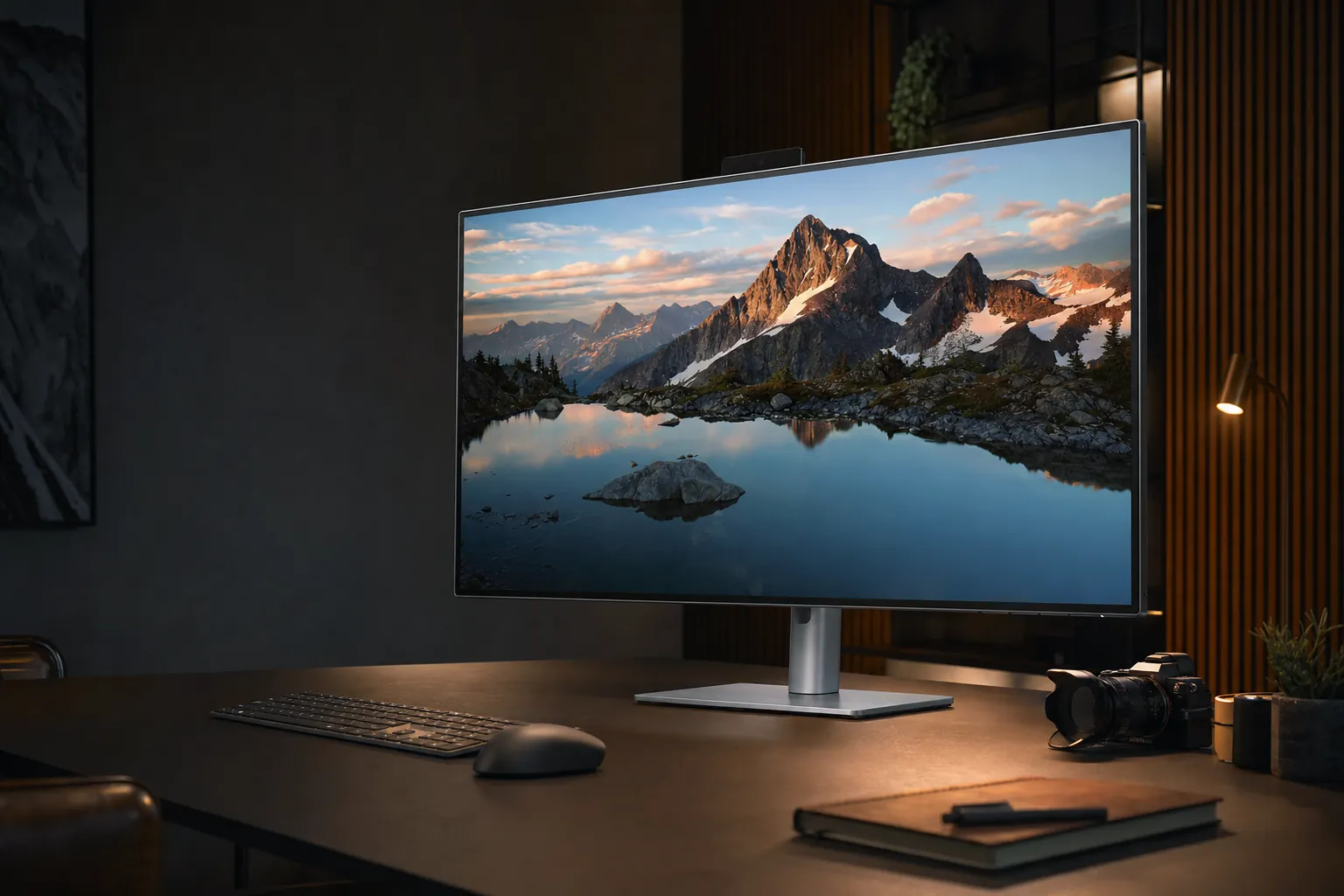
The Dell UltraSharp 52 U5226KW is less a normal desktop monitor and more a carefully curved 48-inch-wide command centre.
One Screen to Rule Them All? First Impressions of the U5226KW
The Dell UltraSharp 52 U5226KW was the sort of monitor that made a sensible desk look suddenly inadequate. It was enormous, yes, but the more interesting question was whether it could genuinely replace the familiar two-monitor arrangement rather than simply occupy the same postcode.
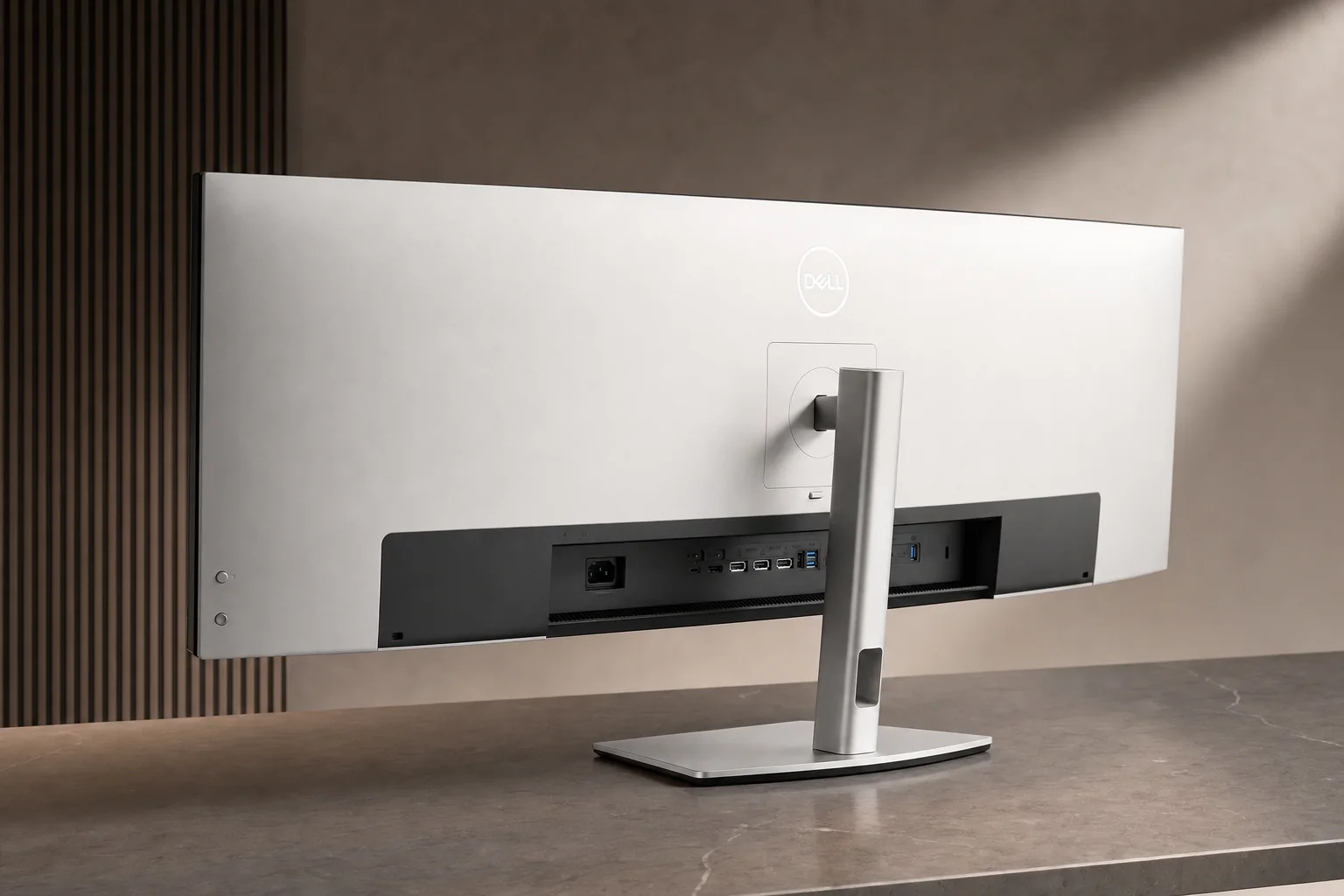
Launched globally on 6 January 2026, Dell's UltraSharp 52 was a 51.5-inch curved IPS Black productivity monitor with a 6144 × 2560 resolution, a 120Hz refresh rate and a 21:9 canvas. Those headline numbers told only half the story. The genuinely unusual part was the dock built into the back: Thunderbolt 4, up to 140W laptop charging, 2.5GbE Ethernet, a proper USB hub, KVM switching and picture-by-picture support for multiple computers.
That combination mattered. A large display is easy enough to buy; a large display that also replaces a laptop charger, Ethernet adaptor, USB hub and at least some of the spaghetti behind your desk is much rarer. Dell aimed this squarely at finance, engineering, software development, data work and executive desks — the people who tend to have three applications open before breakfast and six cables they no longer trust.
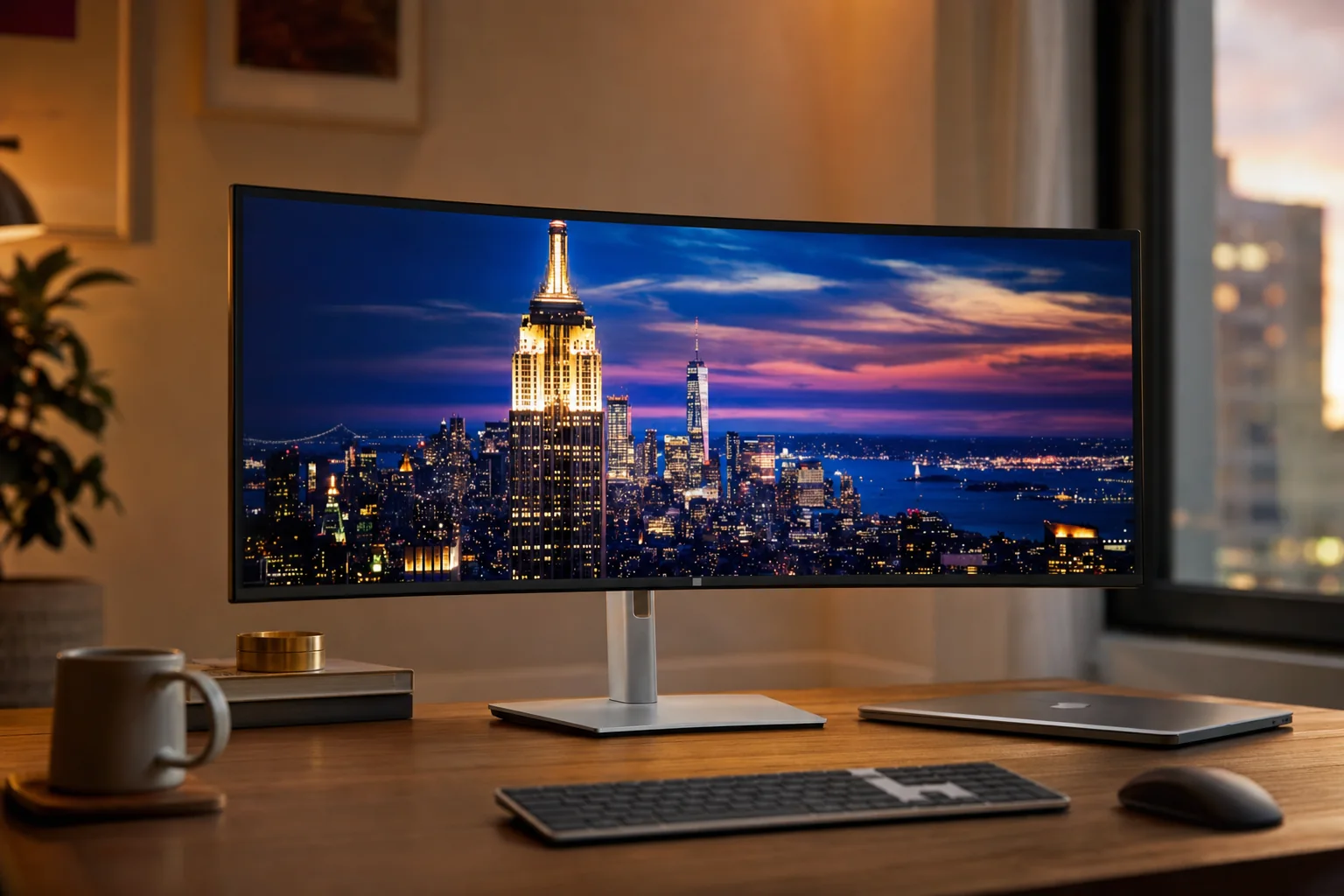
In practice, the U5226KW was convincing as a dual-monitor replacement in one important sense: there was no bezel in the middle of your spreadsheet, code editor or timeline. You got one continuous desktop, one stand, one power connection and potentially one Thunderbolt cable to a laptop. It made a conventional twin-screen setup look rather bitty.
There was, however, no free lunch. The panel was 48.16 inches wide, about 10.04 inches deep on its stand and roughly 18.2kg with that stand attached. This was not a monitor you casually shuffled backwards because you fancied a bit more room for lunch. It changed the physical geometry of a desk, and that geometry determined whether it felt luxurious or faintly ridiculous.
The short version
The U5226KW could replace two good 27-inch monitors for people who valued uninterrupted workspace, clean cabling and a serious laptop dock. It could not magically make a shallow desk deeper, improve pixel density beyond 129 PPI, or turn an SDR panel into an HDR display. Those distinctions were the whole buying decision.
The Numbers Behind the Curve: Full Spec Rundown
Dell called this a 6K monitor, which was broadly fair in the horizontal sense, though it needed a little unpacking. Its 6144 × 2560 panel offered substantially more width than the familiar 5120 × 1440 49-inch super-ultrawide format, while keeping more vertical room for documents, code and spreadsheets. It was not a conventional 16:9 6K panel, but it was unquestionably a lot of pixels.
The IPS Black panel was designed for desk work rather than cinematic drama. Dell rated it at 2,000:1 native contrast, twice the figure commonly associated with conventional IPS screens, alongside 400 cd/m² typical brightness. That translated to a monitor that was comfortably bright for ordinary offices and well-lit home workspaces, without making grand claims about black-level performance that it could not sustain.
Colour credentials were suitably UltraSharp-ish. The U5226KW covered 100% of sRGB and BT.709, plus 99% of DCI-P3 and Display P3. It was factory calibrated to Delta E below 1.5. For SDR design work, presentation preparation, image review and generally wanting your corporate blue to look like the correct corporate blue, it was a strong fit.
Dell also specified a 5ms grey-to-grey response time in Fast mode, or 8ms in the normal setting. The 120Hz refresh rate was perhaps more important for everyday use. Scrolling long web pages, moving through a large spreadsheet and dragging windows around a broad desktop simply felt less sticky than on a 60Hz office monitor. Once you have spent a week at 120Hz, the old office standard has a habit of feeling oddly creaky.
The display supported VRR through its HDMI input specification, but this remained a productivity-led screen. The 120Hz panel made work feel smoother; it did not make the Dell a replacement for a fast gaming monitor.
The 21:9 canvas delivers more vertical workspace than a 49-inch 5120 × 1440 super-ultrawide, while avoiding a central bezel.
Desk Depth, Neck Angles and the Reality of Living With 48 Inches of Width
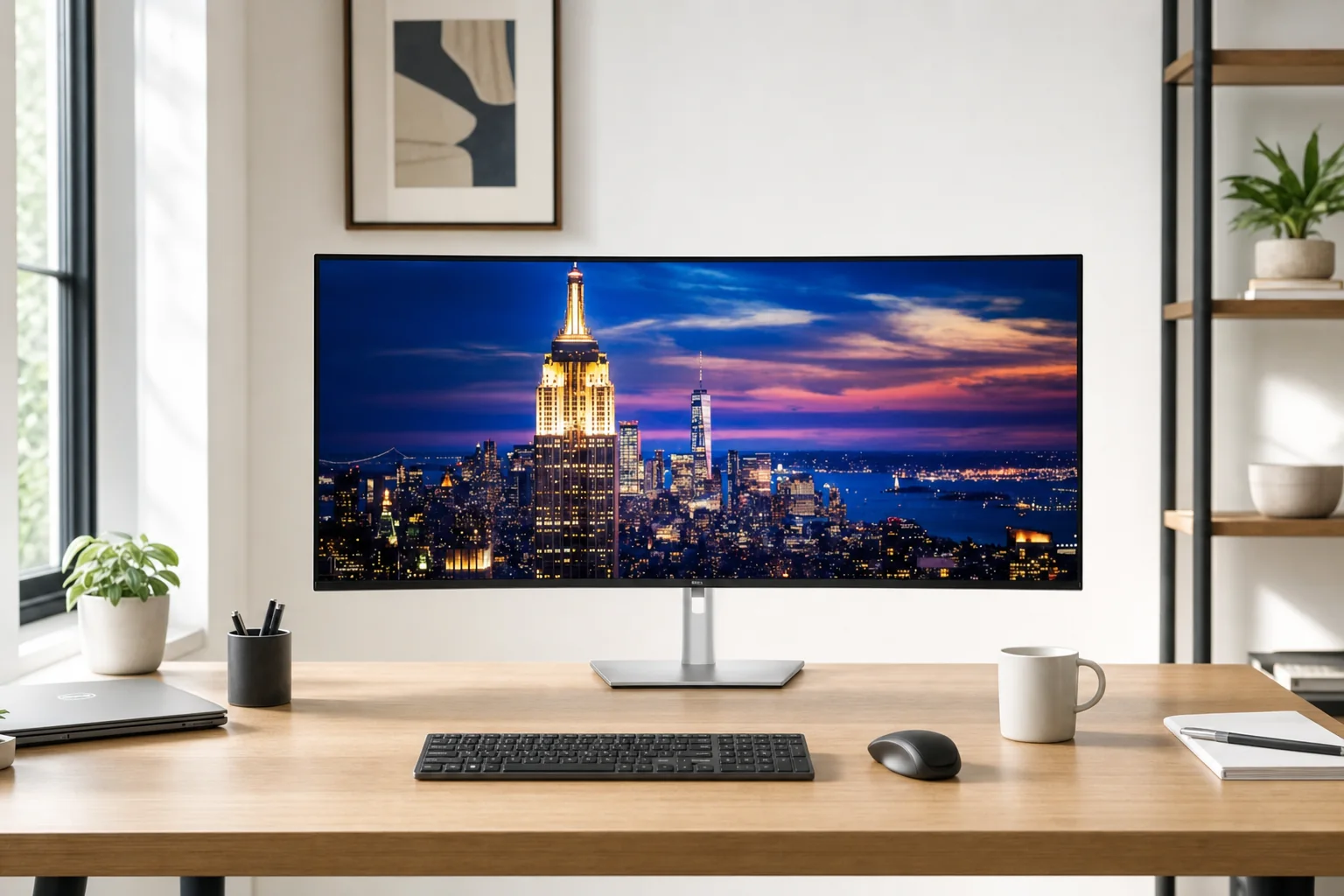
Let's deal with the part that glossy product images tend to glide past: this monitor was physically huge. The screen alone measured 48.16 inches wide. With the supplied stand, it occupied 10.04 inches of desk depth, weighed 40.19lb and stood between 22.71 and 26.25 inches high depending on adjustment. It was closer to installing a small television than setting up a normal office display.
That did not make it impractical. It made it selective. One reviewer used the U5226KW on a desk around 26 inches deep and regularly felt too close to it, with approximately 30 inches or more emerging as the more comfortable target. That finding made complete sense. The panel was not aggressively curved — 4200R was mild by super-ultrawide standards — so its far edges stayed genuinely far away if you were sitting close.
With enough distance, the Dell's width became an asset. You could have a document, a browser and an app side by side without any one of them feeling like it had been sent to solitary confinement. With too little distance, it became a lot of lateral visual scanning. Not necessarily head-turning all day, but a steady amount of eye travel and occasional neck movement. The difference between those experiences came down less to raw screen quality and more to furniture.
48.16 inches of width
That was broadly the width of two 27-inch displays arranged side by side. The Dell saved on visual seams and cable clutter, not necessarily on desk width.
90mm height adjustment
The stand offered up to 3.54 inches of height adjustment. Useful, certainly, but not extravagant for a monitor this large and expensive.
Useful but limited movement
It tilted from –5° to +10°, swivelled –20° to +20° and offered roughly –2° to +2° of slant adjustment. Portrait rotation was not an option.
Think about installation first
The panel alone weighed approximately 13kg, while the stand-equipped monitor was approximately 18.2kg. This was a sensible two-person lift rather than an enthusiastic solo mission.
The supplied stand was sturdy and looked appropriately substantial, but its 10-inch depth was not trivial. A VESA arm or wall mount could reclaim some desk space and create extra viewing distance, with support for 100 × 100mm, 200 × 100mm and 200 × 200mm mounting patterns. The mount itself, though, needed to be properly rated for a large, heavy panel. This was not the moment for a budget arm with a suspiciously optimistic product photo.
In ergonomic terms, the U5226KW was not automatically better than two 27-inch screens. Two monitors can be angled inwards, and a secondary screen can sit further to one side for less-used tasks. Dell's single canvas was more elegant, but its edges were always present. My advice is brutally simple: measure your desk before buying. If you cannot create roughly 30 inches between your eyes and the panel, the money may be better spent on two smaller displays or a deeper desk.
Desk-depth rule of thumb
On a deep desk, the mild curve and uninterrupted workspace make the Dell feel expansive rather than exhausting. On a 26-inch-deep desk, the display can sit uncomfortably close. For this monitor, desk depth is not a minor footnote; it is a core specification.
Pseudo-6K, Real Sharpness: Decoding the Text Clarity Question
The "6K" label caused some understandable eyebrow movement. A conventional 32-inch 6K display used a 6016 × 3384, 16:9 layout. Dell's U5226KW used 6144 × 2560 at 21:9, so it had a 6K-class horizontal resolution but much less vertical resolution. Calling it pseudo-6K was a useful shorthand, not an insult. The point was simply that buyers needed to understand what they were getting.
What they were getting was a 129 PPI display. That was sharp for a 51.5-inch ultrawide and materially better than the roughly 109 PPI of a 49-inch, 5120 × 1440 screen. Text was clear, images looked crisp and reviewers found it entirely suitable for office work, coding and data-heavy applications. It did not have the soft, slightly enlarged feel that can make lower-density super-ultrawides tiring for dense text.
But 129 PPI was not the same as a 27-inch 4K monitor's roughly 163 PPI. It was also below Dell's 40-inch 5120 × 2160 U4025QW at roughly 140 PPI. If your daily work involved tiny code fonts, detailed print layouts or scrutinising fine text at native scaling, two 27-inch 4K displays still held a real sharpness advantage. The U5226KW's gain was workspace continuity, not microscopic text superiority.
The practical effect was pleasantly straightforward. At a comfortable viewing distance, documents were easy to read, spreadsheets had room to breathe and a browser could sit next to an editing app without either one becoming comically narrow. The screen's anti-glare, low-reflection finish and wide viewing angles helped, especially because you were inevitably looking at different parts of the panel from different angles.
Native scaling was where personal preference entered the room. People accustomed to a 27-inch 4K display at a compact scaling setting could find Dell's larger pixels less exacting. Others would appreciate the more naturally readable desktop and the chance to work with several full-size windows at once. Neither preference was wrong. The Dell was a productivity compromise that leaned towards scale and breadth, rather than chasing the finest possible pixel structure.
Do not buy the U5226KW because you assume "6K" means the sharpest text Dell makes. Buy it because its 6144-pixel width gives you a remarkably broad, uninterrupted workspace while retaining respectable text clarity for its size.
At 129 PPI, the Dell is comfortably sharp for everyday work, but two 27-inch 4K displays still win on the finest text detail.
120Hz, Fast Response and the HDR Elephant in the Room
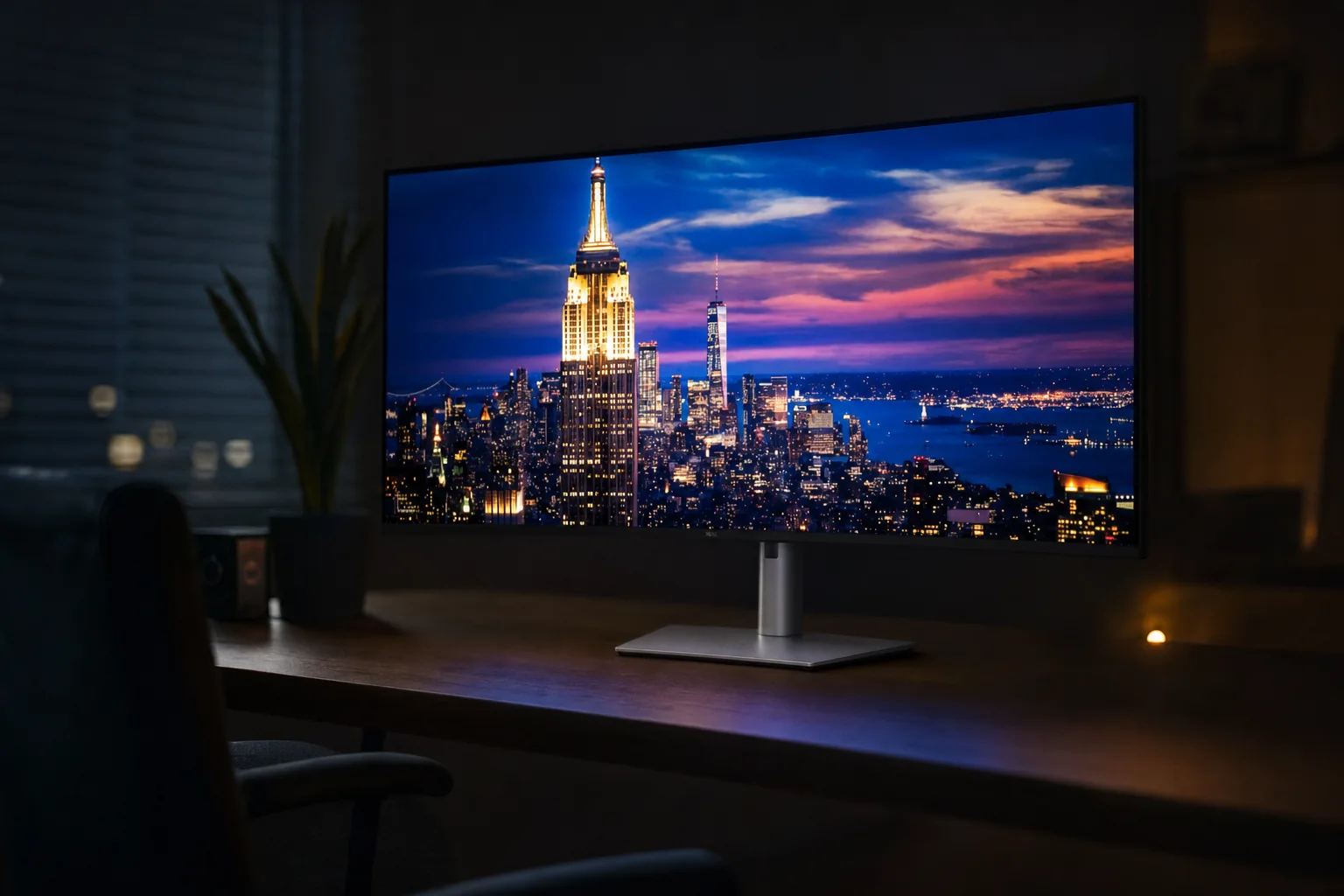
The 120Hz refresh rate was one of the U5226KW's quieter pleasures. It made scrolling through reports, moving around a timeline and shifting windows between zones feel noticeably smoother than on a typical 60Hz business monitor. It was the kind of feature you might dismiss as indulgent until you went back to 60Hz and wondered why everything suddenly seemed to be moving through porridge.
Dell quoted 5ms grey-to-grey in Fast mode and 8ms in normal mode. Input lag was very low, and VRR was supported through HDMI. So yes, you could play games on it. The issue was that it was not especially good at being a gaming display. Testing found noticeable motion blur at all refresh rates and inverse ghosting at lower refresh rates. The enormous ultrawide format also made it a slightly awkward match for consoles, which did not natively embrace its 21:9 resolution.
The much bigger caveat was HDR. There was no HDR support and no local dimming. Full stop. Dell's 400 cd/m² SDR brightness was plenty practical for work, but it did not create the high-contrast highlights, deep blacks and scene-by-scene punch buyers associated with a proper HDR display. IPS Black helped the native contrast figure, yet dark areas could still look greyish beside a good VA Mini-LED or OLED screen.
What worked well
- 120Hz made everyday desktop work and scrolling feel properly fluid.
- Very low input lag kept cursor movement and general interaction responsive.
- 400 cd/m² SDR brightness was suitable for most offices and home workspaces.
- Wide-gamut, calibrated colour was excellent for SDR productivity and creative tasks.
What to watch out for
- There was no HDR support, despite the premium price.
- No local dimming meant limited black depth in darker scenes.
- Motion blur and lower-refresh inverse ghosting held it back for serious gaming.
- Reflections could still prove distracting in very bright rooms.
This was, in other words, a terrific SDR work monitor with a smoother-than-usual refresh rate. Treat it as that and you would be happy. Buy it hoping for an HDR editing display, cinema screen or 240Hz gaming weapon and you were shopping in the wrong aisle.
The Cable That Replaced a Drawer Full of Dongles: Thunderbolt 4 Hub in Practice
The port selection was where Dell made its strongest argument for the U5226KW as an entire desk setup rather than merely an enormous display. One Thunderbolt 4 upstream connection could carry the display signal, USB data, wired networking and up to 140W of laptop charging. If you used a compatible laptop, that meant coming home, placing it on the desk and connecting one cable. No separate brick. No Ethernet adaptor dangling like a small metallic berry. No frantic search for the USB hub that was apparently behind the monitor again.
For many professionals, that was the real luxury. The display could become the dock that stayed on the desk, leaving the laptop portable. The 140W charging figure was especially meaningful because it went beyond the 90W ceiling common on many USB-C monitors. It was capable of powering more demanding compatible laptops rather than merely slowing their battery drain during a busy day.
There were also three USB-C 10Gbps upstream connections, four USB-A 10Gbps downstream ports, a quick-access USB-A 10Gbps port with Battery Charging 1.2, two quick-access USB-C 10Gbps ports offering up to 27W power delivery, two HDMI 2.1 FRL ports, two DisplayPort 1.4 inputs and an audio line-out. It was a frankly muscular collection of connectivity.
One-cable laptop setup
Thunderbolt 4 could provide display output, USB access, 2.5GbE networking and up to 140W charging through one connection.
Built-in KVM switching
A single keyboard and mouse could be shared between connected systems, cutting the clutter of separate peripheral sets.
Up to four connected PCs
Picture-by-picture, picture-in-picture and internal multi-stream transport let the Dell act as a multi-system workstation rather than just a giant canvas for one computer.
Desk-friendly audio
Two 9W speakers were included. They were convenient for calls and casual media, though a monitor this serious still deserved proper headphones or speakers for music work.
The catch was that all this sophistication did not remove the need to think about your workflow. A single cable was marvellous for one laptop, but multi-PC picture-by-picture setups still required planning which source lived in which zone and how you wanted the KVM to behave. It was powerful rather than magically effortless. For the right person, though, that distinction was a compliment.
Thunderbolt 4, 140W charging, 2.5GbE and KVM functionality make the U5226KW a dock as much as a display.
Doing the Sums: One U5226KW vs Two Good 27-inch Monitors
There were two different comparisons here, and mixing them up made the Dell either seem like a bargain or an absurdity. Against two 27-inch QHD monitors, the U5226KW offered considerably more total workspace, no seam and a much more capable dock. Against two 27-inch 4K monitors, it offered less horizontal resolution and lower text density, but a more elegant single-screen setup with better integrated connectivity.
The Dell's 6144 horizontal pixels beat the 5120 pixels of two 2560 × 1440 QHD screens placed side by side. It did not beat the combined 7680 horizontal pixels of two 27-inch 4K panels. Nor did its 2560 vertical pixels match the 2160-by-two geometry in any simple way, because dual monitors were two separate spaces with their own physical divide. This was why a basic "more pixels equals better" argument did not get very far.
In use, the central bezel was what the Dell removed most successfully. If you work on enormous spreadsheets, source code, large audio or video timelines, dashboards or a browser-and-document arrangement that constantly crosses the middle of two screens, the single continuous panel was genuinely liberating. A bezel is a small thing until it lands directly through the column you need to inspect. Then it becomes an oddly personal enemy.
Two monitors still had advantages. You could angle them independently, dedicate one to a reference task and place it further out of your direct vision. If one failed, the whole desk did not go dark. And if you already owned two excellent 27-inch 4K panels, the U5226KW was not an automatic upgrade in text sharpness. It was a different philosophy: fewer physical objects, fewer cables, more continuity.
| At a glance | Dell UltraSharp 52 U5226KW | Samsung Odyssey Neo G9 57 G95NC | Dell UltraSharp U4924DW | LG UltraWide 49WQ95C-W |
|---|---|---|---|---|
| Screen size | 51.5 inches | 57 inches | 49 inches | 49 inches |
| Resolution | 6144 × 2560 | 7680 × 2160 | 5120 × 1440 | 5120 × 1440 |
| Refresh rate | 120Hz | 240Hz | 60Hz | 144Hz |
| Curvature | 4200R | 1000R | Curved | 3800R |
| UK price reference | £2,574.00 with stand | £1,899 (Currys) | £1,227.60 | Approximately £1,227 |
The Samsung Odyssey Neo G9 57 G95NC was the obvious rival if sheer canvas size and gaming performance mattered most. Its 7680 × 2160 dual-UHD resolution, Mini-LED backlight, HDR capability, 240Hz refresh rate and 1000R curve made it a very different beast. It was substantially more gaming-led and considerably less dock-led. Dell's advantage was the Thunderbolt 4 connection, 140W charging, 2.5GbE, KVM and support for sophisticated multi-PC workflows.
Dell's own UltraSharp U4924DW was arguably the more rational choice for people who simply wanted one screen instead of two. It offered a 49-inch 5120 × 1440 IPS Black panel, KVM, 2.5GbE, 90W USB-C charging and two 9W speakers for £1,227.60. That was less than half the direct price of the U5226KW. You gave up the newer monitor's resolution, 120Hz refresh, 140W power delivery and greater vertical room, but you kept much of the clean-desk concept.
The value reality check
The U5226KW made sense when its screen, dock, Ethernet connection, charging and KVM all replaced separate equipment. If you only wanted an enormous desktop, cheaper 49-inch and 57-inch alternatives made the Dell's premium difficult to defend.
Snap, Split, Repeat: Window Management on a 21:9 Canvas
A giant screen did not automatically create an organised desk. In fact, it could create the opposite: a sea of windows drifting around because there were no physical bezels reminding them where to stop. The U5226KW's 6144 × 2560 canvas was broad enough that a little structure went a long way.
Windows Snap layouts worked well for the basic jobs: a large central document, a browser alongside it, and a communications app or reference panel at the edge. macOS tiling tools could serve a similar role. For heavier multitasking, Dell Display and Peripheral Manager became useful because it helped impose zones on a display that could otherwise feel like an open-plan office with no walls.
The 21:9 ratio was an important distinction from the 32:9 format of many 49-inch screens. A 32:9 panel behaved more like two traditional monitors fused together, which suited people who wanted two roughly equal work areas. Dell's 21:9 layout felt less like a literal pair of screens and more like a vast, high-resolution main display. It offered more vertical pixels than a 5120 × 1440 49-inch rival, but not the same instinctive left-half/right-half division.
One PC, several app zones
Use operating-system snapping and Dell's management tools to create deliberate spaces for documents, browsers, communication apps and specialist software.
Picture-by-picture and picture-in-picture
The monitor could show several connected sources at once, turning one large panel into a practical multi-machine environment.
Four-system potential
With internal multi-stream transport and the KVM, Dell positioned the U5226KW for up to four connected PCs — a niche feature, but a serious one for the people who needed it.
For analysts, developers and IT users juggling a work laptop, a personal machine and perhaps a compact desktop or test system, this was more than a party trick. A single keyboard and mouse could follow the KVM workflow, while picture-by-picture kept systems visually separated. You lost physical bezel boundaries but gained far more flexibility about where those boundaries sat.
The Dell was at its best when you treated window management as part of the setup, not an afterthought. Spend ten minutes creating sensible zones and it felt like a well-organised desk. Leave everything floating and it could feel like 52 inches of digital clutter.
Picture-by-picture, KVM switching and software window zones are what turn the giant panel from a novelty into a workable multi-system desk.
What It Actually Costs to Own One
The U5226KW was unapologetically expensive. Dell's direct UK price on 13 August 2026 was £2,574.00 including VAT for the stand-equipped package, or £2,509.20 without the stand. The no-stand version used the same monitor and feature set; it simply made sense for buyers who already had a suitable VESA mounting plan.
In the United States, Dell listed the version with stand at $2,719.99, against an original launch price of $2,899.99. The original launch price for the stand-free configuration was $2,799.99. UK third-party listings had dipped to around £2,149.97, but Dell direct was still the cleaner reference if warranty arrangements, stock status and configuration certainty mattered to you.
Dell U5226KW with stand
Direct Dell UK price including VAT on 13 August 2026.
Dell U5226KW without stand
Same panel and connectivity, intended for VESA mounting.
Third-party UK reference
Lower market listing reference, subject to retailer stock and terms.
That price had to be judged against the things it potentially replaced. If you needed two high-quality monitors, a Thunderbolt dock, a laptop charger, Ethernet adaptor, USB hub and some form of KVM, the Dell's bundle became easier to understand. It was still premium, but at least it was premium in several categories at once.
If you already had a dock you liked, separate speakers, a good Ethernet connection and two decent displays, the numbers became harder. The U5226KW did not merely need to look better. It needed to make your desk simpler enough that you valued the simplification. For some people that was absolutely worth paying for. For others, it was a very expensive way to remove a bezel.
Who Actually Needs 48 Inches of Screen?
Not everyone. This is worth saying plainly because enormous monitors have a strange ability to make modest tasks feel somehow insufficient. You did not need 6144 × 2560 pixels to answer emails, watch the occasional video and maintain a slightly alarming number of browser tabs. You needed it when your work genuinely benefited from width, high-quality docking and the ability to keep several full-size applications visible.
Best for analysts and data work
Financial models, dashboards, terminals and large spreadsheets benefit from the uninterrupted width. A central bezel is especially annoying when it bisects a table you need to scan all day.
Best for developers and engineers
Code editor, terminal, documentation, browser and test output can coexist without constantly shuffling windows. The 2560-pixel height is a useful step up from 1440p super-ultrawides.
Best premium clean-desk pick
Hybrid workers with a compatible laptop gain the most from the 140W Thunderbolt 4 connection, 2.5GbE Ethernet and a single cable that handles the boring infrastructure.
Best for gaming: not this one
The Samsung Odyssey Neo G9 57 G95NC is the stronger choice for buyers prioritising Mini-LED HDR, 240Hz gaming and a more immersive 1000R curve.
The U5226KW also made sense for executives and power users who wanted a desk that looked deliberately simple. There was real appeal in one panel, one stand and one cable to a laptop. The monitor could make a hot-desk or shared home office feel considerably more permanent without filling it with black boxes and adapters.
It was less persuasive for photo specialists who needed maximum pixel density, HDR video workers, competitive gamers, console users and anybody with a shallow desk. It was also less persuasive if your preferred workflow depended on a vertical secondary display. The Dell could not pivot, and a 51.5-inch ultrawide was not the screen to rotate on a whim unless you were planning an extremely memorable insurance claim.
Buy the U5226KW if…
- You have a desk around 30 inches deep or more.
- You want one large, uninterrupted productivity workspace.
- You will use Thunderbolt 4, 140W charging, Ethernet and KVM features.
- Your work involves multiple windows, sources or computers every day.
Look elsewhere if…
- You want HDR, local dimming or strong dark-scene performance.
- Gaming motion clarity is your priority.
- You need the crispest small text available.
- Your desk is shallow or your workspace cannot take a 48-inch-wide panel.
For data-heavy and multi-window work, the Dell's greatest strength is not novelty — it is the absence of interruptions between tasks.
The Verdict: A Genuine Desk-Setup Replacement, With Conditions
The Dell UltraSharp 52 U5226KW did the difficult part well: it made a credible case for replacing a dual-monitor desk with one single display. The uninterrupted 6144 × 2560 canvas was genuinely useful, the 120Hz refresh rate made daily work feel more polished and the Thunderbolt 4 dock was spectacularly well specified. Add 140W charging, 2.5GbE, KVM and multi-PC support, and you had a monitor that could remove a surprising amount of hardware from a desk.
But this was not an unconditional recommendation. The 129 PPI panel was sharp, not class-leading. There was no HDR and no local dimming. Gaming motion was only middling. Most importantly, the screen needed room. Put it on a shallow desk and it could feel like you were working from the front row of a cinema. Give it around 30 inches of depth and the experience became much more convincing.
Gadget Scout verdict
The U5226KW was an outstanding premium productivity monitor for buyers who wanted one screen to replace their monitors, dock and cable mess in one hit. It succeeded brilliantly at desk simplification and multi-window work. Just measure your desk first, accept that HDR was absent, and do not mistake its pseudo-6K width for the text density of dual 27-inch 4K displays.

See dell ultrasharp 52 monitor on Amazon UK
Check today's price & availability on Amazon UK
The U5226KW earns its place when it replaces a complete tangle of monitors, dock, charger and Ethernet accessories — not when it simply makes your desk wider.
Quick Answers: Your Dell UltraSharp 52 Questions Settled
- dell ultrasharp 52 monitorView on Amazon