
Best TP-Link Deco Mesh Systems for UK Homes: Which Deco Should You Buy?
From sensible Wi-Fi 6 coverage to full-fat 10Gbps Wi-Fi 7 networking, here is the Deco range that actually makes sense for British homes in 2026.
We link to the exact model on Amazon UK. Prices change often, so check the live price before you buy. As an Amazon Associate we earn from qualifying purchases.
A Deco mesh system works best when its nodes are spread through the home, rather than crammed beside the broadband router like particularly expensive white ornaments.
The short answer: which Deco belongs in your home?
The TP-Link Deco X50 is the one I would buy for most UK homes. It has the useful stuff rather than merely the impressive-sounding stuff: Wi-Fi 6, a 2,402Mbps 5GHz radio, three Gigabit Ethernet ports on every unit and three-pack pricing that has typically sat around £220 to £260. For a flat, semi-detached house or ordinary family home with broadband up to 1Gbps, that is a very sensible recipe.
Mesh Wi-Fi is one of those categories where it is easy to overbuy. A gigantic BE19000 rating sounds thrilling, but it will not make a 500Mbps fibre line become 10Gbps, and it cannot negotiate a Victorian brick wall by force of personality. Start with the shape of your home, then look at your broadband, then decide whether your devices genuinely need 6GHz or Wi-Fi 7.
My ranking runs like this: the X50 is the mainstream winner; the Deco BE65 BE9300 is the practical Wi-Fi 7 step-up; the Deco XE75 remains the value 6GHz choice; the Deco X20 is the budget coverage option; and the Deco BE85 is the specialist powerhouse for people building a serious multi-gigabit network.
The one-line verdict
Buy the Deco X50 unless you have a clear reason not to. That reason is usually a need for 6GHz wireless backhaul, Wi-Fi 7 clients, multi-gigabit broadband or a wired network that is faster than Gigabit Ethernet.
Best for most homes: Deco X50
The all-round Wi-Fi 6 choice for small-to-medium homes, busy households and broadband up to 1Gbps.
Best Wi-Fi 7 buy: Deco BE65 BE9300
The sensible upgrade for new Wi-Fi 7 devices, stronger 6GHz capacity and 2.5Gbps wired links.
Best Wi-Fi 6E value: Deco XE75
A tri-band system for households that want 6GHz without committing to the higher cost of Wi-Fi 7.
Before you buy: match the Deco to broadband, floorplan and devices
First, a quick translation of the alphabet soup. AX1800, AX3000, AXE5400, BE9300 and BE19000 are combined theoretical wireless ratings across the available bands. They are not guaranteed internet speeds, and they are certainly not a promise that a phone in the loft will see the number printed on the box. Real speed depends on the broadband line, the client device, walls, distance, interference and whether the satellite is relaying traffic wirelessly.
The basic split is simple. Deco X20 and X50 are dual-band Wi-Fi 6 systems. They use 2.4GHz and 5GHz, which is absolutely fine for many homes but means that client traffic and a wireless mesh link can share radio capacity. The XE75 adds a third, 6GHz band. BE65 and BE85 then add Wi-Fi 7's extra efficiency and much faster multi-gigabit networking.
Coverage figures are useful for comparing systems, not measuring your own house with a tape measure. Brick internal walls, foil-backed insulation, concrete floors and an airing cupboard full of pipes can all make a mockery of the neat number on the packaging.
Modest broadband
X20 suits homes where dependable coverage matters more than chasing peak throughput. It is the least capable radio here, but that does not make it useless.
500Mbps to 1Gbps fibre
X50 is the natural fit. Its faster 5GHz band and three Gigabit ports are much easier to live with in a modern family home.
Multi-gigabit networking
BE65 is where 2.5Gbps networking starts to make practical sense. BE85 is for 2.5Gbps to 10Gbps broadband and fast local transfers.
For manufacturer coverage claims, the X20 three-pack reaches up to 5,800 square feet, or roughly 539m². X50 rises to up to 6,500 square feet with three units. XE75 is rated for up to 2,900 square feet with one unit, 5,500 square feet with two and 7,200 square feet with three. Those are generous figures, but the important bit is where you place the units. Two well-positioned nodes will often beat three badly placed ones.
The prices below are live-market snapshots taken during research rather than fixed RRPs, so treat them as a guide to relative value rather than a permanent price list.
Deco X20 three-pack
Residual stock for the end-of-life budget model.
Deco X50 three-pack
The mainstream value sweet spot.
Deco XE75 three-pack
Price moves around sharply by retailer and bundle.
Deco BE65 three-pack
Wi-Fi 7 and 2.5Gbps networking carry a premium.
The important differences are not cosmetic: band count, 6GHz support and Ethernet speed determine how well a mesh system fits your broadband and floorplan.
The five Decos side by side: specifications that actually affect your choice
Here is the comparison worth paying attention to. Every model supports the Deco app, access-point mode, wired and wireless backhaul, WPA3, IPv6, IPTV/IGMP, QoS and the HomeShield platform. The bigger choice is whether you need a third wireless band, faster Ethernet or Wi-Fi 7's newer radio features.
| Feature | Deco X20 | Deco X50 | Deco XE75 | Deco BE65 BE9300 | Deco BE85 |
|---|---|---|---|---|---|
| Wi-Fi generation | Wi-Fi 6 | Wi-Fi 6 | Wi-Fi 6E | Wi-Fi 7 | Wi-Fi 7 |
| TP-Link class | AX1800 | AX3000 | AXE5400 | BE9300 | BE19000 |
| Band configuration | Dual-band | Dual-band | Tri-band | Tri-band | Tri-band |
| 2.4GHz maximum | 574Mbps | 574Mbps | 574Mbps | 688Mbps | 1,376Mbps |
| 5GHz maximum | 1,201Mbps | 2,402Mbps | 2,402Mbps | 2,882Mbps | 8,640Mbps |
| 6GHz maximum | — | — | 2,402Mbps | 5,765Mbps | 11,520Mbps |
| Claimed three-pack coverage | Up to 5,800 sq ft | Up to 6,500 sq ft | Up to 7,200 sq ft | Not confirmed on the UK page reviewed | Not confirmed on the UK page reviewed |
| Ethernet per unit | 2× Gigabit | 3× Gigabit | 3× Gigabit | 3× 2.5Gbps | 2× 10Gbps + 2× 2.5Gbps |
| USB 3.0 | — | Not confirmed | Not confirmed | Yes | Yes |
| Best fit | Budget coverage | Most households | 6GHz value | Most Wi-Fi 7 homes | 10Gbps enthusiasts |
| Buy | Check price | Check price | Check price | Check price | Check price |
The wired-port rule
If you pay for broadband above 1Gbps, avoid buying a system with only Gigabit Ethernet and expecting full line speed on a wired device. X20, X50 and XE75 are excellent within Gigabit limits. BE65 starts the 2.5Gbps conversation; BE85 is the only model here built around 10Gbps-class connectivity.
Ranked picks: the best TP-Link Deco systems
1. TP-Link Deco X50 — Best for most small-to-medium UK homes

See TP-Link Deco X50 (3-pack) on Amazon UK
Check today's price & availability on Amazon UK

The Deco X50 wins because it is the least dramatic answer, and that is a compliment. Most households do not need 6GHz, 320MHz channels or a 10Gbps NAS. They need reliable Wi-Fi in the bedroom, a stable video call in the spare room, a television that does not stop buffering during the final ten minutes of a match, and enough Ethernet ports that setting up the living-room kit does not become a small plumbing project.
X50 delivers the useful upgrade over the older X20: its maximum 5GHz rate is 2,402Mbps rather than 1,201Mbps. That does not mean every phone suddenly sees 2.4Gbps, but it gives the system materially more headroom for a busy home full of laptops, consoles, smart TVs and phones. It also retains the simple, compact Deco format, with units measuring 110×110×114mm.
Those three Gigabit WAN/LAN ports are a quietly excellent reason to choose X50. One can feed the main node from your ONT or existing modem/router, while the others can serve a wired TV, games console, desktop PC or Ethernet backhaul. Satellite nodes get the same flexibility. That is much easier than living with two ports and constantly deciding which box gets the cable.
The compromise is its dual-band design. If your satellite nodes use wireless backhaul, the 5GHz band is doing two jobs: talking to your devices and passing traffic back through the mesh. In a compact home, that is usually no hardship. In a large, dense or awkwardly shaped building, a tri-band XE75 or BE65 can be a better fit.
Pros
- Faster 2,402Mbps 5GHz radio than the X20.
- Three Gigabit Ethernet ports on every unit.
- Strong fit for 500Mbps to 1Gbps broadband.
- Compact units and a straightforward Deco setup experience.
Cons
- No 6GHz band for Wi-Fi 6E or Wi-Fi 7 devices.
- Wireless backhaul shares capacity with client traffic.
- Gigabit Ethernet caps wired multi-gigabit ambitions.
Why it is ranked first
X50 is not the fastest Deco, but it is the one most likely to solve the problem you actually have without making you pay for networking capability you will never use.
Deco X50 is the uncomplicated choice: Wi-Fi 6 and three Gigabit ports per unit are enough for most fibre-connected UK households.
2. TP-Link Deco BE65 BE9300 — Best for most Wi-Fi 7 homes
See TP-Link Deco BE65 BE9300 (2-pack) on Amazon UK
Check today's price & availability on Amazon UK
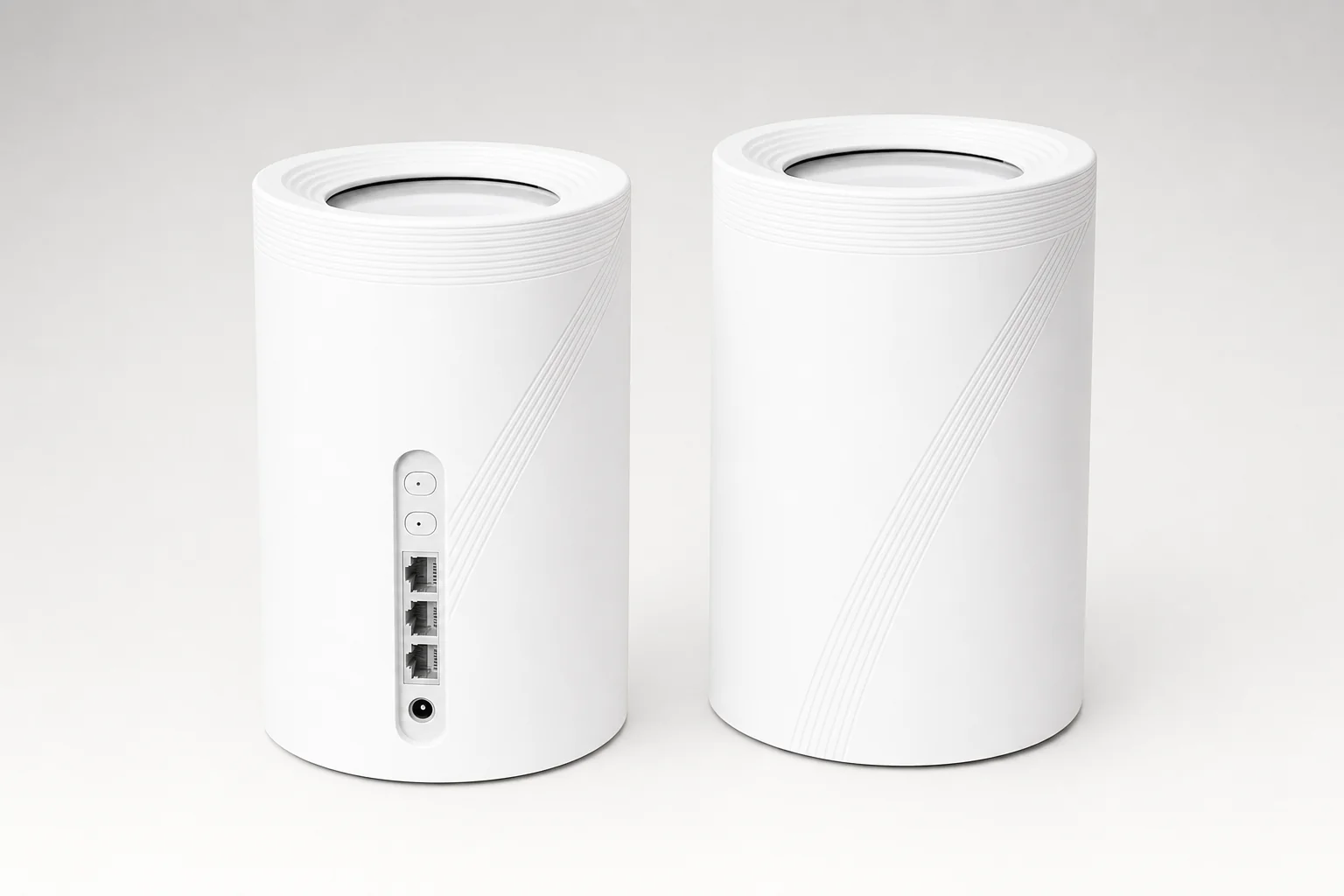
If you are buying specifically for Wi-Fi 7, the Deco BE65 BE9300 is the sensible place to land. One naming warning before we go further: the UK and EU model is marketed as BE65 BE9300. US material sometimes refers to related configurations as BE63 or BE11000. Do not assume that labels, radio figures and port layouts are interchangeable across regions. Networking gear loves a confusing surname.
The UK BE65 is tri-band, with maximum rates of 688Mbps on 2.4GHz, 2,882Mbps on 5GHz and 5,765Mbps on 6GHz. More important than those headline figures, it brings Wi-Fi 7 features including Multi-Link Operation, 320MHz channels on 6GHz, 4K-QAM and Multi-RU puncturing. Compatible Wi-Fi 7 devices can make better use of the available spectrum, particularly in a busy household where several devices are fighting politely—or not so politely—for airtime.
The three 2.5Gbps WAN/LAN ports are arguably the practical headline. They give you room for multi-gigabit broadband, a fast wired backhaul, a NAS or a desktop workstation without immediately bottlenecking everything at 1Gbps. You do not need to own all of those things today, either. If you tend to keep routers for several years, this is the kind of capability that can age rather well.
Multi-Link Operation
Wi-Fi 7 clients can use multiple bands more flexibly, helping with capacity and responsiveness where compatible hardware is involved.
Multi-RU puncturing
Wi-Fi 7 can work around occupied portions of a channel rather than treating the whole channel as unusable.
Multi-gigabit-ready
Three 2.5Gbps ports per unit make faster broadband and wired backhaul far more realistic than on Gigabit-only systems.
Pros
- Wi-Fi 7 with 6GHz, 320MHz channels and Multi-Link Operation.
- Three 2.5Gbps ports per node.
- Much faster 6GHz capacity than the XE75.
- USB 3.0 adds local storage-sharing potential.
Cons
- Costs substantially more than X50 and XE75.
- Its biggest gains need Wi-Fi 7 clients or multi-gigabit networking.
- 6GHz still has shorter reach through dense walls and floors.
BE65 is the one for buyers who want a longer ownership horizon without crossing into BE85 territory. It is premium, certainly, but it is premium for a reason you can use rather than simply admire on a specification sheet.
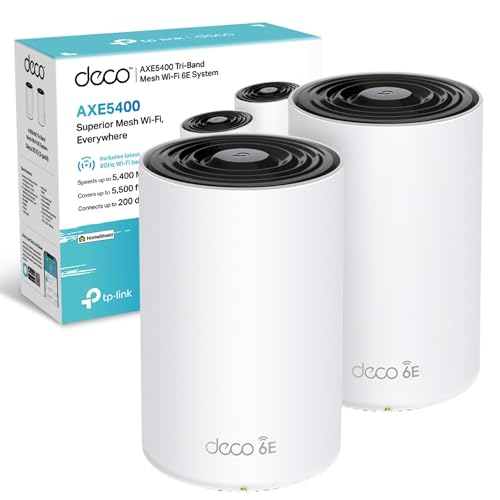
3. TP-Link Deco XE75 — Best value Wi-Fi 6E system

See TP-Link Deco XE75 (2-pack) on Amazon UK
Check today's price & availability on Amazon UK
Deco XE75 is the slightly awkward middle child in the most interesting way. It is not Wi-Fi 7, but it adds the thing that makes mesh systems significantly more capable in the right house: a third, 6GHz radio. If you own Wi-Fi 6E phones, tablets or laptops, they can connect to a cleaner band. If the system uses wireless backhaul, 6GHz can also provide a higher-capacity link between nodes when placement is favourable.
Its AXE5400 arrangement is 574Mbps on 2.4GHz, 2,402Mbps on 5GHz and 2,402Mbps on 6GHz. That makes it very different from an X50 despite the broadly similar 5GHz number. The extra band is not magic, but it stops every device and node competing quite so hard for the same wireless road.
Testing backed up the general impression that XE75 is a strong performer. In a 10-user IxChariot simulation, it reached 1.220Gbps at 15 feet, 299.1Mbps at 50 feet and 318.5Mbps at 75 feet. Through a wall at 25 feet, it managed 990.1Mbps. A satellite one floor above and 40 feet down a hallway delivered 579.1Mbps. That is exactly why tri-band mesh can be worth it: satellite performance can remain convincing when the backhaul link is healthy.
It is also relatively frugal. One long-term test measured each unit at approximately 7.5W, with a maximum operating temperature of 35°C. There is no glamour in electricity consumption, admittedly, but an always-on home network is one of those products that earns its keep by being boringly dependable.
6GHz has more available capacity, but less appetite for thick walls and floors. Put an XE75 satellite where it can still receive a strong 6GHz signal—not at the far end of the dead zone where you wish it could perform a miracle.
Pros
- Dedicated 6GHz band for compatible clients and mesh backhaul.
- Strong measured short- and medium-range performance.
- Low measured power draw of around 7.5W per unit.
- Three Gigabit ports per node.
Cons
- Gigabit ports limit multi-gigabit wired performance.
- 6GHz range diminishes more quickly through obstacles.
- Wi-Fi 7 systems offer a stronger long-term upgrade path.
The XE75's dedicated 6GHz band can be a very effective wireless backhaul—provided the nodes can still see each other through the building.
4. TP-Link Deco X20 — Best budget upgrade for smaller or older homes

See TP-Link Deco X20 (single unit) on Amazon UK
Check today's price & availability on Amazon UK
Listing checked: This Amazon listing contains one Deco X20 unit. The three-pack coverage figures discussed here require three units; a single unit does not provide that coverage on its own.
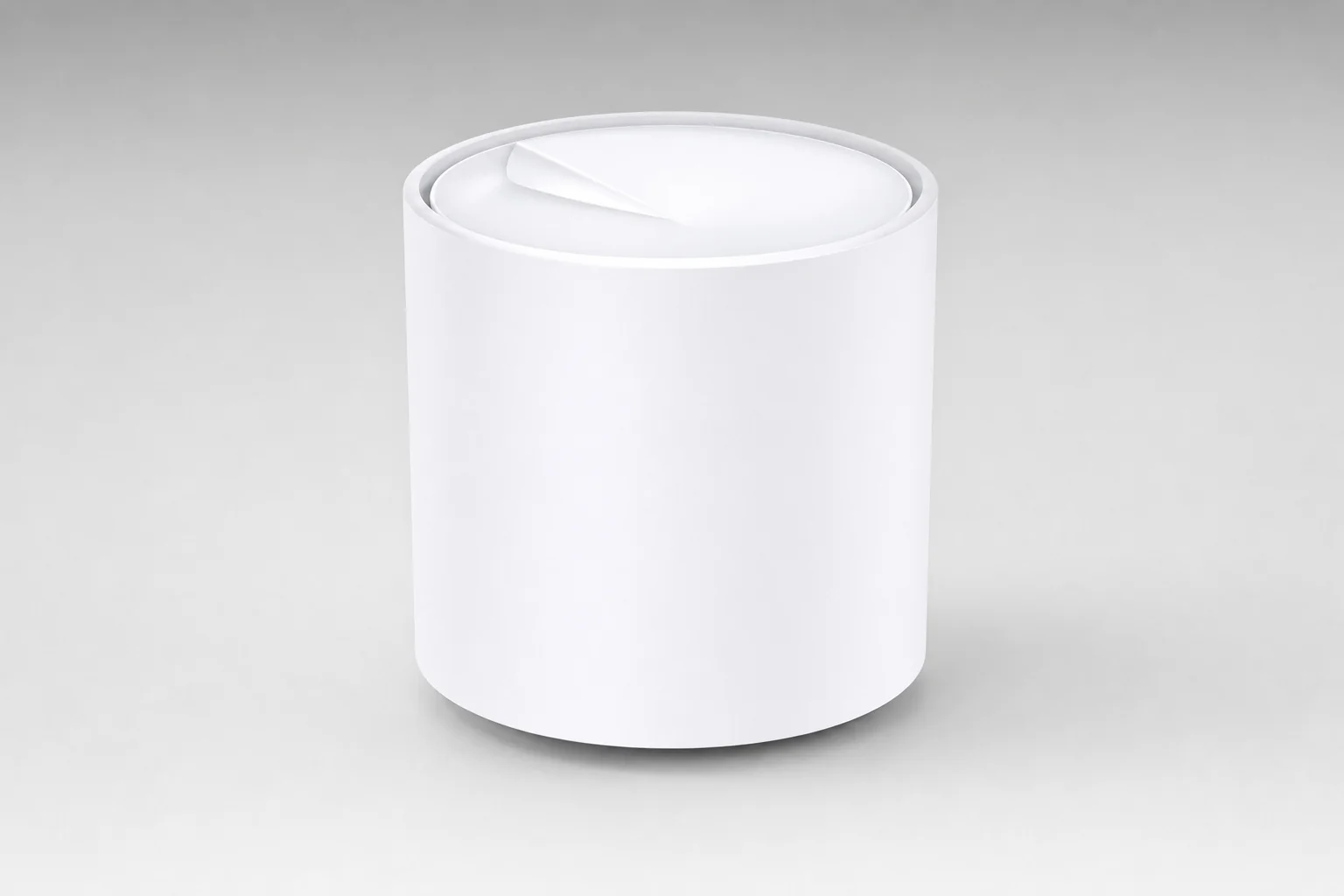
The Deco X20 is the budget pick, but with a sizeable caveat: TP-Link's UK site listed it as end of life by August 2026. That does not make existing stock instantly bad, and it can still be a good inexpensive route to whole-home Wi-Fi 6. It does mean I would only buy it if the saving against an X50 is meaningful and the retailer is offering a sensible deal.
Its AX1800 specification is 574Mbps on 2.4GHz and 1,201Mbps on 5GHz, with no 6GHz band. TP-Link rates a three-pack for up to 5,800 square feet, roughly 539m², and more than 150 devices. In the real world, I would treat that device number as a capacity statement rather than an invitation to run a small airport from your kitchen.
Independent testing found it could sustain more than 100Mbps on 2.4GHz until an obstructed 70-foot test, where throughput fell to about 20Mbps. On 5GHz, shorter obstructed and unobstructed tests landed around 360–365Mbps, falling to around 52Mbps at 70 feet with obstruction. It is respectable coverage for its class, especially if your main complaint is that one or two rooms currently have miserable Wi-Fi.
Pros
- Affordable route into Wi-Fi 6 mesh coverage.
- Good range results for a lower-cost system.
- Works with wired backhaul and the wider Deco ecosystem.
Cons
- End-of-life status makes it a weaker long-term purchase.
- Half the X50's maximum 5GHz capacity.
- Only two Gigabit ports and no 6GHz support.
Buy X20 for price-sensitive coverage, not future-proofing. If X50 is only modestly more expensive, the X50's faster 5GHz radio and extra Ethernet port make it the better long-term call.
5. TP-Link Deco BE85 — Best for very large or 10Gbps homes
See TP-Link Deco BE85 (new, 2-pack) on Amazon UK
Check today's price & availability on Amazon UK
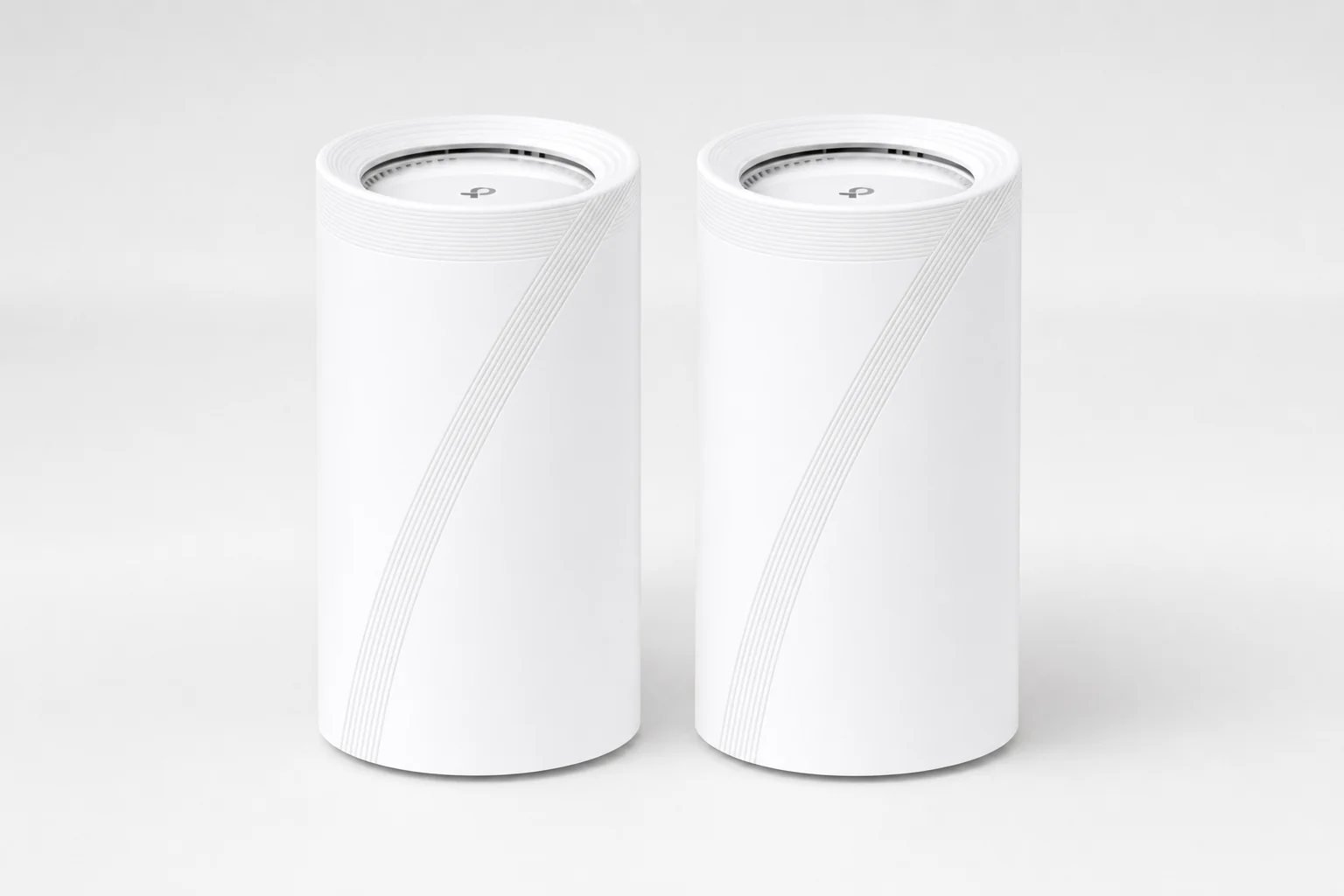
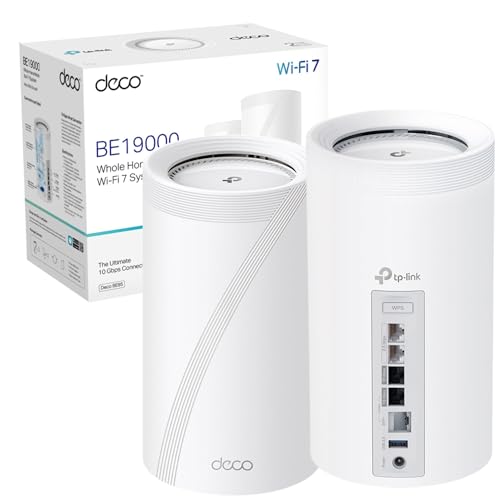
The Deco BE85 is a magnificent amount of router. It is not the sensible default, and TP-Link should probably print that on the box in friendly letters. This is the model for a home with 2.5Gbps to 10Gbps broadband, high-speed wired backhaul, a serious NAS, fast desktop workstations or an unusually demanding mix of users. If that sounds like your household, BE85 is in a different league from the more mainstream systems here.
The UK/EU BE19000 configuration has maximum rates of 1,376Mbps on 2.4GHz, 8,640Mbps on 5GHz and 11,520Mbps on 6GHz. It includes two 10Gbps-class ports, two 2.5Gbps ports and USB 3.0 on each unit. The hardware has eight internal high-gain antennas and is physically much larger than the small X20 and X50 towers. This is network infrastructure, not a discreet little puck you forget exists.
Performance testing explains why it sits at the top of the capability ladder. It delivered 3.951Gbps close-range iPerf3 throughput and 2.776Gbps in a close-range 10-user IxChariot simulation. At 15 feet, results reached 2.913Gbps in iPerf3 and 1.736Gbps in IxChariot. That is startlingly quick by domestic mesh standards.
Distance still matters, though. The same testing recorded 790.4Mbps at 50 feet, 179.2Mbps at 75 feet and 42.6Mbps at 90 feet. Through a wall at 25 feet it managed 816.3Mbps, while one inter-floor wireless-backhaul test reached 75.1Mbps. In other words: buy BE85 for its radios and ports, then honour that investment with sensible node placement and, ideally, Ethernet backhaul. Physics remains deeply unimpressed by expensive networking equipment.
Pros
- Fastest Deco in this guide by a huge margin.
- Two 10Gbps and two 2.5Gbps ports per unit.
- Excellent close-range multi-gigabit test performance.
- Built for fast broadband, NAS traffic and wired backhaul.
Cons
- Overkill for ordinary broadband and typical Wi-Fi clients.
- Wireless performance still falls over long, obstructed links.
- Consumes more power than the XE75 in measured testing.
Who BE85 is really for
Choose BE85 when fast local network traffic matters as much as internet speed. A 10Gbps-capable NAS, wired workstation and backhaul can make its port layout worthwhile. Without those things, BE65 is usually the smarter Wi-Fi 7 purchase.
BE85 is built for homes where local network traffic matters: fast broadband, wired backhaul, NAS storage and workstation transfers are its natural habitat.
Putting a Deco system in a real UK house: placement, backhaul and pack size
Adding nodes is not automatically the answer to weak Wi-Fi. Every satellite needs a good connection back to the main unit. Put a node in the dead zone itself and it may simply receive poor Wi-Fi and retransmit poor Wi-Fi with great enthusiasm. The better move is to place it roughly between the main unit and the weak area, where it still has a strong link but can push coverage onwards.
For a standard two-storey home, start with the main Deco near the modem or fibre ONT, ideally in an open and reasonably central spot. Place the next node on the other floor or halfway towards the troublesome end of the house. If you need a third node, use it to extend the network into a loft conversion, garden office or distant rear room rather than creating a pile-up of radios in the middle of the house.
Keep nodes in the open
Use a shelf, table or open cabinet. Avoid enclosed TV units, cupboards and floor-level corners where possible.
Respect British building materials
Brick, concrete, underfloor heating, foil-backed insulation and pipe-filled airing cupboards can all weaken a mesh link.
Use Ethernet when you can
Wired backhaul is the cure for difficult floors, thick walls and big homes. It frees wireless capacity for actual devices.
Placement beats pack size
A two-pack with a clean backhaul link can outperform a three-pack whose nodes are too far apart or need to relay through several walls. Start with the fewest nodes that cover the home properly, then add one only when there is a measured weak area to solve.
Tri-band models give wireless mesh more breathing room, but they do not repeal the rules of distance. On XE75, BE65 and BE85, 6GHz can be brilliant for a backhaul link across an open landing or through a lighter internal partition. Across dense masonry and floors, a wired link may still be the far better answer.
HomeShield, setup and ownership: the daily-use details
Every model here belongs to the same Deco ecosystem, which is good news if you want a system that is simple to deploy. The Deco app handles the initial network creation, adding nodes, checking connected devices, creating guest access, running firmware updates and basic troubleshooting. There is web management too, but the app is the main route most people will use.
Across this shortlist, you get access-point mode, IPv6, PPPoE, IPTV/IGMP support, WPA3, wired and wireless combined backhaul, automatic roaming and the HomeShield framework. There is also QoS, parental controls, security features and Alexa/Google Assistant compatibility. That shared foundation is why moving up the Deco ladder should be about radio capacity and networking ports, not an assumption that only expensive systems get the useful family features.
HomeShield features and security implementation can differ by model and plan. Check the current UK terms before assuming every premium control is included without a subscription.
The trade-off for that friendly experience is that Deco is not an enthusiast router platform built around endless manual tuning. If you want to spend Sunday afternoon selecting channels, creating elaborate VLAN structures and arguing with every radio setting, there are more technical ecosystems. For most homes, though, the easier route is a feature rather than a flaw.
All five can mesh with other compatible Deco units, which gives you a little flexibility. You can extend coverage later without replacing the whole setup. Still, I would avoid making a patchwork system the original plan. Start with matching nodes where possible, make sure the primary router is appropriate for the broadband speed, and keep the design tidy.
The Deco app is designed for the jobs most households actually do: add a node, inspect connected devices, update firmware and find out why the television is behaving oddly.
Who should buy which Deco? Five quick recommendation cards
If you have skipped to the decision bit, fair enough. Here is the condensed shopping advice, without pretending every home needs the same solution.
Most households
Buy Deco X50. It is the best all-rounder for typical small-to-medium homes, broadband up to 1Gbps and a normal mix of phones, laptops, TVs, consoles and smart-home devices.
Wi-Fi 7 early adopters
Buy Deco BE65 BE9300. Choose it for Wi-Fi 7 clients, multi-gigabit broadband, stronger 6GHz capacity and 2.5Gbps wired links.
Wi-Fi 6E value seekers
Buy Deco XE75. It makes sense when 6GHz devices or a tri-band wireless backhaul matter, but BE65 is harder to justify.
Budget coverage buyers
Buy Deco X20 only at the right price. It suits smaller homes where coverage is the priority, but its end-of-life status matters.
Money-no-object network builders
Buy Deco BE85. It is for 10Gbps-class wired networks, NAS traffic, workstations and large homes with genuinely demanding data needs.
There are also credible alternatives beyond Deco. Netgear's Orbi 770 Series RBE773 three-pack was listed at £589.99 in the UK, with tri-band Wi-Fi 7, up to 11Gbps wireless capacity, 2.5Gbps-class connectivity and coverage up to 6,750 square feet. Amazon's eero Max 7 offered two 10Gbps ports per unit, Wi-Fi 7, up to 230m² coverage per unit and smart-home support for Thread, Matter and Zigbee, but its three-pack pricing sat at £1,699.99. Google Nest Wifi Pro remained a simpler Wi-Fi 6E alternative, with up to 4.2Gbps combined wireless capacity and coverage up to 120m² per router.
Those systems all have their audience. Deco's advantage is that the range covers a very broad set of budgets and network requirements while retaining one familiar app and a consistent mesh approach.
The best system depends less on the label on the box than on your broadband speed, wall construction, device mix and whether you can run Ethernet between floors.
Questions UK buyers still ask before ordering
Final verdict: start with the X50, move up only for a clear reason
The ranking is straightforward: Deco X50 first, Deco BE65 BE9300 second, Deco XE75 third, Deco X20 fourth and Deco BE85 fifth. That does not mean BE85 is worse than X50—far from it. It means X50 is the best match for the largest number of UK homes.
Choose by layout first, broadband speed second and wireless generation third. If your home is a normal small-to-medium UK property with up to 1Gbps broadband, Deco X50 balances coverage, 2,402Mbps 5GHz capacity, three Gigabit ports per unit and sensible three-pack pricing better than anything else here.
Move to XE75 when tri-band Wi-Fi 6E backhaul is the priority. Move to BE65 when Wi-Fi 7 and 2.5Gbps networking are genuinely useful. Choose BE85 when you have a serious 10Gbps-minded network to feed it. And choose X20 only when the deal is good enough to outweigh its older, end-of-life position. Simple. Sensible. Much better than shouting at the router from the stairs.
- TP-Link Deco X50 (3-pack)View on Amazon
 TP-Link Deco BE65 BE9300 (2-pack)View on Amazon
 TP-Link Deco XE75 (2-pack)View on Amazon
- TP-Link Deco X20 (single unit)View on Amazon
- TP-Link Deco BE85 (new, 2-pack)View on Amazon