
Best Wi-Fi 7 routers and mesh systems for UK homes
Wi-Fi 7 has gone from bleeding-edge to mainstream. We've tested the best routers and mesh systems on sale in the UK and picked the ones that genuinely improve real-world performance - not just headline numbers.
We link to the exact model on Amazon UK. Prices change often, so check the live price before you buy. As an Amazon Associate we earn from qualifying purchases.
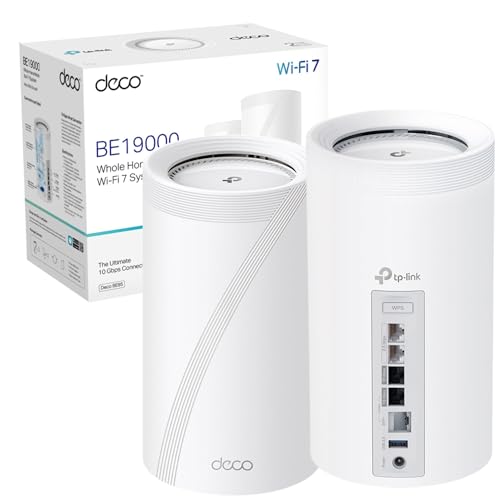
See TP-Link Deco BE85 (2-pack) on Amazon UK
Check today's price & availability on Amazon UK
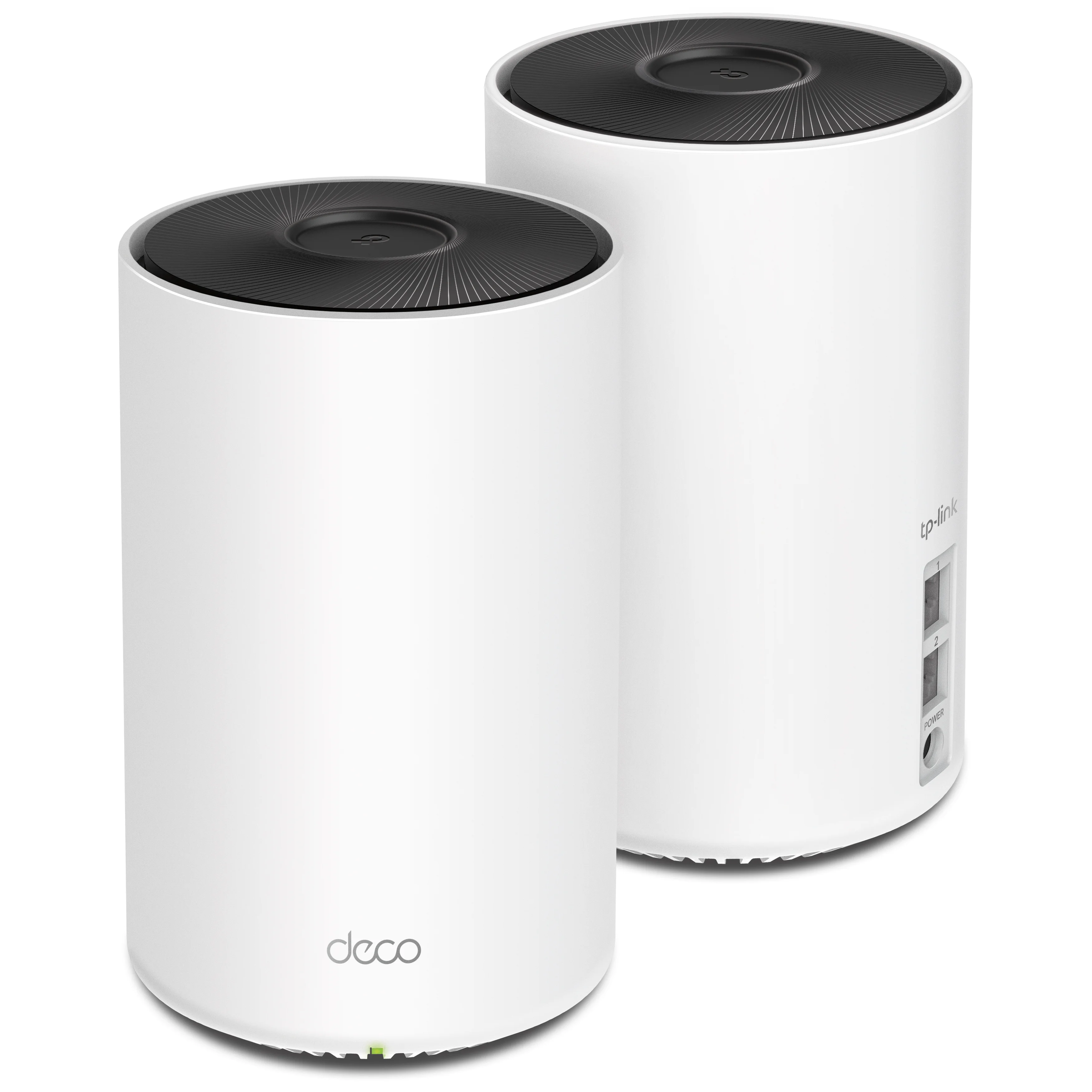
A Wi-Fi 7 mesh node - faster speeds, lower latency, and Multi-Link Operation across the 2.4, 5 and 6GHz bands.
UK ISP setup: BT and Sky hubs do not universally offer modem mode in an app, and Sky/TalkTalk authentication is not a generic PPPoE recipe. Check the exact ISP, access technology and router requirements before replacing or double-routing its hub.
Performance: MLO uses the bands supported by both client and router; it does not always use all three or halve latency. Wired backhaul removes wireless backhaul contention but does not universally double internet speed. QoS can help or hurt depending on implementation and configuration.
1. Why Wi-Fi 7 actually matters in 2026
Wi-Fi 7 (the technical name is 802.11be) brings three changes that matter beyond marketing slides:
Multi-Link Operation (MLO)
The biggest practical change. A Wi-Fi 7 device can use multiple frequency bands simultaneously for a single connection - 2.4GHz, 5GHz and 6GHz at the same time. If one band gets congested or hit by interference, traffic moves seamlessly to another. The result is more consistent throughput, lower jitter and dramatically better behaviour when your flatmates start streaming.
320MHz channels
Wi-Fi 7 doubles the maximum channel width from 160MHz to 320MHz. In homes with little neighbouring interference, a single device can saturate a much wider pipe. This is the headline-speed change, but it only matters if you have very fast internet (gigabit and above) or transfer large files across your local network often.
4K-QAM and lower latency
Higher-order modulation (4096-QAM) packs more data into every wireless symbol. Combined with refinements to the contention layer, Wi-Fi 7 typically halves the latency you see on Wi-Fi 6E in busy households. For Cloud gaming, video calls and competitive online play, that's the upgrade that matters.
Where Wi-Fi 7 will not help you
If your internet line tops out at 100Mbps, your bottleneck is the line, not the Wi-Fi. Wi-Fi 7 will still help with multi-device behaviour and latency, but the headline 'gigabit-plus' marketing won't apply. Check what your line actually delivers before spending £400+ on a router.
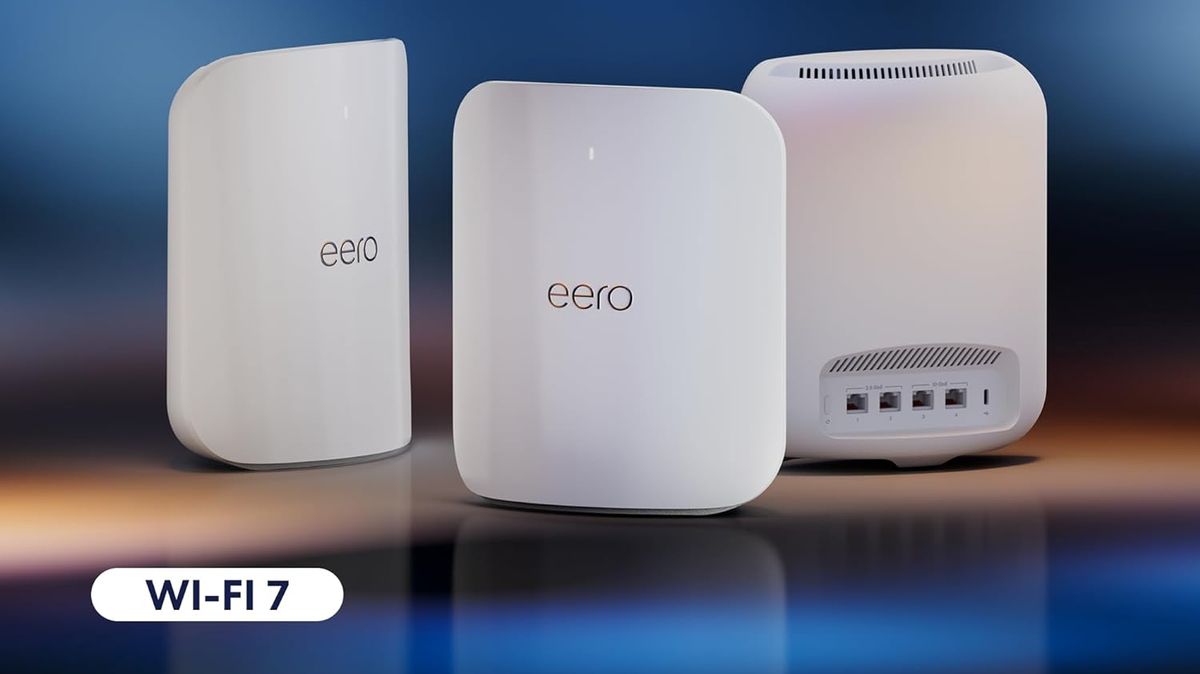
Wi-Fi 7's Multi-Link Operation lets a device use multiple bands at the same time - the biggest real-world change for busy households.
2. What to look for in a Wi-Fi 7 router or mesh
Not every Wi-Fi 7 router is created equal. The spec sheets are deliberately confusing. Here's what actually matters for a UK home in 2026:
Tri-band, not dual-band
Cheaper Wi-Fi 7 routers ship as dual-band (2.4 + 5GHz) - they're Wi-Fi 7 in name but missing the 6GHz radio. Avoid these unless you're on a tight budget. The 6GHz band is where most of the Wi-Fi 7 advantage lives, and 6GHz devices fall back to slower bands without it.
Multi-gig WAN port
If your line is gigabit or faster (BT Full Fibre 1Gbps, 1.6Gbps, 2Gbps; Virgin Gig1, Hyperoptic), you need a router with at least a 2.5GbE WAN port. Many premium routers offer 10GbE WAN, which is overkill today but future-proof. A gigabit-only WAN port on a £400 router is a red flag in 2026.
2.5GbE LAN ports
For the desktop PC, NAS or mesh backhaul. Premium routers usually have at least one 10GbE LAN port plus several 2.5GbE. Sub-£200 Wi-Fi 7 routers often have only gigabit LAN ports, which limits how fast your local-network transfers can go.
Wired backhaul support (mesh systems)
If you're buying a mesh, check whether it can use a wired Ethernet connection between nodes for the backhaul. Wired backhaul roughly doubles real-world performance compared to wireless backhaul, and it's the single biggest setup tip that very few people apply.
Don't pay for AI
Many Wi-Fi 7 routers advertise 'AI-powered network optimisation'. In practice it's QoS prioritisation with marketing makeup. Unless the router is unusually cheap and offers solid hardware, AI features are not a meaningful differentiator.
3. Best Wi-Fi 7 mesh system overall
TP-Link Deco BE85
The Deco BE85 is the easiest recommendation in the Wi-Fi 7 mesh market. Tri-band Wi-Fi 7 with 6GHz, multi-gigabit ports (2x 10GbE, 2x 2.5GbE per node), reliable mesh performance, and a setup app that is genuinely friendly. Two-pack covers most UK semis (~3000 sq ft); three-pack handles larger or awkwardly-shaped homes. Stable firmware, proper backhaul handling, and a price that has dropped meaningfully since launch.
See TP-Link Deco BE85 (2-pack) on Amazon UK
Check today's price & availability on Amazon UK
Why it wins
Performance is class-leading without crossing into 'absurd'. The two 10GbE ports give it real future-proofing - you can plug a 10GbE NAS in and serve files at 10x gigabit speed locally. The Deco app is easy enough for a non-technical owner to manage; advanced users can dive into QoS, port forwarding, custom DNS and HomeShield security features.
What's the catch?
HomeShield Pro (the security/parental control suite) is a paid annual subscription. Most of what you actually need is free. The other minor issue is that wireless backhaul (no Ethernet between nodes) caps real-world speeds noticeably below the headline numbers - true of every mesh, but worth knowing.
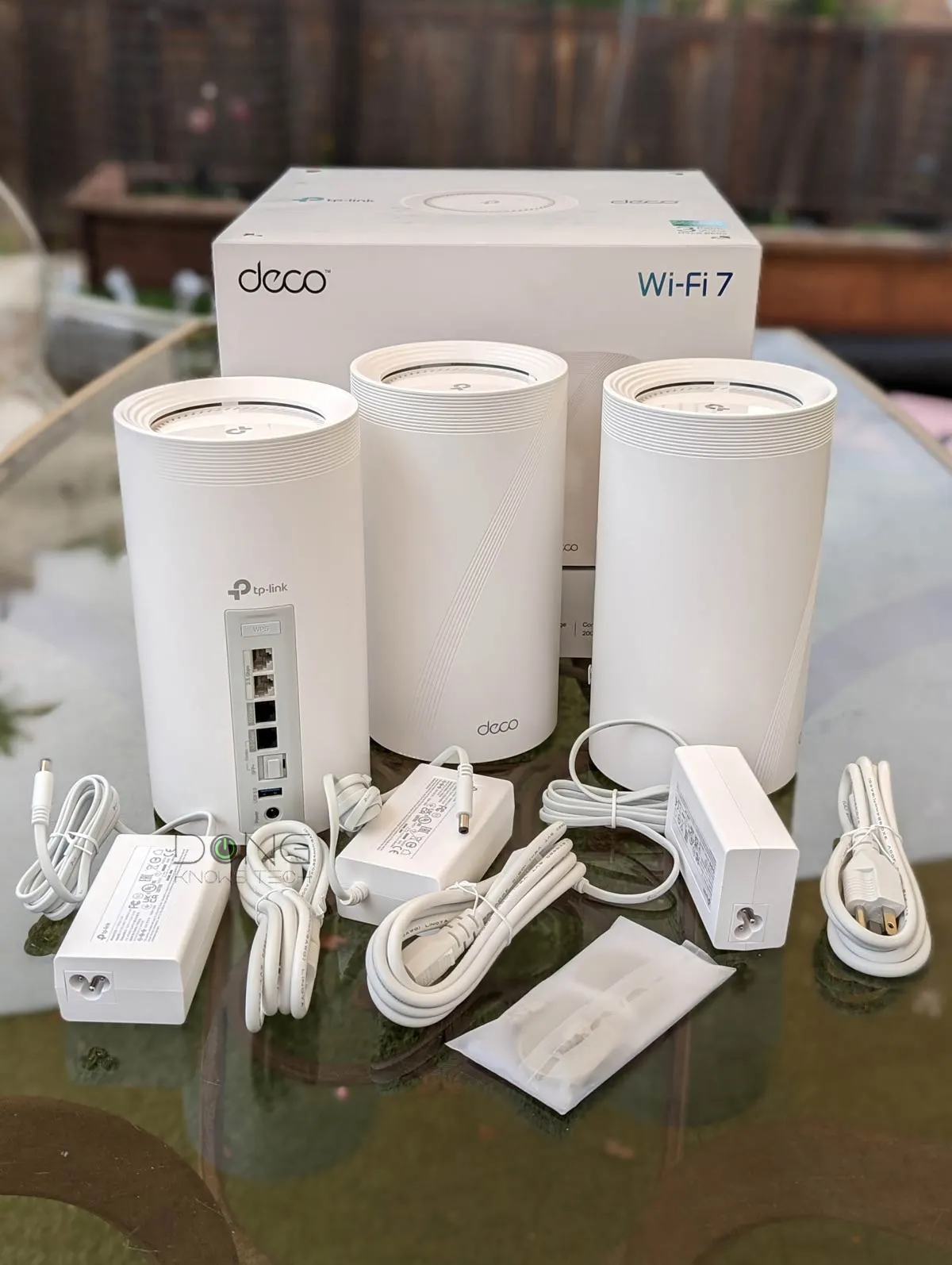
TP-Link Deco BE85 - the most balanced premium mesh on sale in the UK in 2026, with multi-gigabit ports and stable firmware.
4. Best Wi-Fi 7 mesh on a tighter budget
TP-Link Deco BE65
The step-down BE65 keeps tri-band Wi-Fi 7 with 6GHz, two 2.5GbE ports per node, and the same Deco app and HomeShield. You give up the 10GbE ports and a chunk of theoretical throughput, but for any UK line at 1Gbps or below you'd never notice the difference. Two-pack is the sensible buy.
Search standard TP-Link Deco BE65 on Amazon UKSee TP-Link Deco BE65 (3-pack) on Amazon UK
Why it's the value pick
Most UK homes don't have multi-gigabit internet, so the BE85's 10GbE ports are unused on day one. The BE65 keeps Wi-Fi 7's actual benefits - MLO, 6GHz, 320MHz channels, QAM-4096 - without the multi-gig overhead, at a meaningfully lower price.
Eero Max 7
Amazon's flagship is a strong alternative if you value setup simplicity and Alexa integration. Tri-band Wi-Fi 7, two 10GbE and four 2.5GbE ports per node, and the easiest setup of any mesh on sale. The trade-offs are the Eero Plus subscription model (some features are paywalled) and a less powerful free admin interface than TP-Link's.
5. Best single Wi-Fi 7 router for power users
If your house is small enough that a single router covers it, or you have wired Ethernet in every room and don't need mesh, a single high-end Wi-Fi 7 router is the better buy. You get more raw throughput per pound.
Asus RT-BE96U / ROG Rapture GT-BE98

See Asus ROG Rapture GT-BE98 Pro on Amazon UK
Check today's price & availability on Amazon UK
The non-gaming RT-BE96U covers most homes; the gaming GT-BE98 adds a more aggressive QoS engine and dedicated game-mode ports. The RT-BE96U is tri-band and the GT-BE98 Pro is quad-band; port layouts also differ by model, and Asus's AsusWRT firmware (with optional AsusWRT-Merlin for tinkerers). Asus's firmware is the most flexible on the market - VPN client/server, IPv6, advanced QoS, AiMesh interoperability with older Asus routers.
See ASUS RT-BE92U Tri-band WiFi 7 on Amazon UK
TP-Link Archer BE800
Cheaper than the Asus, with a slightly more modern design (front LED status panel) and similar headline specs. Slightly less flexible firmware. A sensible choice if you don't need Asus's tinker-friendly extras.

See TP-Link Archer BE800 Wi-Fi 7 on Amazon UK
Check today's price & availability on Amazon UK
When a single router beats a mesh
- Your home is under 1500 sq ft and one router covers it.
- You have wired Ethernet to every room (so secondary access points beat mesh anyway).
- You're a power user who wants firmware flexibility (Asus, OpenWRT).
- You only have one or two devices that really need top-end speeds.
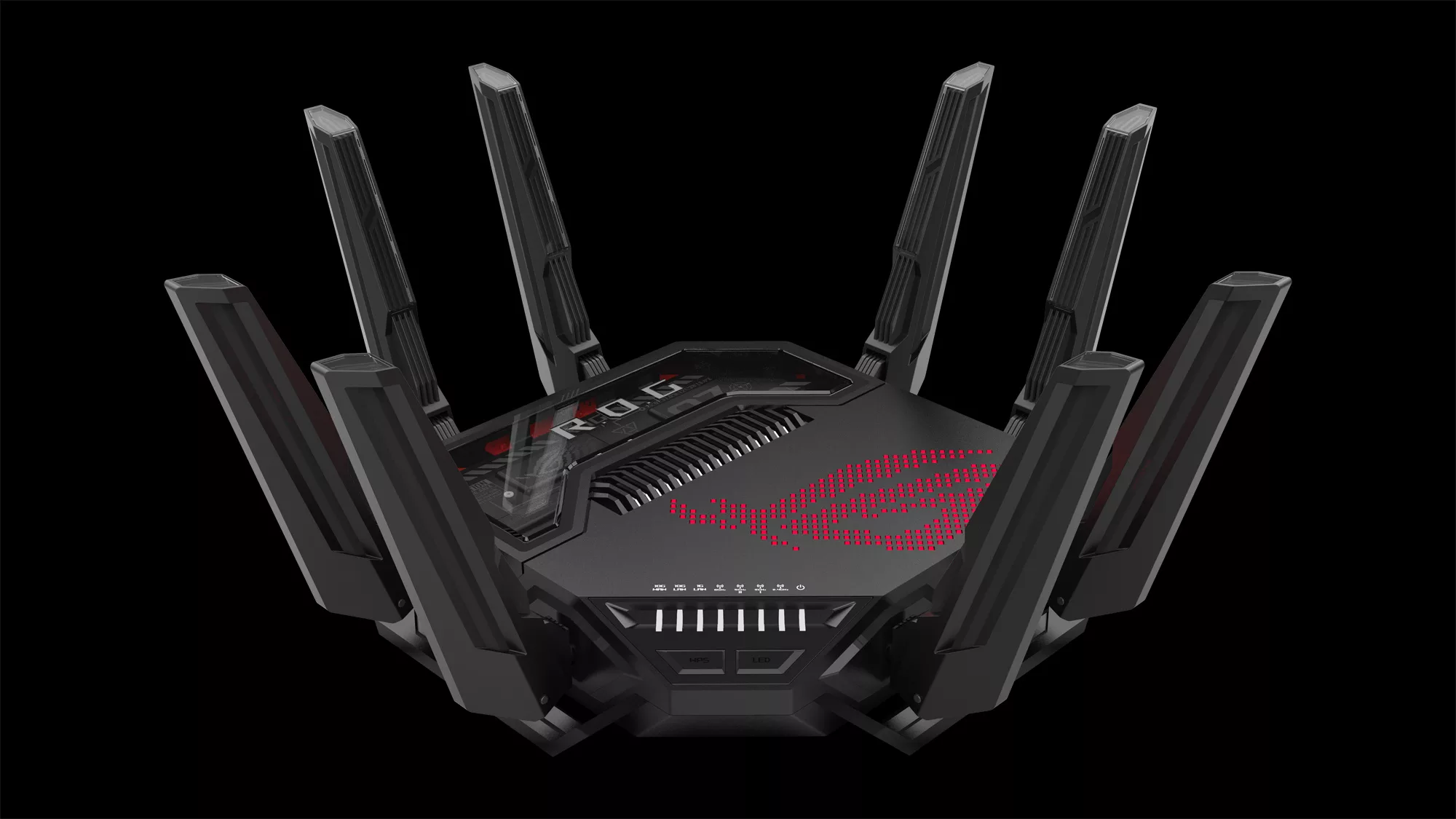
Asus RT-BE96U - the top single-router pick for power users, with the most flexible firmware in the Wi-Fi 7 market.
6. Best mesh for very large UK homes
Netgear Orbi 970 Series

See Netgear Orbi 970 Series on Amazon UK
Check today's price & availability on Amazon UK
The Orbi 970 is the choice when coverage is the priority and budget is a secondary concern. Quad-band design (a dedicated 6GHz backhaul keeps client traffic on its own channels), 10GbE WAN, three nodes cover up to roughly 9000 sq ft. Setup is the easiest on the market via the Orbi app.
Why Orbi for big homes
The dedicated backhaul radio is the differentiator. On other mesh systems, your wireless backhaul (the link between nodes) shares bandwidth with client devices. On Orbi 970, the dedicated 6GHz radio handles backhaul exclusively, which roughly halves the throughput penalty of a wireless mesh. For large or awkward houses where wired backhaul isn't realistic, this matters.
What you give up
Cost. Netgear Armor (the security suite) is a paid subscription. Advanced configuration is more limited than Asus or TP-Link. For most buyers these aren't deal-breakers, but they're worth knowing.
Worth wiring backhaul if you can
Whichever mesh you buy, if you have CAT6 (or even CAT5e) running between the rooms where nodes live, plug them in. Wired backhaul converts a mesh from 'better than a single router' to 'as good as multiple routers'. This is the single biggest performance tip in the Wi-Fi 7 era.
7. Best Wi-Fi 7 setup for gaming and low latency
Gaming is mostly about latency, not throughput. You don't need 10Gbps to play Call of Duty - you need 5ms ping that doesn't fluctuate.
Asus ROG Rapture GT-BE98 Pro
The GT-BE98 Pro adds a dedicated gaming QoS engine, gaming LAN ports with priority routing, and Asus's WTFast service (game-server optimised routing). It's overkill for many people, but if you play competitive online games every day, the prioritisation features measurably reduce ping spikes.
The cheaper-and-just-as-good answer for most
For most gamers, plugging the gaming PC or console directly into a 2.5GbE port on any of our other recommendations gives the same result as a dedicated gaming router. Wired Ethernet on a flagship Wi-Fi 7 router will beat Wi-Fi 7 wireless every time. If you can run a cable, do.
Wireless gaming setup
If wired isn't possible, prioritise:
- 6GHz band - lower interference, lower latency.
- MLO support on the device - newest gaming laptops, A standard PS5 cannot gain Wi-Fi 7 through a generic USB adapter; PS5 Pro has built-in Wi-Fi 7 support.
- Position your router - direct line of sight to the gaming spot, central position.
- Disable any 'AI/QoS' features on the router - they add latency despite marketing claims.
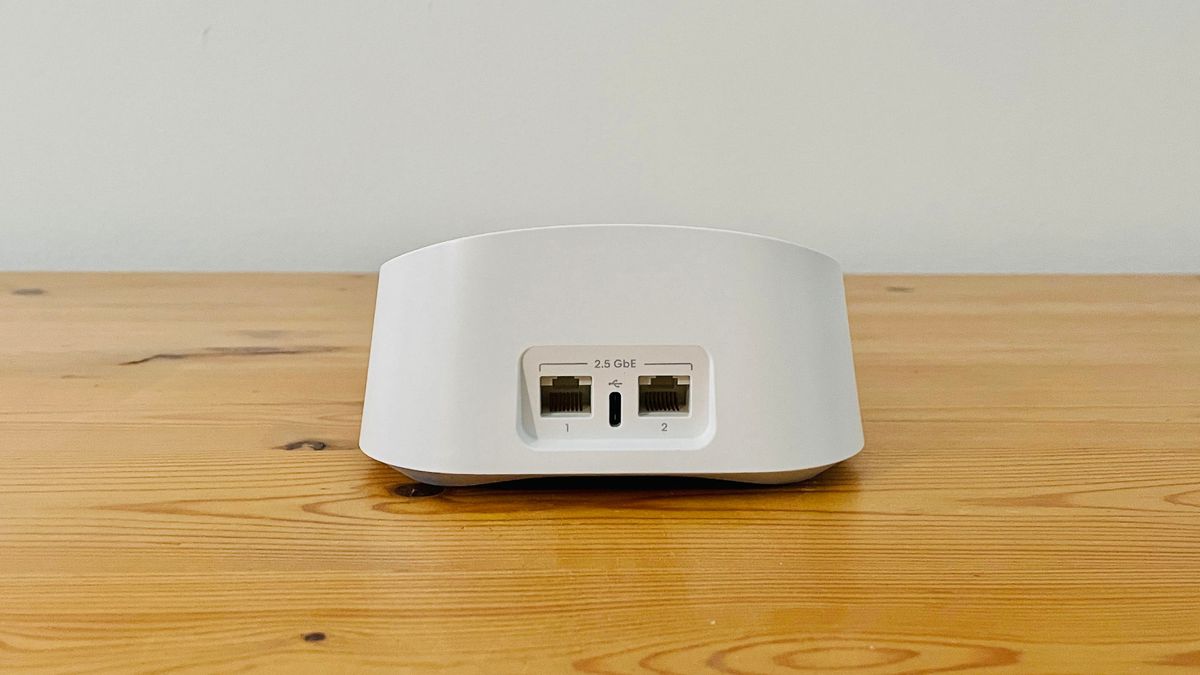
Wired Ethernet to a 2.5GbE port on a flagship Wi-Fi 7 router will always beat Wi-Fi 7 wireless for gaming - run a cable if you can.
8. Setting up Wi-Fi 7 with a UK ISP
UK ISPs all ship their own routers, and they're usually adequate for basic use but rarely Wi-Fi 7 in 2026. If you're buying a third-party router or mesh, here's how to integrate it cleanly.
BT, Sky, TalkTalk and EE
These ISPs use PPPoE on the WAN side. Most premium Wi-Fi 7 routers support PPPoE natively - you'll need your ISP credentials (or you can clone them off the ISP-supplied router). Set the ISP router to 'modem mode' (or disable Wi-Fi and put it in DMZ) to avoid double-NAT.
Virgin Media
Virgin's Hub 5 router uses cable (DOCSIS 3.1) on the WAN side. The cleanest setup is to put the Hub 5 in 'modem mode' (Virgin call it 'modem mode' in the app) and connect your Wi-Fi 7 router's WAN port to the Hub. Wi-Fi 7 router takes over routing; the Hub is just a modem.
Hyperoptic, Community Fibre, YouFibre
Most fibre-to-the-premises ISPs ship their own router but it's optional - you can usually plug your own router directly into the Optical Network Terminal (ONT). Check your contract; some ISPs require their own router for support purposes.
The double-NAT trap
If you connect your new router behind your ISP's router without putting the ISP router in modem mode, you end up with two layers of network address translation. Some games and VPNs break in this setup. Always either bridge the ISP router or put it in DMZ - this is the single most common mistake when upgrading.
9. Sizing your Wi-Fi 7 setup for your specific home
Coverage is the most-asked, worst-answered question in router shopping. The honest answer depends on three things: square footage, wall construction, and where the line enters the house.
Square footage in real terms
UK home sizes by typical type:
- 1-bed flat: 500-700 sq ft. One router, no mesh.
- 2-bed flat / Victorian terrace upstairs only: 700-1100 sq ft. One strong router.
- 3-bed terraced / semi: 1100-1500 sq ft. One router if open-plan, 2-pack mesh if it's three storeys or has thick interior walls.
- 4-bed detached / large semi: 1500-2400 sq ft. 2 or 3-pack mesh.
- Large detached / barn conversion: 2400+ sq ft. 3-pack mesh, plus consider wired backhaul.
Wall construction matters more than square footage
British masonry walls eat 5GHz signals. Stud walls don't. A 2,000 sq ft Victorian terrace with thick brick interior walls can need more mesh nodes than a 3,000 sq ft modern build with stud-and-plasterboard internal walls. If your house is pre-1950 or stone-built, lean toward more nodes.
The 'where the line enters' problem
BT line termination is often in the most awkward corner of the house - the original phone-line entry point that was logical in 1985 but useless in 2026. If your line enters the house in a back utility room, your main router has to live there, and Wi-Fi range will be limited in the front of the house. Two solutions:
- Move the router - run an Ethernet cable from the line entry to a more central spot. The Wi-Fi router lives centrally; the modem (or ONT) stays where the line is.
- Use mesh from the start - put node 1 where the line enters, node 2 in the centre of the house, node 3 (if needed) at the far end. Wired backhaul between them is dramatically better than wireless.
Floors
One mesh node per floor is the rough rule. Wi-Fi 7 signals struggle through floor joists, ceiling cavities and structural beams. If you have three storeys, plan for at least two nodes; for an attic conversion, a third on the top floor.
Outbuildings
Garden offices and detached garages are common in UK upgrades. Wi-Fi through external brick walls is unreliable; the right answer is running an outdoor-rated Ethernet cable to the outbuilding and adding a dedicated mesh node or access point at that end. Wireless mesh extension to a garden office through brick is a recipe for intermittent failure.
The 30-second sizing rule
If your home is one storey or open-plan: one router. If your home is two-plus storeys or has any thick interior walls: 2-pack mesh minimum. If your home is over 2,000 sq ft or has any outbuilding: 3-pack mesh, plus wired backhaul if you can run cable.
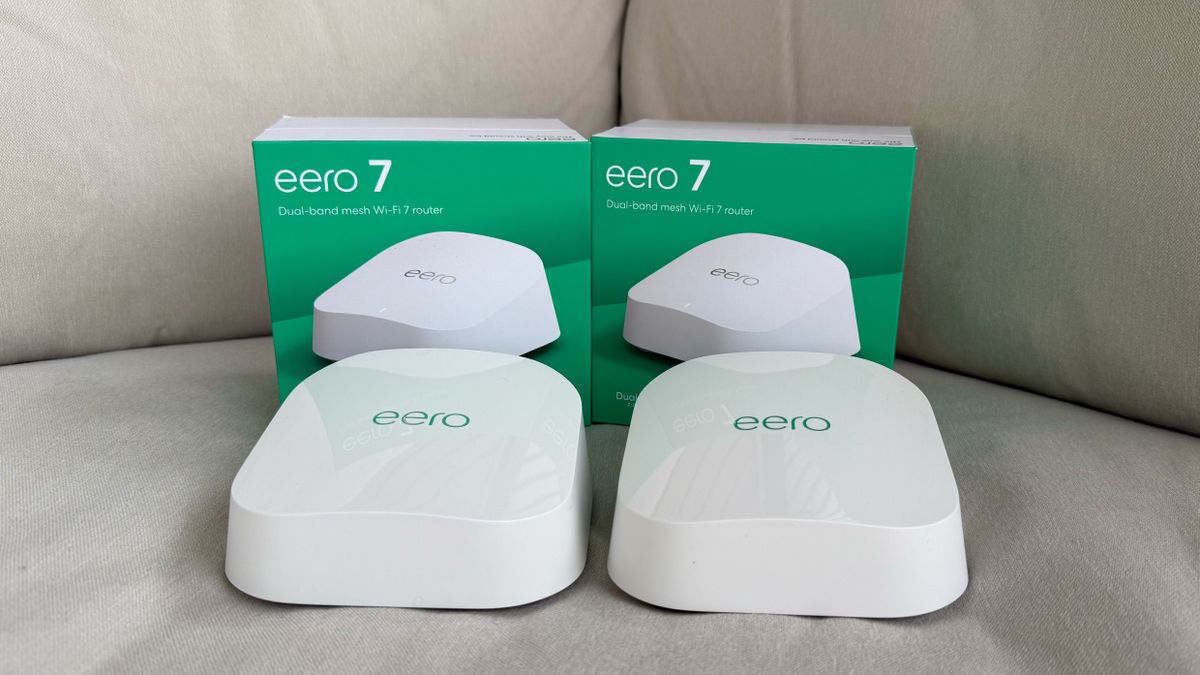
Square footage matters less than wall construction and where the line enters. Plan around your specific house, not a marketing diagram.
10. Common UK home scenarios - worked examples
Five typical UK households with what we'd actually buy and set up for each. Use them as templates for your own home.
Scenario 1 - Modern 2-bed flat, BT Full Fibre 1Gbps
Single-floor 800 sq ft, stud walls, line enters by the front door.
- Hardware: One Asus RT-BE96U or TP-Link Archer BE800 single router.
- Setup: Put the BT Smart Hub in 'modem mode' (in BT's app under 'Hub Manager'). Connect the new router's WAN port to the Smart Hub via Ethernet. Set up Wi-Fi 7 SSID, enable WPA3, turn off Smart Connect (let bands stay separate so 6GHz devices reliably pick 6GHz).
- Why: Single router has more raw throughput per pound than a 2-pack mesh, the flat doesn't need the coverage, and BT's Smart Hub is decent enough as just a modem.
Scenario 2 - 3-bed Victorian terrace, Virgin Gig1
3 floors (cellar, ground, first), 1300 sq ft, brick interior walls, line enters in the cellar via Virgin Hub 5.
- Hardware: TP-Link Deco BE65 3-pack.
- Setup: Hub 5 in 'modem mode' via the Virgin Connect app. Node 1 in the cellar where the Hub lives, node 2 on the ground floor (centre of house), node 3 in the first-floor master bedroom. Wired backhaul if you can run cable through a riser; otherwise wireless mesh.
- Why: Brick walls and three storeys need three nodes. The BE65 is good enough at the line speed; the BE85's 10GbE ports would be unused.
Scenario 3 - 4-bed detached new-build, Hyperoptic 2Gbps
2 storeys, 2200 sq ft, stud walls, line enters via ONT in the study.
- Hardware: TP-Link Deco BE85 2-pack with wired backhaul.
- Setup: Plug the BE85 directly into the ONT (replacing the Hyperoptic-supplied router entirely - they allow this). Run Cat6 from the study to the upstairs landing. Two nodes - study and landing - cover the whole house easily with wired backhaul.
- Why: 2Gbps line needs the BE85's 10GbE ports to actually deliver. Stud walls and a 2-storey layout don't need three nodes if backhaul is wired.
Scenario 4 - Large home with garden office
5-bed, 2800 sq ft, plus a garden office 15m from the back of the house.
- Hardware: Netgear Orbi 970 3-pack inside, plus a TP-Link EAP610 access point in the garden office connected via outdoor Ethernet.
- Setup: Three Orbi nodes for the main house, one wired AP for the office. Run armoured outdoor Cat6 to the office (an electrician will do this for £250-400 in a UK garden). The outbuilding's AP joins the main mesh as a separate broadcast on the same SSID.
- Why: Wireless mesh through external brick to a garden office is unreliable. Wired AP solves the problem cleanly. The Orbi 970's dedicated backhaul keeps the indoor mesh fast.
Scenario 5 - Tech-enthusiast small business in a 4-bed
Mixed home/office, frequent video calls, 10GbE NAS for backups, 2 work-from-home users plus 2 family members.
- Hardware: Asus RT-BE96U as primary router, plus a 2-pack of Asus ZenWiFi BT8 nodes for AiMesh extension to the corners of the house.
- Setup: 10GbE NAS plugged into one of the RT-BE96U's 10GbE LAN ports. Separate guest network for visitors, separate IoT network for smart home devices, work-from-home laptops on the main 6GHz channel. Split tunnel VPN for the work users via the router's built-in VPN client.
- Why: Asus's firmware is the most flexible for VLAN tagging, multi-SSID and VPN client/server work. AiMesh lets you mix router models.
Frequently asked questions
Do my devices support Wi-Fi 7?
iPhone 15 Pro supports Wi-Fi 6E, not Wi-Fi 7. Samsung Galaxy S24 / S25 / S26 do. M3 / M4 MacBooks support Wi-Fi 6E, not Wi-Fi 7. Most flagship Android phones launched after 2024 do. Mid-range phones, laptops and smart-home devices often don't - they fall back to Wi-Fi 6 / 6E. Wi-Fi 7 routers are still worth buying for their other improvements even if not every device uses Wi-Fi 7 directly.
Will a Wi-Fi 7 router make my internet faster?
Only if your line is faster than ~700Mbps. Below that, Wi-Fi 7 won't increase your download speeds. It will improve consistency, latency and how the network handles many devices at once - which often matters more than raw peak speed. If your line is gigabit or faster, you'll see real download speed gains on Wi-Fi 7 devices.
Mesh or single router for a typical UK 3-bed semi?
If you have wired Ethernet to a back room, a single high-end router is fine. If your home has a thick wall or two, or stretches over three floors, a 2-pack mesh is the safer bet. The router goes near where the line comes in; the second node bridges the dead zone.
How many Wi-Fi 7 mesh nodes do I need?
For a typical UK 2-bed flat: one router (single device, no mesh). For a 3-bed semi: 2 nodes. For a 4-bed detached or anywhere with thick masonry walls: 3 nodes. Adding more nodes than you need can actually hurt performance because of node-to-node interference - don't over-buy.
Should I worry about 6GHz interference with neighbours?
Generally no. The 6GHz band is currently underused in UK residential areas - very few neighbours have Wi-Fi 6E or 7 yet. Range on 6GHz is also shorter than 5GHz, so neighbour interference is less of a concern. This advantage will erode as Wi-Fi 7 becomes mainstream.
Will a Wi-Fi 7 router work with my old Wi-Fi 5 / Wi-Fi 6 devices?
Yes, fully. Wi-Fi 7 is fully backwards compatible with Wi-Fi 6, 6E, 5, 4 and earlier. Your old devices will connect normally on the 2.4GHz or 5GHz bands. They just won't benefit from Wi-Fi 7's specific improvements.
Will I need to replace my Wi-Fi 6E router I bought last year?
Probably not yet. Wi-Fi 6E is still excellent for most UK homes. Wi-Fi 7's headline benefits matter most if your line is gigabit+, you have many concurrent devices, or you transfer files locally at high speeds. If your Wi-Fi 6E setup is working fine, hold onto it for another year or two and upgrade later when Wi-Fi 7 prices have settled further.
What's the deal with WPA3 - do I need it?
Yes, turn it on. WPA3 is the modern Wi-Fi security standard and significantly more secure than WPA2. Some older devices (pre-2018) don't support it; most routers offer 'WPA3 / WPA2 mixed mode' which lets old and new devices coexist. Pure WPA2 is no longer recommended.
Should I bridge or NAT my ISP router?
Bridge mode (or 'modem mode') is almost always the right answer if your ISP supports it. It turns the ISP router into just a modem, letting your Wi-Fi 7 router handle all routing. NAT-on-NAT (double-NAT) breaks some games, VPNs and IoT devices. BT, Virgin and Sky all support modem mode in their apps; check your ISP-specific instructions.
Can I use Wi-Fi 7 with my old smart home hub (Hue, SmartThings, Alexa)?
Yes - they pair on 2.4GHz which is still fully supported by every Wi-Fi 7 router. Smart home devices that talk to a hub (Zigbee, Thread, Z-Wave) don't use Wi-Fi at all, so they're entirely unaffected. The only concern is hubs that connect over Wi-Fi directly; they'll just use the 2.4GHz band as before.
Is it worth running my own DNS server (Pi-hole, AdGuard) on a Wi-Fi 7 setup?
If you already do this, yes - the Wi-Fi 7 routers we've recommended all let you set custom DNS at the router level so every device on the network gets ad-blocking and tracking-blocking. This is one of the more meaningful security/privacy upgrades you can make for free.
Will Wi-Fi 7 affect my smart home reliability?
It shouldn't. 2.4GHz behaviour is unchanged. If your existing smart home was reliable, it stays reliable. The risk is during setup if you change the SSID or password - some smart devices need re-pairing if their old credentials no longer work. Use the same SSID and password as before to avoid this.
Quick picks for UK buyers in 2026
Best mesh overall: TP-Link Deco BE85 (2-pack for typical UK semi, 3-pack for larger homes). Premium hardware, stable firmware, fair pricing.
Best mesh on a budget: TP-Link Deco BE65. Real Wi-Fi 7 with 6GHz, without the multi-gig premium most homes won't use.
Best single router: Asus RT-BE96U. Most flexible firmware in the Wi-Fi 7 market.
Best for big houses: Netgear Orbi 970 Series, with a dedicated 6GHz backhaul. Expensive but unmatched for coverage.
Best for gaming: Asus ROG Rapture GT-BE98 Pro - or honestly, any of the picks above with your gaming PC plugged in via Ethernet.
Whichever you choose, run wired backhaul if you can, put your ISP router in modem mode to avoid double-NAT, and don't pay for AI features that don't exist in any meaningful sense. Wi-Fi 7 is the right upgrade in 2026 - just buy carefully.
- TP-Link Deco BE85 (2-pack)View on Amazon
 Eero Max 7Best Wi-Fi 7 mesh on a tighter budgetView on Amazon
- Asus ROG Rapture GT-BE98 ProBest single Wi-Fi 7 router for power usersView on Amazon
- TP-Link Archer BE800 Wi-Fi 7Best single Wi-Fi 7 router for power usersView on Amazon
- Netgear Orbi 970 SeriesBest mesh for very large UK homesView on Amazon
 TP-Link Tapo P110M smart plugView on Amazon