
What's the Difference Between Wi-Fi Extenders, Mesh and Powerline?
Three very different ways to banish dead zones — and a plain-English guide to picking the one that actually fits your home (and your wallet).
We link to the exact model on Amazon UK. Prices change often, so check the live price before you buy. As an Amazon Associate we earn from qualifying purchases.

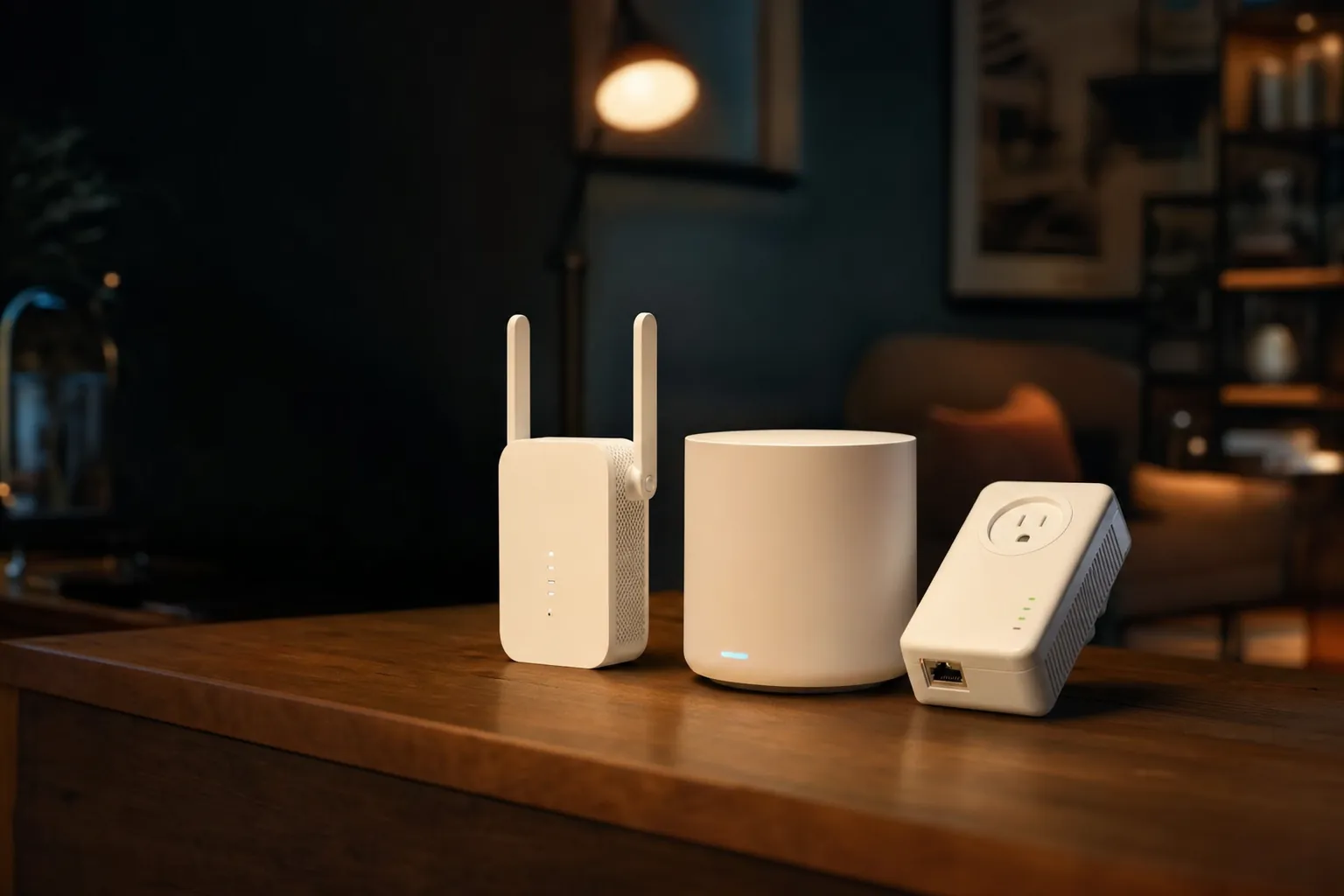
Three solutions, one goal: getting a solid signal into the corners of your home where the router can't reach.
If you've ever stood in the back bedroom watching a video buffer whilst the rest of the family streams happily downstairs, you already understand the problem. The frustrating part is the fix: walk into any tech shop or scroll any retailer and you'll be hit with Wi-Fi extenders, mesh systems and powerline adapters, all promising to "fix your Wi-Fi". They are not interchangeable. They work in fundamentally different ways, cost wildly different amounts, and suit different homes. In my experience, picking the wrong one is the single most common reason people end up buying twice. So let's sort it out properly.
See NETGEAR Nighthawk EAX80 on Amazon UK
I'll keep this jargon-light but honest. By the end you'll know exactly how each technology works, what it's genuinely good and bad at, which specific models are worth your attention in 2026, and — crucially — which one matches the shape and size of your home. No marketing fluff, just the trade-offs as I'd explain them to a friend over a cuppa.
Search current TP-Link powerline kits on Amazon UK if powerline is the option that fits your wiring.
The Three Approaches at a Glance
Before we go deep on each, here's the quick mental model. A Wi-Fi extender grabs your existing wireless signal and rebroadcasts it further into the house. A mesh system replaces the patchwork approach with a fleet of cooperating units that blanket your whole home under one network name. A powerline adapter ignores the airwaves entirely and pushes your internet through the electrical wiring already running through your walls.
Each represents a different philosophy. Extenders are the cheap, quick patch. Mesh is the premium, whole-home solution. Powerline is the clever workaround for homes where wireless simply struggles to travel — thick stone walls, awkward layouts, detached garden offices. Let's start with the one most people reach for first.
A simple way to remember it: extenders repeat, mesh cooperates, powerline travels through your walls.
Wi-Fi Extenders: The Quick, Cheap Patch
A Wi-Fi extender (also called a repeater or booster) is the most affordable and most misunderstood of the three. The job is simple in principle: it sits roughly halfway between your router and the dead zone, picks up the existing Wi-Fi signal, and retransmits it at full strength into the area that wasn't being reached. Most plug straight into a wall socket and take only a few minutes to set up.
The appeal is obvious — they're inexpensive, they're easy, and for a small coverage gap they can genuinely work well. But there's a catch that nobody at the till tends to mention, and it's worth understanding before you buy.
The bandwidth tax you can't escape
Because a basic extender has to listen to the router and talk to your devices using the same radio, it effectively spends half its time relaying. In practice that means a single-radio extender can reduce effective throughput, but the loss depends on radios, bands, topology and traffic; some speed loss is common with repeater operation. In like-for-like setups, extenders tend to have the worst speeds of the three technologies here.
The other quirk: extenders usually create a separate hotspot with its own network name. That means your phone doesn't always roam smoothly between the router and the extender — it can stubbornly cling to a weaker signal even when a stronger one is right there. It's a minor irritation for some, a daily annoyance for others.
Extenders worth your money in 2026
TP-Link RE715X
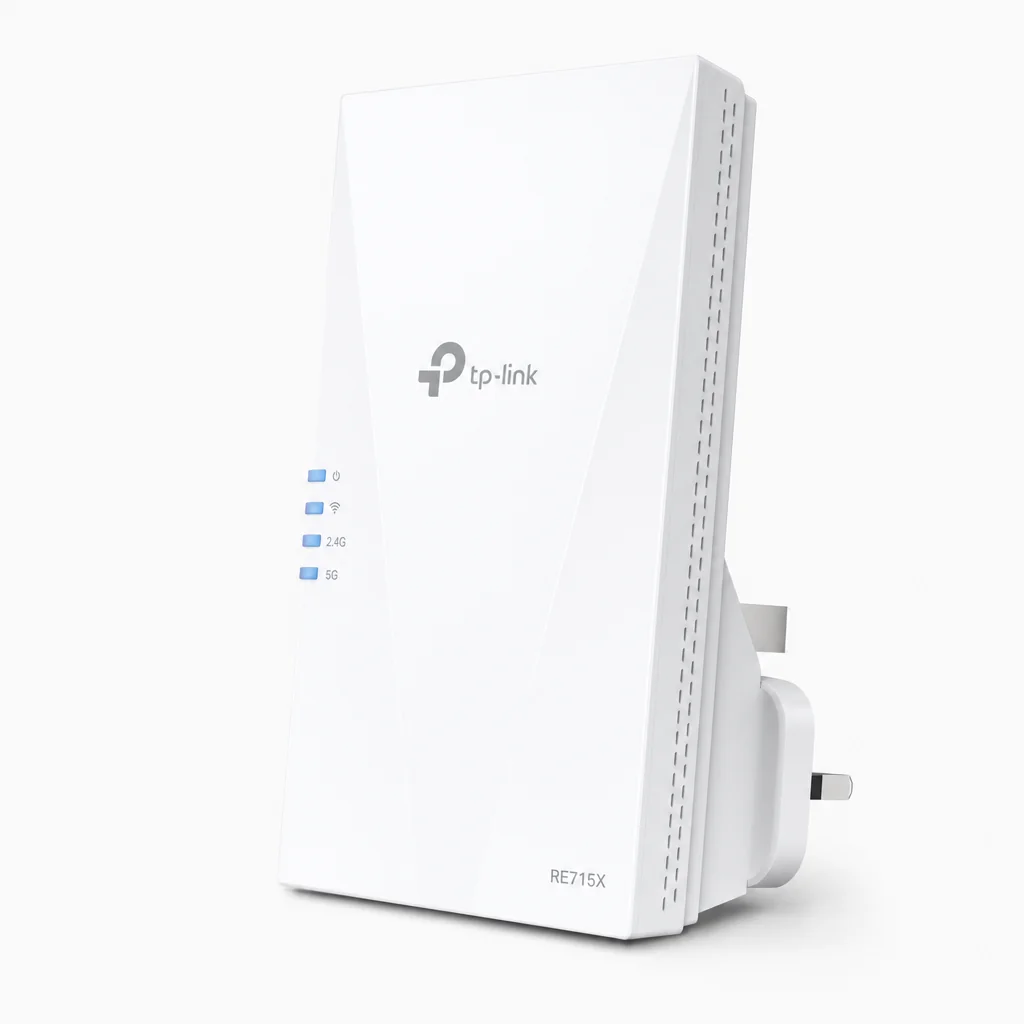
This dual-band Wi-Fi 6 extender is the one I'd point most people towards first. It offers a combined speed output up to 3 Gbps and covers up to 140 m², which is plenty to rescue a back bedroom or a kitchen-diner extension. It strikes a really sensible balance between price and performance, delivering an excellent 3,000Mbps of headroom at a genuinely affordable price point.
TP-Link RE700X & RE705X
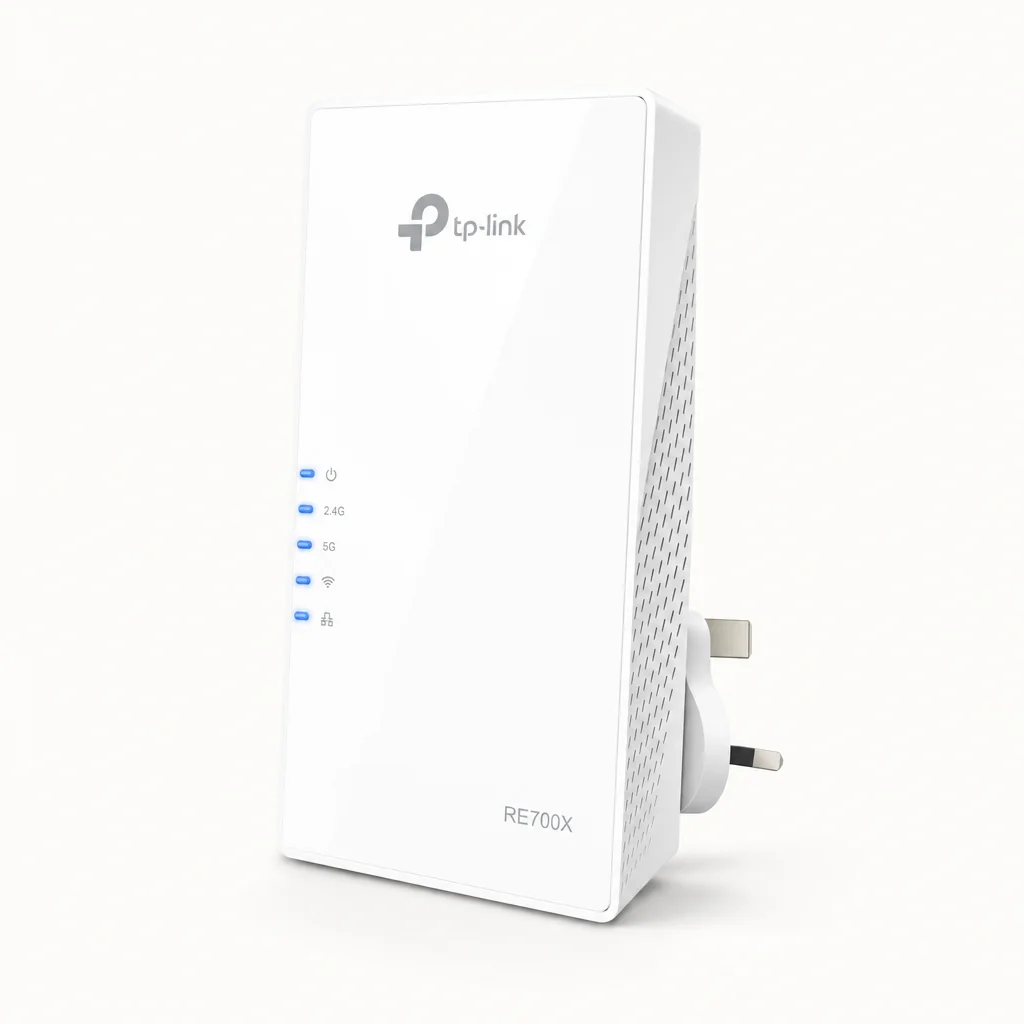
Both are AX3000-class Wi-Fi 6 units, so they sit in the same performance bracket as the RE715X. The main practical difference is design: the RE705X has pull-out antennas, which can help a touch with reach and aiming, whilst the RE700X keeps things tidier. If you want a backup option in the same family, these are it.
TP-Link RE315
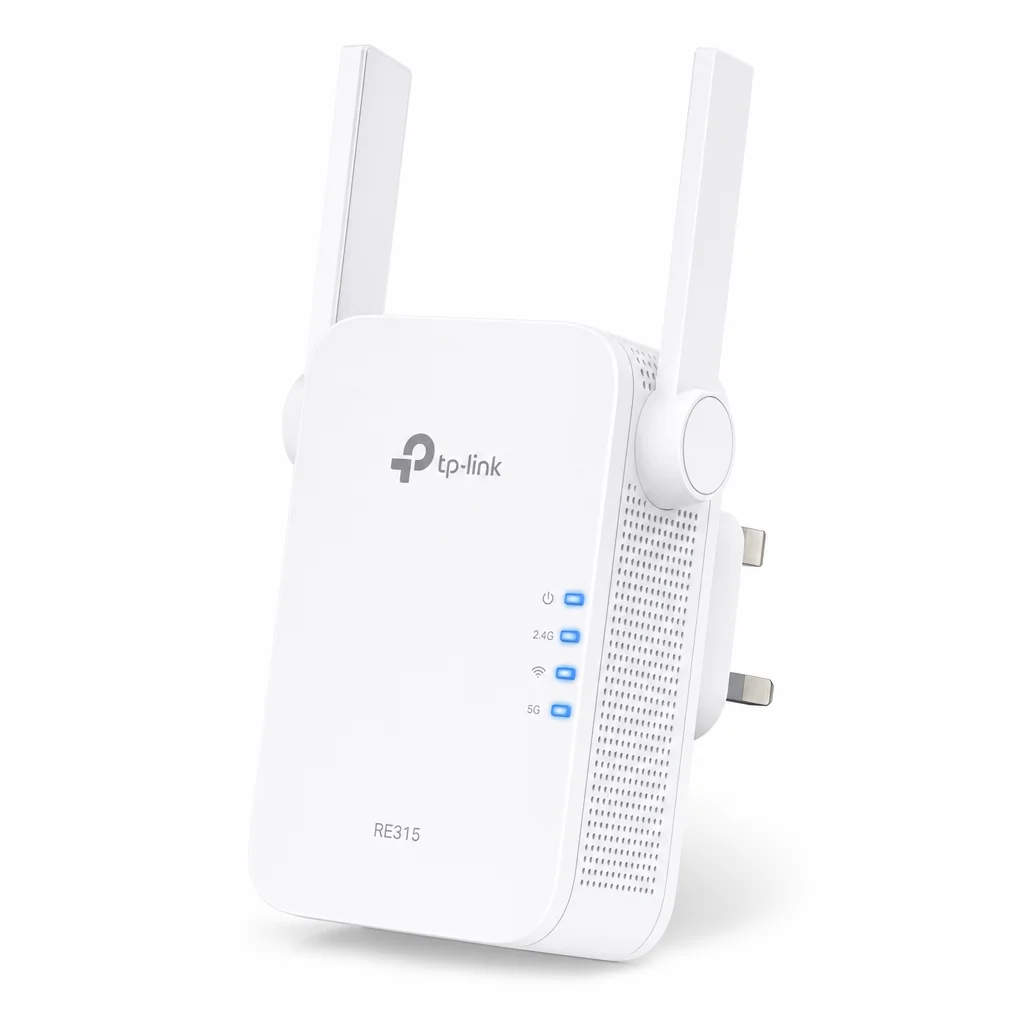
If you just need to nudge the signal into one small dead spot and don't fancy spending much, the RE315 is the value choice. It offers a maximum transfer rate of 867 Mbps and a range of around 140 m². It won't win speed tests, but for light browsing in a spare room it does the job.
NETGEAR Nighthawk EAX80
See NETGEAR Nighthawk EAX80 on Amazon UK
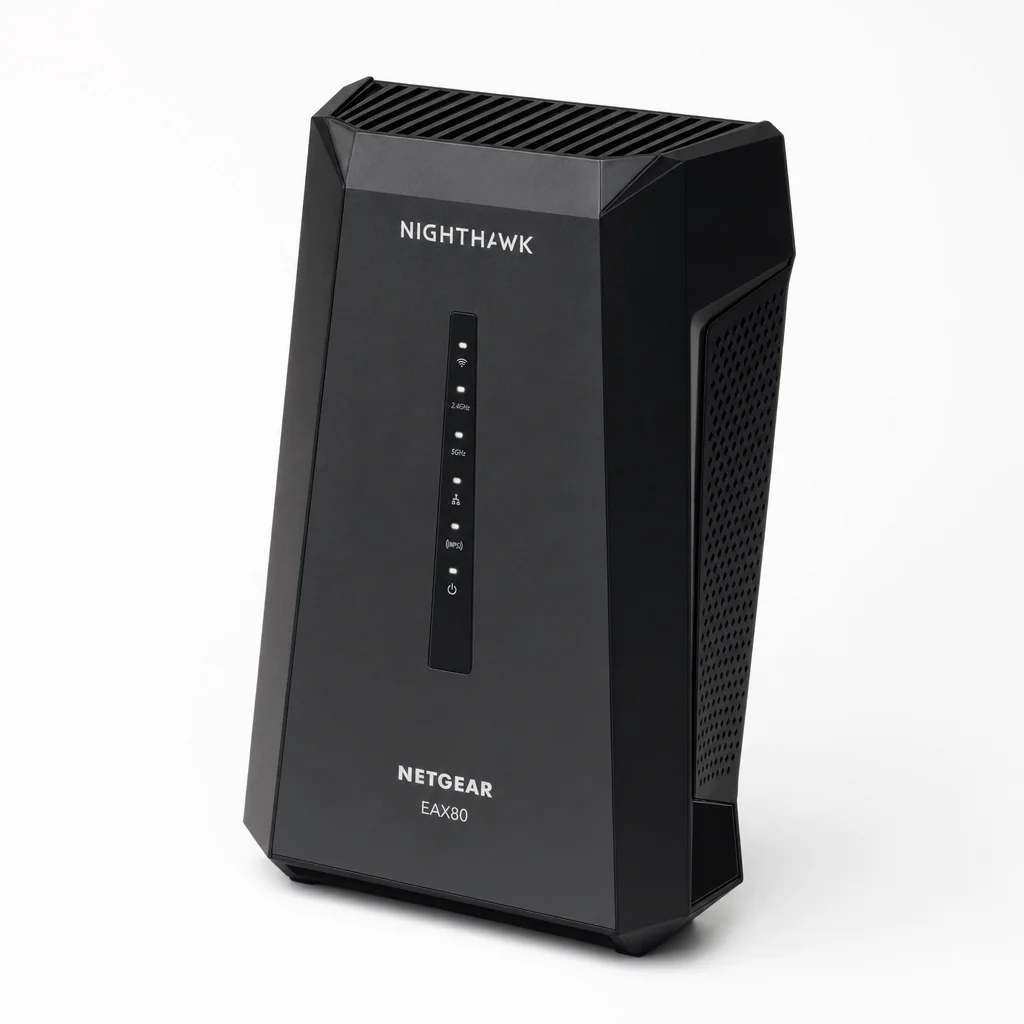
At the powerful end of the extender world, the Nighthawk EAX80 quotes a maximum throughput of 6,000Mbps and a range of 260 m² — making it one of the beefiest standalone extenders you can buy. If you're determined to stick with an extender but have a larger home, this is the one with the most headroom.
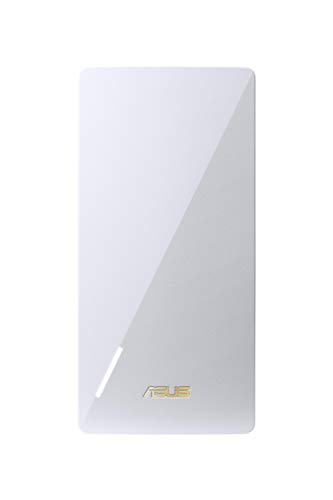
Asus RP-AX58
See Asus RP-AX58 on Amazon UK
Check today's price & availability on Amazon UK
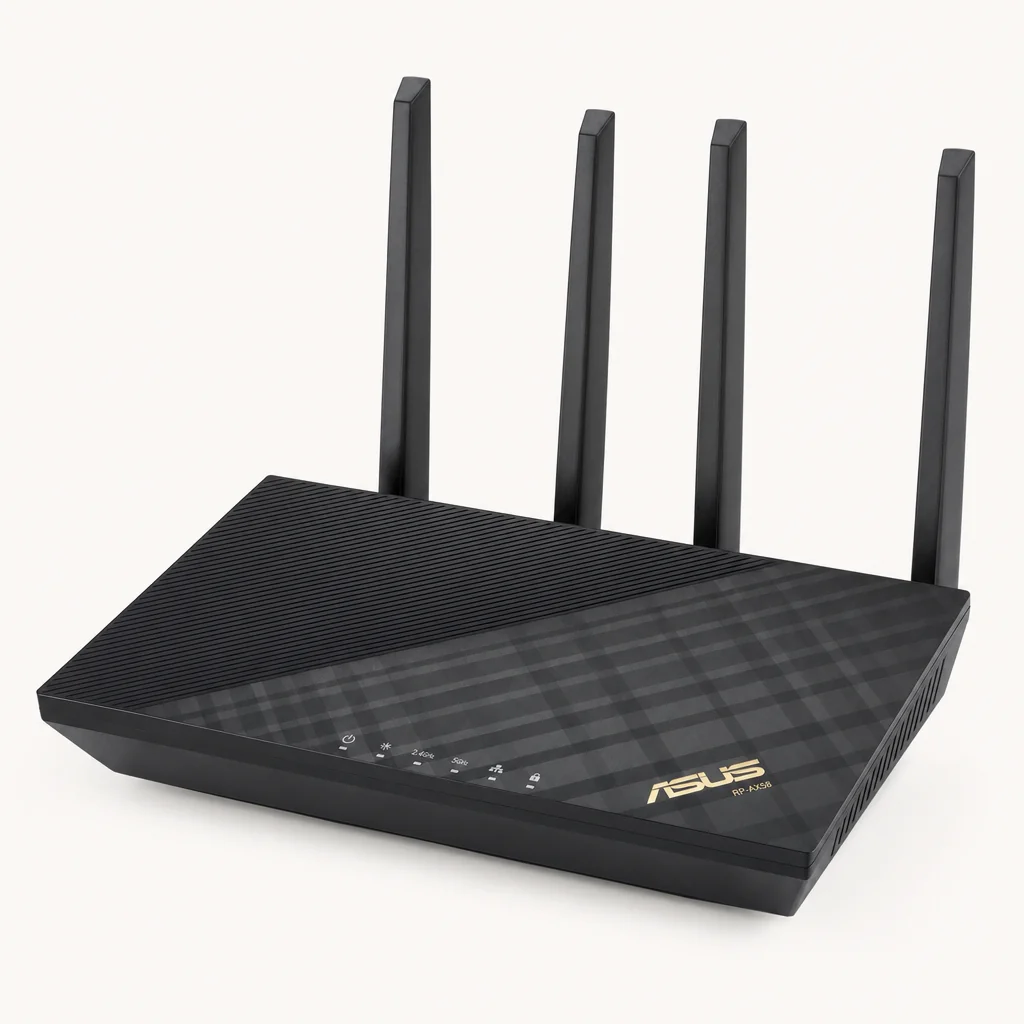
Asus's Wi-Fi 6 contender reaches up to 3 Gbps across its two bands and covers up to 200 m². It's a solid pick if you're already in the Asus ecosystem and want something that plays nicely alongside an Asus router.
Pros
- Inexpensive and take minutes to set up
- Work well for small, single coverage gaps
- Plug into your existing network — often work seamlessly even if your router is a different brand
- Cheapest entry point of the three, starting around £20
Cons
- Usable speed on the extended network is often noticeably lower
- Create a separate hotspot, so devices don't roam smoothly
- Best viewed as a quick patch, not a long-term fix for heavy use
- Don't match the coverage or flexibility of mesh or powerline
Pro Tip
Placement is everything with an extender. Put it too close to a dead zone and it has nothing to amplify; put it too close to the router and it barely helps. Aim for the halfway point where the signal is still solid but starting to weaken — that's where an extender earns its keep.
Mesh Wi-Fi: The Whole-Home Gold Standard
Mesh systems use multiple cooperating nodes to blanket an entire home under a single network name.
If extenders are a patch, mesh is the proper renovation. A mesh system consists of several pods (or nodes) placed around your home to create a faster, more reliable network. One primary pod connects to your router via Ethernet, and additional pods can be placed almost anywhere. The primary pod communicates with all the additional pods, delivering a strong signal wherever you put them.
The defining advantage — and the reason mesh feels so much better to live with — is that all those pods broadcast a single network name (SSID). There's just one Wi-Fi network to connect to, and your devices automatically hop to whichever pod is nearest as you move around the house. No manual switching, no clinging to a weak signal, no separate "_EXT" network in your settings. You walk from the garden to the loft and your video call simply doesn't notice.
Why mesh holds up better technically
Under the bonnet, mesh radios are bidirectional; some systems dedicate a band or radio to backhaul, while others share capacity with clients. Crucially, data can be dynamically rerouted around all the units rather than travelling in a single linear chain. So if one path is congested or weak, the system finds a better route. That's a meaningfully smarter design than a lone extender bouncing a signal in one direction.
One network name
A single SSID across every pod means seamless, automatic roaming as you move through the home.
Dynamic rerouting
With two radios per unit, data flows around the mesh rather than down a rigid line, improving reliability.
Scales to your home
Add more pods to cover bigger or more awkward properties — particularly handy over multiple floors.
App-driven setup
Most modern systems are configured and managed through a friendly phone app rather than a clunky web page.
On the standards question: in 2026, Wi-Fi 7 is genuinely worth the investment for most buyers. The price gap between Wi-Fi 6E and Wi-Fi 7 has narrowed to roughly £45–£140, and Wi-Fi 7 buys you something like five or more years of future-proofing. Unless budget is very tight, I'd lean Wi-Fi 7 on a new mesh purchase.
Mesh systems worth your money in 2026
TP-Link Deco BE63

See TP-Link Deco BE65 two-pack on Amazon UK
Check today's price & availability on Amazon UK
This is my top recommendation for most homes. It's a tri-band Wi-Fi 7 system that supports 200+ devices and covers up to 710 m², with a 2-pack starting around £249. Each node carries four 2.5 Gbps Ethernet ports and a USB 3.0 port for shared storage, and it's powered by a Qualcomm quad-core 1.5 GHz processor with 1 GB of RAM. Setup takes about 10 minutes through the Deco app on iOS or Android. It's the rare product that's both genuinely capable and refreshingly easy to live with.
Netgear Orbi 770

See Netgear Orbi 770 on Amazon UK
Check today's price & availability on Amazon UK
I rate the Orbi 770 as the best Wi-Fi 7 mesh for most homes in 2026. Tested in a two-storey brick house running 2Gbps fibre, it delivered the most reliable speeds, seamless roaming and zero disconnections. The pleasant surprise is that it's actually one of the more budget-friendly options in its class — strong performance without the eye-watering price tag the Orbi name sometimes implies.
TP-Link Deco 7 Pro (BE14000)
Shop TP-Link Deco 7 Pro (BE14000) on Amazon UK
For larger or busier households, the Deco BE68 three-pack — that is the exact UK model code, and it is a BE14000-class system — gives you tri-band Wi-Fi 7 across three nodes for an affordable price of around £549 for the 3-pack, and it's frequently discounted further. If you've got a big footprint and a lot of devices, the extra node earns its place.
Amazon eero 6+

See Amazon eero 6+ on Amazon UK
Check today's price & availability on Amazon UK
If you don't need Wi-Fi 7 and want fuss-free coverage on a budget, the eero 6+ is the value champion. It's a Wi-Fi 6 system with 160 MHz channel support that doubles the speed of the original eero 6 to 1 Gbps, covers up to 420 m², and remains backward compatible. At £179 for a 3-pack it's superb value for blanket coverage in an average home.
Linksys Velop Pro 6E

See Linksys Velop Pro 6E on Amazon UK
Check today's price & availability on Amazon UK
If you specifically want the 6 GHz band that Wi-Fi 6E adds, the Velop Pro 6E is a strong choice with a top-tier chipset and expansive per-router coverage of up to 280 m². It's a sensible middle ground for those who want more than Wi-Fi 6 but aren't fussed about jumping all the way to Wi-Fi 7.
eero 6+ (3-pack)
Wi-Fi 6 · up to 420 m²
Deco BE63 (2-pack)
Wi-Fi 7 · up to 710 m²
Deco 7 Pro (3-pack)
Wi-Fi 7 · three nodes
Pros
- Single SSID with truly seamless roaming around the home
- Blanket, reliable coverage — the gold standard for whole-home Wi-Fi
- Scales with extra pods for big or multi-floor properties
- Modern app-based setup, often ready in around 10 minutes
- Wi-Fi 7 options now offer years of future-proofing
Cons
- Easily the most expensive of the three approaches
- Often means replacing your existing router rather than adding to it
- Overkill for a single small dead zone
- Top-end 10 Gigabit Ethernet systems can run very pricey indeed
Pro Tip
Wherever possible, wire your secondary mesh nodes back to the main unit with Ethernet (this is called a wired backhaul). It frees up the wireless radios for your devices and gives you the most consistent speeds the system is capable of. If running cable isn't practical, this is exactly where powerline can quietly come to the rescue — more on that next.
Powerline Adapters: The Wiring Workaround
Powerline takes a completely different route to the problem — literally. Instead of fighting through walls and floors over the air, it sends your internet signal through the electrical wiring already woven through your home. You plug one adapter into a wall socket near your router and connect it with an Ethernet cable; you plug a second adapter into a socket in the dead zone, and out comes your connection — either as another Ethernet port or, on Wi-Fi-equipped models, as a fresh wireless hotspot.
This is the answer for homes that defeat wireless signals. Thick stone or brick walls, a converted loft, a garage or a detached office at the bottom of the garden — anywhere the airwaves struggle but the mains wiring reaches. Because it bypasses the wireless obstacle course entirely, powerline can deliver a steadier connection to those stubborn spots than an extender bouncing a weak signal ever could.
Uses existing wiring
No new cables to run through walls — your home's electrics do the carrying.
Beats thick walls
Ideal where stone, brick or layout blocks wireless from travelling well.
Ethernet at the far end
Great for desktops, games consoles and smart TVs that benefit from a wired port.
Garden offices & garages
Reaches outbuildings on the same electrical circuit where Wi-Fi can't.
One honest caveat: powerline performance depends on the quality and age of your home's electrical wiring, and adapters generally work best when both are on the same circuit (ideally avoiding extension leads). It's a brilliant solution when it fits your setup — just bear in mind the wiring is doing real work here.
Powerline sits neatly between extenders and mesh in spirit: more capable and more stable for far-flung rooms than a basic repeater, but typically cheaper and simpler than a full mesh overhaul. It also pairs beautifully with mesh, as mentioned — you can use a powerline link to carry a wired backhaul to a mesh node in a room you couldn't otherwise cable.
Powerline shines for outbuildings and thick-walled rooms, carrying the signal through the mains rather than the air.
Head-to-Head: How They Compare
Here's the same information distilled into a single view. None of these is "best" in the abstract — the right answer depends entirely on your home and what you're trying to fix.
| Feature | Wi-Fi Extender | Mesh System | Powerline |
|---|---|---|---|
| How it works | Rebroadcasts existing Wi-Fi | Cooperating pods, one network | Signal over mains wiring |
| Network names | Often a separate hotspot | Single SSID, seamless roaming | New Ethernet port or hotspot |
| Typical speed loss | ~30–50% on basic models | Minimal, especially Wi-Fi 7 | Depends on home wiring |
| Roaming experience | Devices can cling to weak signal | Automatic, smooth handover | N/A (point-to-point link) |
| Best for | One small dead zone | Whole-home coverage | Thick walls, outbuildings |
| Relative cost | Cheapest (from ~£20) | Most expensive | Mid-range |
| Setup effort | Minutes, plug-and-go | ~10 mins via app | Plug both ends in |
Speed and Reliability, Visualised
To make the trade-offs concrete, here's a rough relative picture of how the three approaches tend to stack up across the things that actually matter day to day. These are directional comparisons rather than lab figures — your mileage will vary with your home and broadband — but they capture the shape of the decision well.
The pattern in one line
Mesh wins on coverage, roaming and longevity; powerline wins where wireless physically struggles; extenders win on price for a single, modest problem. If you keep those three sentences in your head, you'll rarely buy the wrong thing.
Which One Is Right for You?
Let's match the technology to real situations. Find the description that sounds most like your home and you've essentially got your answer.
The Quick Fixer
You've got one annoying dead spot — a spare room or the far end of the garden patio — and you want it sorted cheaply this weekend. Go for a Wi-Fi extender like the TP-Link RE715X, and accept some speed loss as the price of simplicity.
The Whole-Home Upgrader
You've got multiple weak spots across two or more floors, a busy household of devices, or a home over 280 m². This is mesh territory. The Deco BE63 or Orbi 770 will give you the seamless, reliable coverage extenders can't.
The Thick-Walls Battler
Your home defeats wireless — solid stone walls, a converted loft, or a detached office down the garden. Powerline carries the signal through your mains wiring to exactly the spot the airwaves can't reach.
The Budget-Conscious
You want the most coverage per pound. A budget Wi-Fi 6 mesh such as the eero 6+ 3-pack at £179 covers up to 420 m², or a sub-£20 extender handles a single room if money is genuinely tight.
Our Verdict at a Glance
Because these are three categories rather than one product, the scoring below reflects how each approach performs against what people actually want from a dead-zone fix. Think of it as a snapshot of strengths rather than a single winner.
Frequently Asked Questions
The right fix depends on your home's shape and your budget — not on which box looks shiniest in the shop.
The Bottom Line
There's no single winner here, and anyone who tells you otherwise is selling something. The honest answer is that each technology is the best choice for a specific kind of problem.
If you've got one small dead zone and want a cheap, five-minute fix, a Wi-Fi extender like the TP-Link RE715X does the job — just go in knowing you'll lose some speed and your devices won't always roam gracefully. If your whole home struggles, or you've got multiple floors and a houseful of devices, mesh is the gold standard and worth the spend: the Deco BE63 and Netgear Orbi 770 are my standout picks, with the eero 6+ as the budget hero. And if your home simply defeats wireless — thick walls, a loft, a garden office — powerline quietly solves what neither of the others can, by sending your connection straight through the mains.
Match the tool to the problem rather than the price tag, and you'll fix your Wi-Fi once, properly, rather than buying twice. That, more than any single product, is the real takeaway.
Ready to buy?
Once you've decided which approach fits your home, it's worth comparing current prices and bundles before you commit — deals on mesh multi-packs and extenders shift frequently throughout the year.
- Asus RP-AX58View on Amazon
- TP-Link Deco BE65 two-packView on Amazon
- Netgear Orbi 770View on Amazon
- Amazon eero 6+View on Amazon
- Linksys Velop Pro 6EView on Amazon