
Powerful handheld gaming consoles: which portable should you buy?
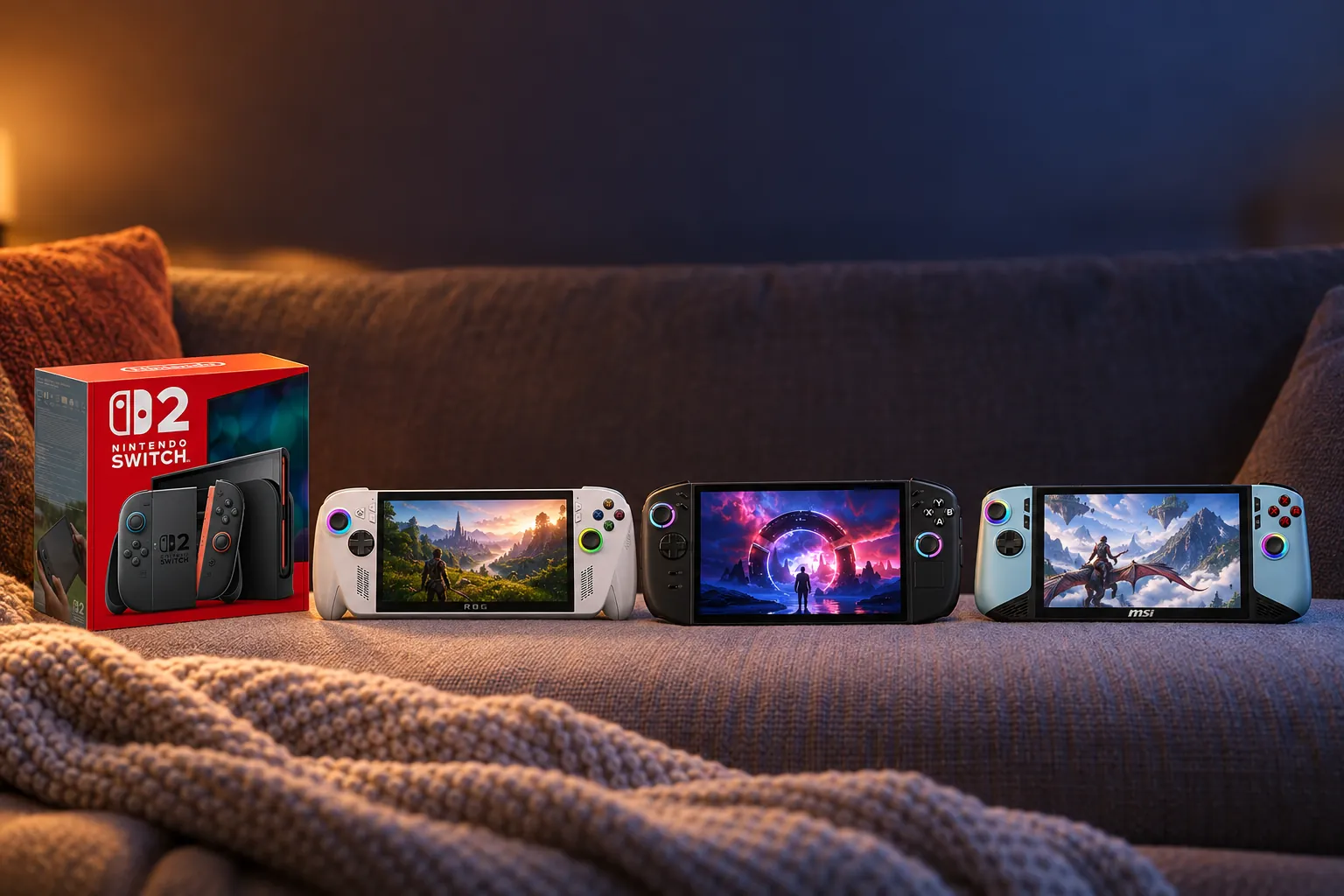
From a Mario Kart session on the sofa to a Steam backlog on the train and Xbox cloud gaming in a hotel, these five portables make very different promises.


Its OLED screen, SteamOS interface, trackpads and strong controls suit a large Steam library.
Check price on Amazon
Buy it for Nintendo exclusives, local multiplayer and uncomplicated handheld-to-TV play.
Check price on Amazon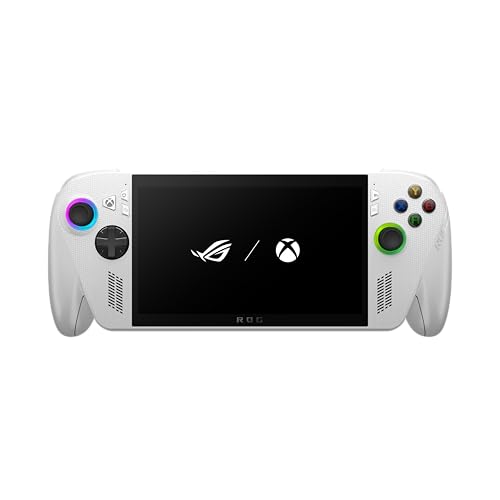
Xbox Full Screen Experience and Windows support make it suited to Game Pass, cloud gaming and PC stores.
Check price on Amazon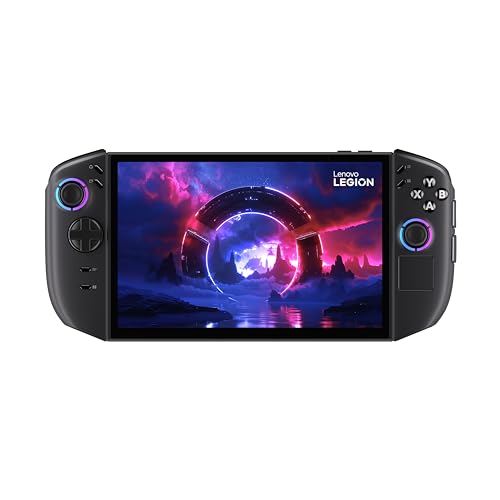
Its 8.8-inch OLED, detachable controllers and kickstand suit flexible Windows gaming at home.
Check price on Amazon
32GB RAM, 1TB storage, an 80Wh battery and Thunderbolt 4 favour a portable-and-desk setup.
Check price on AmazonWe link to the exact model on Amazon UK. Prices change often, so check the live price before you buy. As an Amazon Associate we earn from qualifying purchases.
The short answer: choose Nintendo Switch 2 for Nintendo games and effortless TV-to-handheld play; Steam Deck OLED 512GB for a Steam library and a console-style PC interface; ASUS ROG Xbox Ally for Game Pass and cloud gaming; Lenovo Legion Go 2 for a vast OLED screen and detachable controls; and MSI Claw 8 AI+ A2VM for a large Windows machine with 32GB memory, 1TB storage and twin Thunderbolt 4 ports.
The handheld gaming landscape just got a lot more interesting
There is no longer one obvious type of premium portable. Nintendo sells a tightly integrated games console built around its own exclusives. Valve offers a Linux-based Steam machine that behaves more like a console than a laptop. ASUS, Lenovo and MSI all use Windows 11, but approach it through different controller layouts, screen sizes, processors and software layers.
This guide covers only five models that were listed in stock through Amazon UK on 22 October 2026: Nintendo Switch 2, Steam Deck OLED 512GB, ASUS ROG Xbox Ally, Lenovo Legion Go 2 and MSI Claw 8 AI+ A2VM. The crucial decision is not simply which chip is faster. It is which library you already own, how much setup you tolerate, and how much weight you want in a bag.
UK pricing also makes the divide unusually clear. Switch 2 launched at £395.99, the standard ROG Xbox Ally at £499 and Steam Deck OLED 512GB at £479, while the Legion Go 2 configuration covered here launched at £899 and MSI's Glacier Blue Claw was reported at £1,048.99. That makes the Windows machines at the top end harder to justify as casual second devices. Their extra spend buys more memory, storage, screen area or connectivity, but it does not remove Windows setup, make demanding games immune to battery drain, or grant access to Nintendo software.
Start with your games, not the specification sheet
Mario, Zelda and Nintendo's own online ecosystem point directly to Switch 2. A large Steam collection points to Steam Deck OLED. PC Game Pass, Xbox Cloud Gaming, Epic, GOG and Windows applications favour the Windows machines. Raw performance matters, but it cannot unlock a game store the hardware does not support.
| Model | Display | Processor | Memory | Storage | Weight | UK launch RRP |
|---|---|---|---|---|---|---|
| Nintendo Switch 2 | 7.9-inch LCD, 1920×1080, up to 120Hz VRR | Custom NVIDIA processor | 12GB LPDDR5X | 256GB UFS | 534g with Joy-Con 2 | £395.99 |
| Steam Deck OLED 512GB | 7.4-inch HDR OLED, 1280×800, up to 90Hz | AMD Zen 2 / RDNA 2 APU | 16GB LPDDR5 | 512GB NVMe SSD | 640g | £479 |
| ASUS ROG Xbox Ally | 7-inch IPS touchscreen, 1920×1080, 120Hz | AMD Ryzen Z2 A | 16GB LPDDR5 | 512GB PCIe 4.0 SSD | 670g | £499 |
| Lenovo Legion Go 2 | 8.8-inch OLED, 1920×1200, up to 144Hz | AMD Ryzen Z2 | 32GB LPDDR5X | 512GB PCIe 4.0 SSD | Approximately 920g with controllers | £899 |
| MSI Claw 8 AI+ A2VM | 8-inch IPS touchscreen, 1920×1200, 48–120Hz VRR | Intel Core Ultra 7 258V / Arc 140V | 32GB LPDDR5x | 1TB PCIe 4.0 SSD | 795g | £1,048.99 |
Battery claims require more care than a table allows. Nintendo quotes around two to 6.5 hours for Switch 2; Valve quotes three to 12 hours for Steam Deck OLED. Windows handheld runtime shifts dramatically with wattage, resolution, frame caps and the game itself, so the product sections below use the particular workloads reported by reviewers.
Nintendo Switch 2: the only handheld with its own exclusive universe
Switch 2 is the cleanest answer for someone who wants a games console rather than a miniature PC. It launched in the UK on 5 June 2025 and combines handheld, tabletop and docked TV play without asking the player to manage Windows launchers or compatibility layers. Its appeal is as much about Nintendo's games as the hardware: Mario Kart World, Zelda, Pokémon and future Nintendo releases are the reason to buy it.
1920×1080 HDR10
Tegra T239
microSD Express
Joy-Con 2
The specification is a substantial step from the original Switch. Nintendo supports HDR10, variable refresh up to 120Hz and TV output up to 4K at 60fps, subject to the game and display. The magnetic Joy-Con 2 controllers can work as mice, while the broad kickstand makes tabletop multiplayer more practical than the original model's narrow support flap.
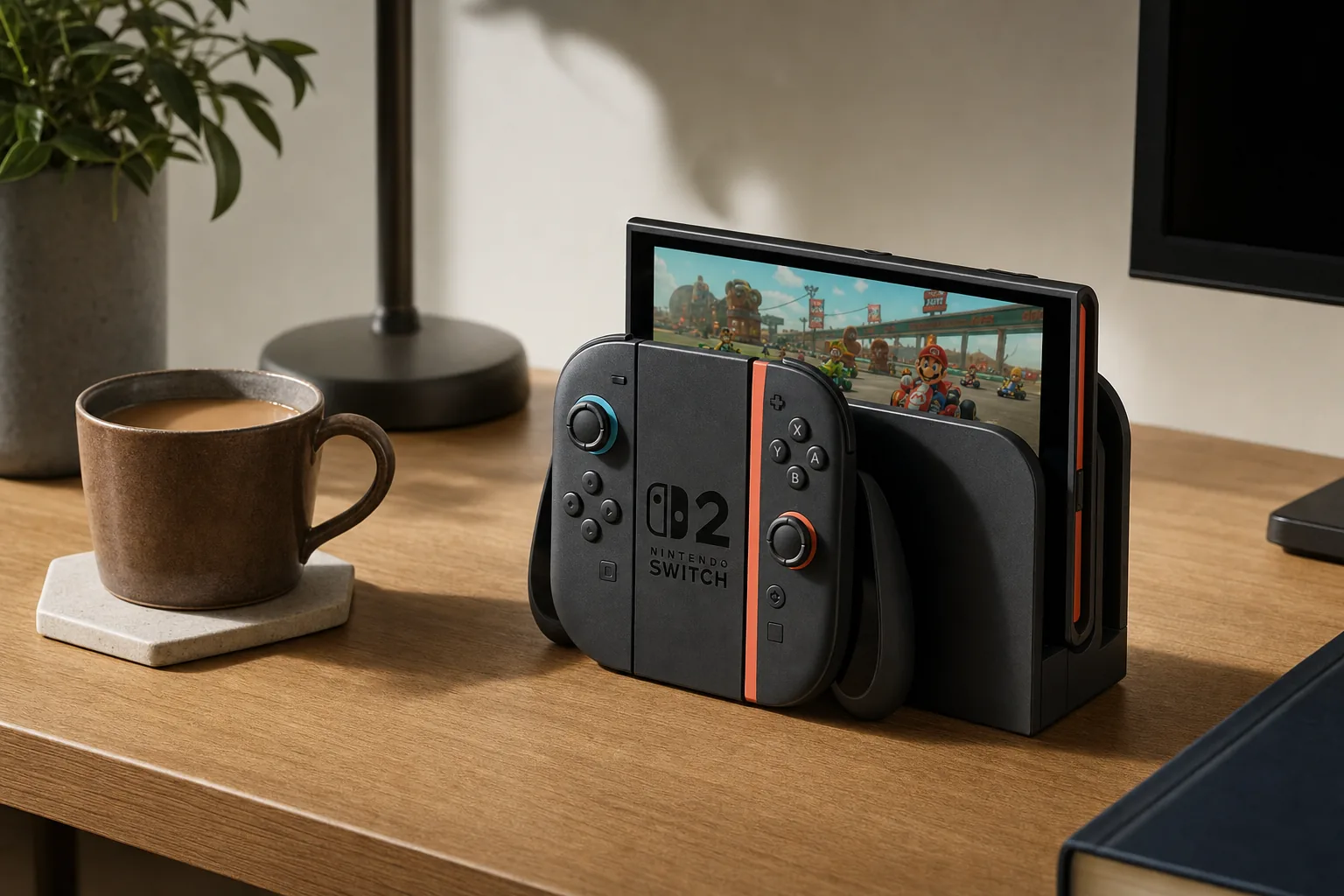
For day-to-day use, Switch 2's advantage is the low-friction hand-off between modes. A player using the dock's HDMI and wired LAN can move to handheld or tabletop play without changing operating systems, reconfiguring a launcher or attaching a separate controller. The two Joy-Con 2 controllers are already part of the package, which matters for family Mario Kart sessions and local multiplayer. Conversely, a PC-first buyer should not mistake that convenience for openness: Switch 2 cannot natively replace a Steam library, Windows app machine or PC Game Pass device, and its game-storage expansion requires microSD Express rather than the older cards many original Switch owners may already have.
Battery life is the catch. TechRadar reported struggling to get beyond three hours in demanding games, though lighter games reached roughly five hours. Ars Technica reported Mario Kart World and Cyberpunk 2077 emptying the battery in around two to two-and-a-half hours. WIRED similarly reported about two hours in Cyberpunk 2077 and Hitman: World of Assassination, but closer to four hours in Mario Kart World.
Switch 2 is not an OLED upgrade. TechSpot measured peak brightness at around 430 nits and reported average grey-to-grey response of around 33ms. The LCD is colourful and sharp, but fast camera movement can show more blur than the OLED panels in this guide.
Reasons to choose it
- Access to Nintendo exclusives and strong backward compatibility with Switch software.
- Simple docked, tabletop and handheld switching.
- Quiet operation and a relatively light 534g handheld package.
- Joy-Con 2 enables local multiplayer without buying a second full controller.
Reasons to look elsewhere
- Demanding games often reduce battery life towards two to three hours.
- LCD motion handling and HDR impact lag behind the OLED alternatives.
- No native Steam library, Windows applications or Game Pass access.
- Expansion requires microSD Express rather than conventional microSD for games.
Buy it if: Nintendo games, family play, local multiplayer and an uncomplicated console experience come first. Skip it if you primarily own PC games or expect long unplugged sessions in demanding third-party titles.
Steam Deck OLED 512GB: a console-style route into a Steam library
Steam Deck OLED 512GB remains the friendliest PC handheld for players who do not want Windows on a small touchscreen. SteamOS places the Steam library, controller settings, compatibility information and suspend/resume behaviour in one interface. It also has two trackpads, gyro and four rear buttons, so mouse-heavy or keyboard-led PC games can be adapted more thoughtfully than on a conventional pad-only handheld.
1280×800
RDNA 2 graphics
3–12 hours claimed
The OLED is a quality-of-life revision rather than a major speed increase over Valve's earlier LCD hardware. The panel is the headline: Valve specifies 600-nit SDR brightness, 1,000-nit HDR peak brightness, over 1,000,000:1 contrast and a sub-0.1ms response time. Tom's Guide reported 597 nits SDR, 969 nits HDR, 101.8% DCI-P3 coverage and a Delta-E result of 0.22.
Performance is sufficient for many indies, older AAA releases and games with a good Steam Deck profile, but the 4–15W AMD APU cannot make every current blockbuster feel effortless. Tom's Guide reported around 29fps in Cyberpunk 2077, 41fps in Dirt 5 and 44fps in Shadow of the Tomb Raider at its stated settings. Doom Eternal and Spider-Man generally sat around 35–45fps in its reported play sessions, while Cyberpunk held near 30fps on the Steam Deck preset.
In practical ownership terms, the Deck rewards players willing to make sensible game-by-game decisions rather than chase a uniform native-resolution target. Its 1280×800 panel places less demand on the APU than the 1080p and 1200p screens elsewhere here, and the SteamOS interface keeps control remapping and compatibility information close to the library. The trade-off is that SteamOS is not a full substitute for Windows if locally installed PC Game Pass is central to your routine. The 512GB model is also best for a selective installed library; Valve's 1TB OLED adds more space and anti-glare etched glass, while the 512GB unit uses glossy glass and the standard carrying case.
Battery life also varies sharply. Ars Technica recorded around 2.5 hours in demanding games at maximum brightness, while TechRadar reported just over two hours in God of War and Deathloop but over five hours in Hades 2. GamersNexus measured a 57% endurance improvement over the original LCD Deck in its F1 23 workload, and also reported lower noise than the earlier model.
Reasons to choose it
- OLED panel delivers deep blacks, high HDR brightness and rapid pixel response.
- SteamOS feels substantially closer to a console than standard Windows.
- Trackpads, gyro and rear buttons suit PC games built around mouse input.
- Wi-Fi 6E, 90Hz refresh and quieter cooling improve daily use.
Reasons to look elsewhere
- Newer demanding games may need low settings and frame-rate compromises.
- Native Xbox app and locally installed PC Game Pass are Windows territory.
- 512GB fills quickly with large PC games.
- At 640g, it is markedly heavier than Switch 2.
Buy it if: you own a sizeable Steam library and want a polished, focused portable rather than a tiny Windows PC. The 512GB model uses glossy glass; storage can be upgraded by technically confident owners and expanded with UHS-I microSD.
ASUS ROG Xbox Ally: Game Pass and cloud gaming in your pocket
ASUS ROG Xbox Ally is the Windows entry point for people whose library is spread across Xbox, Steam, Epic, GOG and other PC launchers. Its key advantage is Microsoft's Xbox Full Screen Experience, an interface designed to make Windows feel less like a desktop forced onto a seven-inch display. Trusted Reviews described it as the most convincing Windows-handheld interface it had encountered.
4 cores / 8 threads
1080p / 120Hz
The white 2025 model covered here should not be confused with the more powerful ROG Xbox Ally X. It uses an AMD Ryzen Z2 A with 16GB memory and a 512GB SSD, alongside a 1080p, 120Hz FreeSync Premium screen. ASUS specifies two USB 3.2 Gen 2 Type-C ports, a UHS-II microSD reader, Wi-Fi 6E and a user-upgradeable M.2 2280 SSD.
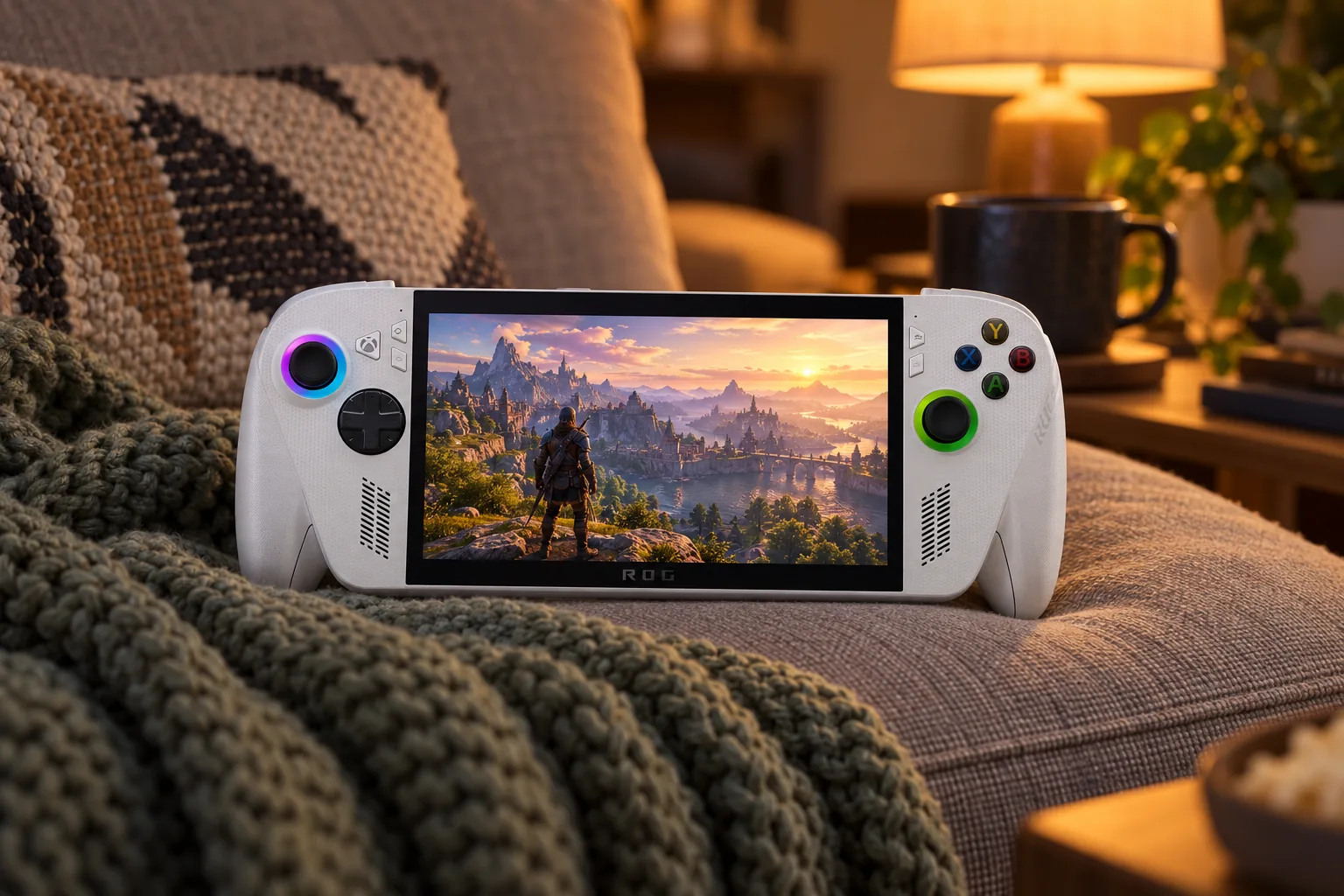
Its Xbox-style grips are a major part of the pitch. Windows Central praised the textured, controller-inspired shape, while Expert Reviews also highlighted its ergonomics, screen and speakers. Tom's Hardware reported 488.8 nits of brightness, close to ASUS's 500-nit claim.
Setup is simpler than on earlier Windows handhelds because the Xbox Full Screen Experience foregrounds game libraries and controller use, but it remains Windows 11 underneath. That means broad store access and ordinary Windows flexibility, alongside the possibility of launcher-specific quirks, sleep/wake issues and occasional software troubleshooting. It is strongest for a buyer who actively uses Xbox Cloud Gaming, Xbox Remote Play or several PC storefronts, rather than one who simply wants the highest local frame rates. The standard Ally's 16GB memory and Ryzen Z2 A place it closer to Steam Deck-level ambitions than to the separate, higher-spec Xbox Ally X.
The Ryzen Z2 A is less convincing for premium AAA performance than the Xbox branding may suggest. Tom's Hardware reported 32–55fps in Resident Evil Requiem at 720p, low settings and FSR, with a combat sequence around 34–37fps. Expert Reviews found Forza Horizon 5 ran for just over two hours at 1080p, medium settings and 15W.
Cloud gaming changes the equation. WIRED reported consistent 60fps cloud gaming in its use, and light games consume far less battery than demanding local installations. For a Game Pass subscriber with reliable Wi-Fi, that may matter more than local benchmark numbers.
Battery figures show why power mode matters. Windows Central reported one hour 48 minutes in Cyberpunk 2077 at 20W Turbo, but seven hours six minutes in Celeste at 6W Silent mode. It also reported 13 hours 29 minutes during light office work. The 60Wh cell is a meaningful improvement over earlier 40Wh Ally hardware, but it cannot defeat the energy demands of a modern PC game.
Buy it if: Xbox Cloud Gaming, PC Game Pass, Remote Play and several PC stores all need to live on one machine. Skip it if an OLED display, consistently high local AAA frame rates or a console operating system matter more than Windows flexibility.
Lenovo Legion Go 2: detachable controls and an 8.8-inch OLED screen
Lenovo Legion Go 2 is the choice for someone who looks at seven-inch handhelds and wants more room. The exact 83N1000NUK configuration in this guide pairs an AMD Ryzen Z2 processor with 32GB LPDDR5X memory, 512GB storage and an 8.8-inch 1920×1200 OLED panel reaching 144Hz. It costs more than the other Windows models here, but its screen and control design are unlike the smaller machines.
1920×1200 / 144Hz
8 cores / 16 threads
microSD
controllers
The detachable TrueStrike controllers, kickstand and FPS controller accessory make this closer to a compact Windows tablet when placed on a desk. It can be used like a traditional handheld, propped up for a film or strategy game, or used with one controller in FPS mode. Lenovo also includes Hall-effect sticks, two USB4 ports and a replaceable SSD.
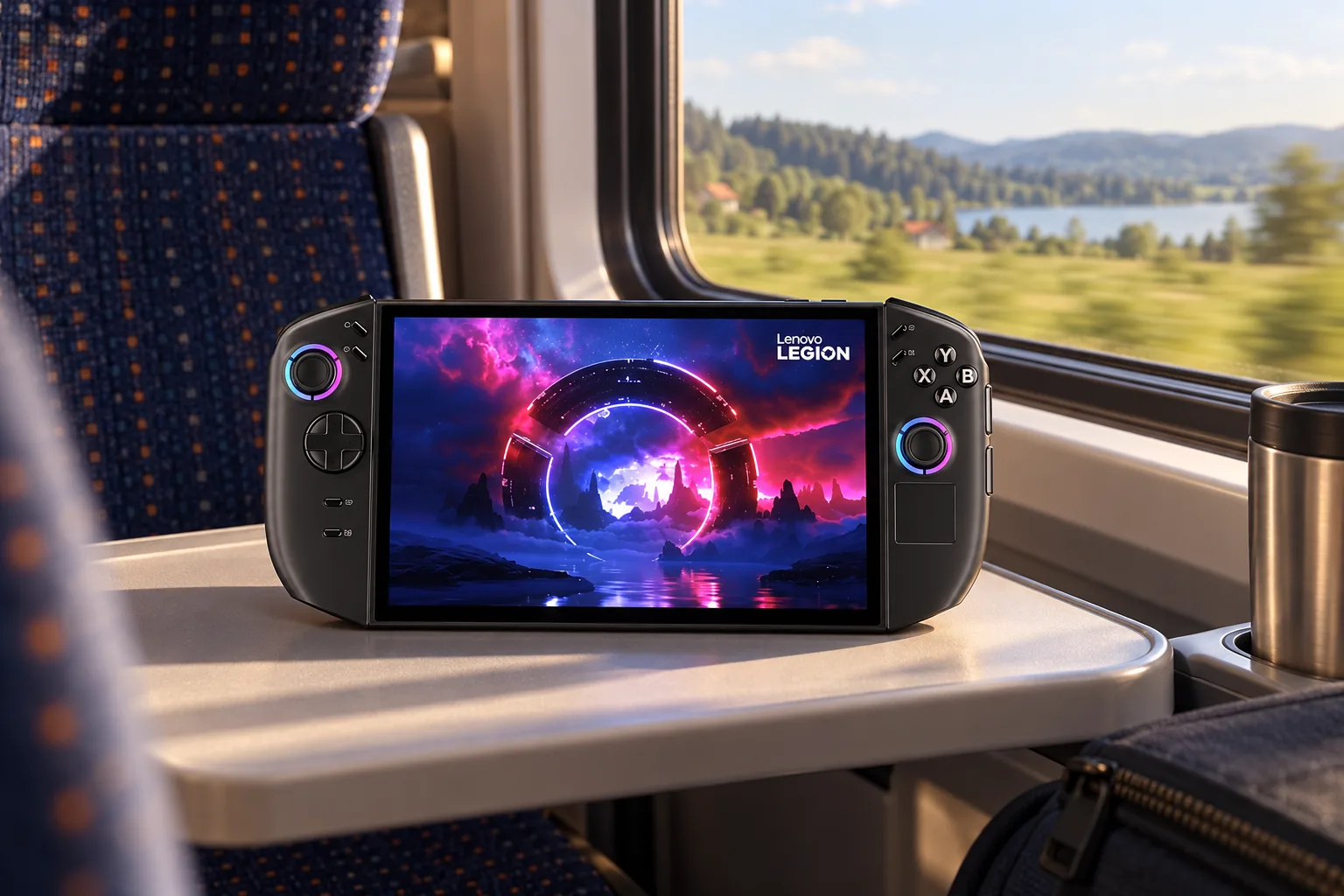
There is an important buying distinction. Performance figures published for the Legion Go 2 chassis largely concern the faster Ryzen Z2 Extreme and 1TB configuration rather than this regular Ryzen Z2 model. Those figures show what the larger platform can do, but should not be treated as direct performance expectations for the Amazon model.
Reviews of the Ryzen Z2 Extreme chassis reported strong low-resolution results but poor results when demanding games were pushed at its native 1200p resolution. The large OLED screen is a visual asset, not an instruction to run every game at native resolution.
Tom's Hardware reported 66fps in Shadow of the Tomb Raider and 47fps in Cyberpunk 2077 at 800p on the Z2 Extreme version while unplugged. At 1200p, Shadow of the Tomb Raider fell to 42fps. Notebookcheck measured 922g for its review unit, while the family specification lists approximately 920g with controllers, illustrating the principal trade-off: this is a large device to hold for a long time.
Reasons to choose it
- Large 8.8-inch OLED gives games, desktop windows and video more breathing room.
- Detachable controllers, kickstand and FPS mode create flexible desk and sofa setups.
- 32GB memory is generous for an integrated-graphics Windows machine.
- Two USB4 ports support flexible docking and peripherals.
Reasons to look elsewhere
- Its approximately 920g controller-equipped weight is substantial.
- Windows remains awkward without a keyboard or mouse for some tasks.
- 512GB is restrictive for a premium PC handheld.
- The regular Ryzen Z2 model is not the Ryzen Z2 Extreme configuration seen in many reviews.
Buy it if: screen size, OLED contrast, a kickstand and removable controls are worth accepting extra bulk and a higher price tier. It suits a player who will use it at a desk as well as on the sofa, rather than someone seeking a pocketable commute companion.
MSI Claw 8 AI+ A2VM: Intel graphics, 32GB RAM and 1TB storage
MSI Claw 8 AI+ A2VM takes a different route from the AMD-powered Windows handhelds. It uses Intel's Core Ultra 7 258V and Arc 140V graphics, with 32GB LPDDR5x memory, 1TB PCIe 4.0 storage and an 80Wh battery. The Glacier Blue Edition is a colour refresh of the A2VM hardware rather than a new processor generation.
Check today's price: MSI Claw 8 AI+ A2VM on Amazon UK
Arc 140V graphics
M.2 2230 slot
1920×1200 / 120Hz VRR
microSD
The 8-inch, 16:10 screen runs at 48–120Hz variable refresh and gives Windows games more vertical room than a 16:9 display. MSI also includes Hall-effect sticks and triggers, rear macro buttons, Wi-Fi 7, a fingerprint sensor and two Thunderbolt 4 ports. That makes it especially plausible as a docked mini-PC, including external display use and potential external GPU expansion.
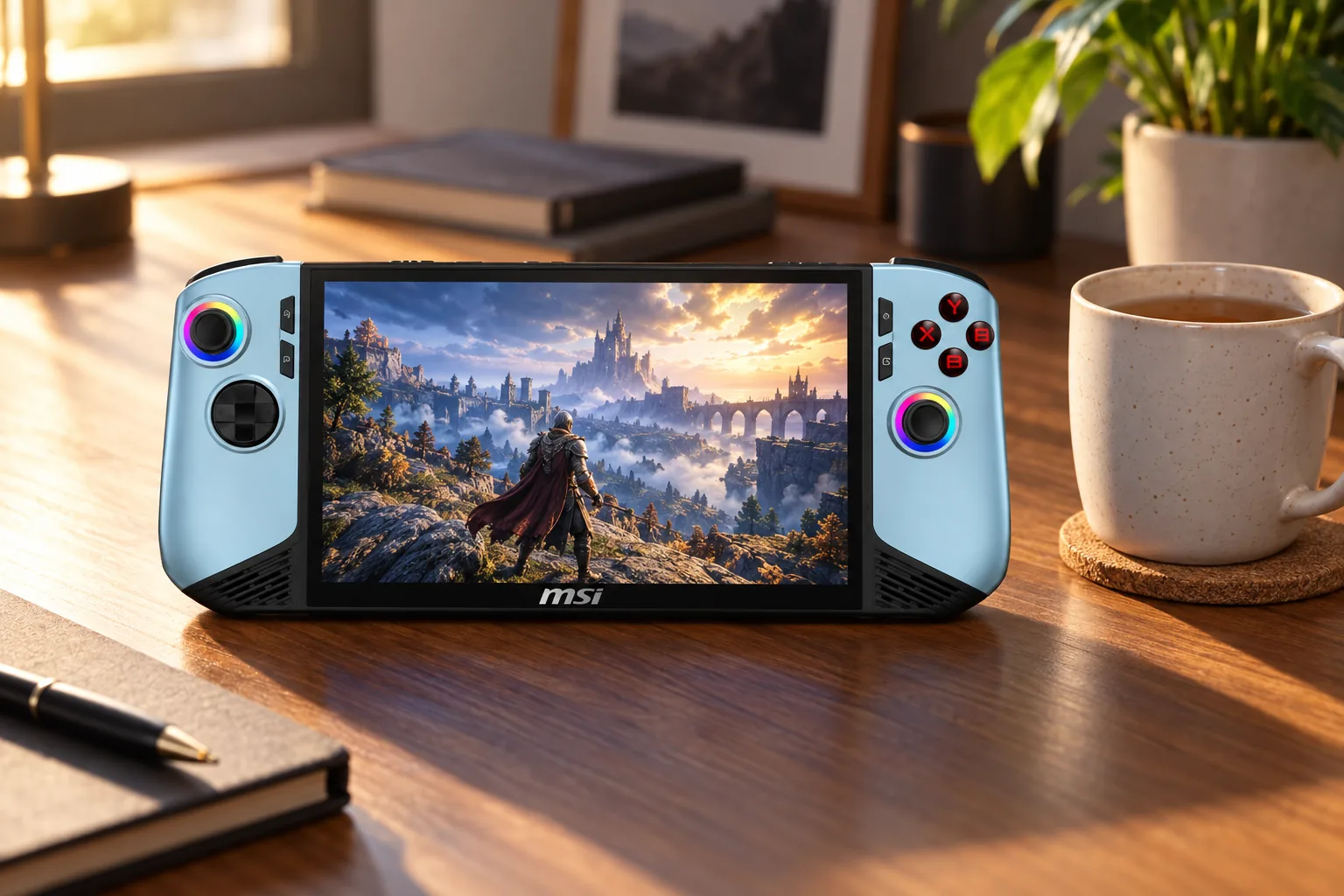
Notebookcheck reported average brightness of 524cd/m², contrast above 1,500:1 and no PWM flicker. Tom's Guide reported 476 nits, 113.6% sRGB, 80.4% DCI-P3 and a Delta-E result of 0.32. It is a capable IPS panel, but it does not provide the pixel-level black levels of Steam Deck OLED or Legion Go 2.
Performance can be impressive, with compromises dictated by the game. Tom's Guide reported 82fps in Call of Duty: Black Ops 6 at 1080p Low and 58fps at Medium, but high-30s to low-40s in Kingdom Come: Deliverance II and 25–28fps in Dragon's Dogma 2 at 1080p Low. Expert Reviews reported 4,402 in 3DMark Time Spy and 3,285 in Steel Nomad Light.
For UK buyers deciding between MSI and Lenovo, the Claw is the more complete specification on paper for storage and desk connectivity: it arrives with 1TB rather than 512GB and uses two Thunderbolt 4 ports rather than Lenovo's two USB4 ports. Lenovo counters with a larger OLED and detachable controllers. MSI is also lighter than the controller-equipped Legion Go 2, though 795g is still a substantial machine compared with Switch 2, Steam Deck OLED and the ROG Xbox Ally. Neither is the straightforward choice for a short daily commute; both make more sense when screen space, ports and a docked role are part of the purchase.
The 80Wh battery is large, although heavy games still draw it down quickly. Notebookcheck reported one hour 45 minutes running Cyberpunk 2077 at 150cd/m², while PC Gamer recorded 129 minutes in PCMark 10's gaming battery workload. The same Notebookcheck report recorded 23 hours 33 minutes of Wi-Fi browsing at 150cd/m², showing the gulf between desktop-style light use and sustained gaming.
Buy it if: you want a high-spec Windows handheld with 32GB memory, 1TB storage, Wi-Fi 7 and desktop-minded connectivity from the box. Its 795g weight, IPS display and Windows interface make it less attractive for buyers seeking a light, console-like portable.
Match the handheld to how you actually play
Nintendo loyalist or family
Nintendo Switch 2. It is the direct route to Nintendo's exclusive universe, shared Joy-Con play and uncomplicated living-room docking.
Steam library owner
Steam Deck OLED 512GB. SteamOS, OLED image quality, trackpads and suspend/resume make PC gaming feel focused rather than fiddly.
Game Pass subscriber
ASUS ROG Xbox Ally. Xbox Full Screen Experience, Windows compatibility and cloud gaming are the central reasons to choose it.
Screen-first Windows player
Lenovo Legion Go 2. Choose it for an 8.8-inch OLED, kickstand and detachable controls, not for travelling light.
Docked mini-PC user
MSI Claw 8 AI+ A2VM. Its Thunderbolt 4 ports, 32GB memory and 1TB SSD make the most sense for a dual portable-and-desk role.
Common questions UK buyers ask before buying
Gadget Scout's verdict on the 2026 handheld field
Choose the ecosystem that already contains your games
Nintendo Switch 2 is the sensible choice for exclusive games and console simplicity. Steam Deck OLED 512GB makes the strongest case for a Steam-first portable thanks to its OLED panel, control flexibility and SteamOS experience. ASUS ROG Xbox Ally makes sense for Game Pass and cloud gaming, while Lenovo Legion Go 2 trades weight for an unusually large OLED and detachable controls. MSI Claw 8 AI+ A2VM is the Windows option for buyers who value memory, storage and docked connectivity.
Every one of these machines can lose a substantial portion of its battery life under demanding AAA workloads. Set expectations around two to three hours for intensive local games, then choose according to the account and library you will open first: Nintendo, Steam or Xbox.
Sources
- Nintendo Switch 2 specifications; TechRadar, Ars Technica, WIRED, TechSpot and PC Gamer Switch 2 coverage.
- Valve Steam Deck OLED technical specifications; Tom's Guide, GamersNexus, Ars Technica, Tom's Hardware and TechRadar Steam Deck OLED coverage.
- ASUS ROG Xbox Ally UK specifications; Windows Central, Tom's Hardware, Expert Reviews, WIRED and Trusted Reviews coverage.
- Lenovo Legion Go 2 UK specifications and Argos model information; Tom's Hardware, Tom's Guide and Notebookcheck coverage.
- MSI Claw 8 AI+ A2VM UK specifications; Notebookcheck, PC Gamer, Expert Reviews and Tom's Guide coverage.
- Steam Deck OLED 512GBSteam-first pickView on Amazon
- Nintendo Switch 2Nintendo pickView on Amazon
- ASUS ROG Xbox AllyGame Pass pickView on Amazon
- Lenovo Legion Go 2Large-screen pickView on Amazon
- MSI Claw 8 AI+ A2VMWindows power pickView on Amazon
Sources and evidence (61)
- amazon.co.uk (retailer)
- t.co (other)
- nintendo.com (other)
- nintendo.com (other)
- pcgamer.com (other)
- techradar.com (other)
- arstechnica.com (other)
- wired.com (other)
- techspot.com (other)
- pod.enacast.com (other)
- nintendo.com (other)
- pcgamer.com (other)
- pricehistory.app (other)
- steamdeck.com (other)
- steamdeck.com (other)
- steamdeck.com (other)
- tomsguide.com (other)
- gamersnexus.net (other)
- arstechnica.com (other)
- tomshardware.com (other)
- techradar.com (other)
- steamdeck.com (other)
- manuals.plus (other)
- rog.asus.com (other)
- rog.asus.com (other)
- tomshardware.com (other)
- windowscentral.com (other)
- expertreviews.co.uk (other)
- wired.com (other)
- samarafoundation.com (other)
- rog.asus.com (other)
- xbox.com (other)
- argos.co.uk (retailer)
- lenovo.com (other)
- tomshardware.com (other)
- tomsguide.com (other)
- notebookcheck.net (other)
- gadgetpilipinas.net (other)
- psrefstuff.lenovo.com (other)
- bootskitchenappliances.com (other)
- pcworld.com (other)
- uk.msi.com (other)
- notebookcheck.net (other)
- msi.com (other)
- notebookcheck.net (other)
- pcgamer.com (other)
- expertreviews.co.uk (other)
- tomsguide.com (other)
- msi.com (other)
- notebookcheck.net (other)
- uk.msi.com (other)
- nintendo.co.jp (other)
- en.wikipedia.org (other)
- news.xbox.com (other)
- psref.lenovo.com (other)
- techradar.com (other)
- nintendo.com (other)
- rog.asus.com (other)
- lenovo.com (other)
- techradar.com (other)
- tomsguide.com (other)