
ROG Xbox Ally X Review: The Handheld PC That Finally Feels Like an Xbox
A premium Windows handheld with proper controller-shaped grips, an 80Wh battery and enough Xbox-first polish to make the desktop feel like an occasional detour rather than the main event.
We link to the exact model on Amazon UK. Prices change often, so check the live price before you buy. As an Amazon Associate we earn from qualifying purchases.
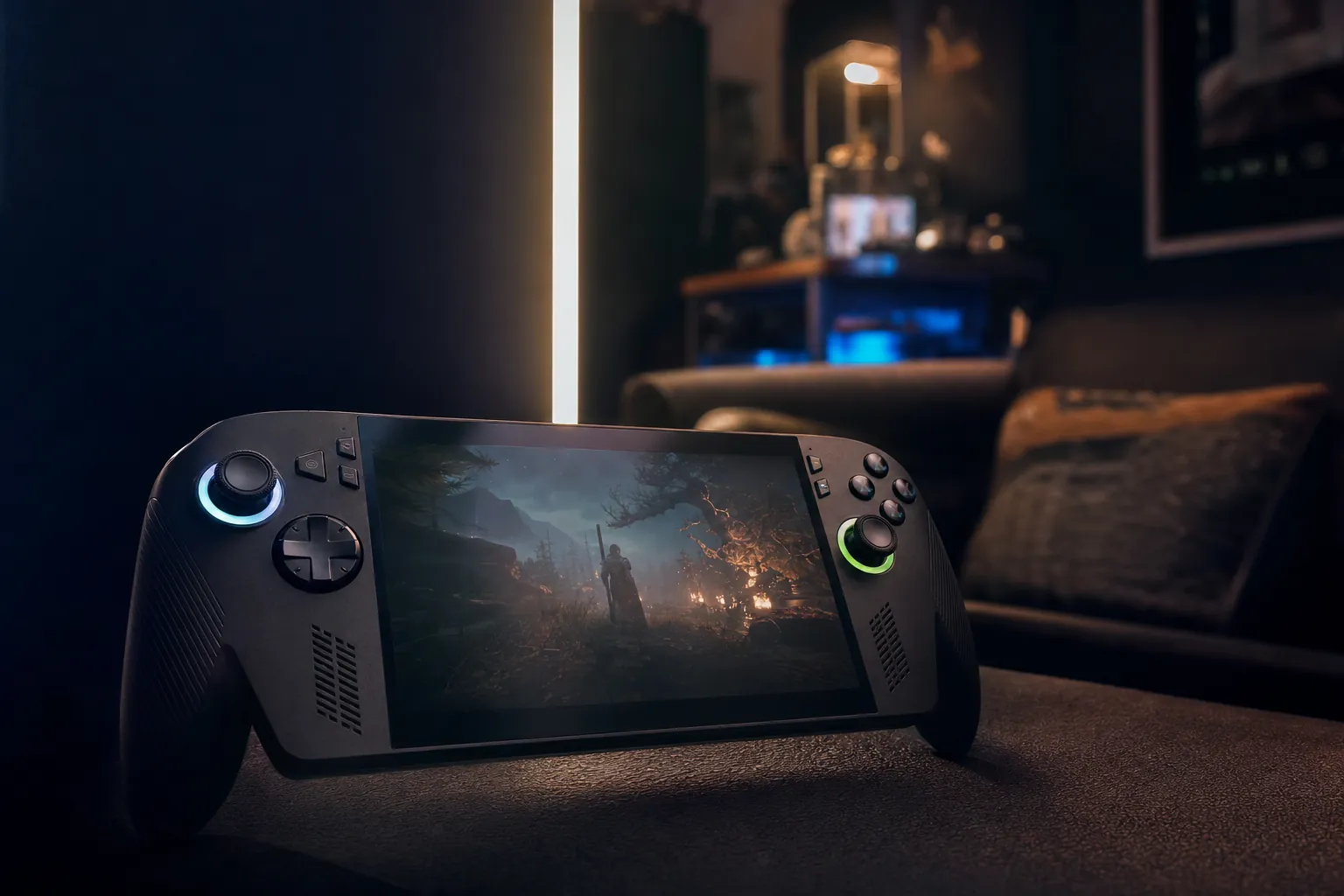
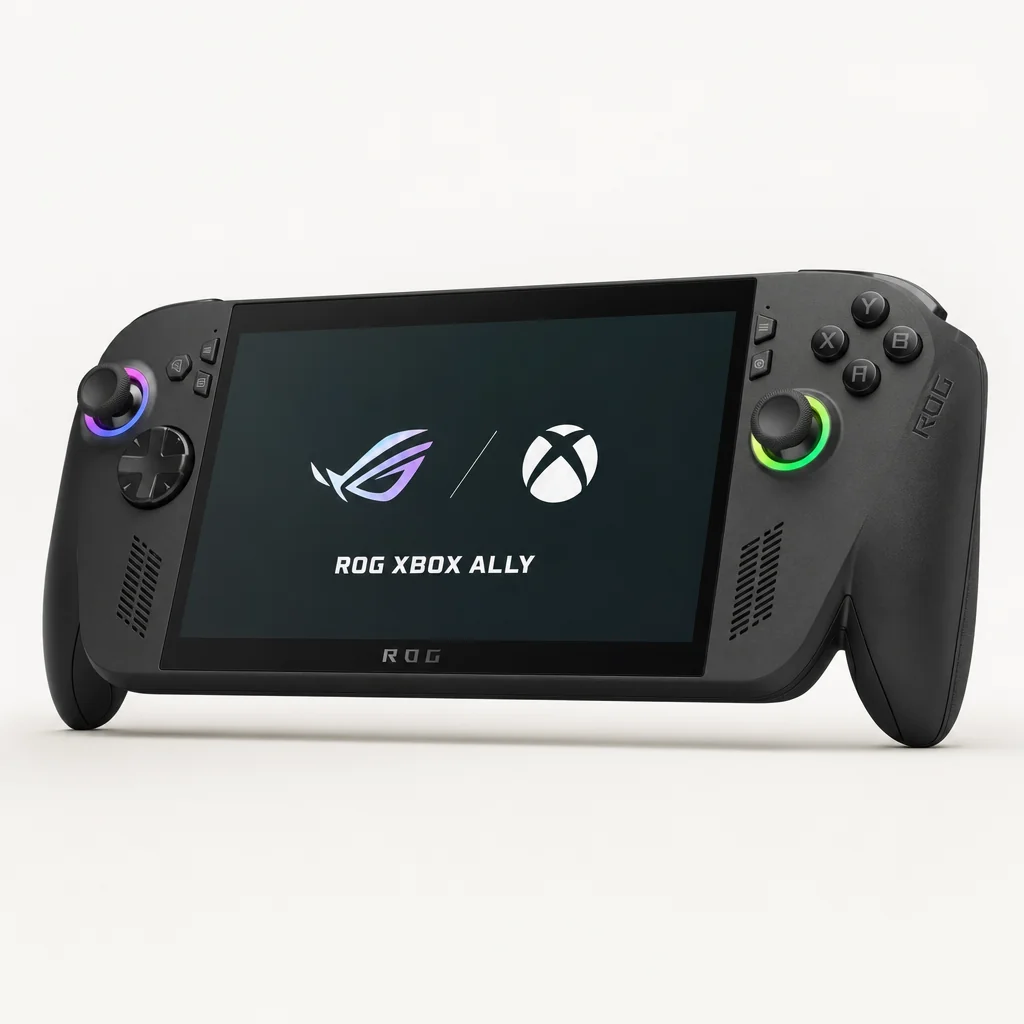
The ROG Xbox Ally X brought Xbox controls and a more console-like silhouette to ASUS's premium handheld formula.
Handheld PCs had spent years asking us to forgive them for being tiny laptops. The ROG Xbox Ally X finally made a more persuasive offer: it remained a flexible Windows machine, but it behaved far more like a portable Xbox when you simply wanted to pick up a game and get on with it. That difference sounded small on a product page. In daily use, it was rather the point.
The ROG Xbox Ally X arrived on 16 October 2025, following a very clear family progression. The original ROG Ally established ASUS as a serious Steam Deck alternative in 2023. The 2024 ROG Ally X then fixed the most obvious weakness with its larger 80Wh battery, while adding 24GB of memory and a 1TB SSD. This Xbox-branded X model took that foundation, changed the shape, added an Xbox button and moved to AMD's Ryzen AI Z2 Extreme platform.
It was not a magical transformation into an Xbox Series console, and anyone expecting that would be disappointed. It remained a Windows PC. You still had PC-game quirks, launchers and the occasional reason to leave the cosy Xbox layer behind. But it was the first Ally where the hardware, software direction and battery capacity all pulled in the same direction. It felt designed for people who wanted Game Pass, native PC games, cloud gaming and Xbox remote play in one handheld without having to enjoy tinkering for tinkering's sake. There are people like that. Quite a lot of them, actually.
ROG Xbox Ally X: Key Specifications at a Glance
See ROG Xbox Ally X on Amazon UK
Check today's price & availability on Amazon UK
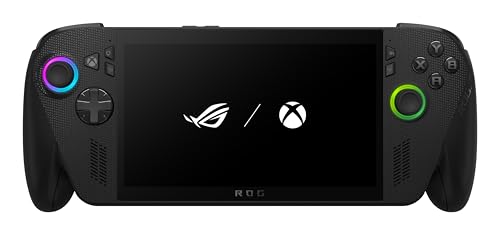
The important numbers tell a reassuringly premium story. The ROG Xbox Ally X paired AMD's Ryzen AI Z2 Extreme with 24GB of LPDDR5X memory and a 1TB SSD, so it avoided two common handheld irritations: memory pressure in newer PC games and the need to start deleting things after installing three large titles. The seven-inch display remained familiar in size and resolution, but its full 100% sRGB coverage made it a more complete panel than the approximately 94% sRGB screen on the 2024 ROG Ally X.
8 cores / 16 threads
120Hz VRR
The Ryzen AI Z2 Extreme also included an NPU. That matters because Windows had increasingly begun using dedicated AI hardware for features such as Automatic Super Resolution. For a plain-English explanation of what Windows can and cannot do with it, read our Auto SR explainer.
Physical connectivity was properly useful rather than merely adequate. There was a USB4 Type-C port with Thunderbolt 4 compliance, DisplayPort 2.1 and Power Delivery 3.0, plus a UHS-II microSD reader. Wi-Fi 6E and Bluetooth 5.4 rounded out a specification that made this feel comfortable as a handheld first, but credible as a small desktop PC when you connected it to a screen and peripherals.
The 7-inch 1080p, 120Hz VRR display remained compact, but its 100% sRGB coverage gave games a richer, more confident look.
Built Different: Design, Ergonomics and the Xbox Controller Feel
The big physical change was not subtle. Earlier Ally machines had been handheld PCs with controls attached at either end. The ROG Xbox Ally X had actual controller-style handles. That might sound like marketing copy until you hold one for an extended session. Then you notice that your hands were no longer trying to grip a fairly flat slab whilst supporting its entire mass with your fingertips.
At 715g, this was not a light device. The Steam Deck OLED weighed 669g and the Nintendo Switch OLED weighed 420g in handheld use. There was no point pretending otherwise: if you were used to a Switch, the Ally X felt substantial from the first minute. It was closer to holding a large, well-padded controller with a screen in the middle. A very capable, rather expensive controller with a screen in the middle, admittedly.
However, raw weight only tells half the story. The new grip shape gave your palms somewhere useful to sit, and it shifted the strain away from the thumbs and little fingers. In longer sessions that made a bigger practical difference than the 46g gap between it and the Steam Deck OLED suggested. This was the sort of machine that still made you aware you were holding 715g, but did not make you constantly adjust your grip to stop it feeling precarious.
Controller-like side grips
The deeper handles changed the entire posture of the device. It felt closer to an Xbox controller than the flatter, more technical-feeling ROG Ally X from 2024.
A dedicated Xbox button
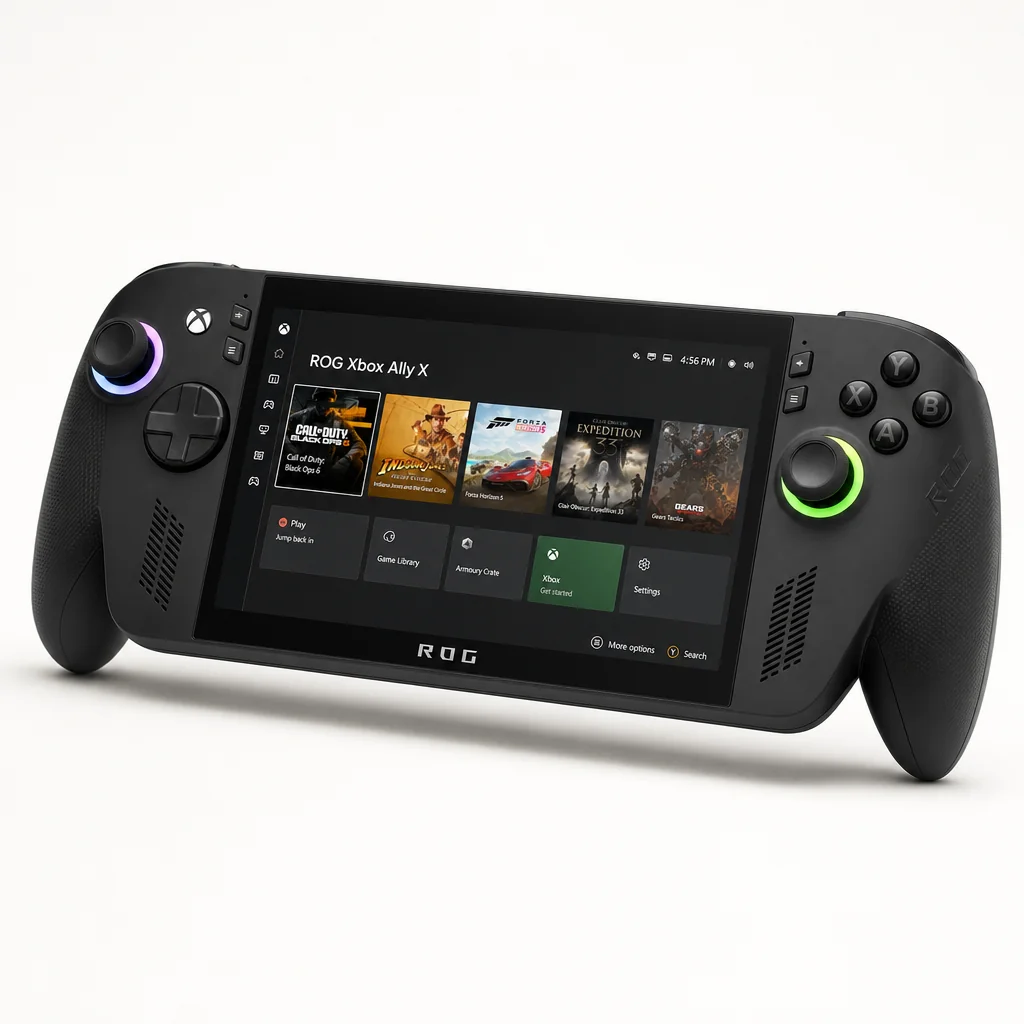
The Xbox button made the Xbox layer feel physically present, offering a direct route into Game Bar and the handheld-friendly Xbox experience instead of asking you to hunt through Windows.
A familiar widescreen footprint
Its 290.8 × 121.5 × 50.7mm body was still a sizeable object in a bag, but the broad layout gave the controls room to breathe instead of cramming everything around the screen.
Useful expansion without a proprietary detour
USB4 and the UHS-II microSD reader made docks, external storage and everyday accessories less awkward than on handhelds with more restrictive connections.
I particularly liked that ASUS did not mistake "Xbox" for "make everything green". The Xbox influence was most effective where it changed how you used the product: the grips, the button and the software emphasis. It did not need to shout. It just needed to stop Windows handheld gaming feeling like a desktop had fallen into a shrink ray.
There were compromises. The added handles made the Ally X less sleek than some rivals and the 715g mass meant it was better supported in your lap, against a cushion or with elbows resting on something during a marathon session. But this was a practical device, not a fashion accessory. For that brief, the redesign was a success.
Screen Test: Is a 1080p IPS Panel Enough?
On paper, the display did not look radically different from the panel used by earlier Ally hardware: seven inches, 1920 × 1080 resolution, IPS technology, 120Hz refresh and VRR support. In the age of OLED evangelism, it was tempting to view this as a weak spot. I think that would be a little unfair, though there is a sensible caveat.
The panel reached 500 nits and covered 100% of the sRGB colour gamut. That colour improvement over the 2024 Ally X mattered. Games with strong art direction looked more complete, whether that meant neon city lighting, autumnal landscapes or the carefully judged murk of a horror game. IPS black levels were still IPS black levels; an OLED screen would deliver deeper shadows and a more dramatic contrast effect. But this was a clear, colourful and refreshingly bright screen, not a budget compromise hidden inside an expensive handheld.
A note on "only" 1080p
A 1920 × 1080 screen at seven inches works out at roughly 315 pixels per inch. At normal handheld distance, individual pixels were not the issue. The more important question was whether your chosen game could run well enough to make use of that resolution, which is exactly why VRR and sensible upscaling mattered so much.
VRR was one of those features you might overlook until you play a demanding game that will not stay pinned to 60fps. A variable frame rate can be unpleasant on a fixed-refresh display: you see uneven motion, judder and little reminders that the hardware is doing its best. With VRR, those fluctuations were far less distracting. That gave you greater freedom to choose an efficient power setting rather than treating 60fps as a non-negotiable target at all times.
The 120Hz ceiling was also helpful beyond chasing triple-digit frame rates. Lighter games and older titles could feel exceptionally responsive, whilst the panel's flexibility made 40fps, 45fps and other sensible handheld targets feel more viable. That is a quietly important quality in a portable PC. You are rarely buying one to run every new game at maximum settings. You are buying it to make sensible compromises feel good.
Variable refresh rate helped smooth out the inevitable frame-rate swings of demanding PC games on a compact 1080p display.
Performance Deep Dive: Ryzen AI Z2 Extreme at Real Wattages
The Ryzen AI Z2 Extreme was the clearest performance differentiator between the ROG Xbox Ally X and the standard ROG Xbox Ally. The X used an eight-core, 16-thread design split between three Zen 5 cores and five Zen 5C cores, alongside 16 RDNA 3.5 GPU cores. The standard model used Ryzen Z2 A silicon with four Zen 2 CPU cores, eight threads and eight RDNA 2 GPU cores. That was not a tiny trim. It was a fundamentally different tier of machine.
The mixed Zen 5 and Zen 5C arrangement was designed to balance fast foreground work with more efficient background activity. The full Zen 5 cores could take care of short, demanding bursts; the Zen 5C cores added core count in a more efficiency-minded way. Compared with the 2024 ROG Ally X's Z1 Extreme, which used eight Zen 4 cores at a 3.3GHz base and up to 5.1GHz boost, the new chip represented a genuine platform shift rather than a cosmetic refresh.
What mattered more than architecture diagrams, naturally, was how it behaved when you dialled the power down. Handheld performance was never a single number because wattage was part of the controls. Push power higher and you gained headroom, but battery life fell. Pull it back and the system became far more practical away from a socket. The trick was finding the point where a game still looked and felt right without draining an 80Wh battery for sport.
The headline result was Doom: The Dark Ages running at 70fps at an 18W TDP, using 1080p output with FSR based on a 540p internal resolution, ray tracing and frame generation enabled. That was a remarkably useful benchmark because it was not built around a fantasy "everything at maximum, mains power be damned" scenario. Eighteen watts was the sort of middle ground a real owner might choose when they wanted a technically demanding game to look lively without immediately treating the battery indicator as a countdown clock.
There is an important bit of honesty here. FSR and frame generation were doing real work. The underlying render resolution was much lower than 1080p, and frame generation could improve perceived smoothness without making the base game performance identical to a native 70fps render. That was not a criticism of the Ally X. It was simply modern handheld PC gaming. The clever settings were part of the experience, not an embarrassing footnote.
At around 10W, the ROG Xbox Ally X could extend gaming time to almost five hours in suitable lighter workloads. At 15W it delivered more than three hours. For demanding AAA games at 15–20W, around two and a half hours was realistic, whilst demanding titles could still manage around two hours with settings or resolution adjusted. Those were the numbers that made the X feel like it had a usable performance ladder rather than a single high-power mode you only selected next to a wall socket.
The standard ROG Xbox Ally was not hopeless; it was simply aimed elsewhere. Its lower-end processor, 16GB of RAM, 512GB SSD and 60Wh battery made it the version for people who valued the Xbox handheld experience above premium performance headroom. If your library was primarily smaller games, cloud play, remote play and older PC titles, that could be entirely sensible. If you wanted demanding native releases to be a central part of the purchase, the X had a much stronger argument.
| Feature | ROG Xbox Ally X | ROG Xbox Ally | ROG Ally X (2024) |
|---|---|---|---|
| Processor | Ryzen AI Z2 Extreme | Ryzen Z2 A | Ryzen Z1 Extreme |
| CPU configuration | 8 cores / 16 threads | 4 cores / 8 threads | 8 Zen 4 cores |
| Graphics | 16 RDNA 3.5 GPU cores | 8 RDNA 2 GPU cores | 12 RDNA 3 GPU cores |
| Memory | 24GB LPDDR5X | 16GB LPDDR5X | 24GB LPDDR5X-7500 |
| Storage | 1TB SSD | 512GB SSD | 1TB SSD |
| Battery | 80Wh | 60Wh | 80Wh |
| Weight | 715g | 670g | Approximately 678g |
| Display | 7-inch 1080p, 120Hz, 100% sRGB | 7-inch 1080p, 120Hz | 7-inch 1080p, 120Hz, approximately 94% sRGB |
The Full Xbox Experience: Why This Finally Feels Different
The central promise here was not that ASUS had bolted an Xbox logo onto a Windows handheld. It was that the ROG Xbox Ally X made Windows less visible when Windows was not needed. That distinction was the whole review.
Pressing the Xbox button took you straight into Xbox Game Bar and helped put the Xbox UI layer at the centre of the experience. From there, the focus was on a curated, controller-friendly path through your games: browse your Game Pass library, download titles, launch them, use cloud gaming where appropriate, or remote play from your Xbox console. The intended flow was console-like. Pick a game. Press play. Stop thinking about the operating system.
For the most part, it worked because it gave you an obvious default. Earlier Windows handhelds often expected you to establish your own routine between the Xbox app, Steam, Armoury Crate, desktop shortcuts and whichever launcher a particular publisher had decided needed your attention that week. The Ally X did not erase that mess entirely, because no Windows handheld could. But it put a much friendlier front door in front of it.
The best version of Windows handheld mode
The Xbox layer was best understood as a simplification, not a replacement for Windows 11. You still had full Windows freedom whenever you needed it. The clever bit was that you no longer had to start there just because you wanted to play something.
Armoury Crate SE 1.5 remained the practical companion to that Xbox-first approach. Its updated menus gave you a route to the handheld's performance controls and system options without diving through the desktop every time. This was where the ROG identity still mattered: Xbox handled the library-facing, sofa-friendly side; ASUS handled the hardware-facing side.
That split did occasionally expose the limits of the concept. PC games could still open their own launchers, ask for updates or put small text where a seven-inch display was least forgiving. Some titles were designed around mouse input before they ever considered a handheld controller. Steam's Big Picture interface remained a valid alternative for a Steam-led library. Yet this was the first time I could genuinely recommend a Windows handheld to a keen Xbox owner without first delivering a ten-minute lecture on desktop management.
The dedicated Xbox button gave the handheld a direct route into Game Bar and the controller-friendly Xbox interface.
Battery Life and Daily Use: The 80Wh Advantage
The 80Wh battery was shared with the 2024 ROG Ally X, and it remained one of the best reasons to choose the premium model. For context, the Steam Deck OLED used a 50Wh battery, while the original ROG Ally had a 40Wh cell. Battery capacity did not solve every efficiency problem, of course. A demanding PC game could consume power with impressive enthusiasm. But starting with 80Wh gave ASUS much more room to make the product practical.
At roughly 10W, the ROG Xbox Ally X could approach five hours of gaming. This was the sweet spot for lighter titles, older games, carefully tuned indie favourites, streaming and remote play. It was the mode that made the machine feel genuinely portable rather than merely cordless. If your gaming life involved a train journey, a long wait, a weekend away or the eternal negotiation over who had control of the television, it was an extremely useful setting.
At 15W, the machine managed more than three hours. That was arguably the best all-round setting for a lot of PC gaming: enough power to keep a wide range of games feeling comfortable, enough endurance to finish more than one session without becoming obsessed with battery percentage. Demanding AAA games at 15–20W produced around two and a half hours, which was strong for a handheld of this class.
At higher settings, the familiar handheld reality returned. Demanding games could run for around two hours when you reduced settings or resolution. If you prioritised performance and pushed into the 25–30W territory associated with demanding play, roughly 1.5–2 hours was the realistic expectation. That was not bad, but it was the point where a plug socket, power bank or a very understanding seat neighbour became more relevant.
Doom: The Dark Ages at 18W was a useful real-world reference point again. It demonstrated the sort of high-quality compromise that the Ally X was built around: 70fps with upscaling, ray tracing and frame generation, rather than brute-force rendering. It also sat in the range where the machine could deliver a more believable portable session than a full-throttle 30W mode.
Battery planning without the drama
Use around 10W when the game allows it, aim for 15W as the everyday native-gaming baseline, and treat 15–20W as the sensible target for demanding modern titles. Higher power settings were valuable, but they were best thought of as a performance boost rather than the default way to play away from home.
For media playback, the Ally X exceeded four hours in testing with Clair Obscur: Expedition 33 in Performance mode. That was another reminder that the bigger cell helped outside pure benchmarking. It made the machine a better all-round travel device, even if its size and weight meant you would not mistake it for an e-reader.
ROG Xbox Ally X Versus ROG Xbox Ally: Is the X Worth It?
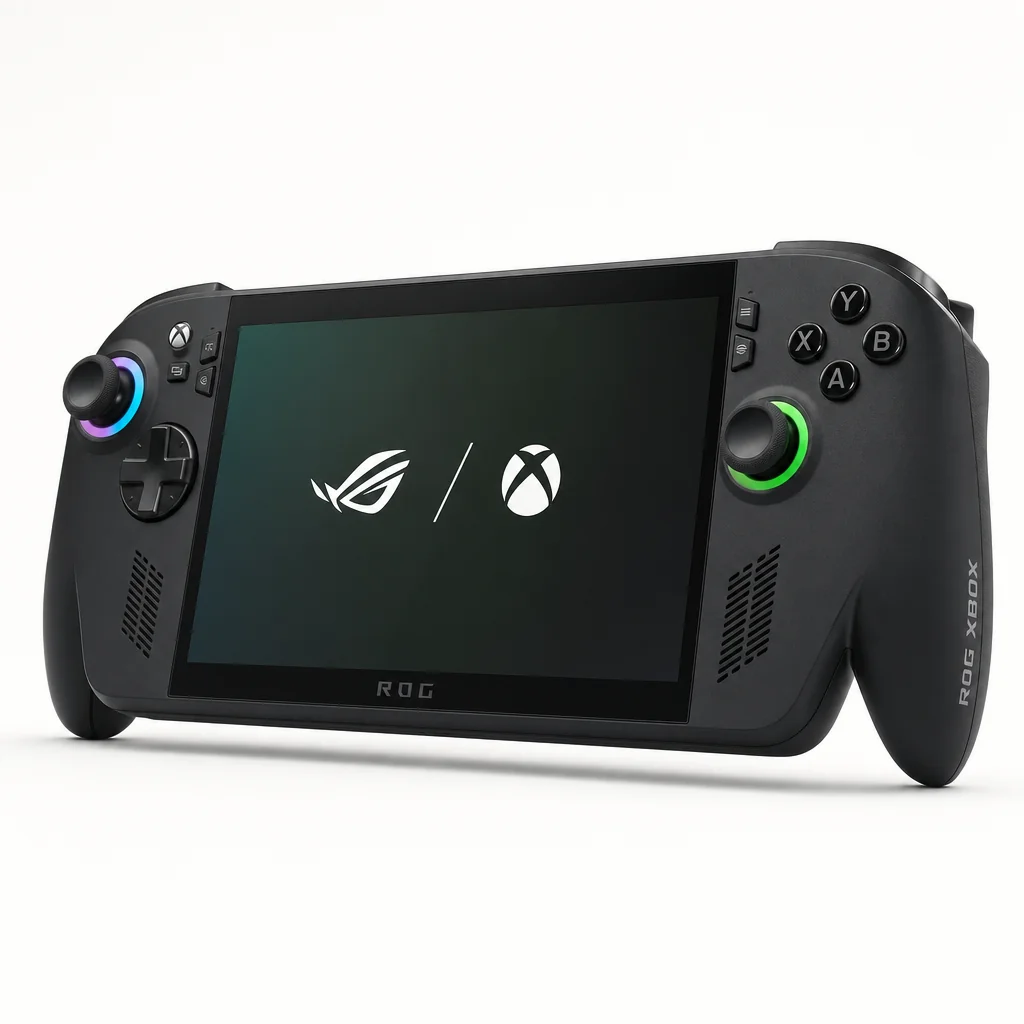
This is the awkward question, because the standard ROG Xbox Ally offered the same basic idea: a handheld Windows PC with Xbox branding, the Xbox UI approach and a seven-inch 1080p 120Hz display. It was not a lesser product in every way. It was a more focused product for a different player.
But the X earned its name through the things that tend to matter after the first week. It had double the storage capacity, 8GB more memory, an 80Wh battery instead of a 60Wh one, USB4 rather than dual USB-C 3.2 Gen 2 ports, and dramatically stronger silicon on paper. The difference between 16 RDNA 3.5 GPU cores and eight RDNA 2 GPU cores was especially hard to ignore if native AAA PC games were part of the plan.
The standard model was also 670g, so choosing it did not buy you a dramatically lighter device. The X weighed 715g, yes, but its improved controller-style grips also made it easier to hold for extended play. In other words, the standard model was not necessarily the obvious ergonomic bargain simply because it was 45g lighter.
Reasons to choose ROG Xbox Ally X
- 24GB of LPDDR5X memory and a 1TB SSD gave modern PC games more breathing room.
- The 80Wh battery offered substantially stronger endurance than the standard model's 60Wh cell.
- Ryzen AI Z2 Extreme and 16 RDNA 3.5 GPU cores were better suited to demanding native games.
- Controller-shaped grips made its 715g weight easier to live with than expected.
- USB4 provided more flexibility for docking and accessories.
Reasons to choose ROG Xbox Ally instead
- Its lower-performance hardware could be enough for cloud gaming, remote play and lighter PC games.
- The 670g chassis was lighter, even if not radically so.
- It retained the same seven-inch 1080p 120Hz display specification.
- Anyone who rarely plays demanding native games may not need the X model's performance headroom.
My view was straightforward. If the whole reason you were considering a Windows handheld was to play your PC library locally as well as use Game Pass, the X was the one to get. It had the battery, storage, memory and GPU specification to stay relevant for longer. If cloud gaming and Xbox remote play were the main attraction, the standard Ally could make more sense because those use cases did not demand the X's full native performance potential.
The premium X model's stronger processor, 24GB of memory and 80Wh battery separated it clearly from the standard ROG Xbox Ally.
Who Should Buy the ROG Xbox Ally X?
The ROG Xbox Ally X was not trying to be the right handheld for every person. It was a premium, full-fat Windows machine designed around an Xbox-friendly way of using that flexibility. The best buying decision depended less on brand loyalty and more on where your games actually lived.
Best for Xbox and Game Pass players
Choose the ROG Xbox Ally X if you want an Xbox-centred interface for Game Pass, cloud gaming and remote play, while keeping access to native Windows PC games.
Best premium all-rounder
The X was the stronger all-round pick for players who wanted 1TB storage, 24GB memory, an 80Wh battery and serious native performance.
Best for streaming-first buyers
The standard ROG Xbox Ally was the more sensible alternative if cloud gaming and remote play mattered more than demanding local PC performance.
Best for PC tinkerers who want less tinkering
The Xbox layer offered a much friendlier starting point than a traditional Windows desktop, without taking away the ability to use Windows when necessary.
I would not steer someone towards the Ally X if they wanted a tiny, featherweight handheld. It was neither. Nor was it the ideal answer for a player who only wanted a closed-console experience with absolutely no launchers, updates or PC oddities. Windows still had its little ways. It always had.
For everyone else, especially people with an Xbox ecosystem on one side and a PC library on the other, it was unusually well judged. You could start in Xbox mode, play like you were on a console, then drop into Windows for the game, launcher, mod or app that only a PC could offer. That was the machine's actual superpower.
The Things to Know Before You Commit
There are three realities worth keeping front of mind. First, an 80Wh battery was excellent for this category, but native AAA gaming still consumed it quickly at high wattages. The Ally X improved the situation dramatically; it did not repeal physics. A demanding game at 25–30W was a short-session proposition unless you were near power.
Second, the seven-inch 1080p display was sharp and colourful, but its high refresh rate did not mean every current blockbuster would run at 120fps. In practice, the screen's VRR support and the ability to tune wattage were more valuable than the headline refresh number alone. This was a machine for sensible settings, upscaling and making thoughtful trade-offs. Happily, it was very good at that.
Finally, the Xbox experience made Windows less intrusive, not absent. You could launch Game Pass games and navigate a handheld-friendly layer without staring at the desktop. Brilliant. But the moment you ventured into the broader world of PC gaming, you were still dealing with the same variety of launchers, game settings and occasional oddities that came with Windows. The Ally X reduced friction. It did not promise a universe without friction. Anyone who says otherwise is probably trying to sell you something.
Gadget Scout Rating
The ROG Xbox Ally X was the most complete expression of the Ally idea to date. It had a better shape than earlier models, genuinely strong battery capacity, a responsive 120Hz VRR display, proper storage and memory, and an Xbox-first experience that made it much easier to recommend to normal humans rather than just handheld-PC hobbyists.
With the right power setting, the ROG Xbox Ally X balanced convincing PC performance with battery life that finally felt practical for portable play.
ROG Xbox Ally X FAQ
Verdict: The best Ally for people who want to play, not administrate
The ROG Xbox Ally X was the handheld PC ASUS had been building towards. The Ryzen AI Z2 Extreme delivered meaningful native-gaming headroom, the 80Wh battery made sensible wattages genuinely practical, and the deeper grips corrected the biggest ergonomic weakness of the older Ally design. Most importantly, the Xbox layer gave the machine a console-like centre of gravity without sacrificing Windows flexibility. It remained big, heavy and subject to the usual PC-game quirks, but for Game Pass players and PC gamers who wanted one portable machine that did nearly everything, this was the premium pick.
- ROG Xbox Ally XView on Amazon