
ROG Xbox Ally X Auto SR explained: clever AI upscaling, real limits, and who should actually care
The ROG Xbox Ally X is the exciting one in Asus and Microsoft's new handheld range because it brings a Ryzen AI chip, an NPU, Xbox-first Windows software, and Microsoft's Auto SR upscaling. But is Auto SR already a reason to buy, or just a promising bonus?
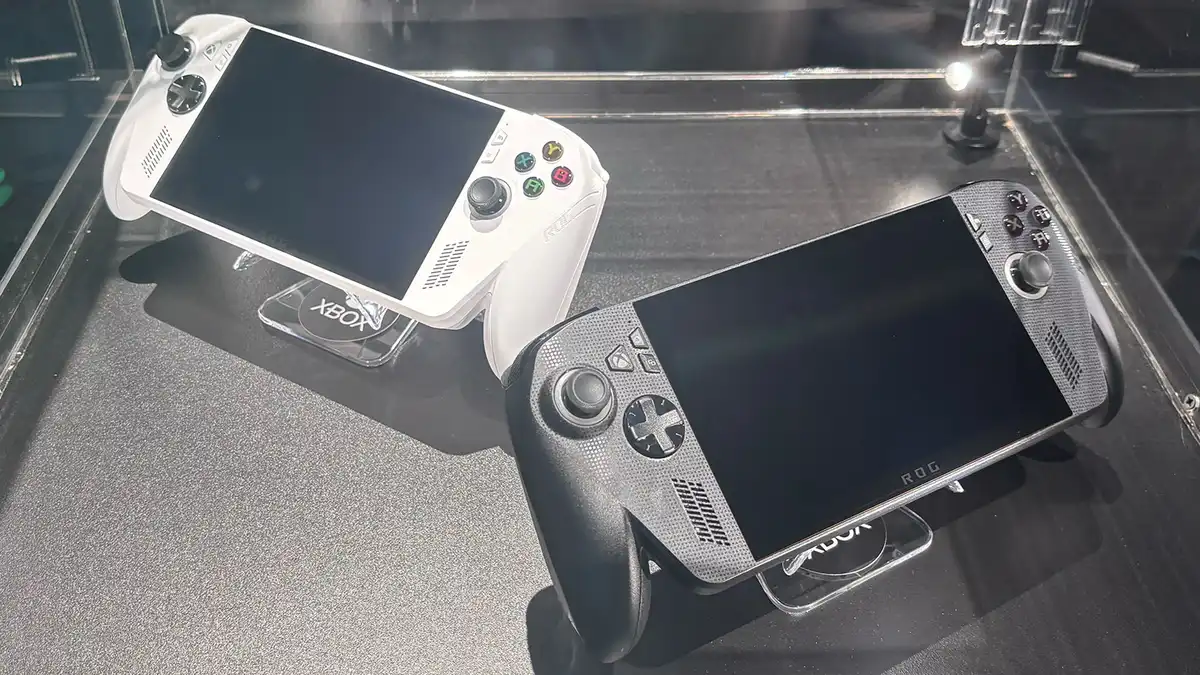
The ROG Xbox Ally X is the flagship model in the range, and the only one with the NPU hardware required for Auto SR.
We link to the exact model on Amazon UK. Prices change often, so check the live price before you buy. As an Amazon Associate we earn from qualifying purchases.
Auto SR is one of those features that sounds wonderfully simple: render a game at a lower resolution, use dedicated AI hardware to upscale it, and get smoother frame rates without making the image look obviously worse. On the ROG Xbox Ally X, that promise is genuinely interesting — especially when docked to a monitor. The catch is that the feature is still early, its benefits vary wildly by game, and it is not yet the magic "free performance" button some handheld buyers might be hoping for.
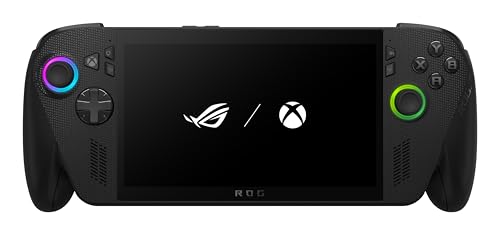
See ROG Xbox Ally X (Z2 Extreme, 24GB, 1TB) on Amazon UK
Check today's price & availability on Amazon UK
See ROG Xbox Ally X (Z2 Extreme, 24GB, 1TB) on Amazon UK
Check today's price & availability on Amazon UK
What this review-style guide covers
- What Auto SR actually does on the ROG Xbox Ally X
- Why the standard ROG Xbox Ally cannot use it
- Real benchmark results in Cyberpunk 2077, God of War Ragnarök and more
- Why docked mode matters so much right now
- How Auto SR compares with FSR and native rendering
- What the Ally X hardware brings beyond AI upscaling
- Who should buy the ROG Xbox Ally X
- Who should wait for broader Auto SR support
1. ROG Xbox Ally X in context: what makes this handheld different?
The ROG Xbox Ally X is not simply "another Windows handheld with Xbox branding slapped on". It sits at the top of a two-device range co-developed by Asus and Microsoft, with the standard ROG Xbox Ally serving as the entry model and the Ally X positioned as the more capable flagship. Both devices use a familiar handheld PC format: a 7-inch touchscreen, integrated gamepad controls, Windows 11 Home, and a console-style interface designed to boot directly into an Xbox experience.
That last part matters. Windows handhelds have often been powerful but slightly awkward: brilliant once you are in a game, less elegant when you are poking around launchers, overlays, driver updates and desktop windows on a small screen. The Xbox mode on the ROG Xbox Ally family is meant to smooth out that experience, making the device feel more like a gaming-first machine than a tiny laptop with thumbsticks attached.
The Ally X, though, has the more future-facing ingredient: AMD's Ryzen AI Z2 Extreme. This gives it eight Zen 5 CPU cores, 16 threads, RDNA 3.5 graphics with 16 compute units, and — crucially for this article — a built-in NPU rated at up to 50 TOPS. That NPU is the reason Auto SR is possible here. The standard ROG Xbox Ally uses a Ryzen Z2 A chip with no NPU, so it does not support Auto SR.
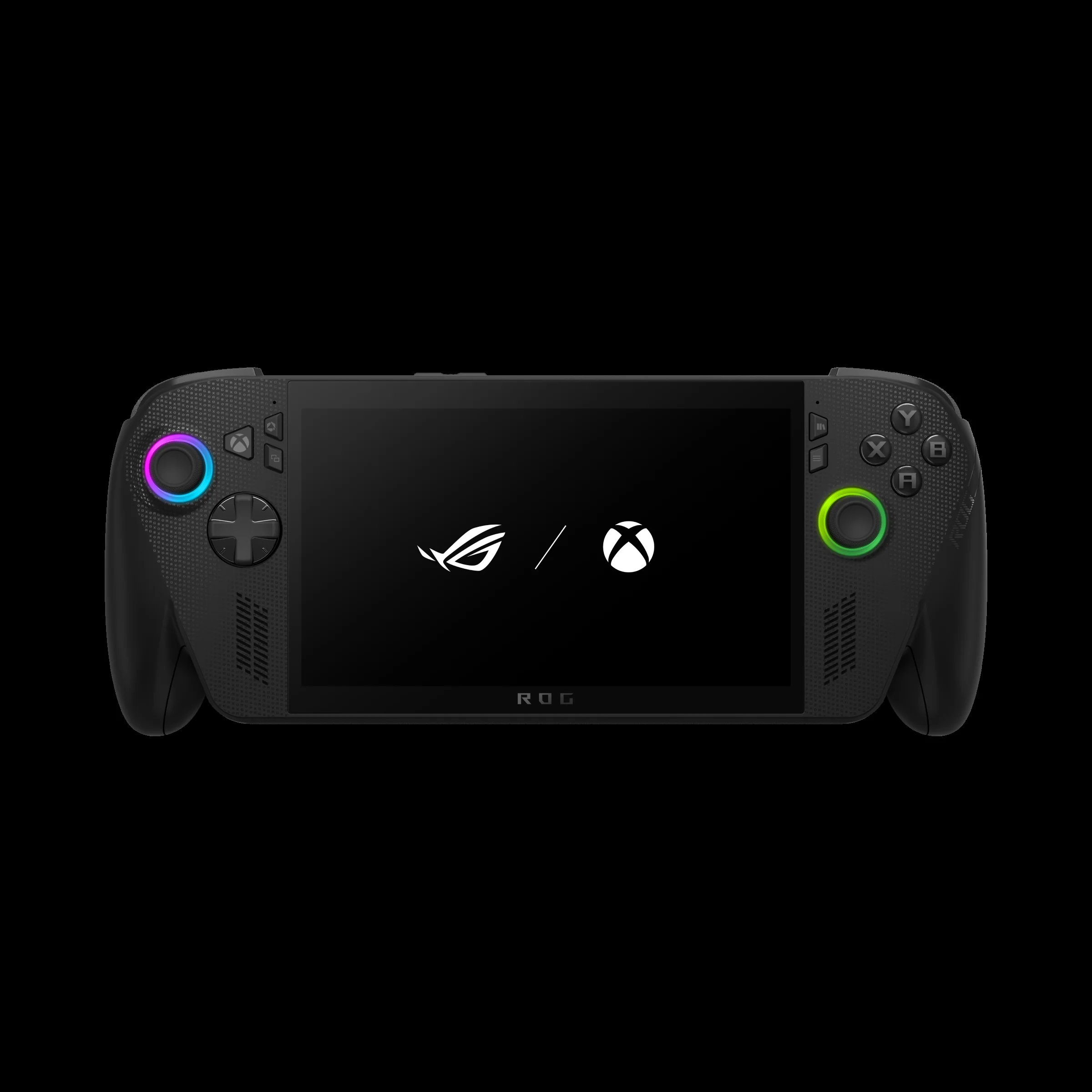
The 7-inch 1080p, 120 Hz display is shared across the range, but the Ally X has the more powerful Ryzen AI silicon and larger 80 Wh battery.
In day-to-day terms, the ROG Xbox Ally X is the model for players who want the highest ceiling: more RAM, more internal storage, a larger battery, USB4 support, Impulse Triggers in supported titles, and Auto SR capability. The standard ROG Xbox Ally still gets the same 7-inch FHD 120 Hz IPS display with FreeSync Premium, Wi-Fi 6E and Bluetooth 5.4, but it uses a quad-core Ryzen Z2 A with 16 GB of LPDDR5X-6400 memory, 512 GB of internal storage, a 60 Wh battery, and dual USB-C 3.2 Gen 2 ports rather than USB4.
So, before we even get to Auto SR, the Ally X is already the enthusiast model. Auto SR is not the only reason to consider it — and, at this stage, I would argue it should not be the only reason. But it is the feature that makes the Ally X feel notably more experimental and forward-looking than the cheaper-looking proposition of the standard model.
2. What is Auto SR, in plain English?
Auto SR stands for Automatic Super Resolution. On the ROG Xbox Ally X, it is Microsoft's NPU-powered AI upscaling feature. The basic idea is familiar if you have used upscaling technologies before: instead of asking the handheld's GPU to render every frame at a higher output resolution, the game renders internally at a lower resolution, then Auto SR reconstructs and upscales the image to the target output.
The important difference is where the work happens. Auto SR uses the NPU — the neural processing unit — inside the Ryzen AI Z2 Extreme. That separates it from traditional GPU-only rendering and from many game-integrated upscaling methods that lean heavily on the graphics pipeline. In theory, this is a very good fit for a handheld PC, because power and thermal headroom are always limited. If the NPU can help produce a sharper-looking output whilst the GPU renders fewer pixels, you can potentially gain frame rate without a huge hit to image quality.
In practice, it is more nuanced. The NPU is part of the same overall APU power envelope, so it is not a completely free resource. When Auto SR is enabled, CPU and GPU clock speeds can suffer because the NPU is consuming part of the chip's power budget. That does not mean Auto SR is pointless; it simply means the uplift depends on the game, settings, internal resolution, output resolution, and whether the reduced GPU workload outweighs the extra NPU work.
The simple way to think about Auto SR
Auto SR is not a "make every game 30% faster" switch. It is better understood as an AI reconstruction option that can help most when you are trying to drive a higher output resolution from a lower internal render resolution — especially when docked to a 1080p or 1440p screen.
That distinction matters because handheld gamers often obsess over native resolution. On a 7-inch 1080p screen, rendering at native 1080p can look sharp, but it can also be demanding in modern games. Dropping to 720p can substantially improve performance, but the image may look softer. Auto SR tries to sit between those two extremes: render low, output higher, and use AI to make the result more convincing.
It is also worth stressing the word "Auto". The promise is that this sits at the system level, rather than requiring every game to ship with bespoke support in the same way that many in-game upscalers do. That is potentially a big deal for PC handhelds, where players jump between Xbox, Steam, Epic, Battle.net and other libraries. The catch, for now, is that Auto SR on the ROG Xbox Ally X is still best treated as an early feature rather than a mature platform-wide guarantee.
3. Docked preview versus handheld reality: the biggest Auto SR caveat
Here is the part I would put in bold if I were giving buying advice to a friend: Auto SR on the ROG Xbox Ally X is, as of April 2026, a docked preview feature. That means the most meaningful demonstrations and benchmark results are focused on using the handheld connected to an external display, rather than simply playing untethered on the built-in 7-inch screen.
That does not make Auto SR irrelevant. In fact, docked use is one of the most compelling reasons to care about it. A handheld PC that can become a couch console, monitor-connected gaming machine, or compact battlestation is far more versatile than a purely portable device. The Ally X has USB4 Type-C support, which opens the door to docking with monitors, external GPUs, and more complete desk setups. It also supports HDR10 via ROG docks, whilst VRR is available via the ROG Bulwark Dock.
But the docked-first state of Auto SR absolutely affects how you should judge it. If your dream is to sit on the train, switch on Auto SR in every demanding game, and instantly get a transformed handheld experience, you should temper expectations. The most concrete performance numbers available are from docked mode, with the Ally X connected to an external display, Auto SR enabled at 720p internal resolution, and a 1080p output.
Auto SR is an ROG Xbox Ally X feature because it requires the NPU in the Ryzen AI Z2 Extreme. The standard ROG Xbox Ally does not have an NPU, so it does not support Auto SR.
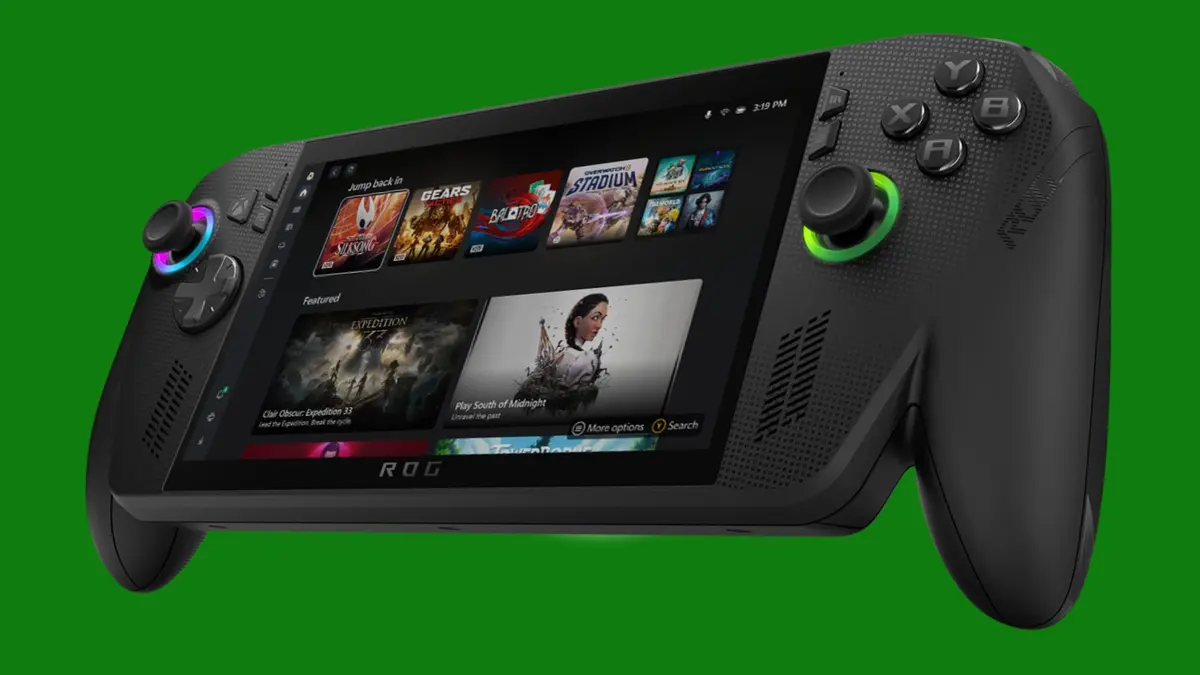
Auto SR makes the most sense when the Ally X is docked and asked to output to a larger 1080p or 1440p display.
This is where the Ally X's wider hardware package becomes important. The 80 Wh battery is welcome for handheld play, but docked mode shifts the conversation towards thermals, power budgets, ports, display output, and how neatly the device behaves as a compact Windows gaming PC. Auto SR, in its current form, is more of a docked performance tool than a universal handheld cheat code.
That might be disappointing if you were hoping for immediate magic on the built-in display. Personally, I see it as a promising first step. Handheld PCs are increasingly being used in two modes: portable console and docked mini-PC. The Ally X is clearly built for both. Auto SR just happens to be further along in one of those modes than the other.
4. Auto SR benchmarks: the real gains, the awkward misses
The most useful way to judge Auto SR is not by the marketing idea, but by actual game results. In docked testing published by ETA Prime and summarised by several outlets, the ROG Xbox Ally X was tested across games including Cyberpunk 2077, Spider-Man 2, God of War Ragnarök, Black Myth: Wukong, and Red Dead Redemption 2. The tests used 720p internal resolution with Auto SR upscaling to a 1080p output.
The results are encouraging, but uneven. Cyberpunk 2077, using the Steam Deck graphical preset, averaged 56 FPS at native 1080p. Dropping to 720p with Auto SR raised that to 63 FPS, a 12.5% uplift. That is useful, but not dramatic. More interestingly, native 720p without Auto SR reached 73 FPS, which is 30.4% faster than the 1080p native baseline and comfortably ahead of the Auto SR result. That tells us something important: Auto SR can improve performance versus native 1080p, but it may not be the fastest way to run a game if you are willing to accept a lower-resolution output.
Other games showed larger gains. God of War Ragnarök on balanced settings moved from 40 FPS at native 1080p to 57 FPS with 720p plus Auto SR, a 42.5% gain. Black Myth: Wukong on the low preset rose from 51 FPS to 66 FPS, a 29.4% improvement. Red Dead Redemption 2 using DX12 balanced settings increased from 52 FPS to 67 FPS, a 28.8% uplift. Spider-Man 2, however, barely moved: 52 FPS native versus 53 FPS with Auto SR, a negligible gain of around 1.9%.
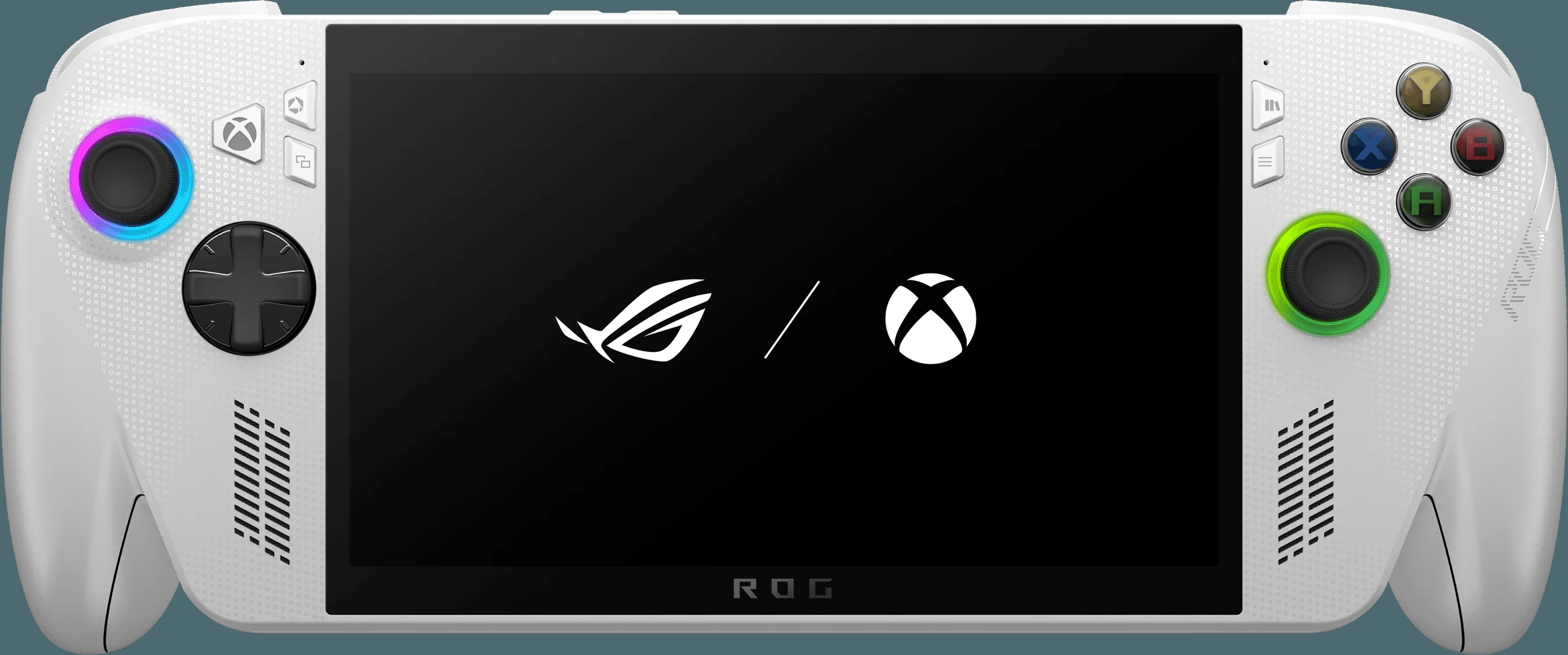
The strongest Auto SR results are meaningful, but the spread between games shows why this is still a feature to evaluate title by title.
| Game / setting | 1080p native, no Auto SR | 720p + Auto SR | Gain versus native 1080p |
|---|---|---|---|
| Cyberpunk 2077, Steam Deck preset | 56 FPS average | 63 FPS average | +12.5% |
| God of War Ragnarök, balanced | 40 FPS average | 57 FPS average | +42.5% |
| Black Myth: Wukong, low preset | 51 FPS average | 66 FPS average | +29.4% |
| Red Dead Redemption 2, DX12 balanced | 52 FPS average | 67 FPS average | +28.8% |
| Spider-Man 2 | 52 FPS average | 53 FPS average | +around 1.9% |
Microsoft's own headline claim for Forza Horizon 5 is also eye-catching: Auto SR delivering 1440p-like visuals with more than a 30% FPS boost versus native 1440p rendering. XDA Developers also saw an encouraging 1440p docked demonstration, where native 1440p ran at around 35–40 FPS, whilst Auto SR scaling up from a lower resolution to 1440p produced a stable 46–50 FPS, with reviewers reporting difficulty spotting a visual difference.
For me, the takeaway is not "Auto SR is amazing" or "Auto SR is overhyped". It is that Auto SR is situational. When the game, settings and output resolution line up well, the gains can be the difference between a choppy-feeling experience and something much more comfortable. When they do not, the benefit may be small enough that you would be better off tuning graphics settings manually, using an in-game upscaler, or simply accepting a lower native resolution.
5. Auto SR vs FSR vs native rendering: which should you use?
Auto SR inevitably gets compared with AMD FSR because both are about getting more performance by rendering at a lower resolution and outputting something that looks sharper than a simple stretch. The difference is that FSR is a game-level upscaling family that typically appears inside a game's graphics menu, whilst Auto SR is Microsoft's system-level AI upscaling approach using the NPU on compatible hardware.
That distinction affects convenience. If a game has good built-in upscaling options, those may still be the first place to start. In-game upscalers can be deeply integrated with the rendering pipeline and may offer multiple quality modes. Auto SR's appeal is that it could help in cases where you want a broader, system-driven option — particularly on a device like the Ally X where the NPU is sitting there specifically to accelerate AI workloads.
Native rendering is still the cleanest baseline. Native 1080p on the Ally X's own 7-inch display can look very crisp, and native 720p can be faster. The Cyberpunk 2077 result makes that trade-off obvious: 56 FPS at 1080p native, 63 FPS at 720p plus Auto SR, and 73 FPS at native 720p without Auto SR. If your only goal is the highest frame rate, native 720p may win. If your goal is to output a more convincing 1080p image on a larger screen, Auto SR becomes more interesting.
| Approach | What it is best for | Key strength | Main limitation |
|---|---|---|---|
| Native 1080p | Maximum clarity on the built-in FHD display or external 1080p output | No reconstruction artefacts from upscaling | More demanding in modern games |
| Native 720p | Higher frame rates when image sharpness is less important | Can be very fast, as shown by Cyberpunk 2077 reaching 73 FPS average | Softer presentation, especially on larger screens |
| 720p + Auto SR to 1080p | Docked play where you want improved performance without simply outputting a soft 720p image | Strong gains in some titles, including 42.5% in God of War Ragnarök | Benefit varies, and NPU use can affect CPU/GPU clocks |
| In-game FSR-style upscaling | Games with well-implemented built-in scaling options | Easy to tune per game from the graphics menu | Depends on each game's implementation and available settings |
My practical advice would be to treat Auto SR as one tool in the handheld optimisation toolbox. Start with the game's own presets. If there is a balanced mode that looks good and runs well, great. If native 1080p is too heavy when docked, try Auto SR from 720p and compare it with the game's own upscaler. If the game barely improves, as Spider-Man 2 did in the reported test, move on and tune settings manually.
The nice thing about the Ally X is that its 120 Hz display with AMD FreeSync Premium gives you some flexibility. You do not need to chase a locked 120 FPS in demanding AAA games to have a pleasant experience. A jump from around 40 FPS to the high 50s, as seen in God of War Ragnarök with Auto SR, can feel far more meaningful than the raw numbers suggest, especially with variable refresh smoothing out the experience.
6. Hardware review: beyond Auto SR, the Ally X looks like the proper enthusiast pick
If Auto SR disappeared tomorrow, the ROG Xbox Ally X would still be the more desirable model for serious handheld PC players. The Ryzen AI Z2 Extreme is a much stronger foundation than the standard Ally's Ryzen Z2 A. Eight Zen 5 cores and 16 threads give the Ally X far more CPU headroom, whilst the RDNA 3.5 graphics with 16 CUs give it a higher graphics ceiling. Add 24 GB of LPDDR5X-8000 and 1 TB of M.2 2280 storage, and you have a handheld that is clearly aimed at larger modern PC libraries.
The screen is also sensibly chosen. A 7-inch FHD IPS panel with a 120 Hz refresh rate, 500 nits brightness, AMD FreeSync Premium, Corning Gorilla Glass Victus and DXC Anti-Reflection protection is a strong match for this class of device. I would not want a higher-resolution built-in panel on this type of handheld if it meant more pressure on battery life and performance. 1080p is already plenty sharp at 7 inches, and the option to render below that when needed is part of the point.
Controls look similarly well considered. You get ABXY buttons, a D-pad, full-size analogue sticks, Hall Effect analogue triggers, bumpers, an Xbox button, View and Menu buttons, Command Center and Library buttons, two assignable rear buttons, HD haptics and a 6-axis IMU. The Ally X also includes Microsoft's Impulse Triggers for trigger-based rumble in supported games, which is a small but welcome bit of Xbox DNA.
USB4 for flexible setups
The Ally X's USB4 Type-C support makes it much better suited to docks, monitors, external GPUs and desk-style gaming setups than the standard model.
Xbox mode on Windows 11
The device boots directly into an Xbox interface, aiming to reduce the usual friction of using Windows on a handheld gaming PC.
FreeSync Premium display
Variable refresh support is especially useful when handheld performance lands in the 40–70 FPS range rather than a perfectly locked target.
80 Wh battery
Estimated battery life ranges from around 2.5 to 8 hours depending on workload, giving the flagship more endurance headroom than the standard model.
The 715 g weight means this is not an ultra-light handheld, but that is the trade-off for the 80 Wh battery and higher-end internal platform. The standard Ally is lighter at 670 g with a 60 Wh battery, so there is still a reason to prefer the non-X model if you mainly want a simpler, lighter, less ambitious device and do not care about Auto SR.
Storage is another practical win. A 1 TB M.2 2280 SSD is much more comfortable for PC gaming than a smaller boot drive, especially when modern AAA installs can be enormous. The user-upgradeable M.2 2280 format is also the sort of detail I like to see on a handheld that is clearly designed to stay useful for several years.
7. ROG Xbox Ally X vs ROG Xbox Ally: the Auto SR buying decision
The cleanest comparison is within the range itself. The standard ROG Xbox Ally is the entry-level model, whilst the ROG Xbox Ally X is the flagship. The question is not simply "which is faster?" — the Ally X clearly is — but whether the extras align with how you actually play.
If you want Auto SR, the decision is already made: you need the Ally X. The base model has no NPU, so Auto SR is off the table. That single hardware difference matters because Auto SR is not merely a software toggle that Microsoft can unlock on every Windows handheld. It relies on dedicated AI acceleration from the NPU.
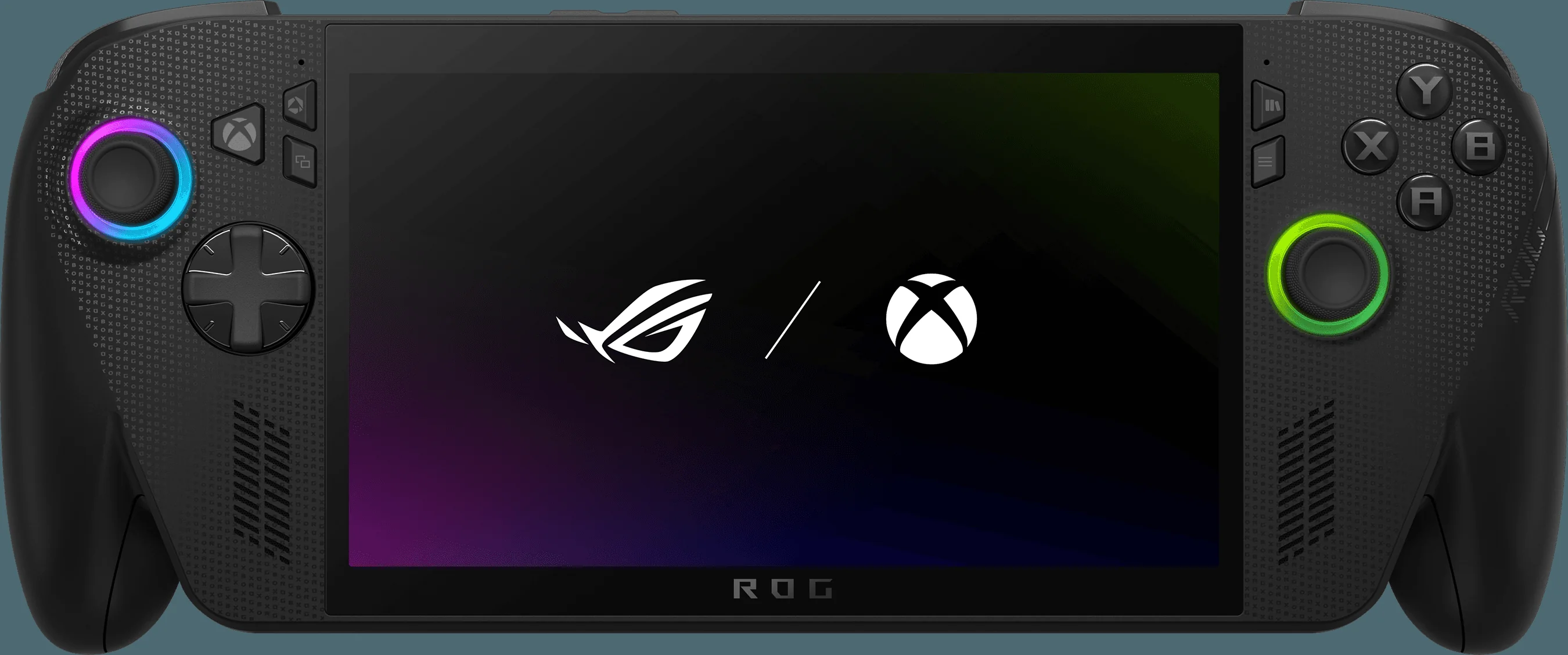
The standard ROG Xbox Ally and the Ally X share a family design, but the internal platform makes them very different propositions.
| Feature | ROG Xbox Ally X | ROG Xbox Ally |
|---|---|---|
| Position in range | Flagship model | Entry-level model |
| Processor | AMD Ryzen AI Z2 Extreme, 8c/16T, Zen 5, up to 5 GHz | AMD Ryzen Z2 A, 4 Zen 2 cores, 8 threads |
| Graphics | RDNA 3.5, 16 CUs, up to 2.9 GHz | 8 RDNA 2 GPU cores |
| NPU / Auto SR | NPU up to 50 TOPS; Auto SR-capable | No NPU; Auto SR not supported |
| Memory | 24 GB LPDDR5X-8000 | 16 GB LPDDR5X-6400 |
| Storage | 1 TB M.2 2280 SSD, user-upgradeable | 512 GB internal SSD |
| Display | 7-inch FHD IPS, 120 Hz, 500 nits, FreeSync Premium | 7-inch FHD IPS, 120 Hz, FreeSync Premium |
| Battery | 80 Wh; around 2.5 to 8 hours depending on workload | 60 Wh; around 2 to 5 hours |
| Ports | USB4 Type-C plus USB 3.2 Gen 2 Type-C | Dual USB-C 3.2 Gen 2 |
| Trigger features | Hall Effect analogue triggers with Impulse Triggers | Standard analogue triggers |
| Buy | Check price | Check price |
The standard Ally still makes sense for someone who wants the Xbox-style handheld experience and does not need the top spec. It has the same broad form factor, the same display class, the same Windows 11 Home foundation with Xbox mode, Wi-Fi 6E and Bluetooth 5.4. But the Ally X is the one that feels built for players who intend to dock often, run demanding games, expand storage, and experiment with emerging performance features.
This is also where the Auto SR discussion should stay grounded. I would not suggest buying the Ally X purely because Auto SR exists. I would suggest buying it because you want the stronger handheld overall, and Auto SR is a potentially valuable extra that may improve with time. That is a healthier way to frame the decision.
8. Price, bundles and buying timing
Pricing can shift quickly with handheld gaming PCs, especially around bundles, Game Pass offers, launch stock and retailer promotions. The ROG Xbox Ally X includes 3 months of Xbox Game Pass Premium, which is a useful starter perk if you plan to treat it as an Xbox-first Windows handheld.
Check the latest price and any current bundles before deciding between the ROG Xbox Ally X and the standard model.
The timing question is more interesting than the price alone. If you already know you want the most capable version in the range, the Ally X is the obvious target. Its stronger APU, 24 GB of memory, 1 TB SSD, larger battery and USB4 support are all tangible benefits regardless of how quickly Auto SR matures.
If you are mostly curious about Auto SR, I would wait for broader testing in the specific games you care about. The spread between God of War Ragnarök's 42.5% uplift and Spider-Man 2's roughly 1.9% uplift is too wide to ignore. A feature can be genuinely clever and still not matter much in your favourite titles.
9. Who should buy the ROG Xbox Ally X — and who should wait?
The ROG Xbox Ally X is the kind of device that will appeal to a very specific type of player: someone who wants handheld convenience, PC library flexibility, Xbox-style software polish, and enough hardware headroom to justify tinkering. It is not the simplest gaming device you can buy, and Auto SR does not change that. This is still a Windows handheld, just one with a much more console-like face.
Buy if you want the flagship handheld
Choose the Ally X if you want the Ryzen AI Z2 Extreme, 24 GB RAM, 1 TB storage, 80 Wh battery, USB4 and the highest performance ceiling in the range.
Buy if you dock often
Auto SR is most compelling in docked scenarios, especially when outputting to 1080p or 1440p displays where native rendering can be harder to sustain.
Buy if you like emerging tech
If you enjoy testing new performance features and comparing settings, Auto SR gives the Ally X an interesting AI-powered trick that the standard Ally lacks.
Wait if Auto SR is your only reason
The early results are too inconsistent to make Auto SR alone a must-buy feature. Some games gain a lot; others barely improve.
Wait if you only play handheld
Because Auto SR is currently a docked preview feature, purely portable players should judge the Ally X on its normal handheld performance first.
Consider the standard Ally if you want simpler specs
The non-X model keeps the same 7-inch 120 Hz display class and Xbox mode, but skips the NPU, larger memory pool, 1 TB SSD and USB4.
Pros
- Auto SR can deliver meaningful docked performance gains, including 42.5% in God of War Ragnarök and 29.4% in Black Myth: Wukong.
- Ryzen AI Z2 Extreme gives the Ally X a strong CPU, GPU and NPU platform for a handheld PC.
- 24 GB LPDDR5X-8000 and a 1 TB user-upgradeable M.2 2280 SSD are sensible enthusiast specs.
- USB4 Type-C makes the Ally X a stronger docked and desktop-style device.
- 7-inch FHD 120 Hz IPS display with FreeSync Premium is a good match for variable handheld performance.
- 80 Wh battery gives more endurance headroom than the standard model.
Cons
- Auto SR benefits vary heavily by game, with Spider-Man 2 showing only around a 1.9% uplift in reported testing.
- As of April 2026, Auto SR is best understood as a docked preview rather than a mature handheld-wide feature.
- The NPU is not "free" performance; enabling Auto SR can reduce CPU and GPU clocks due to shared APU power limits.
- Native 720p may still be faster than 720p plus Auto SR if raw frame rate matters more than image reconstruction.
- At 715 g, the Ally X is not the lightest handheld in the range.
For my money, the most sensible Ally X buyer is not someone chasing a single benchmark headline. It is someone who looks at the whole package and thinks: yes, I want the stronger APU, the bigger battery, the extra memory, the larger SSD, the better docking potential, and the AI upscaling feature as a bonus. That buyer is much less likely to be disappointed if Auto SR takes time to mature.
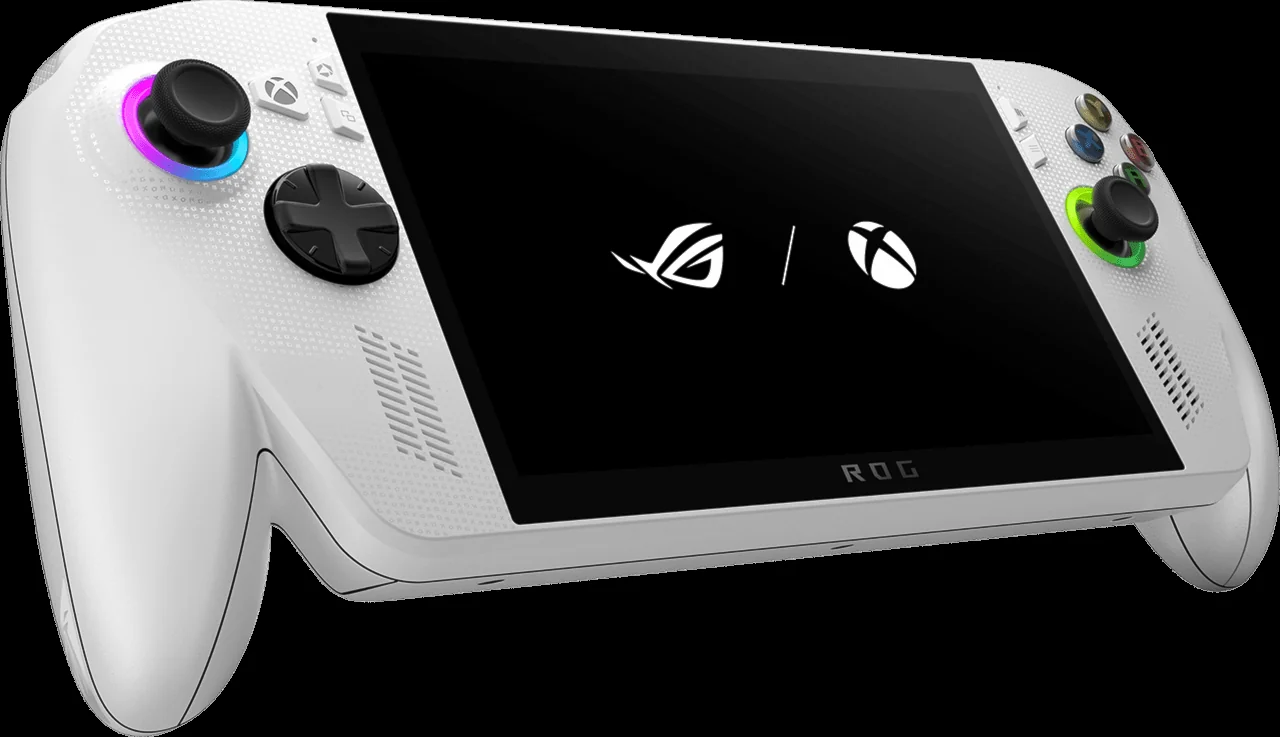
The Ally X is easiest to recommend as a high-end handheld PC first, with Auto SR as a promising extra rather than the whole reason to buy.
10. ROG Xbox Ally X Auto SR FAQ
Gadget Scout verdict
The ROG Xbox Ally X makes Auto SR feel exciting, but not yet essential. The best results are genuinely useful: God of War Ragnarök rising from 40 FPS native to 57 FPS with 720p plus Auto SR is exactly the sort of improvement that can change how a game feels. Red Dead Redemption 2 and Black Myth: Wukong also show strong uplifts. But Cyberpunk 2077 proves that native 720p can still be faster, and Spider-Man 2 shows that some games may barely benefit at all.
So, should you buy it? If you want the most capable ROG Xbox handheld, regularly dock to a display, and like the idea of AI-assisted performance improving over time, the Ally X is the model to watch. If you mainly play handheld and Auto SR is the headline feature pulling you in, waiting for wider support and more game-by-game testing is the wiser move. Auto SR matters — just not equally for everyone yet.

8BitDo Pro 3 on Amazon
Check today's price & availability on Amazon UK
- ROG Xbox Ally X (Z2 Extreme, 24GB, 1TB)View on Amazon
- 8BitDo Pro 3View on Amazon