
The Laptop That Runs Hot, Loud and Slow — Because It’s Full of Dust
Fans screaming, palm-rest too hot to touch, shutting down under load. Before you assume it’s worn out, look at what’s choking it.
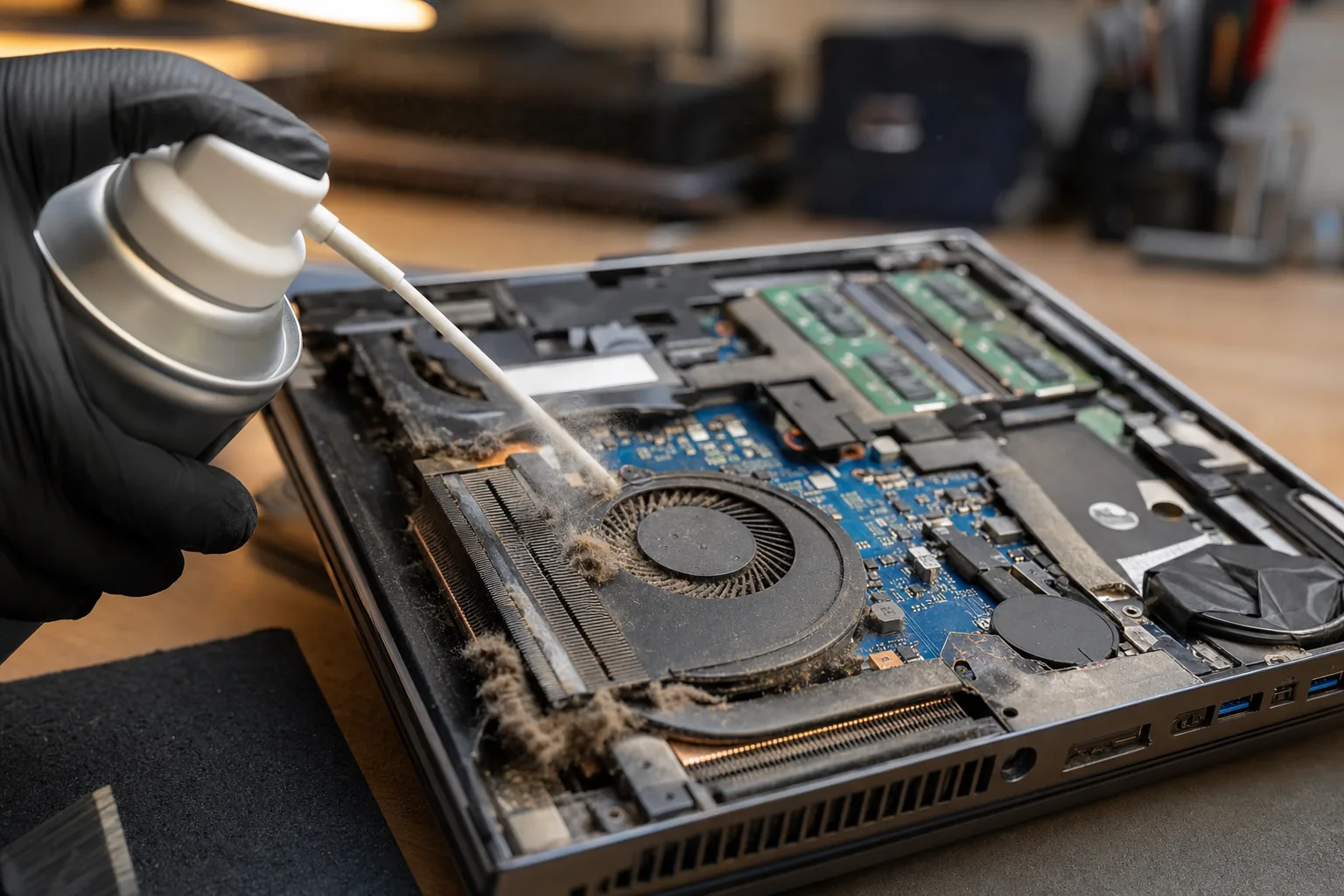

A laptop comes in with the same trio of symptoms a lot: the fan is roaring, the underside or keyboard gets uncomfortably hot, and it slows to a crawl or shuts itself off the moment you ask it to do anything — a video call, a game, even a heavy web page. The owner assumes the machine is dying. Usually, it’s just full of dust.
Why dust does so much damage
A laptop cools itself by pulling air across a metal heatsink and blowing it out of a vent. Over a couple of years that path silently clogs with dust, pet hair and fluff — until barely any air gets through. The chips get hot, and to protect themselves they throttle: deliberately slow right down. So “hot, loud and slow” aren’t three faults — they’re one, and the fan noise is the machine fighting for breath.
How to tell that’s your problem
- It’s fine for five minutes, then gets hot, loud and sluggish.
- The exhaust vent feels weak, or you can see grey fluff in the grilles.
- It’s worst on your lap or a duvet — soft surfaces block the intake underneath.
How to fix it safely
The easy first step anyone can do: blow the vents out with an electric air duster. I much prefer these to canned air — no freezing liquid, no propellant, and you’re not forever buying cans. Do it outdoors, in short bursts, and hold the fan still with a cocktail stick so it can’t spin freely and generate voltage.
If a clean-out only helps for a while, the next step is a proper strip-down and fresh thermal paste (something like ARCTIC MX-4) between the chip and heatsink — the factory paste dries out over the years. That part I’d hand to a shop unless you’re confident opening the machine, but the paste itself costs a few pounds.
The Repair Bench verdict
Hot, loud and slow is usually one problem: blocked cooling, not a worn-out laptop.
Try first: an electric air duster on the vents (fan held still, outdoors, short bursts).
If it returns: a strip-clean and fresh thermal paste — cheap parts, big difference. Don’t keep running it hot in the meantime.
As an Amazon Associate we may earn from qualifying purchases, at no extra cost to you. We only recommend kit we would actually use.