
Why Is My PC Fan So Loud? Causes and Quiet Fixes
From dust-clogged heatsinks to dying bearings and badly tuned fan curves — here's how to diagnose the racket, and the genuinely quiet fans and coolers worth swapping in.
We link to the exact model on Amazon UK. Prices change often, so check the live price before you buy. As an Amazon Associate we earn from qualifying purchases.
A loud PC is almost always trying to tell you something — and it's usually fixable.
If your computer sounds like it's preparing for take-off every time you open a browser, you're not imagining it — and you're certainly not alone. Fan noise is one of the most common complaints I hear from readers, and the good news is that it's nearly always diagnosable and very often cheap to fix. In this guide I'll walk you through exactly why PC fans get loud, how to tell the difference between dust, bad fan curves and a failing bearing, and which quiet replacement fans and coolers I'd actually buy in 2026.

See ARCTIC MX-4 thermal paste on Amazon UK
Check today's price & availability on Amazon UK
Before you reach for a credit card, it's worth understanding that a noisy fan isn't a fault in itself — it's a symptom. A fan spinning fast and loud is usually doing exactly what it was told to do: shift more air because something is getting too hot. So the real question isn't "how do I make the fan quieter", it's "why does the fan think it needs to work this hard". Answer that, and the silence tends to follow.
Over the years I've torn apart dozens of machines that owners swore were "broken", only to find a wall of grey dust strangling the airflow or a fan curve set to scream at the faintest hint of warmth. I've also met genuinely worn-out fans that no amount of cleaning would save. We'll cover all of it here, from free fixes to the best silent hardware money can buy.
The Quick Diagnosis Cheat Sheet
Let's start with a rapid triage, because the type of noise tells you an enormous amount about the cause. Stick your ear near the case (carefully) and listen to the character of the sound rather than just the volume.
A simple rule of thumb: airflow noise (whoosh, roar) usually points to dust or fan curves, and is often free to fix. Mechanical noise (clicking, grinding, rattling) usually points to a worn fan, which means a replacement. Get the diagnosis right and you'll avoid throwing money at the wrong problem.
The reason this distinction matters so much is that a perfectly healthy fan can be deafening if it's being driven hard by heat, whilst a dying fan can be irritatingly noisy even at idle. Treating the second like the first — cranking up cleaning routines and tweaking software — gets you nowhere if the bearing has had it.
Cause One: Dust (The Usual Suspect)
If I had to bet on a single cause for a suddenly loud PC, it would be dust — every single time. Dust building up inside PCs is one of the most common causes of loud fans. It settles on fan blades, packs into heatsink fins, and clogs the mesh of your case's intake and exhaust vents. The result is restricted airflow and trapped heat, which forces your fans to spin faster and louder just to maintain the same cooling.
What makes dust so sneaky is how gradual it is. Your PC doesn't get loud overnight; it creeps up over months as a fine grey blanket forms across every surface inside the case. By the time you notice the noise, the machine has often been running warmer than it should for ages.
Dust-clogged heatsink fins are the silent killer of airflow — and the loudest cause of fan noise.
How to tell if dust is your problem
- The noise built up slowly over several months rather than appearing suddenly.
- It's a rushing, whooshing airflow sound rather than anything mechanical.
- You can visibly see dust on the blades or packed into the heatsink and vents.
- Temperatures have crept up alongside the noise.
The fix
Power down completely, unplug, and ideally take the machine outside or to a well-ventilated space. Use short bursts of compressed air to blow dust out of the heatsink fins, fan blades and case filters. Hold each fan still with a finger whilst you blow it — letting a fan spin freely under compressed air can over-spin the bearing and damage it. Don't forget the often-overlooked culprits: the PSU shroud, the graphics card cooler, and any dust filters on the case, which can be washed and dried separately.
Pro Tip
Make dust prevention routine. Give your machine a quick clean every three to six months, and keep it raised off carpet — desk-level or on a stand — so it draws in far less debris. A tower sitting on a fluffy bedroom carpet hoovers up dust like nothing else, and that's exactly why those PCs always end up loudest.
Cause Two: Badly Tuned Fan Curves
Here's the cause that catches out an enormous number of otherwise healthy machines. A fan curve is simply the relationship your motherboard or fan controller uses between temperature and fan speed — at X degrees, spin at Y percent. Many systems ship with aggressive default curves that ramp fans up fast and high at the merest hint of warmth, which is wonderful for safety margins and dreadful for your ears.
The classic symptom is a fan that surges loud and then quiet, loud and then quiet, as the temperature bounces around just above a threshold. It's distracting precisely because it never settles. The fix is to flatten and smooth that curve so fans rise more gently and don't react to every tiny spike.
Fan curves can absolutely be adjusted to run quieter — but never to the point where your components overheat. The goal is a gentler, smoother ramp, not switching the fans off and hoping for the best.
Where to adjust your fan curve
Motherboard BIOS / UEFI
Almost every modern board has a fan tuning screen, often called something like Q-Fan, Smart Fan or Fan Xpert. This is the most reliable place to set curves because the settings persist without any software running.
Manufacturer software
Many boards offer a Windows app that lets you tune curves with a live graph. Convenient, but it relies on the software loading at startup.
Set a sensible idle band
Aim for fans to stay slow and quiet whilst your CPU sits in the normal 30–45°C idle range, only ramping meaningfully as you approach heavier loads.
Know your target temperatures
You can only set a sensible curve if you know what "normal" looks like. As a baseline, idle temperatures should sit somewhere around 30–45°C. Under load — gaming, rendering, heavy multitasking — you want to stay comfortably below 85°C. And here's the warning sign worth remembering: if your idle temperatures are already exceeding 60°C, you don't have a fan curve problem, you have a genuine cooling problem that no amount of curve-tweaking will mask.
Cause Three: Failing Bearings and Worn Fans
Sometimes the fan really is the problem. Fans are mechanical parts, and they wear down over time. As the bearing inside ages, the smooth rush of airflow gives way to clicking, grinding, or rattling sounds. A failing fan may also spin at inconsistent speeds, surge unpredictably, or become stuck altogether — which is genuinely dangerous if it's the fan keeping your CPU or graphics card alive.
When the noise turns mechanical — clicking or grinding — cleaning won't help. The bearing has worn out.
The tell-tale difference between this and dust is the texture of the sound. Dust gives you turbulent, airy noise. A worn bearing gives you something distinctly mechanical: a repeating click, a low grind, a rattle that changes with orientation. If you gently nudge the case and the noise changes, or if it persists at low speeds when there's barely any airflow at all, you're almost certainly listening to a bearing on its way out.
Signs it's worth cleaning
- Airy, whooshing noise that scales with fan speed
- Visible dust on blades and heatsink
- Noise built up gradually over months
- Temperatures improve noticeably after a clean
Signs it needs replacing
- Clicking, grinding or rattling that cleaning doesn't fix
- Fan spins at inconsistent or surging speeds
- Noise present even at very low RPM
- Fan occasionally stalls or gets stuck
The silver lining is that a worn fan is one of the cheapest things in your entire PC to replace, and it's also one of the easiest. A case fan is typically four screws and a single cable. A CPU cooler fan often just clips on. And because fan technology has come on so far, swapping a tired old fan for a modern quiet one usually means the replacement is dramatically quieter than the original ever was — even when it was brand new.
Cause Four: Dried-Out Thermal Paste (The Cause Everyone Forgets)
Here is the one that catches almost everyone out: a loud fan is very often not about the fan at all, and not even really about the dust. Between your CPU and its cooler sits a thin layer of thermal paste whose only job is to carry heat across to the heatsink. Over the years that paste dries out, cracks and turns to chalk — and once it does, heat stops transferring properly, the CPU runs hot doing almost nothing, and the fans spin up to a roar trying to keep it cool. You can blow out every last speck of dust and still have a screaming machine if the paste underneath has gone hard.
It is genuinely one of the most common real causes of a noisy PC, and it is routinely misdiagnosed as “the fan is worn out” or “it just needs a clean.” Here is the important part: even when a cooler is packed with dust, the dried paste underneath is frequently the bigger culprit. Clean the dust and the noise only half-improves — because the heat still is not getting across. Dust and dried paste tend to go hand in hand on an older machine, so if you have the cooler off to clean it anyway, redo the paste while you are in there.
How to tell it is your paste
- Check your temperatures with a free tool like Core Temp or HWMonitor. A CPU sitting at 60°C+ while idle, or leaping to 90°C+ the moment you open a few browser tabs, is a classic sign heat is not transferring.
- It is clean but still loud. You have dusted the cooler and the fans still ramp hard under light load.
- It is three to five years old (or more) and the paste has never been redone.
The fix: fresh paste
On a desktop, repasting is cheap and one of the most satisfying fixes there is: lift off the cooler, wipe the old paste from both surfaces with a little isopropyl alcohol, apply a pea-sized blob of fresh paste in the centre, and refit. Temperatures — and the noise — can drop dramatically. (On a laptop it is a bigger strip-down, so hand that to a shop unless you are confident.)
For paste I stick with ARCTIC: reliable, non-conductive, superb value, and they sell it in a few grades so you can match it to the job — from their proven all-rounder up to their newest high-performance compound:
- ARCTIC MX-4 — the dependable standard, and the one most builders reach for. Brilliant value and more than enough for any normal CPU.
- ARCTIC MX-6 — a noticeable step up in performance, and this pack bundles a cleaner, which is exactly what you want for scraping off the old, dried-on stuff.
- ARCTIC MX-7 — their newest, highest-performance paste, for a hot, hard-working chip where you want the very best thermals.
See ARCTIC MX-4 thermal paste on Amazon UK
Check today's price & availability on Amazon UK

See ARCTIC MX-6 thermal paste (with cleaner) on Amazon UK
Check today's price & availability on Amazon UK

See ARCTIC MX-7 thermal paste on Amazon UK
Check today's price & availability on Amazon UK
Honestly, any of the three is a night-and-day upgrade over cracked, dried-out paste — do not overthink the grade. The act of repasting is what wins back the silence.
The Quiet Case Fans Worth Buying
If you've diagnosed a worn fan, or you simply want to drop your machine's noise floor across the board, this is where I'd spend money. These are the case fans I genuinely rate for quiet running, with real measured figures rather than marketing fluff.
Noctua NF-A12x25 G2 PWM
This is the fan I'd reach for first if outright quality is the priority. Released in June 2025, the G2 builds on Noctua's already-legendary reputation with a further-optimised Progressive-Bend impeller featuring winglets and a Centrifugal Turbulator Hub. The 120mm frame uses Sterrox LCP material to achieve an extraordinarily tight 0.5mm tip-clearance, which is a big part of why it moves so much air so quietly.

See Noctua NF-A12x25 G2 PWM on Amazon UK
Check today's price & availability on Amazon UK
In testing it pushes up to 60 CFM of airflow at just 22.6 dB — and that combination of strong airflow and genuinely low noise is exactly what dominated the reviewer RPM tests at mid-to-low speeds. Reviewers were blunt about it: it performed incredibly well and was really quiet versus the competition. Noctua also reports the G2 ran 3.5°C better than the original on a 120x49mm radiator, and offered around a 1°C improvement on an NH-U12A heatsink under identical thermal loads.
The included Low-Noise Adaptor lets you cap the maximum speed from 1800 down to 1500 rpm if you want to trade a sliver of airflow for even more silence, and the SSO2 bearing comes backed by a six-year warranty — telling you something about how long Noctua expects it to keep running smoothly. Chromax Black versions are also available if the trademark beige-and-brown isn't your aesthetic.
Arctic P12 PWM PST
For most people building or upgrading a PC, this is the sensible starting point. The P12 delivers 56.3 CFM at full speed with strong static pressure, and 0.3 sone (the maker's loudness rating; it cannot be converted directly to a single dB value) at the top end. It's not quite as whisper-quiet as the Noctua at peak, but the trick is that you rarely run these flat out — and the price means you can buy a whole set without flinching.

See Arctic P12 PWM PST on Amazon UK
Check today's price & availability on Amazon UK
That's exactly the reviewer consensus: for most PC builders, the Arctic line is the right place to begin, covering the basics extremely well at a price that makes buying six of them painless. The PST (PWM Sharing Technology) connector lets you daisy-chain fans together so they share a single control signal, which keeps cabling tidy. If you're kitting out a full case on a budget, this is the pragmatic pick.
be quiet! Silent Wings 4
be quiet! built its entire identity around near-silent operation, and the Silent Wings 4 lives up to it. It's available in a 120mm PWM model (BL115) and a 140mm high-speed variant (BL097) that spins up to 1900 RPM. Across its range it runs from a barely-there 6.5 dBA up to around 26 dBA at full tilt, with up to 42 CFM of airflow.

See be quiet! Silent Wings 4 on Amazon UK
Check today's price & availability on Amazon UK
The lower end of that noise figure is genuinely remarkable — at low speeds these fans effectively disappear into the background. If your priority is the quietest possible idle and light-load behaviour, the Silent Wings 4 is a superb shout, particularly the 140mm model where larger blades let it move air slowly and silently.
| Fan | Size | Airflow | Noise | Standout |
|---|---|---|---|---|
| Noctua NF-A12x25 G2 | 120mm | Up to 60 CFM | 22.6 dB | Best all-round, 6-yr warranty |
| Arctic P12 PWM PST | 120mm | 56.3 CFM | ~35 dB | Buy a pack without pain |
| be quiet! Silent Wings 4 | 120/140mm | Up to 42 CFM | 6.5–26 dBA | Lowest idle noise floor |
Want one of these on the way? Check the latest price and any current bundles on Amazon — multipacks in particular tend to offer the best per-fan value if you're refreshing a whole case.
When the CPU Cooler Is the Culprit
If the noise is concentrated around your processor — or if your idle temperatures are creeping above that 60°C warning line — the stock CPU cooler is often to blame. Bundled coolers, especially the basic ones that ship with budget chips, are notorious for being both noisy and thermally marginal. Upgrading to a proper quiet air cooler is one of the most satisfying improvements you can make to an older or budget machine.
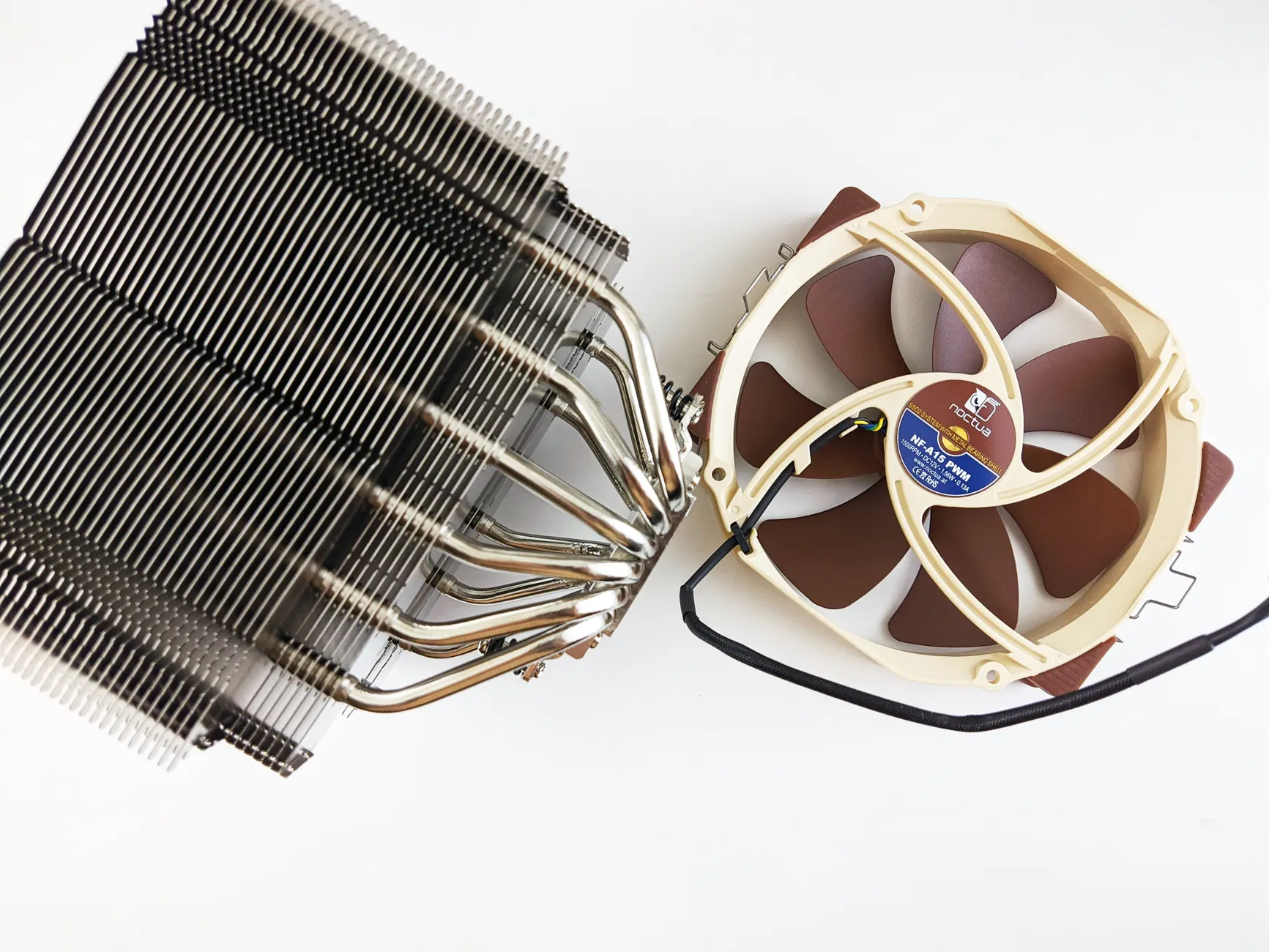
A decent aftermarket air cooler can drop both temperatures and noise dramatically over a stock unit.
Cooler Master Hyper 212 Black
In our testing the Hyper 212 materially improved Ryzen 5 3600 cooling and noise, but the comparison baseline must be the actual AM4 cooler used; an Intel stock cooler is not a valid Ryzen baseline. The invalid 50°C figure has therefore been removed.

See Cooler Master Hyper 212 Black on Amazon UK
Check today's price & availability on Amazon UK
Durability is a strong point too: one long-term test reported that after 14 months of continuous daily use — roughly four hours a day of gaming — the bearing was still smooth with no increase in noise or drop in performance. The only real gripe is the installation. The fan clips are fiddly to fit and the mounting hardware feels a touch cheap, but the cooling performance genuinely rivals coolers costing a fair bit more.
Thermalright AXP90-X53
For ITX and small-form-factor builds, where a tall tower cooler simply won't fit, the low-profile AXP90-X53 is a brilliant solution. Despite squeezing into a 53mm package, it handles up to 150W TDP and keeps things impressively quiet — only 22.4 dB of noise in testing. On an Intel i7-12700K under load it held CPU temperatures around 68°C at that 22.4 dB figure, which is genuinely excellent for a cooler this compact.

See Thermalright AXP90-X53 on Amazon UK
Check today's price & availability on Amazon UK
Build quality is reassuringly solid, with all-metal construction, nickel-plated copper heat pipes and aluminium fins. As with the Hyper 212, the catch is installation — the mounting system is frustrating enough that one tester spent an extra 20 minutes getting it seated compared to a standard cooler. Worth the patience for the silence it delivers in a tight chassis, though.
be quiet! Pure Rock Pro 3
If silence is your absolute priority and you've got the space, the Pure Rock Pro 3 is the quiet air cooler to beat. Its dual-tower design pairs lots of surface area with be quiet!'s famously hushed fans, and the result is serious cooling with very little acoustic signature. The one honest caveat: even this big cooler can run short of headroom for the very hottest high-end Intel i9 processors, so it's better suited to mainstream and upper-mid-range chips than the absolute top tier.

See be quiet! Pure Rock Pro 3 on Amazon UK
Check today's price & availability on Amazon UK
Arctic Freezer 36
Rounding out the coolers, the Arctic Freezer 36 runs two fans in a push-pull configuration, which gives it plenty of airflow for mid-range CPUs without spinning either fan too hard. It's a tidy, cost-effective way to get quiet, capable cooling onto a mainstream build, and the twin-fan setup means each fan can run slower — and therefore quieter — for the same total airflow.

See Arctic Freezer 36 on Amazon UK
Check today's price & availability on Amazon UK
Air vs Liquid Cooling: Which Is Actually Quieter?
There's a persistent myth that liquid cooling — an all-in-one (AIO) loop — is automatically the quiet option. In my experience, and backed by the numbers, that's not reliably true. AIOs add a pump, and that pump makes its own noise that no fan curve can switch off.
At the same performance level, air cooling is typically quieter than liquid cooling. Modern air coolers achieve 22–26 dB, whilst AIOs tend to run at 25–30 dB. On those figures air coolers come out a few dB quieter under load and draw slightly less power. Treat that as a general tendency rather than a guaranteed margin: the result depends on the specific cooler, fan curve, case and ambient temperature, and we have not published a controlled comparison of named models here. For a quiet-focused build, a good air cooler is very often the smarter, simpler and cheaper choice.
| Factor | Modern Air Cooler | All-in-One Liquid |
|---|---|---|
| Typical noise under load | 22–26 dB | 25–30 dB |
| Noise advantage | 3–5 dB quieter | — |
| Power draw | 5–7W lower | Higher (adds pump) |
| Extra noise source | None | Pump whine possible |
| Complexity | Simple, no leaks | More parts to fail |
If you do go liquid — for high-end chips or aesthetics — pay attention to radiator fans. The Corsair RS120 MAX, for instance, pushes 72 CFM with a hefty 4.2mm-H2O of static pressure, making it one of the strongest radiator fans available in 2026. Static pressure matters far more on radiators than on open case vents.
Your Step-by-Step Quiet-PC Plan
Let's pull all of this together into an order of operations. Work through these steps in sequence — most people find the noise is gone long before they reach the bottom of the list, and crucially, the free fixes come first.
Listen and diagnose
Identify whether the noise is airflow (whoosh, roar) or mechanical (click, grind, rattle). This decides everything that follows.
Clean thoroughly
Compressed air through heatsinks, fan blades, filters and the PSU. Hold fans still as you blow them. Free, and often the entire fix.
Check your temperatures
Confirm idle sits at 30–45°C and load stays below 85°C. Idle over 60°C means a deeper cooling problem.
Tune the fan curve
Smooth and flatten the ramp in BIOS so fans rise gently rather than surging — without letting anything overheat.
Replace worn fans
If the noise is mechanical or persists at low RPM, swap the offending fan. Cheap, quick, and dramatically quieter.
Upgrade the CPU cooler
If temperatures are the root cause, a quiet aftermarket cooler tackles both heat and noise at once.
Work top to bottom — the free fixes solve most cases before you ever need to buy hardware.
My Verdict on the Quiet Hardware
Having spent plenty of time with this kit, here's how I'd score the standout pieces if quiet running is your goal. These ratings weigh acoustic performance heavily, as you'd expect from a guide about noise — but I've factored in cooling, value and ease of living with the products too.
Who Should Buy What
The Perfectionist
You want the quietest, best-built case fan going and don't mind paying for it. The Noctua NF-A12x25 G2, with its 22.6 dB performance and six-year warranty, is your fan.
The Budget Builder
You're refreshing a whole case and need value. Arctic P12 PWM PST fans cover the basics brilliantly and are cheap enough to buy in a set without a second thought.
The Silence Seeker
You want a PC you genuinely can't hear at idle. be quiet! Silent Wings 4 fans, starting at 6.5 dBA, vanish into the background.
The Stock-Cooler Sufferer
Your noise comes from the CPU. The Hyper 212 Black drops temps by 50°C over an Intel stock unit at under 26 dB for very little money.
The Small-Form-Factor Fan
You're building ITX and space is tight. The Thermalright AXP90-X53 cools up to 150W at just 22.4 dB in a 53mm low-profile package.
The Quiet Powerhouse
You want serious mainstream cooling that stays hushed. The be quiet! Pure Rock Pro 3's dual-tower design is the quiet air cooler to beat.
Frequently Asked Questions
A sudden change usually points to a new heat source — a demanding game or program — or a fan that's just started failing. A gradual build-up over months, by contrast, is almost always dust restricting airflow and forcing fans to spin harder.
Yes, within limits. You can adjust fan curves to run quieter, but never so far that components overheat. Keep an eye on temperatures: idle around 30–45°C and load below 85°C is your safe window.
Listen to the texture. Dust produces an airy, turbulent whoosh that scales with speed. A failing bearing produces mechanical clicking, grinding or rattling that often persists even at low RPM. If cleaning doesn't fix a mechanical sound, the bearing has worn out.
Not necessarily. At the same performance level, modern air coolers run 22–26 dB versus 25–30 dB for AIOs — meaning air is typically 3–5 dB quieter under load and uses 5–7W less power. The pump in a liquid cooler adds noise of its own.
If your CPU is sitting above 60°C whilst doing nothing, you have a real cooling problem — not just a noise problem. That's the point to clean thoroughly, check your cooler is mounted properly, and consider an upgrade.
Often, yes. Modern quiet fans like the Noctua NF-A12x25 G2 (22.6 dB) move more air far more quietly than older or budget fans ever did, even when those were new. For a noticeably quieter machine, it's one of the most cost-effective upgrades available.
The Bottom Line
A loud PC is rarely a mystery and rarely expensive to solve. Start by listening: airflow noise points to dust or fan curves, both of which cost nothing to fix, whilst mechanical noise points to a worn fan that needs replacing. Clean first, check your temperatures against that 30–45°C idle and sub-85°C load benchmark, smooth out an over-eager fan curve, and only then reach for new hardware.
When you do upgrade, the choices are excellent. The Noctua NF-A12x25 G2 is the case fan to beat at 22.6 dB with a six-year warranty; the Arctic P12 is the value pick you can buy by the handful; and be quiet!'s Silent Wings 4 drops as low as 6.5 dBA for near-total silence. On the CPU side, the Hyper 212 Black transforms a stock-cooled machine for very little, the Thermalright AXP90-X53 keeps small builds cool and quiet at 22.4 dB, and the Pure Rock Pro 3 is the quiet air cooler I'd point most people towards. And remember — for most mainstream builds, a good air cooler is genuinely quieter than liquid, not the other way round.
Work through it methodically and there's no reason your PC can't fade quietly into the background where it belongs.
- ARCTIC MX-4 thermal pasteView on Amazon
- ARCTIC MX-7 thermal pasteView on Amazon
- Noctua NF-A12x25 G2 PWMView on Amazon
- Arctic P12 PWM PSTView on Amazon
- Cooler Master Hyper 212 BlackView on Amazon
- Thermalright AXP90-X53View on Amazon