
Nebula X1 vs XGIMI MoGo 4 Laser: Garden Cinema or Proper Home Cinema?
One is a bright, 4K, mains-powered movie machine. The other is a tiny battery projector you can take almost anywhere. Here is which one makes sense once the sun starts dropping.
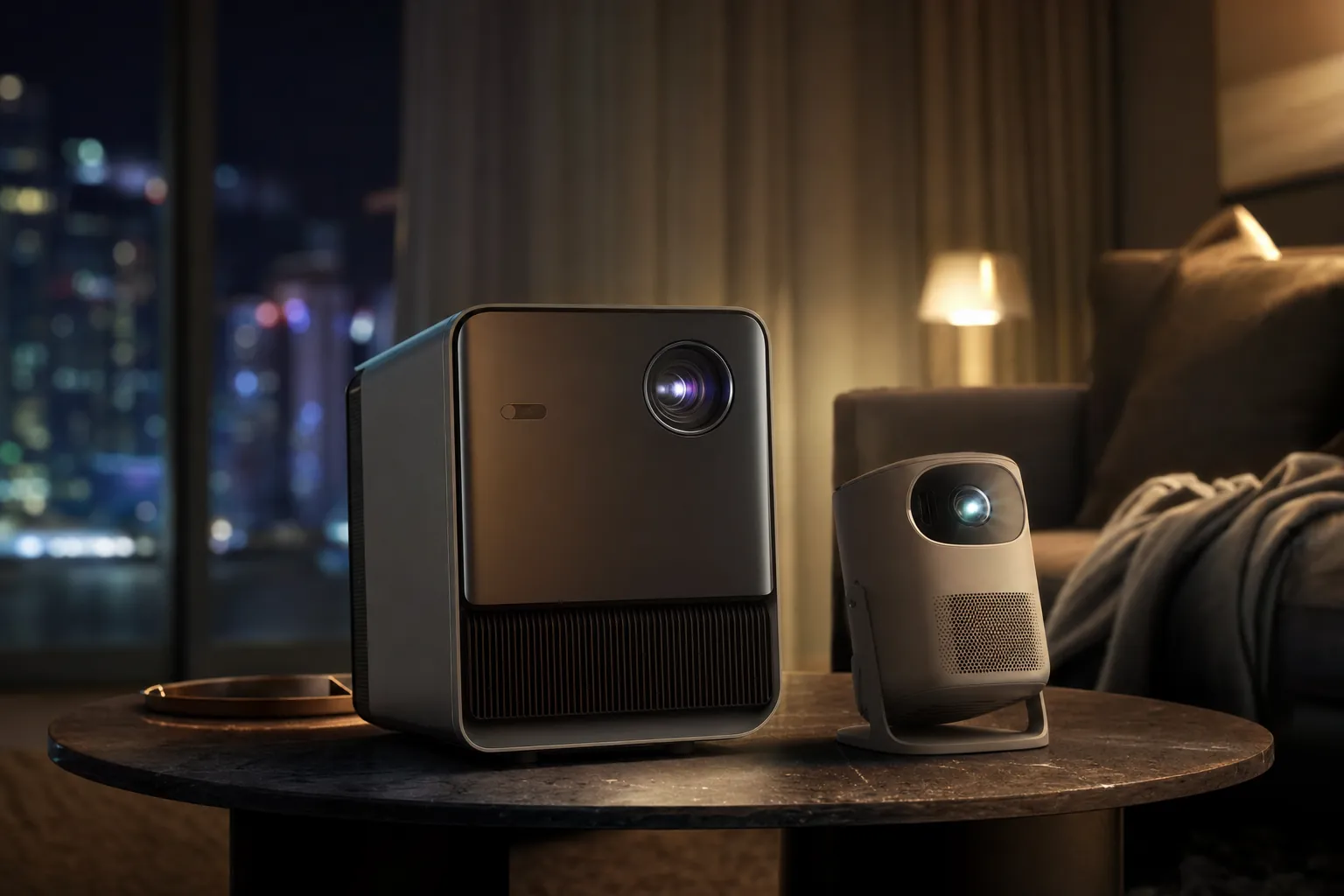
The real choice is not simply 4K versus 1080p: it is a large, semi-permanent cinema setup versus a projector you can grab with one hand.
Garden Screening or Living Room Cinema? Setting the Scene
Portable projectors are wonderfully easy to get wrong. A little cylinder that fits on a garden table sounds ideal until the film begins, the sky is still faintly blue and every fairy light in the neighbourhood turns your picture into a pale ghost. Brightness matters. Rather a lot, actually.
The soundcore Nebula X1 and XGIMI MoGo 4 Laser sit at opposite ends of the "portable" projector idea. The Nebula X1 is transportable rather than truly portable: a 6.2kg 4K triple-laser projector with no internal battery, a retractable handle and a serious appetite for mains power. The MoGo 4 Laser is the proper grab-and-go option. At 1.32kg, with a 71.28Wh internal battery and a 360-degree stand, it is the one you can sling in a bag for a bedroom, campervan, garden corner or holiday cottage.
That difference would be manageable if their pictures were broadly similar. They are not. Nebula rated the X1 at 3,500 ANSI lumens, and independent tests landed very close: ProjectorCentral measured 3,187 lumens in SDR and 3,177 lumens in HDR, whilst Tom's Guide recorded 3,491 lumens using an ANSI test pattern. XGIMI rated the MoGo 4 Laser at 550 ISO lumens. ANSI and ISO figures are different standards, so don't divide one by the other and call it laboratory science. In real viewing, though, the gap is enormous.
The X1 is for somebody planning a film night. The MoGo is for somebody who suddenly decides that projecting a film onto the bedroom ceiling sounds fun. Both are legitimate uses. They are simply not the same job.
The short version
If "outdoor cinema" means a 100-inch-plus screen, several guests and a start time before complete darkness, start with the Nebula X1. If it means two people, a dark corner of the garden and no extension lead draped through the flowerbeds, the MoGo 4 Laser makes much more sense.
There is also a Nebula X1 Pro in the wider family. It is a 32.8kg wheeled theatre station with 400W wireless Dolby Atmos 7.1.4 audio, and it is in a completely different class of commitment. It is very clever, but it is not the direct alternative here. This comparison stays with the standalone Nebula X1 and XGIMI MoGo 4 Laser, because these are the two models most likely to end up on your shortlist.
The Numbers That Matter: Spec Sheet Showdown
Specs are rarely the whole story, but here they tell a remarkably honest tale. Both projectors use RGB triple-laser light sources and both claim 110% BT.2020 colour coverage. From there, the routes split sharply: 4K, optical zoom and high output on the X1; lower weight, battery operation and a much simpler physical footprint on the MoGo.
| Specification | soundcore Nebula X1 | XGIMI MoGo 4 Laser |
|---|---|---|
| Display system | 0.47-inch DLP/XPR, 3840 × 2160 output | 0.23-inch DLP, 1920 × 1080 |
| Light source | RGB triple laser | Triple laser |
| Claimed brightness | 3,500 ANSI lumens | 550 ISO lumens |
| Claimed contrast | 5,000:1 | 1,000:1 |
| Image range | 80–300 inches | 40–200 inches |
| Throw ratio | 0.9:1–1.5:1 | 1.2:1 |
| Zoom | 1.67× optical zoom | Digital zoom |
| Dimensions | 283 × 186 × 248mm | 207 × 96 × 96mm |
| Power | 22V/10.9A external supply | 71.28Wh battery, USB-C PD3.0 input |
| Smart platform | Google TV | Google TV with licensed Netflix |
One small but important caveat: a claimed 200-inch image does not mean a satisfying 200-inch image in a normal garden. The MoGo can technically create one, but a large dim picture is still a dim picture. The X1's 300-inch headline is likewise not a licence to project onto the side of a village hall at tea time. Screens, darkness and expectations remain stubbornly physical things.
The Nebula X1 has the size and connections of a moveable home-cinema projector; the MoGo 4 Laser is closer to a compact travel companion.
Lumens Under the Stars: Brightness and Usable Screen Size After Dusk
This is the section where the Nebula X1 earns its large price gap. Its 3,187-lumen SDR and 3,177-lumen HDR ProjectorCentral measurements were recorded in Conference mode, while Tom's Guide's 3,491-lumen result came from an ANSI test pattern. Whichever figure you take, the headline 3,500 ANSI-lumen rating was unusually well supported by testing. That is a serious amount of light for a projector you can carry from room to room.
In practice, it changes the rhythm of a garden evening. With the X1, you can begin setting up and watching whilst there is still residual light in the sky. You will get a more convincing result after sunset, obviously, but you are not waiting for total darkness before the picture becomes recognisable. ProjectorCentral found it effective even with significant ambient light, and Tom's Guide judged it viable outdoors in daylight when the screen was shaded. That does not mean it beats direct sunshine. Nothing in this category does. It means it has genuine headroom.
The MoGo 4 Laser asks for a different sort of discipline. Its 550 ISO-lumen rating is respectable for something this small and battery-powered, but it is still modest. RTINGS found it very dim in practical use and best in a completely dark space with a small image. That is not a failure of the product so much as a consequence of trying to make light, batteries and a compact chassis coexist peacefully.
Screen-size reality check
For a big social screen after dusk, the X1 is the sensible choice at roughly 120 to 200 inches, provided you control nearby lighting. The MoGo 4 Laser is happier treated as a modest image projector in full darkness. Keep garden lights off, keep them behind the screen if they must stay on, and resist the urge to make the picture enormous just because the menu allows it.
The practical consequence is simple. The X1 is bright enough to look like the centrepiece of the evening. The MoGo is bright enough to make an intimate evening feel a bit magical. Neither is wrong. But if you invite eight people round, put out blankets and promise a "proper outdoor cinema", the smaller XGIMI is asking to work much harder than it should.
4K Sharpness vs 1080p Simplicity: Picture Quality Face-Off
The X1 delivers 3840 × 2160 output through its 0.47-inch DLP/XPR system. It has a 14-element all-glass lens, a 1.67× optical zoom and Dolby Vision, HDR10 and HLG support. On a large screen, those ingredients matter. Fine detail in textures, subtitles and 4K streaming material looks more composed, and the optical zoom gives you useful placement flexibility without constantly resorting to digital image scaling.
The MoGo 4 Laser is a native 1080p DLP projector. At modest sizes, 1080p is perfectly pleasant; it is still sharp enough for films, animation and streaming boxes. The compromise becomes obvious as screen size grows or when you put it next to a 4K model. Its HDR support is HDR10, without Dolby Vision or HDR10+, and it has no optical zoom. You move the projector to change the image size. That sounds almost charmingly old-school until the perfect table is three inches too close to the wall.
Nebula X1: more cinema hardware
4K output, Dolby Vision, HDR10, HLG, optical zoom and a 14-element all-glass lens make the X1 better equipped for a proper screen rather than an improvised wall.
Both: broad colour claims
Both models claim 110% BT.2020 colour coverage, helping them produce rich colour rather than the washed-out look older lamp projectors often delivered.
Nebula X1: measured contrast
Tom's Guide measured 1,311:1 full-on/full-off contrast. It is below the 5,000:1 claim, but still a useful real-world reference rather than marketing fog.
MoGo 4 Laser: darkness required
The XGIMI produces rich colour and good bright-scene contrast, but raised blacks make dark films less convincing than they ought to be.
Laser speckle is also worth mentioning for the X1. ProjectorCentral found it minor and visible only very close to the screen. Most viewers sitting at sensible movie-watching distance should not spend the evening thinking about it. The MoGo's more obvious picture constraints are brightness and black-level depth rather than laser artefacts.
So, is 4K essential? Not for a 70-inch bedroom projection from the MoGo. It absolutely becomes worthwhile when you give the X1 a large screen and a good source. This is one of those occasions where the resolution badge is attached to a broader package of better optics, stronger HDR support and more light—not merely extra pixels.
The X1's 4K output and Dolby Vision support suit a large dedicated screen, while 1080p works best when the MoGo 4 Laser is kept modestly sized.
Sound That Fills the Garden (or Doesn't)
Projector speakers are usually something you tolerate because you do not want to unpack anything else. The Nebula X1 gets closer than most to being an exception. Its 40W system uses two 15W woofers and two 5W tweeters, with Dolby Audio support. Dialogue has proper presence, effects carry more weight and it can serve a small garden gathering without immediately sounding strained.
It is not a miracle box. Reviews still found that deep sub-bass was missing, which is exactly what you would expect from a projector chassis rather than a separate subwoofer. But the X1 has scale. You can put it on, sit back and not feel that the soundtrack is coming from a tin under the screen.
The MoGo 4 Laser has two 6W Harman Kardon speakers. For personal viewing, a bedroom film or a couple of people on the patio, they are useful and clear. PC Gamer described them as somewhat tinny, however, and that feels fair. They do not have the bass or the physical presence to fill a garden full of chatter, wind and rustling snack packets. It is not a criticism unique to XGIMI; physics has always been annoyingly consistent.
| Audio feature | soundcore Nebula X1 | XGIMI MoGo 4 Laser |
|---|---|---|
| Integrated power | 40W total | 2 × 6W |
| Driver arrangement | 2 × 15W woofers, 2 × 5W tweeters | 2 × 6W Harman Kardon speakers |
| Audio support | Dolby Audio | Bluetooth speaker mode |
| Expanded audio | Optional wireless satellites for 4.1.2 sound | Built-in speaker system |
| Outdoor speaker protection | Optional satellites are IP54 rated | Not confirmed |
Nebula X1 audio strengths
- 40W output is far more convincing for a group.
- Woofers and tweeters give dialogue and effects more separation.
- Wireless satellite speakers can turn the setup into 4.1.2 sound.
MoGo 4 Laser limits
- 12W total output suits a small huddle rather than a party.
- Clear sound, but limited bass and a localised presentation.
- Garden noise can overwhelm it faster than you might expect.
If sound matters as much as picture, the X1 is a much easier recommendation. If you already own a portable Bluetooth speaker, the MoGo's speaker mode and compact size still make for a practical travel setup. Just do not expect either route to replace a proper surround package without adding more hardware.
Check today's price: Nebula X1 on Amazon UK
Cable-Free Freedom vs Mains-Powered Muscle: Battery and Power
This is the MoGo 4 Laser's knockout punch. It has a 71.28Wh internal battery, with a claimed video runtime of up to 2.5 hours in Eco mode. That is theoretically enough for a normal film, including a little time spent wondering why the Wi-Fi has chosen tonight to become temperamental. It can also run for up to six hours in music mode with the projection lighting off and volume at or below 50%.
It supports 65W power-bank operation through USB-C PD3.0, so you can extend the session without hunting for a wall socket. The optional PowerBase Stand takes claimed combined movie runtime to up to five hours. That is exactly the kind of practical flexibility a compact projector ought to offer: no cable, no elaborate site survey, just a dark surface and something to watch.
The Nebula X1 has no battery at all. It requires its 22V/10.9A external power supply. That will be a deal-breaker for campers and anyone who wants to project at the end of a field. For homeowners, it is less dramatic. A mains socket or suitable power station near the patio is usually manageable, and the reward is the vastly brighter image. Still, call it what it is: this is not a wireless projector.
Battery claims are made in Eco mode. Leaving Eco mode for a brighter image reduces the MoGo 4 Laser's available playtime, so a two-hour film is sensible rather than lavish battery planning. Bring a USB-C power bank if the credits matter to you.
Handling follows the same divide. At 1.32kg, the MoGo is genuinely one-handed. Its cylindrical body, integrated lens protection and rotating stand make it a natural companion for spontaneous viewing. At 6.2kg, the X1 remains portable enough to take to the garden or another room, helped by its retractable handle, but it feels like equipment. You carry it deliberately. You find it somewhere sensible to sit. You plug it in. Then it rewards you.
Battery power makes the MoGo 4 Laser unusually easy to deploy anywhere; the Nebula X1 trades that freedom for far higher light output.
From Box to Big Screen: Setup Speed and Smart Features
Both manufacturers understand that nobody wants to spend the first twenty minutes of a film night adjusting a trapezoid. The X1 has a motorised micro-gimbal, autofocus, auto-keystone, auto screen fit and obstacle avoidance. It is impressively sophisticated: place it, power it and let it get on with the alignment work. The gimbal cannot aim downward, and relying on digital keystone can crop usable resolution, but it remains one of the more accommodating large projector setups.
The MoGo 4 Laser arguably feels even quicker for casual use because its integrated stand rotates through 360 degrees. It can point at a wall, angle up toward a ceiling or adapt to whatever slightly wonky garden table you have found. Uninterrupted autofocus, auto-keystone and eye protection help make the process feel fuss-free. It is very much designed for people who would rather choose a film than calibrate an image.
Nebula X1 alignment
Motorised micro-gimbal, autofocus, auto-keystone, screen fit and obstacle avoidance support near-instant setup on a screen or clear wall.
MoGo 4 Laser positioning
The 360-degree integrated stand is superbly handy for ceiling projection, low tables and improvised viewing locations.
Streaming baked in
Both use Google TV and support Google Cast. The MoGo 4 Laser also includes licensed Netflix, so it does not need a workaround for one of the biggest streaming services.
Connections favour X1
The X1 has two HDMI 2.1 inputs, including one with eARC, alongside USB-A, USB-C and 3.5mm analogue/optical audio. The MoGo has HDMI 2.0 with ARC, USB-A and USB-C.
For a permanent-ish living-room setup, the X1's connections are the more useful set. Two HDMI inputs and eARC make it much easier to fold into an existing AV system. The MoGo's connectivity is enough for a compact self-contained projector, especially when Google TV supplies the apps, but it is not trying to become the hub of a home cinema.
Controller in Hand: Gaming and Input Lag
Neither projector is the obvious answer for competitive gaming. That is worth saying before a spec sheet convinces you otherwise. The X1 has a dedicated Game picture mode and was described by Tom's Guide as capable, but not ultra-low-latency. That makes it reasonable for relaxed co-op, sports games, party titles and the sort of garden Mario Kart session where everyone is laughing too much to measure milliseconds.
The MoGo 4 Laser has a more complicated story. XGIMI claimed latency of 20ms or less at 1080p/60Hz with automatic keystone disabled, rising to 56ms or less with keystone enabled. That last condition matters because automatic image correction is one of the reasons you buy a compact projector in the first place. RTINGS found practical gaming responsiveness poor, with noticeable delay.
For a console connected to a large outdoor screen, the Nebula X1 is the safer casual-gaming pick because its bright image remains usable at the sort of sizes that make group play worthwhile. Serious online players should still look for a projector with independently verified ultra-low input lag.
Price, Packages and What You Actually Get
As of Wednesday 12 August 2026, the standalone Nebula X1 occupied a very different price band from the MoGo 4 Laser. Soundcore UK listed the X1 at £1,899.99 on promotion against a £2,199.99 reference price. In the US, it was listed at $2,499 on promotion against a $2,999 reference price. The MoGo 4 Laser was £679 in the UK, while XGIMI's US page showed $569 on promotion against a $799 reference price.
That makes the MoGo far cheaper, but calling it "better value" without context would be lazy. It is buying a different thing. The X1's premium pays for near-3,500-lumen real-world output, 4K, Dolby Vision, optical zoom, much stronger built-in sound and more capable connectivity. The MoGo's lower cost buys genuine battery portability, compact dimensions, Google TV with Netflix and a setup you can take almost anywhere.
soundcore Nebula X1
UK promotional price listed against a £2,199.99 reference price. US promotional listing: $2,499.
XGIMI MoGo 4 Laser
UK price. US promotional listing: $569, against a $799 reference price.
Nebula X1 Pro
A much larger theatre station with 400W wireless Dolby Atmos 7.1.4 audio; US listing: $6,499.
The optional Nebula wireless satellite speakers make the X1 system more ambitious again, creating a 4.1.2 arrangement with IP54-rated satellites. That is appealing for regular outdoor entertaining, but it raises the total spend. The X1 Pro shows where this road ends: it has wheels, a 400W sound system, detachable speakers and an optional 200-inch inflatable screen. It is gloriously over-the-top, in the best possible sense, but it is not a casual purchase.
| Portable-projector context | XGIMI MoGo 4 Laser | XGIMI MoGo 4 |
|---|---|---|
| Rated brightness | 550 ISO lumens | 450 ISO lumens |
| Contrast and colour positioning | Wider colour performance and stronger contrast than standard MoGo 4 | Lower than Laser model |
| Gaming positioning | RTINGS found poor responsiveness | RTINGS gave standard MoGo 4 the gaming-latency advantage |
| Portability extras | 71.28Wh battery and 360-degree stand | 71.28Wh battery |
A serious garden setup involves more than a projector: a decent screen, controlled lighting and enough sound make the difference between a novelty and a film night.
Strengths and Weaknesses, Side by Side
There is no point pretending either model is perfect. The X1 is a formidable projector, but its battery-free design and 6.2kg chassis narrow where it can sensibly go. The MoGo is a joy to carry, but its light output dictates the conditions in which it looks its best.
soundcore Nebula X1 strengths
- Measured output of 3,187–3,491 lumens is excellent for a moveable projector.
- 4K output, Dolby Vision, HDR10 and HLG are a proper home-cinema feature set.
- 40W speaker system has far more authority than typical portable-projector audio.
- 1.67× optical zoom, motorised gimbal and automatic alignment make placement easier.
- Two HDMI 2.1 inputs, including eARC, suit an AV setup better.
soundcore Nebula X1 trade-offs
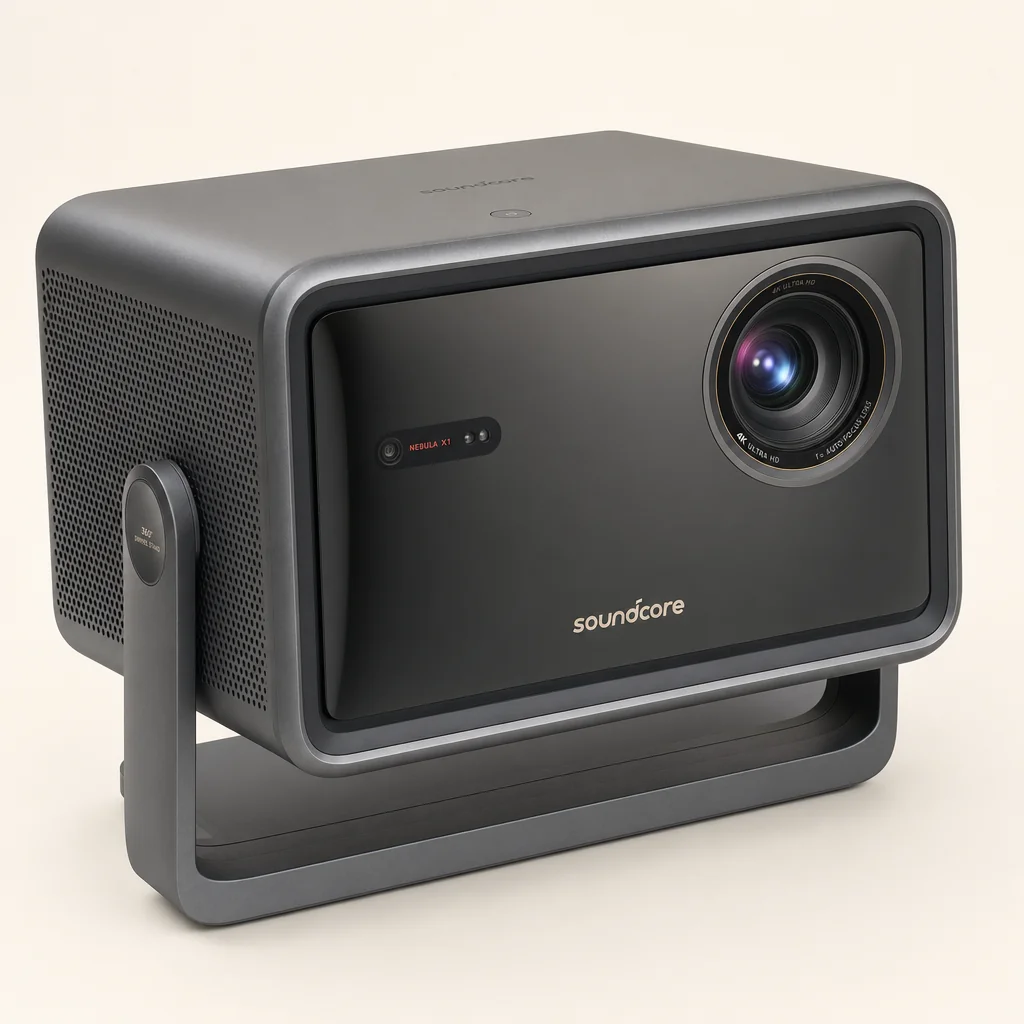
- At 6.2kg, it is transportable rather than backpack portable.
- No internal battery means mains power or a suitable power station is essential.
- Its price sits far above the XGIMI.
- Deep bass still benefits from external speakers or the satellite package.
- The gimbal cannot aim downward, and keystone correction can crop resolution.
XGIMI MoGo 4 Laser strengths
- 1.32kg weight and internal 71.28Wh battery make it genuinely portable.
- USB-C power-bank support is ideal for travel and outdoor use.
- The 360-degree stand, autofocus and auto-keystone are excellent for spontaneous viewing.
- Google TV with licensed Netflix keeps the setup simple.
- Triple-laser colour gives it more visual flair than many tiny projectors.
XGIMI MoGo 4 Laser trade-offs
- 550 ISO lumens requires a dark garden or room for satisfying results.
- Raised blacks limit the impact of very dark films.
- 2 × 6W audio is clear but not garden-filling.
- There is no optical zoom, so screen size means moving the projector.
- Gaming responsiveness was poor in independent testing.
Who Should Actually Buy Which?
The best choice becomes clear once you stop treating portability as a single category. Carrying something from the living room to the lawn is not the same thing as using it in a field without electricity. Likewise, "garden cinema" can mean a serious screen and a dozen chairs, or a duvet, two drinks and a blank wall. Buy for your actual evenings, not the fantasy version in the advert.
soundcore Nebula X1
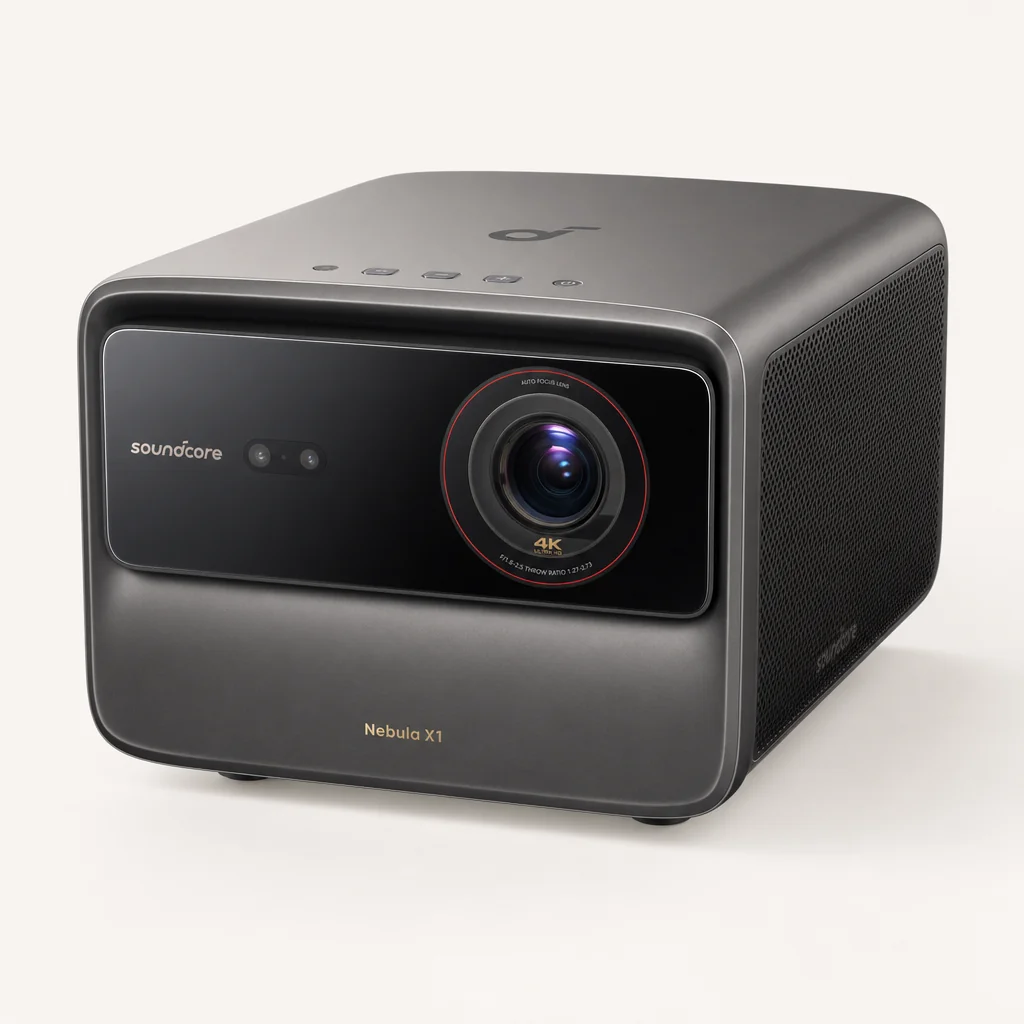
Buy the X1 if you host film nights, want a large screen that stays punchy after dusk, value 4K and Dolby Vision, and can run an extension or power station. It is also the stronger indoor home-cinema choice.
XGIMI MoGo 4 Laser
Buy the MoGo if battery operation, 1.32kg portability and ultra-fast setup matter more than a massive screen. It is the better companion for camping, bedrooms, ceilings and intimate garden viewing.
soundcore Nebula X1 Pro
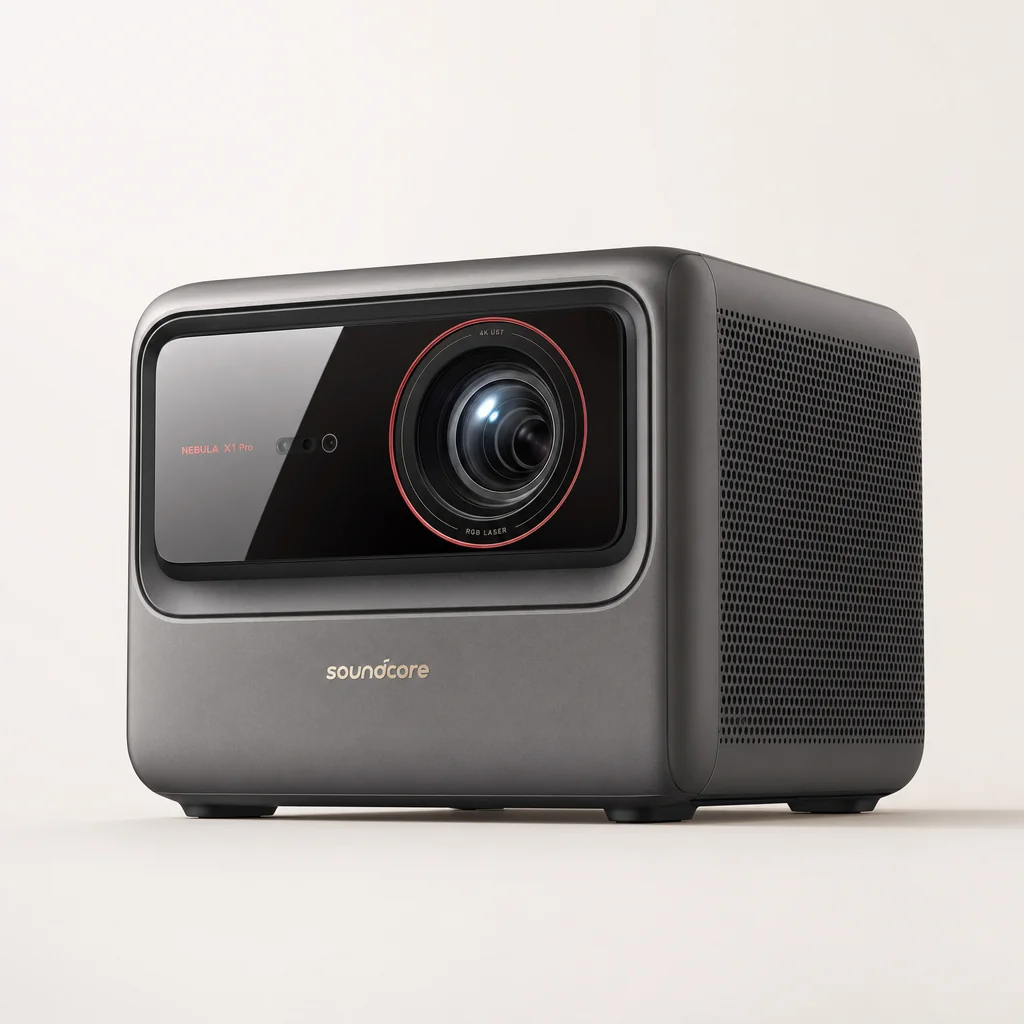
Consider the X1 Pro only if you want a wheeled, all-in-one outdoor theatre system with 400W wireless Dolby Atmos 7.1.4 sound. It is a different league of scale, cost and commitment.
For the dedicated garden host, I would choose the Nebula X1. Its brightness changes what time your event can begin, and its sound system means you are not instantly shopping for external speakers. It is the one that can make a patio feel like a miniature cinema rather than a projector demonstration.
For campers, festival-goers, frequent travellers and spontaneous movie-night people, I would choose the MoGo 4 Laser. Its limitations are easy to work around if you choose darkness, keep the picture modest and accept that the built-in speakers are for a few people rather than a crowd. The freedom to put it almost anywhere is the whole point.
The better choice depends on whether your ideal film night starts with arranging a screen and chairs, or simply putting a projector on the nearest table.
Frequently Asked Questions
The Verdict: Two Winners for Two Different Nights
For a large, communal screen with real visual impact, the Nebula X1 is the stronger cinema tool; for anywhere viewing, the MoGo 4 Laser remains wonderfully easy to live with.
Gadget Scout's final call
Better Buy for proper cinema: soundcore Nebula X1. Its 3,187–3,491-lumen measured output, 4K image, Dolby Vision support, optical zoom and 40W sound system put it in a different class for a large living-room screen or an outdoor film night that begins before the sky is completely black. It needs mains power and it is not cheap, but it delivers the scale its price promises.
Better Buy for garden grab-and-go: XGIMI MoGo 4 Laser. At 1.32kg, with a 71.28Wh battery, USB-C power-bank support, licensed Netflix and a 360-degree stand, it is vastly easier to take anywhere. Keep the image sensible, wait for darkness and use it for intimate screenings rather than a garden crowd. Do that, and it is a lovely little projector.
The answer, then, is wonderfully uncomplicated. Want to build a cinema? Buy the Nebula X1. Want to carry a cinema in one hand? Buy the XGIMI MoGo 4 Laser.
- Nebula X1View on Amazon
- Nebula X1 ProView on Amazon