
MSI Claw 8 AI+ vs Lenovo Legion Go S: Windows Power or SteamOS Simplicity?
Two excellent 8-inch handhelds, but one big question: do you want a tiny Windows PC, or a console that happens to be a PC?
We link to the exact model on Amazon UK. Prices change often, so check the live price before you buy. As an Amazon Associate we earn from qualifying purchases.
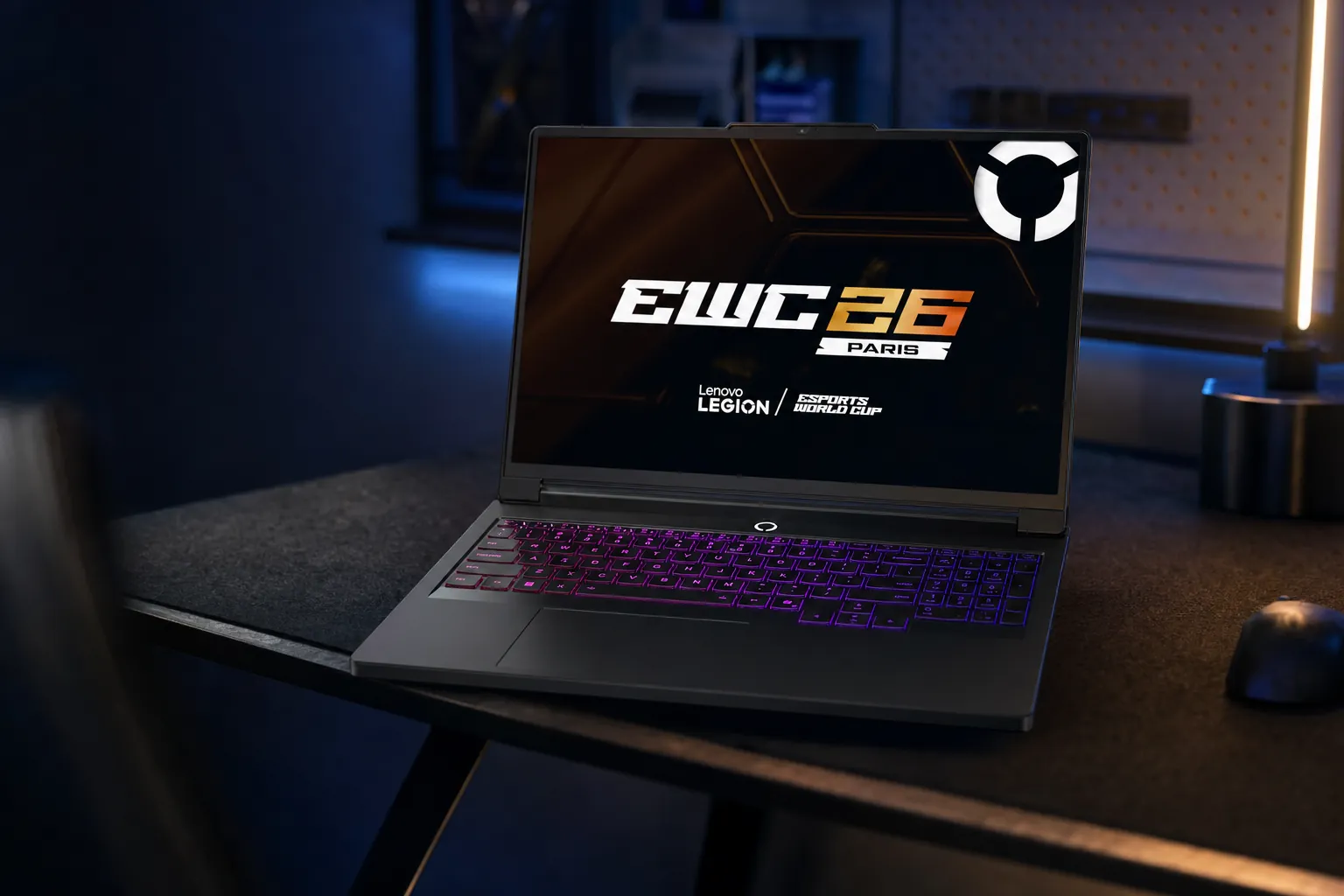
The MSI Claw 8 AI+ and Lenovo Legion Go S shared a big-screen handheld format, but their software experience made them feel like very different machines.
Two handhelds, one deceptively important choice

See Legion Go S SteamOS on Amazon UK
Check today's price & availability on Amazon UK
See Lenovo Legion Go S on Amazon UK
Check today's price & availability on Amazon UK

See MSI Claw 8 AI+ on Amazon UK
Check today's price & availability on Amazon UK
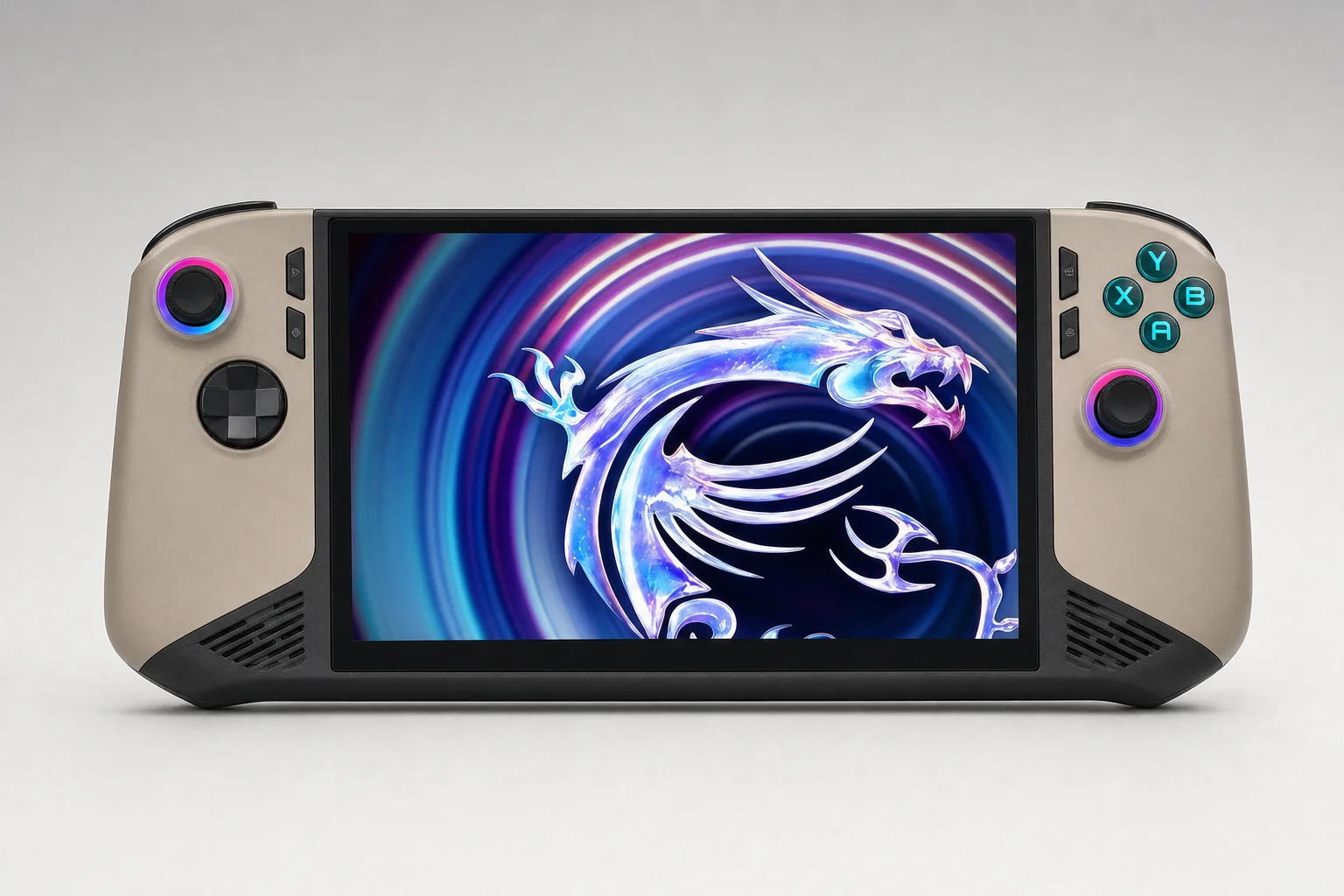
This is not really a contest between two rectangles with sticks attached. It is a contest between two ways of owning a handheld. The MSI Claw 8 AI+ behaved like a properly capable Windows 11 PC you could take anywhere. The Legion Go S, particularly in SteamOS form, behaved much more like a console. Both approaches had real advantages. Both came with compromises that mattered every single time you switched them on.
The Claw 8 AI+ arrived with Intel's Core Ultra 7 258V, Arc 140V graphics, 32GB of memory and a generous 80Wh battery. It was a substantial bit of kit, both physically and financially, but it was also unusually well equipped for the job. You could install Steam, Xbox PC Game Pass, Battle.net, Epic Games Store, GOG, Ubisoft Connect and the rest without needing to become a part-time Linux troubleshooter.
Lenovo's Legion Go S was more complicated. It existed as a Windows 11 or SteamOS machine, with either the entry-level Ryzen Z2 Go or the materially faster Ryzen Z1 Extreme. That means "Legion Go S" was not one performance tier, one price point or even one user experience. A discounted 16GB/1TB Z2 Go SteamOS model at £399 was a very different proposition from a 32GB/1TB Z1 Extreme version at £699.
That distinction is the whole story. The Claw was the safer recommendation for someone who wanted every launcher, every Windows utility and as few compatibility barriers as possible. The SteamOS Legion was the friendlier recommendation for someone whose gaming life already lived in Steam and who wanted to press power, pick a game and get on with it. There is a surprisingly large amount of happiness in not having to poke a desktop with your thumb.
The short version
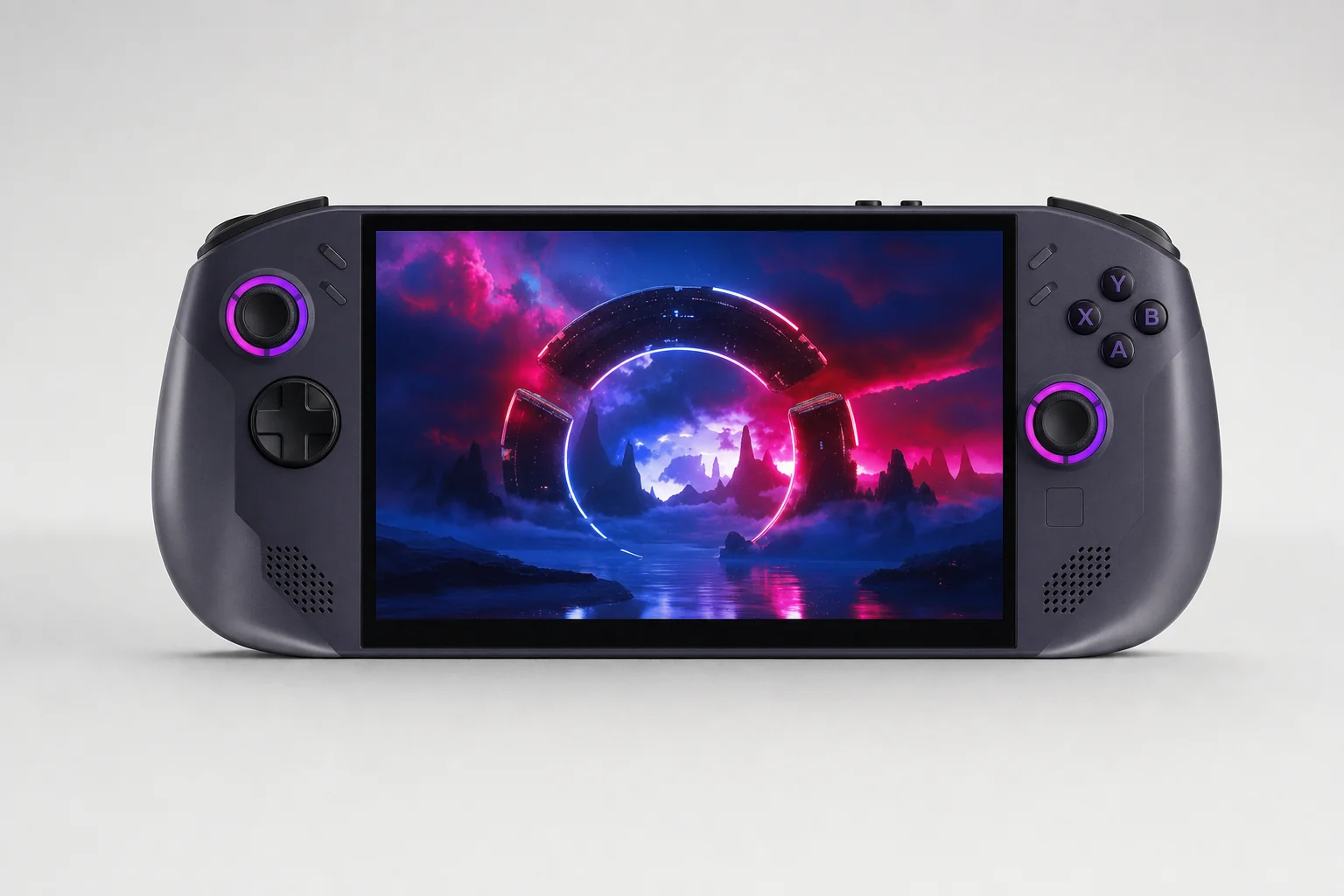
If your library is mainly Steam, Legion Go S SteamOS was the lower-friction choice. If Xbox PC Game Pass downloads, multiplayer anti-cheat, Battle.net, Epic or Windows software were non-negotiable, MSI Claw 8 AI+ was the more flexible machine.
The line-up and prices were more complicated than the names suggested
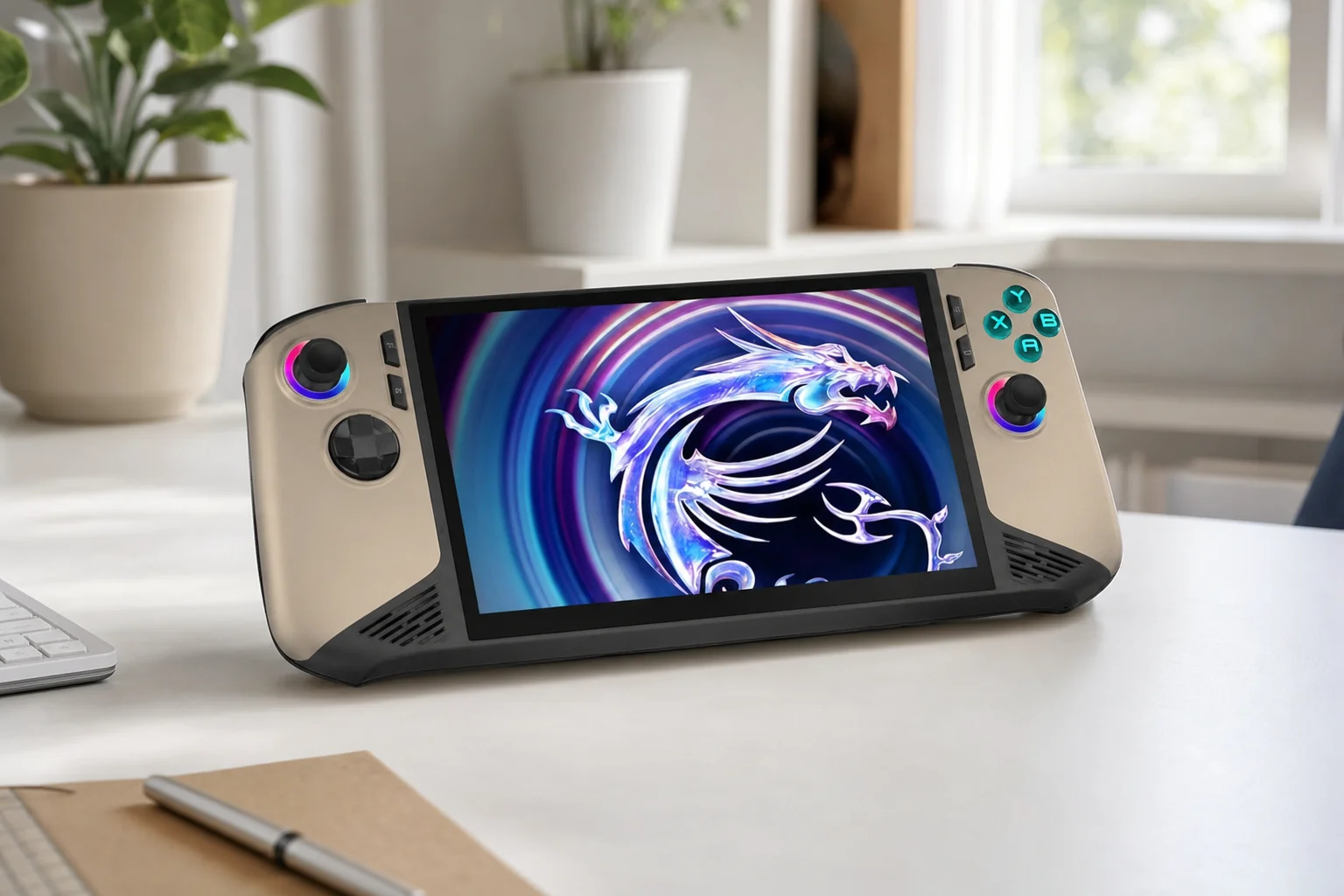
MSI's range looked busier than it really was. The standard Claw 8 AI+ A2VM was the core product. The Glacier Blue Edition and Polar Tempest Edition were retail or colour variants built on the same A2VM platform, while the Super Pack did not add a faster processor, more memory or different graphics. It was the same handheld with useful extras: a travel case, tempered-glass protector, lanyard, Nest docking station, USB-C cable and 100W PD adapter.
For UK buyers, Currys listed the 1TB Claw 8 AI+ at £829. Other UK reporting placed the standard price at £899, with a white 2TB configuration at £999. In the US, the 1TB launch price was $899.99, while MSI's own 2TB listing showed $1,299.99 when it was listed. That was a premium position, no getting around it.
MSI Claw 8 AI+ 1TB
Observed Currys price for the 32GB Windows handheld.
MSI Claw 8 AI+ 2TB
Reported UK price for the white 2TB configuration.
Legion Go S SteamOS
Observed sale price for Ryzen Z2 Go, 16GB memory and 1TB storage.
Legion Go S Z1 Extreme
Reported list price for the 32GB/1TB higher-performance model.
The price gap mattered because the £399 SteamOS Legion was not competing directly with MSI's 32GB Claw on raw hardware. It was selling a different idea: good-enough performance, 1TB of storage and a much more console-like front end for considerably less money.
On Lenovo's side, the choice began with the Ryzen Z2 Go. It appeared with 16GB/512GB or 16GB/1TB storage in Windows and SteamOS variants, plus a 32GB/1TB Windows configuration in selected markets. Above it sat the 32GB/1TB Ryzen Z1 Extreme model, available in SteamOS and Windows versions depending on region. If you were comparing performance rather than operating systems, make sure you knew which chip was inside. This one caught plenty of people out.
The Legion Go S range mixed Ryzen Z2 Go and Ryzen Z1 Extreme hardware, so the processor and operating system on the box mattered more than the shared product name.
Big, sharp and fast-refreshing: the screens were remarkably close
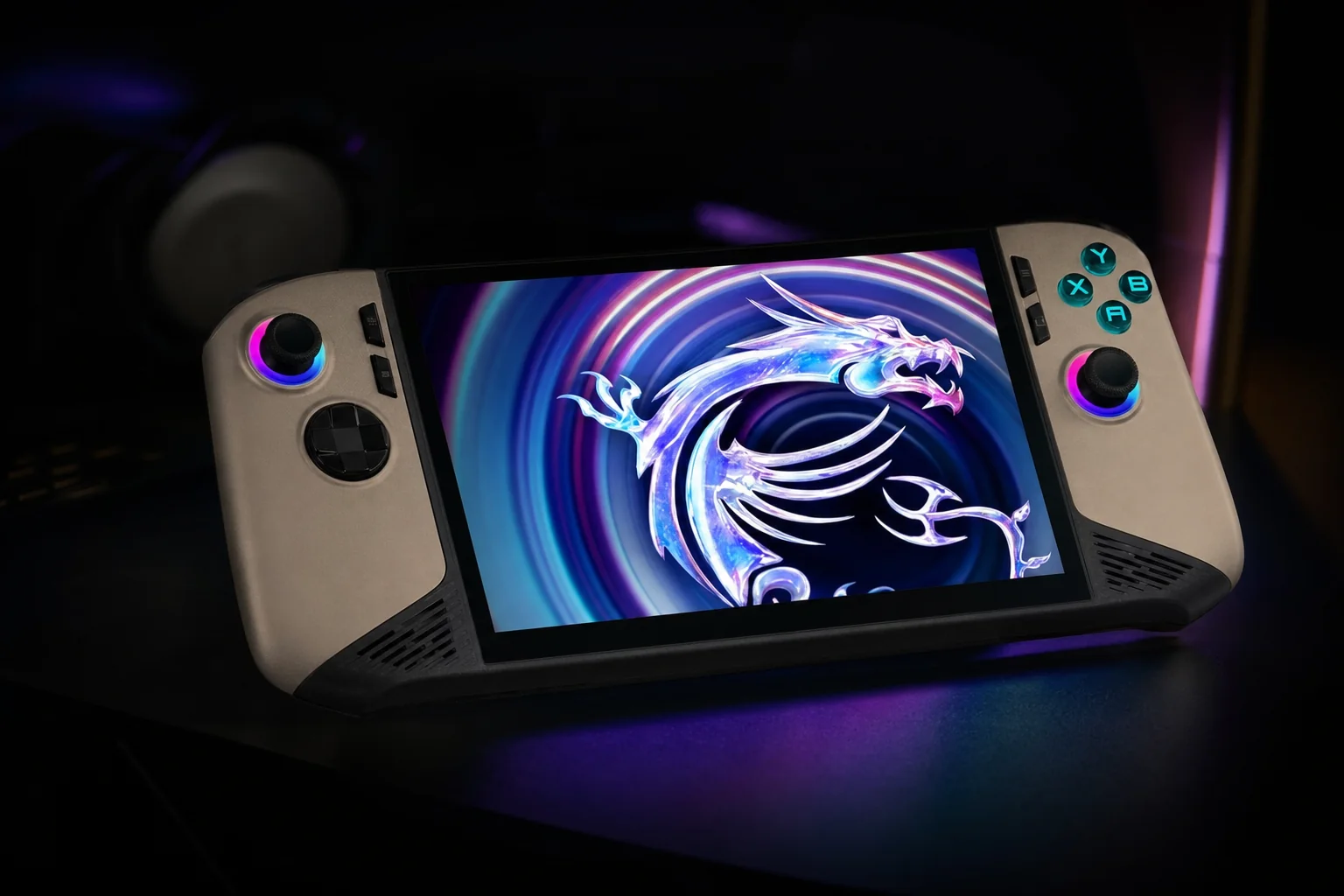
On paper, this was one of the least dramatic parts of the comparison. Both handhelds used an 8-inch 1920×1200 touchscreen with 48–120Hz variable refresh rate support and 100% sRGB colour coverage. In other words, both gave you a sharper, roomier canvas than the 1280×800 Steam Deck OLED, without pushing all the way to the original Legion Go's demanding 2560×1600 panel.
The MSI used an IPS-level panel, while the Legion Go S had a 500-nit WUXGA IPS display. Lenovo's stated brightness figure was useful for anyone who actually played away from the sofa: train seats, hotel rooms and a suspiciously sunny British garden all make a handheld screen work harder. The MSI's display still had the same key advantages for gaming: 120Hz at the top end, VRR to smooth fluctuating frame rates and enough resolution to make strategy games, older PC titles and desktop windows more tolerable.
| Display specification | MSI Claw 8 AI+ | Lenovo Legion Go S |
|---|---|---|
| Screen size | 8 inches | 8 inches |
| Resolution | 1920×1200 | 1920×1200 |
| Panel type | IPS-level touchscreen | IPS touchscreen |
| Refresh range | 48–120Hz VRR | 48–120Hz VRR |
| Colour coverage | 100% sRGB | 100% sRGB |
| Buy | Check price | Check price |
There was no need to treat 120Hz as a promise that every new blockbuster would run at 120fps. It would not. At handheld-friendly settings, modern AAA games were often about finding a convincing 30fps, 40fps or 60fps compromise. The high-refresh panel mattered because it made lighter games feel terrific, made streaming responsive and let VRR hide the little wobbles that are inevitable on an integrated GPU.
Screen verdict
This was effectively a draw. The Legion's specified 500-nit brightness was a tangible plus, but both machines gave you the same appealing 8-inch, 1200p, 120Hz VRR formula. Neither screen was the reason to choose Windows over SteamOS.
Comfort, controls and ports: the details you felt every minute
The Claw 8 AI+ measured roughly 299 × 126 × 24mm and weighed about 795g. The Legion Go S measured approximately 298.5 × 127.55 × 22.6–43.4mm and weighed around 740g. That made the Lenovo roughly 55g lighter. It does not sound seismic on a specification page. In a long session of Elden Ring, though, 55g can be the difference between "one more boss attempt" and "I need to put this down before my wrists lodge a formal complaint".
MSI's broader grips helped distribute its weight, and reviewers generally found the Claw more comfortable than its hefty 795g figure suggested. Lenovo also had a comfortable shape, but its lighter chassis was the more obvious win for portable use. Neither was a featherweight. These were serious handheld PCs with large screens and dual USB-C ports, not pocket consoles.
MSI Claw 8 AI+ controls
Hall-effect sticks and triggers, a D-pad, face buttons, bumpers, macro buttons and HD haptics formed a conventional but well-equipped control layout. RGB stick rings and illuminated face buttons added a bit of theatre without changing the essentials.
Lenovo Legion Go S controls
The Legion also used Hall-effect sticks and triggers, then added a touchpad, four function buttons and adjustable trigger range. The touchpad was particularly useful when a desktop prompt appeared or a stubborn launcher refused to understand that you were holding a gamepad.
Connectivity advantage
MSI advertised Wi-Fi 7 and Bluetooth 5.4, while Lenovo listed Wi-Fi 6E and Bluetooth 5.3. Both had enough wired connectivity for a dock, display output, storage and peripherals; MSI's Thunderbolt 4 branding gave it the more premium paper specification.
Performance was a platform fight, not a simple MSI-versus-Lenovo score
The MSI Claw 8 AI+ used Intel's Core Ultra 7 258V: an eight-core, eight-thread processor running up to 4.8GHz, paired with Arc 140V graphics with up to eight Xe cores. It also had 32GB of LPDDR5X memory, specified at up to 8533MHz in MSI's US listing. That was serious handheld hardware, and the 32GB allocation was a quietly important advantage for demanding games, multitasking and integrated graphics that borrowed system memory.
MSI also included Intel AI Boost, rated at up to 47 NPU TOPS, with MSI quoting up to 119 total AI TOPS. That was part of its Copilot+ PC positioning and AI Engine feature set. It was not the reason to buy a gaming handheld, but it did underline how much more PC-like the Claw was trying to be.
The Legion Go S had two very different engines. Ryzen Z2 Go used four cores and eight threads at 3.0–4.3GHz, Radeon RDNA 2 graphics and 6400MT/s memory. The Z1 Extreme configuration was the model to treat as a true high-performance alternative: it used an eight-core, 16-thread Zen 4 CPU and RDNA 3 graphics, with the SteamOS version listed at 7500MT/s memory. The Z1 Extreme was not merely a storage upgrade or a nice-to-have SKU. It was a different class of machine.
| Platform | MSI Claw 8 AI+ | Legion Go S Z2 Go | Legion Go S Z1 Extreme |
|---|---|---|---|
| Processor | Core Ultra 7 258V | Ryzen Z2 Go | Ryzen Z1 Extreme |
| CPU configuration | 8 cores / 8 threads, up to 4.8GHz | 4 cores / 8 threads, 3.0–4.3GHz | 8 cores / 16 threads |
| Graphics architecture | Intel Arc 140V, up to 8 Xe cores | AMD Radeon RDNA 2 | AMD Radeon RDNA 3 |
| Memory options | 32GB LPDDR5X | 16GB or 32GB LPDDR5X | 32GB LPDDR5X |
| Memory speed | Up to 8533MHz | 6400MT/s | 7500MT/s on SteamOS model |
In real gaming, Expert Reviews measured the Claw at 56fps in Forza Horizon 5 at 1280×800, High settings and 15W without upscaling. At 1920×1080 High it managed 45fps, rising to around 53fps at 30W. That is a useful reminder that the Claw had enough horsepower to make sensible compromises rewarding rather than miserable.
The Legion's most illuminating result came from testing that installed SteamOS on a Z2 Go Windows unit. SteamOS ran roughly 4–15fps faster than Windows on the same hardware, depending on game and resolution. The Z1 Extreme then moved further ahead of the Z2 Go: around 8fps faster in Shadow of the Tomb Raider at 800p, 11fps in Cyberpunk 2077, 14fps in Far Cry 6 and Red Dead Redemption 2, and 18fps in Borderlands 3.
Intel Arc compatibility had improved dramatically compared with MSI's original Claw, but AMD's handheld driver ecosystem remained the more familiar quantity game by game. XeSS could be very useful on the Claw, but the safest expectation was still to check settings and performance for the particular games you actually played.
The Claw's Intel platform and the Legion's AMD options could all deliver credible handheld gaming, but the Z1 Extreme Legion sat well above entry-level Z2 Go models.
Windows setup: flexibility first, friction included
Windows 11 was the Claw 8 AI+'s greatest strength and its most persistent annoyance. The first boot was familiar territory if you already owned a gaming laptop: account prompts, updates, driver updates, launcher installation, controller settings, display scaling and a little housekeeping before the fun started. None of that was difficult. It was just not especially handheld-like.
Once set up, Windows made the MSI exceptionally broad. Steam worked. Epic worked. Xbox PC Game Pass downloads worked. Battle.net, Ubisoft Connect, GOG and ordinary Windows applications worked. Anti-cheat-heavy multiplayer games had the best chance of behaving as intended because you were running the same operating system those titles expected. If you had a strange combination of Game Pass, mod managers, old PC games and work software, the Claw did not make you choose a favourite child.
MSI Center M was the handheld-specific layer sitting on top of Windows. It handled performance modes, fan control, lighting, screenshots and hardware settings. MSI AI Engine adjusted behaviour according to its profiles, while the fingerprint-reader power button made waking and signing in more convenient than typing a password on an 8-inch screen. The RGB rings and face-button lighting were optional garnish. Cooler Boost HyperFlow cooling was more meaningful: PC Gamer recorded a maximum CPU temperature of 86°C and described the Claw as surprisingly quiet under load.
Lenovo's Windows Legion Go S could do broadly the same software jobs. It had native Game Pass and launcher access, adjustable performance controls and Lenovo's driver and firmware ecosystem. Its issue was not compatibility; it was polish. Legion Space handled the basic handheld role, but it was less feature-rich than ASUS Armoury Crate according to Windows Central. More importantly, it could not fully disguise the fact that Windows was designed for a mouse, keyboard and larger display.
Why Windows was worth it
- Native access to Steam, Epic, Xbox PC Game Pass, Battle.net, GOG and Ubisoft Connect.
- Best route to Windows-only utilities, mod tools and broad anti-cheat multiplayer compatibility.
- MSI's 32GB memory and 80Wh battery made the Claw a particularly capable all-purpose handheld PC.
- Windows desktop mode was genuinely useful with a dock, monitor, keyboard and mouse.
The Windows tax
- Touch targets, prompts and installers still occasionally demanded a mouse-like input.
- Updates and launcher maintenance could interrupt the pick-up-and-play mood.
- Sleep and resume remained dependent on Windows, the launcher and the individual game.
- Both MSI Center M and Legion Space were another layer to learn rather than an invisible console interface.
Windows was not bad; it was just work
For the right buyer, Windows friction was a fair price for unrestricted access. If you already kept a gaming PC healthy, the Claw felt familiar. If you wanted the handheld to be your escape from PC maintenance, SteamOS was much more persuasive.
SteamOS turned the Legion Go S into a console; it also drew a line around compatibility
SteamOS was the central reason to buy the Legion Go S. It gave Lenovo's hardware a controller-first home screen, Steam Library integration, gamepad-friendly settings, Steam Overlay performance controls, Steam Chat, Steam Cloud, recording tools and an update flow that felt cohesive rather than desktop-like. It was the difference between operating a small computer and using a games machine.
That did not mean SteamOS was magic. It was Linux-based and used Proton to run many Windows games. Plenty of titles worked beautifully, but the answer depended on a game's Proton compatibility, launcher behaviour, middleware and anti-cheat implementation. SteamOS could be simple precisely because Steam handled so much of the plumbing; once you left Steam's lane, the road became less predictable.
Library browsing and downloads
SteamOS presented games as a console library, not a collection of desktop shortcuts. Downloads, updates, controller mapping, screenshots and performance options lived in a consistent interface designed for a thumbstick and buttons.
Performance without desktop detours
The Steam Overlay made it easier to access handheld-oriented controls without jumping through Windows windows. The lighter background load also helped: SteamOS delivered a 4–15fps advantage over Windows on the same Z2 Go hardware in testing.
The compatibility boundary
Xbox PC Game Pass downloads were not available natively. Epic, Battle.net and Ubisoft Connect could require workarounds, and some anti-cheat multiplayer games remained unsuitable. SteamOS was easier, not universal.
The attraction was strongest if your Steam account already contained most of your games. In that situation, the Go S SteamOS could feel almost purpose-built: press a button, browse, play, suspend, repeat. It was also a better experience for someone who did not want to understand what a driver package was and had no intention of finding out on a Sunday evening.
SteamOS strengths
- Console-style navigation that made excellent use of the Legion's controls and touchpad.
- Quick suspend/resume and Steam Overlay integration were built around handheld play.
- SteamOS produced higher frame rates than Windows on the same Z2 Go hardware.
- Less background clutter and fewer desktop interruptions made it easier to just play.
SteamOS limitations
- Not every Steam game worked equally well through Proton.
- Third-party launchers were less straightforward than they were on Windows.
- Game Pass downloads and broad Windows app compatibility were off the table.
- Lenovo-specific RGB and control support could depend on SteamOS updates.
SteamOS was the Legion Go S's killer feature: a handheld interface that put Steam, performance controls and suspend/resume ahead of the Windows desktop.
Sleep, resume and updates: where the console illusion succeeded or broke
Sleep and resume sounds like a small feature until you use a handheld every day. It is the difference between closing a game because dinner is ready and simply pressing the power button, returning later to exactly the same spot. That is a very console-shaped convenience, and SteamOS handled it far more naturally than Windows.
On Legion Go S SteamOS, the intended flow was straightforward: press power during a game, let the handheld sleep, wake it later and carry on with controls, audio and the game state intact. Quick suspend/resume was one of Lenovo's key SteamOS features and one of the reasons reviewers regarded the operating system as the better ownership experience.
Windows handhelds could sleep and wake, of course, but the practical outcome varied more. A game might resume cleanly. It might need a launcher to reconnect. Controller input could need attention. A background update, a network prompt or a game that simply disliked being suspended could spoil the trick. MSI's fingerprint wake was useful and Expert Reviews found it reliable, but that was not the same as a universal console-style promise.
| Everyday handheld task | MSI Claw 8 AI+ | Legion Go S Windows | Legion Go S SteamOS |
|---|---|---|---|
| Controller-first home screen | MSI Center M over Windows | Legion Space over Windows | Native SteamOS interface |
| Steam Library integration | Through Steam client | Through Steam client | Integrated into operating system |
| Suspend and resume | Windows and game dependent | Windows and game dependent | Designed as a core handheld feature |
| Xbox PC Game Pass downloads | Supported | Supported | Not supported natively |
| Third-party Windows launchers | Supported | Supported | Workaround-dependent |
The ownership test
If your typical session was 20 minutes on the sofa, then a pause for life to happen, SteamOS was the better fit. If your typical session included Game Pass, Discord, a mod manager or a non-Steam launcher, Windows gave you the tools, even if it asked for more patience.
80Wh versus 55.5Wh: MSI had the capacity advantage, not an automatic runtime win
Here the hardware gap was clear. MSI fitted an 80Wh six-cell battery, while the Legion Go S used a 55.5Wh three-cell unit. The Claw therefore had roughly 44% more nominal battery capacity. That is a meaningful advantage before a game had even loaded, and it was one of the strongest reasons to choose MSI if you regularly played away from a plug socket.
Runtime figures always needed context. Screen brightness, refresh rate, game settings, TDP, fan behaviour, background software and the game itself all changed the result. PC Gamer measured 129 minutes from the Claw in PCMark 10's gaming battery test. Engadget got just over three hours in Elden Ring, while Expert Reviews reported about three hours in Avowed using MSI's AI Engine profile. Those were encouraging results for a high-performance Windows handheld.
Legion Go S results were more modest. Tom's Hardware recorded 2 hours 5 minutes in Red Dead Redemption 2 at 800p, 50% brightness and maximum details on the Z1 Extreme SteamOS model, with BeamNG running for around 2 hours 30 minutes. Windows Central measured 1 hour 22 minutes in Cyberpunk 2077 using a Steam Deck preset at 50% brightness. On the Z2 Go Windows unit, intensive gaming was around 1.5 hours, though reduced settings and casual games could reach roughly three hours.
Lenovo's charging story was better than its battery capacity suggested. Its Super Rapid Charge claim was 0–30% in 10 minutes and 0–70% in 30 minutes under specified conditions. That was handy for a quick top-up before leaving, but it did not erase the practical advantage of bringing 80Wh with you in the first place.
Battery verdict
SteamOS helped the Legion use its hardware more efficiently, but MSI started with much more energy in the tank. For long journeys and demanding Windows games, the Claw's 80Wh battery was a proper quality-of-life advantage rather than a marketing footnote.
MSI's 80Wh battery was substantially larger than the Legion Go S's 55.5Wh pack, an advantage that mattered most in demanding games and longer trips.
The value equation changed with the operating system you chose
The Claw 8 AI+ at £829 was expensive, but it was not charging for a logo alone. You got 32GB memory as standard, 1TB storage, the 80Wh battery, an 8-inch 120Hz VRR display, Core Ultra 7 and Arc hardware, Wi-Fi 7 and dual Thunderbolt 4 ports. It was a premium Windows handheld with the specs to support that claim.
The £399 Legion Go S SteamOS deal was where the comparison became awkward for MSI. At that price, the Z2 Go, 16GB and 1TB Lenovo was not trying to beat the Claw at everything. It was delivering a massive screen, 120Hz VRR, SteamOS, 1TB storage and a lighter body for less than half the cost. For the Steam-only player who spent most evenings with indie games, older AAA titles and a backlog that never seemed to shrink, that was a brutally compelling package.
At £549-class Z2 Go pricing, though, the Legion needed more scrutiny. The SteamOS experience remained excellent, but the cheaper processor looked less convincing against faster alternatives. The £699 Z1 Extreme/32GB/1TB Legion made much more sense for enthusiasts who wanted SteamOS without accepting the Z2 Go's performance compromise.
MSI Claw 8 AI+ value case
- 32GB RAM and 80Wh battery were premium features with everyday benefits.
- Windows compatibility avoided costly compromises for Game Pass and non-Steam libraries.
- Dual Thunderbolt 4 ports, Wi-Fi 7 and a large VRR display gave it a strong long-term hardware base.
Legion Go S SteamOS value case
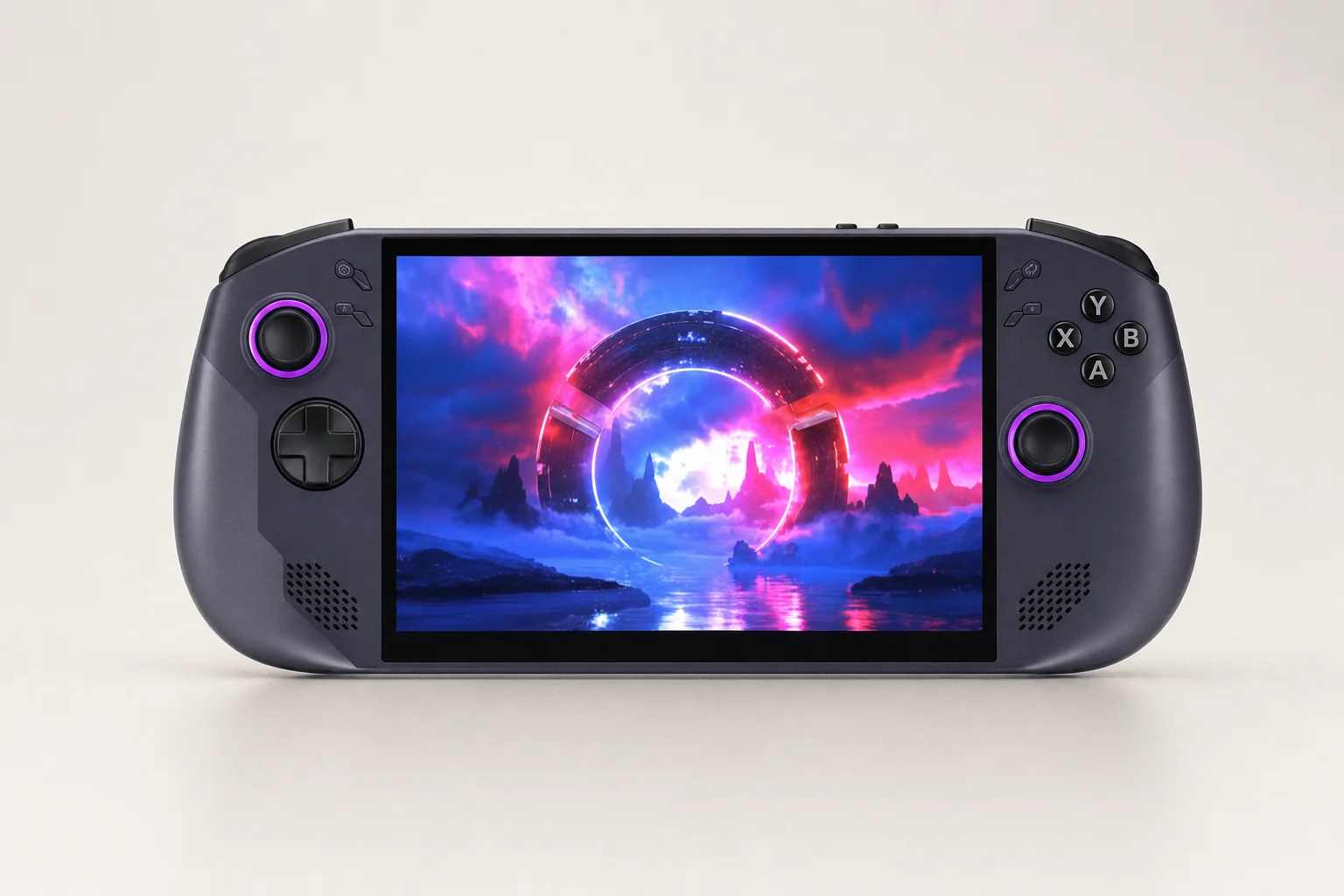
- The £399 16GB/1TB SteamOS price transformed its appeal for Steam-focused players.
- SteamOS reduced the time and effort needed to enjoy the hardware.
- The Z1 Extreme version was the smarter premium Legion choice for demanding new games.
Which handheld should you actually buy?
For most people, I would steer towards the Legion Go S SteamOS — with one enormous asterisk. Your library needs to be mainly Steam, and you need to accept that a handheld-friendly Linux machine will not run every PC game in the same effortless way as Windows. If that sounds like your situation, the Go S was the more relaxing device to own. It treated handheld play as the main event rather than something Windows had reluctantly agreed to host.
The MSI Claw 8 AI+ was the choice for the person who could not or would not accept those boundaries. Game Pass downloads, Epic exclusives, Battle.net games, Windows software, certain mod tools and anti-cheat multiplayer all pushed you towards Windows. The Claw also brought a bigger battery, more memory and stronger connectivity than the basic Legion configurations. It was the more capable machine in the broadest sense.
Best for most Steam players
Lenovo Legion Go S SteamOS. Buy it if you want straightforward navigation, Steam integration, fast suspend/resume and the least PC-like handheld experience.
Best for Game Pass and launchers
MSI Claw 8 AI+. Windows made it the cleaner choice for Xbox PC Game Pass, Epic, Battle.net, Ubisoft Connect and general PC software.
Best SteamOS performance pick
Legion Go S Z1 Extreme SteamOS. Choose this over Z2 Go if you wanted SteamOS but also cared about demanding AAA games.
Best budget route
Legion Go S Z2 Go SteamOS at £399. It was the standout bargain when that observed 16GB/1TB sale price was available.
There were sensible alternatives, too. Valve's Steam Deck OLED offered the most mature SteamOS ecosystem, HDR OLED screen, 90Hz refresh rate and lower 669g weight, though its performance and 1280×800 resolution sat below these two. ASUS ROG Ally X brought 24GB memory, an 80Wh battery and a 678g body, while the ASUS ROG Xbox Ally X combined a Ryzen AI Z2 Extreme, 24GB RAM, 1TB storage, 80Wh battery and 715g weight at £849. If Windows was essential and you wanted something lighter than MSI, those were serious cross-shop options.
The best choice depended less on brand loyalty than on where your games lived: SteamOS rewarded a Steam-first library, while Windows remained the broadest compatibility option.
Answers before you add one to your basket
For Steam-first gaming, the Legion Go S SteamOS made the strongest case; for unrestricted PC gaming, the Claw 8 AI+ remained the more accommodating handheld.
Final verdict: buy the operating system you can live with
Lenovo Legion Go S SteamOS was the better buy for most people because it made PC gaming feel less like managing a PC. Its Steam-first interface, quick suspend/resume, controller-friendly settings and stronger efficiency on the same Z2 Go hardware created an ownership experience that was simply more pleasant. At £399 for the 16GB/1TB model, it was especially hard to ignore.
MSI Claw 8 AI+ was the better Windows handheld. Its 32GB RAM, 80Wh battery, Core Ultra 7 258V platform, Arc 140V graphics, Wi-Fi 7 and dual Thunderbolt 4 ports made it a powerful, well-rounded machine. If you needed Xbox PC Game Pass downloads, Battle.net, Epic, anti-cheat multiplayer, mods or ordinary Windows apps, it was the less compromised answer.
So here is the honest ending: choose the Legion Go S SteamOS if you want a handheld console experience and live in Steam. Choose the MSI Claw 8 AI+ if you want the freedom of a proper Windows PC and are happy to tolerate the occasional desktop-shaped inconvenience. Both were good. They just solved different problems.
- Legion Go S SteamOSView on Amazon
- MSI Claw 8 AI+View on Amazon