
Windows 11 July update adds automatic PC rollback by default
Microsoft's KB5095093 Patch Tuesday release brings Point-in-Time Restore, a calendar-based update pause, and a fix for a publicly exploited privilege-escalation flaw.
What you need to know
- Point-in-Time Restore is on by default for Home and Pro PCs with a 200 GB or larger system drive, capturing snapshots every 24 hours
- The Windows Update pause button now shows a calendar picker allowing delays of up to 35 days, replacing the old rigid preset durations
- A bundled fix patches RoguePlanet (CVE-2026-50656), a privilege-escalation flaw in the Microsoft Malware Protection Engine exploited after a proof-of-concept went public
Microsoft ships one of its most substantial summer Windows 11 updates in years
Microsoft released KB5095093 on Tuesday 14 July 2026 as part of its monthly Patch Tuesday cycle, delivering what the company describes as a notably substantial summer update for Windows 11 versions 24H2 and 25H2. The headline addition is Point-in-Time Restore, a new recovery tool that automatically snapshots your entire system every 24 hours — and lets you roll back to one of those snapshots if a driver or update leaves your PC in a broken state. It is not the only change worth knowing about, but it is the one that will matter most to ordinary users.
Point-in-Time Restore: what it does, and what it isn't
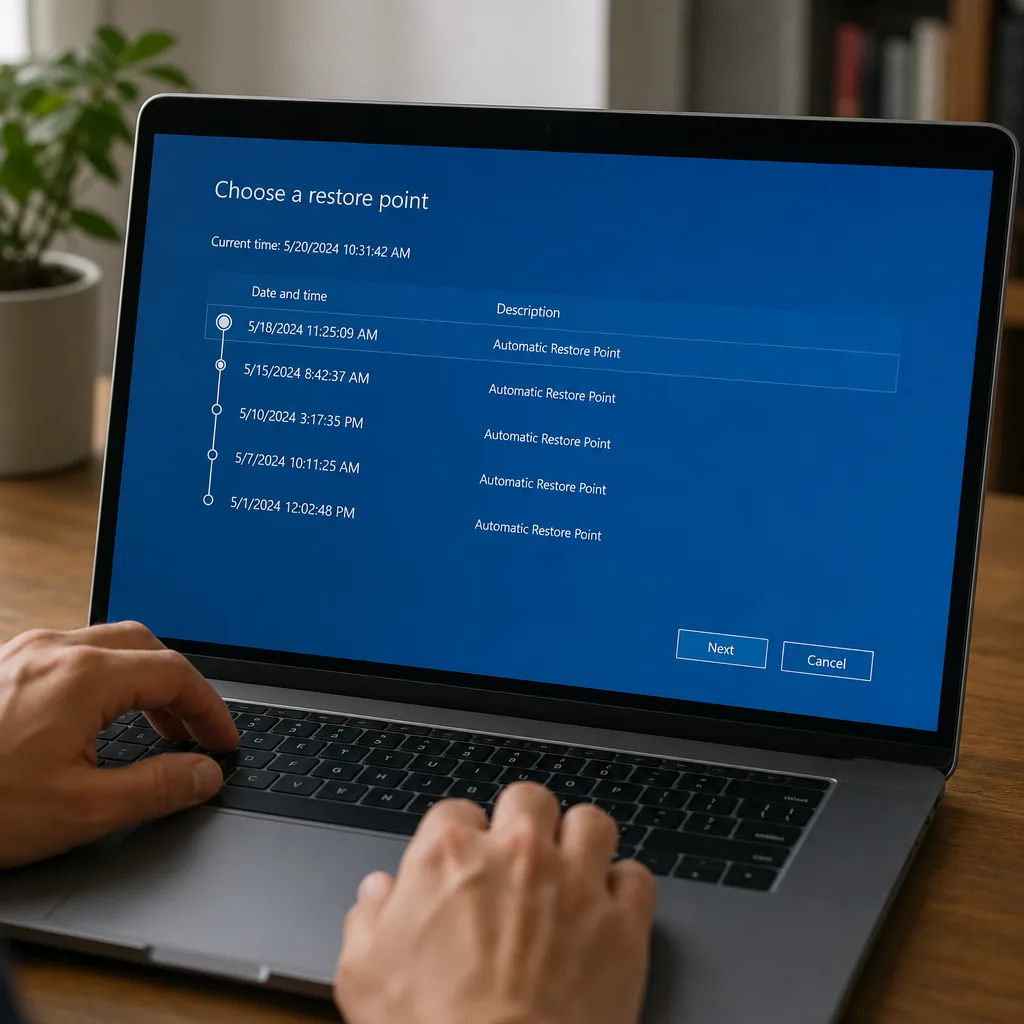
Point-in-Time Restore uses the Volume Shadow Copy Service to capture system snapshots quietly in the background. On Home and Pro editions with a system drive of 200 GB or larger, it is switched on by default. Snapshots are retained for up to 72 hours, and storage is capped at 2 per cent of disk size — with a floor of 2 GB and a ceiling of 50 GB — so it won't quietly eat your entire drive.
Crucially, this is not the old System Restore. Microsoft says the feature
"helps you quickly roll back your PC, including apps, settings, and personal files, to a recent automatic restore point."That means personal files are included in the rollback, which the legacy System Restore mechanism never touched. Recovery is handled from the Windows Recovery Environment (WinRE), which matters if your PC won't boot normally.
There are hardware requirements to be aware of: Point-in-Time Restore needs UEFI firmware, a GPT-partitioned disk, and TPM 2.0. Legacy BIOS machines are excluded entirely. Smaller OS volumes can have the feature enabled manually, and enterprise-managed devices remain under administrator policy control. One important caveat: this is not a backup. Its 72-hour retention window is short, and it should not replace a proper backup routine.
Update pausing finally gets a calendar
Windows Update's pause feature has carried the same hard-capped preset durations since Windows 11 launched. KB5095093 replaces that list with a calendar picker. Users on Home and Pro can now pause automatic updates for any period up to 35 days, and they can re-pause as many times as they like once the 35-day window closes — they simply need to open the setting again. It is a more human way to handle updates, even if it changes nothing about your installed version's support deadline. Windows 11 24H2 Home and Pro reach end of updates on 13 October 2026, and pausing a cumulative update does not extend that date.
Screen Tint: a new accessibility colour overlay
A genuinely new accessibility feature called Screen Tint applies a colour overlay across the entire desktop. It lives in Settings under Accessibility and can be reached directly with Win + U. Six presets are available: Amber, Rose, Yellow, Blue, Green, and Grey, each aimed at a different visual need — Rose, for example, is targeted at users sensitive to fluorescent lighting or migraine triggers, while Grey suits anyone who finds high-contrast displays tiring. A custom colour option and a strength slider sit alongside the presets. Screen Tint is separate from Night Light and can run alongside it, though it automatically disables Colour Filters, and vice versa.
File Explorer, Widgets, Bluetooth, and more
Several other quality-of-life changes are bundled into the release:
- File Explorer launches faster following new speed improvements, though Microsoft has not published a specific benchmark figure. Hover quick-actions such as "Open file location" and "Ask Copilot" are now available for work and school accounts via Entra ID.
- Widgets no longer open when your pointer simply passes over them. Notifications and taskbar badges are minimised by default.
- Bluetooth improvements include faster AirPods pairing, more reliable Beats Studio Pro microphone behaviour, and quicker Bluetooth LE audio reconnection after dropouts.
- Printing now defaults to the Internet Printing Protocol (IPP) where the device supports it.
- Voice typing adds French, German, and Spanish with live grammar correction.
- Magnifier gains exact percentage input for zoom level, replacing step-only adjustments.
- Emoji panel (Win + .) switches to GIPHY for GIF content following the deprecation of Google's Tenor API.
RoguePlanet security fix and Kerberos RC4 retirement
The update bundles the cumulative patch for CVE-2026-50656, dubbed RoguePlanet — a privilege-escalation vulnerability in the Microsoft Malware Protection Engine (mpengine.dll) carrying a CVSS score of 7.8. The flaw was first publicly disclosed on 10 June 2026 by a researcher going by "Nightmare Eclipse," who published a working proof-of-concept hours after that month's Patch Tuesday. Microsoft pushed an out-of-band fix on 8 July; KB5095093 delivers it as part of the cumulative rollout. The issue is resolved in Microsoft Malware Protection Engine version 1.1.26060.3008.
On the enterprise side, July's update marks the final enforcement phase for Kerberos RC4 retirement, tied to CVE-2026-20833. The RC4DefaultDisablementPhase registry key — the last administrative escape hatch — is removed entirely. IT teams still running legacy applications on RC4 authentication should expect failures and need to migrate to AES immediately.
Rollout and availability
KB5095093 was first available as an optional preview on 23 June 2026, moving Windows 11 25H2 to build 26200.8737 and 24H2 to build 26100.8737. The mandatory Patch Tuesday rollout began on 14 July. Microsoft is delivering the update via its Controlled Feature Rollout system, meaning not every eligible PC receives every new feature on day one. Some features may take additional time to reach users in Europe due to regulatory requirements.
Why it matters
Point-in-Time Restore is the most consumer-friendly recovery safety net Windows has shipped in years — if a dodgy driver or a bad update bricks your machine, you can now roll back apps, settings, and personal files without having wiped them first, straight from the recovery environment. The 35-day update pause calendar is equally significant for UK home users who have long complained about updates landing at the worst possible moment, though it won't extend your Windows licence's end-of-support date. That said, neither feature arrives everywhere at once: Microsoft's Controlled Feature Rollout means some users will wait, and European regulatory requirements may push delivery back further still.