
Best Amazon Fire Tablets: Which Fire HD Is Worth Your Money?
The Fire HD 8, Fire HD 10 and Fire Max 11 all do a different job. Here is the one to buy for books, box sets, family browsing or a surprisingly capable kitchen-table workstation.
We link to the exact model on Amazon UK. Prices change often, so check the live price before you buy. As an Amazon Associate we earn from qualifying purchases.
Amazon's current mainstream tablet family spans an easy-to-hold 8-inch reader through to an 11-inch model built for a keyboard case.
Amazon Fire tablets in 2026: the short answer before you buy
Here is the blunt version. Buy the Amazon Fire HD 8 if you want the cheapest, lightest way into Kindle books, downloaded programmes and sofa browsing. Buy the Fire HD 10 if you want the best all-round Fire tablet for most homes. Buy the Fire Max 11 only if the bigger screen, fingerprint reader and optional keyboard genuinely fit how you work.
Amazon's current standard range is pleasingly simple. There are three mainstream models: the 2024 Fire HD 8, the 2023 Fire HD 10 and the 2023 Fire Max 11. That is it. I have deliberately left out Kids, Kids Pro and older Fire HD Plus tablets here, because they complicate a decision that is already mostly about screen size, software compromises and what you will actually do with the thing on a Tuesday evening.
The key point is that Fire tablets are not cut-price iPads in the usual sense. They are inexpensive Amazon-content tablets. They are excellent at Kindle reading, Prime Video, Audible, Amazon Music, web browsing, Alexa and casual household jobs. They can also run plenty of familiar apps from Amazon's Appstore. But Fire OS 8 is based on Android 11/API 30 and does not come with Google Play preinstalled. That matters much more than a spec-sheet win in RAM or processor cores.
The Gadget Scout verdict in one minute
The Fire HD 10 is the default recommendation because its 10.1-inch 1920 × 1200 display is a meaningful leap over the HD 8, yet it remains far cheaper than the Max 11. The HD 8 wins when portability and a low price matter most. The Max 11 wins when you want the best Fire hardware and can live with Fire OS rather than treating it like a full laptop replacement.
Best cheap companion
Fire HD 8: small enough for one-handed reading and light enough to take everywhere without a second thought.
Best household all-rounder
Fire HD 10: the sensible middle ground for films, browsing, recipes, calls and light games.
Best big-screen Fire
Fire Max 11: the only one with a genuinely credible keyboard-and-stylus angle, plus Wi-Fi 6 and fingerprint unlock.
Three sizes, three very different jobs: how we ranked the range
I ranked these tablets by the things that affect day-to-day ownership, not by the usual "more expensive equals better" shortcut. Screen quality matters. So does whether you can hold it for an hour without rearranging your wrists like a disgruntled octopus. Battery life, charging speed, RAM, storage, support lifespan, connectivity and accessory costs all deserve a seat at the table too.
First, the screens. The Fire HD 8 uses an 8-inch 1280 × 800 IPS LCD at roughly 189ppi. It is perfectly readable, but it is visibly softer than the other two when you are close up with small text or watching detailed video. The Fire HD 10 steps up to a 10.1-inch, 16:10, 1920 × 1200 IPS LCD at 224ppi. For most people, that is the sweet spot: enough room for video and web pages without making the tablet feel like a chopping board. The Fire Max 11 brings an 11-inch 2000 × 1200 IPS display at 213ppi. Its resolution density is not higher than the HD 10, but its panel is larger and substantially brighter in independent testing.
Then there is speed. The HD 8 has a hexa-core MediaTek MT8169A with six Cortex-A55 cores. It is built for reading, streams and basic apps, not heroic 3D gaming. The HD 10 has a more capable MediaTek MT8186A with two Cortex-A76 performance cores and six Cortex-A55 efficiency cores. The Fire Max 11 uses the strongest chip of the trio, the MediaTek MT8188J, with two Cortex-A78 cores and six Cortex-A55 cores. It has more headroom for app switching, split-screen use and accessories, even if Fire OS still sets a fairly firm ceiling on how laptop-like the experience can feel.
8-inch, 1280 × 800
224ppi
544 nits average
MediaTek MT8188J
Wi-Fi 6
Power-button sensor
Screen size is the defining choice: the HD 8 favours portability, the HD 10 balances comfort and value, and the Max 11 creates more room for work.
All three tablets support microSD expansion up to 1TB and run Fire OS 8. That shared foundation is useful: you are choosing a size and performance level, not a radically different platform. It also means the same Appstore and Google Play limitations follow whichever model you buy.
The pocket-sized bargain that still makes sense
1. Amazon Fire HD 8 (2024 release, 12th Gen) — Best for reading, travel and casual streaming

See Amazon Fire HD 8 on Amazon UK
Check today's price & availability on Amazon UK
The Fire HD 8 is the model I would choose for a bag, bedside table, kitchen shelf or frequent train journey. At 337g, it is dramatically easier to hold one-handed than either larger Fire. That sounds like a minor point until you spend an hour reading a book or watching an episode in bed. Bigger tablets are nicer for cinema-style viewing; the HD 8 is nicer to live with.
Its 8-inch IPS LCD has a 1280 × 800 resolution and roughly 189ppi. This is not a display that will make you gasp. Nor should it. Text is readable and video is perfectly watchable, but the image is noticeably less crisp than the HD 10's Full HD panel. If your tablet is mostly a Kindle, an Audible player, a recipe screen or a place to download Prime Video before travelling, that trade-off is easy to accept. If you tend to watch films in landscape for hours, it is the first reason to pay more for the HD 10.
1280 × 800
Hexa-core
microSD to 1TB
3.5mm jack
The configuration choice is more important than it first appears. The 32GB version has 3GB of RAM, while the 64GB version has 4GB. Both can take a microSD card, so storage is not the whole story. The extra gigabyte of RAM is the meaningful upgrade because it makes app switching less fiddly and gives the little tablet more breathing room over time. It does not turn it into a gaming machine, but it does make the experience less likely to feel cramped when you hop between a browser, Kindle, music and a streaming app.
Amazon launched the 32GB/3GB model at £99.99 and the 64GB/4GB model at £124.99. The 64GB version has appeared around £99.99 during promotions, which changes the equation completely. At that level, there is little reason to buy the smaller-memory option unless it is much cheaper. The stronger configuration costs you nothing extra in the best sales. That is the kind of bargain worth waiting for rather than impulse-buying on a random Tuesday.
Fire HD 8 32GB
Launch/list price. Includes 3GB RAM on the lock-screen-ad configuration.
Fire HD 8 64GB
Launch/list price with 4GB RAM; this version has also appeared around £99.99 in promotions.
Battery life is strong enough for the role. Amazon quoted up to 13 hours of reading, browsing, video and music playback. In a full-brightness Netflix test, around 11% of the battery was used in an hour, suggesting just under 10 hours of comparable video use. That is still enough for a long journey, several nights of reading or a solid day of ordinary light use.
The weak spot is charging. The included 5W adapter takes under five hours. A 9W adapter brings that below three hours, and a 15W adapter with a USB-C-to-USB-C cable reduces it to under two and a half hours. Amazon has made the tablet cheap by shaving corners where many buyers will tolerate it, and charging is one of those corners. Fine if you charge overnight. Less fine if you suddenly remember it is flat twenty minutes before leaving the house. We have all been there.
Pros
- The cheapest and most portable current Fire tablet.
- 337g weight makes it genuinely comfortable for one-handed reading.
- 3.5mm headphone jack and microSD expansion remain very useful for travel.
- 64GB model adds 4GB RAM, making it the configuration to target in a sale.
- Battery life works well for books, downloaded video and casual browsing.
Cons
- 1280 × 800 display is softer than the HD 10 and Max 11.
- Modest processor is best kept to basic tasks and casual games.
- Included 5W charging is glacial by modern standards.
- Fire OS remains more restrictive than standard Android.
- Lock-screen adverts apply on discounted configurations unless removed separately.
Buy the right HD 8
If the 64GB/4GB Fire HD 8 is close to £100, that is the one to buy. It keeps the HD 8's central appeal — low cost and low weight — whilst avoiding the tightest memory configuration. If the price gap becomes substantial, the basic 32GB model still makes sense as a dedicated reader or travel screen.
The sensible middle ground for films, browsing and family use
2. Amazon Fire HD 10 (2023 release, 13th Gen) — Best for most people

See Amazon Fire HD 10 on Amazon UK
Check today's price & availability on Amazon UK
The Fire HD 10 is where this range gets properly easy to recommend. It has the screen size most households actually want, a 10.1-inch 16:10 IPS LCD with 1920 × 1200 resolution and 224ppi. It makes web pages, subtitles, streaming video and split-screen browsing noticeably more comfortable than on the HD 8. It is still light enough at 433.6g to carry around the house or take away, without the Max 11's larger footprint and higher starting price.
This is why it is the value sweet spot. The HD 8 is a terrific small tablet, but its screen is the compromise you see every time you use it. The Max 11 is objectively better hardware in several ways, but it costs considerably more and never escapes the same Fire OS limitations. The HD 10 is the one that does the essential bits well without inviting you to justify a premium you might not need.
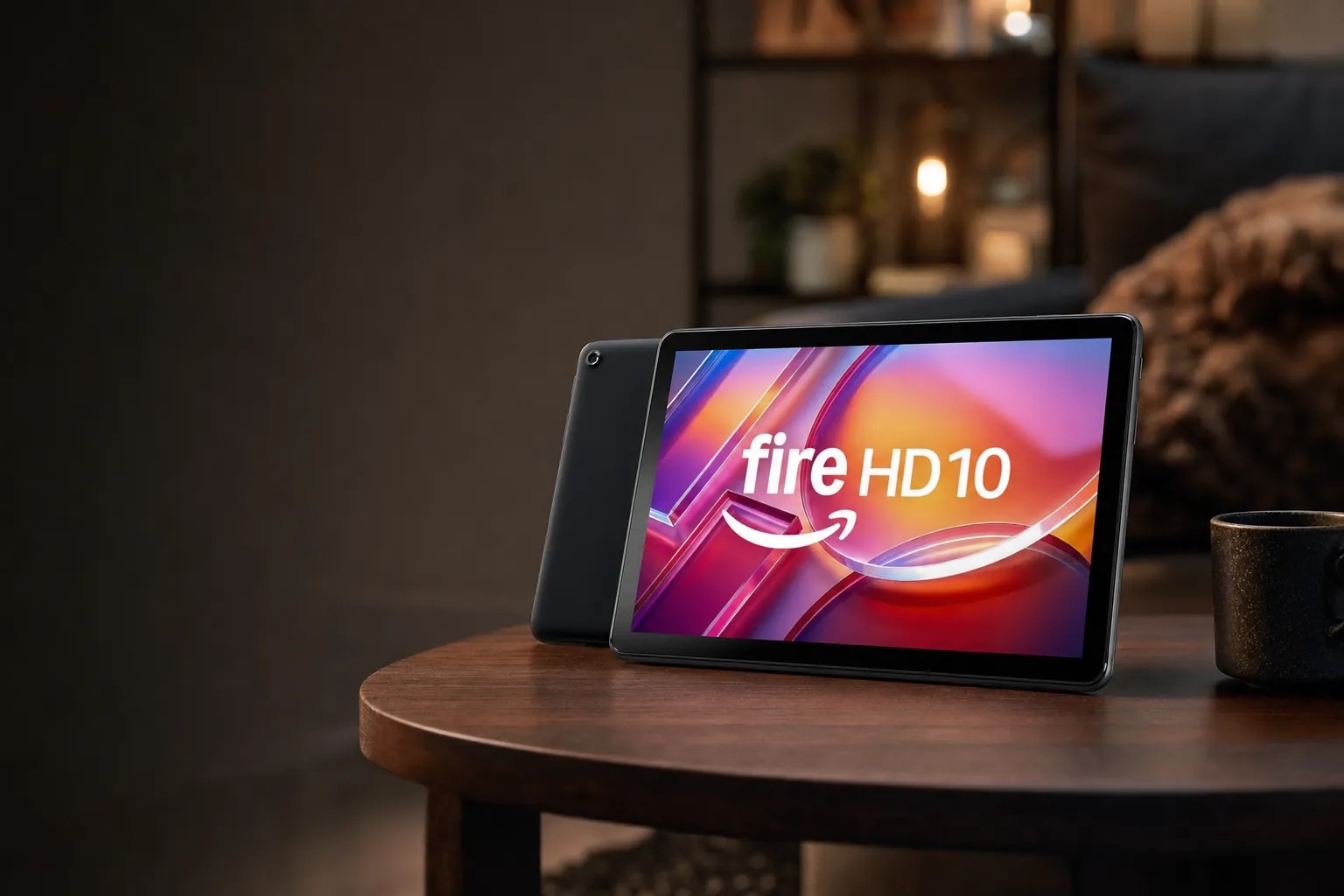
The Fire HD 10's 10.1-inch 16:10 Full HD screen is the practical sweet spot for films, recipes, browsing and shared family use.
1920 × 1200
2 × Cortex-A76
5MP rear
and USI 2.0
3.5mm jack
The processor is a sensible step forward from the HD 8. Its MediaTek MT8186A combines two Cortex-A76 performance cores at up to 2.05GHz with six Cortex-A55 cores at up to 2.0GHz. That does not make it a powerhouse, but it is enough for browsing with several tabs, streaming, ordinary apps and light gaming without the constant sense that you need to manage the tablet around its limitations.
Tom's Guide recorded a Geekbench 5 multi-core score of 1,523 for the Fire HD 10 and found 12 hours 39 minutes in its Wi-Fi web-browsing test at 150 nits. In mixed browsing and streaming, roughly nine to 10 hours was more realistic. That is still respectable, especially given the larger Full HD display. Tech Advisor also recorded 10 hours 11 minutes in PCMark Work 3.0 testing. In plain English: it should easily cover a day of relaxed use, but a long gaming session will drain it much faster than Kindle reading ever will.
The screen is sharper than the HD 8's, but it is not a sun-drenched garden champion. Tech Advisor measured 369 nits peak brightness, so it is most at home indoors, on a train or in a shaded spot. It is absolutely fine for films and television. It simply does not have the Max 11's extra brightness reserve when daylight is barging in through a window.
There is a 5MP front camera and a 5MP rear camera. More importantly, the front camera suits landscape video calls, which is how most people prop a 10-inch tablet. It is a small design choice, but one that makes a difference when grandparents, work calls or family chats enter the picture. The HD 10 also supports the Amazon Bluetooth Keyboard Case and Made for Amazon Stylus Pen, alongside USI 2.0-compatible styluses. I would call that a nice bonus rather than a reason to buy the tablet. Fire OS does not transform into a desktop operating system because you added a keyboard. Sadly, no keyboard in history has performed that particular miracle.
Fire HD 10 32GB
UK launch/list price with 3GB RAM; retailer pricing has been seen around £109–£149.
Fire HD 10 64GB
UK launch/list price with 3GB RAM and expandable storage up to 1TB.
US 4GB / 32GB variant
A current US retail variant introduced in 2026; it was not confirmed for UK sale.
The quietly introduced US Fire HD 10 with 4GB RAM and 32GB storage should be treated as a current retail refresh, not a new generation. Amazon's developer specifications still list the original 3GB/32GB and 3GB/64GB configurations, so do not assume every technical detail differs beyond the stated memory change.
Pros
- Full HD 10.1-inch display is much better for films and browsing than the HD 8.
- Excellent balance of size, cost, battery life and everyday speed.
- Strong independent battery-test results for a budget media tablet.
- 5MP landscape-oriented front camera is more useful for calls.
- MicroSD slot, headphone jack, keyboard compatibility and stylus support add flexibility.
Cons
- 369-nit peak brightness is modest for bright outdoor use.
- Bundled 9W charging takes around four hours to fill the battery.
- Speakers are fine for dialogue but lack body for music.
- Fire OS and the Appstore remain the main ownership compromise.
- Documented mainstream UK configurations have 3GB RAM.
The Fire HD 10 is the tablet I would put in a shared family room. It is large enough for a child to watch a programme, for someone to follow a recipe without squinting, or for an adult to browse comfortably on the sofa. It is also the model I would choose for a parent who wants something familiar, simple and not wildly expensive. You do need to check that the apps they use are in Amazon's Appstore. Do that before buying, not after the birthday wrapping paper has hit the recycling bin.
The big-screen Fire that finally feels productivity-ready
3. Amazon Fire Max 11 (2023 release, 13th Gen) — Best for productivity and the biggest screen
See Amazon Fire Max 11 on Amazon UK
The Fire Max 11 is Amazon's best Fire tablet, full stop. It is also the one that requires the most thought before buying. Its 11-inch 2000 × 1200 IPS display, 4GB of RAM, MediaTek MT8188J processor, Wi-Fi 6, fingerprint reader and optional keyboard case make it the most versatile machine in the lineup. It looks and feels more premium than the HD 8 and HD 10. But it launched in 2023, and the fact that it is still Amazon's top standard model in August 2026 does not make it a fresh 2026-generation device.
The large 11-inch panel is the headline feature. It has 213ppi, so it is a little less dense than the HD 10 on paper, but the display has more physical space and much stronger brightness. Tom's Guide measured 544 nits average brightness, while Notebookcheck measured 509 nits average and a 564-nit maximum. That is a huge improvement over the HD 10's 369-nit peak result. It makes the Max 11 more accommodating in bright rooms and much nicer for reading documents, viewing photos and watching video in daylight.
The Fire Max 11 is thinner and more premium than Amazon's smaller tablets, with a larger workspace for video, browsing and light keyboard use.
2000 × 1200
2 × Cortex-A78
Bluetooth 5.3
in power button
Up to 14 hours
8MP rear AF
Approx. 490g
At 259.1 × 163.7 × 7.5mm and approximately 490g, the Max 11 is thin and relatively light for an 11-inch tablet, but it is still a 490g device. It is better on a stand, held with two hands or paired with a keyboard case than it is balanced in one hand while you read in bed. This is not a criticism. It is just the unavoidable physics of a larger screen. Choose it because you want more workspace, not because you imagine it will replace the HD 8's effortless portability.
Performance is stronger too. Tech Advisor found it around 25% faster than the Fire HD 10 it tested in PCMark Work 3.0. Tom's Guide recorded 1,084 in Geekbench 5 multi-core testing. Those scores should not be treated as a neat head-to-head hierarchy with every other result in this guide because test versions and conditions differ, but they reinforce the real-world impression: the Max 11 is the most comfortable Fire tablet for juggling tabs, browsing, video calls and light multitasking.
It is also the only Fire tablet that really earns the phrase "light productivity". The optional Amazon Bluetooth Keyboard Case gives you a proper place to type emails, schoolwork, shopping lists or a short document. The Made for Amazon Stylus Pen adds a note-taking option. Neither accessory changes the fundamentals of Fire OS, and both add substantially to the cost, but they make sense if you already live in Amazon services and want a casual, low-stakes work surface rather than a replacement for a Windows laptop, MacBook or full Android productivity tablet.
The fingerprint sensor integrated into the power button is another small but meaningful advantage. It makes unlocking less faffy, especially when the tablet is sitting in a keyboard case or used by one person. Wi-Fi 6 and Bluetooth 5.3 also give it the strongest connectivity package in the family.
For media, the Max 11 has dual speakers with Dolby Atmos and they can get loud: Notebookcheck measured 89.7dB(A) maximum output. That sounds impressive because it is. The caveat is that loud does not automatically mean rich. The same testing found weak bass, fairly balanced mids and elevated highs, so music can sound thin. Films and spoken content are fine, but a small Bluetooth speaker or headphones will still be preferable for music. Unlike the HD 8 and HD 10, there is no 3.5mm headphone socket, although USB-C audio is supported.
Fire Max 11 64GB
UK price for the lock-screen-ad version, with 4GB RAM and microSD expansion.
Fire Max 11 128GB
Reported UK price range for the higher-storage model.
Keyboard bundle
Approximate pre-discount starting point. Accessories materially change the final spend.
Pros
- The best, brightest and largest display in the Fire range.
- Strongest processor, 4GB RAM, Wi-Fi 6 and Bluetooth 5.3.
- Fingerprint unlock is a real quality-of-life improvement.
- Keyboard and stylus support create useful light-productivity options.
- Tom's Guide recorded 13 hours 45 minutes in its battery test.
- Security support is documented at least through 31 July 2030.
Cons
- It costs substantially more than the HD 10 without escaping Fire OS limitations.
- No 3.5mm headphone socket.
- Display does not support HDR.
- Speakers are loud but bass-light for music.
- Charging remained slow in independent testing: 11% after 30 minutes.
- Keyboard and stylus purchases can make the package much more expensive.
The Max 11's real value
Buy the Max 11 for its screen, build, brightness, Wi-Fi 6 and accessory flexibility. Do not buy it solely because you expect it to behave like an iPad or a conventional Android productivity tablet. The hardware is the best Amazon makes; the software is still entertainment-first.
Fire HD face-off: every number that changes the buying decision
If you are choosing between these three, this is the useful comparison rather than a blizzard of lesser specifications. All three have Fire OS 8, hands-free Alexa, USB-C, microSD expansion up to 1TB, ambient-light sensors and accelerometers. None has a confirmed water-resistance rating. The differences below are the ones you will actually notice.
| Feature | Amazon Fire HD 8 (2024 release, 12th Gen) |
Amazon Fire HD 10 (2023 release, 13th Gen) |
Amazon Fire Max 11 (2023 release, 13th Gen) |
|---|---|---|---|
| UK launch/list price | From £99.99 | From £149.99 | From £249.99 |
| Current UK pricing note | 64GB version has appeared around £99.99 in promotions | 32GB version has appeared around £109–£149 | 64GB listed at £249.99 |
| Display | 8-inch IPS LCD | 10.1-inch IPS LCD, 16:10 | 11-inch IPS LCD |
| Resolution / density | 1280 × 800 / approx. 189ppi | 1920 × 1200 / 224ppi | 2000 × 1200 / 213ppi |
| Processor | MediaTek MT8169A, hexa-core | MediaTek MT8186A | MediaTek MT8188J |
| RAM | 3GB with 32GB; 4GB with 64GB | 3GB documented; US 4GB/32GB retail variant | 4GB |
| Storage options | 32GB or 64GB | 32GB or 64GB | 64GB or 128GB |
| microSD expansion | Up to 1TB | Up to 1TB | Up to 1TB |
| Battery claim | Up to 13 hours | Up to 13 hours | Up to 14 hours |
| Weight | 337g | 433.6g | Approx. 490g |
| Dimensions | 201.9 × 137.3 × 9.6mm | 246 × 164.8 × 8.6mm | 259.1 × 163.7 × 7.5mm |
| Wi-Fi | Dual-band 802.11ac Wi-Fi | Dual-band 802.11ac Wi-Fi | Wi-Fi 6 |
| Bluetooth | Bluetooth 5.2 LE | Bluetooth 5.3 LE | Bluetooth 5.3 LE |
| Cameras | 2MP front / 5MP rear | 5MP front / 5MP rear | 8MP front / 8MP rear autofocus |
| Speakers | Integrated stereo speakers | Dual speakers with Dolby Atmos | Dual speakers with Dolby Atmos |
| Headphone jack | Yes | Yes | No |
| Fingerprint reader | Not confirmed | Not confirmed | Yes, power button |
| Security updates through | At least 31 December 2029 | At least 31 December 2029 | At least 31 July 2030 |
The practical gap is clear: the HD 8 prioritises weight, the HD 10 prioritises value, and the Max 11 prioritises screen space and flexibility.
Resolution alone does not decide the screen winner. The HD 10 has the highest pixel density, but the Max 11 has a larger canvas and much higher tested brightness. For indoor films, the HD 10 is excellent. For brighter rooms, documents and bigger-screen browsing, the Max 11 is more comfortable.
What the spec sheet leaves out: Fire OS, apps and accessories
Fire OS is both the reason these tablets can be good value and the reason they are not for everyone. All three run Fire OS 8, based on Android 11/API 30. Amazon's interface puts its own services front and centre: Kindle, Prime Video, Audible, Amazon Music, Alexa and its Appstore. If those are already your digital habits, the approach feels straightforward rather than restrictive.
If your life leans heavily on Google services, certain niche apps, advanced multitasking or specialist work tools, it needs a more careful look. The Google Play Store is not preinstalled. Do not assume an app exists simply because it appears on an Android phone. Check the Amazon Appstore support for the apps that matter to you before you buy. Banking, work, school and smart-home apps are particularly worth checking. This is not glamorous advice, but it is cheaper than buying a tablet and discovering your favourite app is missing after the fact.
Entertainment-first by design
Kindle reading, Prime Video, music, Alexa, web browsing and casual household tasks are the Fire range's natural habitat.
Storage is easy to expand
Every current model supports microSD cards up to 1TB, which is particularly handy for downloaded programmes and audiobooks.
Accessories favour the larger models
The HD 10 and Max 11 support Amazon's keyboard case and stylus options; the Max 11 makes the strongest case for both.
Alexa is built in
Hands-free Alexa is supported across the range, useful for timers, music, questions and simple smart-home control.
Amazon also offers GenAI-powered Fire tablet features where compatible software, services, region and account settings allow. Treat those as a potential extra, not the main reason to choose between tablets. Core hardware decisions age better than a temporary software feature list. A large, bright screen remains useful long after the novelty of asking a tablet to summarise something has worn off.
A simple app check before checkout
Make a short list of the five apps you would use most: streaming, messaging, banking, shopping, school or work. If those are comfortably covered by the Amazon Appstore and browser, a Fire tablet is easy to recommend. If even one is essential and missing, look at a standard Android rival instead.
Speed, screen and stamina: what you can realistically expect
The honest way to describe Fire tablet performance is by job, not by pretending any of them are gaming monsters. The HD 8 is for basic tasks. The HD 10 is the comfortable everyday option. The Max 11 has the strongest headroom for multitasking, a keyboard and a larger display. None is a high-end gaming tablet, and Fire OS availability is as important as silicon when it comes to games.
For the HD 8, Tom's Guide recorded 854 in a multi-core Geekbench test for a closely related Fire HD 8 generation. That is useful context rather than a clean, independently confirmed result for every 2024 RAM variant. It tells you what the tablet feels like: untroubled by Kindle, video and basic browsing, but best not asked to juggle a pile of demanding apps while a 3D game is running in the background.
The HD 10 is a much easier tablet to recommend if your use extends beyond reading and video. Its processor, screen and 5MP front camera make it better suited to normal family browsing, calls and light games. The Fire Max 11 goes further again, especially when you are moving between apps or trying to use the keyboard case productively. But the difference is not magic. Its speed advantage does not erase the Appstore limitations or turn demanding games into console-quality experiences.
Battery results are reassuring across the board. The HD 8 can manage about a full day of light use, while full-brightness Netflix use came closer to roughly 10 hours. The HD 10 delivered 12 hours 39 minutes in a controlled web test and roughly nine to 10 hours in mixed browsing and video. The Max 11 reached 13 hours 45 minutes in Tom's Guide testing, close to Amazon's 14-hour claim. These are all good outcomes for media tablets.
Charging is the less cheerful part of the story. The HD 8's included 5W charger is slow. The HD 10's bundled 9W charger takes around four hours to fill the battery, and Tech Advisor measured only 4% after 15 minutes and 8% after 30 minutes from empty. The Max 11 managed 11% after 30 minutes in Tom's Guide testing. These are overnight-charging tablets. Plan accordingly and you will be fine; expect a modern phone-like emergency top-up and you will be disappointed.
All three Fire tablets are built for relaxed use rather than sustained high-end gaming, with battery life generally stronger than charging speed.
The 2026 price map: when a bargain stops being a bargain
Amazon Fire tablets are often discounted, which means the badge price is only half the story. The UK launch/list ladder began at £99.99 for the Fire HD 8, £149.99 for the Fire HD 10 and £249.99 for the Fire Max 11. That spacing makes sense on paper. In real shops and sale periods, though, the HD 8 and HD 10 can become dramatically better value than their list prices suggest.
The HD 8 is most tempting when the 64GB/4GB version appears around £99.99. At that point, it offers the better RAM configuration for the price of the entry model. The HD 10's 32GB version has been seen around £109–£149, and this is the model that rewards patience most. Around £110–£130, it is the default recommendation for a buyer who needs more than a dedicated reader but does not need the Max 11's extras.
The Max 11 is different. Its £249.99 64GB price is easier to justify when you specifically want its brighter 11-inch display, Wi-Fi 6, fingerprint reader and support for a keyboard and stylus. It is less compelling if your actual plan is just watching Prime Video in bed. In that scenario, the HD 10 gives you a sharper-per-inch Full HD panel, a headphone jack and a much lower spend. Bigger is not automatically better. It is just bigger. Often with more crumbs between the keys.
Best budget target
Fire HD 8 64GB/4GB when promoted near the entry model's list price.
Best all-round target
Fire HD 10 32GB: the most convincing value range for most households.
Best premium Fire target
Fire Max 11 64GB, if its larger display and productivity extras are genuinely useful.
Keep UK and US models separate when comparing deals. Amazon began selling a 4GB RAM/32GB Fire HD 10 in the US for $154.99 during 2026, but UK availability of that variant was not confirmed. Do not pay a premium in Britain assuming you are getting that configuration.
There is another price question: whether Fire OS is worth the saving. The Samsung Galaxy Tab A9+, Lenovo Tab M11, Xiaomi Redmi Pad SE and HONOR Pad X9 are sensible alternatives for buyers who want standard Android and Google Play. The Samsung offers an 11-inch 1920 × 1200 90Hz display and quad speakers. The Lenovo Tab M11 has an 11-inch 1920 × 1200 90Hz screen, four speakers and some bundles include a pen. Xiaomi's Redmi Pad SE brings an 11-inch 90Hz display, quad speakers, an 8,000mAh battery, microSD support and IP52 protection. The HONOR Pad X9 has an 11.5-inch 2000 × 1200 120Hz screen and six speakers.
Those rivals make the Max 11 especially worth cross-shopping if Google apps are non-negotiable. The Fire's counterargument remains its simple Amazon ecosystem, expandable storage and frequent discounts. It is not a universal win. It is a very specific kind of value.
The final call: which Fire tablet belongs in your basket?
The right choice comes down to being honest about how you use tablets. A cheap tablet that you can hold comfortably and use every day is better than a premium one that lives in a drawer because it is too bulky for your habits. Equally, buying the HD 8 to save money can be false economy if you already know you want films, browsing and video calls on a bigger screen.
Budget reader and traveller
Choose: Amazon Fire HD 8. It is the lightest, cheapest model for Kindle books, downloaded video, recipes, music and basic Alexa use. Aim for the 64GB/4GB version when it is discounted close to £100.
Family streamer and browser
Choose: Amazon Fire HD 10. This is the best balance for Netflix or Prime Video, web browsing, video calls, light gaming and routine household use. Around £110–£130, it is the default pick.
Student or casual note-taker
Choose: Amazon Fire HD 10 or Fire Max 11. The HD 10 is the lower-cost option for occasional pen input, while the Max 11 is better if you want a larger, brighter workspace and more performance headroom.
Keyboard-focused user
Choose: Amazon Fire Max 11. It is the only Fire tablet that makes a serious case for a keyboard case, fingerprint unlock, Wi-Fi 6 and longer-form typing — within Fire OS's limits.
For most buyers, the Fire HD 10 is the comfortable middle ground; the other two make most sense when portability or a larger workspace is the priority.
If you dislike Fire OS, stop here and look at a standard Android tablet rather than trying to talk yourself into a workaround. The Samsung Galaxy Tab A9+, Lenovo Tab M11, Xiaomi Redmi Pad SE and HONOR Pad X9 all make more sense for a buyer who wants Google Play, broader app choice and a more familiar Android experience. If you are already happy with Amazon's world, however, these three Fire tablets remain straightforward, capable and often unusually good value when discounted.
Bottom line: buy the Fire HD 10 unless you have a clear reason not to
The Fire HD 8 is the right budget pick for readers and travellers, especially in its 64GB/4GB form at a good sale price. The Fire HD 10 is the all-rounder that makes the most sense for the greatest number of people, with a much better screen and stronger everyday performance without the Max 11's premium.
The Fire Max 11 is the one to buy when its 11-inch brighter display, fingerprint unlock, Wi-Fi 6 and keyboard potential will actually be used. It is the best Fire tablet, but the Fire HD 10 remains the smartest Fire tablet purchase for most British households.
- Amazon Fire HD 10View on Amazon