
Best Copilot+ Laptops With NPUs That Actually Use Them
Six AI PCs where the neural processing unit does more than decorate a spec sheet — from all-day ARM machines to practical business workhorses.
We link to the exact model on Amazon UK. Prices change often, so check the live price before you buy. As an Amazon Associate we earn from qualifying purchases.
On the prices below: these are the confirmed US launch figures, with an approximate sterling equivalent at about £1 = $1.27. UK retail pricing is set separately and includes VAT, so treat the pound figures as a sense of scale rather than a UK quote — check the live price before buying.
"AI PC" has become one of those labels that can mean everything and absolutely nothing. Every new laptop has an NPU now. Not every laptop gives that silicon a proper job. I've narrowed this list to six Copilot+ machines where you can point to real, local features — from Live Captions and Windows Studio Effects to Recall, Click to Do, privacy tools and call cleanup — rather than admiring a TOPS number and hoping something eventually happens.
Why NPU Marketing Badges Mean Nothing — And What Actually Does
First, a quick reality check. Microsoft's Copilot+ PC badge required an NPU capable of at least 40 TOPS. TOPS stands for tera operations per second: in plain English, it is a measure of how many tiny AI calculations the dedicated processor can complete in a second. It is useful as a floor. It is not a verdict on whether a laptop is useful.
A 50 TOPS NPU does not automatically make a laptop better than one at 47 TOPS. Nor does an 80 TOPS figure guarantee that your everyday work will suddenly feel as if it has acquired a small genius in a waistcoat. The meaningful question is much less glamorous: what software is using the NPU, and does that save time, improve a call or keep a task off the main processor?
That is why the picks here are not simply arranged by their biggest number. Qualcomm's Snapdragon X2 Elite supplies the highest quoted NPU performance in this group at 80 TOPS, whilst AMD's Ryzen AI machines sit at 50 TOPS and Intel's Core Ultra 7 256V reaches 47 TOPS. All clear the Copilot+ threshold. In practice, the workflow and the laptop around the chip matter more than the narrow numerical gap.
The useful definition of an AI PC
Buy an NPU laptop when you want local features you will actually switch on: clearer video calls, live transcription and translation, image assistance, privacy-aware display behaviour or Windows tools that work without leaning on the CPU for every little task. Don't buy one merely because a retailer has put "AI" in 72-point type.
I think of NPU utility in three layers. The first is the operating system layer: Windows Studio Effects, Live Captions, Recall and Click to Do. These are the features most people will notice because they are right there in Windows. They can blur a chaotic kitchen behind you, frame your face, make captions more useful or help you find something you saw earlier.
The second layer is application work. Creative tools can increasingly lean on local AI acceleration for selected workloads, although that support still varies by app, version and task. The third is the least flashy but often the most worthwhile: background jobs such as voice focus, noise suppression, adaptive privacy and efficiency tuning. You may never open an "AI app", yet you will notice when a call remains civilised while the laptop is doing other things.
One important distinction: an NPU is not a magic performance button. General apps, games and ordinary browsing still depend heavily on the CPU, graphics hardware, memory and cooling. Think of the NPU as a specialist assistant, not a replacement for the rest of the laptop.
The Six Best Copilot+ Laptops at a Glance — Full Comparison
There is no one "best" Copilot+ laptop because the shape of the job changes the answer. The Zenbook S16 is the polished premium option with an unusually serious display. Lenovo's Yoga Slim 7x is the battery specialist. The ThinkPad T14 Gen 6 is the sensible answer when an IT department, video meetings and policy controls are involved. At the other end, ASUS's Vivobook 16 makes the feature set far less financially intimidating.
Dell's redesigned XPS 13 is the portable, quiet option, whilst the ROG Flow Z13 is the oddball in the best sense: a hybrid machine for someone whose AI use does not begin and end with replying to emails. The table deliberately sticks to meaningful confirmed figures rather than filling every cell with vague "AI-ready" language.
| Model | Processor / NPU | NPU rating | Screen | Weight | Battery claim or result | US price | Best for |
|---|---|---|---|---|---|---|---|
| ASUS Zenbook S16 (UM5606) | AMD Ryzen AI 400 Series | Up to 50 TOPS | 16-inch 3K Lumina OLED, 120Hz | 1.5kg | — | $1,899.99 (about £1,495) | Premium AI productivity |
| Lenovo Yoga Slim 7x | Snapdragon X2 Elite, 18 cores | 80 TOPS Hexagon | 14-inch 2880 × 1800 OLED, 120Hz | 1.13kg | 70Wh; 29-hour claim; 18–22 hours mixed productivity | From $949.99 (about £749) | Battery life and mobility |
| Lenovo ThinkPad T14 Gen 6 | AMD Ryzen AI | 50 TOPS | 14 inch OLED | — | Long real-world battery life | — | Business fleets |
| ASUS Vivobook 16 Copilot+ Edition | AMD Ryzen AI 7 350 | 50 TOPS | — | — | — | $829.99 (about £649) | Affordable genuine Copilot+ |
| Dell XPS 13 (DX13260) | Intel Series 3 platform; Core 5 320 base configuration | NPU capability varies by exact configuration | Touchscreen | From 1kg | All-day battery life | $599 (about £469) students; $699 (about £549) general | Quiet, light travel |
| ASUS ROG Flow Z13 | AMD XDNA NPU | 50 TOPS | 13.4in 2.5K 180Hz Nebula IPS | — | 15 hours | — | Hybrid creative use |
The quick reading of the numbers
80 TOPS is the headline performance figure here, but 50 TOPS is already comfortably over Microsoft's Copilot+ requirement. The Zenbook S16, ThinkPad T14 Gen 6 and Vivobook 16 show why it is often smarter to compare the laptop's complete package — display, battery expectations, form factor and software support — instead of treating the NPU number like a league table.
The Copilot+ badge is the entry ticket; the genuinely useful features are the reason to care. Look for the tools you will use every week, not just the largest TOPS figure.
What You Can Actually Do With a Copilot+ NPU
Before getting into the individual machines, it is worth being quite specific about what "actually use them" means. Windows Studio Effects is the easy example. Background blur, automatic framing, eye contact correction, background segmentation and voice focus are not party tricks when you spend a few hours a week on video calls. They are small quality-of-life improvements that make the laptop feel more composed without demanding that you fiddle with settings every meeting.
Live Captions is another practical one. On supported Copilot+ hardware it can provide real-time translation, including translation into more than 44 languages on the Yoga Slim 7x. That has obvious accessibility value, but it is also handy for a recorded presentation, an overseas call or trying to follow a video where the audio is less than brilliant. The NPU lets this kind of processing happen locally rather than turning every use into a cloud round trip.
Recall and Click to Do are more personal. Recall is designed to make previously seen content searchable in a more semantic way; Click to Do helps turn on-screen information into actions. These are potentially powerful tools, but they deserve a more thoughtful approach than "turn everything on and hope". If you handle sensitive client information, personal documents or work data, take time to understand your organisation's policy and your own privacy settings.
Windows Studio Effects
Background blur, framing, eye contact correction, segmentation and voice-focused call cleanup are the NPU features most likely to earn their keep during a normal working week.
Live Captions and translation
A strong accessibility tool first, and a surprisingly useful productivity tool second. Local processing is the important bit: it avoids making a basic captioning task feel dependent on a remote service.
Recall and Click to Do
These are about finding and acting on information you have seen. They can be genuinely convenient, but they are also the features where sensible privacy habits matter most.
Quiet background help
Noise suppression, adaptive privacy and workload tuning are less showy than image generation, yet often more useful because they improve the laptop without interrupting you.
Ranked Picks: The Best Copilot+ Laptops That Earn Their NPU
1. ASUS Zenbook S16 (UM5606) — Best for Premium Ultraportable AI Power Users

See ASUS Zenbook S16 on Amazon UK
Check today's price & availability on Amazon UK
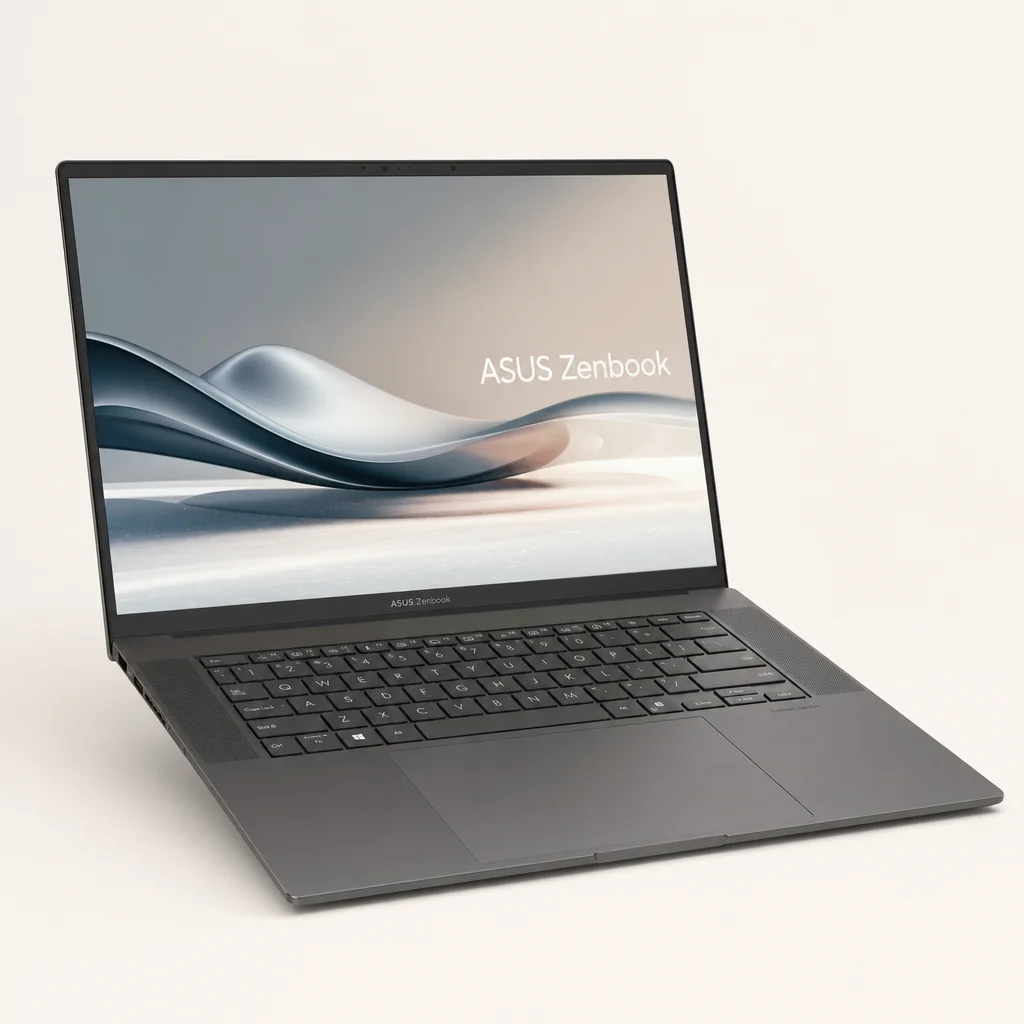
The ASUS Zenbook S16 is my top premium pick because it makes a convincing case that you do not need an ARM processor to get a serious Copilot+ experience. Its AMD Ryzen AI 400 Series platform provides up to 50 TOPS from the NPU, clearing the Copilot+ requirement with room to spare, but the bigger appeal is that it wraps that capability in a proper large-screen ultraportable rather than a compromised demo of a new processor category.
It is also a very useful counterpoint to the idea that all AI laptops should be tiny. The Zenbook has a 16-inch 3K ASUS Lumina OLED display with a 120Hz refresh rate and a quoted 1,100-nit peak brightness. That is one of the standout screens in this roundup. If you review images, work with large documents, keep a calendar beside a browser or simply prefer not to spend every day squinting at a 13-inch panel, it is a meaningful advantage. OLED's deep blacks also make image and video work more pleasant. Your spreadsheets will not become cinematic masterpieces, sadly, but they will look crisp.
The NPU earns its place through adaptive privacy, Windows Studio Effects, Windows Recall and dynamic performance tuning. Adaptive privacy can use on-device gaze detection to respond when you look away. Studio Effects handles the everyday camera jobs: background blur and automatic framing are particularly worthwhile for hybrid workers. Dynamic tuning is the more behind-the-scenes benefit, shifting work between CPU, NPU and graphics hardware based on what is being asked of the system.
The chassis is just 1.1cm thick and weighs 1.5kg, which is impressively restrained for a 16-inch laptop. ASUS also includes full-size I/O, Wi-Fi 7, six-speaker audio and dual whisper-quiet fans. The claimed ambient noise below 25dB matters more than the marketing copy implies: a thin laptop that stays civilised while you are on a call is a laptop you will like owning long after the novelty of its AI tools has worn off.
This is not a cheap route into Copilot+, at $1,899.99 (about £1,495), and it is not aimed at someone who just wants the lowest entry price. It is for the buyer who wants a large premium OLED, a light chassis and the confidence of AMD's more conventional x86 software environment. If that sounds like you, it is the most rounded high-end pick here.
Pros
- 50 TOPS NPU with useful adaptive privacy, Studio Effects, Recall and tuning features.
- Exceptional 16-inch 3K OLED screen with 120Hz refresh and 1,100-nit peak brightness.
- Remarkably slim 1.1cm design for a 16-inch machine.
- Full-size I/O, Wi-Fi 7 and six-speaker audio make it feel like a complete premium laptop.
Cons
- $1,899.99 (about £1,495) puts it firmly in premium territory.
- At 1.5kg, it is portable rather than featherweight.
- Its appeal is strongest if you will make the most of that large OLED workspace.
Choose the Zenbook S16 if screen quality is part of the job
The Zenbook's real trick is combining a full-size OLED workspace with Copilot+ capability in a thin, quiet machine. For photo review, long-form writing, multitasking and frequent camera calls, that balance is more valuable than chasing an extra handful of TOPS.
The Zenbook S16's 16-inch OLED panel is the visual heavyweight in this group, pairing a roomy workspace with a 120Hz refresh rate and 1,100-nit peak brightness.
2. Lenovo Yoga Slim 7x (Snapdragon X2 Elite) — Best for All-Day Battery and the Fullest Copilot+ Feature Set
Shop Lenovo Yoga Slim 7x on Amazon UK
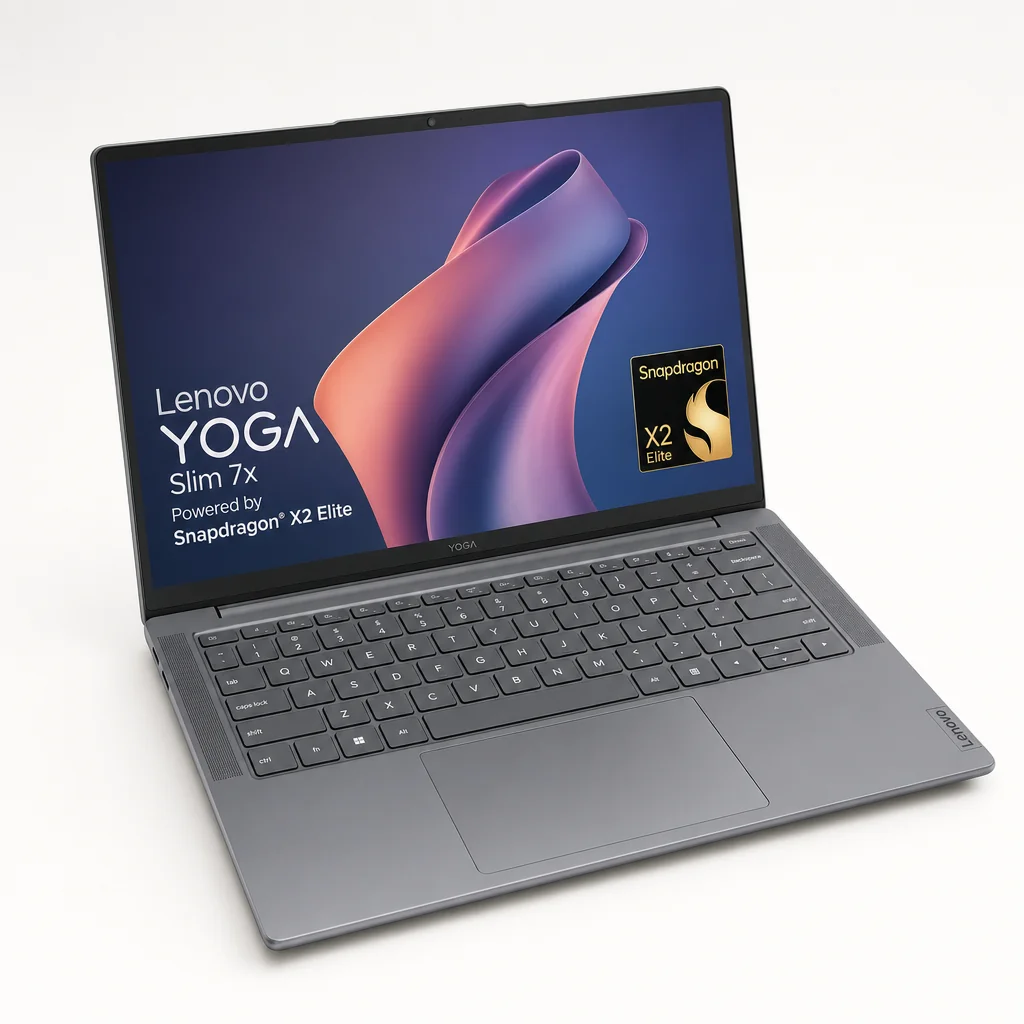
If battery life is your defining requirement, the Lenovo Yoga Slim 7x is the one to beat. Its Snapdragon X2 Elite configuration has 18 cores and an 80 TOPS Hexagon NPU — the highest NPU figure in this roundup. More importantly, the Qualcomm platform delivers the broad Copilot+ experience people have been expecting since these machines arrived: Recall with semantic search, Live Captions with real-time translation into more than 44 languages, Click to Do, Cocreator in Paint and Windows Studio Effects including eye contact correction, background segmentation and voice focus.
That is a very strong list, but the battery is the headline. Lenovo fits a 70Wh battery and quotes up to 29 hours of use. As ever, regard any headline battery claim as a best-case number rather than a solemn oath engraved in stone. The much more useful indication is mixed productivity with AI features active: Snapdragon-based Copilot+ laptops have regularly managed 18 to 22 hours in that sort of real-world use. That is still outstanding, and it makes the Yoga unusually well suited to travel, full days away from a socket and people who have developed an unhealthy relationship with low-battery anxiety.
The bars above are not a general speed test; they compare the quoted NPU throughput figures. That distinction matters. Still, the Yoga's 80 TOPS capacity gives Microsoft's local AI features plenty of breathing room, and its platform has been a natural home for the earliest and fullest Copilot+ implementations.
Physically, it is exactly what a mobile machine ought to be: 1.13kg and 1.39cm thick. The 14-inch OLED has a 2880 × 1800 resolution, 120Hz refresh rate, 1,100-nit peak brightness and full DCI-P3 coverage. It also has three USB4 ports, Wi-Fi 7 and Bluetooth 5.4. Up to 32GB of LPDDR5X-9600 memory and up to 2TB of flash storage provide useful configuration headroom for somebody who wants a slim machine but does not work in tiny files.
Starting at $949.99 (about £749), it is not the cheapest machine here, but it is a remarkably direct answer to the question, "Which Copilot+ laptop will make me carry a charger less?" If you are moving between lectures, client sites, trains and meeting rooms, it is the easy recommendation. Just be honest about your software needs before committing to an ARM-based machine: Copilot+ features are compelling, but the applications you rely on still matter.
Pros
- 80 TOPS Hexagon NPU is the highest-rated option in this guide.
- Exceptional 18–22-hour mixed-productivity battery results on Snapdragon Copilot+ systems.
- Full set of core Copilot+ tools, including Live Captions, Recall, Click to Do and Cocreator in Paint.
- 1.13kg body and vivid 14-inch 120Hz OLED suit frequent travel.
Cons
- The 29-hour figure is a claim, not a typical mixed-use expectation.
- ARM suitability depends on the specific applications you need.
- Three USB4 ports are flexible, but there is no mention of older full-size connections.
Battery winner, without the small print
Every laptop advertises all-day battery life. The Yoga Slim 7x has the numbers to make it believable: a 70Wh battery, a 29-hour claimed maximum and 18–22 hours reported for mixed productivity with AI features active. It is the clear pick for people who need the charger to become an occasional accessory.
3. Lenovo ThinkPad T14 Gen 6 — Best for Business and IT-Managed Environments
Shop Lenovo ThinkPad T14 Gen 6 on Amazon UK
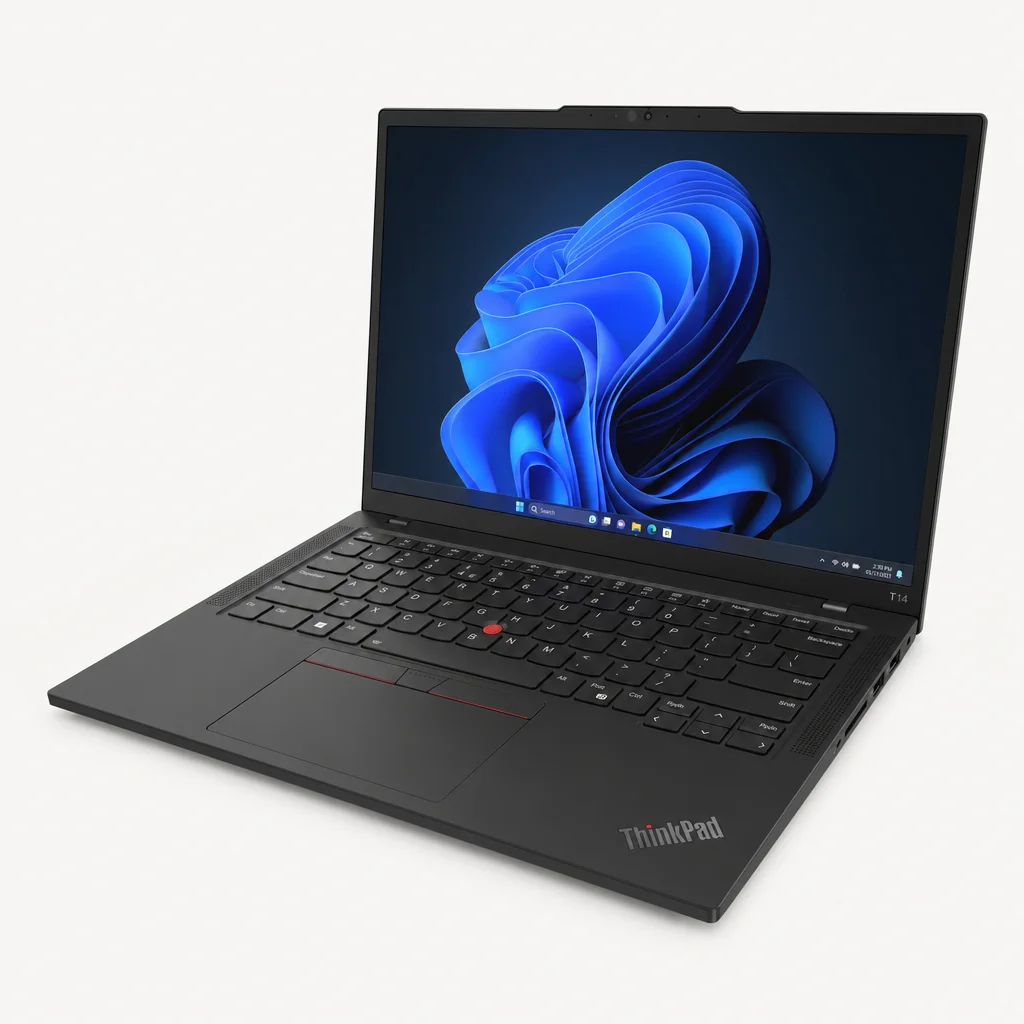
Consumer AI laptops get the shiny launch videos. Business buyers get the longer checklist — and the Lenovo ThinkPad T14 Gen 6 is for the latter. It pairs AMD Ryzen AI with a 50 TOPS NPU, but its real value lies in making Copilot+ features fit into an environment where security, hybrid calls and management policy matter just as much as performance.
That is not the most glamorous pitch in the world, I know. Yet if you have ever watched a colleague attempt to join a customer call from a loud coffee shop using a laptop that is also trying to update itself, you will appreciate why background noise suppression on the NPU is a practical benefit. By moving that work away from the CPU, the laptop can preserve more of its general performance during Teams calls. Windows Studio Effects is similarly useful for hybrid workers, particularly for background treatment and improved camera presentation.
Recall is also a different conversation in a managed fleet. The T14 Gen 6 supports enterprise policy controls via Microsoft Intune, allowing administrators to enable or restrict it per device. That does not make Recall either universally brilliant or universally appropriate; it means an organisation can make a considered decision rather than leaving every employee to guess. For regulated industries, that is the sort of detail that actually determines whether a new feature gets deployed.
NPU-backed call assistance
Windows Studio Effects and background noise suppression are geared towards the hybrid-working reality: calls all day, imperfect rooms and no desire to hear everyone's keyboard as a percussion section.
Enterprise control for Recall
Microsoft Intune can apply policy controls for Windows Recall on a per-device basis, giving IT teams a more deliberate route to adoption.
Business-minded hardware security
TPM 2.0, a fingerprint reader, an IR webcam for Windows Hello and a physical webcam shutter all address the basics that matter in managed environments.
Connectivity options for work away from desks
An optional 4G LTE configuration and a vPro option make the T14 Gen 6 a more natural fleet candidate than a consumer-first ultrabook.
The ThinkPad recipe remains sound: give people the security and management tools they need, then make the AI features support their work rather than hijack it. Long real-world battery life strengthens that appeal. This is the pick for someone buying a laptop as a work tool first and an AI showcase second. That may sound unexciting. It is also exactly how many expensive laptop purchases should be made.
Pros
- 50 TOPS AMD Ryzen AI NPU supports practical video-call and Windows features.
- Intune controls make Recall easier to govern in enterprise environments.
- TPM 2.0, fingerprint reader, IR camera, webcam shutter and optional 4G LTE suit business use.
- Background noise suppression runs on the NPU to help preserve CPU performance on calls.
Cons
- Its strengths are administrative and practical rather than headline-grabbing.
- It makes most sense where business security and management features are genuinely needed.
- Enterprise policy can limit features that a personal buyer may expect to use freely.
For a managed work fleet, AI features need guardrails as well as raw NPU throughput. The ThinkPad T14 Gen 6 is the business-first option.
4. ASUS Vivobook 16 Copilot+ Edition — Best for Budget Entry Into Genuine AI PC Features
See ASUS Vivobook 16 Copilot+ Edition on Amazon UK
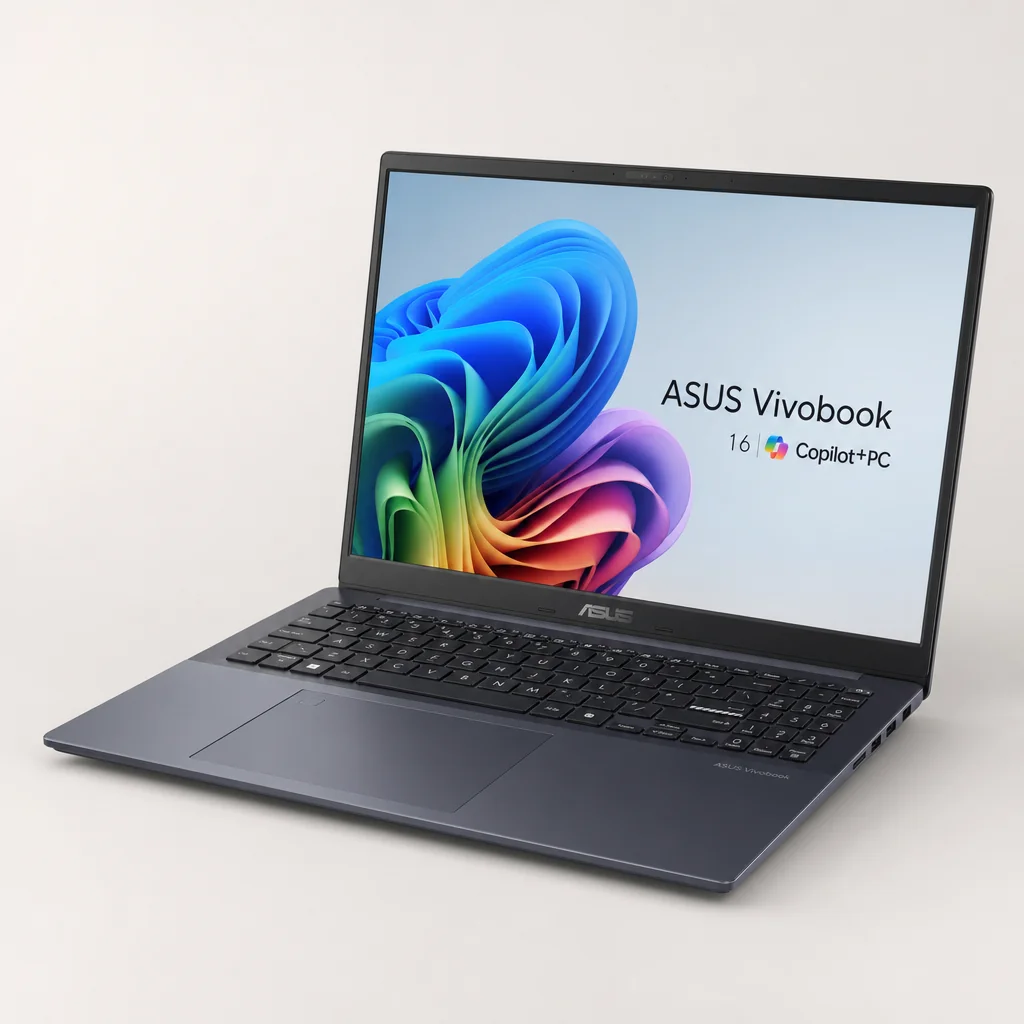
The ASUS Vivobook 16 Copilot+ Edition is the value pick because it does not ask you to settle for a half-hearted version of the NPU story. Its Ryzen AI 7 350 processor has a 50 TOPS NPU, the same quoted level that makes the more expensive AMD-based Zenbook S16 a credible Copilot+ machine. With 16GB of DDR5 memory and a 512GB PCIe 4.0 SSD, the $829.99 (about £649) configuration is an accessible route into local Windows AI features.
There is one critical shopping rule here: not every Vivobook 16 is the same laptop. The configuration to seek out is the Ryzen AI 7 350 Copilot+ model. Check the processor naming and make sure "Copilot+ PC" is stated on the listing or packaging. It is a boring bit of due diligence. It is also the difference between buying the machine described here and buying a similarly named model with a very different proposition.
Once you have the correct configuration, you get Live Captions with translation running at the Copilot+ threshold, Windows Studio Effects including background blur and Windows Recall. ASUS is using the same AMD NPU driver stack family as its more expensive Zenbook S16, which is reassuring: value does not have to mean sitting outside the feature set.
ASUS Vivobook 16 Copilot+ Edition
Ryzen AI 7 350, 50 TOPS NPU, 16GB DDR5 and 512GB PCIe 4.0 SSD.
Lenovo Yoga Slim 7x
Snapdragon X2 Elite platform with 80 TOPS Hexagon NPU and a 70Wh battery.
Dell XPS 13 (DX13260)
General starting price; student pricing started at $599 (about £469).
ASUS Zenbook S16
Premium 16-inch OLED option with AMD Ryzen AI 400 Series hardware.
Do not misunderstand "budget" as "cheap and cheerful to the point of compromise". The Vivobook is budget relative to this new Copilot+ category. It is still a proper laptop purchase, and the spec is sensible for mainstream productivity. It is particularly appealing for students, families and home workers who want to use Live Captions, Recall and Studio Effects without paying Zenbook money for a luxury display or Yoga money for maximum battery ambition.
The trade-off is straightforward: this is the entry pick because its appeal is feature access and price, not because it has the most glamorous hardware package in every direction. If you want a display-led premium machine, buy the Zenbook. If you need exceptional endurance, buy the Yoga. If you simply want a real Copilot+ PC at a more approachable price, the Vivobook is the sensible answer.
Pros
- $829.99 (about £649) is the most accessible confirmed price for a 50 TOPS AMD Copilot+ configuration here.
- Ryzen AI 7 350 delivers the same 50 TOPS NPU level as higher-end AMD alternatives.
- 16GB DDR5 memory and 512GB PCIe 4.0 SSD are a solid mainstream starting point.
- Live Captions, Studio Effects and Recall provide meaningful local AI functionality.
Cons
- You must check carefully for the Ryzen AI 7 350 Copilot+ configuration.
- It is a value-first choice, not the display, battery or portability leader.
- Near-identical Vivobook naming can make retailer listings confusing.
The shopping-list detail that matters
Do not buy on the words "Vivobook 16" alone. Look specifically for Ryzen AI 7 350 and Copilot+ PC branding. That small check protects you from accidentally paying for an AI-adjacent laptop rather than the 50 TOPS Copilot+ configuration this recommendation is based on.
5. Dell XPS 13 (DX13260) — Best for Quiet, Ultra-Light Everyday Carry
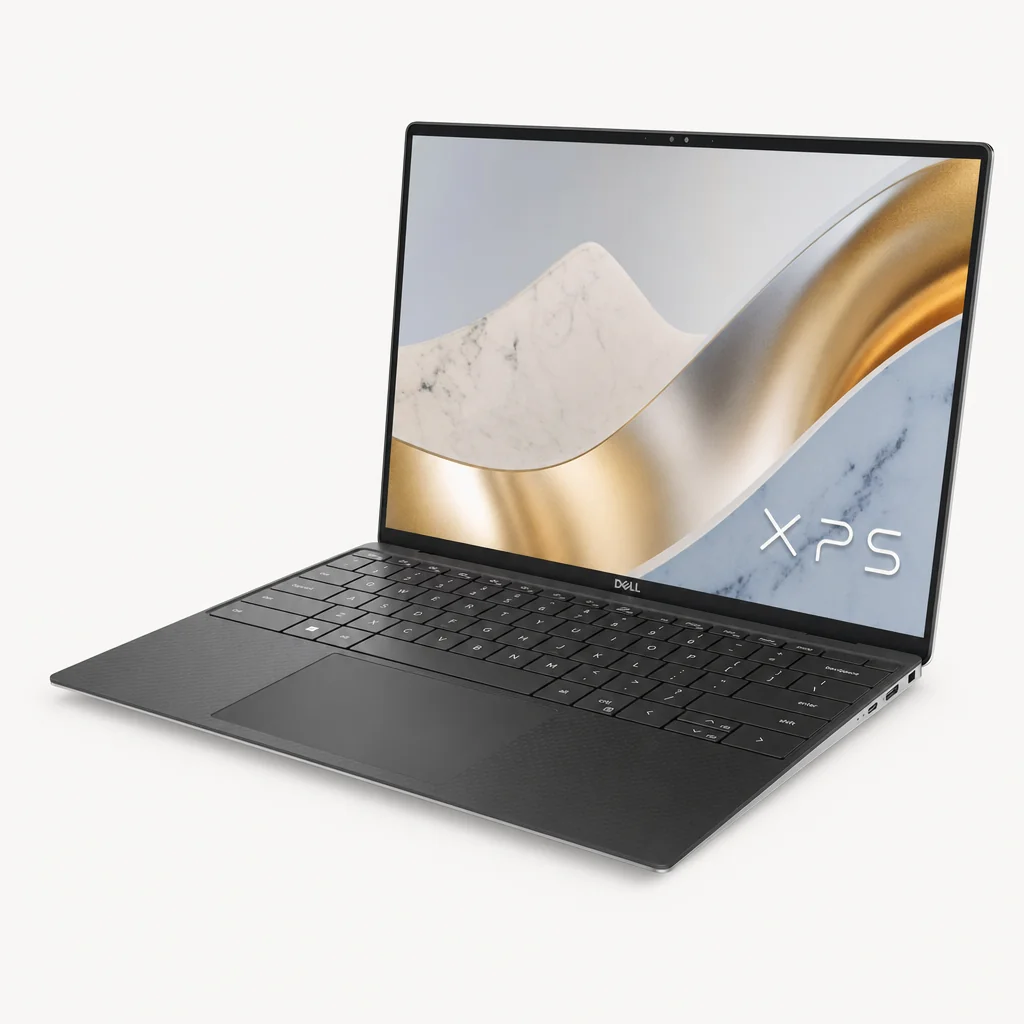
The Dell XPS 13 (DX13260) is the minimalist's Copilot+ choice. Launched in June 2026, the redesign started at $599 (about £469) for students and $699 (about £549) generally, making it the lowest confirmed starting price in this guide. It is also the lightest listed design at 1kg, with a 12.7mm height, 296.9mm width and 200.66mm depth. If your laptop spends most of its life in a tote bag, rucksack or between meeting rooms, those numbers are not trivia.
Its appeal is not solely that it is small. Dell pairs that portable footprint with a fanless design, a backlit keyboard, touchscreen and all-day battery-life claim. Fanless silence is one of those luxuries you only properly notice after returning to a laptop that constantly clears its throat. For writing, web work, note-taking and general productivity, a quiet machine can make an ordinary day feel less fussy.
Intel's newer Series 3 platform starts with a Core 5 320 in the base DX13260, with higher configurations available. Check the exact processor and NPU rating before buying rather than carrying the older Core Ultra 7 256V's 47-TOPS figure into this chassis. Memory options run to 32GB. Two Thunderbolt 4 ports with DisplayPort 2.1 and Power Delivery on Intel Core Ultra configurations make the compact chassis more flexible at a desk, including multi-external-display support.
This is the one to choose if you want the AI features available to you without buying a large machine or carrying a power brick that could double as light gym equipment. The XPS is not trying to beat the Yoga Slim 7x's headline endurance or the Zenbook's screen size. It is solving the "I want the lightest, quietest properly modern laptop I can justify" problem. That is a perfectly respectable problem to have.
Pros
- Starting at 1kg, it is the lightest listed laptop in this roundup.
- Fanless operation suits quiet working spaces and travel.
- Processor and NPU capability must be checked against the exact DX13260 configuration.
- $599 (about £469) student and $699 (about £549) general starting prices are notably accessible.
Cons
- Its compact form is aimed at portability, not maximum screen workspace.
- Two Thunderbolt 4 ports may mean adapters for older peripherals.
- "All-day" battery life is less specific than the Yoga's quoted figures.
Dell's redesigned XPS 13 prioritises a 1kg starting weight and fanless operation — useful qualities if your laptop needs to disappear into a bag and stay quiet on a desk.
6. ASUS ROG Flow Z13 — Best for Hybrid Casual and Pro AI Users

See ASUS ROG Flow Z13 on Amazon UK
Check today's price & availability on Amazon UK
The ASUS ROG Flow Z13 earns its place because it takes a different route to AI usefulness. This is the hybrid pick for someone who wants a machine that can move between casual use and more demanding creative or professional tasks, rather than living permanently in the neat, conventional ultraportable lane. Its 80 TOPS Hexagon NPU matches the highest NPU rating in this guide, and ASUS quotes up to 15 hours of battery life.
That 80 TOPS headline means the Flow Z13 has serious local AI throughput on paper. But this is a product where I would resist reducing the decision to a chart. The point is the hybrid proposition: it is for buyers who want flexibility in how they work and use their machine, and who may find the usual thin-and-light formula a bit too tidy. If your life involves a mix of documents, creative ideas, media and more intensive personal projects, that flexibility can matter more than whether the chassis looks like every other office laptop on the train.
It is not the easy default recommendation because hybrid designs are naturally more personal. Some people love the adaptable form; others want a conventional clamshell, full stop. Nor does the 15-hour battery claim challenge the Yoga Slim 7x's exceptional stated endurance. What it does offer is an 80 TOPS NPU in a machine aimed at the overlap between casual and professional AI use. For the right owner, that is precisely the interesting bit.
Pros
- 80 TOPS Hexagon NPU matches the highest NPU figure in this guide.
- Hybrid positioning is well suited to mixed casual and professional use.
- Up to 15 hours of quoted battery life gives it useful day-to-day range.
- A more flexible alternative to a conventional ultraportable.
Cons
- Hybrid form factors are more preference-dependent than standard laptops.
- Its 15-hour battery claim does not match the Yoga Slim 7x's stated endurance.
- It is a specialist recommendation rather than the uncomplicated default choice.
How to Choose Between These Six
Start with your daily friction, not with your favourite chipmaker. If you are repeatedly hunting for a socket, the Yoga Slim 7x is the obvious place to begin. If calls are your working life, the ThinkPad T14 Gen 6's NPU-backed noise suppression and management controls may be worth more than a larger TOPS headline. If your laptop display is a tool you stare at for eight hours, the Zenbook S16's 16-inch OLED changes the equation.
Then check your software. This is especially important when considering Snapdragon X2 Elite systems. The platform's Copilot+ feature set and battery story are persuasive, but your decision should include the applications you use for work, study or specialist tasks. "It runs Windows" is not quite the same thing as "every part of my routine behaves exactly as expected." A quick compatibility check before spending nearly a thousand dollars is the sort of boring wisdom I wholeheartedly endorse.
Finally, consider which AI feature will still matter in six months. A local image tool may be fun. Voice focus on every call, translation during meetings, an automatic camera frame and a display that politely protects your privacy can be more useful over the long haul. The best NPU is the one you forget exists because it quietly fixes a recurring annoyance.
Privacy matters: Recall and privacy-aware features can be genuinely useful, but they are not settings to enable blindly. Personal buyers should review the controls. Business buyers should follow company policy, especially where Microsoft Intune controls are in place.
Who Should Buy Which Copilot+ Laptop?
If you have skipped straight here, no judgement. This is the short version, based on the part of the laptop that will make the biggest difference to your day rather than the loudest line in its advert.
Best premium all-rounder
ASUS Zenbook S16 (UM5606). Choose it for a big 16-inch 3K OLED, 50 TOPS AMD AI hardware, a 1.1cm body and a premium everyday experience.
Best for battery life
Lenovo Yoga Slim 7x. Its 70Wh battery, 29-hour claim and 18–22-hour mixed-productivity results make it the travel and unplugged-work winner.
Best for business
Lenovo ThinkPad T14 Gen 6. This is the pick for managed fleets, policy-controlled Recall, secure sign-in and better hybrid-call behaviour.
Best on a tighter budget
ASUS Vivobook 16 Copilot+ Edition. At $829.99 (about £649), it gives you a proper 50 TOPS Copilot+ configuration without premium-ultrabook pricing.
Best for light travel
Dell XPS 13 (DX13260). A 1kg starting weight, fanless operation and $699 (about £549) general starting price make it the simple everyday carry choice.
Best hybrid option
ASUS ROG Flow Z13. Pick it if a conventional ultraportable feels too limiting and you want 80 TOPS in a more flexible casual/pro setup.
The right Copilot+ laptop depends less on the badge and more on the job: display quality, mobility, business management, price and battery life all change the recommendation.
Final Buying Checks Before You Commit
There are a few final checks worth making before you buy. First, confirm the exact processor. This is vital with the Vivobook 16, but it is good practice everywhere: product families often contain several configurations, and a similar name does not guarantee the same NPU or Copilot+ status.
Second, decide how much screen you need. A 14-inch OLED at 1.13kg is lovely when travelling. A 16-inch 3K OLED is lovely when you spend your day comparing documents, editing images or working with several windows. Neither is objectively right. Your shoulders and your eyes will have different opinions, as they often do.
Third, pay attention to ports and your desk setup. The XPS 13's two Thunderbolt 4 ports are capable and modern, including DisplayPort 2.1 and Power Delivery, but they may change what adapters you need. The Yoga Slim 7x has three USB4 ports. The Zenbook S16 emphasises full-size I/O. Think about the monitor, drives, dongles and meeting-room cables you already own; future-you will appreciate it.
Finally, treat NPU features as a reason to choose between otherwise good laptops, not a reason to overlook ordinary laptop fundamentals. Battery, keyboard comfort, display, weight, ports and the applications you depend on still decide whether a machine is a joy or a nuisance. The best AI laptop should first be a good laptop.
Frequently Asked Questions
A good buying decision starts with your routine: the best NPU feature is usually the one that removes a repeated frustration without demanding attention.
The Bottom Line
The ASUS Zenbook S16 (UM5606) is the best premium Copilot+ laptop here because it combines a 50 TOPS AMD NPU with a superb 16-inch 3K OLED, thin 1.1cm chassis and genuinely useful privacy and Studio Effects features. Choose the Lenovo Yoga Slim 7x instead if extraordinary battery life and the fullest Snapdragon-led Copilot+ feature set are your priorities. The ThinkPad T14 Gen 6 is the grown-up business choice, the Vivobook 16 is the sensible value entry point, the Dell XPS 13 is the lightweight quiet option, and the ROG Flow Z13 is the flexible wildcard. In short: buy the laptop whose NPU solves a problem you actually have. That is when the badge stops being marketing and starts being useful.
- Zenbook S16View on Amazon
- ASUS ROG Flow Z13View on Amazon