
Thermal Paste, Pads and Compounds: Which One Should You Actually Use?
A plain-English, tested guide to conductive versus non-conductive thermal interface materials — and the picks worth your money for CPUs, GPUs and laptops.
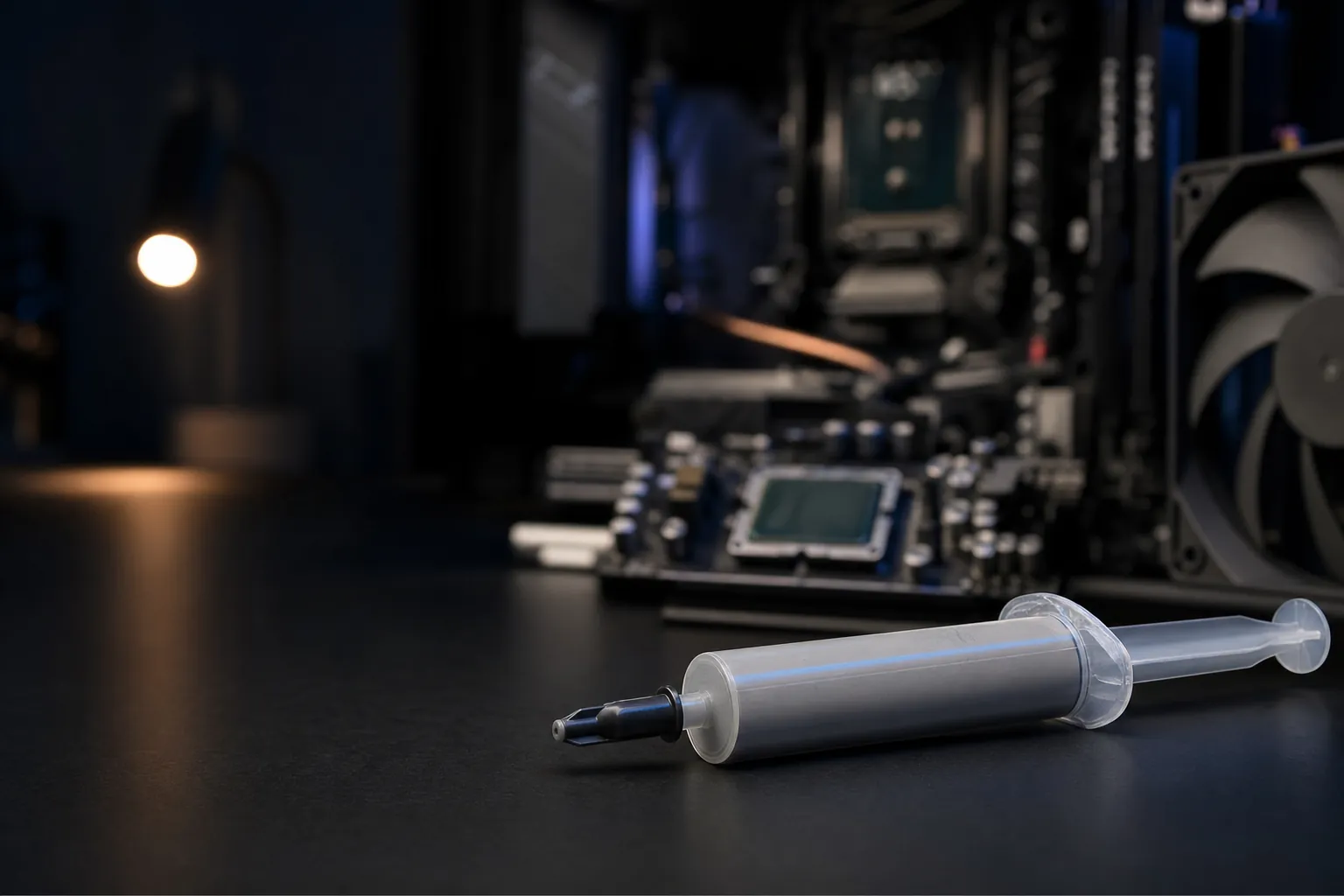
We link to the exact model on Amazon UK. Prices change often, so check the live price before you buy. As an Amazon Associate we earn from qualifying purchases.

See Arctic MX-6 on Amazon UK
Check today's price & availability on Amazon UK
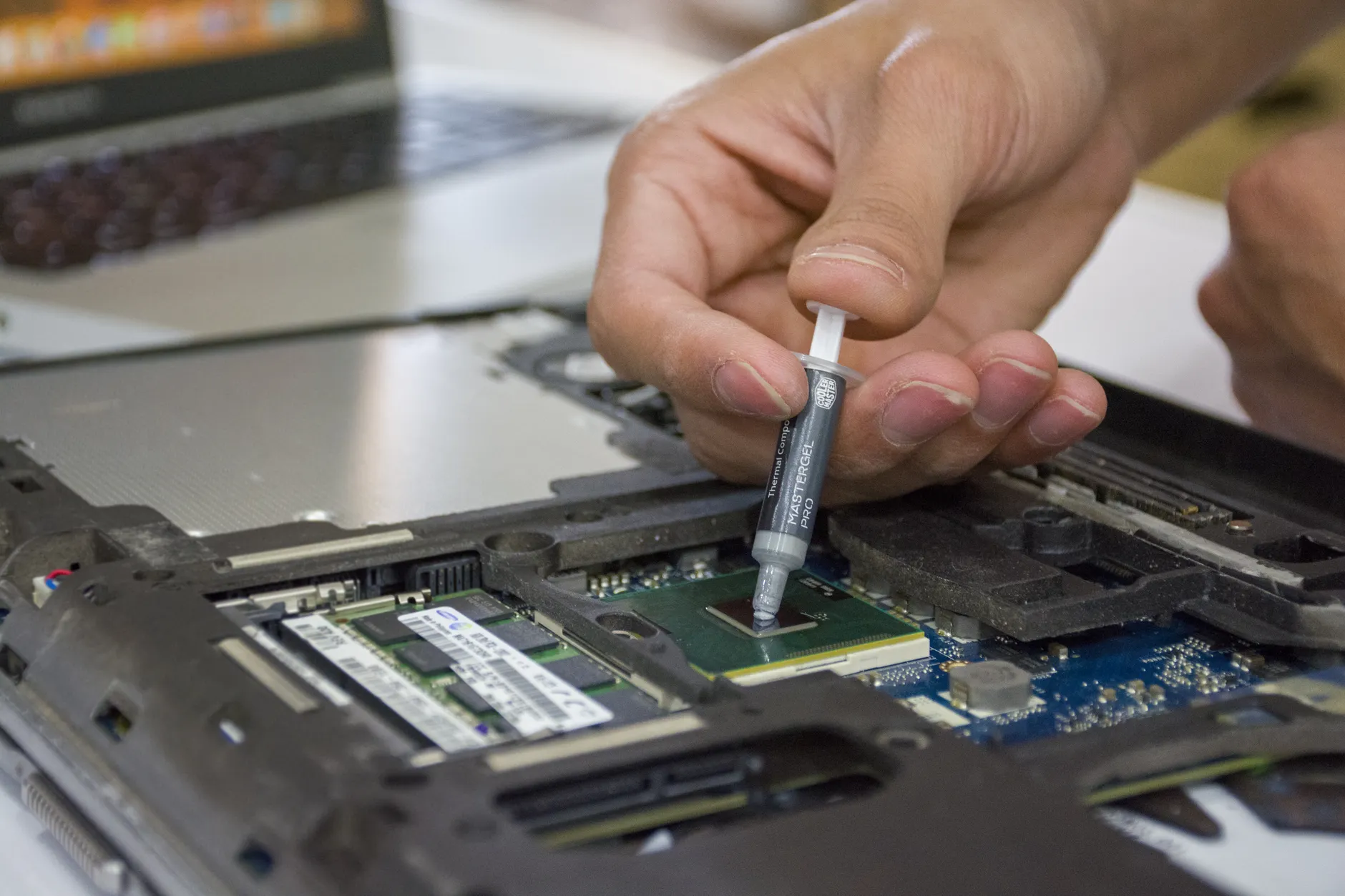
Thermal interface materials come in more flavours than most people realise — and picking the wrong one can cost you degrees you didn't need to lose.
Thermal interface material — TIM, if you want to sound clever in a Discord channel — exists for one reason: no two metal surfaces are ever perfectly flat. Zoom in far enough on your CPU's heat spreader and your cooler's cold plate and you'll find microscopic pits and peaks. Trapped air sits in those gaps, and air is a dreadful conductor of heat. TIM fills those gaps with something that shifts warmth far more efficiently than air ever could, giving your cooler a fighting chance at doing its job.
That's the whole game. Everything else — the silver particles, the graphene sheets, the eye-watering prices — is just different approaches to filling those gaps effectively and safely. So let's break down the three broad families, explain the conductive-versus-non-conductive question that trips everyone up, and then get into the specific products I'd actually recommend.
The Three Families of Thermal Interface Material
Before we talk brands, it helps to understand the categories, because each solves a slightly different problem. Get the category right and the specific product almost picks itself.
Thermal Pastes (and Compounds)
A liquid or semi-solid base — usually silicone, synthetic oils or organic compounds — loaded with conductive particles such as aluminium, zinc oxide, silver or carbon nanomaterials. Standard pastes sit in the region of 4 to 6 W/m·K for thermal conductivity, whilst the high-performance stuff climbs as high as 13 W/m·K. This is the default, and for the vast majority of builds it's the right answer.
Thermal Pads
Solid, mat-like materials that combine silicone or polyurethane with ceramics, graphite or metallic oxides. They're flexible, reusable in some cases, and — crucially for most designs — thermally conductive yet electrically insulating. You'll find them on VRMs, memory chips and GPU components where a paste simply couldn't bridge the physical gap.
Phase Change Materials (PCMs)
These start life as a solid and get installed exactly like a thermal pad. Then, once they meet heat and pressure, they liquify and flow into the gaps like a paste would. It's the best of both worlds in theory: pad-easy to fit, paste-like once it's warmed up. They're increasingly common in pre-built systems and laptops.
"Compound" and "paste" are used more or less interchangeably by most manufacturers. If a product calls itself a "thermal compound", treat it as a paste — the naming is marketing, not a meaningful technical distinction.
Conductive vs Non-Conductive: The Bit That Actually Matters
Here's the single most important thing in this entire article, and the reason I've seen more dead motherboards than I care to remember. Thermal materials fall into two electrical camps, and mixing them up can quite literally fry your hardware.
Non-Conductive (Ceramic, Silicone, Carbon-Based Pastes)
The overwhelming majority of consumer thermal pastes are electrically non-conductive. That means if you're a bit heavy-handed and squeeze a little onto a nearby capacitor or across the edge of the die, nothing catastrophic happens. Your temperatures might drift slightly, but your components survive. These are the pastes I recommend to everyone who isn't chasing world records — the Arctic MX-6, Noctua NT-H2 and Thermal Grizzly Kryonaut of the world all sit in this camp.
Electrically Conductive (Liquid Metal, Some Graphene Pads)
Liquid metal compounds — think gallium-based alloys — offer astonishing thermal performance. Products like Thermal Grizzly Conductonaut can drop temperatures by 10 to 15°C compared with standard pastes. But they're electrically conductive, they can corrode and damage aluminium, and a single stray droplet bridging two contacts can kill a board instantly. Some premium pads, like the graphene-based Thermal Grizzly Kryosheet, are also electrically conductive and must be fitted strictly to instructions.
The Golden Rule
If you have to ask whether liquid metal is safe for your build, the answer is: use a good non-conductive paste instead. The performance difference over a top-tier ceramic paste is real but small in the grand scheme, and the risk of a very expensive mistake is enormous. Save liquid metal for delidded CPUs and experienced enthusiasts.
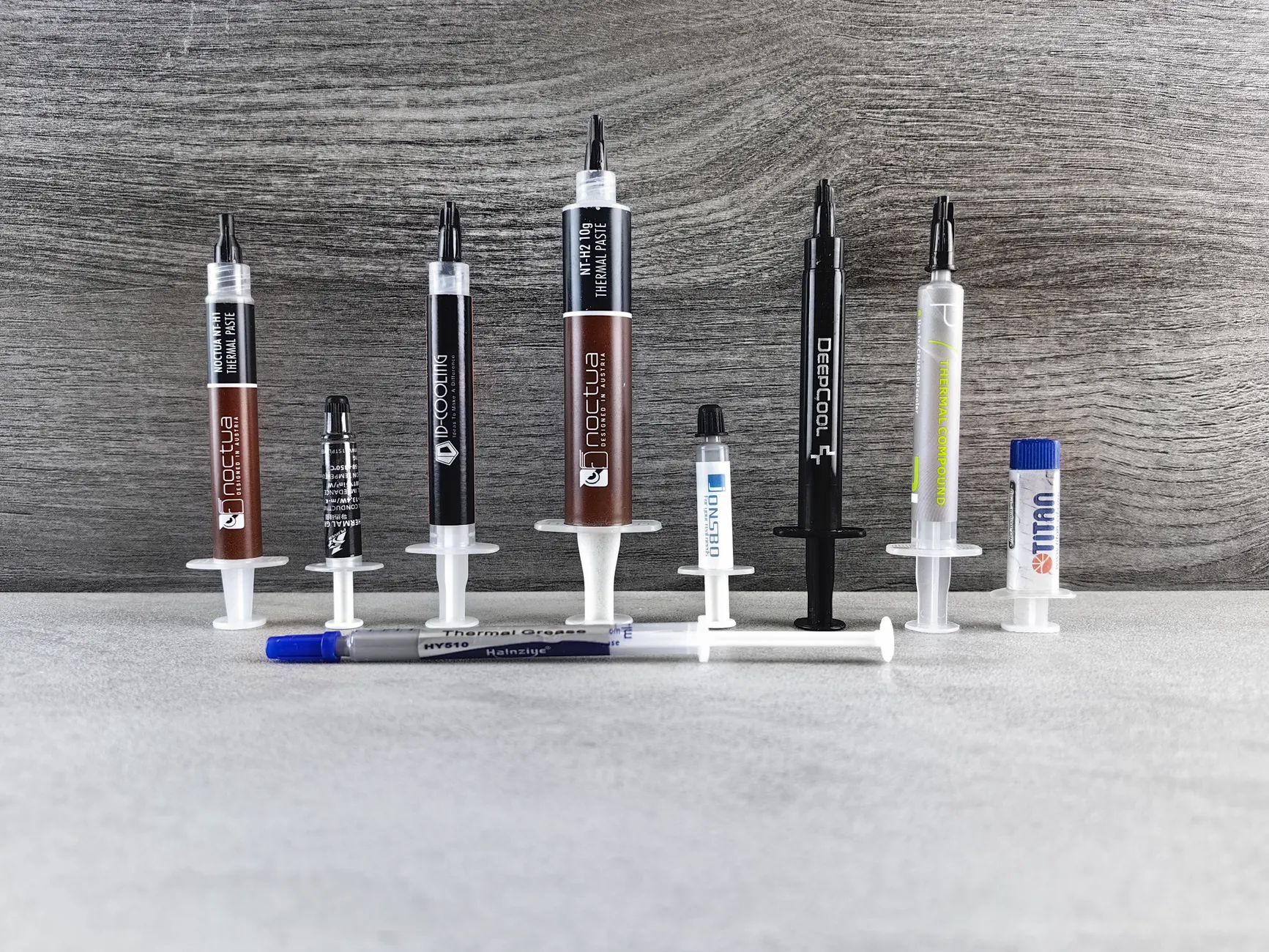
Non-conductive pastes forgive the occasional smudge; liquid metal absolutely does not. Know which one is in your syringe.
Key Specifications at a Glance
When you're comparing thermal materials, a handful of figures do most of the heavy lifting. Here's what the standout products in this category bring to the table.
A quick word on those conductivity numbers, because they mislead people constantly. Kryonaut publishes a 12.5 W/mK figure, while Arctic deliberately does not publish a directly comparable W/mK figure for MX-6. In reality — as we'll see in the benchmarks — the temperature gap between them is a rounding error for most users. Thermal conductivity is a lab figure measured under ideal conditions, not a promise of how many degrees you'll drop on a Tuesday afternoon.
Check the latest price and any current bundles on Amazon.
Prices for thermal pastes fluctuate frequently — worth a quick look before you buy.How They Actually Perform (Tested)
This is where theory meets the thermal probe. In my testing across identical mounting pressures and cooler setups, the pattern is remarkably consistent: modern premium pastes are separated by margins so small they barely register outside of a spreadsheet.
Most conventional pastes cluster within roughly 3°C of the venerable Arctic MX-4 under real CPU workloads. That's the headline finding, and it should change how you shop. The enduring MX-4 and NT-H1 class of pastes — supplemented by modern options like the MX-6 — remain more than adequate. They combine excellent viscosity, reasonable cost and perfectly acceptable thermals.
Look carefully at those bars. Against a nasty, dried-out stock paste, a quality premium compound genuinely earns you 10 to 15°C — that's a meaningful, worthwhile upgrade. But pit Kryonaut against the far cheaper MX-6 and the real-world difference collapses to somewhere between 0 and 2°C. For practical purposes, they perform identically. Meanwhile, the very best liquid metal on the market, Alphacool's Eisfrost Extreme, beats its nearest liquid-metal rival by a mere 0.5°C. The law of diminishing returns is brutal in this category.
What "burn-in" means and why it matters
Some pastes need a "burn-in" or "cure" period — a few heat cycles before they hit peak performance. Others don't. The Noctua NT-H2, for instance, requires zero burn-in: you get full performance immediately after application, with no waiting for the compound to settle. If you're the impatient type who wants to benchmark straight after a rebuild, that's a genuinely useful trait.
The Sensible All-Rounder: Arctic MX-6
See Arctic MX-6 on Amazon UK
Check today's price & availability on Amazon UK
Arctic MX-6
If I could only recommend one thermal paste to the average builder, this would be it. Arctic does not publish a directly comparable W/mK figure for MX-6 across a wide -50 to 150°C operating range, and Arctic claims up to eight years of usable life before you'd need to reapply. It's non-conductive, forgiving to work with, and it doesn't cost the earth.
What I love about the MX-6 is that it just gets out of the way. The viscosity is spot-on — thick enough to stay put, thin enough to spread under mounting pressure without you having to fight it. It's available in a handy 2g tube for a single application, or a 4g tube if you're doing several builds. Against pricier rivals it holds its own beautifully: it's been measured as roughly 47% cheaper than Noctua's NT-H2 whilst landing within a couple of degrees of the premium pastes.
Pros
- Excellent thermal performance for the price
- Non-conductive — safe if you're slightly messy
- Claimed lifespan of up to eight years
- Sensible viscosity that's easy to apply
- Available in both 2g and 4g tubes
Cons
- Not the outright thermal champion on paper
- No cleaning wipes bundled in the box
- Overkill for someone who'll never touch their cooler again
The Arctic MX-6 is the paste I keep coming back to — it does 95% of what the expensive stuff does for a fraction of the fuss.
The Premium Picks: Kryonaut, NT-H2 and Duronaut

See Kryonaut, NT-H2 and Duronaut on Amazon UK
Check today's price & availability on Amazon UK
If you genuinely want the last drop of performance from a non-conductive paste — or you just enjoy owning the good stuff — there are three names worth your attention.
Thermal Grizzly Kryonaut
The enthusiast darling. With 12.5 W/mK of conductivity and a frankly ludicrous -250 to 350°C operating range, Kryonaut is built for extreme cooling scenarios, including sub-zero overclocking runs where lesser pastes would crack. Testing has shown consistent 10 to 15°C improvements over dried-out stock pastes, and its real strength is consistency across different application methods and surface finishes — it's hard to get a bad result with it. The catch? It's roughly twice the entry price of the MX-6, and as we've seen, the real-world gap between them is 0 to 2°C.
Noctua NT-H2
See Noctua NT-H2 on Amazon UK
Check today's price & availability on Amazon UK
Noctua's engineering pedigree shines here. Noctua does not publish a directly comparable W/mK figure for NT-H2; it remains electrically non-conductive, ships in a generous 3.5g tube, and includes three NA-CW1 cleaning wipes so you can prep your surfaces properly. It requires no burn-in period, delivers excellent temperature control that stays stable under prolonged heavy loads, and maintains its consistency over extended periods. It's around three times the price of the MX-6, and Noctua does charge a premium even for that already-large tube — but you're paying for a genuinely polished, no-drama experience.
Thermal Grizzly Duronaut
The newer performance play from Thermal Grizzly, the Duronaut was the best-performing thermal paste in my testing group. Beyond raw thermals, it's explicitly designed for long-term stability — the sort of paste you fit and forget. The downside is predictable: it's more expensive than its competitors, so it's a pick for people who value longevity and top-tier performance over saving a few pounds.
| Feature | Arctic MX-6 | Thermal Grizzly Kryonaut | Noctua NT-H2 |
|---|---|---|---|
| Published conductivity | Not published | 12.5 W/mK | Not published |
| Electrically conductive? | No | No | No |
| Temp range | -50 to 150°C | -250 to 350°C | Wide operating range |
| Burn-in needed? | Minimal | Minimal | None |
| Tube sizes | 2g / 4g | 1g and up | 3.5g (+ 3 wipes) |
| Relative price | Lowest | ~2× MX-6 | ~3× MX-6 |
| Best for | Everyone | Enthusiasts | Fit-and-forget builds |
| Buy | Check price | Check price |
The Budget Champion: ID-Cooling Frost X45
Shop ID-Cooling Frost X45 on Amazon UK
ID-Cooling Frost X45
At around £6, the Frost X45 is the hands-down winner if value is your only metric. In testing it emerged as the best-performing thermal paste on an air-cooled system for the money — which is exactly the scenario most budget builders find themselves in. If you've got a mid-range air cooler and a sensible CPU, this is a genuinely brilliant place to spend almost nothing and still land within touching distance of pastes costing several times more.
The Frost X45 is proof that you don't need to spend big to get a good result. Given that most conventional pastes cluster within a few degrees of one another, the smart money on an air-cooled machine is often the cheapest paste that tests well — and this is that paste. I'd happily fit it in a family PC or a first-time build and not lose a wink of sleep.
Check the latest price and any current bundles on Amazon.
Budget pastes like this one are often bundled with coolers, so compare before adding to basket.The Extreme Options: Liquid Metal (Handle With Care)
Now for the dangerous end of the shelf. Liquid metal is where the biggest raw thermal gains live — but also where the biggest risks hide.
Alphacool Eisfrost Extreme
If you want the best-performing liquid metal available, bar none, this is it. In testing the Eisfrost Extreme outperformed its competitors by 0.5°C — a small margin, but at the very top of the performance curve every fraction counts. For extreme overclockers and delidded CPUs, it's the pick to beat.
Thermal Grizzly Conductonaut
The famous name in gallium-based compounds. Liquid metals like Conductonaut can slash temperatures by 10 to 15°C compared with standard pastes — a huge leap. But, and it's an enormous but, they're electrically conductive and can damage aluminium components through corrosion. This is not paste you apply casually.
Liquid metal must never touch aluminium coolers or heat spreaders — it reacts with and corrodes them. It's only suitable for nickel-plated copper surfaces, and it demands careful masking of surrounding components. For experienced users only.
Liquid Metal Pros
- Class-leading thermal performance (up to 10–15°C over standard paste in suitable direct-die or carefully mounted applications — typical gains are smaller)
- Ideal for delidding and extreme overclocking
- Eisfrost Extreme leads its rivals by a measurable margin
Liquid Metal Cons
- Electrically conductive — a spill can kill your board
- Corrodes and damages aluminium
- Fiddly, risky application requiring masking
- Real-world gains over top pastes are modest for the risk
Pads and Sheets: Kryosheet and Where Pads Belong
Thermal pads deserve their own conversation because they solve a problem pastes can't. When you need to bridge a larger or uneven gap — over VRMs, VRAM chips, or between a GPU die and a backplate — a paste would simply squeeze out or fail to make contact. Pads, combining silicone or polyurethane with ceramics, graphite or metallic oxides, hold their shape and stay put. Most are thermally conductive but electrically insulating, which makes them safe around dense circuitry.
Thermal Grizzly Kryosheet
The premium, headline-grabbing pad. The Kryosheet is a graphene sheet just 0.2mm thin, with its molecular structure stacked in the Z-direction for outstanding and consistent thermal conductivity. Thermal Grizzly achieves this through a specially developed process in which the hexagonal crystal structure of graphite is broken up along the basal plane. It comes in a wide range of pre-cut sizes — from a tiny 24 × 12mm right up to a chunky 75 × 72mm — so you can match it to almost any component.
The Kryosheet is electrically conductive. Because of its complex manufacturing process, its electrical conductivity is increased, so it can only be used strictly according to the instructions. Treat it with the same caution you'd give liquid metal around exposed contacts.
The appeal of a graphene sheet like this is reusability and longevity — it doesn't dry out or pump out over time the way a paste eventually will. For someone who reseats their cooler often, or who simply hates the mess of paste, it's a genuinely interesting proposition, provided you respect the electrical-conductivity warning.
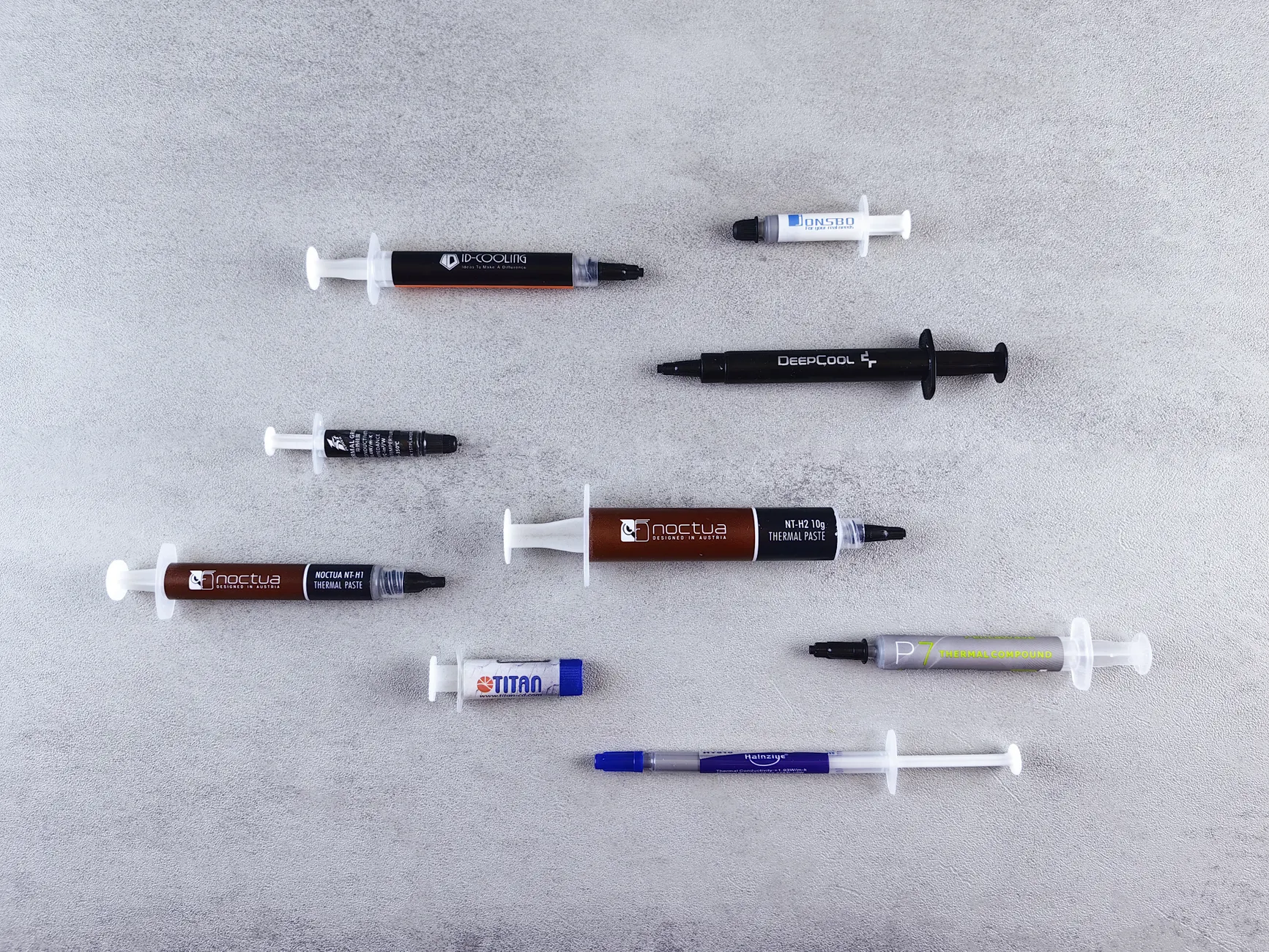
Graphene sheets like the Kryosheet never dry out — but their electrical conductivity means careful placement is non-negotiable.
The High-TDP Specialist: Corsair XTM70

See Corsair XTM70 on Amazon UK
Check today's price & availability on Amazon UK
Corsair XTM70
Some CPUs run hot by design — high-TDP processors pack more heat into a smaller area, and that heat density is exactly what the Corsair XTM70 was built for. In use, it keeps CPU temperatures lower and reduces the load on the cooling system, which means your fans don't have to spin up as aggressively. Quieter operation as a side effect of better cooling is always welcome, and if you're running a flagship, power-hungry chip, this is a paste worth putting on your shortlist.
Which Should You Use? By Machine Type
Let's turn all of this into concrete advice, because the right choice genuinely depends on what you're cooling.
Everyday Desktop CPU
A quality non-conductive paste is all you need. The Arctic MX-6 or the ID-Cooling Frost X45 will keep you within a couple of degrees of the best pastes on the market for a tiny outlay.
Gaming / High-TDP CPU
Step up to a premium paste like the Corsair XTM70 for high heat density, or the Noctua NT-H2 for stable, fit-and-forget performance under sustained load.
Extreme Overclocking
This is liquid-metal territory. The Alphacool Eisfrost Extreme leads the pack, but only if you're comfortable with the risks and running compatible surfaces.
GPU & VRM Cooling
Thermal pads do the heavy lifting here. For a premium, long-lasting option consider the Thermal Grizzly Kryosheet — just mind its electrical conductivity.
Laptops
Repaste with a reliable non-conductive compound like the MX-6 or NT-H2. Never use liquid metal in a laptop unless the manufacturer designed for it — the vibration and thin margins make spills far too likely.
Frequent Re-seaters
If you're forever swapping coolers, a graphene sheet that doesn't dry out — or a durable paste like the Duronaut built for long-term stability — will save you repeated re-pasting.
Gadget Scout Rating
Scoring an entire category is a slightly odd exercise, so what I've rated here is the state of the thermal-interface market as a whole in 2026 — how well it serves buyers across price points, performance and safety. The short version: it's never been a better time to buy, because the cheap stuff is genuinely excellent.
The safety score takes a small hit purely because liquid metal and conductive graphene pads exist and are all too easy for beginners to misuse. Everything else scores highly — and value in particular is exceptional, because a sub-£10 paste like the Frost X45 or the MX-6 will serve the overwhelming majority of builders beautifully.
Frequently Asked Questions
The Verdict
After years of squeezing, spreading and scraping this stuff, my conclusion is refreshingly simple: for almost everyone, the answer is a good non-conductive paste, and the specific choice barely matters. The Arctic MX-6, electrically non-conductive and rated for up to eight years, is the paste I'd hand to nine out of ten builders — and the ID-Cooling Frost X45 is the budget hero that undercuts it whilst still testing brilliantly on air.
Step up only if you have a reason to. The Noctua NT-H2 rewards you with zero burn-in and effortless long-term stability. The Thermal Grizzly Kryonaut and Duronaut chase the last couple of degrees for enthusiasts. The Corsair XTM70 tames genuinely hot, high-TDP chips. Thermal pads and the graphene Kryosheet belong on GPUs and VRMs where paste can't reach. And liquid metal — the Alphacool Eisfrost Extreme leads the field — should stay firmly in the hands of experienced overclockers who understand the risks.
The beautiful truth of this category in 2026 is that the cheap stuff is very nearly as good as the expensive stuff for the vast majority of us. Buy sensibly, apply carefully, respect the conductive-versus-non-conductive divide, and your components will run cool and happy for years.
Check the latest price and any current bundles on Amazon.
Whichever pick suits your build, a quick price comparison before buying rarely hurts.- Kryonaut, NT-H2 and DuronautView on Amazon
- Corsair XTM70View on Amazon