
Acer Swift Air 16 Review: A 16-Inch Laptop That Weighs Under a Kilo
Acer's remarkable featherweight asks a simple question: can a genuinely big Windows laptop travel like a small one without feeling like it was built from digestive biscuits?
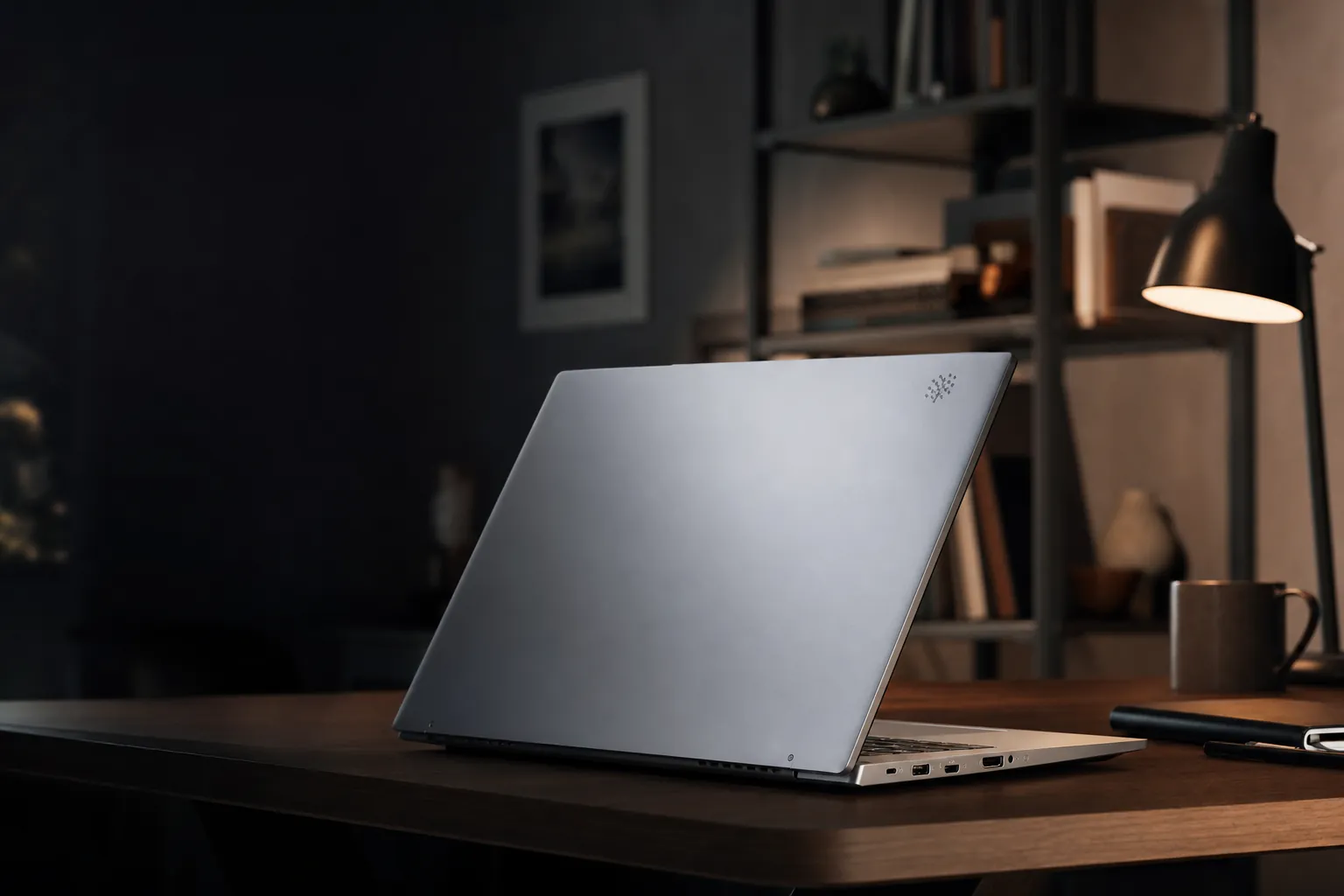
We link to the exact model on Amazon UK. Prices change often, so check the live price before you buy. As an Amazon Associate we earn from qualifying purchases.
The Swift Air 16's central trick is unusually straightforward: a proper 16-inch laptop body, paired with a starting weight of only 990g.
Acer Swift Air 16: the big-screen laptop that barely registers in your bag

See Acer Swift Air 16 on Amazon UK
Check today's price & availability on Amazon UK
The Acer Swift Air 16 arrived with one headline that practically writes itself: it puts a 16-inch display into a laptop weighing 990g in its lightest configuration. That was an eyebrow-raising number when Acer announced the SFA16-61M at IFA Berlin on 3 September 2025, and it remained the reason to care about this machine in July 2026.
There are plenty of light laptops. There are plenty of 16-inch laptops, too. Usually, however, the two live at opposite ends of the shop floor. A larger screen tends to mean a bigger battery, more metal, a longer keyboard deck and a bag that suddenly feels as though you packed a paving slab alongside your lunch. Acer's pitch was to break that relationship. The Swift Air 16 was the laptop for someone who wanted room to work, but did not want to carry the usual physical penalty for it.
The clever bit is that this is not one narrowly fixed configuration. Acer offered three broad routes through the range: an IPS model with a Ryzen AI 5 330, a WUXGA OLED option with a Ryzen AI 5 340, and a higher-spec AMOLED version built around the Ryzen AI 7 350. The display choice matters more than it initially appears to, because it changes both the visual experience and the weight. The sub-kilo claim belongs to the IPS machine; the AMOLED model weighed 1.1kg. Still absurdly light for the size, just not quite the magic-number version of the story.
That distinction is important because the premium configuration is the one that makes the strongest case as a modern portable workstation. Its WQXGA+ AMOLED panel, 120Hz refresh rate, 32GB memory ceiling and 1TB SSD option turn it into a far more ambitious machine than the entry-level specification suggests. Yet it keeps the same essential appeal: a big screen that feels almost comically easy to lift.
So, did Acer's diet go too far? In everyday terms, no. The Swift Air 16 made a persuasive argument that large-screen portability need not be an oxymoron. It was not designed for serious gaming or GPU-heavy 3D work, and its display options were uneven enough that you should choose carefully. But the build, cooling and real-world battery result gave the concept rather more substance than a flashy launch slide.
Pros
- Extraordinary 990g weight for the IPS configuration.
- AMOLED model remained a very portable 1.1kg.
- Real-world video playback reached around 11 hours at maximum brightness.
- Premium AMOLED option offered 120Hz, 100% DCI-P3 coverage and WQXGA+ resolution.
- Useful port selection included HDMI, USB-A and two USB-C connections.
Cons
- The 990g headline did not apply to the AMOLED model.
- Base IPS panel had limited 45% NTSC colour coverage.
- Integrated Radeon graphics were not suited to demanding games or 3D rendering.
- USB-C connections operated at USB 3.2 Gen 1 speeds.
- Display quality varied dramatically between configurations.
Specs at a Glance: What You're Actually Getting
Acer's configuration strategy means that "Swift Air 16" is not enough information by itself. It tells you the chassis and general platform, but not necessarily the screen experience, the processor class or the all-important weight. That is manageable once you understand the tiers, but it is absolutely worth checking the full specification before clicking buy. This is one of those laptops where a single line on a retailer page can make the difference between a capable OLED machine and a basic IPS one.
Weight caveat worth knowing: the attention-grabbing 990g figure applied to the IPS version. The WQXGA+ AMOLED variant weighed 1.1kg and measured 16.5mm thick, while the IPS model was 15.9mm thick. Both are exceptionally light for a 16-inch class laptop, but they are not identical products in practice.
Every Swift Air 16 used a magnesium-aluminium alloy chassis. That was a sensible material choice for a laptop whose entire reason for existing was weight reduction. Aluminium alone can feel reassuringly dense, but that density is not much help when you have been carrying it between home, train and office for six hours. Magnesium alloy is one of the better ways to chase grams without defaulting to cheap-feeling plastic.
At the top end, you got a Ryzen AI 7 350 paired with Radeon 860M integrated graphics, up to 32GB of memory and up to 1TB of M.2 PCIe NVMe storage. Lower models used Ryzen AI 5 330 or Ryzen AI 5 340 chips, with Radeon 840M or 860M integrated graphics depending on configuration. Windows 11 Home was installed, and the platform qualified as a Copilot+ PC, bringing Microsoft's Recall preview, Click to Do preview, Improved Windows Search and Studio Effects into the mix.
The Swift Air 16 packed HDMI, USB-A, twin USB-C ports and a headset jack into a chassis that remained thinner than many conventional 16-inch notebooks.
Featherweight Fighter: Design, Build and First Impressions
Pick up the IPS Swift Air 16 and the number stops being marketing copy. A 990g 16-inch laptop feels wrong in the most entertaining possible way. Your hands expect a larger notebook to tug downwards. Instead, it comes up with the sort of effort normally associated with a compact 13-inch machine. Acer did not make the screen smaller and call it a day, either: the footprint was 358.9 × 239.7mm, so this remained a real, usable 16-inch device rather than a tiny panel surrounded by clever terminology.
The AMOLED version gained a little weight at 1.1kg, but context matters. That is only 110g more than the sub-kilo model, and it buys the more ambitious screen specification. In a backpack, either configuration was very easy to live with. If your current laptop is a traditional 15- or 16-inch Windows machine, the difference is one you notice immediately. It is less "a little lighter" and more "did I leave something in the bag?"
Weight alone is not a win if the machine feels flimsy, though. Ultralights can sometimes create an awkward bargain: you save your shoulders but spend the next two years opening the lid with the delicacy of a bomb-disposal technician. The Swift Air 16 avoided that impression. The magnesium-aluminium construction felt appropriately solid for a machine this thin and light, with rounded edges and corners that made it pleasant to handle. The chassis did not read as dense in the way a heavier aluminium notebook might, but neither did it feel like a toy.
There is a difference between "sturdy enough" and "indestructible", and this is firmly in the former camp. A 16-inch lid covers a lot of surface area, while an ultra-light body naturally has less mass to resist twisting. That makes sensible handling more relevant here than on a chunky business laptop. Yet the practical payoff was excellent: a big-screen machine that could move around the house one-handed, slide into a day bag without ceremony and come out again without making you reconsider your life choices.
The real portability win
The Swift Air 16 was not merely light enough for a 16-inch laptop. It changed where a 16-inch laptop made sense. It was realistic as a commuter machine, a university machine and a sofa-to-kitchen-to-desk machine rather than something you only carried when you absolutely had to.
The keyboard deserved a mention because it is often where aggressively thin laptops become unpleasant. Acer managed to fit an extended layout into the chassis, and the keys did not feel rattly or lightweight. That matters more than it sounds. A keyboard is the part you touch all day; a gorgeous specification sheet cannot rescue a laptop whose keys make every email feel like a punishment. Here, the typing surface felt stable and usable rather than compromised for the sake of a scale reading.
The touchpad was a hinged mechanical design with a smooth surface and nicely damped action. Again, it is a small thing until it is not. A touchpad that clacks, wobbles or feels reluctant to register a click can make a premium laptop feel oddly unfinished. Acer's approach sounded conventional, but conventional is good when it works. There was no need for a flashy haptic trick when the basic physical action was already satisfying.
Large-screen travel without the usual burden
The IPS model's 990g weight was the Swift Air 16's defining feature, while the 1.1kg AMOLED model remained remarkably easy to carry.
Extended keyboard that felt properly planted
The keys avoided the rattly, insubstantial character that can undermine very thin machines, making long writing sessions more comfortable.
Well-judged mechanical touchpad
The smooth pad and damped hinged click gave the everyday pointing experience a more polished feel than the weight might suggest.
Useful privacy hardware
The 1080p infrared webcam included a physical privacy shutter, so you were not relying only on a software indicator when the camera was not wanted.
Screen Dreams: Three Panels, One Clear Winner
The Swift Air 16's screens were not created equal. This is the section to read before deciding whether the laptop's headline weight is worth chasing at all costs. Acer offered an entry WUXGA IPS panel, a WUXGA OLED panel and a premium WQXGA+ AMOLED display. They shared the same 16-inch canvas, but their character and intended audience were very different.
The IPS model used a 1920 × 1200 resolution at 60Hz and covered 45% of the NTSC colour gamut, with maximum brightness of 300 nits. That is functional rather than aspirational. WUXGA gives you a sensible 16:10 workspace for documents, browser tabs and spreadsheets, and 300 nits is adequate in many indoor settings. But the colour coverage signalled that this was the configuration for buyers prioritising the lowest weight and a lower entry cost, not for people who cared deeply about image editing or richly saturated media.
The middle model moved to a WUXGA OLED panel, identified as Samsung ATNA60KJ04-0 or SDC4236. OLED's usual appeal is straightforward: deep blacks, strong contrast and a more vivid look than conventional IPS. Resolution remained 1920 × 1200, however, so it did not offer the same desktop-like density as the premium machine. It was a sensible middle ground for someone who wanted OLED character but did not need the highest available specification.
The version to aim for, if budget allowed, was the WQXGA+ AMOLED configuration. Its 2880 × 1800 resolution, 120Hz refresh rate, 100% DCI-P3 coverage and VESA DisplayHDR True Black 500 support took the Swift Air 16 from "impressively light laptop" to "impressively light laptop with a genuinely premium screen". Peak brightness was listed at 400 nits. At 16 inches, the resolution worked out at roughly 212 pixels per inch, making text, UI elements and detailed imagery appear notably crisp.
The premium Swift Air 16 configuration paired its light magnesium-aluminium chassis with a 2880 × 1800 AMOLED display and a 120Hz refresh rate.
For everyday users, that sharpness translated into a more comfortable amount of information on screen. You could keep a document and browser side by side without both feeling cramped. Photos looked more detailed. Fine type in spreadsheets and research tabs remained clean rather than fuzzy. The jump from a basic WUXGA panel to WQXGA+ was not essential for everyone, but it made the 16-inch size feel fully exploited.
Colour coverage was the other major dividing line. A screen covering 100% of DCI-P3 had a meaningful advantage for people working with photos, video, graphics or visual content where colour richness and consistency mattered. It did not magically turn the Swift Air 16 into a dedicated colour-critical studio workstation, but it made the display much more credible for creative work. General users benefited too: films, photography and everyday web content simply looked more alive. Nobody has ever opened a holiday photo and complained that it looked too good. Well, almost nobody.
| Display tier | Resolution | Panel and refresh rate | Colour and brightness details |
|---|---|---|---|
| IPS | 1920 × 1200 | IPS, 60Hz | 45% NTSC, 300 nits maximum brightness |
| WUXGA OLED | 1920 × 1200 | OLED | Samsung ATNA60KJ04-0 / SDC4236 panel |
| WQXGA+ AMOLED | 2880 × 1800 | AMOLED, 120Hz | 100% DCI-P3, VESA DisplayHDR True Black 500, 400 nits peak |
The 120Hz refresh rate was a luxury rather than a necessity on a productivity laptop, but it was welcome. Scrolling through documents, moving windows and navigating the interface felt smoother than on a 60Hz panel. It did not make you type faster or finish your tax return with a song in your heart, sadly, but it added a subtle sense of polish that was hard to give up after a few days.
The simple advice is this: do not buy the IPS Swift Air 16 assuming it will deliver the same visual experience as the AMOLED version. It will not. Buy it because 990g matters most and the basic display suits your work. Buy the AMOLED model because you want the best all-round Swift Air 16 experience, and can accept a still-excellent 1.1kg instead of the headline figure.
Under the Hood: AMD Ryzen AI and What It Actually Means Day to Day
The Swift Air 16 used AMD's Ryzen AI platform, with the Ryzen AI 5 330 and Ryzen AI 5 340 serving the lower configurations, and the Ryzen AI 7 350 powering the upper model. The naming may sound like it was generated in a boardroom after a long lunch, but the practical message was simpler: this was a modern Windows ultraportable designed around productivity, responsiveness and local AI features rather than brute-force graphics performance.
In the top configuration, the Ryzen AI 7 350 was paired with Radeon 860M integrated graphics. That was ample for the work the Swift Air 16 was designed to do: office applications, web work, high-resolution media playback, video calls, writing, research and light creative jobs. Video editing was also within its comfort zone for sensible projects. The system did not become hot after prolonged use, and its cooling arrangement was a genuine strength. For a laptop this thin and light, that mattered. Nobody wants a lovely 16-inch display paired with a chassis that doubles as a mildly threatening hand warmer.
The GPU was the line in the sand. Radeon 860M integrated graphics were not the right tool for demanding games, serious 3D rendering or other GPU-heavy workloads. You could run lighter tasks, of course, but the Swift Air 16 was not pretending to be a mobile gaming rig. That honesty helped. Acer had spent its engineering budget on portability, screen options and everyday usability, rather than trying to cram a discrete graphics card into a chassis that clearly did not want one.
Its PCMark 10 result of 8,358 supported that reading. Productivity performance excelled, while content creation was the weaker side of the result. In plain English: the Swift Air 16 was quick where most people spend most of their working day. It was a strong fit for a browser full of tabs, word processing, presentations, admin, communication tools, cloud applications and the sort of endlessly multitasking workload that defines modern work. It was less compelling if your income depended on heavy GPU acceleration, complex 3D scenes or long professional rendering jobs.
The Copilot+ PC designation added Microsoft's AI-focused Windows features, including Recall in preview, Click to Do in preview and Improved Windows Search. There was also support for Microsoft Studio Effects in video calls. These features were not a reason to buy the Swift Air 16 on their own; Windows' evolving AI tools were still best treated as useful extras rather than foundational reasons to choose a computer. But the machine had the right hardware platform to take advantage of them, which helped it feel current rather than merely light.
Memory and storage headroom made the higher configuration more attractive for long-term ownership. Up to 32GB of RAM and 1TB of M.2 PCIe NVMe storage gave it the capacity to handle heavier multitasking and larger local files. The base expectation of 16GB and 256GB was workable for everyday use, but 256GB fills faster than most people expect once photographs, offline files and a few large applications move in. Storage is like cupboard space: you only realise you needed more after you have filled every shelf with cables you swear you might use one day.
The Ryzen AI platform prioritised fast everyday work and Copilot+ PC features, while the integrated Radeon graphics set sensible limits for gaming and 3D work.
Battery Life: Did the 13-Hour Claim Survive Contact With Reality?
Acer quoted up to 13 hours of battery life from the Swift Air 16's 50Wh lithium-ion battery. On paper, that looked respectable rather than extraordinary. A 50Wh cell is not huge for a 16-inch laptop, but this was never a typical 16-inch laptop. Low weight required discipline, and the real question was whether Acer's efficiency work could stop the battery from becoming the price of admission.
The answer was encouraging. In a video-loop test conducted at maximum screen brightness, the Swift Air 16 managed around 11 hours. That result came from Can Buy or Not's January 2026 testing, and it was the figure that made the battery story genuinely impressive. Maximum brightness is a demanding condition, especially for a large display. Getting close to a full working day of playback in that scenario gave the claim rather more credibility than the usual optimistic manufacturer estimate.
It also beat the LG gram Pro 2-in-1's nine hours in the same maximum-brightness video-loop test. The gap may not sound dramatic, but it was meaningful because both machines targeted people who wanted a large display without excessive weight. Two additional hours can be the difference between reaching the end of a travel day comfortably and hunting for a socket next to a station café bin. Not glamorous. Very real.
Battery verdict in one sentence
Around 11 hours at maximum brightness was an excellent result for an ultra-light 16-inch laptop with a 50Wh battery, and it made Acer's up-to-13-hour claim feel plausible under less punishing use.
Mixed work will always vary. Screen brightness, video calls, Wi-Fi activity, browser tabs, cloud syncing and display choice all affect endurance. Still, a machine that could sustain roughly 11 hours in a maximum-brightness video loop had a strong foundation for a normal productivity day. With sensible brightness and ordinary document, browser and messaging work, getting close to Acer's 13-hour target was a reasonable expectation rather than fantasy-land maths.
Standby and wake behaviour also mattered more than benchmark charts often acknowledge. The Swift Air 16 balanced its battery use well when sleeping and waking, without excessive drain. That is one of those unglamorous things that makes a laptop feel dependable. A device with spectacular runtime is less useful if it loses a worrying chunk of charge every time you leave it in a bag overnight.
The thermal performance helped here, too. Acer's cooling was notably effective during extended use, with no significant heat build-up. Heat is wasted energy as well as physical discomfort, so a design that stayed composed under load supported the wider impression of an efficient machine. The Swift Air 16 did not have a gigantic battery to brute-force its way through the day. It made better use of a modest one.
Audio, Webcam and the Everyday Extras
Some laptop reviews spend hundreds of words on ports and barely mention the bits you use every day. I tend to take the opposite view. The webcam, microphones, speakers, keyboard and connections determine whether a laptop is pleasant when you are actually living with it, rather than admiring it from three feet away while a product page is open.
The Swift Air 16 included two speakers and two microphones. That setup covered the essentials for calls, casual streaming and day-to-day media, but it was sensible to keep expectations in proportion. A 16-inch screen can make a film feel spacious, yet an ultra-light chassis has limited physical room for speaker hardware. For music, films and particularly anything where bass matters, headphones remained the better choice. For YouTube, meetings and catching up on a programme while cooking, the built-in arrangement handled the job without requiring an extra accessory.
The 1080p infrared webcam was more compelling. Full HD resolution gave it a better starting point than the 720p cameras still found in some otherwise expensive laptops, while infrared support enabled facial recognition. The physical privacy shutter was the real everyday winner, though. It is simple hardware, instantly understandable, and far more reassuring than wondering whether a tiny software icon means what you think it means.
Microsoft Studio Effects support brought Windows' call-focused enhancements into play, including background effects. The feature sat naturally alongside the Swift Air 16's identity as a work-and-travel device: this was exactly the kind of laptop likely to be used from shared spaces, kitchen tables and hotel rooms where the background is not always carefully curated. A little digital tidying can go a long way. It will not erase a pile of laundry from existence, sadly, but it can stop it becoming the star of your Tuesday meeting.
1080p infrared webcam with shutter
The camera supported face recognition and had a physical privacy shutter, making secure sign-in and quick privacy control straightforward.
Dual microphones for calls
The two-microphone setup complemented the Swift Air 16's remote-working focus, alongside Microsoft Studio Effects support.
3.5mm headset connection retained
Acer kept a combined headphone and microphone jack on the right side, alongside its wireless Bluetooth 5.4 support.
Ports that avoided dongle-only misery
With HDMI, USB-A, two USB-C ports and a headset jack, the Swift Air 16 covered the connections most people still use.
That port selection was particularly welcome because thin laptops often treat USB-A and HDMI as relics to be politely removed. Acer did not. You got a full-size HDMI output, one 5Gbps USB Type-A port, two USB Type-C ports supporting DisplayPort and charging at USB 3.2 Gen 1 speeds, plus the headset jack. It was not the very fastest USB-C implementation available, but it was practical. Plugging in a projector, older flash drive or presentation-room display without a bag of adapters remains a small luxury.
Price Check: What the Acer Swift Air 16 Cost in the UK
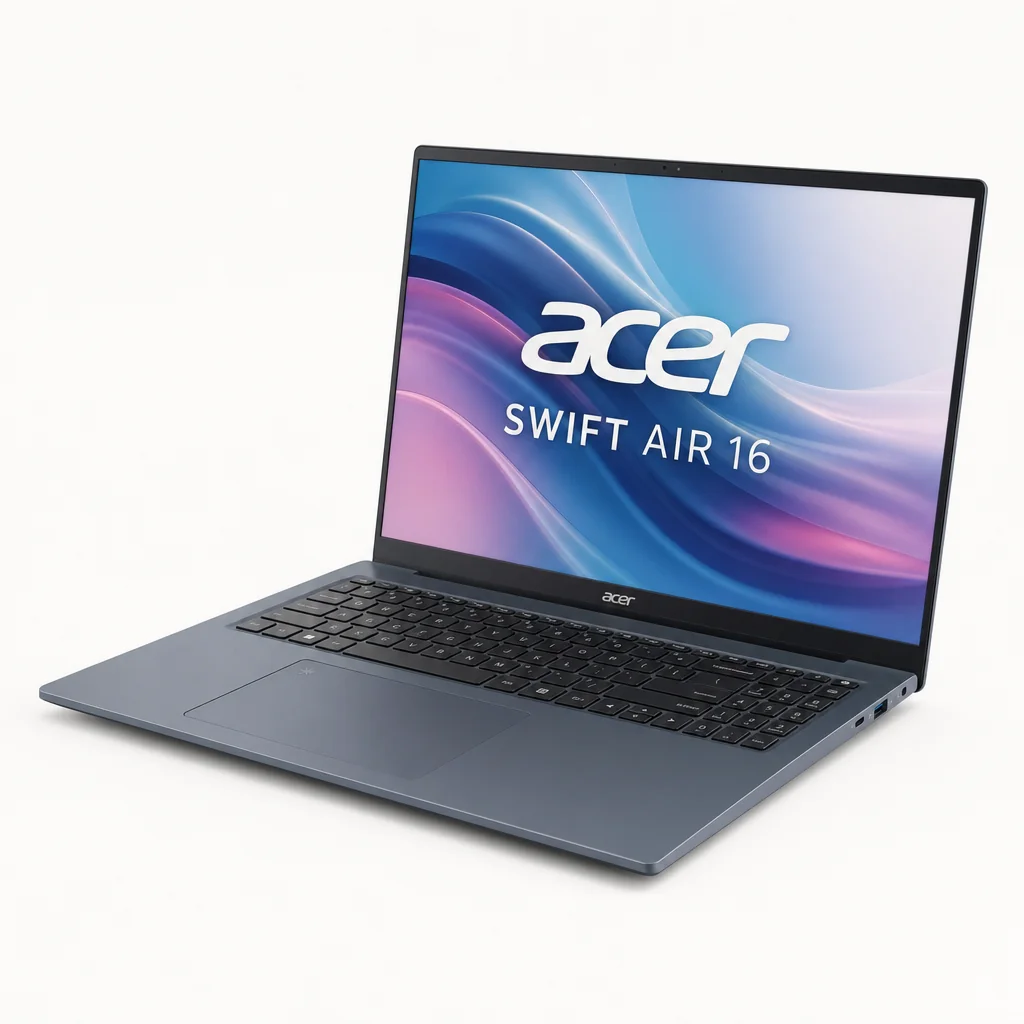
Pricing was slightly more complicated than the laptop's clean design might suggest because configurations and regional availability varied. Acer launched the Swift Air 16 in EMEA in November 2025 from €999. In UK reporting, that was roughly £899 at the time. By July 2026, UK retail listings included an AMOLED model at £849 through Currys.
That latter figure was particularly interesting because the AMOLED configuration was the version that made the Swift Air 16 feel special beyond its weight. A larger, sharper, more colourful 120Hz panel combined with the same basic portability concept was where the range had the most persuasive story. At £849, it sat in a sensible place for someone wanting a premium-feeling Windows ultraportable without moving into truly extravagant territory.
EMEA launch starting price
The Swift Air 16 launched across EMEA from this price in November 2025.
UK AMOLED retail listing
A Currys UK listing showed an AMOLED Swift Air 16 configuration at this price.
Configuration matters more than usual: do not judge value by the Swift Air 16 name alone. Confirm the processor, memory, storage and screen type, because the IPS, OLED and AMOLED models had substantially different strengths.
Value was strongest for buyers who placed a premium on carrying comfort. If you simply wanted the highest possible performance per pound, the Swift Air 16's ultra-light construction was not necessarily the whole answer. But if a 16-inch screen and low carry weight were both non-negotiable, Acer had very little wasted space in its proposition. You were paying for a genuine engineering outcome, not merely a decorative "Air" badge.
The base IPS model made sense for spreadsheet-heavy work, writing, administration and general home use where display colour was secondary to weight. The WUXGA OLED machine appealed to buyers who wanted OLED contrast but did not need the top panel. The AMOLED variant was the one to pursue if you edit photos, enjoy media, want smoother motion or simply prefer a screen that feels suitably premium whenever you open the lid.
The Swift Air 16's best-value proposition depended on configuration: the IPS model maximised low weight, while the AMOLED version delivered the richer all-round experience.
Acer Swift Air 16 vs LG gram Pro 2-in-1: The Battery Comparison That Matters
There are many ways to compare laptops, but the useful ones are rarely the flashy ones. Weight is important here, obviously. Display quality matters. Yet the fairest direct point of reference available was battery endurance under the same demanding video-loop conditions. That removes a lot of marketing fog and tells you something concrete about how a machine behaved when it was actually asked to stay on.
| Feature | Acer Swift Air 16 | LG gram Pro 2-in-1 |
|---|---|---|
| Maximum-brightness video-loop battery life | Around 11 hours | 9 hours |
| Battery-life advantage in this test | About 2 hours ahead | — |
The Swift Air 16's approximately 11-hour result was not merely good in isolation; it was better than the LG gram Pro 2-in-1's nine hours in the same test. For a laptop that chased extreme low weight, that was a meaningful result. A common worry with featherweight notebooks is that they are wonderful for the first few hours, then become a slightly expensive way of carrying a charger. Acer largely avoided that trap.
It also helped that the Swift Air 16 did not demand that you choose between basic connectivity and portability. HDMI, USB-A and two USB-C ports meant it was better equipped for mixed working environments than some minimalist thin-and-light machines. You could connect displays through HDMI or USB-C DisplayPort, charge through USB-C and still plug in conventional USB accessories. No, it was not a USB4 or Thunderbolt showcase. But for many people, the boringly useful ports were more valuable than an impressive acronym on a spec sheet.
Where Acer had the clearest edge
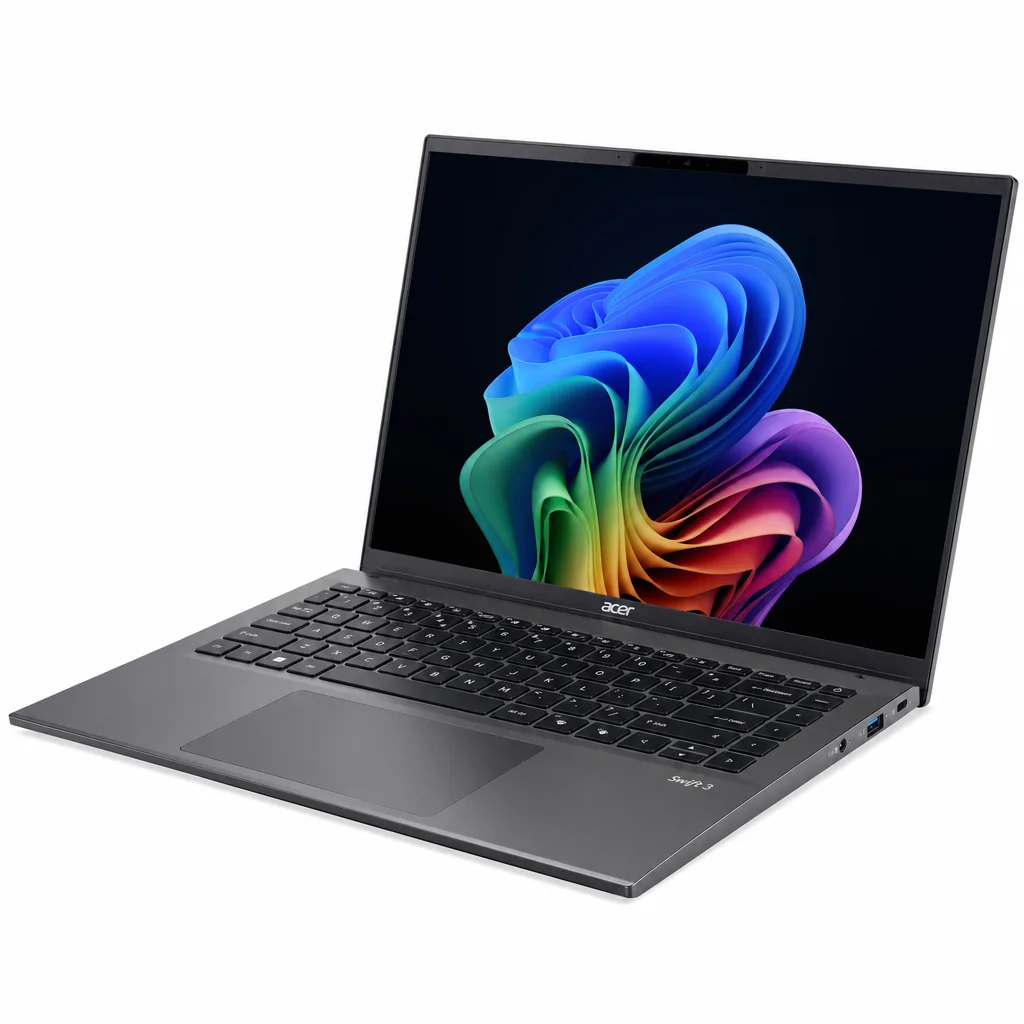
The IPS Swift Air 16 won the pure weight argument at 990g. The AMOLED model at 1.1kg gave up the sub-kilo headline, but retained the same unusually portable character while adding the display that most people would actually want.
There is an important caveat: the Swift Air 16 was not a universal winner because it was not trying to be a universal machine. If you needed powerful graphics, it was not the right category. If you wanted the least expensive large-screen laptop possible, the premium materials and ultra-low weight might not be worth paying for. But if you wanted the rare combination of large workspace, very low mass, modern AMD productivity performance and credible battery life, it was unusually well targeted.
Who Should Buy the Acer Swift Air 16?
The Swift Air 16 made most sense when you started with your lifestyle rather than a list of benchmark charts. It was for people who carried a laptop often, preferred a large screen and did not want their shoulders to know about it. That is a narrower group than "everyone", but it is still a very large group in 2026.
Best for commuters
Pick: Swift Air 16 IPS. The 990g weight made it especially appealing for regular train, office and client-site travel where every gram becomes irritating by late afternoon.
Best for writers and students
Pick: Swift Air 16 with 16GB memory or more. The large 16:10 workspace, extended keyboard and long battery result suited research, essays and multitasking.
Best for visual work
Pick: Swift Air 16 WQXGA+ AMOLED. Its 2880 × 1800 panel, 100% DCI-P3 coverage and 120Hz refresh rate were the clear choice for photo and media-focused users.
Best for everyday all-round use
Pick: Swift Air 16 AMOLED. The richer panel, Ryzen AI 7 option and still-low 1.1kg weight made it the most complete version of Acer's idea.
For remote and hybrid workers, the case was particularly good. You got a 16-inch display that could comfortably handle an inbox, a document and a meeting window without immediately reaching for an external monitor. The 1080p infrared webcam, dual microphones, Studio Effects support and physical shutter covered the basics for calls. The battery result suggested that a day away from a desk was realistic, not merely theoretically possible.
Students were another natural audience, especially those who preferred working on a larger display but did not fancy hauling a heavy 16-inch laptop around campus. The Swift Air 16's keyboard and touchpad quality mattered here as much as the processor. Long essays and research sessions are won on comfort and battery as much as raw speed.
Creative users should be more selective. The AMOLED model had the colour coverage and resolution to make photo work and lighter video editing enjoyable. The Radeon 860M integrated graphics could handle sensible creative tasks. But anyone whose work revolved around demanding 3D software, complex visual effects or GPU-heavy timelines should look at a more powerful class of machine. The Swift Air 16 was a nimble creative companion, not a replacement for a dedicated performance workstation.
For commuters, students and hybrid workers, the Swift Air 16's appeal was simple: a generous 16-inch workspace without the traditional large-laptop carry penalty.
Acer Swift Air 16 FAQ
The final takeaway: the Swift Air 16 proved that a large laptop could be genuinely easy to carry, provided you chose the display configuration that matched your needs.
Final Verdict: Acer Swift Air 16
The Acer Swift Air 16 succeeded because it delivered on the part that sounded most implausible. A 16-inch laptop at 990g was not just a fun statistic; it altered the everyday experience of owning a big-screen machine. The magnesium-aluminium construction, comfortable keyboard, effective cooling, sensible port selection and around 11-hour maximum-brightness video-loop battery result ensured that the low weight did not come with obvious practical punishment.
The biggest decision was not whether to buy a Swift Air 16, but which Swift Air 16 to buy. The IPS model was the weight champion, but its 45% NTSC, 60Hz WUXGA panel was a clear compromise. The WQXGA+ AMOLED model was the one that fully realised Acer's idea: 1.1kg was still startlingly light, while the 2880 × 1800 120Hz display, 100% DCI-P3 coverage and Ryzen AI 7 configuration made it feel properly premium.
If you needed serious gaming graphics or heavy 3D performance, look elsewhere. If you wanted a laptop that made carrying a 16-inch display feel almost effortless, however, the Swift Air 16 was one of the most distinctive and convincing ultraportables of its generation.
- Acer Swift Air 16View on Amazon