
The Smell Coming From Your PC That You Should Never Ignore
A burning smell from a computer isn't just unpleasant — it's your machine telling you something is about to go badly wrong.
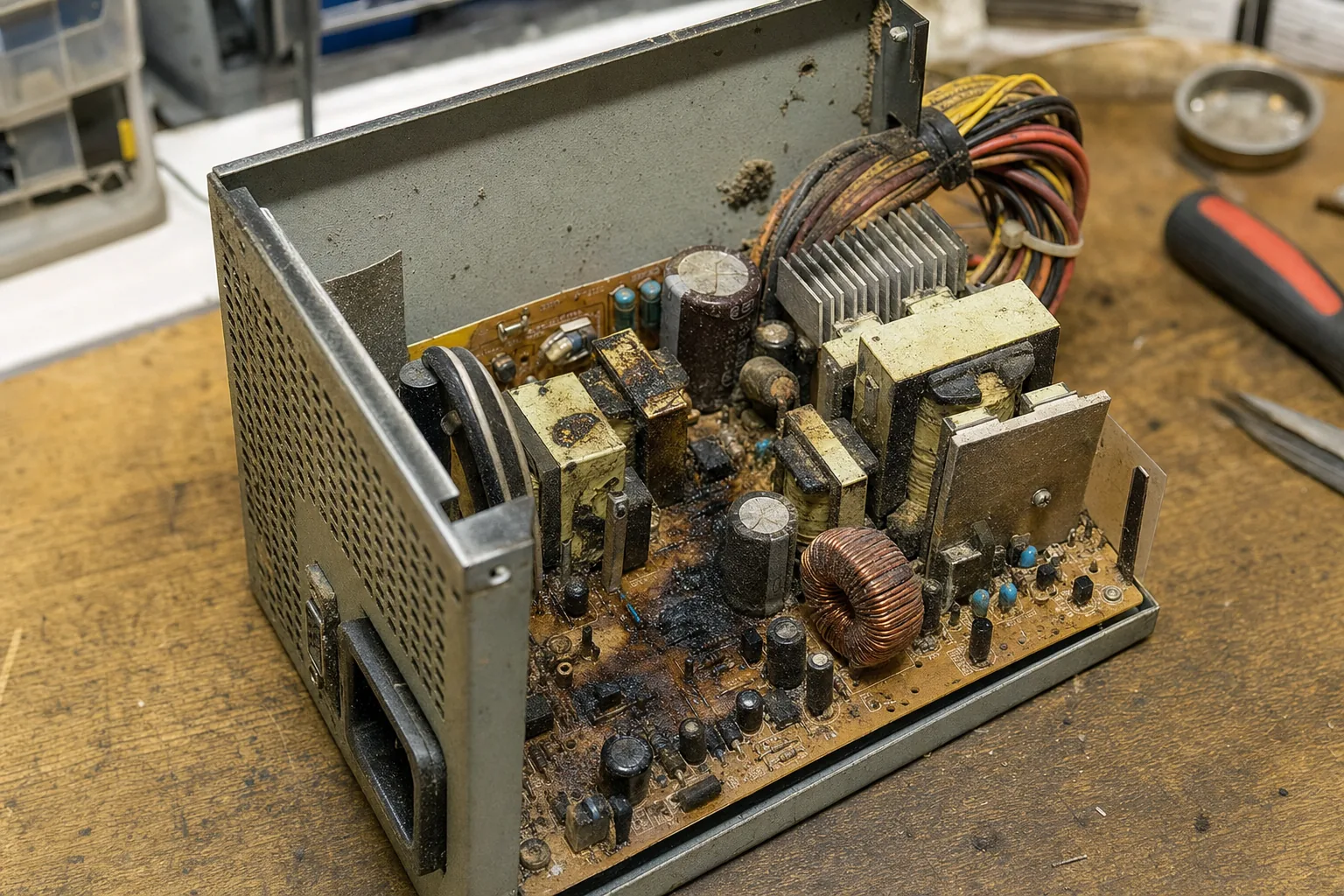

A customer brought a tower PC in to me a few weeks ago, a bit sheepish about it. He said it had been giving off a faint burning smell for about a month, and he'd been ignoring it because the machine still worked. When I opened the case, the inside of the power supply had partially melted. Another week and he'd have been looking at a dead motherboard as well — or worse, a fire risk on his desk.
In twenty-odd years on the bench, I've seen this more times than I can count. A burning smell from a PC is one of those warnings people convince themselves isn't serious. It almost always is. Here's how to approach it sensibly.
What could actually be burning?
There are a handful of culprits, and knowing roughly which one you're dealing with changes what you do next.
- The power supply unit (PSU). This is the most common source. PSUs run hot and when capacitors or coils start to fail, they produce a sharp, acrid, electrical smell — sometimes described as burning plastic or a faint smell of fish. Don't keep running the machine if you suspect the PSU.
- Dust on a hot component. Accumulated dust on a GPU, CPU heatsink or in the power supply can singe when temperatures spike. This smells more like hot dust than sharp chemicals — still worth investigating, but often resolved with a thorough clean.
- A failing capacitor on the motherboard. Bulging or leaking capacitors produce a distinctive burnt-sweet smell. You can often see the damage: the tops of the capacitors look domed or have brown crust around them.
- An overheating GPU or CPU. If thermal paste has dried out completely, these chips can run dangerously hot. The smell comes from components nearby getting cooked rather than the chip itself.
What to do right now
The short version: shut the machine down. Don't leave it running to "see if it goes away." Once it's off, try to narrow down where the smell is coming from before you do anything else.
- Unplug the machine completely before opening the case. Obvious, but worth saying.
- Look for visible damage. Scorching, brown marks, bulging capacitors, or melted plastic are all things you can spot with your eyes. If you see any of these, the component needs replacing — it's beyond a clean or a reseat.
- Check the dust situation. If there's no visible damage but the machine is clogged with dust, a careful clean with a can of compressed air is a reasonable first step. Clean it outdoors or in a well-ventilated space.
- Check temperatures before restarting. If you do power it back on briefly, use a free tool like HWMonitor to watch CPU and GPU temperatures at idle. Anything above 90°C at idle is a problem.
What I'd caution against is the temptation to keep using the PC because it still boots. A failing PSU can send incorrect voltages to your motherboard, storage drives and RAM. By the time it fully fails, it can take other components with it — turning a £60 PSU replacement into a £300 repair or a total write-off.
The Repair Bench verdict
If your PC smells of burning: shut it down straight away, unplug it, and inspect the inside for visible scorching or damaged capacitors before running it again.
Most likely cause: a failing power supply unit — the smell is usually sharp and electrical, and the PSU is the most cost-effective component to swap out first.
Watch out for: continuing to use the machine in the hope it resolves itself; a failing PSU can damage other components and significantly increase the cost of the repair.