
Best USB-C Monitors That Charge Your Laptop From One Cable
Single-cable desk setups made simple — displays with enough Power Delivery to run and top up your MacBook or Windows laptop through one connection.
We link to the exact model on Amazon UK. Prices change often, so check the live price before you buy. As an Amazon Associate we earn from qualifying purchases.
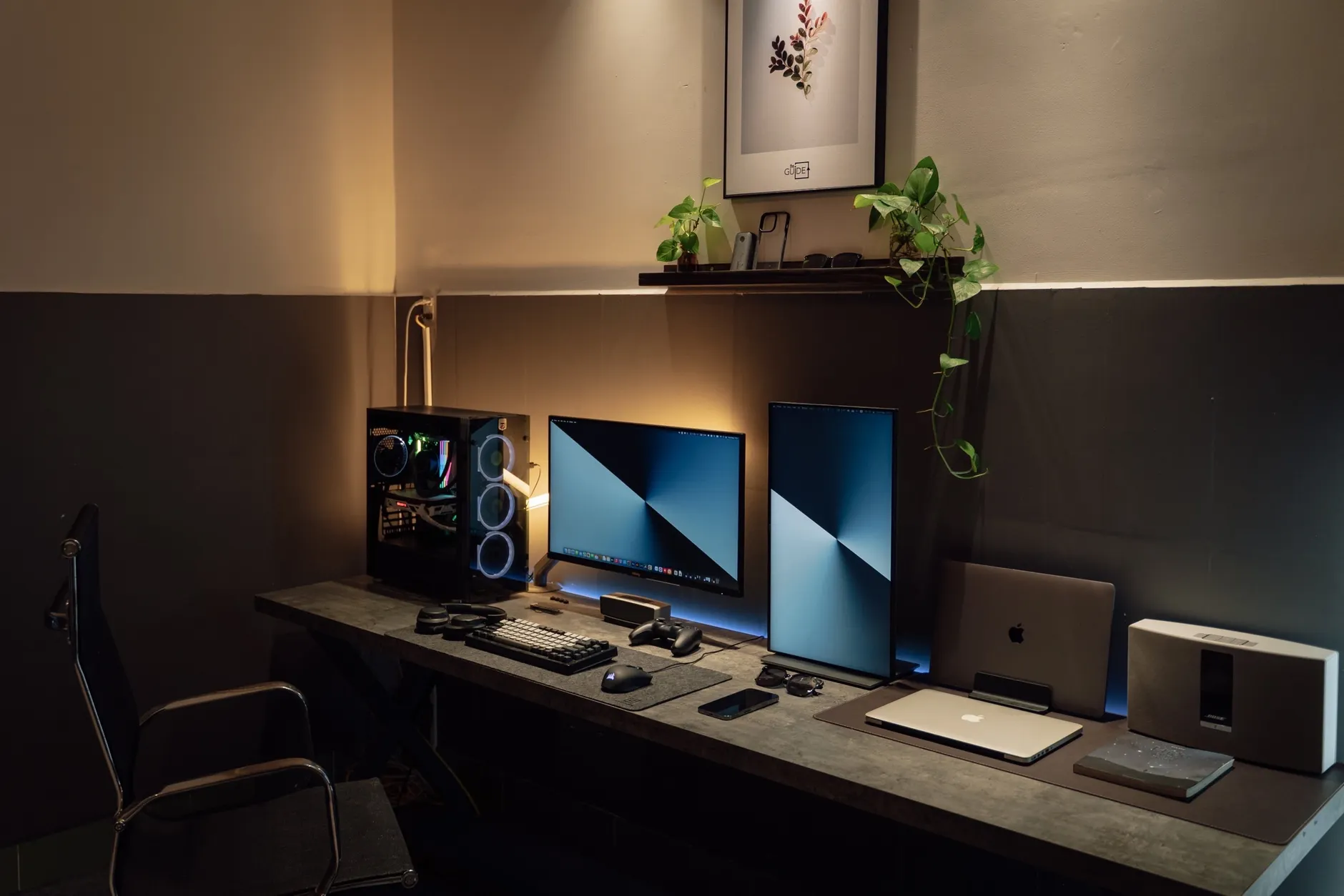
A true single-cable setup: one USB-C lead handles video, power and the monitor's built-in hub all at once.
How single-cable USB-C charging actually works
Before we get into the picks, it's worth understanding what's actually happening down that one slim cable — because it explains why some monitors qualify for this guide and plenty of cheaper ones don't. A USB-C monitor accepts your video signal through its USB-C port using something called DisplayPort Alternate Mode. The clever part is that the very same cable simultaneously carries the display signal, delivers power to your laptop via USB Power Delivery, and passes data through to the monitor's built-in USB hub. In practice, that means one cable replaces what used to be a video lead, a charger and a hub cable — a genuinely tidy result.
The number that matters most here is the wattage of Power Delivery on offer. A thin-and-light ultrabook might sip along happily at 65W, whilst a beefy 16-inch workstation with a discrete GPU will want every bit of 100W or more to charge at full speed under load. Get this figure wrong and your laptop may charge slowly, hold steady without gaining charge, or even lose battery during heavy work. That's why I've grouped my picks by their power tier — it's the single most important spec to match to your machine.
Video over DisplayPort Alt Mode
Your laptop pushes a full desktop image down the USB-C cable — no separate HDMI or DisplayPort lead required.
Power Delivery back up the same cable
The monitor feeds power the opposite way, charging your laptop whilst you work. Higher wattage means faster charging under load.
Data and networking through the hub
Peripherals plugged into the monitor — and often a wired Ethernet port — all reach your laptop through that same connection.
A quick reality check on cables: to get full-speed charging and stable video together, you want the cable that shipped with the monitor, or a certified USB-C cable rated for the power and bandwidth the monitor supports. A cheap charging-only cable will let you down.
The best USB-C charging monitors at a glance
I've ranked six displays across three power tiers, from 140W flagships that'll happily feed a 16-inch workstation to sensible 65W panels that suit an ultrabook and a budget. Here's the shortlist before we dig into each one properly.
From 24-inch ergonomic docking panels to 32-inch 4K flagships, single-cable monitors now cover nearly every desk and budget.
1. Dell UltraSharp U3225QE — Best overall for power users

See Dell UltraSharp U3225QE on Amazon UK
Check today's price & availability on Amazon UK
If you want the no-compromise version of the single-cable desk, the 32-inch Dell UltraSharp U3225QE is where I'd start. It pairs a genuinely lovely panel with the highest Power Delivery on this list and a port array that turns it into a full desktop dock. This is the display for someone whose laptop is their whole computer — plug in once and everything comes to life.
The headline feature is Thunderbolt 4 connectivity carrying 140W of Power Delivery, which is enough to charge most laptops at full speed, even hungry 16-inch machines working hard. Alongside that upstream Thunderbolt 4 port with DSC and DP Alt Mode, there's a Thunderbolt 4 downstream port with 15W of power and daisy-chain support, so you can run a second monitor off the same connection. Dell has also included a separate USB Type-C upstream port with KVM support, five USB Type-A ports, two USB 3.2 Gen 2 downstream ports, a DisplayPort 1.4 input, a DisplayPort 1.4 output for daisy-chaining, an HDMI 2.1 port and a headphone jack. It's about as complete as monitor connectivity gets.
One feature I keep coming back to is the built-in 2.5Gbps Ethernet port. Wired networking baked into a monitor is still rare, and for anyone who works with big files or values a rock-steady connection over Wi-Fi, it's a properly useful inclusion that saves a dongle.
The picture matches the plumbing. This is an Enhanced IPS Black panel with a 3000:1 static contrast ratio — deeper blacks than a standard IPS screen manages — at 4K resolution, with VESA DisplayHDR 600 certification and a 120Hz refresh rate that makes everyday scrolling noticeably smoother than a 60Hz display. Dell factory-calibrates each panel to a Delta E under 1.5 with 99% DCI-P3 coverage, so colour is accurate straight out of the box. It's also billed as one of the world's first official 4K monitors to earn TÜV Rheinland's 5-star Eye Comfort rating, with blue light reduced by 30% compared to similar models — a genuine boon over long working days.
Pros
- 140W Power Delivery charges even big workstation laptops at full speed
- Thunderbolt 4 with daisy-chaining plus a huge port array and 2.5Gbps Ethernet
- Gorgeous IPS Black panel: 3000:1 contrast, 120Hz, DisplayHDR 600
- Factory calibrated to Delta E under 1.5, 99% DCI-P3
Cons
- The most expensive pick here — this is a serious investment
- 32 inches of 4K is more desk and more display than many people need
- All that connectivity is wasted if your laptop only needs 65W
Dell UltraSharp U3225QE
Released 25 February 2025 · around £680 in the UK
2. Dell UltraSharp U2725QE — Best 27-inch 4K flagship

See Dell UltraSharp U2725QE on Amazon UK
Check today's price & availability on Amazon UK
The 27-inch Dell UltraSharp U2725QE is the U3225QE's slightly smaller, slightly more affordable sibling, and for a lot of people it's actually the smarter buy. You get the same 140W Power Delivery, the same Thunderbolt 4 credentials and the same superb panel technology, but in a size that fits more desks and costs a fair bit less.
Its Thunderbolt 4 upstream port is rated at up to 140W via Extended Power Range, which Dell notes is enough to charge a MacBook Pro 16-inch or a Dell XPS 16 at full speed through a single cable — a telling claim, because those are precisely the machines that trip up weaker monitors. There's Thunderbolt 4 support with a KVM switch and the ability to connect additional monitors, so this is every bit as much a docking solution as its bigger brother. The rear-port layout mirrors the U3225QE, right down to that 2.5Gbps Ethernet jack.
On the display side you get the Enhanced IPS Black panel delivering a 3000:1 contrast ratio — triple what standard IPS achieves — with each panel factory-calibrated to a Delta E under 1.5 and 99% DCI-P3 coverage. The 27-inch 4K resolution of 3840 x 2160 packs pixels tightly for crisp text, and the 120Hz refresh rate makes desktop scrolling noticeably smoother than 60Hz alternatives. Like the 32-inch model, it's billed as one of the world's first official 4K monitors with a 5-star eye comfort rating and 30% reduced blue light.
Worth flagging honestly: some units manufactured from March 2025 onwards have been reported to produce an electrical buzzing noise, and that issue had not yet been resolved by the manufacturer. If you buy one, listen carefully in a quiet room during your return window.
Pros
- Same 140W charging as the 32-inch model, for meaningfully less money
- Explicitly charges a MacBook Pro 16" or XPS 16 at full speed
- Excellent IPS Black panel with 120Hz and accurate colour
- Full Thunderbolt 4 dock with KVM and multi-monitor support
Cons
- Reported buzzing noise on some later-manufactured units
- Still a premium price for a 27-inch display
- 27 inches of 4K wants scaling to keep text comfortable
Dell UltraSharp U2725QE
Released 25 February 2025 · around £530 in the UK
The 27-inch U2725QE delivers flagship 140W charging in a footprint that suits more desks than its 32-inch sibling.
3. Dell U3423WE — Best ultrawide for productivity

See Dell U3423WE on Amazon UK
Check today's price & availability on Amazon UK
Sometimes the answer isn't more pixels, it's more width. The Dell U3423WE is my pick for anyone who spends their day juggling windows, and it's the best ultrawide USB-C hub monitor for productivity that I'd point most people towards. It's a 34-inch curved 21:9 display with a 3,440×1,440 WQHD resolution, and that extra horizontal room genuinely changes how you work.
Its USB-C upstream port is rated at 90W via DisplayPort 1.4 Alt Mode — plenty for the mainstream laptops most people carry, from ultrabooks to mid-range 14- and 15-inch machines. The USB hub is generous too: four USB-A 10Gbps ports, one USB-C 10Gbps with 15W charging for a phone or accessory, an RJ45 Ethernet port for wired networking, and a second USB-C upstream that enables the built-in KVM switch. That KVM is the secret weapon here — flick between two computers whilst keeping the same keyboard and mouse.
The panel is an IPS Black type delivering a 2,000:1 contrast ratio with 98% DCI-P3 coverage — richer blacks than standard IPS and enough colour accuracy for photo and video work. Its pixel density of 110 PPI is high enough for sharp text without demanding a powerful GPU from your laptop, which matters: an ultrawide is far easier to drive than a 4K panel, so even modest integrated graphics cope well.
In use, I found this the most quietly satisfying display for real work. It's particularly effective for spreadsheets that stretch out sideways, video editing timelines, and keeping a code editor, terminal and browser simultaneously visible without a single Alt-Tab. If your bottleneck is screen real estate rather than pixel sharpness, this is the one.
Pros
- Vast 34-inch 21:9 canvas ideal for multitasking and timelines
- 90W charging suits most mainstream laptops
- Rich IPS Black panel, 2000:1 contrast, 98% DCI-P3
- Built-in KVM, RJ45 Ethernet and a proper USB hub
- Easy to drive at 110 PPI — no powerful GPU needed
Cons
- 90W won't fully feed the hungriest workstation laptops under load
- 1440-class vertical resolution isn't as crisp as 4K for fine detail
- An ultrawide takes up a lot of desk depth once curved
Check the latest price and any current bundles on Amazon.
Check price on Amazon4. ViewSonic VG2456a — Best ergonomic docking monitor
Shop ViewSonic VG2456a on Amazon UK
Not everyone wants a giant screen. If your desk is compact, or you're kitting out several hot-desks, the ViewSonic VG2456a is a smart, no-nonsense choice. It's a 24-inch ergonomic 1080p IPS docking monitor that punches above its size class thanks to 90W USB-C Power Delivery and a built-in RJ45 Ethernet port — the combination that makes it a genuine one-cable dock rather than just a screen with a USB-C socket.
That 90W figure is the star. It's unusually generous for a 24-inch 1080p panel and means the VG2456a can comfortably run and charge most ultrabooks and mainstream laptops through a single cable, whilst its hub and wired networking keep your peripherals connected. For a corporate rollout or a tidy home office, that's exactly the recipe you want: minimal cable clutter, wired network reliability, and enough power that nobody's laptop dies mid-meeting.
The "ergonomic" label is well earned too — docking monitors live or die on their stands, and being able to raise, tilt, swivel and pivot the screen matters when you're at it all day. It's the sort of display you set up once and forget about, which is high praise for kit that's meant to just work.
Pros
- Generous 90W charging in a compact 24-inch body
- Built-in RJ45 Ethernet for a true one-cable dock
- Fully adjustable ergonomic stand for all-day comfort
- Ideal for hot-desks and space-conscious home offices
Cons
- 1080p at 24 inches lacks the sharpness of higher-res picks
- Smaller screen limits multitasking versus an ultrawide
- Business-focused looks won't wow anyone
Check the latest price and any current bundles on Amazon.
Check price on Amazon5. BenQ GW2786TC — Best value single-cable monitor

See BenQ GW2786TC on Amazon UK
Check today's price & availability on Amazon UK
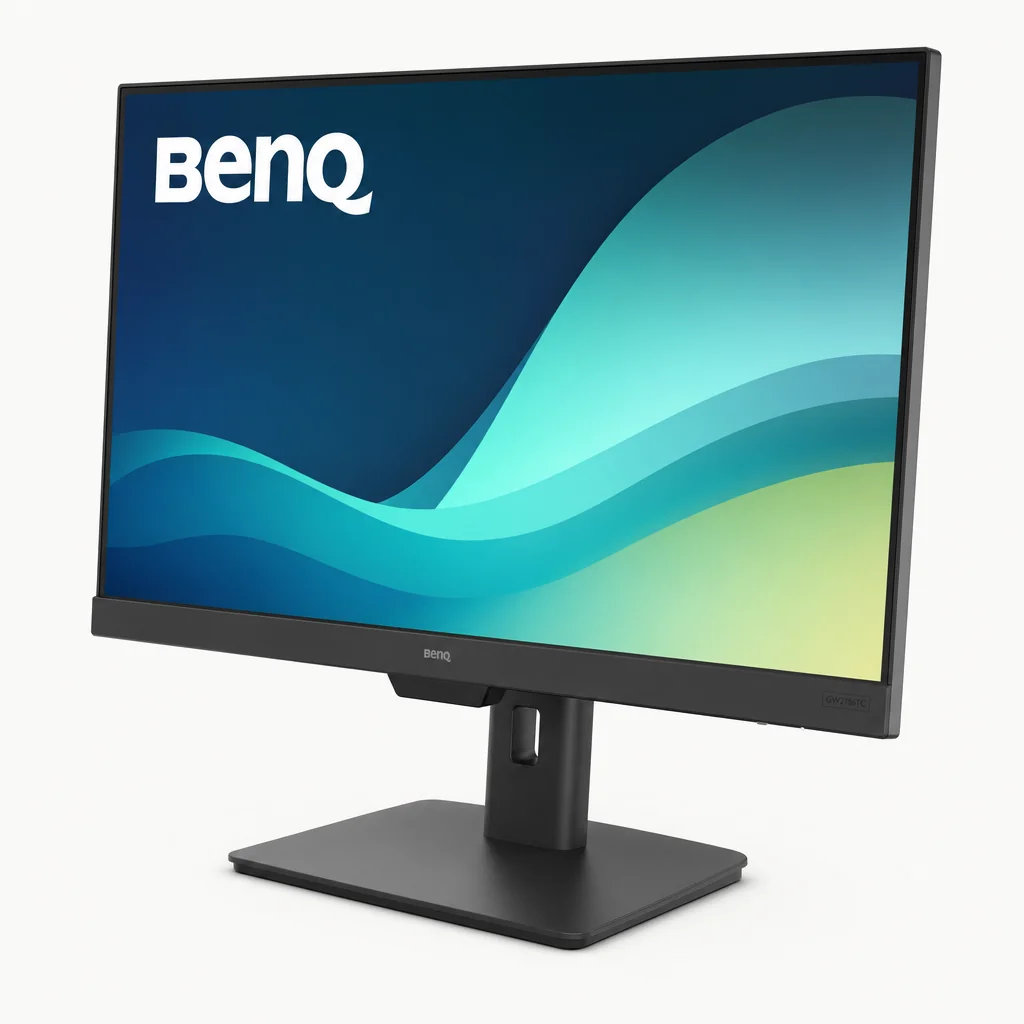
Here's where single-cable convenience becomes genuinely affordable. The BenQ GW2786TC is a 27-inch 1080p monitor that delivers the whole one-cable experience without the flagship price tag, and it's the pick I'd recommend to most people setting up a tidy desk on a budget. A single USB-C cable simultaneously provides fast data transfer and 65W Power Delivery for your laptop and personal devices — plenty for an ultrabook or a mainstream 13- to 14-inch machine.
Connectivity is sensible rather than lavish: one HDMI 1.4, one DisplayPort 1.2, a DisplayPort-out for MST daisy-chaining, the USB-C port with DisplayPort Alt Mode and 65W of power, plus two USB 3.2 Gen 1 downstream ports offering 5Gbps data and 4.5W charging. There are also built-in speakers with a noise-cancelling microphone, which is handy for casual calls without extra kit.
The panel is a 27-inch IPS running 1920×1080. BenQ quotes 100Hz over HDMI, but through USB-C the checked UK model runs at 75Hz — worth knowing in a guide about driving a monitor from a single USB-C cable. Either way it gives you smoother motion than the usual 60Hz. You get 250 nits brightness, 178°/178° viewing angles, a 5ms response time, 1300:1 native contrast and 99% sRGB colour coverage, which is a solid, accurate result for everyday work and content. BenQ has leaned into eye comfort as well, with TÜV Rheinland flicker-free and low blue light certification plus Eyesafe 2.0 certification.
The stand deserves a mention because budget monitors so often skimp here. This one tilts 25 degrees, swivels 45 degrees to each side, pivots 90 degrees for portrait orientation and offers 130mm of height adjustment. At a shade under 5kg it's easy to reposition too. That's a properly ergonomic package at a price that undercuts everything else with a full stand.
Pros
- 65W single-cable charging at a genuinely accessible price
- 100Hz IPS panel over HDMI (75Hz via USB-C) with 99% sRGB accuracy
- Full ergonomic stand: tilt, swivel, pivot and 130mm height
- Built-in speakers and noise-cancelling mic for casual calls
- TÜV flicker-free, low blue light and Eyesafe 2.0 certified
Cons
- 65W won't keep a large workstation laptop topped up under load
- 1080p on a 27-inch panel isn't the sharpest text
- 250 nits and 1300:1 contrast are modest for HDR content
- No Ethernet port for wired networking
BenQ GW2786TC
around £210 in the UK
6. Acer SH242Y Ebmihux — Best cheapest 65W option
See Acer SH242Y Ebmihux on Amazon UK
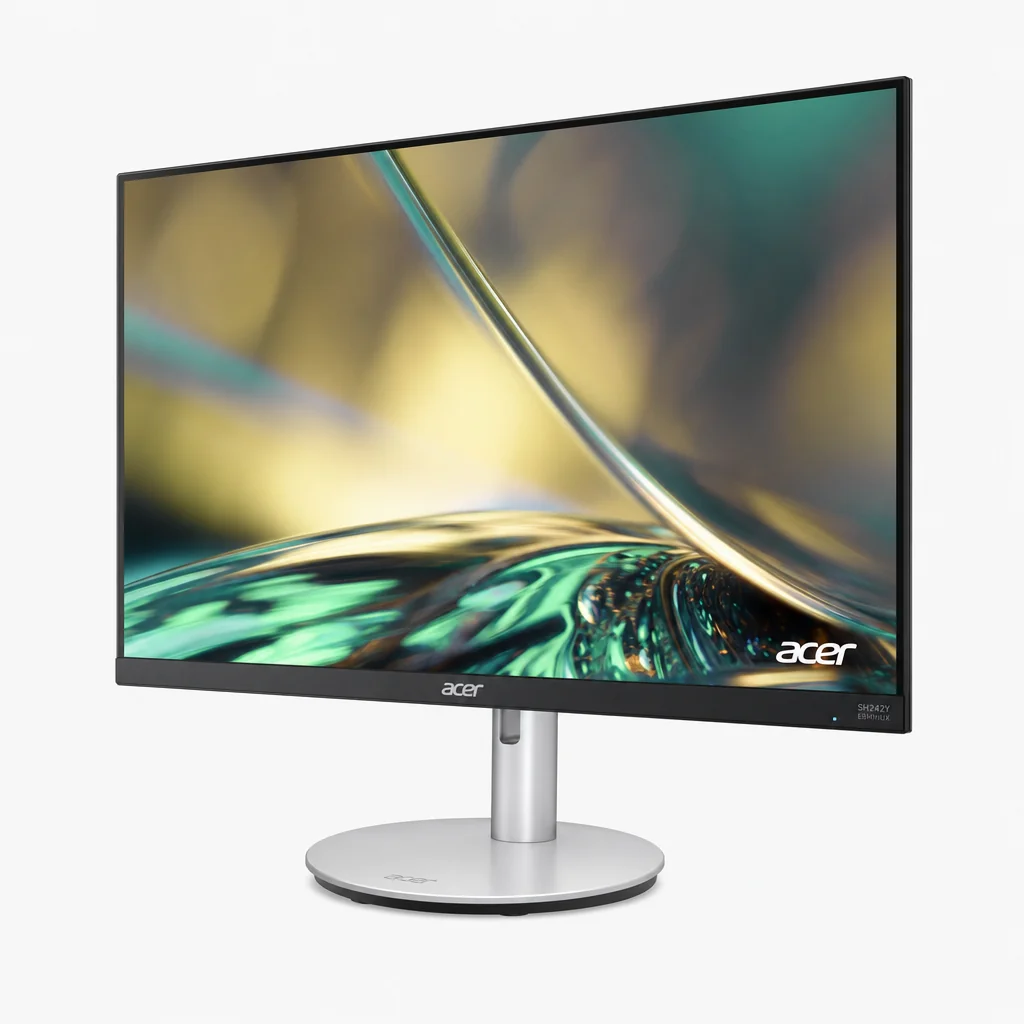
Rounding out the list is the Acer SH242Y Ebmihux, which earns its place as the cheapest USB-C monitor capable of 65W Power Delivery whilst still using an IPS panel. If your only goal is single-cable charging for an ultrabook at the lowest possible outlay, this is the entry point. It even adds FreeSync support up to 100Hz, so you get variable refresh and smoother motion — an unexpected bonus at this end of the market.
The 65W of Power Delivery is the important bit: it's the same charging tier as the BenQ, comfortably able to run and top up a thin-and-light laptop through one cable. Pairing that with an IPS panel — rather than the cheaper TN types you sometimes find at rock-bottom prices — means better viewing angles and more consistent colour than the price would suggest. For a secondary display, a student setup, or a first proper monitor, it's a lot of single-cable convenience for very little money.
Pros
- The cheapest way into 65W single-cable charging
- IPS panel rather than a budget TN type
- FreeSync up to 100Hz for smoother motion
- Great as a student or secondary display
Cons
- 65W is strictly for lighter, thin-and-light laptops
- Sparser feature set than the pricier picks
- No wired Ethernet or fancy dock features
Check the latest price and any current bundles on Amazon.
Check price on AmazonBudget 65W panels like the Acer SH242Y Ebmihux prove single-cable charging no longer demands a flagship budget.
Full comparison table
Here's how all six picks line up side by side. The most important column for matching a monitor to your laptop is Power Delivery — read that first, then let screen size and features decide.
| Model | Size / Resolution | Power Delivery | Refresh | Ethernet | Best for |
|---|---|---|---|---|---|
| Dell UltraSharp U3225QE | 32" 4K IPS Black | 140W (Thunderbolt 4) | 120Hz | 2.5Gbps | Power users |
| Dell UltraSharp U2725QE | 27" 4K IPS Black | 140W (Thunderbolt 4) | 120Hz | 2.5Gbps | 27" flagship |
| Dell U3423WE | 34" curved 3440×1440 | 90W | 60 Hz | RJ45 | Ultrawide productivity |
| ViewSonic VG2456a | 24" 1080p IPS | 90W | — | RJ45 | Ergonomic docking |
| BenQ GW2786TC | 27" 1080p IPS | 65W | 100Hz | — | Value |
| Acer SH242Y Ebmihux | 24" IPS | 65W | Up to 100Hz | — | Cheapest |
Power Delivery compared
Because wattage is the make-or-break spec, it helps to see it visualised. Here's how the six picks stack up on Power Delivery — the higher the bar, the bigger and hungrier a laptop each can charge at full speed under load.
Pro Tip: match wattage to your laptop, not your ambition
A common mistake is buying more power than you'll ever use, or too little to matter. As a rough guide: 65W keeps thin-and-light ultrabooks charged; 90W covers most mainstream 14- and 15-inch laptops; and 140W is what you want if you carry a 16-inch workstation with a discrete GPU, so it charges at full speed even whilst working hard. Dell explicitly rates the U2725QE to charge a MacBook Pro 16-inch or XPS 16 at full speed — that's the tier to look for with the biggest machines.
How to choose the right one for you
With the power question settled, a few other factors decide which of these is your ideal single-cable monitor. Here's how I'd think it through.
Screen size and shape
A 24-inch panel suits compact desks and hot-desks; 27 inches is the sweet spot for most; and a 34-inch ultrawide replaces two monitors for multitasking. Pick the shape that matches how you work, not just the biggest number.
Resolution and sharpness
4K on the Dell UltraSharps gives the crispest text and best detail, whilst 1080p and 1440-class panels are easier on the eyes' wallets and easier for laptops to drive. Remember 4K wants a powerful enough machine and some display scaling.
Do you want built-in Ethernet?
If a rock-solid wired connection matters, the Dell UltraSharps (2.5Gbps), the U3423WE and the ViewSonic VG2456a (RJ45) turn your monitor into a network dock. The BenQ and Acer skip it to hit their prices.
KVM for two computers
If you switch between a work and personal machine, the KVM switches on the Dell U3225QE, U2725QE and U3423WE let you share one keyboard and mouse across both — a genuinely underrated feature.
Colour accuracy
For creative work, the factory-calibrated Dell UltraSharps (Delta E under 1.5, 99% DCI-P3) and the U3423WE (98% DCI-P3) lead. The BenQ's 99% sRGB is excellent for everyday and web content.
Don't overlook eye comfort
If you're staring at a screen all day, the certifications add up. The Dell UltraSharps are billed among the world's first official 4K monitors with a 5-star TÜV Rheinland Eye Comfort rating and 30% reduced blue light, whilst the BenQ GW2786TC carries TÜV flicker-free and low blue light certification plus Eyesafe 2.0. It's the sort of thing you don't notice until a long week without eye strain.
Who should buy which?
The power user
Carrying a 16-inch workstation and want one cable to rule everything? The Dell UltraSharp U3225QE gives you 140W charging, Thunderbolt 4, daisy-chaining and 2.5Gbps Ethernet on a superb 32-inch 4K panel.
The flagship value seeker
Want the same 140W charging and IPS Black brilliance for less, in a tidier footprint? The Dell UltraSharp U2725QE is the smart 27-inch buy — just check for buzzing on newer units.
The multitasker
Living in spreadsheets, timelines or a code-editor-and-terminal layout? The Dell U3423WE ultrawide with 90W charging, KVM and Ethernet is built for exactly that.
The tidy office worker
Compact desk, or kitting out hot-desks? The ViewSonic VG2456a packs 90W charging and RJ45 into a fully ergonomic 24-inch dock.
The budget-conscious
Want the whole single-cable experience without the flagship spend? The BenQ GW2786TC delivers 65W, a 100Hz IPS panel and a full ergonomic stand at a friendly price.
The bargain hunter
Just need single-cable charging for an ultrabook as cheaply as possible? The Acer SH242Y Ebmihux is the cheapest 65W IPS option, with FreeSync up to 100Hz thrown in.
Frequently asked questions
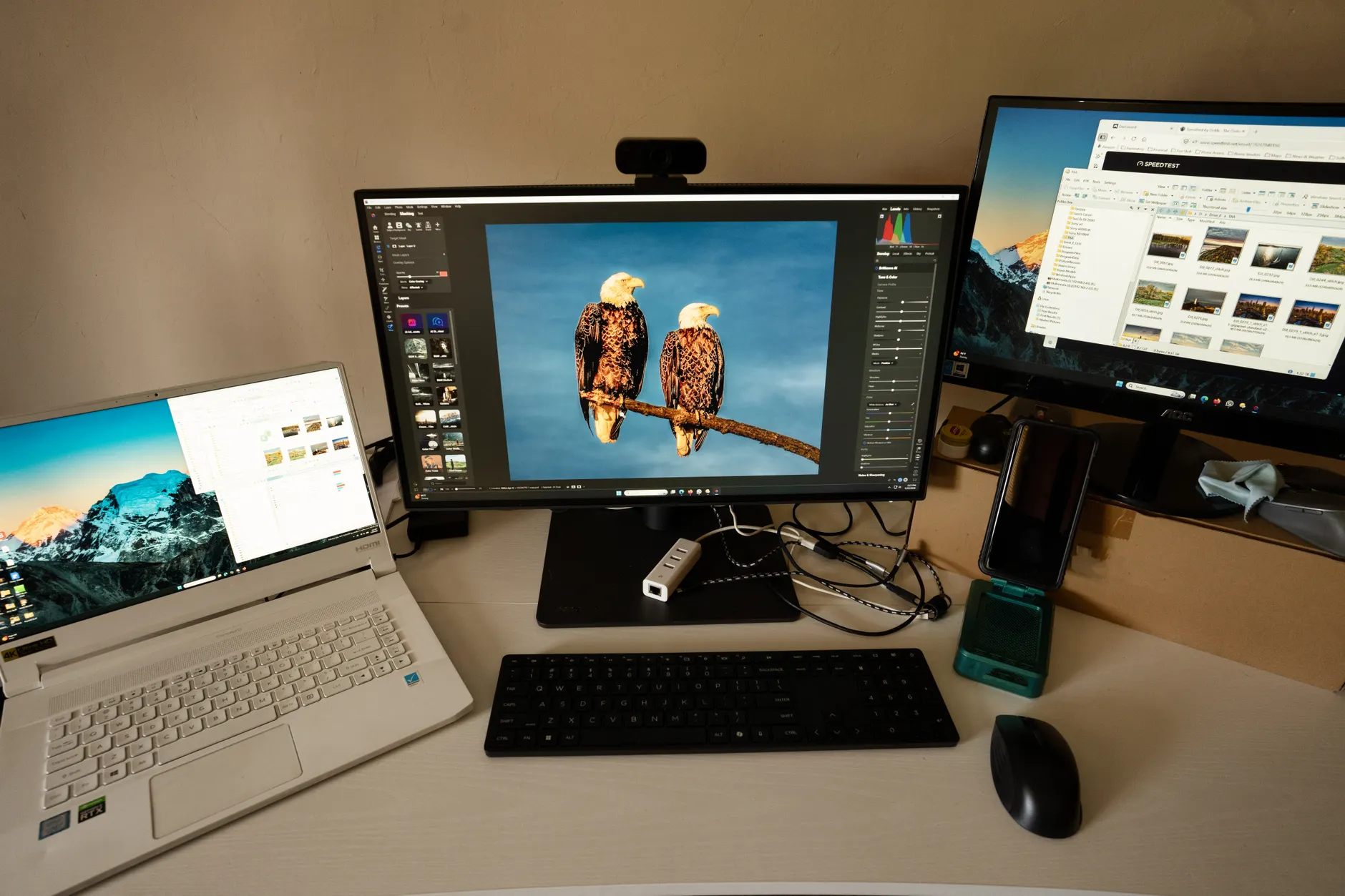
Whichever tier you choose, the reward is the same: a cleaner desk and a laptop that's always charged and connected.
The verdict
Single-cable USB-C monitors have quietly become one of the best desk upgrades going, and there's now a genuinely good option at every budget. If money is no object and your laptop is a workhorse, the Dell UltraSharp U3225QE is the complete package — 140W charging, Thunderbolt 4, daisy-chaining, 2.5Gbps Ethernet and a stunning 32-inch 4K IPS Black panel. Want that same flagship charging in a tidier, cheaper 27-inch body? The Dell UltraSharp U2725QE is the value-conscious flagship, provided you check newer units for the reported buzzing.
For multitaskers, the Dell U3423WE ultrawide with 90W and a KVM is a joy for real work; for compact and corporate desks, the ViewSonic VG2456a nails ergonomic 90W docking with wired networking. And if you simply want the single-cable dream affordably, the BenQ GW2786TC delivers 65W, a 100Hz IPS panel and a full stand at a friendly price, whilst the Acer SH242Y Ebmihux is the cheapest way in of all. Match the Power Delivery to your laptop, decide whether you value 4K sharpness, ultrawide width or a compact footprint, and you can't really go wrong.
 Dell UltraSharp U2725QEBest 27-inch 4K flagshipView on Amazon
- Dell U3423WEBest ultrawide for productivityView on Amazon
- BenQ GW2786TCBest value single-cable monitorView on Amazon