
The Laptop That Only Charges When You Hold The Plug At A Certain Angle
That wobbly charger port isn't just annoying — it's your laptop quietly telling you something's about to go very wrong.

A woman came in last month holding her laptop cable like it was a sleeping snake she didn't want to wake. She'd found the exact angle — tilted slightly left, with the cable resting against the edge of the desk — that kept the charging light on. She'd been living like that for three weeks. "I just need a new charger," she said. She didn't.
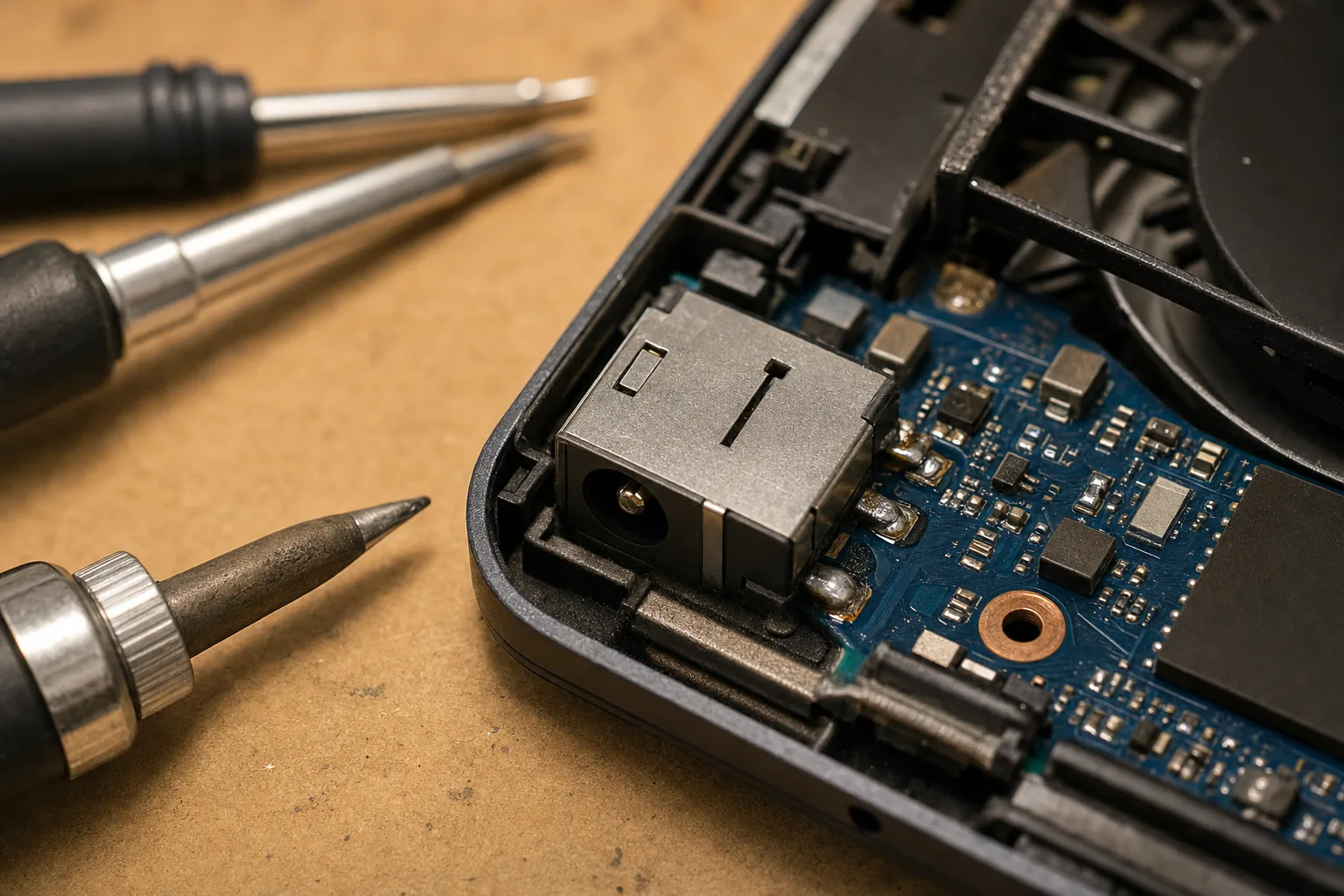
The charger was fine. The problem was inside the laptop, at the point where the charger plug connects to the motherboard. That little socket is called a DC jack, and it's one of the most common things I fix. When it starts failing, holding the cable at a funny angle is usually the first sign.
Why the port goes bad in the first place
Most laptop DC jacks are soldered directly onto the motherboard. Every time you plug in, unplug, or accidentally knock the cable, that stress is transferred to the solder joints holding the jack in place. Over a few years those joints develop tiny cracks — hairline fractures you'd never see with the naked eye. The connection becomes intermittent. You wiggle the plug and suddenly it charges again, which feels like you've solved it. You haven't.
Left alone, it gets worse. The cracked joint arcs slightly when current passes through it, which generates heat, which damages the surrounding board. A job that costs £60–£80 to fix today can turn into a £200 problem — or an irreparable one — if you leave it another six months.
How to tell if this is what's happening to your laptop
- The charging light flickers or goes out unless the cable is held at a particular angle. That's the tell.
- Try a different charger if you have access to one. If the problem moves with the laptop rather than the cable, the port is the culprit.
- Look at the port itself with a torch. If it wobbles noticeably when you push the plug in, or if you can see any darkening or residue around it, the joint has been failing for a while.
- Watch the battery percentage. If it only charges in one position and drops even in that position under load, the connection is worse than it feels.
One thing I'd gently ask you not to do: prop the cable up with a book or a rolled-up jumper to maintain the magic angle and carry on. I understand the temptation — it works, sort of — but you're putting continuous mechanical stress on an already-damaged joint every single day.
What the fix actually involves
In most cases I desolder the old jack, clean up the pads on the motherboard, and fit a new jack. It takes an hour or two depending on the model, and replacement jacks for common laptops cost next to nothing. On some newer machines the jack is on a small daughterboard rather than the main motherboard, which makes the job even simpler. Either way, it's a proper fix — not a workaround.
The woman who came in with the sleeping-snake cable left with a laptop that charged normally from any angle, for about the price of a decent meal out. She admitted she'd been considering a new laptop purely because of this. That's the bit that always gets me.
The Repair Bench verdict
If your laptop only charges at a certain angle: the DC jack solder joint is failing — don't ignore it or prop the cable up, because it will get worse and the repair bill grows with it.
The fix: a DC jack resolder or replacement, typically £60–£80 at an independent repair shop, and usually done same-day.
Watch out for: any sign of heat damage or discolouration around the port — that means it's been going on longer than you think and needs looking at urgently.