
Is a Home Server Overkill? NAS vs Mini PC vs Old Laptop
The honest route to backups, Plex and Docker without buying a noisy, power-hungry box that becomes an expensive cupboard ornament.
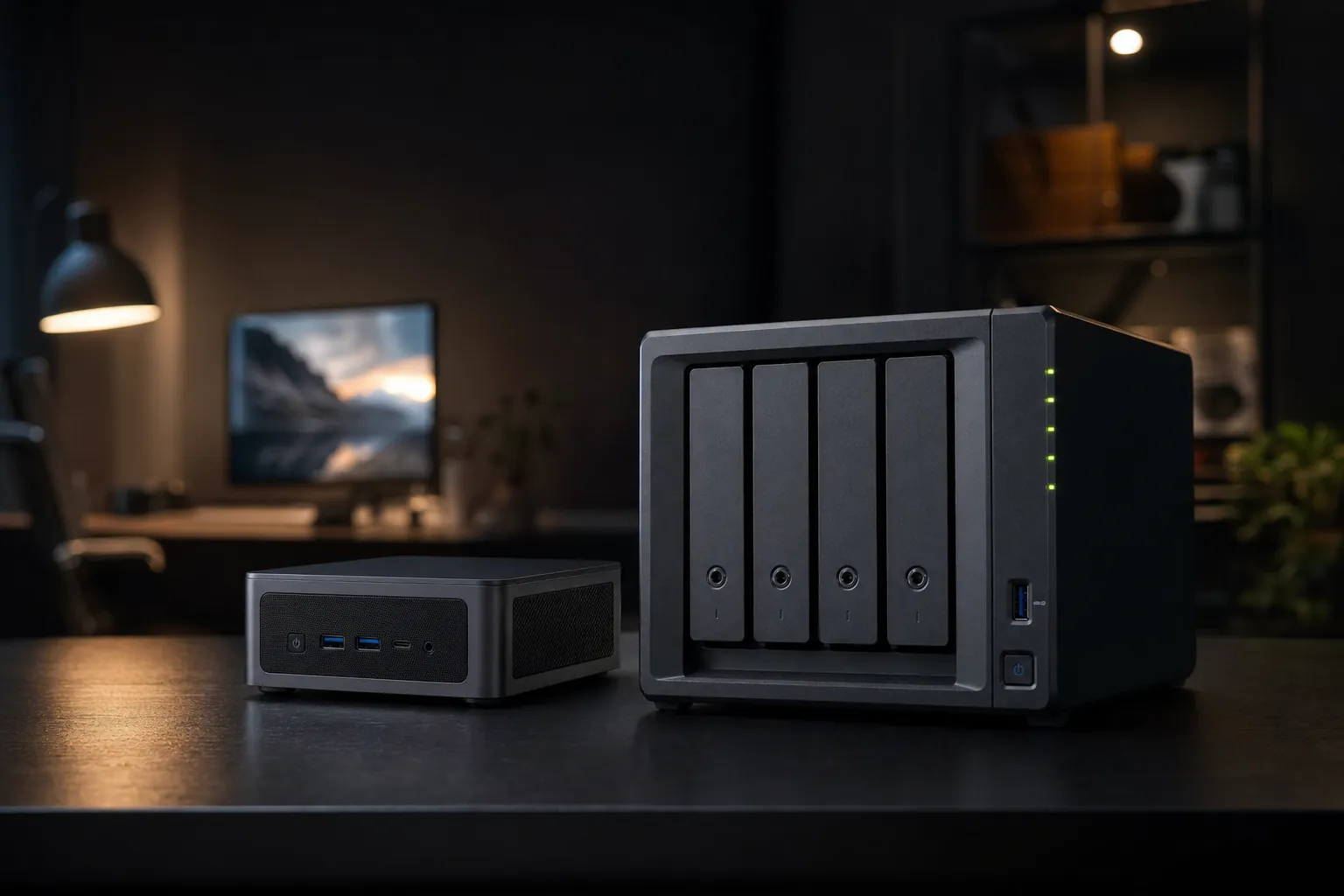
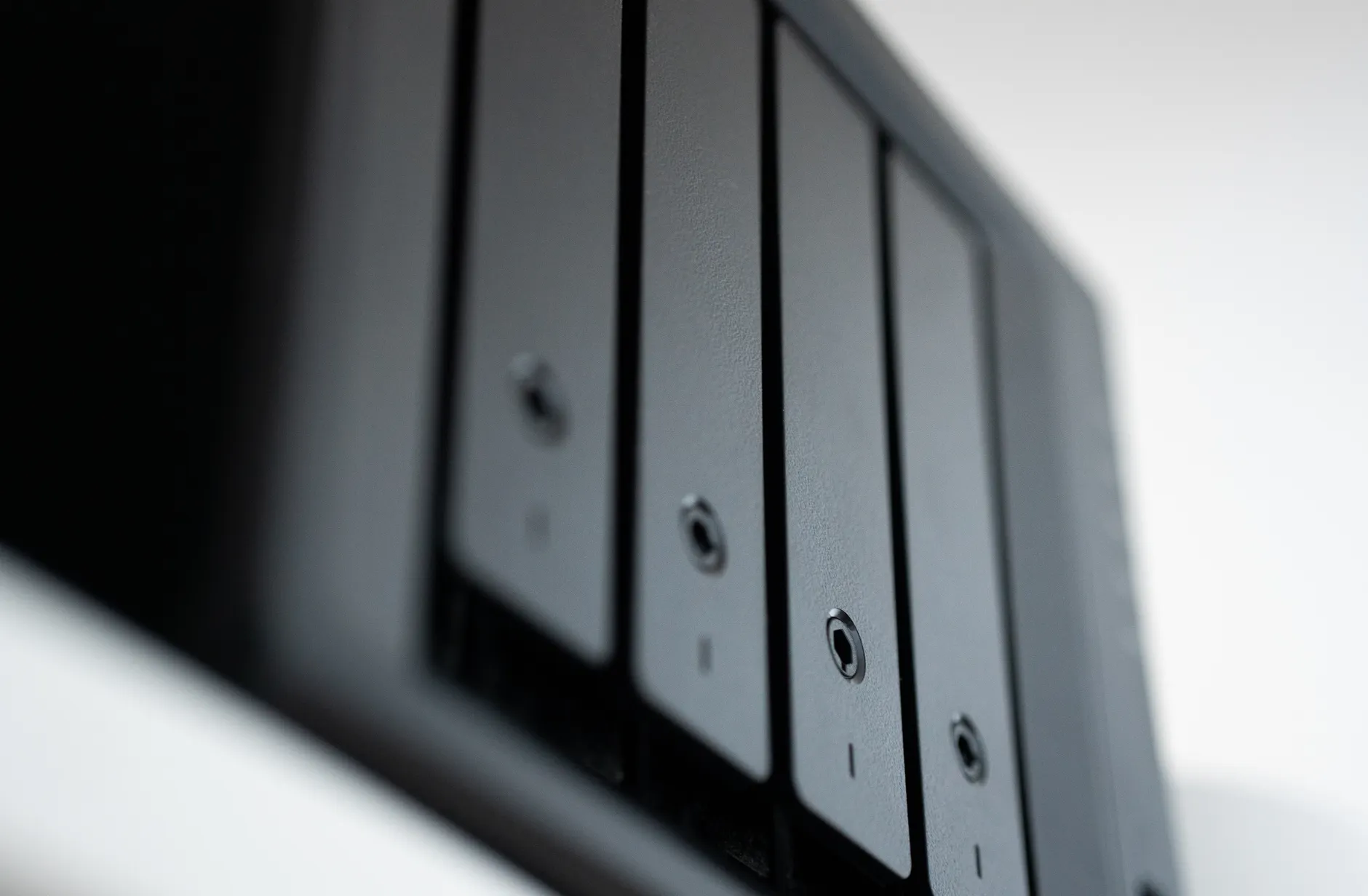
A home server does not need to look like enterprise kit. The right answer is usually the one that stays quiet, sips power and gets used.
A home server can be wonderfully sensible or wildly unnecessary. It depends less on whether you enjoy blinking Ethernet lights and more on what you actually need it to do. If you want dependable backups, a Plex library and a handful of useful Docker containers, there are three genuinely viable paths: a purpose-built NAS, a mini PC, or that old laptop currently being used as a very large dust collector.
The Home Server Dilemma: Stop Paying Cloud Bills and Start Running Your Own Kit
Cloud storage had become one of those household subscriptions that quietly multiplied. A little extra phone storage here, a family photo plan there, perhaps another tier because the laptop backup had filled the first one. None of them felt ruinous alone. Together, they could make a modest box at home feel rather attractive.
That said, buying a home server purely to "replace the cloud" is how people end up with four hard drives, a tangle of cables and no off-site copy of their important files. A server gives you control and local speed. It does not magically protect your data from fire, theft or a particularly determined cup of tea. The sensible approach is usually local storage plus at least one separate backup elsewhere.
For this comparison, I have focused on the three jobs that make people finally take the plunge. First, backups: Mac Time Machine archives, Windows and Linux copies, documents, phone photos and the bits of your digital life that would be a genuine pain to recreate. Second, Plex: not merely storing films, but serving them reliably to televisions, tablets and phones. Third, Docker: the route to running services such as Home Assistant, Pi-hole, Nextcloud, Vaultwarden, Uptime Kuma and Portainer without filling every device in the house with background processes.
The three contenders approach those jobs from completely different directions. The Synology DS923+ is the appliance choice. Its point is to make storage, sharing and routine management feel approachable. The Beelink EQ12, based on Intel's N100 processor, is the low-power computer choice: small, capable and far more flexible, but it expects you to choose and maintain the software stack. Then there is the old laptop, represented here by a dual-core Intel Core i5 system with 8GB of memory. This is the "use what you already own" option, and it can be surprisingly capable.
The first question is not "which is fastest?"
Ask where your data will live. A mini PC or laptop can run excellent services, but neither has the DS923+'s four internal 3.5-inch drive bays. If you need several internal hard drives and straightforward storage management, that single point may matter more than processor speed.
There is no universal winner because these are not interchangeable products wearing different hats. A NAS is storage-led. A mini PC is compute-led. An old laptop is value-led. Once you frame it like that, the decision becomes much less intimidating.
Meet the Contenders: Hardware, Specs and What You're Actually Getting
The Synology DS923+ was released in 2023 and remained current in 2026. It used AMD's Ryzen R1600: a dual-core, four-thread processor running at 2.6GHz with a 3.1GHz boost clock. That may not sound dramatic beside current desktop chips, but this was never designed as a tiny gaming PC. It was designed to keep disks, files and services ticking along all day with minimal drama.
It arrived with 4GB of memory. That is acceptable for file serving and a few containers, but it is the first place I would scrutinise if Plex, Docker and regular backup activity are all on your shopping list. Synology officially supports expansion to 32GB using two 16GB modules. The DS923+ also offered four 3.5-inch SATA bays, two M.2 slots for NVMe cache, two 1GbE Ethernet ports, two USB 3.2 Gen 1 ports and eSATA connectivity. In plain English: it is built around putting proper storage inside it, not hanging a collection of portable drives from USB like baubles on a slightly anxious Christmas tree.
The Beelink EQ12 was the compact mini-PC reference point. Its Intel N100 had four cores, a 3.4GHz burst clock and a 6W TDP. The configuration in question included 16GB DDR4 SODIMM memory, a 500GB NVMe SSD and a 2.5GbE Ethernet port. It was palm-sized, which matters more than you might think when the only viable location is beside a router in the living room.
Its limitation was storage expansion. You got NVMe storage and one M.2 2280 slot, rather than a row of internal hard-drive bays. That is perfectly fine for containers, a small document archive, Home Assistant or a light Plex setup using external storage. It is less elegant if the plan is several large hard disks holding a growing media collection. The Beelink ME Pro pointed in a more storage-aware direction, pairing an Intel N150 processor with two internal 2.5-inch SATA bays, although the N150 remained a modest 15W-class option rather than a desktop replacement.
An old laptop is harder to pin down because the whole point is that it is whatever you already have. For this head-to-head, think dual-core Intel Core i5, 8GB of RAM and an existing SSD. It has integrated Intel HD or UHD graphics, a screen and keyboard that can be useful during setup, and a battery that can briefly act as a built-in UPS if power drops. It also has laptop-shaped compromises: limited expansion, a finite number of USB ports and no hot-swap drive bays. The battery is a helpful safety net, not a substitute for a proper backup plan.
2 cores / 4 threads
3.1GHz boost
8GB official maximum
4 cores, 6W TDP
8GB RAM
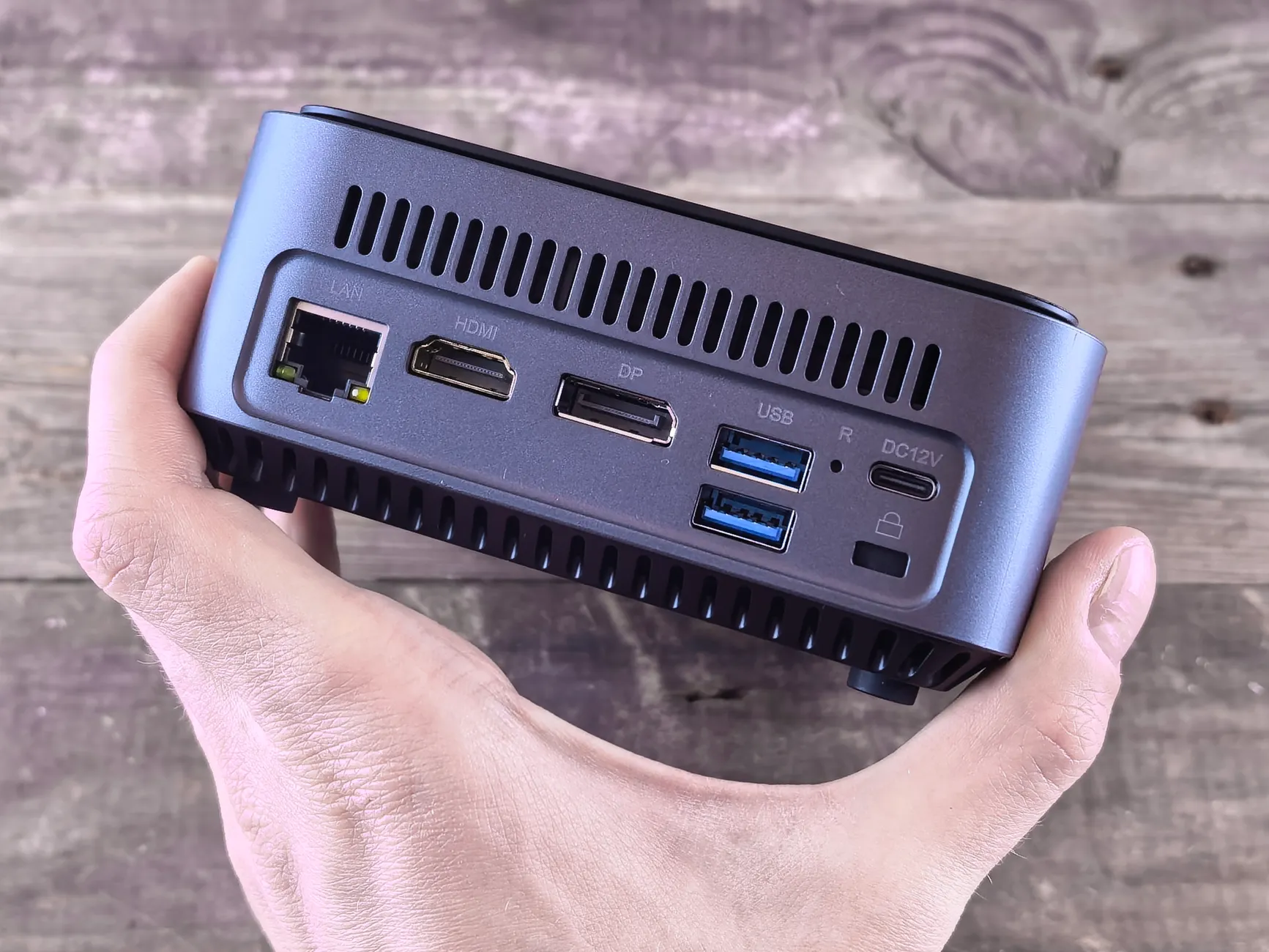
The physical difference is fundamental: the NAS is designed around multiple internal drives, whilst the mini PC is designed around compact computing.
| Feature | Synology DS923+ | Beelink EQ12 | Old laptop baseline |
|---|---|---|---|
| Processor | AMD Ryzen R1600, 2 cores / 4 threads | Intel N100, 4 cores | Dual-core Intel Core i5 |
| Processor speed | 2.6GHz base / 3.1GHz boost | 3.4GHz burst | — |
| Memory supplied | 4GB | 16GB DDR4 SODIMM | 8GB |
| Internal storage design | 4 × 3.5-inch SATA bays; 2 × M.2 cache slots | 500GB NVMe SSD; 1 × M.2 2280 slot | Existing SSD |
| Ethernet | 2 × 1GbE | 1 × 2.5GbE | — |
| Integrated graphics | No iGPU | Intel integrated graphics | Intel HD/UHD graphics |
| Special advantage | Purpose-built multi-drive storage | Compact, low-power server compute | Built-in battery backup |
The table tells the useful story. The DS923+ has the more grown-up storage layout. The EQ12 has the more generous fitted memory and a modern compact-server shape. The old laptop has the advantage of already existing, which is hard to beat from a budget perspective.
Counting the Watts: Power Draw, Running Costs and Your Electricity Bill
For an always-on device, power consumption is not a footnote. It is part of the purchase decision. A server that draws a little more every hour can become noticeably more expensive over years, particularly when it spends most of its life waiting patiently for a backup, a photo upload or somebody deciding to watch a film.
The DS923+ was measured at 35.51W during active access and 11.52W with hard drives in hibernation. Those are reasonable figures for a four-bay appliance, especially one with mechanical drives inside, but the distinction matters. A NAS is not merely powering its processor and fan. It is also spinning several disks, and spinning disks are where the energy budget becomes real.
With drives regularly active, the DS923+ was estimated to cost around £85 per year to run continuously at contemporary UK electricity rates. That is not outrageous for a system acting as the central store for several people's data, but it is much more than a low-power mini PC. If you only intend to run Pi-hole, a few lightweight containers and occasional file shares, paying for four-drive capability that you will never use is a slightly expensive kind of optimism.
The N100-based EQ12 was extremely attractive on efficiency. A typical N100 mini PC idled around 5–8W and peaked around 20–25W under load. Using 10W as a sensible round-the-clock average at roughly 24–25p per kWh put annual electricity use at about £22. Other estimates for N100-class machines placed annual use in the roughly £8–£12 range when based more tightly around a 6W figure. The exact result depends on workload, peripherals and the power supply, but the broad conclusion is clear: it was meaningfully cheaper to keep switched on than a busy four-bay NAS.
An old laptop can be efficient too, but it is the least predictable option because age, battery condition, screen settings, charger efficiency and processor generation all influence the result. The smart move is to stop the display sleeping badly or remaining on permanently, use wired Ethernet where possible and avoid adding a pile of bus-powered USB drives without considering both power and reliability. "Free laptop" can become "surprisingly busy power strip" faster than expected.
Do not compare the boxes without comparing the drives
The DS923+ was carrying the work of internal hard drives; the EQ12's compact NVMe setup is a completely different proposition. A mini PC becomes less of a low-power miracle once you attach several external drives that need their own power. Efficiency is a system calculation, not a sticker on the front of the box.
My practical take is simple. If your server will be on 24/7 and its workload is primarily applications rather than multiple internal disks, the N100 mini-PC route makes excellent sense. If resilient local storage is the heart of the project, the NAS's higher draw is part of the cost of doing that job properly. An old laptop sits between them: potentially frugal, potentially not, but worth trying if it is already in the house.
Silence or Racket? Noise in a Living Room, Bedroom and Home Office
Noise is the spec manufacturers never put in the big print, mostly because "a bit annoying after midnight" does not fit neatly on a retail box. Yet for flats, terraced houses and open-plan rooms, it can be more important than an extra Ethernet port.
The DS923+ did well here. Its fan was barely audible from a metre away even under load, and drive temperatures remained in the mid-to-high 30s. That combination matters because it means the cooling system did not need to constantly surge and settle. A stable fan profile is much easier to live with than a little box that periodically decides it is preparing for take-off.
Hard drives still make noise, of course. Four 3.5-inch drives bring a low hum, occasional seek chatter and the gentle vibration that comes with rotating parts. It is generally predictable rather than harsh, and many people will tune it out in a study or utility cupboard. Put it directly beside the bed, however, and your tolerance may become considerably more philosophical.
The EQ12 has a more straightforward acoustic advantage: it was tiny, and fanless options were available in the N100 mini-PC category. With NVMe storage rather than a bank of mechanical disks, there is no hard-drive hum at all. Even a fan-cooled miniature system is usually easier to place near a router or television than a four-bay NAS full of spinning drives. It is the better fit for someone who wants the server to disappear physically and acoustically.
The old laptop can be brilliant or irritating depending on the individual machine. Its fans may be quiet at idle, but laptops were built to sit close to people, so any dust buildup or worn fan becomes obvious. The built-in screen is handy for initial configuration, but there is little point leaving it lit once the machine is settled. That is wasted power and, in a dark room, an uninvited bedside night-light.
The DS923+'s quiet fan does not remove the sound of its drives. If silence is non-negotiable, choose the location first, then choose the hardware. A cupboard, cabinet or separate room can matter more than a small difference in fan design.
| Noise consideration | Synology DS923+ | Beelink EQ12 | Old laptop baseline |
|---|---|---|---|
| Cooling behaviour | Fan barely audible from 1 metre under load | Fanless options available in the category | Depends on laptop condition and cooling system |
| Mechanical-drive noise | Up to four internal 3.5-inch drives can add hum | NVMe storage arrangement | Existing SSD is quiet; external storage changes the picture |
| Best placement | Study, cupboard or shelf away from a bed | Living room or beside a router | Desk, shelf or tucked-away utility spot |
| Thermal observation | Drive temperatures in the mid-to-high 30s | — | — |
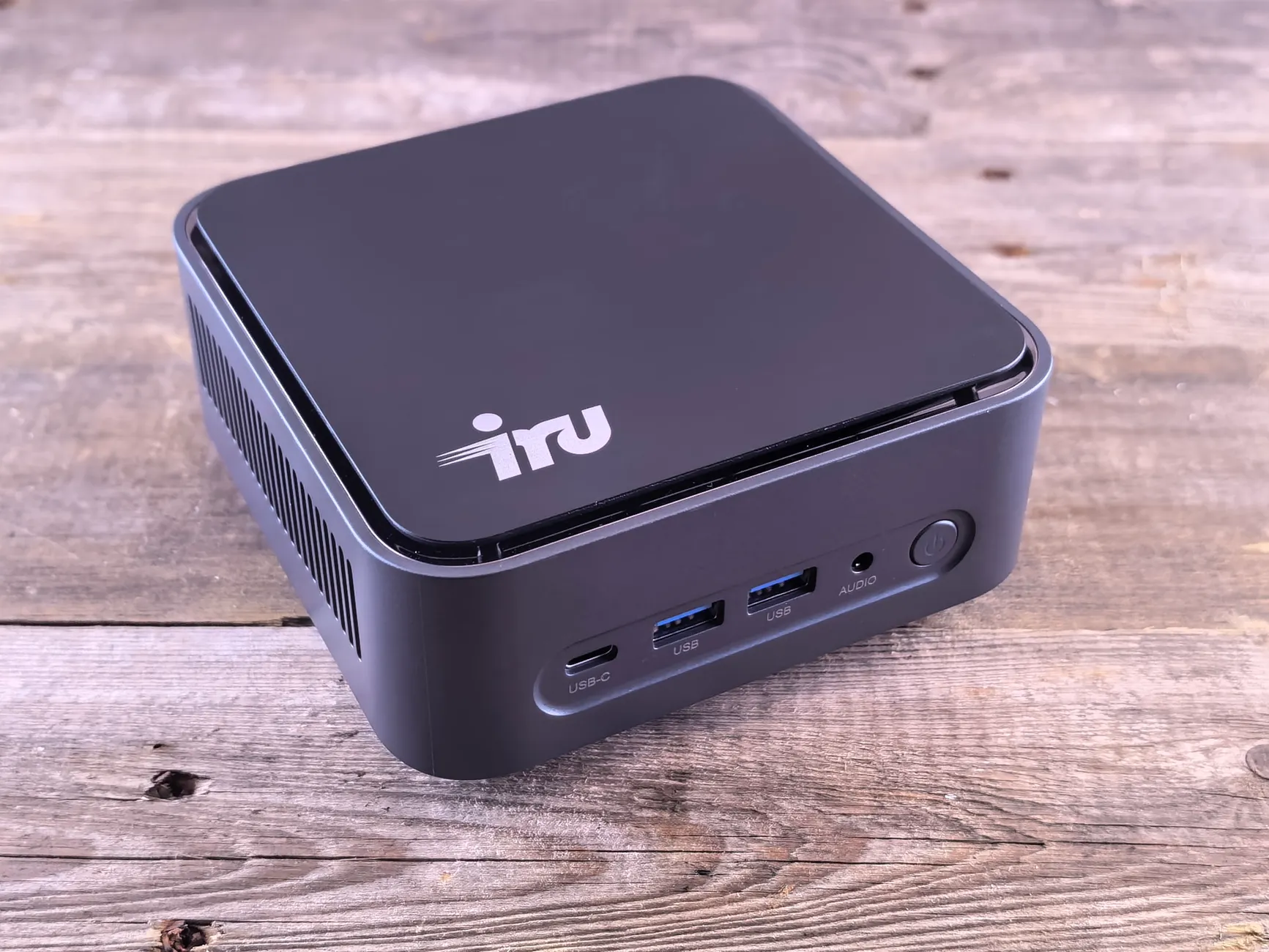
Placement is often the difference between a server you forget exists and one you resent every evening.
Plex and the Transcode Wars: Which Box Can Stream 4K?
Plex is where a lot of home-server buying advice becomes needlessly vague. Storing media is easy. Direct playing it to a compatible television or streaming box is often easy too. The hard bit is transcoding: converting a file on the fly because the client device, connection or subtitle format cannot handle the original. That is where processor capacity and graphics acceleration stop being academic.
The DS923+ had genuine muscle for mixed server use. In testing, it ran Plex streaming two 4K files while Docker containers and file transfers were also active, with processor use around 40–50%. That is a reassuring real-world result because it demonstrates that the NAS was not instantly overwhelmed by a busy household-style workload.
But there is an important caveat, and it is not a minor one: the Ryzen R1600 had no integrated GPU. That means it lacked the embedded graphics hardware that makes accelerated video transcoding so attractive on Intel-based systems. Heavy transcoding was therefore a weaker fit for the DS923+ than its otherwise capable storage and operating system might suggest. If your Plex clients direct play most files, this limitation may barely trouble you. If your household regularly demands conversions of heavy 4K H.265 content, it should be central to the decision.
The EQ12's Intel N100 brought integrated graphics to the party, which is precisely why low-cost Intel mini PCs became favourites for Plex and home-lab projects. The N100 had enough processor capacity for Docker stacks, one or two Plex transcodes and virtual machines, but its capabilities should be kept in context. It was not presented as a solution for accelerated 4K H.265 transcoding. For ordinary media serving and modest transcoding demands, it is a very persuasive little machine. For a house full of people converting demanding 4K files at once, it is not magic. Nothing palm-sized is, despite what certain YouTube thumbnails would have you believe.
An old laptop with Intel HD or UHD graphics can be useful here, particularly if you already own it. It brings integrated graphics that the DS923+ lacks, and it may have more breathing room than the NAS's stock 4GB memory. Yet age matters. A dual-core i5 is capable of useful work, but it is still a dual-core machine. You will want to keep expectations aligned with the hardware and favour direct play whenever possible.
Direct play is your friend
Before spending around a transcoding problem, check whether your television, streaming device and media formats can direct play. The most efficient transcode is the one your server never has to perform. It saves power, heat and the sort of troubleshooting that makes you question every hobby you have ever had.
For Plex, I would split the decision sharply. Choose the DS923+ if your priority is a large, neat internal media library and your clients usually direct play. Choose the N100 mini PC if media-server flexibility and low power are more important than having four internal drive bays. Use the old laptop if it is already available and your expectations are modest. It can make a perfectly good personal Plex box; it just is not the route I would choose for ambitious multi-user 4K transcoding.
Docker Deep Dive: Running Containers Without Pulling Your Hair Out
Docker is the point where a basic storage device becomes a genuinely useful little home platform. Instead of dedicating a computer to one job, containers let you run a collection of small services: a dashboard, a password vault, an ad-blocking DNS service, home automation, uptime monitoring, personal cloud software and more. It is wonderfully empowering. It is also a brilliant way to create a maintenance hobby by accident.
The DS923+ had a powerful advantage here: DSM. Synology's software was the part that turned the appliance from a box of bays into something many people could actually live with. The experience had the polish that beginners value. It was the difference between a system that did what you needed and one that could technically do everything but regularly sent you towards tutorials to work out why a configuration file had acquired one stray space.
For containers, the DS923+'s stock 4GB memory was the awkward bit. A few lightweight services and ordinary file duties are plausible, but Plex, container workloads and active backup work compete for the same limited pool. Expanding to 8GB is the sensible baseline for a more ambitious Docker setup. The unofficial 32GB ceiling offers much more room, though it is important to remember that it was not Synology's official memory specification.
The EQ12 started with 16GB DDR4 SODIMM memory, which is a large practical advantage for containers. Docker services tend to be individually modest but collectively greedy. One container is tiny; eight to fifteen can become a real workload, especially when databases, dashboards and media services begin talking to each other. More memory gives you breathing room, and the N100's four cores make it well suited to lightweight always-on services.
The trade-off is that the mini PC asks more of you. You choose the operating system, the storage arrangement, the Docker management method, updates and backup process. That is not automatically bad. Plenty of people actively prefer it because the machine is theirs to shape. But if the phrase "compose file" makes your shoulders rise towards your ears, DSM's guided environment is worth real consideration.
The old laptop also benefits from the flexibility of a full computer. With 8GB of memory, it has a workable starting point for a modest stack. It can host containers, and the screen makes first-time setup pleasantly less fiddly than using a headless mini PC. The downside is longevity. A repurposed laptop may have years left in it, but it was not built as a dedicated appliance with storage expansion as its central mission.
Synology DS923+: approachable container management
DSM reduces the barrier to deploying services and is the most beginner-friendly route when storage and containers must coexist on one device.
Beelink EQ12: stronger memory starting point
16GB of DDR4 SODIMM memory gives an N100 mini PC more headroom for a collection of containers than the DS923+'s fitted 4GB.
Old laptop: maximum reuse, maximum responsibility
A laptop can run the software you choose, but you are responsible for making that software stack tidy, secure and backed up.
Docker reasons to choose a NAS
- DSM offers a more polished route for beginners.
- Storage and services live in one purpose-built appliance.
- The DS923+ had enough headroom for containers alongside active storage duties.
Docker reasons to avoid a NAS
- 4GB fitted memory is tight for ambitious stacks.
- More complex workloads benefit from an upgrade.
- Its processor lacks the graphics acceleration advantage of Intel mini PCs.
My rule of thumb: for three to six useful services and a household file store, the Synology route keeps things pleasantly civilised. For a growing hobby project with many containers and a desire to learn, the EQ12 is the more elastic foundation. For "I want to see whether I even enjoy this," an old laptop is a very sensible first step.
Backup Duty: Which Platform Keeps Your Data Safest?
Backups are less glamorous than Plex artwork and dashboards, but they are the reason a home server can be worth having. A proper local backup is fast to restore from, private and always available on your network. It is also very comforting when somebody deletes the wrong folder, loses a laptop or discovers that their phone was full of photos they had never actually copied anywhere.
This was where the DS923+ made its strongest case. The four-bay design was made for storage first, and DSM had first-class support for the kind of backup tasks normal households actually need. Synology Drive Client and Time Machine support make it straightforward to create a central destination for computers. Synology Photos can support phone-photo workflows. The software layer matters because the best backup system is the one that continues happening after the novelty of setting it up has worn off.
The DS923+ also supported Synology Hybrid RAID, RAID 5 and RAID 6 across its four bays, with Snapshot Replication available for ransomware recovery. These features do not turn RAID into a backup—worth saying twice, because it is a mistake people make constantly—but they do provide useful resilience against drive failure and accidental changes within the main storage system.
A mini PC can absolutely do serious backup duty. It can run storage software and serve shares, and its 2.5GbE port is attractive where the rest of the network supports faster-than-gigabit connections. But it does not arrive with the DS923+'s internal multi-drive arrangement. You will need to decide how storage is attached and how it is protected. Manual RAID using tools such as mdadm or ZFS is possible, but it is more complex. That is a feature for some people and an unnecessary Saturday afternoon for others.
The old laptop has the same basic issue, only more pronounced. It may contain an SSD and accept external storage, but it does not provide hot-swap bays or a dedicated four-disk chassis. For a simple backup target—a few folders, an occasional laptop image, selected photos—it can do good work. For a central family archive that you want to expand steadily, it starts to feel improvised.
RAID is resilience, not a second location
Multiple drives can help you survive a drive failure, but they do not protect against every form of loss. A local server is excellent as one copy of your data. Keep another separate copy elsewhere if the files genuinely matter.
For backup-first buyers, the DS923+'s four-bay architecture is the most natural fit of the three.
Why the DS923+ is strongest for backups
- Four internal 3.5-inch drive bays make capacity planning straightforward.
- Synology Hybrid RAID, RAID 5 and RAID 6 are built into the platform.
- DSM brings Time Machine, Synology Drive Client and snapshot tools together.
- DX517 expansion support could take the system to nine drives.
Where mini PC and laptop demand more work
- Storage expansion is limited internally.
- External drives make cable, power and enclosure choices more important.
- Manual RAID options are possible but more involved.
- There is no hot-swap drive support in the old-laptop route.
Networking, Storage Growth and the Things You Notice Later
On day one, people usually focus on processor names and RAM. Six months later, it is the ports, expansion options and storage layout that tend to determine whether the purchase still feels clever.
The DS923+ gave you two 1GbE Ethernet ports, two USB 3.2 Gen 1 ports and eSATA. More importantly, it provided four internal SATA bays and support for the DX517 expansion unit, taking the total capacity to nine drives. That is exactly the sort of thing that feels unnecessary until a photo archive grows, a media library expands, or someone in the household discovers that 4K video is not especially polite about storage space.
The EQ12's single 2.5GbE port is excellent for a small, fast network, but one port is still one port. It can be plenty for a single server connection, particularly where your router or switch supports it. It simply offers a different kind of expandability. The machine grows through software and external devices rather than through a row of internal hard drives.
The Beelink ME Pro is worth noting because its two internal 2.5-inch SATA bays make it more NAS-aware than a typical miniature PC. That is still a different proposition from four 3.5-inch bays, especially for users who want large-capacity mechanical storage. But it highlights an increasingly interesting middle ground: mini PCs that lean into storage without becoming full NAS appliances.
With an old laptop, everything depends on ports you already have. USB can add storage, Ethernet can provide a stable connection, and the laptop's own SSD can host the operating system and containers. It works. It is just less tidy as the project grows. The main risk is not that it cannot be done; it is that a stack of external drives, hubs and adapters slowly becomes a setup you do not want to touch because you cannot remember which cable goes where.
| Expansion question | Synology DS923+ | Beelink EQ12 | Beelink ME Pro |
|---|---|---|---|
| Internal SATA storage | 4 × 3.5-inch bays | — | 2 × 2.5-inch SATA bays |
| NVMe provision | 2 × M.2 slots for cache | 500GB NVMe SSD plus 1 × M.2 2280 slot | — |
| Ethernet | 2 × 1GbE | 1 × 2.5GbE | Gigabit Ethernet |
| External expansion | eSATA; DX517 support to 9 drives total | USB 3.2 ports | — |
This is why I would not buy a mini PC for a storage-heavy project merely because it looks cheaper on the desk. Once you factor in the external storage arrangement needed to replicate what a NAS does internally, the comparison changes. Equally, I would not buy a four-bay NAS for a couple of tiny containers and a 500GB document archive. The hardware should follow the storage plan, not the other way round.
Setup, Maintenance and the Real Cost of Your Time
There are two types of home-server owner. One enjoys configuring services, experimenting with operating systems and solving a strange network issue at 11pm. The other wants their files backed up and their media available before the kettle boils. Neither is wrong. They just need different hardware.
The DS923+ was clearly aimed at the second person, while still offering enough scope for the first. DSM made storage management, user permissions and services more approachable than assembling the same experience from scratch. The appeal is not that it removes every decision. It is that it removes many of the tedious ones and presents the rest through a coherent interface.
The mini PC gives you the opposite deal: superb flexibility, but you own the stack. You choose the operating system. You decide how updates work. You work out where container data lives and how it is backed up. You decide how to expose or not expose services beyond the home network. For a curious person, that is the fun. For someone who simply wants to stop paying for a little extra cloud storage every month, it can be a lot.
An old laptop is similar, but it has one useful advantage in the early stages: you can use the built-in display and keyboard. There is less need to connect a monitor for basic setup, and its battery gives a small cushion during a short power interruption. It is a friendly platform for learning because failure does not feel financially dramatic. If you have one sitting unused, this is the path I would try before spending money on a hobby you are not certain will stick.
Lowest-friction choice: Synology DS923+
It offers storage-focused hardware and a polished DSM environment. Best for people who value a guided setup and routine maintenance that does not become another project.
Most flexible choice: Beelink EQ12
Its N100 processor, 16GB memory and low draw create a strong base for a customised Docker and server setup, provided you are happy to run it yourself.
Lowest-risk experiment: an old laptop
It lets you learn whether you will actually use a home server before buying dedicated hardware. Just keep the storage arrangement simple and the backups deliberate.
Maintenance is also why I would resist the temptation to install every service you see in a home-lab video. Start with one job. Get backups working. Then add Plex. Then perhaps one or two containers that solve a real annoyance in your home. A server that quietly does three jobs well is much better than one running fifteen services you no longer understand.
Value: Where Each Route Makes Financial Sense
Value is not just the price of the hardware. It includes electricity, disks, upgrades, external enclosures, time and the probability that you will replace the device after discovering it does not suit your needs.
The Beelink EQ12 had a UK street price of around £155–£175 depending on storage configuration. That made it an exceptionally compelling entry point for a compact home server with 16GB of RAM, 500GB NVMe storage and 2.5GbE networking. Its low annual energy use strengthened the argument further. If your needs are Docker, light Plex work, network services and modest storage, it is hard not to admire the value proposition.
The DS923+ was a more expensive route once drives entered the equation, but its value came from integration. Four bays, DSM, storage tools, expansion potential and a quiet, purpose-built chassis are all things you would otherwise assemble yourself. The premium is easier to justify when the central requirement is dependable multi-drive storage. It is harder to justify when you need little more than a few containers and a single SSD.
The old laptop wins the initial-cost contest if you already own one. That is obvious, but it is still important. Before buying anything, install a suitable server setup on the laptop, connect it by Ethernet, run a few containers and see if it handles your actual routine. You may discover that it is enough. Or you may discover exactly why you want a NAS or mini PC, which is valuable information before spending a penny.
The score above is not an instruction to buy the NAS. It is a reflection of how well the DS923+ fits a storage-first household. Put the same scorecard against a tiny, low-power Docker box and the EQ12 would pull ahead in efficiency and starting memory. Put it against "I already have an old laptop," and the laptop would win on value before you even opened a browser.
The best-value server is not necessarily the cheapest box; it is the one that avoids unnecessary expansion, power draw and maintenance.
Frequently Asked Questions
Verdict: NAS vs Mini PC vs Old Laptop
So, is a home server overkill? Not if it is replacing a mess of scattered drives, unreliable manual copies, cloud-storage anxiety and a growing collection of services you would rather control yourself. It is overkill if you are buying a four-bay appliance to host one small container and occasionally save a Word document. The trick is matching the machine to the job rather than buying the most impressive-looking solution.
The short answer
The Synology DS923+ is the best choice for backup-first households that want proper multi-drive storage and an easy operating system. The Beelink EQ12 is the better fit for low-power Plex, Docker and home-lab users who are happy managing their own software. An old dual-core i5 laptop is the sensible no-spend trial platform and can remain useful for light workloads.
Buy Synology DS923+ if…
You want the most straightforward route to multi-drive backups, Time Machine support, Synology Drive, RAID options and future storage growth. It is the calm, organised choice for a household's important files.
Buy Beelink EQ12 if…
You prioritise low power draw, 16GB of fitted memory, compact size, Docker flexibility and a 2.5GbE connection. It is the enthusiast's value pick for services and lighter storage needs.
Use an old laptop if…
You want to learn without committing cash, already have a dual-core i5 machine with 8GB of RAM, and can live with limited storage expansion. It is the best way to test whether this hobby is actually for you.
If I were helping a friend choose, I would ask one final question: what will be hardest to replace in two years—processing power, storage space or your own patience? If it is storage space and simplicity, take the NAS route. If it is flexibility and electricity cost, take the mini PC. If it is money right now, revive the laptop. All three can be excellent home servers. They just excel at very different versions of the same idea.
Start with the job you need today, leave room for the job you might need next year, and avoid building a server rack just to back up three spreadsheets.