
How to Securely Wipe and Sell Your Old Laptop or Phone in the UK
A complete, no-nonsense walkthrough of wiping Windows, Mac, iOS and Android the proper way — plus exactly where to sell, trade in or recycle your old kit for the best return.
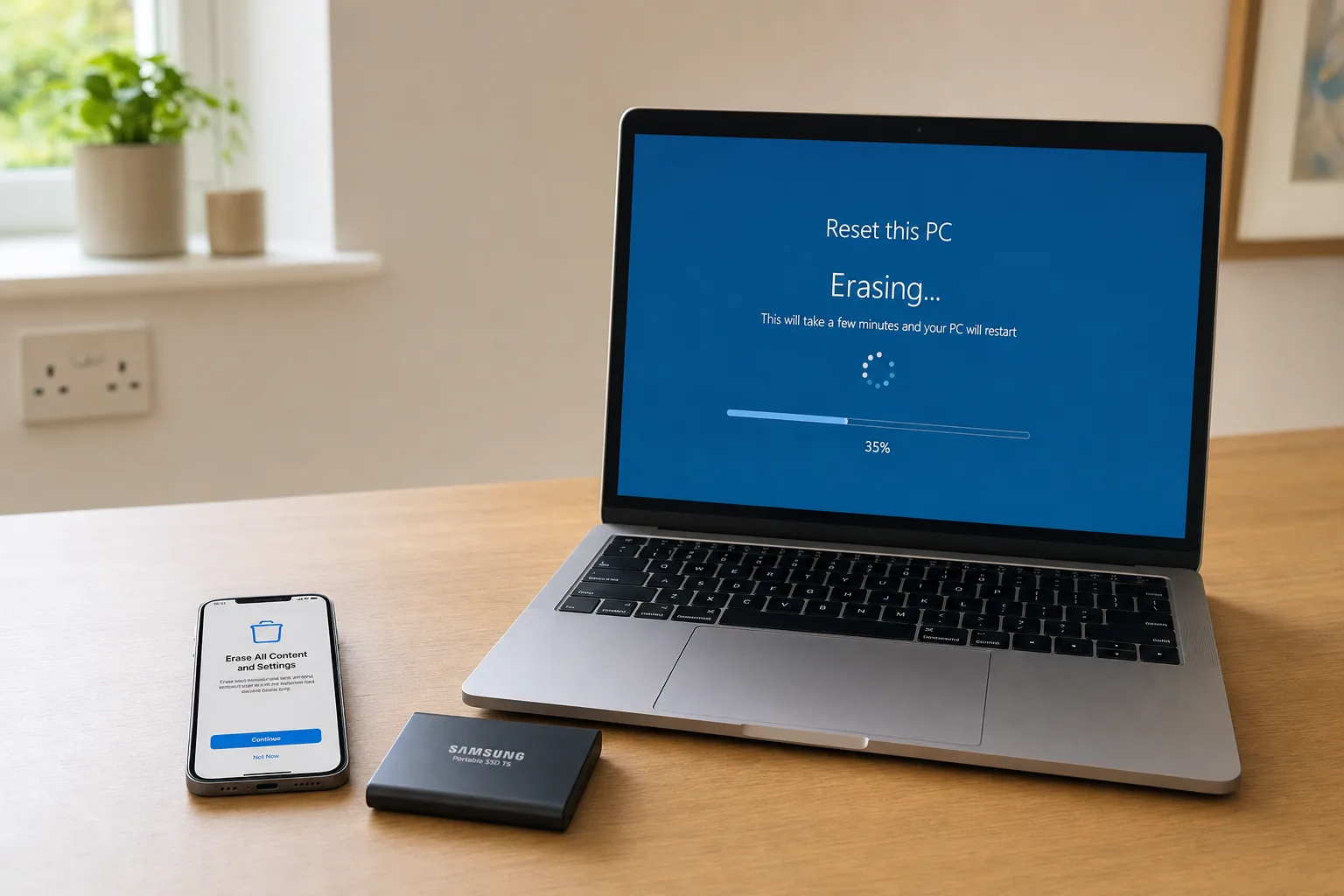

A drawer full of old devices is a drawer full of personal data — let's deal with it properly.
For an SSD (which includes almost every laptop sold in the last decade, and every phone): use the drive maker's own secure erase or sanitize function, or rely on cryptographic erasure — if the drive was encrypted from the start, destroying the key makes the contents unrecoverable. On Windows that means confirming BitLocker was on and then resetting; on a Mac, Erase All Content and Settings; on a phone, a factory reset on a device that shipped encrypted. For highly sensitive data on a failed drive, physical destruction is the only certain answer.
For a mechanical hard drive, a full overwrite genuinely does work, and the tools described below are appropriate.
We've all got that drawer, haven't we? The one rattling with retired phones, a knackered old laptop and a tablet you swore you'd "get round to selling". The trouble is, every one of those devices is a little vault of your personal life — emails, photos, banking apps, saved passwords, the lot. Before you hand any of it to a stranger, a recycler or even a charity shop, you need to wipe it properly. And by "properly" I don't mean a quick factory reset and a hopeful shrug. In this guide I'll walk you through the genuine, reliable way to erase each major operating system, explain why a factory reset alone sometimes isn't enough, and then show you exactly where to sell or recycle your gear in the UK to get the most money — or do the most good — back from it.
SSD versus HDD: use the SSD or computer maker's supported sanitize, secure-erase or cryptographic-erase procedure for solid-state storage. Use overwrite passes only for magnetic hard drives. Verify completion and keep a separate backup first.
Why a Factory Reset Isn't Always the Whole Story
Let's clear up the single biggest misconception straight away, because it trips up an enormous number of people. There's a widespread belief that tapping "factory reset" magically scrubs your device clean and you can walk away whistling. For modern, encrypted devices that's largely true — but it isn't a universal guarantee, and the gaps matter.
The honest reality is that a simple factory reset isn't always enough to guarantee your personal information is gone for good. On older hardware especially, a reset can leave fragments of recoverable data behind. A factory reset is not a guarantee for Windows computers older than Windows 8.1, for instance, and that's a meaningful number of laptops still doing the rounds on the second-hand market.
It's worth being clear-eyed about what "secure" actually means here, too. The methods I'm about to describe will prevent almost everyone from recovering your data — your buyer, a chancer on Marketplace, a curious recycler. However, these methods do not guarantee complete removal; a determined expert, using specialist techniques, may in some circumstances be able to recover some of it. For the overwhelming majority of us selling a phone or laptop, that residual risk is vanishingly small. But if you're disposing of a device that held genuinely sensitive material — legal, medical, financial records for a business — that distinction is the difference between "wiped" and "physically destroyed".
The golden rule: encryption is your friend. A device that was encrypted before you started using it makes a factory reset genuinely secure, because the data is meaningless gibberish without the key — and the reset throws away the key. Devices that were never encrypted are where the gaps appear.
Before You Wipe: The Pre-Flight Checklist
Resist the temptation to dive straight into the reset menu. There's a short sequence of jobs to do first, and skipping them is how people end up locked out of their own accounts or, worse, accidentally bricking the device for the next owner. Run through this lot before you erase anything.
- Back up everything you care about. Firstly you'll need to make backups of all the important data on the device. Much of this data may already be sitting in cloud services, but you'll want to make sure you have the passwords and other credentials for those services available so you can log back in after the device has been erased. Photos, documents, app data, two-factor authentication apps — check it's all somewhere safe.
- Sign out of your accounts. This is the step people forget. Sign out of iCloud, your Google account, Microsoft account, and any app that ties the device to you.
- Disable the anti-theft lock. Disable activation lock on iOS, or factory reset protection on Android, so that the recipient is actually able to use the device. Hand over a phone with Activation Lock still on and you've effectively gifted someone an expensive paperweight — and they'll be straight back asking for a refund.
- Remove the SIM card. Remember to remove any SIM card before passing on any device. It contains your mobile number and sometimes saved contacts.
- Remove the SD or memory card. Some Android smartphones contain memory cards, and crucially these do not get wiped during a factory reset. Pull it out, or it goes off with all your photos still on it.
Pro Tip
Do the account sign-outs and anti-theft disabling while the device still works and you still remember the passwords. Trying to remotely remove an Activation Lock after you've already wiped and posted the phone is a special kind of stressful — and not always possible.
The Five Things You Must Never Forget
Before we get into the operating-system specifics, here's the at-a-glance summary of what genuinely matters across every device. If you do nothing else, do these.
Removing the SIM and any memory card first is the simplest, most-forgotten step of the lot.
Securely Wiping a Windows Laptop or PC
Windows is where the most caution is warranted, simply because there are so many older machines in circulation. The approach depends heavily on the age of the laptop.
For modern Windows machines (Windows 10 and 11)
On a reasonably recent laptop, the built-in reset tool is your starting point. Head into Settings > System > Recovery (or Update & Security > Recovery on Windows 10), choose Reset this PC, and crucially select the option to Remove everything — not "Keep my files". When it offers to "clean the drive", say yes. That option does more than a quick delete; it overwrites the drive so casual recovery becomes impractical.
One thing worth checking before you start: whether BitLocker drive encryption was switched on. If your drive was encrypted, the reset becomes genuinely secure because the underlying data was already scrambled. Many modern Windows laptops enable device encryption automatically, but it's well worth confirming under Settings > Privacy & security > Device encryption.
For older Windows machines
Here's where you need to be careful. Because a factory reset is not a guarantee for Windows computers older than Windows 8.1, relying on the reset alone on an ageing laptop is risky. On these machines — or any time you want belt-and-braces certainty — reach for the right tool for the drive type. On a mechanical hard drive, dedicated secure-deletion software such as Eraser for Windows does the job, and it is also fine for old spinning external drives. On an SSD it is the wrong tool — see the box above. It's free, and Eraser has been carefully reviewed for many years and is safe to use — which is exactly the reassurance you want from a tool whose entire job is to make data unrecoverable. It works by overwriting the space your old files occupied, repeatedly, until recovery becomes a practical impossibility.
Don't forget external storage
If you're selling a laptop with an external hard drive, or you've got old USB sticks and portable drives going spare, those need wiping too. For old spinning external drives, Eraser on Windows handles secure deletion. For external SSDs, use the manufacturer's own secure-erase utility, or rely on encryption plus a key wipe — Apple does not provide Disk Utility secure-erase passes for SSDs, so that option simply will not appear on a modern Mac. An unwiped backup drive is just as leaky as an unwiped laptop.
Sourcing wiping software safely matters. Plenty of secure-deletion tools exist, many of them free, but when downloading anything from the internet make sure it comes from a reputable source and that you can see evidence the software has actually been tested against the claims it makes. Don't grab the first "free disk wiper" off a dodgy download portal.
Securely Wiping a Mac (MacBook, iMac, Mac mini)
Macs split neatly into two camps, and which one you've got completely changes how confident you can be in the wipe.
Apple silicon and T2-chip Macs (the easy, secure route)
If you've got an Apple silicon Mac (M1, M2, M3 and beyond) or an Intel Mac with the Apple T2 Security Chip, you're in luck — these machines have hardware encryption baked in, which makes a clean erase both simple and genuinely secure. Go to System Settings > General > Transfer or Reset > Erase All Content and Settings. It's the Mac equivalent of an iPhone wipe: it removes your data, signs you out of your Apple ID, turns off Activation Lock and resets everything to factory state in one tidy flow. This is by far the cleanest disposal experience Apple has ever offered.
Older Intel Macs without a T2 chip
On an SSD-equipped Mac, use Apple's supported Erase All Content and Settings or the appropriate cryptographic/vendor erase workflow. Disk Utility overwrite passes are for magnetic HDDs, not SSDs.
On an SSD-equipped Mac, use Apple's supported Erase All Content and Settings or the appropriate cryptographic/vendor erase workflow. Disk Utility overwrite passes are for magnetic HDDs, not SSDs.
Got Apple silicon or a T2 chip?
Use Erase All Content and Settings in System Settings. Hardware encryption means the wipe is fast, complete and trustworthy. Job done.
Older Intel Mac, FileVault was on?
Boot to Recovery Mode, use Disk Utility to erase, reinstall macOS. The previous encryption makes the erase secure.
Older Intel Mac, FileVault was never on?
This is the at-risk case. A standard erase can't be guaranteed to remove everything — use secure-erase options and be cautious with sensitive data.

On a modern Mac, "Erase All Content and Settings" handles the wipe and the Activation Lock in one go.
Securely Wiping an iPhone or iPad
iPhones and iPads are arguably the simplest devices to wipe securely, because iOS has used full-device encryption for many years. When you erase one, the device effectively destroys the encryption key, rendering everything left behind unreadable.
The process is short and sweet. Go to Settings > General > Reset (on newer versions this is Settings > General > Transfer or Reset iPhone), tap Erase All Content and Settings, and confirm. When the iPhone restarts, all content and settings will be erased and you'll be greeted by the "Hello" setup screen, exactly as it was out of the box.
The one thing you absolutely must not skip is removing the device from your account. Make sure you disable Activation Lock — signing out of your Apple ID before or during the erase does this. If you forget, the next owner will hit the Activation Lock screen and the phone will be useless to them. On the iPhone you'll also want to remove the SIM card before it goes anywhere, since that holds your number.
Pro Tip
If you've already wiped the phone but forgot to sign out, you can still remove the device from your account remotely via the Find My / iCloud website on another device — provided you do it before someone else sets it up. It's far easier to do it properly first time, but all is not necessarily lost if you slip up.
Securely Wiping an Android Phone or Tablet
Android is the trickiest of the bunch, not because it's hard, but because menu names vary between manufacturers — Samsung, Google, Xiaomi and the rest all word things slightly differently. The principle, though, is the same everywhere: encrypt first, then factory reset.
The crucial encryption step
Some Android phones encrypt your data by default, particularly newer ones, in which case a factory reset is genuinely secure. But if yours doesn't, you should enable encryption before resetting. The route is typically Settings > Security > Encrypt Phone. Once that's completed, the subsequent reset becomes meaningful rather than cosmetic.
Performing the reset
With encryption confirmed, do the wipe. On many devices you'll open the Settings app, find System, choose Advanced, then Erase All Data (Factory Reset) > Reset Phone. On others the path is Settings > Backup & Reset > Factory Data Reset > Erase Phone Data. Either way you're aiming for the same destination.
- Confirm encryption is on (Settings > Security > Encrypt Phone if not).
- Remove your Google account to disable Factory Reset Protection.
- Take out the SIM card and any SD card — remember, the SD card is not wiped by a reset.
- Run the factory reset via Settings > System > Advanced (or Backup & Reset).
- Let the phone reboot to its fresh, out-of-the-box welcome screen.
That SD card warning bears repeating because it catches so many people out: a factory reset wipes the phone's internal storage but leaves a removable memory card completely untouched. If you've stored photos or documents on it, they'll travel off to the new owner intact unless you physically remove the card.
Which Wiping Method for Which Device?
Here's the whole thing distilled into one table, so you can find your device and crack on without re-reading the lot.
| Device | Recommended method | Secure by default? |
|---|---|---|
| Windows 10 / 11 laptop | Reset this PC > Remove everything > clean the drive | Yes, if device encryption / BitLocker was on |
| Older Windows (pre-8.1) | Eraser secure-deletion software | No — reset alone not guaranteed |
| Apple silicon / T2 Mac | Erase All Content and Settings | Yes — hardware encryption |
| Older Intel Mac (no T2) | Recovery Mode + Disk Utility erase | Only if FileVault was enabled first |
| iPhone / iPad | Erase All Content and Settings | Yes — iOS is encrypted |
| Android phone / tablet | Encrypt Phone, then Factory Data Reset | Some by default; encrypt first if unsure |
| External drives & USB sticks | Eraser (Windows) or Disk Utility (Mac) | No — must be actively wiped |
Going Further: Secure-Wiping Software
For most people selling a typical consumer device, the built-in tools plus encryption are plenty. But if you want maximum certainty — perhaps you handled work data, or you're simply the cautious type — dedicated secure-wiping software is the next tier up.
Why use dedicated software
- Overwrites data repeatedly so casual and most expert recovery fails
- Covers external storage, USB sticks and old drives, not just the main disk
- Eraser in particular has been reviewed for years and is considered safe to use
- Many capable tools are completely free
- Peace of mind on older, unencrypted hardware where a reset isn't enough
Things to watch
- It takes longer than a standard reset — multiple overwrite passes aren't instant
- You must download from a reputable source, not a random portal
- Check there's genuine evidence the tool does what it claims
- Even thorough software can't guarantee 100% removal against a determined specialist
- Overkill for a modern, already-encrypted phone
Software products that perform secure deletion of data are available from established IT security firms, and there are plenty of free downloads too. The non-negotiable rule when grabbing any of them off the internet is to make sure it comes from a reputable source and that you've reviewed evidence the software has been tested against the claims it makes. A wiping tool you can't trust is worse than useless.
Where to Sell Your Device in the UK
Right — your device is wiped, encrypted-and-erased, SIM out, accounts signed off. Now let's turn it into either cash or good karma. There are four broad routes in the UK, and the right one depends entirely on whether you value speed, money or convenience most.
From freepost recycler packs to a carefully packaged eBay sale, each route trades effort against return.
Option 1: Third-party recyclers (fast and fuss-free)
Independent recyclers like Envirofone, musicMagpie and Mazuma Mobile are the path of least resistance. They typically pay between 60% and 80% of the open-market price for a working phone, and — unlike the networks — they'll often accept damaged devices too. The process is gloriously simple: they send you a freepost pack, you post your phone, and most pay the same day on receipt. No haggling, no buyer messages, no posting to a stranger.
If you'd rather not commit to one recycler, Compare and Recycle is the UK's largest independent mobile phone recycling comparison service. Over the years its award-winning site has helped millions of customers collectively get in excess of a quarter of a billion pounds for their old phones and other devices — so it's a sensible first stop to make sure you're not leaving money on the table.
There's a data-security bonus here, too. Reputable recyclers wipe again on arrival as standard. At Mazuma, for instance, they wipe any devices of data as soon as they receive them, and Money 4 My Tech says it employs industry-leading data-wiping techniques to erase your old phone, laptop or tablet. That's no excuse to skip your own wipe — always do it yourself first — but it's a useful safety net.
Option 2: Network provider trade-in
If you're upgrading with your existing network, their trade-in scheme can be the most convenient option of all, often knocking money straight off your new contract or handset. EE, for example, securely data-wipes traded-in devices, with eligible devices refurbished and prepped for resale; any devices they can't securely wipe are responsibly recycled instead. The trade-off is that network valuations aren't always the most generous, so it's worth comparing the offer against a recycler before you accept.
Option 3: Private sale (most money, most effort)
Want every last penny? Selling privately on eBay, Facebook Marketplace or Gumtree captures the full open-market price. Expect to keep around 100% of value versus a recycler's 60% to 80% — less postage and payment fees, of course. eBay in particular gets you the highest prices, especially for recent iPhones and flagship Android phones. You'll pay seller fees and need to post carefully, but the extra return is usually worth it for a desirable, in-demand device.
Option 4: Donate to charity
If the money matters less than the good deed, donation is brilliant — and your old phone genuinely helps. Oxfam accepts donated phones at any of its UK shops and will arrange a free courier (call 0300 200 1260) for six phones or more, which is handy for office clear-outs. Charities such as Little Lives UK accept all phones, tablets and laptops regardless of age or specification; they ask you to factory reset the device, but reassuringly, if you can't, they can securely wipe it for you — just leave your contact details with the item.
Option 5: Free recycling (when nothing's left to sell)
And if a device is truly dead, don't bin it. Under current WEEE regulations, when you buy a new phone the retailer who sells it to you is obliged to take your old phone back for recycling. It's free, it's the law, and it keeps hazardous electronics out of landfill.
Selling Routes Compared
Here's how the main options stack up against each other so you can pick based on what you actually care about.
| Route | Typical return | Effort | Best for |
|---|---|---|---|
| Third-party recycler | 60–80% of market price | Very low — freepost & same-day pay | Speed, convenience, damaged devices |
| Network trade-in | Varies; applied to upgrade | Low — done at point of upgrade | People upgrading with their network |
| Private sale (eBay etc.) | ~100% less fees & postage | High — listing, posting, buyers | Maximising cash on desirable kit |
| Charity donation | No cash — social value | Low — drop off or free courier | Doing good with usable devices |
| WEEE recycling | No cash — free disposal | Very low — retailer takeback | Dead, unsellable devices |
How the value drains away by route
To put the financial trade-off visually, here's roughly how much of a device's open-market value you tend to keep depending on the route you choose.
Need a few bits to prep your device for sale?
Padded mailers, screen-cleaning kits and replacement SIM trays make packaging and presenting a device for sale far easier. Check the latest price and any current bundles on Amazon.
Which Approach Suits You?
There's no single "best" answer here — it genuinely depends on what you're disposing of and what you value. Here's my quick steer for the most common situations.
The "just get rid of it" seller
Use a third-party recycler. Freepost pack, same-day payment, they accept damaged kit. You sacrifice some value for total convenience.
The value maximiser
Sell privately on eBay for a recent iPhone or flagship Android. More effort and fees, but you keep close to full market price.
The upgrader
Check your network's trade-in — like EE's — for money off your new handset. Compare it against a recycler quote before committing.
The good citizen
Donate to Oxfam or Little Lives UK. Usable devices do real good, and some charities will even wipe it for you if you can't.
Our Verdict on Doing It Right
Taking the half-hour to do this properly scores highly on every axis that matters — it's straightforward, it protects you, it puts money back in your pocket and it keeps electronics out of landfill. The only mark against it is the lingering caveat that no software wipe is utterly bulletproof against a determined specialist, which is why physical destruction remains the only true guarantee for the most sensitive data.
Half an hour of careful prep turns a risky drawer-clutter problem into cash, charity or guilt-free recycling.
Frequently Asked Questions
On a modern, encrypted device — a recent iPhone, an Apple silicon Mac, a recent Android or a Windows machine with device encryption — a proper factory reset is genuinely secure. On older hardware it's a different story: a factory reset is not a guarantee for Windows computers older than Windows 8.1, and an older Intel Mac that never had FileVault enabled can't be guaranteed clean either. In those cases, use dedicated wiping software or enable encryption first.
If you've followed the steps here, almost certainly not. These methods will prevent almost everyone from recovering data. The honest caveat is that they don't guarantee complete removal — a determined expert with specialist techniques might, in some circumstances, recover fragments. For everyday selling that risk is negligible; for genuinely sensitive data, physical destruction is the only absolute guarantee.
That's Activation Lock (iOS) or Factory Reset Protection (Android) doing its job — it stops a stolen device being reused. As the seller, you must disable it before handing the device on, which happens automatically when you sign out of your Apple ID or remove your Google account before wiping. Forget this, and you'll have effectively given the buyer a locked brick.
No. This is one of the most common and costly mistakes. A factory reset wipes the phone's internal storage but leaves a removable memory card completely untouched. Always physically remove your SD card (and SIM) before passing on any Android device.
A private sale on eBay typically nets you the most — close to full market price — especially for recent iPhones and flagship Android phones, though you'll pay seller fees and need to post carefully. Recyclers like Envirofone, musicMagpie and Mazuma are quicker and pay 60–80% of market price with same-day payment. Using Compare and Recycle to shop quotes around first is a smart move.
Recycle it responsibly. Under current WEEE regulations, the retailer selling you a new phone is obliged to take your old one back for recycling free of charge. Charities such as Little Lives UK also accept devices regardless of age or specification, and will securely wipe them for you if needed.
It can be — Eraser for Windows, for example, has been carefully reviewed for many years and is considered safe. The key is only ever downloading wiping tools from a reputable source, and checking there's real evidence the software has been tested against the claims it makes. Never grab a "free disk wiper" from an unknown download site.
The Bottom Line
Securely retiring an old laptop or phone really comes down to two principles: encrypt then wipe, and match the selling route to your priorities. Back up your data, sign out of your accounts, kill the Activation Lock, pull the SIM and SD card, then erase using your device's built-in tools — reaching for Eraser or Disk Utility on older, unencrypted hardware where a reset alone won't cut it.
From there, pick your exit. Recyclers like Envirofone, musicMagpie and Mazuma offer speed and freepost convenience at 60–80% of value; eBay gets you closest to full market price if you've the patience; network trade-ins suit upgraders; and charities like Oxfam and Little Lives UK turn a dusty drawer device into genuine social good. Whatever you do, don't bin a dead phone — WEEE rules mean retailers must take it back free.
Do it properly once, and you'll never look at that drawer of old gadgets the same way again. It's not clutter — it's cash, a good deed, or a recycling job waiting to happen.