
Bigscreen Beyond 2 Review: The Tiny PC VR Headset That Makes Valve Index Feel Ancient
At only 107g, this 2.5K-per-eye micro-OLED headset promises premium SteamVR without the usual brick strapped to your face. Here is the full UK buying, setup and games guide - including the expensive parts the box leaves out.
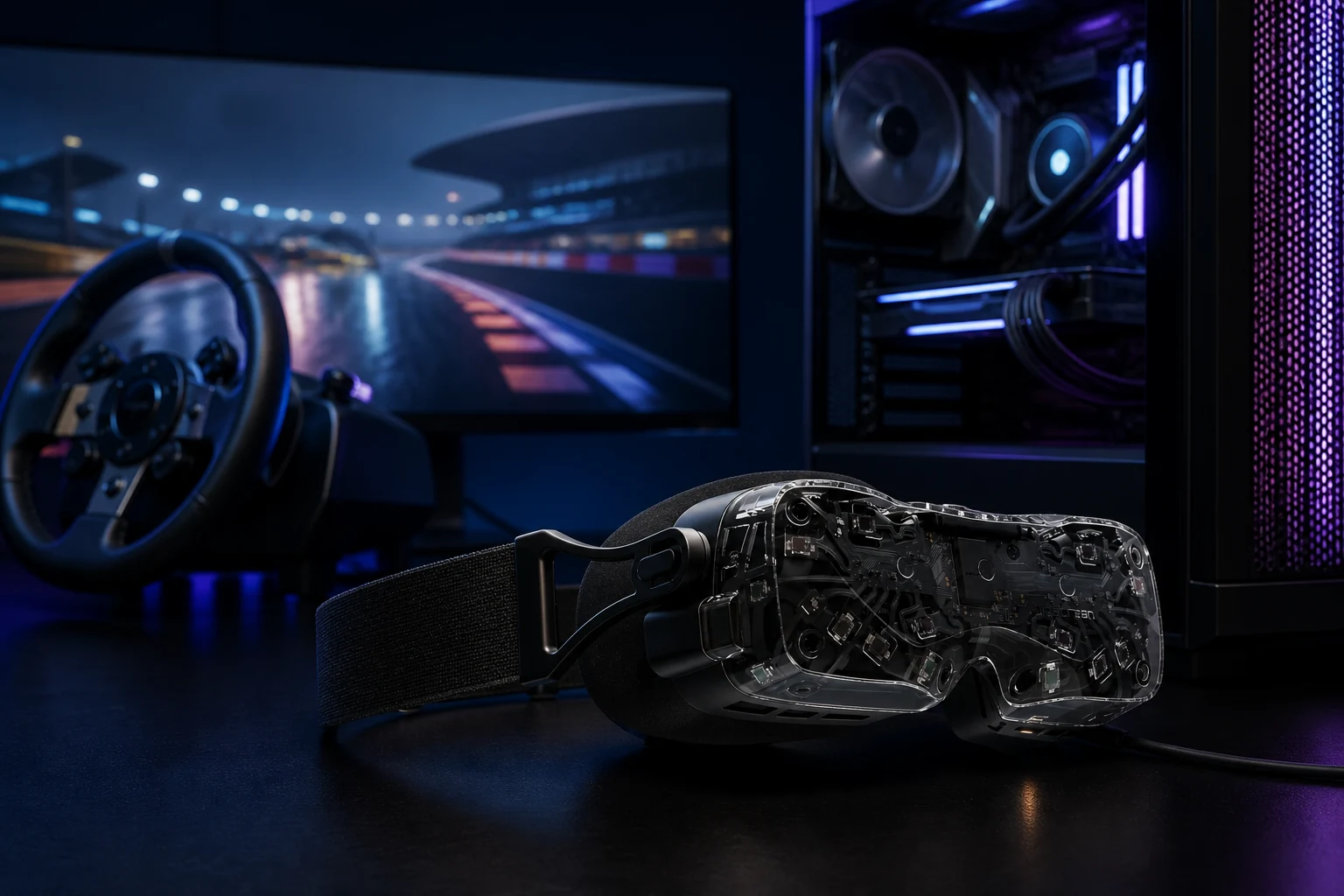
Bigscreen Beyond 2 review: the short version
How this review was produced: this is GadgetScout's evidence-based UK assessment, using Bigscreen's current product and checkout information, the Beyond 2 user guide, current shipping updates, SteamVR documentation and corroborated hands-on reporting. We have not pretended to perform a laboratory test we did not carry out. Product measurements are the manufacturer's; subjective strengths and weaknesses are identified as editorial conclusions or reported owner patterns.
The Beyond 2 is a wonderful answer to a narrow question: what is the best PC VR headset for an enthusiast who values comfort, OLED blacks and an uncompressed DisplayPort image more than wireless freedom or value? Nothing else combines a 107g core headset with 2,560 × 2,560 pixels per eye, pancake optics, SteamVR tracking and a 116-degree diagonal field of view. A Valve Index weighs several times as much and its 1,440 × 1,600-per-eye LCD now looks coarse beside it.
The catch is that the £999 price is the beginning, not the bill. Beyond 2 is a headset, soft strap, 5m fibre-optic tether and link box. It is not a complete VR kit. Newcomers normally need two compatible base stations, two controllers, a fit solution and headphones or Bigscreen's Audio Strap. A sensible all-new setup can therefore approach £1,700-£2,000 before the gaming PC. Existing Index or Vive owners can reuse much of that equipment and receive the product's strongest value proposition: replace the heavy, low-resolution visor while keeping proven tracking and controllers.
What makes it special
- Its 107g headset body genuinely changes long-session comfort
- Dual micro-OLED panels deliver true blacks and vivid colour
- Sharp 2,560 × 2,560 image per eye with no streamed-video compression
- Much wider and clearer optics than the original Beyond
- Excellent SteamVR lighthouse tracking for sims and room-scale play
- No battery to charge, throttle or replace
- Physical IPD adjustment makes sharing possible
The expensive reality
- Base stations, controllers and speakers are not included
- Wired only, with no passthrough or mixed-reality cameras
- Pancake-lens glare can remain visible in high-contrast scenes
- Full panel resolution is ferociously demanding in modern simulators
- The soft strap may move during frantic room-scale games
- Custom fit is personal; universal fit adds bulk and cost
- Not the easy first headset that a Meta Quest 3 is
Bigscreen Beyond 2 specifications
Raw resolution deserves context. The two panels contain around 1.58 times as many physical pixels as a 4K television, and a VR renderer often draws an image larger than panel resolution to correct lens distortion. It must do so separately for both eyes and deliver each frame within an 11.1ms window at 90Hz. The specification is not a promise that every graphics card will run every simulator at 100% SteamVR resolution. Resolution scaling, anti-aliasing, foveated rendering and sensible settings remain part of owning premium PC VR.
Beyond 2 launched in March 2025 with a sixth-generation pancake design and independently adjustable optics. It carries rendering, battery and room sensing outside the visor: the PC draws each frame, the cable supplies data and power, and external stations define the room. The otherwise identical Beyond 2e adds inward-facing eye cameras.
The real UK price: build the whole basket first
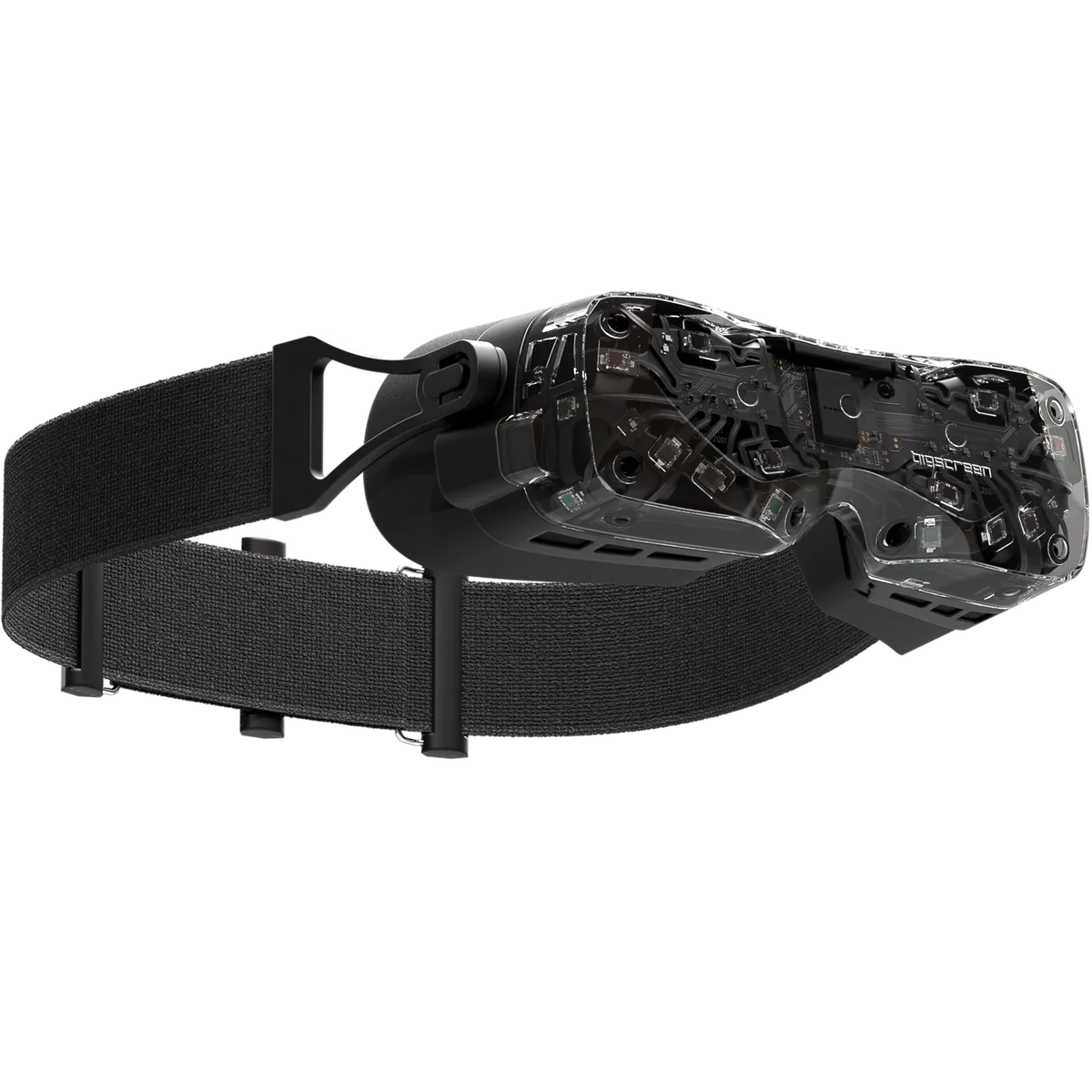
Bigscreen's £999 UK headline is honest about the headset but easy to misunderstand as a kit price. In the box are the Beyond 2, soft strap and top strap, IPD tool, link box, 5m fibre-optic cable and cleaning cloth. You choose a facial interface arrangement during purchase. What you do not receive are tracked hand controllers, lighthouse base stations or earphones.
| Part | Current or typical UK cost | Do you need it? |
|---|---|---|
| Bigscreen Beyond 2 | £999 checked 9 Aug 2026 | Yes |
| Beyond 2e instead | £1,149 checked 9 Aug 2026 | Only for eye tracking |
| Custom-Fit Cushion | £100 option | Choose this or a universal solution |
| Halo Mount + Universal-Fit Cushion | £139 option | Best for sharing; confirm shipment timing |
| Bigscreen Audio Strap | £119 | No, but you need some audio |
| Two SteamVR 2.0 base stations | Often £300-£440 total | Yes, unless reusing compatible stations |
| Pair of SteamVR controllers | Roughly £250-£350 when available | Yes for most games; not for wheel/HOTAS-only sims |
| Prescription inserts | From £89 | Only if required; glasses do not fit inside the custom cushion |
The practical totals
Index/Vive upgrader: about £1,100-£1,220 when reusing tracking, controllers and headphones. New sim-racing buyer: approximately £1,300-£1,600 if a wheel supplies input and only base-station tracking is required. New room-scale buyer: commonly £1,700-£2,000 for headset, fit, audio, two stations and two controllers. Availability can move those figures sharply, so assemble the full basket before committing.
This unusual economics explains the polarised verdicts. A Valve Index owner already has the expensive ecosystem and can treat Beyond 2 as a dramatic display-and-comfort upgrade. A first-time buyer sees an attractive £999 product turn into a complicated purchase approaching the cost of a strong gaming PC. The headset is not overpriced for what has been miniaturised; the complete experience is simply not a mass-market bargain.
Micro-OLED picture quality: why dark games look different
Micro-OLED is the emotional reason to buy Beyond 2. Each pixel emits its own light, so a black pixel can turn off rather than glowing grey behind an LCD shutter. Walk into a dark industrial corridor in Half-Life: Alyx, drive at night in Assetto Corsa Competizione or look away from a bright cockpit display into the darkness of space and the contrast gives objects convincing depth. Colours are rich without the grey veil that can hang over an LCD headset.
The RGB-stripe subpixel layout matters too. Some OLED headsets use fewer subpixels than their headline resolution suggests. Beyond's 2,560 × 2,560 displays contain full red, green and blue subpixels, helping small cockpit labels, instruments and desktop text look solid. Bigscreen quotes 32 pixels per degree and more than 13.1 million pixels across both one-inch panels. It is not retina resolution across the entire view, but the old screen-door mesh of early Vive and Rift hardware is effectively gone.
Do not translate OLED into perfect optics. Pancake lenses recycle light internally and can create glare or a washed halo when a bright object sits in a dark scene. Bigscreen says its sixth-generation design reduces glare and increases the clear sweet spot by 2.4 times over Beyond 1. Independent impressions agree that Beyond 2 is substantially improved; owner feedback also makes clear that glare has not vanished for everyone. Brightness, face position and scene contrast change how distracting it feels. Quest 3's lenses remain a useful reference for effortless edge-to-edge viewing even though its LCD cannot match Beyond's blacks.
Fit, IPD and the difference between custom and universal
The original Beyond was manufactured to one inter-pupillary distance, which made resale and sharing awkward. Beyond 2 gives each optical module its own physical adjustment. Remove the cushion, insert the supplied tool into the side slot and turn until each marker matches the required measurement between 53 and 70mm. Bigscreen claims optical accommodation from 48 to 75mm, but anyone near an extreme should ask support rather than relying on a broad marketing range.
Independent left/right movement is more useful than one central slider for people with asymmetric measurements. It is less convenient than adjusting Quest 3 while wearing it because you must expose the markings and use a tool. The reward is a setting that does not drift. Correct IPD affects more than sharpness: a persistent mismatch can create eye strain, scale oddities or the sense that one eye never quite locks into the image.
Custom-Fit Cushion
An iPhone face scan is used to manufacture a light-blocking cushion for one person's facial geometry. This remains the purest version of the Beyond idea. The headset nests close to the eyes, weight is spread across a precisely shaped surface and outside light disappears. It is also personal. Partners may not fit, glasses cannot be squeezed inside and a replacement after a major fit error or facial change is not as simple as buying generic foam. Custom-made accessories become non-refundable once manufactured, even though the headset itself has a return window.
Universal-Fit Cushion and Halo Mount
The universal interface sacrifices some made-to-measure intimacy for shareability. Bigscreen supplies soft and firm variants, while the Halo Mount places load on the forehead and lets users adjust eye relief and tilt. It can even float the displays without a cushion for airflow and visibility of the keyboard, although that removes full light isolation. It is the sensible family, demo or productivity choice. Check the current dispatch note carefully: Bigscreen has sometimes shipped the usable universal cushion first and the Halo mechanism separately as production catches up.
Glasses warning
Do not try to force spectacles against the micro-OLED optics. Use prescription inserts where needed. Bigscreen's current inserts start at £89, and older Beyond 1 inserts may not fit the eye-tracking 2e because its camera hardware changes the available space.
SteamVR tracking, controllers and the cable
Beyond 2 has no tracking cameras looking into the room. Photodiodes across the shell detect the swept lasers from SteamVR lighthouse base stations, allowing the PC to calculate position with extremely low latency. The result remains a gold standard for repeatable room-scale tracking, particularly when controllers move behind the back, near the face or quickly across the body. It also supports Vive and Tundra body trackers for VRChat.
Two 2.0 stations mounted high in opposite corners are the usual room-scale arrangement. One can track a seated sim cockpit if it always sees the headset, but a steering wheel, seat or the user's arms can create occlusion. Two gives coverage and redundancy. Stations need mains power but not a data cable to the PC. They should be rigidly mounted: a vibrating shelf can make the entire virtual world wobble.
The headset supports SteamVR controllers rather than supplying its own. Valve Index controllers remain the natural match because they strap to the hand, sense finger position and work across a huge library. Availability has become inconsistent as the original Index ecosystem ages. Bigscreen also identifies compatible alternatives including HTC Vive 2.0 controllers and newer SteamVR-tracked designs, but button mappings and game support are not equally polished. Confirm a pair is both available and supported before buying a headset around it.
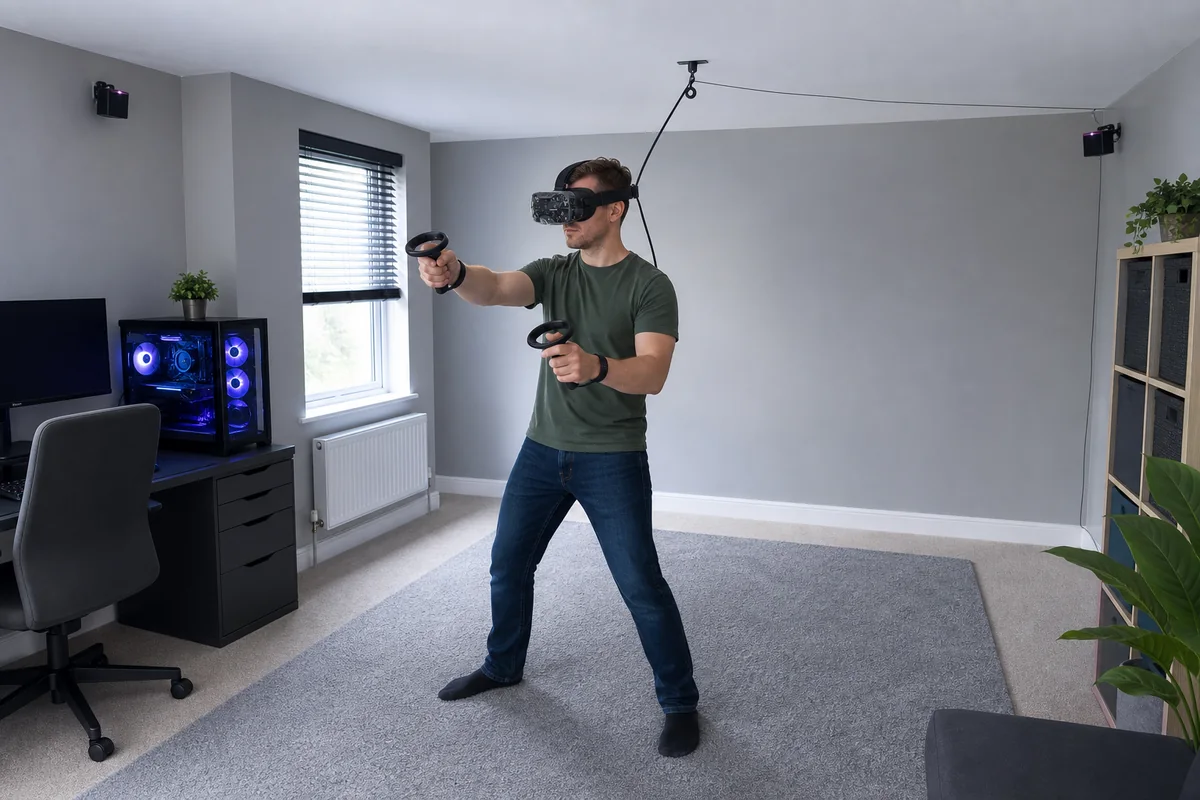
The 5m fibre-optic cable is thin and avoids battery anxiety, yet it does not disappear. For a seated rig, clip it behind the strap and route it down the seat where it cannot reach pedals or wheel hardware. For standing play, a ceiling-pulley system keeps loops away from ankles, provided it never tugs the tiny headset upward. Turning repeatedly in one direction still twists a tether. Cable guardian software and the habit of unwinding after a session are cheaper than replacing a damaged lead.
What PC do you need for Bigscreen Beyond 2?
Bigscreen's official floor is Windows 10 or 11, a quad-core CPU and an Nvidia RTX 2070 or AMD RX 5700-class graphics card. That describes a PC capable of starting compatible VR, not one that will exploit 13.1 million panel pixels in a busy flight simulator. The right specification depends more on the game and chosen render scale than on the headset.
The CPU matters when a simulator models many vehicles, aircraft systems or online players. A modern eight-core gaming processor with strong single-thread performance is a better pairing than an old many-core workstation chip. Use at least 16GB RAM; 32GB is the comfortable target for flight simulation, heavy VRChat worlds and background utilities. Put games on an SSD. None of those upgrades fixes a laptop whose display output is wired to the integrated GPU.
The link box needs DisplayPort 1.4 directly from the discrete graphics card plus two USB 3.0 ports. HDMI is not a substitute. A laptop needs a Mini DisplayPort adapter or USB-C port that genuinely carries DisplayPort Alt Mode from the dedicated GPU. Many USB-C sockets carry data only, and some gaming laptops route the port through integrated graphics. Check the laptop diagram or manufacturer support page before ordering a £1,000 headset.
How to set up Bigscreen Beyond 2 step by step
- Prepare the play area. Clear the floor, move reflective mirrors if tracking is unstable and mount two compatible base stations high in opposite corners. Aim them towards the centre rather than directly at each other.
- Install Steam and SteamVR. Update Windows and the graphics driver first. Steam normally offers the Bigscreen driver when it detects the headset.
- Connect the link box. Plug its DisplayPort 1.4 lead into the graphics card, not the motherboard. Connect both USB 3.0 leads to suitable PC ports.
- Orient the fibre cable correctly. The 5m cable is not reversible. The purple-labelled USB-C end connects to the headset's left port; the orange D-shaped end enters the matching link-box socket. The headset's right USB-C is for accessories such as the Audio Strap.
- Fit the cushion and strap. Clip the cable to the rear, leave enough slack for head movement and add the included top strap if the soft strap needs stability.
- Set both IPD modules. Remove the cushion, use the tool and align the left and right scales to measured values between 53 and 70mm. Replace the interface and check that both eyes find the clear centre naturally.
- Update firmware. Open the Beyond utility before a long session. Do not disconnect or power down while an update is running.
- Pair controllers. In SteamVR choose Devices, then Pair Controller. Add trackers separately if using full-body tracking.
- Run Room Setup. Choose seated/standing or room scale, establish the floor and trace a conservative boundary that keeps hands away from walls, screens and ceiling lights.
- Tune one game at a time. Begin at 75Hz and a moderate SteamVR resolution. Use the frame-time graph, not optimism. Increase resolution until clarity gains stop being worth missed frames.
The Beyond utility exposes refresh rate, display brightness, fan behaviour and LED colour. A brighter setting can make the image punchier but may increase persistence or glare sensitivity for some eyes. Make one change at a time, test it in the same high-contrast scene and keep notes. PC VR becomes frustrating when five driver, resolution and application changes are made together.
The best games to show what Beyond 2 can do
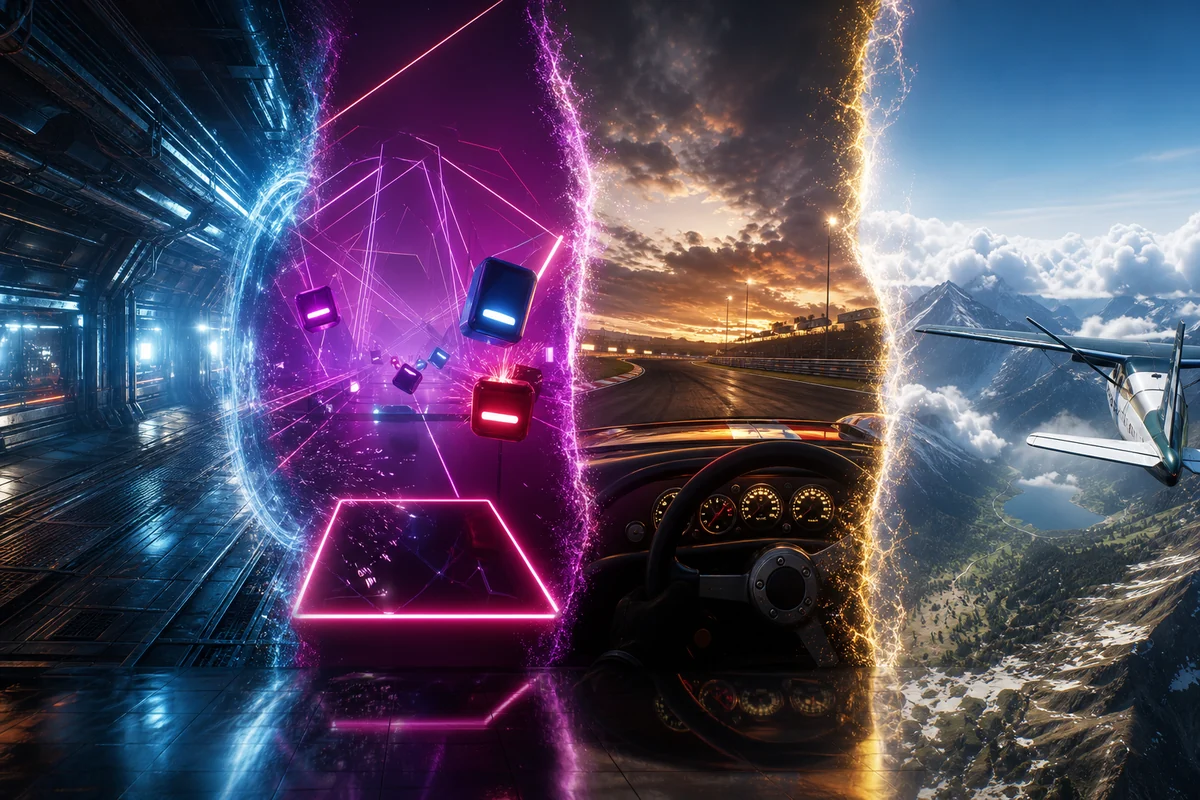
Beyond 2 can run the broad Windows SteamVR and OpenXR catalogue; it does not require games made specifically for Bigscreen. Its strengths are most obvious in software with dark scenes, fine distant detail or long sessions. These are examples rather than bundled titles, and each should be checked for current platform and controller support before purchase.
Half-Life: Alyx
The essential room-scale showcase. Micro-OLED black levels give its gloomy interiors depth, while direct DisplayPort keeps particle effects and distant detail clean. Index controllers provide its most natural hand interaction.
Beat Saber
Simple graphics, precise timing and intense motion expose tracking quality. It is easy for a modest PC to run at 90Hz, although the soft strap should be stabilised before energetic Expert+ play.
iRacing
A near-perfect Beyond use case: seated input, long sessions and gauges that benefit from high pixel density. CPU performance becomes important in large online grids.
Automobilista 2
An accessible route into beautiful weather, day-night transitions and varied cars. It is generally easier to make fluid than the heaviest flight simulations.
Microsoft Flight Simulator
Cockpit labels, distant runways and expansive scenery reward every pixel. It is also brutally demanding, so reprojection, upscaling and reduced traffic are normal rather than signs of failure.
DCS World
Complex military cockpits demonstrate the clarity and, on Beyond 2e, the potential benefit of eye-tracked foveated rendering. Its learning curve and GPU appetite are equally serious.
Elite Dangerous
OLED blacks make a star field look like space instead of a charcoal screen. A HOTAS lets the player remain seated without needing motion controllers.
No Man's Sky
A vast, colourful world and dramatic planets suit the panels, though its VR performance needs careful settings on anything below a top-end GPU.
VRChat
Long social sessions benefit from low mass, excellent microphones and optional full-body SteamVR trackers. The 2e adds gaze and blink data for compatible avatars and tools.
Skyrim VR with mods
Still one of PC VR's largest adventures once carefully modded. Deep caves suit OLED, but community patches and comfort options require patience.
Moss and Moss: Book II
Seated diorama-style adventures are comfortable for newcomers and make the headset feel like a window into a miniature world.
Walkabout Mini Golf
Friendly, readable and excellent with friends. It demonstrates precise controller tracking without demanding a monster graphics card.
Also consider Vertigo 2 for a substantial single-player campaign, The Walking Dead: Saints & Sinners for physical survival interaction, Assetto Corsa Competizione for serious GT racing, Star Wars: Squadrons for seated space combat and racing sims such as Assetto Corsa EVO as their VR support evolves. UEVR and other community injectors can place flat Unreal Engine games into VR, but they are enthusiast experiments, not guaranteed plug-and-play purchases.
Why sim racing may be its perfect job
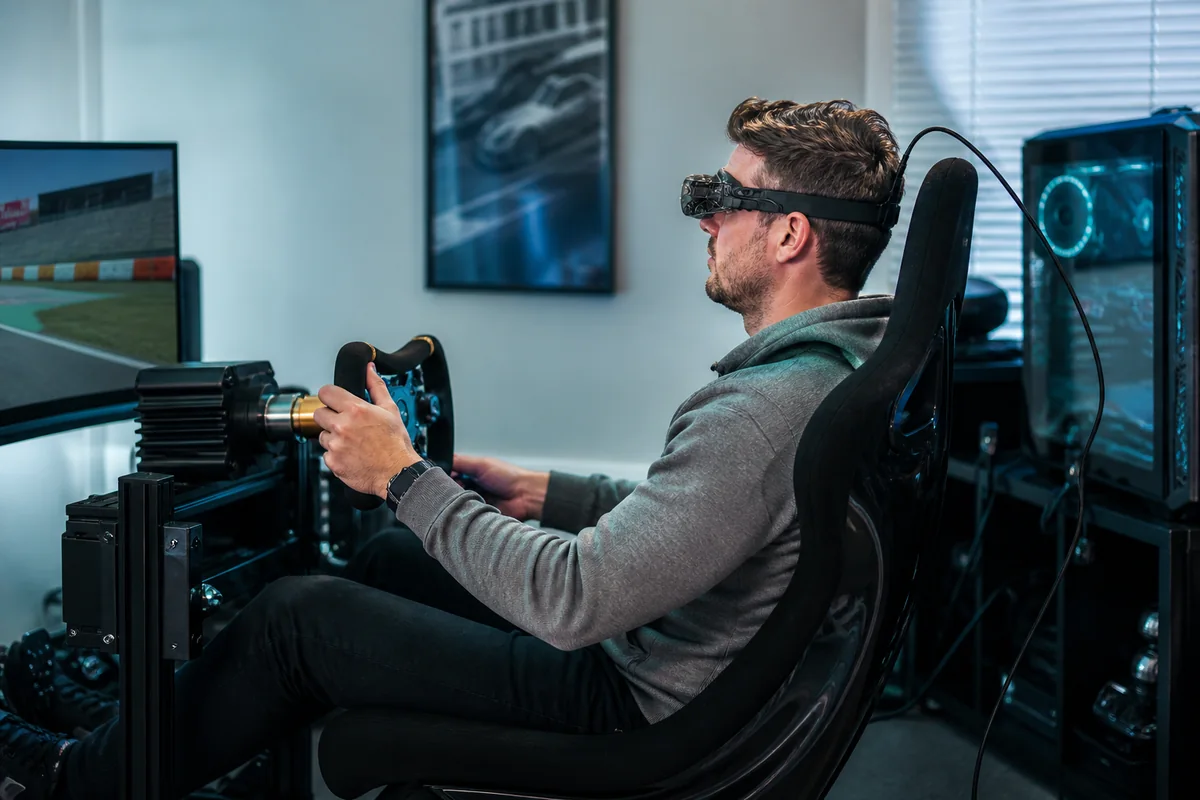
Sim racing neatly avoids most Beyond compromises. A steering wheel supplies input, so controllers can be postponed. The player faces one tracking station for most of the session. The cable routes behind a fixed seat. There is no battery warning halfway through an endurance race. Most importantly, comfort and readable distance detail matter every minute.
A heavy front visor creates momentum when the driver checks a mirror, looks into a corner or feels vibration from a motion rig. Beyond 2's mass sits close to the eyes, so those movements feel less like swinging a helmet. Bigscreen itself highlights endurance racing, and current owners repeatedly describe the ability to read smaller dashboard lettering and track texture when moving from Index-era resolution.
It is not free performance. iRacing can be CPU-limited with a large grid; Assetto Corsa Competizione combines demanding rendering with anti-aliasing that is not always kind to VR; rain, mirrors and night lighting raise the load. A stable 75 frames per second is better than a nominal 90Hz mode that repeatedly enters reprojection. Start with shadows, mirrors, crowds and visible-car counts before sacrificing the resolution that justified the headset.
Flight simulation and space: clarity meets a demanding workload
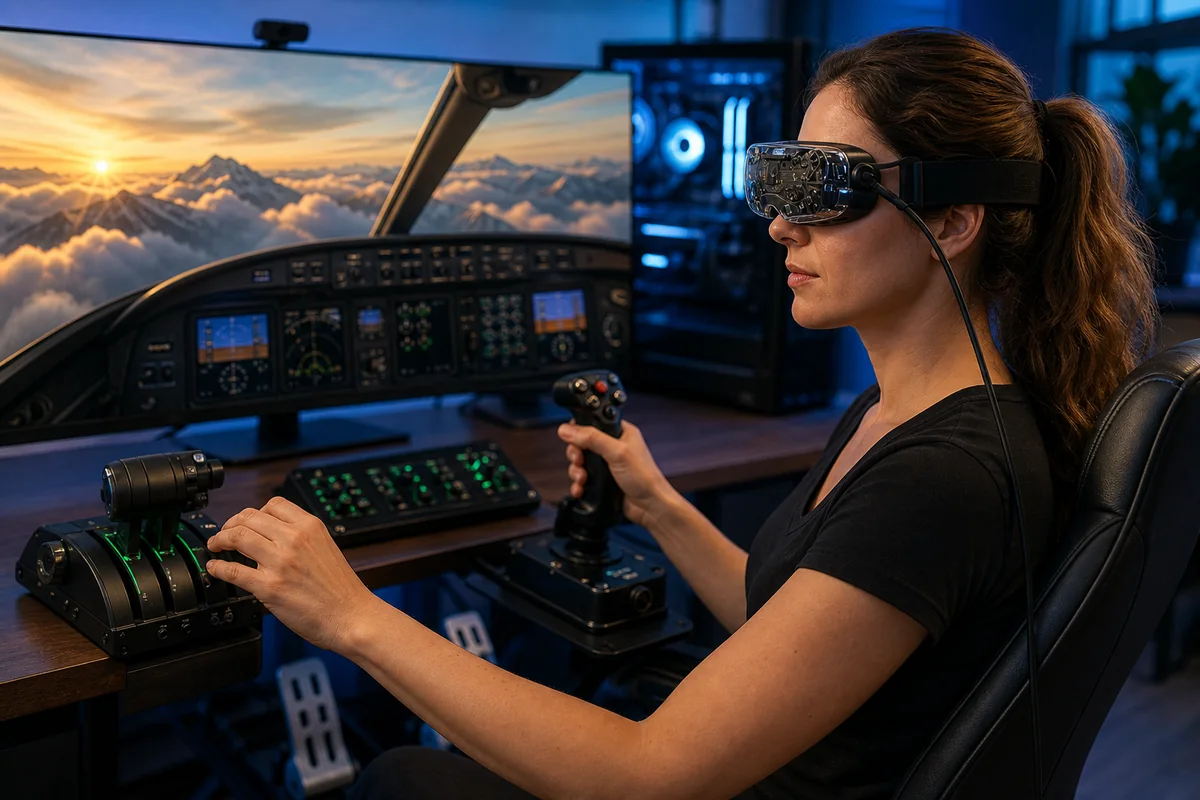
Flight simulation is the other obvious match. A high-resolution display lets the pilot glance at an instrument rather than leaning forward, read a navigation screen and identify a runway sooner. OLED turns night flights, dark cockpits and space into convincing environments. A 5m tether is irrelevant when the user sits behind a yoke or HOTAS.
Microsoft Flight Simulator, DCS World and No Man's Sky can humble current flagship graphics cards. Chasing 100% SteamVR resolution at 90Hz is the wrong first objective. Choose 75Hz, establish smooth head movement, enable an appropriate upscaler or fixed foveated method, then raise cockpit clarity. A simulator can feel excellent at a lower overall render scale with a sharper central region.
Beyond 2e is more interesting here than in Beat Saber. Eye tracking can tell compatible foveated-rendering software where the user is looking, concentrating shading detail around the gaze point while reducing it in peripheral vision. Bigscreen introduced dynamic foveated rendering as early-access software and has continued integration work. It should be treated as a developing performance tool, not a guaranteed frame-rate multiplier in every OpenXR title. Verify support for the exact simulator and runtime you intend to use.
Audio, microphone, cooling and long-session comfort
The base headset has no speakers and no conventional 3.5mm socket. It does contain a high-quality stereo microphone array, so multiplayer voice does not require a separate desktop mic. For output, connect your normal headphones to the PC, use suitable USB-C audio hardware or add Bigscreen's £119 Audio Strap. The latter brings integrated on-ear drivers and a more structured rear fit, but it also moves the experience away from the minimal 107g ideal.
Audio preference is personal. On-ear pads offer punch and isolation but can become warm. Off-ear Index-style speakers feel more open and keep ears cool, though Bigscreen does not include that design. In-ear monitors minimise weight but introduce another cable and need hygienic tips. Sim racers can use speakers in a quiet room, yet positional headphones are more convincing and prevent a wheel or cooling fan masking subtle cues.
Small internal fans manage the display and electronics. They are not normally dominant over game audio, but some owners report audible whine in quiet rooms. The Beyond utility exposes fan control for troubleshooting and comfort. Do not reduce cooling blindly to chase silence, and never block the vents with a third-party cover.
Beyond 2 versus Quest 3, Pimax, PSVR2 and Valve Index
| Headset | Where it beats Beyond 2 | Where Beyond 2 wins |
|---|---|---|
| Meta Quest 3 | Much cheaper complete system; wireless PC streaming; inside-out tracking; standalone games; colour passthrough; easy sharing | Far lighter core visor; OLED blacks; higher pixel density; uncompressed DisplayPort signal; no battery limit |
| Pimax Crystal Light/Super | Very high resolution and broad visual ambition; some configurations offer a larger field | Dramatically smaller and lighter; mature lighthouse option; simpler physical load for long sessions |
| PlayStation VR2 on PC | Cheaper OLED route with controllers included in the original console package | Sharper pancake optics, lighter headset and native SteamVR lighthouse ecosystem; PSVR2 loses several PS5-only features on PC |
| Valve Index | Excellent audio, complete ergonomic strap, up to 144Hz and an established full kit | Much higher resolution, OLED contrast, tiny size and vastly lower headset-body weight |
| Original Beyond | Can be cheaper used and uses the same displays | Adjustable IPD, wider field, brighter/clearer optics, reduced glare and lower weight |
Quest 3 remains the rational first PC VR headset because it is complete, wireless and works alone. Beyond 2 is the specialist choice: it trades convenience for OLED contrast, direct video and minimum mass. Pimax prioritises maximum visual specification in a much larger housing; PSVR2 offers cheaper OLED but loses several PS5 features on PC; Index remains cohesive but its displays belong to another era.
Beyond 2 or Beyond 2e: is eye tracking worth £150?
The 108g Beyond 2e is the same headset with integrated eye cameras and infrared illumination. Its most mature reason is social presence: compatible VRChat tools can map gaze and blinks onto an avatar, giving conversation body language that head and hand tracking cannot reproduce. Developers can also access supported camera and software interfaces.
The performance case is dynamic foveated rendering. If software knows exactly where the fovea points, it can draw that small region sharply and reduce shading in the periphery. The technique is ideal for a panel whose full resolution is expensive. Bigscreen's implementation has moved through early access, with Nvidia and AMD GPU inference and work around OpenXR simulators. Support, tuning and visible artefacts can differ by title.
Buy the 2e if VRChat eye expression is central to your use, you enjoy testing enthusiast OpenXR tools, or a specifically supported simulator demonstrates a worthwhile gain on your hardware. Buy the standard Beyond 2 if you mainly play Alyx, Beat Saber, Moss or racing games that already meet your target. Saving £150 is useful when the Audio Strap, second base station or stronger GPU will improve every session.
Problems and limitations to understand before ordering
- Glare is reduced, not abolished. Bright subtitles, menus or lamps against black may produce internal reflections. Buyers highly sensitive to pancake glare should arrange a trial or preserve return eligibility.
- Fit controls image quality. A cushion that holds one eye too far away can shrink field of view and make the lens appear worse than it is. Recheck IPD and face position before assuming a display fault.
- There is no passthrough. You cannot double-tap to see the keyboard, pet or drink. The Halo Mount's open-air option allows peripheral vision, but it is not camera-based mixed reality.
- It cannot work alone. No PC, no image. A laptop's generic USB-C port is not enough without the correct discrete-GPU DisplayPort route.
- Sharing remains less convenient. Adjustable IPD solves one obstacle, but a custom cushion is still one person's mould and prescription inserts are personal.
- Controllers are an ageing-market puzzle. Index controllers are excellent when available, but Valve's stock has varied. Do not assume a complete pair can be bought after the headset arrives.
- Warranty and returns need reading. Bigscreen currently offers a headset return period, but heavily used products can incur fees and custom-made cushions or prescription lenses are non-refundable once manufactured.
- Do not buy for an announced future feature. Eye-tracking integrations, Halo shipments and controller options can evolve. Judge the order by what is documented and dispatching today.
Current store reviews overwhelmingly praise weight and clarity, but recurring complaints mention glare, fan noise, cable/link-box faults or fit intervention. Inspect both displays for stuck pixels, verify every port, microphone and tracking, and contact support within the return window rather than tolerating an obvious defect.
Cleaning, care and safe storage
VR optics can be damaged by enthusiastic cleaning. Bigscreen's guide says to avoid alcohol, liquid lens cleaner and other chemical cleaners on the headset and optical surfaces. First remove loose dust with a dedicated camera-lens blower - not a can of compressed air - then use a clean, dry optical microfibre cloth in gentle circles. Excess pressure can grind a particle into a coating.
Remove prescription inserts before cleaning them. That avoids pressing their rear surface against the headset optics. Wash or wipe the chosen face interface only according to Bigscreen's material-specific directions, and let it dry away from the headset. Disconnect the link box before cleaning its exterior.
Sunlight can destroy the displays
Pancake optics concentrate direct sunlight onto the micro-OLED panels. A few moments facing a bright window can burn a permanent mark. Store the headset with lenses covered, away from windows, radiators and cars. Bigscreen specifies operation between 10°C and 35°C and warns against high humidity.
Do not wind the fibre cable tightly around the headset. Use broad loops with no kink at the USB-C plug and inspect the strain-relief points periodically. A ceiling pulley should lift slack, not carry the headset's weight. Turn off or sleep base stations when not in use to reduce noise and mechanical hours, using supported SteamVR power management where available.
Who should buy it - and who should choose Quest instead
Buy Beyond 2 if you already own compatible lighthouse stations and controllers, have a strong Windows gaming PC and repeatedly stop VR because the headset is heavy. It is especially persuasive for sim racers, flight simmers and dedicated VRChat users who spend hours inside one session. OLED fans upgrading from Index or Reverb-era hardware will notice the leap immediately.
Consider Beyond 2e when eye expression is a real part of social VR or a documented foveated-rendering workflow benefits your chosen simulator. Do not pay £150 because eye tracking sounds futuristic; spend it where it solves a measured problem.
Buy Meta Quest 3 instead if this is your first headset, multiple people will share it, wireless room-scale freedom matters or the complete budget is below £1,500. Its black levels and compressed PC stream cannot match Beyond, but setup is far easier and the device still works when the gaming PC is off.
Wait if you have not secured compatible controllers, your laptop's DisplayPort routing is uncertain or current checkout shows an accessory back-order you cannot accept. PC VR hardware does not become useful merely because the headset box arrived first.
Our configuration pick
For an existing Index owner, choose the standard £999 Beyond 2 with a Custom-Fit Cushion and reuse the stations, controllers and preferred audio. For a shared household, select the universal fit and Halo route only after checking its current shipment note. Prices and availability change, so confirm the final GBP checkout before paying.
Check Bigscreen Beyond 2 at the UK storeFrequently asked questions
Does Bigscreen Beyond 2 work without a PC?
No. It has no standalone processor, operating system or battery. It requires a compatible Windows gaming PC running SteamVR, with DisplayPort 1.4 from the dedicated graphics card and two USB 3.0 connections through the link box.
Does Bigscreen Beyond 2 include controllers and base stations?
No. Most games require two compatible SteamVR controllers, while the headset itself requires SteamVR lighthouse base-station tracking. Two stations are recommended for room scale. Existing Index or Vive owners can often reuse their equipment.
Is Bigscreen Beyond 2 wireless?
No. It uses a 5m fibre-optic headset cable and direct DisplayPort signal. This removes battery limits and video-stream compression but requires cable management for standing play.
Can I wear glasses inside Bigscreen Beyond 2?
The custom-fitted interface is not intended to contain spectacles. Use compatible prescription lens inserts instead. The Halo/universal arrangement offers more eye-relief flexibility, but lenses must never be allowed to scratch each other.
What graphics card is required?
Bigscreen lists RTX 2070 or RX 5700 as minimums. Those cards can start simpler VR at reduced settings; a modern upper-midrange GPU is much more appropriate, and demanding flight or racing simulators can use all the performance of an RTX 4080/5080-class card or better.
What is the difference between Beyond 2 and Beyond 2e?
Displays, lenses, tracking and core design are the same. Beyond 2e adds integrated eye tracking, weighs one gram more and cost £150 more at our UK check. Eye tracking supports social-avatar expression and compatible foveated-rendering workflows.
Does it have built-in sound?
It has an integrated stereo microphone array but no speakers. Use PC headphones, suitable USB-C audio or Bigscreen's optional £119 Audio Strap.
Can it play Meta Quest exclusive games?
Not natively. Beyond 2 runs Windows PC VR software through SteamVR/OpenXR. A game must have a compatible PC VR version; standalone Quest-only purchases do not automatically transfer.
Is 75Hz too low for VR?
Many players find a stable 75Hz comfortable, particularly in seated sims, and it reduces GPU load. Motion-sensitive users may prefer 90Hz. Consistent frame delivery matters more than selecting 90Hz and missing the target repeatedly.
How do I clean the lenses?
Remove dust with a camera-lens blower, then wipe gently with a clean, dry optical microfibre cloth. Bigscreen says not to use alcohol, liquid lens cleaners or other liquids on the optics. Keep the lenses out of direct sunlight.
Verdict: the best PC VR headset for exactly the right person
Bigscreen Beyond 2 does not win by doing everything. It wins by refusing to carry anything your PC room can provide elsewhere. The resulting visor is so small and light that it changes the physical character of VR, while its direct-fed micro-OLED panels make dark worlds and fine cockpit detail look appropriately premium.
GadgetScout score: 8.7/10. Existing SteamVR enthusiasts and serious sim players should place it near the top of the shortlist. First-time buyers must treat the £999 headline as one line in a much larger basket, accept the tether and understand that glare and fit remain personal. The Quest 3 is a better appliance; Beyond 2 is the more beautiful specialist instrument.