
Best Mini PCs for UK Homes: Tiny Desktops That Punch Above Their Weight
A mini PC delivers desktop power from something that hides behind a monitor.
Beelink, Minisforum and Geekom have quietly taken over the British desk. Here's how their tiny boxes stack up for media, office work and a bit of light gaming.
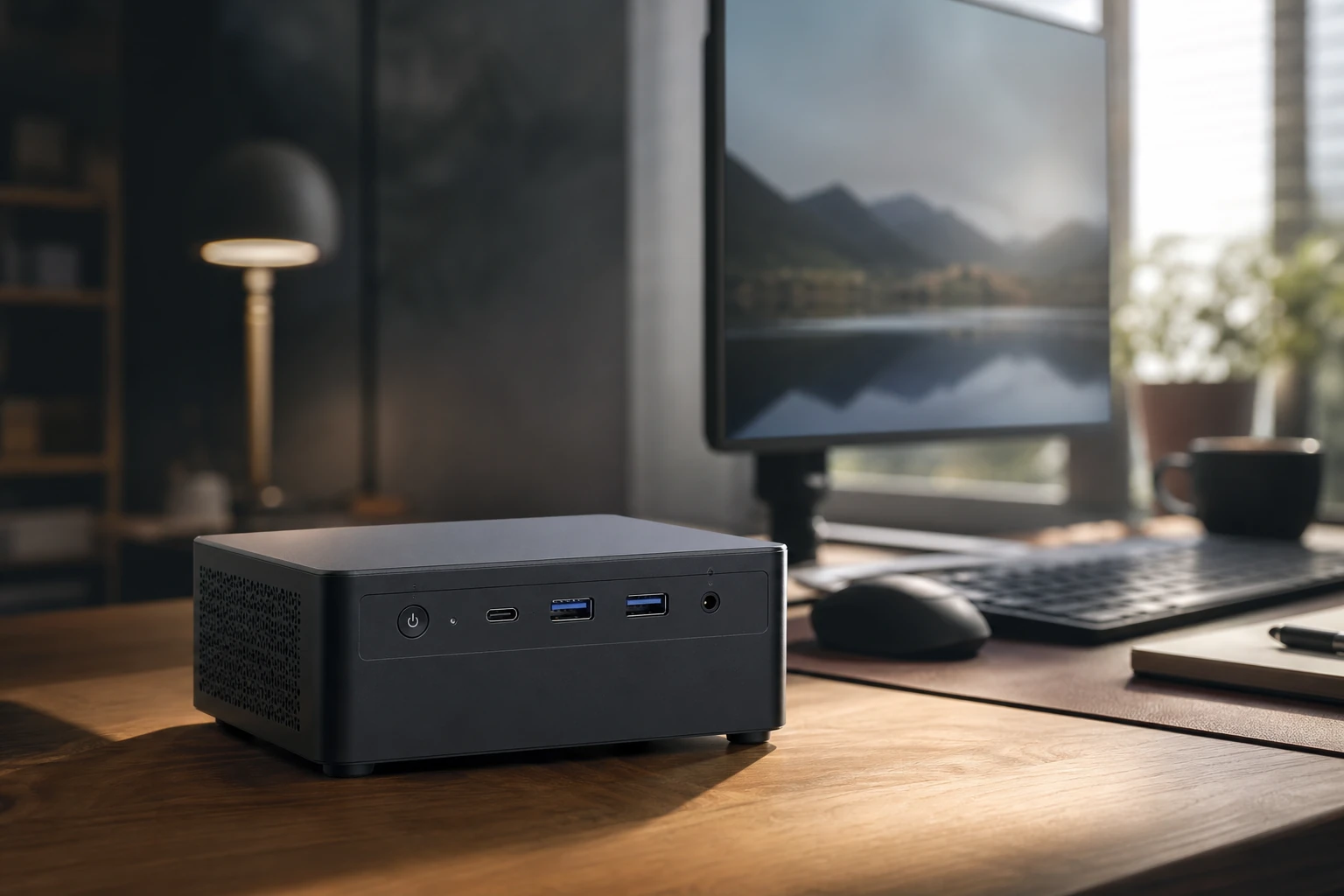
Mini PCs have grown from novelty boxes into genuinely capable little desktops that hide behind a monitor.
There was a time when buying a desktop meant clearing half a desk for a tower the size of a small dishwasher. Those days are gone. The mini PC has matured into something genuinely brilliant — a palm-sized box that handles your spreadsheets, streams 4K telly, juggles a dozen browser tabs and even manages a spot of gaming, all whilst sipping power and staying quiet in normal use, though most will spin up audibly under sustained load. For most UK households, one of these is now a far smarter buy than a bulky tower or an overpriced laptop you never actually move.
Shop Beelink on Amazon UK
I've spent a good while living with mini PCs from the three brands that dominate this corner of the market — Beelink, Minisforum and Geekom. They each have their own personality, their own naming quirks, and their own sweet spots. In this round-up I'll walk you through who makes what, which models suit which jobs, and where each one genuinely earns its place on your desk. No fluff, no marketing waffle — just an honest look at the tiny desktops worth your money.
What we'll cover
- Why mini PCs make sense for UK homes
- The three brands explained
- Beelink's lineup, top to bottom
- Minisforum's power players
- Geekom's all-metal range
- Beelink SER8 deep dive
- Benchmarks and real-world performance
- Head-to-head comparison
- Who should buy which
- FAQs and final verdict
Benchmark configuration note: Beelink SEi13 Pro and Geekom IT13 results must be labelled separately with their exact RAM, firmware and power mode. The chart below is a processor-tier guide, not a claim that both chassis produce the same measured result.
Why a Mini PC Makes Sense at Home
The appeal is simple once you've lived with one. A mini PC tucks behind your monitor on a VESA mount or sits unnoticed beside the telly, draws a fraction of the power of a tower, and runs cool enough that you forget it's even switched on. For a family that needs a shared machine for homework, household admin, video calls and the odd Netflix binge, it's close to ideal.
What's changed in the last couple of years is the performance. Modern mini PCs run capable AMD Ryzen and Intel Core silicon — some genuinely desktop parts, though many of the machines here use mobile HS-class chips, which is why the power draw and noise are what they are — paired with fast DDR5 memory and NVMe storage, and offer the kind of connectivity — USB4, 2.5GbE networking, multiple display outputs — that you'd previously only find on full-size machines. The result is a category that genuinely punches above its weight, which is exactly why these brands have become so popular on Amazon UK.
Tiny Footprint
Many models measure little more than 11–13cm square, so they vanish behind a monitor or sit happily in a media cabinet.
Low Power Draw
These mobile-class chips were designed for laptops, so they idle quietly and keep your electricity bill modest.
Upgradeable Internals
Many have accessible M.2 slots and SODIMM memory, but not every named configuration does: the SEi13 configuration discussed here has soldered memory, so check the exact SKU before buying for upgrades.
Generous I/O
Expect a spread of USB-A, USB-C, HDMI and DisplayPort outputs — enough for a proper multi-monitor desk setup.
The Three Brands, Briefly
Before we get into specific models, it helps to understand the character of each brand — because they really do differ in approach.
Beelink
Shop Beelink on Amazon UK
Founded back in 2013, Beelink has become the go-to name for affordable, upgradeable mini PCs in the UK. Alongside its desktops it also makes TV boxes and industrial PCs. The brand has built a genuinely solid reputation on Amazon UK — it honours its warranties, support is responsive, and you can expect a 2-year warranty on most models. Its real trick is delivering capable AMD Ryzen and Intel systems at prices that undercut bigger names like Minisforum and ASUS.
Beelink's naming can look like alphabet soup at first, but there's logic to it. The SER series uses AMD processors for balanced performance, the GTI models bring Intel flagship power for professionals, and the SEI units cover Intel mainstream options for everyday computing. Within the SE series, an 'R' denotes an AMD CPU and an 'I' denotes Intel, whilst 'Pro' indicates the integration of an array microphone and audio processing suite.
Minisforum
Shop Minisforum on Amazon UK
Minisforum operates with its own R&D team and manufacturing facility, which shows in the polish and ambition of its machines — these are high-performance, compact systems that often chase the cutting edge. Products come with a warranty of up to 36 months, and the Minisforum UK store offers a 30-day free returns and exchanges guarantee. If Beelink is the value brand, Minisforum is the one pushing the performance envelope.
Geekom
Shop Geekom on Amazon UK
Geekom has steadily grown into one of the more recognisable names in the compact desktop market, with a catalogue that spans budget-friendly boxes up to higher-end designs. The company positions its systems as alternatives to Intel's discontinued NUC line, but with a broader focus that takes in AI-ready machines, creator-focused models and small form factor workstations. Geekom is known for solid, all-metal minis with lots of I/O, balancing performance and value nicely.
Beelink, Minisforum and Geekom each carve out a slightly different niche — value, performance and build quality respectively.
Beelink: From Budget Boxes to AI Flagships
Beelink's range is the broadest of the three, with something for nearly every budget and use case. At the entry level sits the Beelink EQ14, built around the Intel N150 — an affordable little box for basic office tasks and media streaming. The related Mini S line also leans on entry-level Intel chips like the N150, and these are genuinely perfect for basic computing, media streaming and light office work.
Step up and you'll find the Beelink EQi12, a mid-budget machine running Intel 12th-gen chips (the i3-1220P or i5-1235U) with dual-NIC networking that makes it handy as a home office or light server box. The Beelink SER8 is the AMD flagship of the mainstream range, built around the Ryzen 7 8845HS in an all-metal case with dual M.2 storage and near-silent cooling — we'll dig into that one properly in a moment.
Then there's the AI-focused tier. The Beelink SER9 Pro pairs the AMD Ryzen AI 9 HX 370 with a built-in mic array and dual speakers for voice and AI interaction, whilst the Beelink SEi13 Pro brings Intel's Core i9-13900HK together with an integrated sound system, aimed squarely at office and AI use.
The full current lineup is genuinely extensive — it also includes the SER10 MAX, SER9 MAX, SER9 Pro (255), SER8 (8745HS), EQR7, EQR5, EQi13 Pro, EQi13, plus the GTi14 Ultra and GTi15 Ultra at the top end. Whatever your budget, Beelink almost certainly has a box that fits.
Decoding Beelink Names
Shop Decoding Beelink Names on Amazon UK
If you remember nothing else: 'R' means AMD, 'I' means Intel, and 'Pro' means it's got the microphone array and audio suite baked in. The number roughly tracks the generation. Once that clicks, the whole range suddenly makes sense.
Minisforum: The Performance Specialists
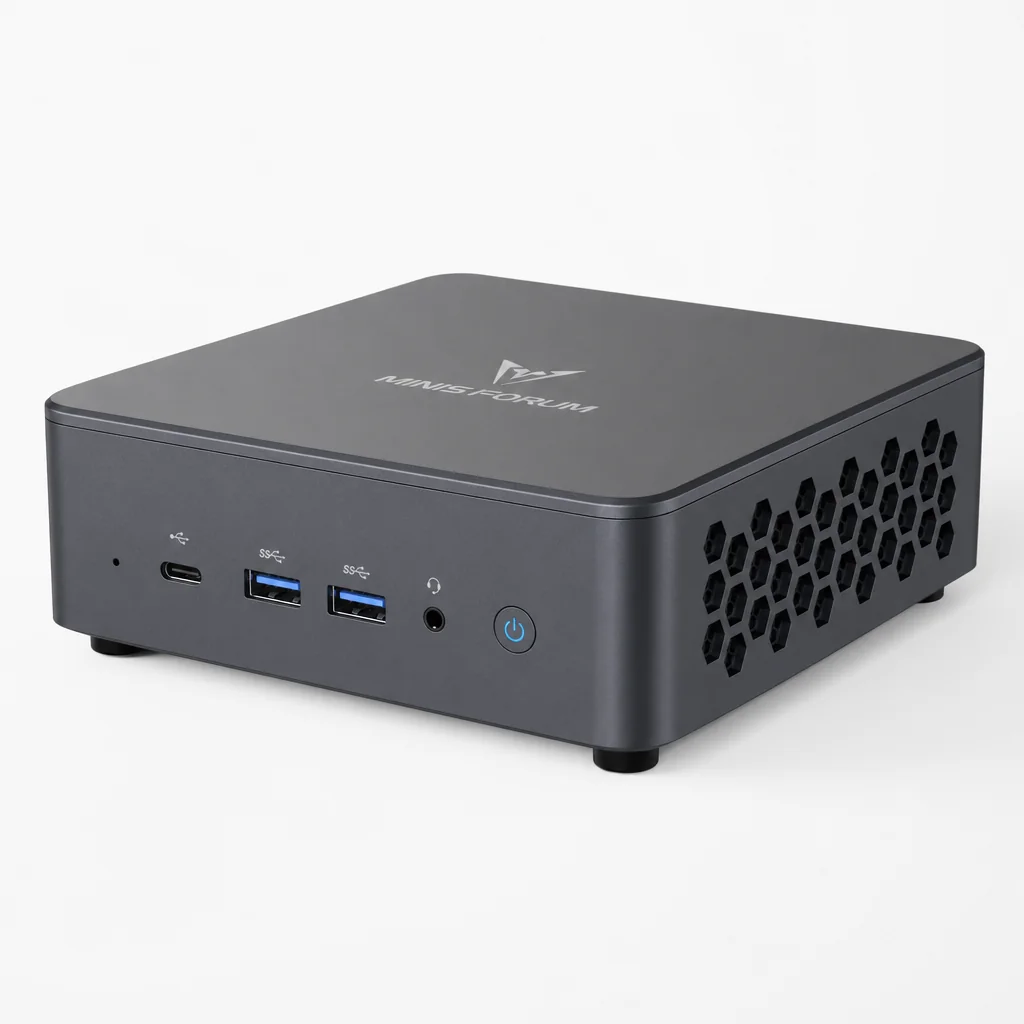
Minisforum is where things get properly muscular. The Minisforum UM790 Pro remains the reference AMD mini PC for power users, built around the Ryzen 9 7940HS and cooled by the company's Cold Wave 2.0 liquid-metal system — a genuinely clever bit of thermal engineering for a box this size.
The Minisforum AI X1 Pro-370 is the flagship, headlined by the AMD Ryzen AI 9 HX 370. What sets it apart is an OCuLink eGPU port, so you can hang an external graphics card off it later, plus a fingerprint sensor and built-in mic and speakers. For 2026 there's also the Minisforum M1 Lite, an affordable entry into Intel's Meteor Lake platform running the Core Ultra 5 125U with USB4, dual M.2 and SODIMM memory.
The Minisforum MS-S1 MAX is currently the bestseller on the UK store, built around the formidable AMD Ryzen AI Max+ 395 and edging into mini-workstation territory. And for those who want serious gaming from a small box, the Minisforum G1 Pro pairs an AMD Ryzen 9 8945HX with a discrete RTX 5060 (8GB GDDR7) — a proper dedicated GPU rather than integrated graphics. The recent launch list also takes in the M1-1295, M1 Pro, the N5 Pro NAS and the AI X1 Pro.
That OCuLink port on the AI X1 Pro-370 is a big deal. It lets you connect an external graphics card with far less bandwidth bottleneck than older docking options, effectively future-proofing the machine for heavier gaming or creative work.
Minisforum's machines lean towards power users — the G1 Pro even squeezes in a discrete RTX 5060.
Match the model to what you'll run, how quiet you need it, and the ports you rely on.
Geekom: All-Metal and Endlessly Practical
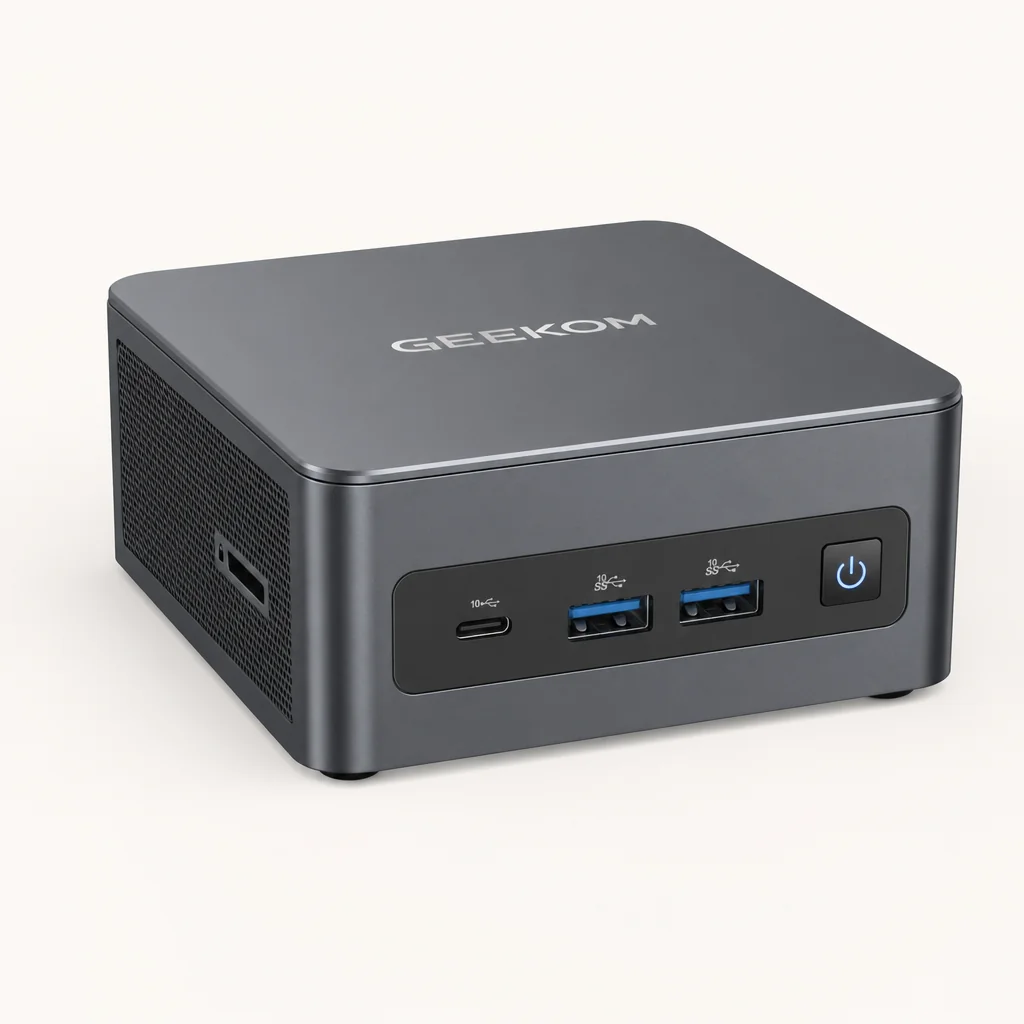
Geekom's appeal is in its build quality and sensible feature sets. The Geekom A5 2025 Edition is the "Goldilocks" budget AMD box, available with the Ryzen 5 7430U or Ryzen 7 5825U and offering wide upgrade options — a great first mini PC for a family.
The Geekom A8 AI is a little marvel of miniaturisation: built around the Ryzen 7 8845HS with 780M-class graphics, it measures just 112 × 112 × 38mm, making it one of the smallest in its class whilst keeping a premium feel. Move up and the Geekom A9 Max brings the Ryzen AI 9 HX 370 with Radeon 890M graphics, support for up to 128GB of DDR5, dual USB4 ports and quad-display output — that's a serious amount of headroom.
On the Intel side, the Geekom IT13 2025 Edition runs the Core i9-13900HK with a revised cooler and flexible storage that includes both an M.2 slot and a 2.5" SATA bay. The newer Geekom IT15 moves to Intel's Core Ultra 9 and 5 chips with Arc graphics, an NPU for AI tasks, Wi-Fi 7, dual USB4 and even RS232 headers for anyone with legacy kit to drive.
Spotlight: Beelink SER8 (Ryzen 7 8845HS)

See Beelink SER8 (Ryzen 7 8845HS) on Amazon UK
Check today's price & availability on Amazon UK
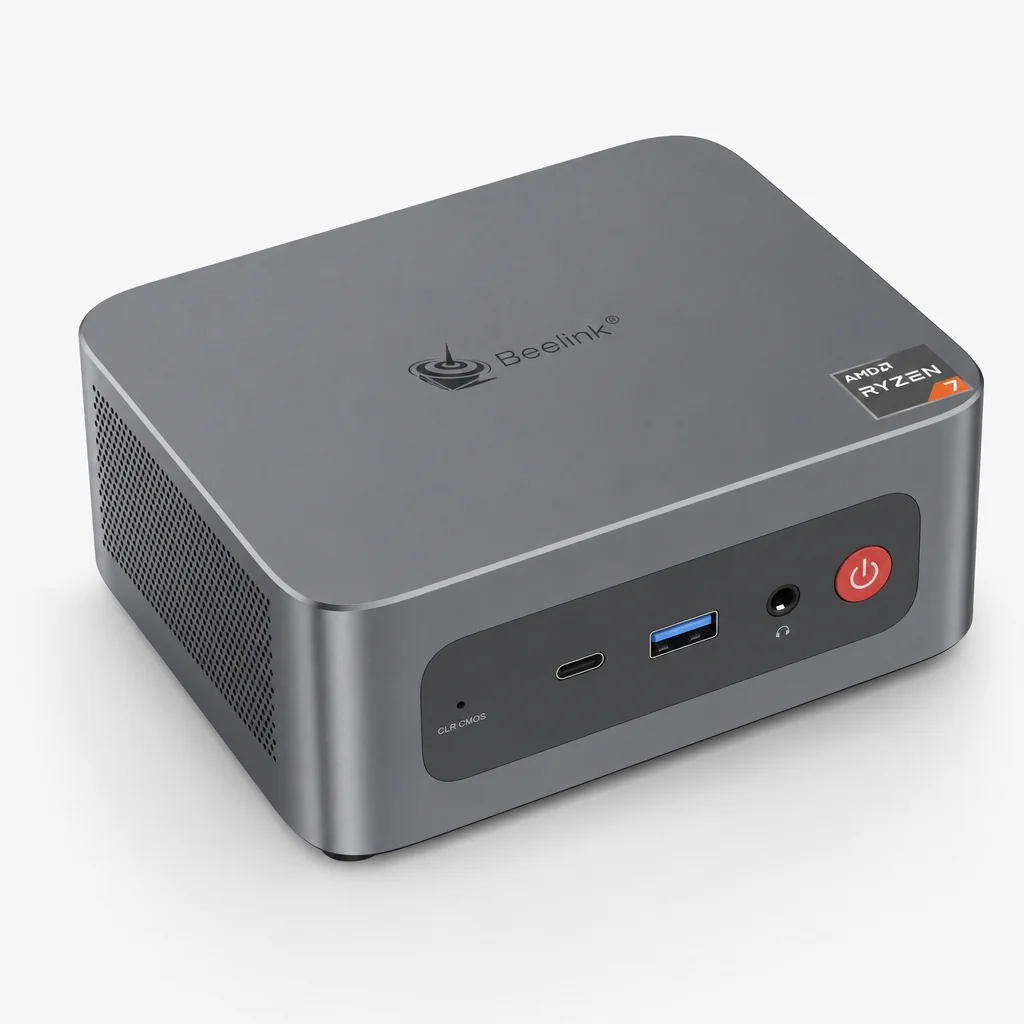
If I had to pick one model that best captures what makes this whole category exciting, it would be the Beelink SER8. It hits a genuine sweet spot for media, office and light gaming — exactly the trio of jobs most UK households need covered.
The SER8 ships with 32GB of DDR5 and a 1TB NVMe drive, and there's a second M.2 slot inside so you can add more storage later. It uses two M.2 slots in total with no SATA bay, which keeps the internals tidy and the box compact. Connectivity is handled by Wi-Fi 6E, and the build comes in a choice of Frost Silver or Space Grey.
Port-wise it's well sorted. On the front you get two 10Gbps USB ports — one USB-A and one USB-C — plus a 3.5mm audio jack, a reset pinhole and the power button. Round the back there are four more USB ports (one of them USB 4.0, two of them USB 2.0), a DisplayPort, an HDMI, a single 2.5GbE LAN port and a second 3.5mm audio jack. That's a genuinely usable spread for a multi-monitor desk.
The cleverest thing about the SER8, though, is the cooling. Beelink made the case slightly larger than some rivals, and used that extra room for a better cooling system that stays practically silent no matter how hard you push it. In day-to-day use I never once heard it ramp up to anything distracting — a rare and welcome trait.
It's worth flagging the trade-offs honestly: there's no VESA mounting plate, so it's a desktop-only solution rather than something you can bolt behind a monitor, and there's no Kensington security slot or SD card reader. None of those are dealbreakers for a home machine, but they're worth knowing before you buy.
Pros
- Capable Ryzen 7 8845HS with Radeon 780M graphics for light gaming
- Generous 32GB DDR5 and 1TB NVMe straight out of the box
- Second M.2 slot lets you expand storage later
- Practically silent cooling even under heavy load
- Fast USB4, dual 10Gbps front ports and 2.5GbE networking
- Premium all-metal case in Frost Silver or Space Grey
Cons
- No VESA mount — it's a desktop-only design
- No Kensington lock slot for security
- No SD card reader
- No SATA bay, so storage is M.2 only
Performance in the Real World
Numbers only tell part of the story, but they do help frame expectations. The chips at the heart of this round-up sit in fairly clear performance tiers, and the relative ordering below reflects how these processors generally stack against one another for everyday and light-gaming workloads. Think of it as a rough guide to where each box sits in the pecking order.
For everyday office work — documents, email, video calls, a big stack of browser tabs — almost any of these will feel snappy, and even the entry-level N150 boxes cope fine with that and with media streaming. Where the gap really shows is in light gaming and heavier creative tasks. The Radeon 780M in the SER8 and Geekom A8 AI is a capable integrated GPU that'll run esports titles and older games comfortably at sensible settings, whilst the Radeon 890M in the Geekom A9 Max pushes that a little further.
If you want to actually game properly, the Minisforum G1 Pro is in a different league thanks to its discrete RTX 5060 with 8GB of GDDR7 — that's a real graphics card, not an integrated one, and it changes what's possible from a box this size. And the AI X1 Pro-370's OCuLink port means you can add that horsepower externally to an otherwise compact machine.
From silent media boxes to RTX-equipped gaming minis, the performance spread across these brands is enormous.
Head-to-Head: Three Flagships Compared
To make the differences concrete, here's how three of the standout AMD machines line up against one another. Each represents the strongest pitch from its respective brand for someone who wants performance without a tower.
| Feature | Beelink SER8 | Geekom A9 Max | Minisforum AI X1 Pro-370 |
|---|---|---|---|
| Processor | Ryzen 7 8845HS | Ryzen AI 9 HX 370 | Ryzen AI 9 HX 370 |
| Graphics | Radeon 780M | Radeon 890M | Integrated |
| Max Memory | 32GB DDR5 (as shipped) | Up to 128GB DDR5 | Up to 96GB DDR5 |
| USB4 / Display | USB 4.0, DP + HDMI | Dual USB4, quad display | USB4, OCuLink eGPU port |
| Standout feature | Near-silent cooling | Quad-display, huge RAM ceiling | Fingerprint sensor, eGPU support |
| Best for | Media + office + light gaming | Creators, multi-monitor desks | Power users wanting expandability |
| Buy | Check price |
Pro Tip
If you think you might want serious graphics power later but don't need it today, the AI X1 Pro-370's OCuLink port is the smart hedge — you can start with a compact box and bolt on an external GPU when your needs grow, rather than buying a bigger machine now.
Who Should Buy What
The Everyday Household
For homework, admin, streaming and video calls, the Beelink EQ14 (N150) or Geekom A5 keep costs down whilst handling the basics with ease.
The Home Worker
The Beelink SER8 or Geekom A8 AI strike the best all-round balance — silent, fast, and happy with multi-monitor setups and the occasional game.
The Creator
The Geekom A9 Max, with its 890M graphics, up to 128GB RAM and quad-display support, is built for editing and demanding multitasking.
The Gamer
The Minisforum G1 Pro and its discrete RTX 5060 deliver proper gaming, whilst the AI X1 Pro-370 adds an external GPU later via OCuLink.
The Tinkerer
The dual-NIC Beelink EQi12 or the Minisforum N5 Pro NAS suit anyone wanting a home server or always-on network box.
The AI Dabbler
The Beelink SER9 Pro, Geekom IT15 and Ryzen AI 9 HX 370 machines bring NPUs and built-in mics for on-device AI and voice tasks.
Check the latest price and any current bundles on Amazon.
Our Pick: Beelink SER8 Rating
See the Beelink SER8 on Amazon UK
Check today's price & availability on Amazon UK
Across the whole round-up, the Beelink SER8 is the model I keep coming back to as the best all-rounder for a UK home. It's not the most powerful box here, nor the most expandable — but it nails the trio of jobs most people actually need, and it does so quietly and reliably.
Frequently Asked Questions
The Verdict
Mini PCs have quietly become one of the smartest computing buys for the British home, and these three brands are the reason why. Beelink wins on value and breadth, offering everything from the N150-powered EQ14 right up to AI-focused flagships, all backed by a dependable 2-year warranty. Minisforum chases performance hardest, with liquid-metal cooling, OCuLink expandability and even discrete RTX graphics in the G1 Pro. Geekom rounds things out with beautifully built, all-metal machines that pack in serious memory ceilings and display options.
For most UK households, my recommendation is the Beelink SER8. Its Ryzen 7 8845HS and Radeon 780M comfortably cover media, office work and light gaming, the 32GB of DDR5 and 1TB of NVMe storage mean you won't feel cramped, and that near-silent cooling makes it a genuine pleasure to live with. If you need more — a creator's RAM headroom, multi-monitor muscle or proper gaming — step up to the Geekom A9 Max or Minisforum G1 Pro. But whatever you choose, you're getting a tiny desktop that genuinely punches well above its weight.
Small enough to forget, capable enough to rely on — the modern mini PC has earned its place on the British desk.