
Best USB-C Portable SSDs for Working On the Xperia and Foldables
Six properly pocketable drives for getting 8K clips and RAW photo folders off your USB-C phone without turning a café table into a laptop workstation.
We link to the exact model on Amazon UK. Prices change often, so check the live price before you buy. As an Amazon Associate we earn from qualifying purchases.
Phone cameras have become remarkably serious creative tools. Their storage has not always kept up. A small USB-C SSD is the gloriously unglamorous answer: plug it in, move the large stuff, get on with shooting. I've focused on drives with the speed, capacity options and physical practicality that make sense beside an Xperia, a Galaxy Z Fold, a Razr or a USB-C tablet.
Why Your Xperia or Foldable Needs a Pocket SSD
There is a particular kind of frustration reserved for running out of storage halfway through a good shoot. You have found the light, the subject has finally stopped blinking, the battery is holding up, and then your phone reports that it would rather you deleted something important. Brilliant.
This is where a pocket SSD earns its keep. Modern phones and tablets are perfectly capable of producing very large media files, particularly if you are working with high-resolution video, burst photography or RAW files. The usual answer used to be "deal with it later on a computer". That is fine at home. It is less fine when you are travelling, shooting an event, or simply trying to keep a foldable's internal storage free for apps and current work.
A USB-C portable SSD gives you a direct destination for copied footage and photo folders. It is not magic storage that floats invisibly around your phone, of course. You still need to deliberately transfer the files and safely eject the drive afterwards. But it is a much more flexible approach than endlessly rationing internal space.
For Xperia users, the appeal is especially obvious. Sony's mobile camera tools encourage a more intentional workflow than the average point-and-shoot phone experience. If you come home with a chunky collection of Sony ARW files or substantial video clips, a small external drive can be the hand-off point between phone, tablet and desktop. The Xperia 1 VII also retained a microSD card slot, which is useful, but an SSD remains the faster and more capacious travelling companion for larger project folders.
Foldables bring a slightly different advantage. Their large inner screens make them surprisingly pleasant for reviewing selects, filing folders and doing light edits. A Samsung Galaxy Z Fold-style device can feel rather like a tiny field computer. Give it a properly fast external SSD and it becomes easier to leave the laptop in the bag for the first pass through your material.
The useful distinction: phone port versus SSD headline speed
USB 3.2 Gen 2 drives can be a sensible match for modern Android flagships because the phone is often the limiting part of the chain. A faster Gen 2x2 SSD can still be a very good buy for desktop use, but do not expect a handset automatically to unlock every last megabyte per second printed on its box.
USB-C OTG, short for On-The-Go, is the bit of the arrangement that lets a phone act as the host for a storage device. In everyday language: connect the SSD directly to the phone's USB-C port, open a file manager or compatible app, and the drive should appear as external storage. It is a simple idea. The details matter, though. Use a capable cable, make sure the drive has a file system your phone can read, and avoid treating the quoted peak transfer figure as a promise of identical real-world results.
That last point is worth underlining. USB 3.2 Gen 2 is rated for a 10Gbps connection, while USB 3.2 Gen 2x2 raises the interface ceiling through two lanes. Those labels describe the connection standard, not a guaranteed phone-copy result. File sizes, folder structures, heat, the phone's USB implementation and the cable all have a say. Still, there is a world of difference between moving a serious media folder at SSD speeds and waiting on a basic flash drive. One gets you back to shooting. The other gets you acquainted with your own impatience.
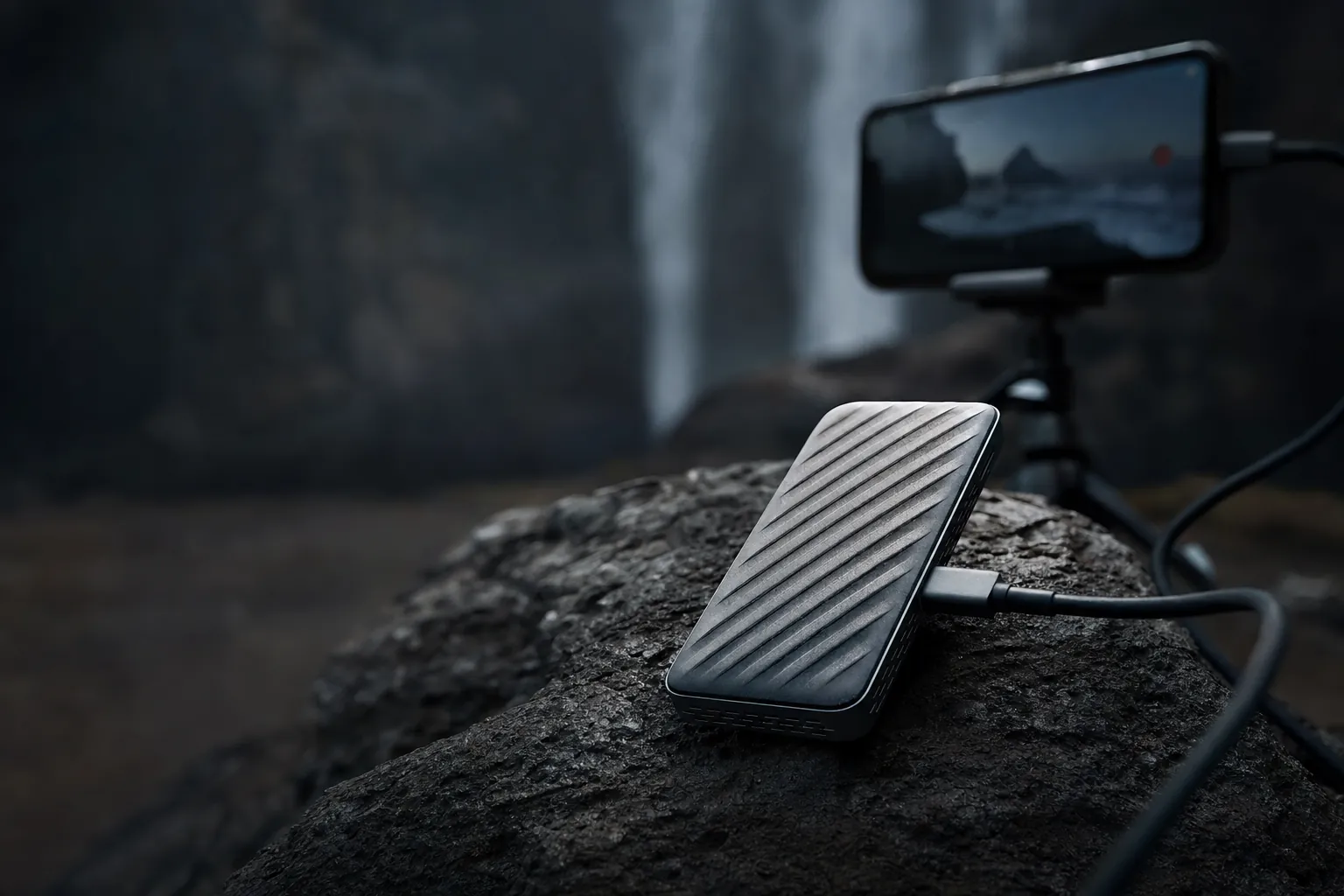
A direct USB-C connection keeps an on-the-go media backup compact: phone, short cable, SSD, done.
How to Judge an SSD for a Mobile Workflow
I would not buy an external SSD for an Xperia or foldable on headline speed alone. In fact, that is an excellent route to buying the wrong one. A 2,000MB/s or 2,100MB/s model can be fantastic when it is connected to a suitably capable computer, yet a phone may not expose enough interface bandwidth to make that number meaningful. The better question is whether the drive fits the entire workflow you actually have.
Start with the cable and connector arrangement. Every drive here uses USB-C, so none requires the awkward little adapter that inevitably vanishes at the exact moment you need it. The Kingston Dual Portable SSD goes a step further with both USB-A and USB-C connectors, which makes it unusually convenient if your phone or tablet is USB-C but the older machine in your workflow is not.
Next, think about sustained work rather than a single short transfer. Moving a few clips is easy. Moving a long batch of video or a giant folder full of small RAW files is harder on both the drive and the handset. Heat can reduce performance over time, and this is where chassis design matters. Samsung's T7 uses an aluminium enclosure intended to dissipate heat effectively. SanDisk's Extreme Portable SSD is rugged and IP65 rated, but it can throttle under sustained load. Neither point makes one universally better; it simply tells you what sort of compromise you are making.
Then comes the practical stuff. Does the drive survive being stuffed in a camera bag? Does it tolerate dust, drizzle and a rushed location change? Is it genuinely pocketable, or merely technically smaller than a lunchbox? The Sony SL-M and Crucial X10 are particularly compelling if resistance to the elements is prominent in your brief. The tiny 13g Kingston Dual Portable SSD is the choice for someone who wants to forget it is in their pocket until the moment it saves the day.
A sensible mobile routine: copy the day's files, confirm that the folder count and sizes look right, then safely eject the drive before unplugging it. An SSD is fast storage, not a substitute for verifying that your work arrived intact.
Capacity is more personal than most specification sheets make it look. A 512GB drive can be a neat overflow device. A 1TB model feels more comfortable for regular offloads. At 2TB and above, you can treat the SSD as a small travelling library rather than a panic button. The Kingston XS2000 stretches to 4TB and the Crucial X10 to 8TB, which is meaningful if you routinely keep multiple shoots with you.
Finally, security deserves a thought. Sony's SLM Series includes 256-bit AES encryption. Crucial's X10 does not include built-in security features. That difference may matter if the drive will carry client images, travel documents or work footage. It may not matter at all if it will only hold temporary copies of files that already live in two other places. The point is to decide before your SSD becomes a tiny, expensive collection of things you cannot afford to lose.
The Shortlist at a Glance — All Six Drives Compared
These are six very different takes on the same basic assignment: portable solid-state storage with USB-C connectivity. The fastest figures belong to the Kingston XS2000 and Crucial X10, both of which have stated transfer speeds above the 1,000MB/s class. The Samsung T7, SanDisk Extreme and Sony SL-M sit around the 1,000MB/s mark, which remains a very respectable tier for phone-focused offloading. Kingston's Dual Portable SSD trades maximum speed for an exceptionally compact dual-connector design.
Notice that protection ratings are not uniform. The Sony SL-M's IP67 rating is the strongest weather-and-dust claim here, while Crucial X10 and SanDisk Extreme carry IP65 ratings. Kingston XS2000 is IP55 rated with its removable ruggedised sleeve. That ladder is useful, but it should not become a reason to throw any drive into the sea for science. Please do not do that. Your files have suffered enough.
| Drive | Interface | Maximum stated speed | Capacity options | Protection | Warranty |
|---|---|---|---|---|---|
| Sony SL-M Series | USB 3.1 Gen 2 Type-C | Up to 1,000MB/s | 500GB, 1TB, 2TB | IP67 | — |
| Samsung T7 Portable SSD | USB 3.2 Gen 2 | 1,050MB/s read; around 1,000MB/s write | 1TB, 2TB | Aluminium chassis | 3 years |
| SanDisk Extreme Portable SSD | USB-C / USB 3.2 Gen 2 | Up to 1,050MB/s | 1TB, 2TB | IP65 | 5 years |
| Kingston XS2000 | USB 3.2 Gen 2x2 Type-C | Up to 2,000MB/s | Up to 4TB | IP55 | 5-year limited warranty |
| Crucial X10 | USB 3.2 Type-C | Up to 2,100MB/s | Up to 8TB | IP65; 3m drop resistance | 3 years limited |
| Kingston Dual Portable SSD | USB 3.2 Gen 2; USB-A and USB-C | 1,050MB/s read; 950MB/s write | 512GB, 1TB, 2TB | Metal and plastic body | 5 years limited |
Maximum stated transfer speeds are manufacturer figures. Actual results on a phone or tablet depend on the device, cable, file type and connection mode.
The quick read
Choose Sony SL-M for the most natural Xperia-oriented pick, Samsung T7 for a polished everyday drive, SanDisk Extreme for field resilience, Kingston XS2000 or Crucial X10 for the highest stated speed ceiling and Kingston Dual when connector flexibility and minimum carry weight matter most.
The shortlist ranges from clean metal enclosures to rugged, weather-resistant designs built for a less sheltered shooting day.
The Ranked Picks — Six SSDs Dissected
1. Sony SL-M (1TB) — Best for Xperia Owners — discontinued legacy option

The Sony SL-M Series is the straightforward choice for an Xperia owner who wants a clean, native USB-C storage companion without overthinking the matter. It uses USB 3.1 Gen 2 Type-C connectivity and has a stated transfer speed of up to 1,000MB/s. That is plenty of pace for shifting substantial video clips and photo folders in a mobile workflow, particularly when the phone itself is likely to be the governing limit.
The bigger attraction is the package around that speed. The SLM is IP67 rated for dustproof and waterproof protection, has a rugged construction intended to withstand drops and pressure, and offers 256-bit AES encryption. Those are meaningful advantages for photographers and videographers moving around with work in a bag, a jacket pocket or the sort of chaotic production environment where rain appears sideways.
It is available in 500GB, 1TB and 2TB capacities. I think 1TB is the sensible centre of gravity for most people. It is enough room to get the day's work off a phone without turning file management into a daily game of Tetris, while 2TB makes more sense if the drive will travel with you for several days at a time.
Its up-to-1,000MB/s speed figure does not win the numerical arms race against the Gen 2x2 Kingston XS2000 or the Crucial X10. That is true. But an Xperia-first buying decision is about more than winning a desktop benchmark. The Sony SL-M combines Type-C Android compatibility, tough IP67 protection and encryption in a drive that suits a mobile creator's actual life. It is the most balanced answer if your primary machine is an Xperia and you want a portable archive that does not need babying.
Pros
- USB Type-C compatibility for Android devices.
- IP67 dustproof and waterproof protection.
- 256-bit AES encryption for sensitive files.
- Capacities from 500GB to 2TB.
Consider
- Its stated 1,000MB/s ceiling is lower than the fastest rivals here.
- Maximum capacity stops at 2TB.
2. Samsung T7 Portable SSD (1TB) — Best All-Rounder
See Samsung T7 Portable SSD on Amazon UK
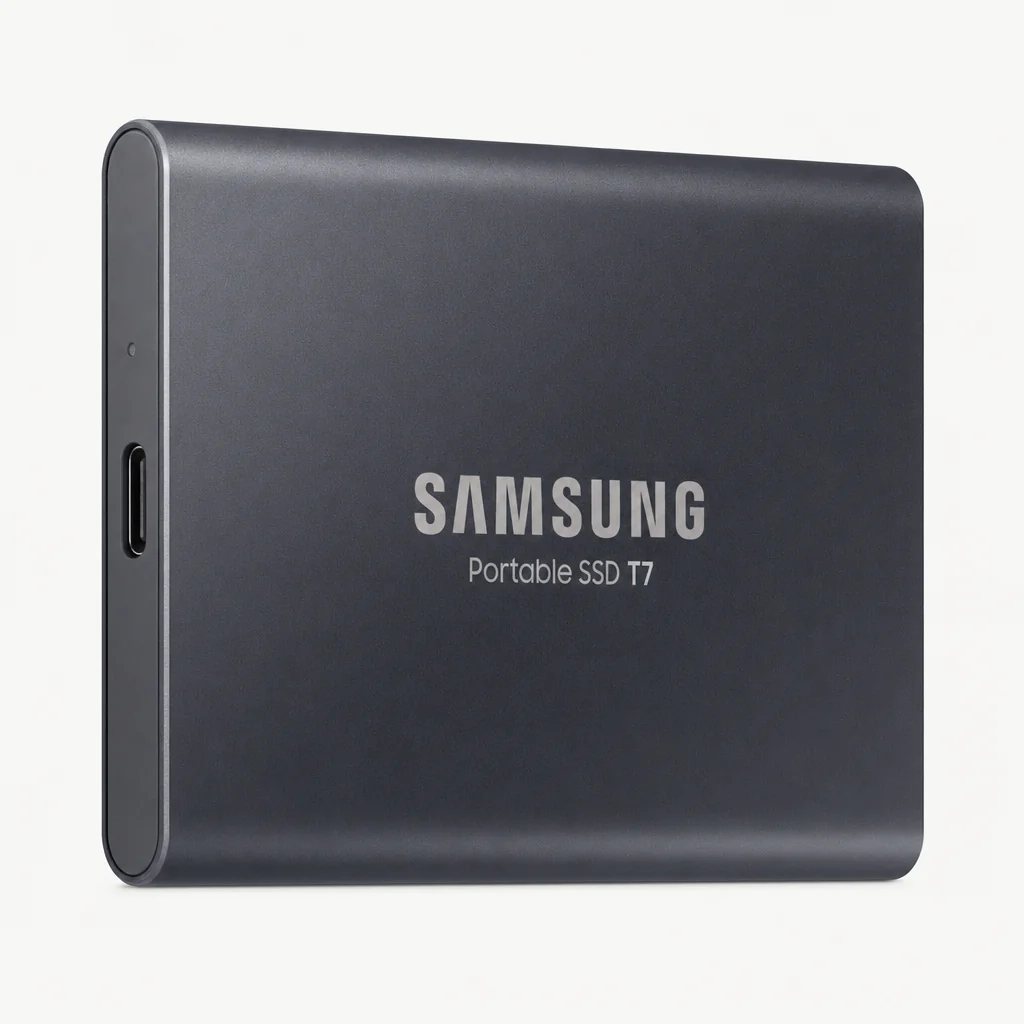
Samsung's T7 Portable SSD remains the easy recommendation for someone who wants a drive that looks tidy, feels straightforward and has the specifications to handle serious media transfers. It uses USB 3.2 Gen 2, reads at up to 1,050MB/s and writes at around 1,000MB/s. Those are well judged figures for an Android phone or tablet workflow: fast enough to feel transformative beside internal storage management, without paying for interface headroom that a phone may not use.
The T7's aluminium chassis is more than a design flourish. Metal helps dissipate heat effectively, which is valuable during repeated copies and longer batches. It is a clean, palm-sized metal rectangle rather than a tactical-looking rubber brick. That will appeal if your tech kit already contains enough things styled as though they need to survive a lunar landing.
For foldable users, the T7 makes a great general-purpose companion. A large foldable screen is excellent for sorting clips, comparing takes and reviewing a gallery of RAW images. The T7 gives that device somewhere immediate to send its finished folders. It also has a three-year warranty, which is a solid baseline for a portable SSD.
The compromise is protection. There is no confirmed IP rating and no rugged bumper. This is not the drive I would choose as the sole copy of irreplaceable footage during a wet coastal shoot. It is, however, a very appealing everyday option for commuting, travel, home editing and controlled location work where you value thermal management and a slim metal shell more than overt ruggedness.
Pros
- Up to 1,050MB/s read and around 1,000MB/s write.
- USB 3.2 Gen 2 suits current USB-C workflows.
- Aluminium body supports heat dissipation.
- Small, clean and easy to pocket.
Consider
- No IP rating is listed.
- Three-year cover is shorter than the five-year options here.
3. SanDisk Extreme Portable SSD (1TB) — Best for Outdoor and Field Shoots
See SanDisk Extreme Portable SSD on Amazon UK
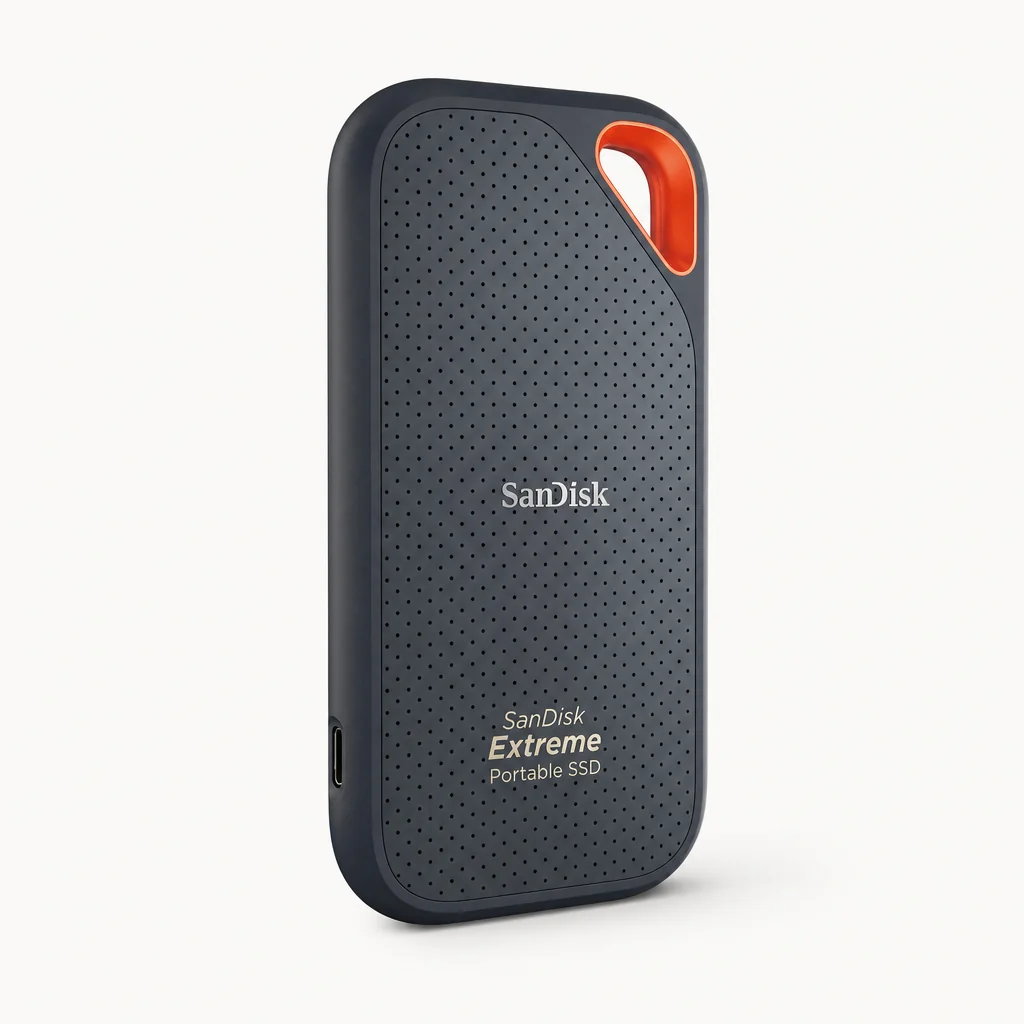
The SanDisk Extreme Portable SSD is the practical choice when your shooting environment is less desk, more weather. Its IP65 water- and dust-resistance rating gives it a genuine edge for outdoor work, and its USB-C / USB 3.2 Gen 2 connection has a stated speed of up to 1,050MB/s. It is in the same broad speed class as the Samsung T7, but its priorities are different.
The rugged outer coating is grippy and reassuring when you are working quickly. It is also prone to attracting lint in a bag or pocket, which is a tiny gripe but a real one. A drive designed for adventure apparently cannot escape the universal law that every fabric-lined pocket contains a small ecosystem of fluff.
The five-year warranty is the other major selling point. For a drive likely to see regular travel, location work and a slightly less civilised existence, that extra coverage is welcome. It also makes the SanDisk a strong fit for a creator who needs an SSD that can spend as much time attached to a phone in the field as connected to a computer at home.
There is one important caveat: it can throttle under sustained load. That does not erase its usefulness, but it matters if you expect to copy long, heavy batches of 8K video repeatedly. The SanDisk is best viewed as the rugged all-rounder rather than the benchmark chaser. For short-to-medium offloads in dusty, damp or unpredictable conditions, it is a very convincing package.
Pros
- IP65 water and dust resistance.
- USB-C and USB 3.2 Gen 2 connectivity.
- Up to 1,050MB/s transfer speed.
- Five-year warranty.
Consider
- Can throttle during sustained transfers.
- Rubberised exterior can collect lint and debris.
Rugged drives make most sense when the SSD is part of the shoot, not something that only emerges once you are back indoors.
4. Kingston XS2000 — Best for High-Capacity 8K Projects
See Kingston XS2000 on Amazon UK
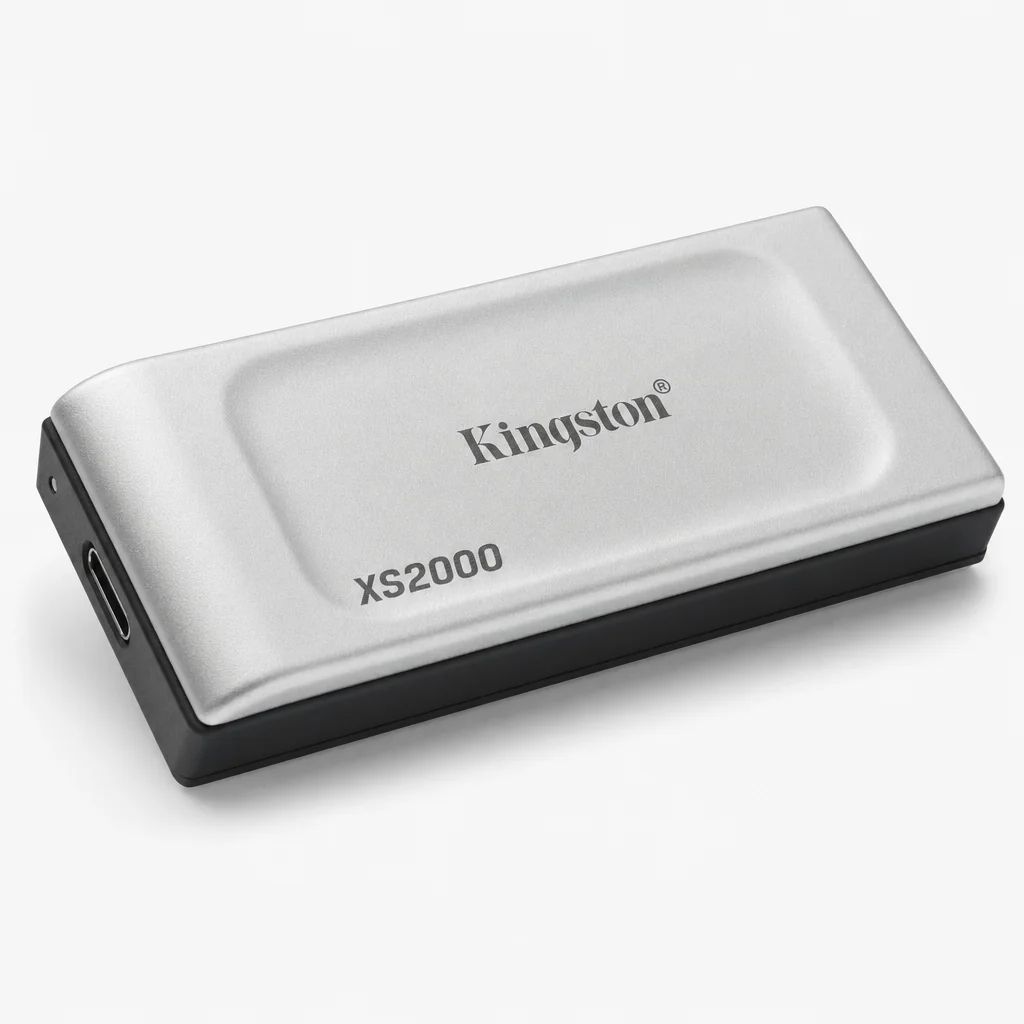
The Kingston XS2000 is for the person who sees a 1TB drive and immediately starts doing slightly alarming mental arithmetic about footage. It reaches up to 4TB of portable capacity and uses USB 3.2 Gen 2x2 technology with USB Type-C. Its stated transfer speed reaches up to 2,000MB/s, putting it firmly into the high-performance end of this roundup.
The first caveat is also the most important: a Gen 2x2 rating does not mean every phone will attain that maximum. Many phones are limited by their own USB implementation. That is not a reason to avoid the XS2000. It simply means its advantage becomes broader when the same SSD will also be used with a compatible computer or tablet. Buy it as a high-ceiling drive that remains very capable on mobile, not as a promise that your handset will suddenly become a 2,000MB/s file-transfer monster.
It is small and lightweight, includes a removable ruggedised sleeve, and is IP55 rated to withstand water and dust. Kingston also describes it as shockproof. That is a pleasing balance: this is not merely a fast desktop accessory shrunk into a smaller case. It is a genuinely portable drive intended for moving high-resolution images, 8K video, games and large documents.
If your workflow involves frequent multi-day shoots or high-volume footage, the 4TB option is its defining feature. It can reduce the number of drives you carry, the number of folder splits you make, and the number of moments you spend wondering which SSD contains Tuesday afternoon. That alone can be worth more than a handful of synthetic benchmark points.
Pros
- Up to 2,000MB/s stated transfer speed.
- Available with up to 4TB of storage.
- USB 3.2 Gen 2x2 Type-C interface.
- IP55-rated removable rugged sleeve.
Consider
- A phone may not exploit the full Gen 2x2 speed ceiling.
- IP55 is less comprehensive than IP65 or IP67.
5. Crucial X10 — Best for Fast Desktop-to-Foldable Workflows
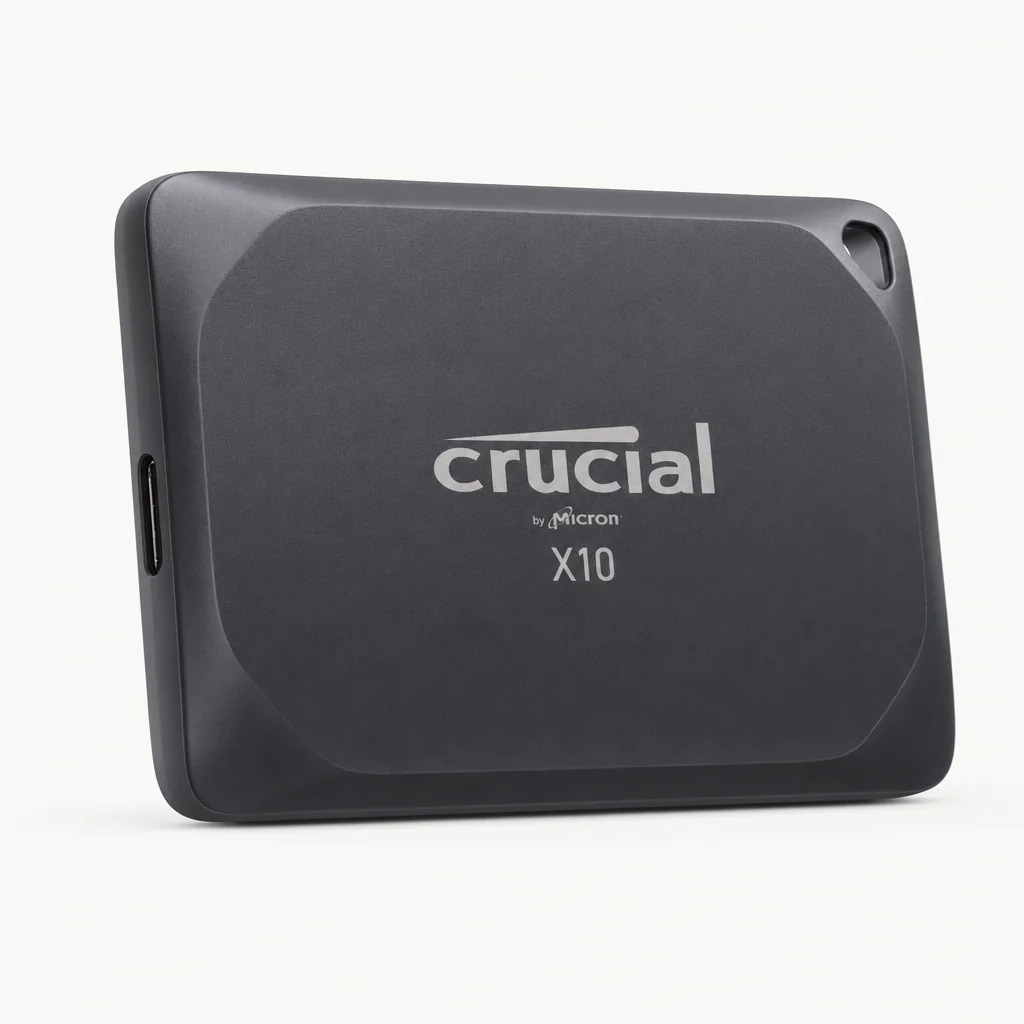
See Crucial X10 on Amazon UK
Check today's price & availability on Amazon UK
Crucial's X10 earns its place because its stated transfer speed reaches up to 2,100MB/s, the highest figure in this guide. It uses USB 3.2 Type-C, offers capacity up to 8TB, and stays compact enough to be properly pocketable. If your working life moves between a phone, tablet and a fast computer, that combination is very attractive.
The physical package is more rugged than its restrained look might suggest. It has a hard plastic top, a rubber bottom, an IP65 rating and drop resistance up to 9.8 feet, or 3 metres. That makes it a sensible companion for mobile creators who do not want to choose between a tiny, sleek drive and one that can cope with a minor mishap.
Again, the phone connection is the reality check. The X10's 2,100MB/s figure represents the drive's potential, not a universal mobile result. But that potential is useful if you regularly offload from a foldable, then plug the same drive into a computer for editing or backup. A drive should not become obsolete because the rest of your setup gets faster.
The omission is built-in security. Unlike the Sony SL-M Series, the X10 lacks built-in security features. For plenty of people this is irrelevant; their SSD is a working shuttle drive and the important files are encrypted elsewhere or copied to a separate backup. If the drive itself will regularly carry confidential client material, however, factor that into your choice rather than assuming every premium portable SSD handles security in the same way.
Pros
- Up to 2,100MB/s stated transfer speed.
- Up to 4TB capacity.
- IP65 rating and 3m drop resistance.
- Compact, slim and pocketable.
Consider
- No built-in security features.
- Its maximum speed needs a suitably capable host to matter.
6. Kingston Dual Portable SSD — Best for Phone-to-Older-PC Flexibility

See Kingston Dual Portable SSD on Amazon UK
Check today's price & availability on Amazon UK
The Kingston Dual Portable SSD is the odd one out in the best possible way. It brings both USB-A and USB-C connectors to a USB 3.2 Gen 2 portable drive, so it can move between Android, iOS/iPadOS, a USB-C tablet and an older USB-A computer without relying on an adapter. That is exactly the sort of boringly practical feature that becomes exciting at 11pm when you have files to deliver.
It is exceptionally small at 71.85 x 21.1 x 8.6mm and weighs just 13g. Those figures matter because this drive is designed to be carried constantly, not packed deliberately. It is available in 512GB, 1TB and 2TB capacities, with stated speeds of 1,050MB/s read and 950MB/s write. That is more than enough for a compact phone offload drive.
Kingston lists compatibility with Android, iOS/iPadOS 13 and later, Windows 11, macOS 13.7.6 and later, Linux and Chrome OS. For someone who uses a foldable as part of a wider mixed-device life, that breadth is a serious advantage. It is the model I would point to for travellers, hybrid workers and anyone who occasionally needs to rescue a folder from a machine that has not yet joined the USB-C era.
The materials are metal and plastic rather than a full rubberised or heavily rugged enclosure. It is also not the drive to buy if you want the biggest possible capacity or the fastest headline number. Buy it for elegant convenience. It is a very small storage bridge between devices that otherwise would not play as nicely together.
Pros
- Built-in USB-A and USB-C connectors.
- Only 13g and very compact.
- 1,050MB/s read and 950MB/s write.
- Five-year limited warranty with technical support.
Consider
- Maximum capacity is 2TB.
- Not the most ruggedly protected option in this guide.
Speed Deep-Dive — What the Numbers Mean for 8K and RAW Offloading
Storage speed figures are easy to admire and surprisingly hard to picture. "Up to 2,100MB/s" sounds impressive, but it does not tell you whether a 10GB video folder will interrupt a shoot for ten seconds or ten minutes. The useful answer is that, with an appropriately fast connection and a favourable workload, an SSD can turn large transfers into a short pause rather than a full administrative event.
Let's use two illustrative mobile-throughput figures: 850MB/s and 650MB/s. These are not claimed results for any individual drive in this guide. They are simply a useful way to demonstrate how sustained real-world speed affects the waiting time when copying from a phone.
For a 10GB batch of high-resolution video, 10,000MB divided by 850MB/s works out at around 11.7 seconds. At 650MB/s, the same transfer is around 15.4 seconds. Neither is painful, but the difference becomes obvious when you repeat the process several times during a day or are waiting to clear space before another take.
Now take a photo workflow: 500 Sony ARW RAW files at roughly 25MB each equals about 12.5GB, or 12,500MB. At 870MB/s, that is approximately 14.4 seconds. At 650MB/s, it is around 19.2 seconds. Again, these are clean calculations rather than a promise of a particular result. Real folders include metadata, thumbnail generation, file-system overhead and the occasional mysterious pause that every operating system insists on having.
Don't overbuy speed your phone cannot use
A faster drive is still valuable if it also serves a desktop or tablet workflow. But if the SSD will live almost entirely on the end of an Android phone, reliable USB-C compatibility, sensible capacity and sustained behaviour are often more important than chasing the largest possible peak number.
There is another subtle point: sequential speed is only part of the story. Large video files are usually friendly to SSDs because they are big, continuous blocks of data. Hundreds of smaller photos can be less elegant. That does not make a portable SSD unsuitable for RAW work—it remains vastly more practical than slow portable media—but it explains why a file copy may not always resemble the figure on the product page.
The Samsung T7 has one very credible real-world indication of this kind of usefulness: a 50GB folder of RAW files from a camera card can transfer in seconds rather than minutes. That is precisely the change in pace that matters. The storage device stops becoming a bottleneck you plan around and starts becoming something you use between one task and the next.
Large video clips favour fast sequential transfers, while hundreds of RAW images reward a drive that stays composed through a longer file-copy session.
Build Quality, Ruggedness and Pocket-Friendliness Ranked
Portable SSDs are travel objects. They get tossed into bags with keys, power banks and that rogue lens cap you have been looking for since March. They dangle from phones during file transfers. They occasionally meet the floor. So whilst all six drives can move files, their physical characters are quite different.
At the most protected end, Sony's SLM Series takes the crown with IP67 dustproof and waterproof protection, plus a rugged build designed to withstand drops and pressure. If your shooting includes changeable weather, dust or work around water, that is the comforting choice. The SanDisk Extreme and Crucial X10 follow with IP65 ratings. Both are better suited to outdoor life than a plain unprotected metal SSD, though they approach the job differently: SanDisk goes visibly rugged, while the Crucial uses a hard plastic top and rubber bottom.
Kingston XS2000 is IP55 rated and includes a removable ruggedised sleeve. That is a nice middle ground for people who want some extra resilience without carrying a bulky drive. Its sleeve is also removable, so you have the option of treating toughness as a feature rather than a permanent design decision.
The Samsung T7 is the aesthetic favourite. Its clean aluminium chassis looks smart alongside premium phones and tablets, and the metal enclosure contributes to effective heat dissipation. It has no rubber bumper, which makes it more likely to pick up cosmetic scratches if you simply throw it into a pocket with other objects. In my view, that is not a disaster. A working drive is allowed to look like it has worked. But it is a consideration.
The Kingston Dual Portable SSD wins the pocketability contest almost by default. At 13g, it is a drive you can carry every day without thinking about it. Its 71.85 x 21.1 x 8.6mm dimensions are closer to an oversized USB stick than a conventional external SSD. Its metal-and-plastic construction is about convenience rather than expedition-grade toughness, but that is entirely fair for its purpose.
Best for wet and dusty locations: Sony SL-M Series
IP67 protection is the strongest resistance rating in this roundup, backed by a construction intended to cope with drops and pressure.
Best rugged all-rounder: SanDisk Extreme Portable SSD
Its IP65 design and five-year warranty make it an appealing fit for field work, provided sustained-load throttling is acceptable.
Best thermal-minded design: Samsung T7 Portable SSD
The aluminium chassis is designed to dissipate heat effectively during repeated transfers.
Best for minimalist carry: Kingston Dual Portable SSD
At 13g, it is the easiest drive here to leave permanently in a small pouch or jacket pocket.
Capacity, File Management and Backup Sense
SSD capacity is not just a budget decision; it changes how you behave. With 500GB, you are likely to offload a project and clear it again soon. At 1TB, you can keep several substantial sessions available while still maintaining a little breathing room. At 2TB or 4TB, a portable SSD can become a travelling working archive, provided you remain disciplined about making another copy elsewhere.
The Sony SL-M Series starts at 500GB and reaches 2TB. Samsung T7 and SanDisk Extreme are available in 1TB and 2TB variants. Kingston Dual begins at 512GB, then offers 1TB and 2TB. Crucial X10 is the capacity leader here, reaching up to 8TB, with the Kingston XS2000 topping out at 4TB. For sustained 8K work, or for anybody carrying several days of large media folders, that extra ceiling is substantial.
I would avoid filling any SSD to its absolute limit. Leave room for new folders, temporary work and the inevitable file that turns out to be much larger than you expected. It also makes your transfer routine less stressful. The whole point of a pocket SSD is to relieve pressure, not create a second storage meter to anxiously monitor.
For file management, create a predictable structure before the first big shoot. A simple format such as 2026-07-23_Project_Name, with folders for video, RAW, exports and notes, will save you hours later. Copy to the SSD by shoot rather than by vague batches called "new stuff", unless you enjoy digital archaeology. I do not recommend it.
An SSD is not automatically a backup. A copied folder on one portable drive is still only one copy. For important work, keep the original until you have confirmed the SSD copy and made a second backup elsewhere.
Encryption is another capacity-adjacent consideration because bigger drives tempt us to keep more on them. Sony SL-M's 256-bit AES encryption is therefore a notable advantage for a travelling archive. If you choose the Crucial X10, remember that it lacks built-in security features. That does not diminish its speed or durability; it simply means security needs to be handled elsewhere in your workflow.
A simple date-and-project folder structure makes a pocket SSD useful months later, not just on the day you copied everything across.
Setting Up a Phone-First SSD Workflow
The best portable SSD is the one you will actually use before your phone runs out of space. That means reducing friction. Keep a short USB-C cable with the drive, decide where copied folders go, and make a quick verification part of the routine. The difference between "I think it copied" and "I have checked the files" is the difference between calm and an avoidable headache.
- Connect the SSD directly to your phone or tablet using USB-C.
- Open your preferred file-management tool and find the external drive.
- Create a clearly named destination folder before moving anything.
- Copy the media rather than immediately moving it if the files are important.
- Check a few clips or images on the SSD and compare folder sizes or file counts.
- Safely eject the drive before disconnecting it.
That is deliberately unglamorous. Good data management usually is. But it gives you a repeatable field workflow whether you are on an Xperia, a foldable or a tablet. It also means you can hand the SSD to a colleague, plug it into another device, or return to editing later without relying on the phone's internal storage as the sole source of truth.
Use the shortest practical cable you can. A long cable is not inherently bad, but it is another object to snag on a jacket zip, café table or the edge of your own bag. If you are using a foldable opened flat, place the drive beside it rather than letting it hang. This is less about performance and more about common sense; USB-C ports are useful, but they are not designed to be tiny towing hitches.
Cable quality matters more than it gets credit for
A USB-C connector shape does not guarantee the same data capability from every cable. For serious file transfers, use a cable intended for data rather than assuming any charging lead will deliver the connection you expect.
Which Drive Suits Which Kind of Buyer?
There is no single "best" drive if your priorities differ. The fastest stated specification is not always the smartest buy, and the most rugged case is not always necessary if the SSD will mainly live between a phone and a desk. Here is the deliberately blunt version.
Best for Xperia owners
Sony SL-M Series. USB-C Android compatibility, IP67 protection and 256-bit AES encryption make this the most natural fit for a Sony-centred mobile workflow.
Best all-rounder
Samsung T7 Portable SSD. Its 1,050MB/s read speed, around-1,000MB/s write speed and aluminium thermal design are a very balanced everyday combination.
Best for outdoor creators
SanDisk Extreme Portable SSD. Pick it for IP65 resilience and five-year coverage when location work is harder on kit than a home office is.
Best for huge projects
Kingston XS2000. Its up-to-4TB capacity and 2,000MB/s stated transfer pace suit creators who carry more than one shoot at a time.
Best premium speed ceiling
Crucial X10. Up to 2,100MB/s and up to 8TB make it ideal for a mixed phone-and-desktop workflow with suitably capable hosts.
Best for mixed connectors
Kingston Dual Portable SSD. The USB-A and USB-C design is wonderfully useful when your work crosses old and new computers.
The best choice depends less on a single headline figure than on where your phone footage goes next: a weatherproof bag, a tablet, a desktop or all three.
The Small Compromises Worth Knowing Before You Buy
Every drive here has a trade-off. That is not a criticism; it is simply how product design works. The Samsung T7 is sleek and thermally thoughtful but does not bring an IP rating. SanDisk Extreme is much more weather-ready, but can throttle under sustained load. The Sony SL-M is the toughest on paper and includes encryption, but its stated transfer speed is lower than the Gen 2x2 speed leaders.
Kingston XS2000 and Crucial X10 offer the highest stated speed figures, at up to 4TB and 8TB respectively. Their strongest argument is not necessarily a faster phone transfer today; it is flexibility across the rest of your setup. If a high-performance computer is involved, that extra performance headroom becomes much easier to appreciate. If the SSD will only ever touch one phone, a 1,000MB/s-class drive may be the more rational choice.
Kingston Dual is the clearest specialist. It does not try to be the most protected or highest-capacity model. Instead, it solves the irritating connector mismatch between a current phone and an older USB-A computer. For the right buyer, that beats a small theoretical speed advantage every single day.
The final compromise is psychological: a portable SSD is easy to trust too much because it feels robust and fast. Treat it as an active working copy, not an invincible vault. Water resistance, drop resistance and a metal chassis are useful safeguards. They are not permission to skip backups or ignore safe ejection. Your future self will be grateful for this very boring sentence.
Frequently Asked Questions
A good portable SSD should disappear into your kit until storage runs low—then make the offload quick, clear and uneventful.
Final Verdict
Buy for your workflow, not the biggest number on the box
The Sony SL-M Series is my best overall choice for Xperia owners because it combines USB-C Android usefulness, IP67 protection and 256-bit AES encryption in a genuinely mobile-minded package. The Samsung T7 Portable SSD is the safest all-round recommendation for everyday phone and foldable work, while the SanDisk Extreme Portable SSD is the obvious pick for a rougher outdoor routine. If capacity and high-end desktop potential matter most, choose Kingston XS2000 or Crucial X10. And if your life still involves both USB-C and USB-A, Kingston Dual Portable SSD is the tiny problem-solver you will appreciate far more often than you expect.
 Samsung T7 Portable SSDView on Amazon
 SanDisk Extreme Portable SSDView on Amazon
- Kingston Dual Portable SSDView on Amazon
 Kingston XS2000View on Amazon
 Crucial X10View on Amazon