
Best Portable SSDs for UK Buyers: Fast External Storage Tested
Samsung T9, Crucial X10 Pro, SanDisk Extreme PRO and budget heroes from Kingston and WD — put head-to-head for speed, durability and real-world value.
We link to the exact model on Amazon UK. Prices change often, so check the live price before you buy. As an Amazon Associate we earn from qualifying purchases.
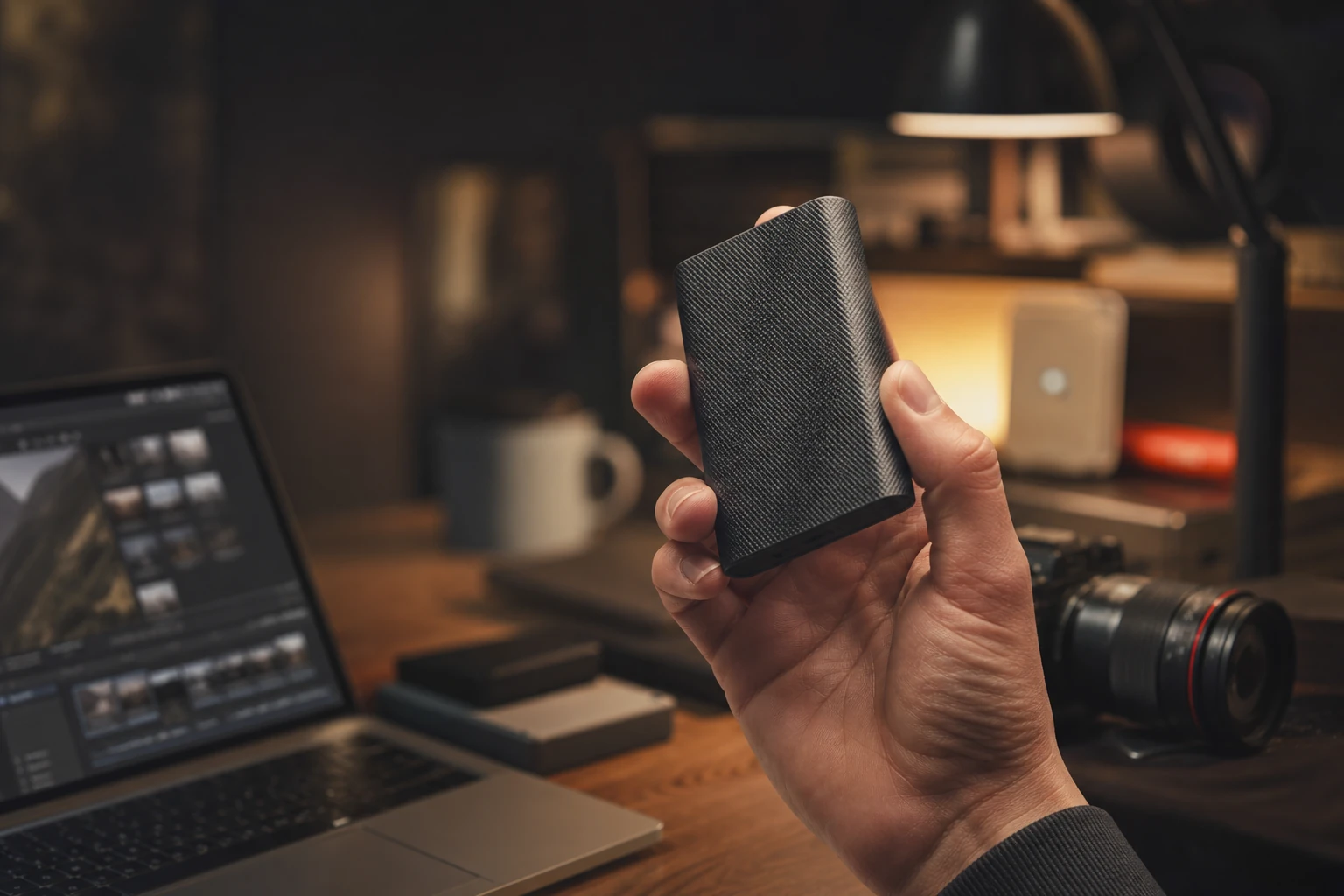
The lineup of portable SSDs tested for this guide, from premium 20 Gbps drives to lightweight budget options.
A portable SSD moves big files in seconds and slips into any bag.
The headline story in 2026 is the gap between two interface tiers. At the top, you've got USB 3.2 Gen 2x2 drives running at 20 Gbps, capable of around 2,000 MB/s in both directions. Below that sits USB 3.2 Gen 2 (10 Gbps), which tops out closer to 1,050 MB/s. Both are fast, both feel instant for everyday file shuffling — but the difference becomes very real when you're moving hundreds of gigabytes at a time. Throughout this article I'll keep coming back to that distinction, because it's the single biggest factor in deciding which drive is right for you.
What we'll cover
- The contenders at a glance
- Samsung T9 in depth
- Crucial X10 Pro and X10
- SanDisk Extreme PRO V2 & Extreme
- Budget picks: Kingston & WD
- Speed benchmarks compared
- Durability & toughness
- Who should buy what
- FAQ & final verdict
The Contenders at a Glance
Before we dive into individual reviews, here's the cast. Each of these drives represents a slightly different priority — raw speed, ruggedness, capacity, or affordability — and the best one for you depends entirely on which of those matters most.
Three of these — the Samsung T9, Crucial X10 Pro and SanDisk Extreme PRO V2 — sit firmly in the premium tier with that 20 Gbps interface. The Kingston XS2000 surprisingly joins them on raw interface speed despite its budget billing. The WD My Passport SSD and the standard SanDisk Extreme play it slower and more affordable. Let's get stuck in.
Samsung T9: The Polished All-Rounder

See Samsung T9 on Amazon UK
Check today's price & availability on Amazon UK
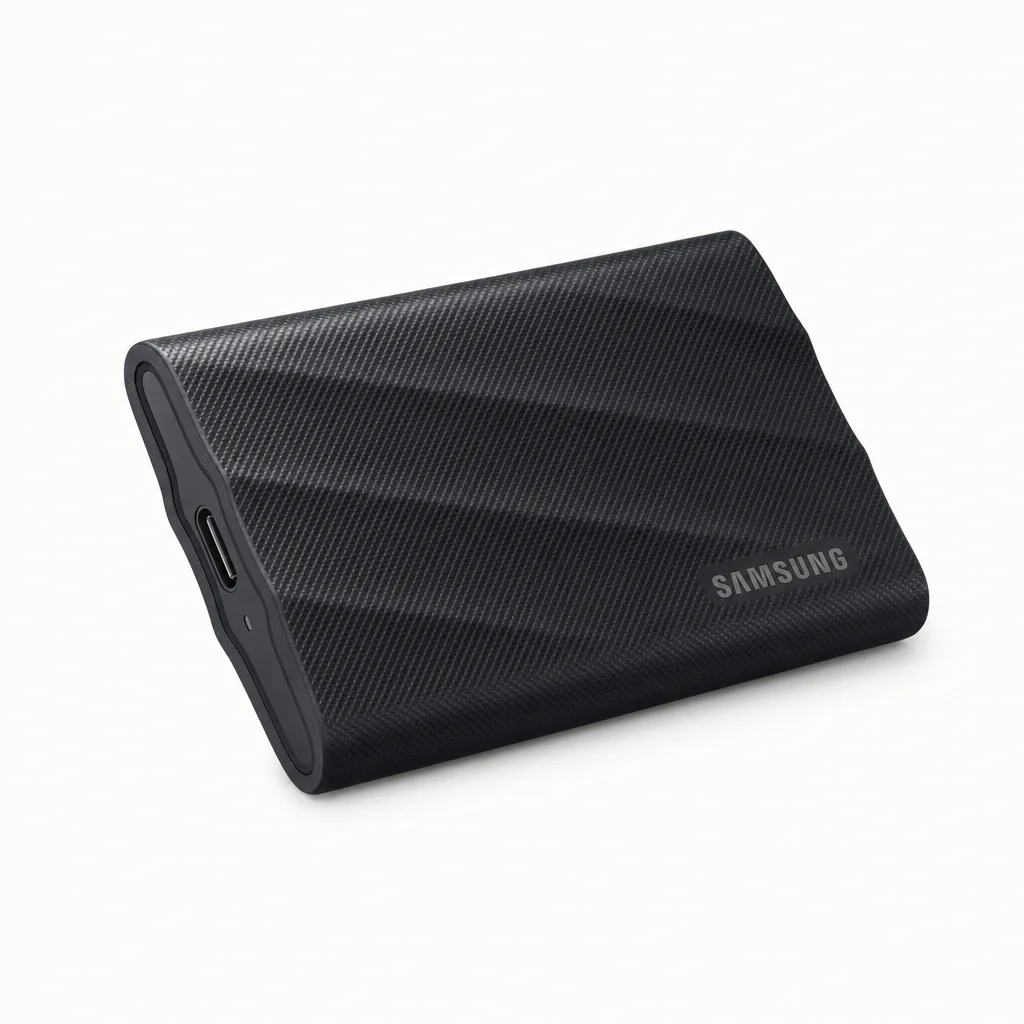
Samsung practically invented the modern portable SSD category with the T-series, and the T9 is the company's fastest portable drive to date. It uses a USB 3.2 Gen 2x2 interface with the NVMe protocol to deliver sequential reads and writes of up to 2,000 MB/s — Samsung reckons it'll transfer a 2 GB file in almost a single second, which matches what I experienced in practice.
The Samsung T9 keeps the familiar T-series footprint but adds a grippier, more textured finish.
One thing worth flagging early: that 2,000 MB/s write figure is the peak. The T9 uses Samsung's TurboWrite buffer, and once that fills during a really large sustained transfer, the write speed settles to up to 1,000 MB/s. That's perfectly normal behaviour for this class of drive, and honestly most people will rarely move enough data in one go to hit it. But if you're regularly dumping enormous video projects, it's worth knowing the sustained number rather than just the marketing headline.
Build-wise, the T9 weighs a consistent 122g across all three capacities (1TB, 2TB and 4TB) and offers up to 3 metres of drop resistance. There's no formal IP rating quoted, but Samsung does confirm compliance with the IEC 62368-1 thermal safety standard, keeping skin temperatures below 60°C at all times in controlled conditions — a reassurance if you've ever picked up a hot-running drive mid-transfer. The Dynamic Thermal Guard system is there specifically to minimise any performance drop from overheating during long sessions.
The T9 launched in black, with Samsung adding a grey 2TB version on 19 August 2024. It plays nicely across Windows, macOS, Android, gaming consoles and even 12K cameras, ships with both USB-C to C and USB-C to A cables, and includes AES 256-bit encryption managed through the excellent Samsung Magician software. That five-year warranty is the cherry on top.
Pros
- Genuinely quick 2,000 MB/s reads and writes
- Both USB-C and USB-A cables included in the box
- Dynamic Thermal Guard keeps performance steady
- Polished Samsung Magician software and AES 256-bit security
- Generous 5-year warranty
Cons
- Sustained writes drop to 1,000 MB/s after the buffer fills
- No official IP water/dust rating
- At 122g it's heavier than some rivals
Pro Tip
If you're a console gamer, the T9 is one of the safest picks — its broad compatibility includes PlayStation and Xbox, and the bundled USB-A cable means you don't need to hunt for an adapter to plug into older ports.
Crucial X10 Pro & X10: Rugged and Roomy

See Crucial X10 Pro & X10 on Amazon UK
Check today's price & availability on Amazon UK
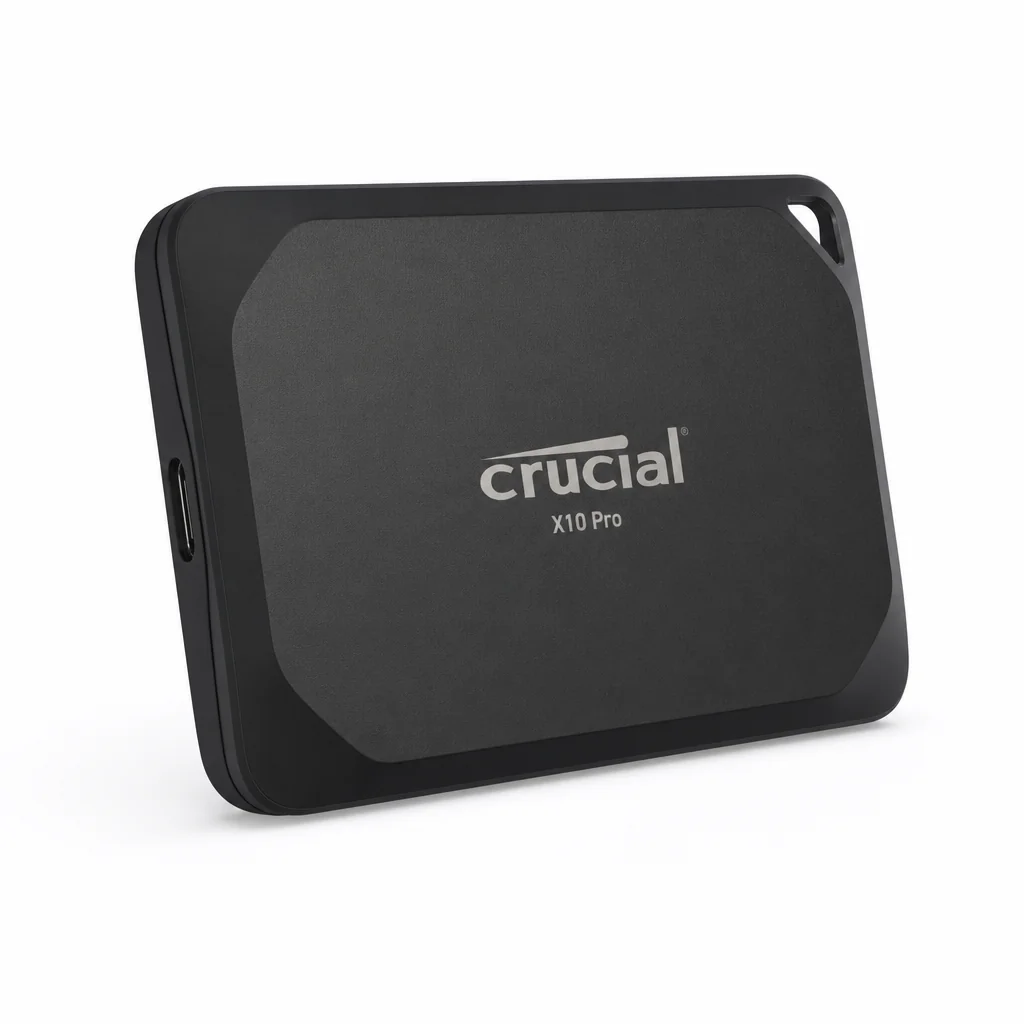
Crucial's X10 Pro is my pick for anyone who wants premium speed but also takes their drive into genuinely hostile environments. It's palm-sized, quotes reads up to 2,100 MB/s and writes up to 2,000 MB/s, and crucially carries an IP55 rating against water and dust — so a bit of rain, sand or spray on a shoot won't ruin your day.
2,100 MB/s Reads
The X10 Pro edges ahead of most rivals on paper thanks to its 20 Gbps USB-C interface.
IP55 Protection
Water, dust and sand resistant — properly travel-ready for outdoor creators.
2m Drop Resistance
Survives drops of up to 7.5 ft / 2 m without impact to your data on a carpeted floor.
Hardware Encryption
AES 256-bit hardware encryption with password protection on Windows and macOS.
Micron 3D TLC NAND
Paired with a Silicon Motion SM2320 controller for dependable sustained performance.
Wide Compatibility
Works with Windows, Mac, Android, iPad, Xbox and PlayStation out of the box.
It ships pre-formatted as exFAT (easy to reformat to NTFS, APFS, HFS or HFS+J), comes with a Crucial Portable SSD Utility app for Windows and macOS, and is available in 1TB, 2TB and 4TB. The five-year warranty applies until the TBW endurance limit is reached, whichever comes first — standard for an SSD of this calibre. There's even a promotional one-month Adobe Creative Cloud bundle, a nice touch if you're in the creative workflow this drive is clearly aimed at.
The Crucial X10 Pro's IP55-rated body shrugs off dust and splashes, making it a favourite for outdoor shoots.
The Crucial X10: bigger, but a little different

See The Crucial X10 on Amazon UK
Check today's price & availability on Amazon UK
Alongside the Pro sits the standard Crucial X10, and it's an interesting beast. Crucial quotes 2,200 MB/s reads and 2,000 MB/s writes for it — that's double the throughput of the older X9 Pro and X8, which were limited to USB 3.2 Gen 2 interfaces. So on paper the X10 is actually the read-speed champion of this entire group.
The big draw, though, is capacity. Where the X10 Pro tops out at 4TB, the X10 stretches all the way to 1TB, 2TB, 4TB, 6TB and a mammoth 8TB. If you need a genuinely huge single-drive backup or archive, this is the one to look at. The trade-off is that the X10 drops the hardware encryption that the X10 Pro includes — so if password-protected security at the hardware level matters to you, the Pro is the safer bet despite its lower ceiling capacity.
Don't get the two confused at checkout: the X10 Pro brings IP55 ruggedness and hardware encryption, whilst the X10 trades encryption for higher headline speeds and far larger 6TB and 8TB capacity options.
SanDisk Extreme PRO V2 & Extreme: The Creator's Staples
Shop SanDisk Extreme PRO V2 & Extreme on Amazon UK
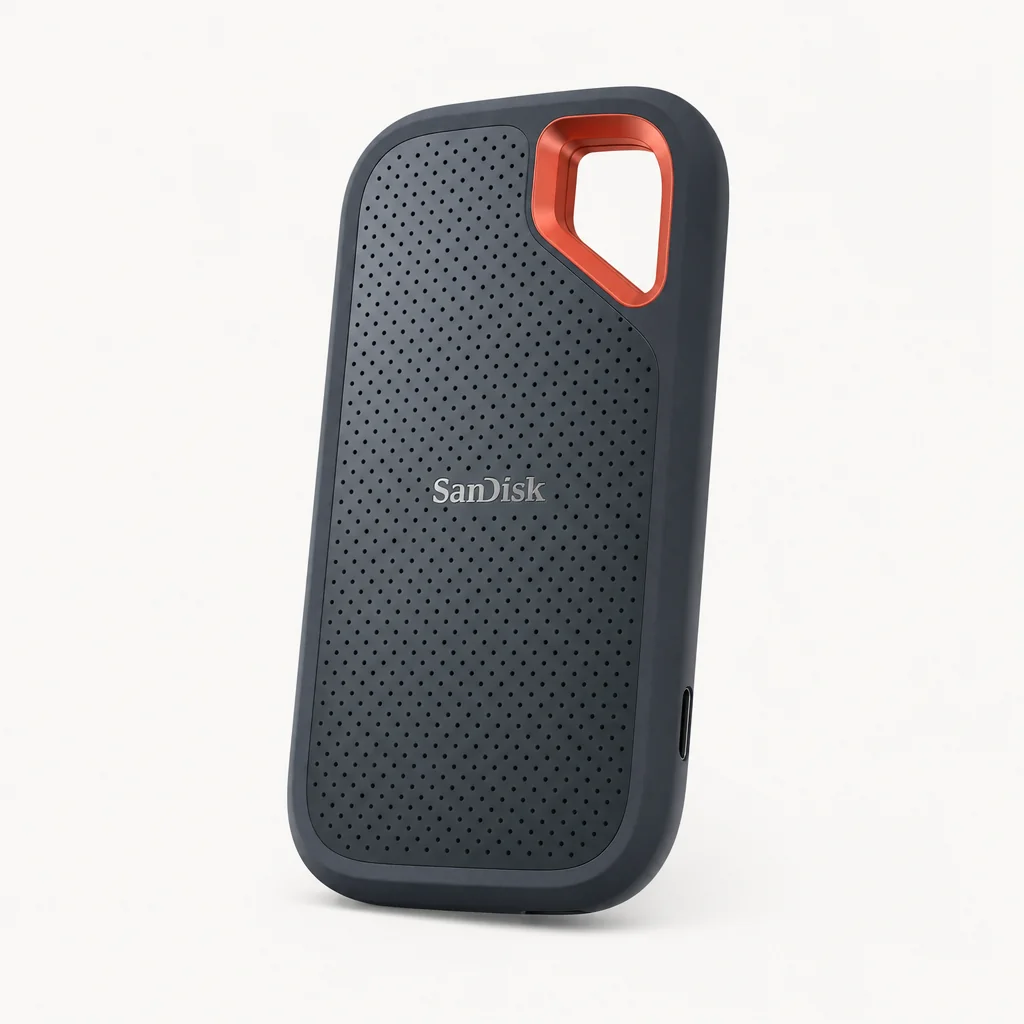
SanDisk drives are a fixture in camera bags the world over, and the Extreme PRO Portable SSD V2 is the model that earns that reputation. It delivers read and write speeds up to 2,000 MB/s over a USB 3.2 Gen 2x2 Type-C connection, putting it right in the mix with the Samsung T9 and Crucial X10 Pro. It's available in 1TB, 2TB and 4TB.
Watch out for a naming trap: there's also a near-identical-looking SanDisk Extreme Pro Portable with a faster USB4 interface, offering up to 4TB. If you specifically want the 20 Gbps Gen 2x2 version reviewed here, double-check the interface before you buy.
Then there's the more affordable standard SanDisk Extreme, refreshed for 2025. The big change in this update is toughness — it now carries an IP65 rating, making it even more resistant to dust and water than before. Performance, however, hasn't shifted much: it sticks with the same USB-C connector as its predecessor and supports USB 3.2 (Gen 2), with SanDisk quoting 1,050 MB/s reads and 1,000 MB/s writes.
That puts the standard Extreme in a different league speed-wise to the PRO V2 — roughly half the throughput — but for a lot of people that genuinely doesn't matter. If your workflow is photos rather than high-bitrate video, or you mostly need a tough, reliable drive for backups and document transfers, the IP65-rated Extreme is arguably the more sensible buy. It's the difference between "fast enough" and "blisteringly fast", and only you know which one your wallet and workload need.
Balance the speed you'll actually use against capacity and how rugged it needs to be.
Budget Champions: Kingston XS2000 & WD My Passport SSD

See Kingston XS2000 on Amazon UK
Check today's price & availability on Amazon UK

See WD My Passport SSD on Amazon UK
Check today's price & availability on Amazon UK
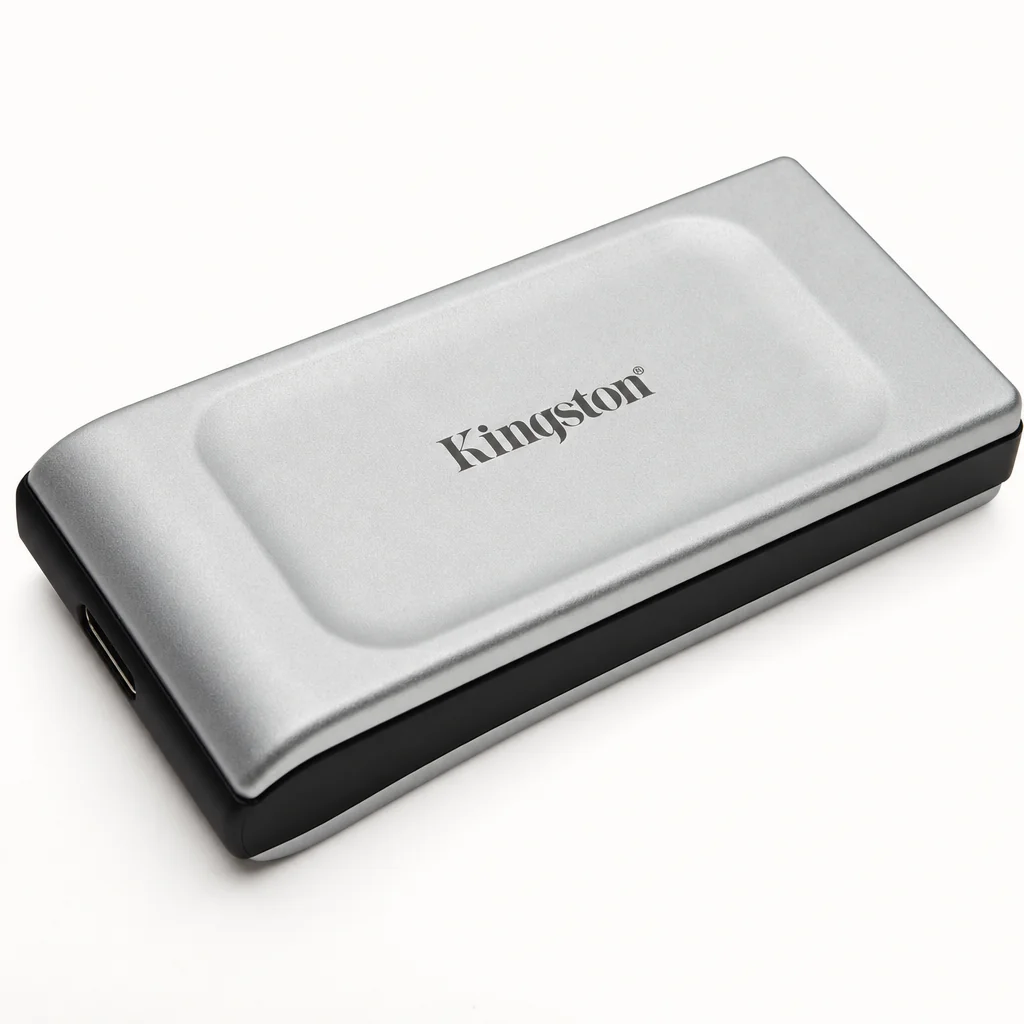
Now for the value end — and there's a real surprise here. The Kingston XS2000 is billed as a budget option, yet it achieves transfer rates of up to 2,000 MB/s for both reading and writing thanks to a full USB 3.2 Gen2x2 interface. In other words, on raw interface speed it keeps pace with drives costing considerably more.
The Kingston XS2000 is astonishingly small and light, slipping into a coin pocket with room to spare.
What really sets the XS2000 apart is its physicality. Measuring just 69.54 × 32.58 × 13.5 mm and weighing a mere 28.9g, it's one of the most pocketable fast drives you can buy. It comes in 500GB, 1TB, 2TB and 4TB capacities, so there's a size for everyone from casual users to capacity hunters. If you want near-flagship speed without the flagship price, this is the drive I'd steer most people towards.
The WD My Passport SSD takes a different tack. At just 40 grams, it's the kind of drive you forget is even in your bag. Its 1,050 MB/s reads comfortably handle 4K video playback and rapid document transfers, and the 4TB variant makes it a legitimate high-capacity backup solution. It's a thoroughly sensible, mainstream choice.
The honest catch is the interface. The WD uses USB 3.2 Gen 2, which simply can't extract the full NVMe potential of the internal controller — so performance is capped well below the Gen 2x2 rivals. That's not a flaw so much as a positioning decision: the My Passport is about dependable, everyday storage at a friendly price, not chart-topping transfer speeds.
Pro Tip
To hit those 2,000 MB/s figures on the Kingston XS2000 (or any Gen 2x2 drive), your computer needs a USB 3.2 Gen 2x2 port. Plug it into an older Gen 2 port and you'll be limited to roughly 1,050 MB/s — still quick, but not the full experience.
Speed Benchmarks Compared
Here's where the tiers really separate. These bars represent the quoted sequential read speeds for each drive — the most useful single number for comparing how quickly you can pull files off the drive. Note how the three premium drives plus the Kingston cluster together near the top, whilst the standard SanDisk Extreme and WD sit at roughly half the pace.
The takeaway is straightforward: if peak speed is your priority, any of the five Gen 2x2 drives will serve you well, and the differences between 2,000, 2,100 and 2,200 MB/s are small enough that you'd struggle to feel them in daily use. The real fork in the road is whether you choose a 20 Gbps drive at all, or settle for the perfectly capable 10 Gbps tier to save money.
One nuance worth repeating: peak read speeds tell only part of the story. Sustained write performance under heavy load — like dumping a long 8K recording — can dip on any of these drives once their write buffers fill. The Samsung T9's drop to 1,000 MB/s sustained is openly documented and entirely typical; treat the headline figures as best-case, and you won't be disappointed.
Head-to-Head Comparison
Let's line up the three premium heavyweights side by side, since these are the drives most readers will be choosing between when they want the fastest possible performance.
| Feature | Samsung T9 | Crucial X10 Pro | SanDisk Extreme PRO V2 |
|---|---|---|---|
| Interface | USB 3.2 Gen 2x2 (NVMe) | USB 3.2 Gen 2x2 | USB 3.2 Gen 2x2 |
| Read speed | Up to 2,000 MB/s | Up to 2,100 MB/s | Up to 2,000 MB/s |
| Write speed | Up to 2,000 MB/s | Up to 2,000 MB/s | Up to 2,000 MB/s |
| Capacities | 1TB / 2TB / 4TB | 1TB / 2TB / 4TB | 1TB / 2TB / 4TB |
| IP rating | IP65 | IP55 | IP55 |
| Drop resistance | Up to 3 m | Up to 2 m | 3 meters / 10 feet |
| Encryption | AES 256-bit (software) | AES 256-bit hardware | 256-bit AES encryption |
| Warranty | 5 years | 5 years | 5-year limited warranty |
| Cables included | USB-C to C & USB-C to A | USB-C | USB-C |
| Buy | Check price | Check price | |
| Buy | Check price | Check price |
It's genuinely close at the top. The Crucial X10 Pro just edges the speed crown and adds IP55 ruggedness plus hardware encryption — a strong combination for outdoor pros. The Samsung T9 counters with better drop resistance, the bonus USB-A cable in the box, and polished software. The SanDisk Extreme PRO V2 holds its own on speed and benefits from SanDisk's long pedigree with creators. You'd be happy with any of them.
All three premium drives are pocket-sized — the choice comes down to ruggedness, software and which capacities you need.
Ready to buy?
Check the latest price and any current bundles on Amazon.
Toughness & Durability in the Real World
Speed grabs the headlines, but durability is what saves your data when you drop a drive on a station platform or get caught in a downpour. This is where the field genuinely separates.
For sheer environmental protection, the SanDisk Extreme's new IP65 rating leads the pack — it's the most dust- and water-resistant drive here, even if it gives up speed to earn that badge. The Crucial X10 Pro's IP55 rating is the strongest among the fast 20 Gbps drives, and combined with its 2 m drop resistance it's the one I'd trust most on a muddy outdoor shoot.
The Samsung T9 takes a different approach: no formal IP rating, but the best quoted drop resistance of the group at up to 3 metres, plus that IEC 62368-1 thermal compliance keeping surface temperatures in check. For most users who keep their drive in a bag or on a desk, that's plenty. The standard SanDisk Extreme and WD My Passport are about everyday reliability rather than extreme conditions, and the featherweight Kingston XS2000 prioritises portability over ruggedised armour.
Remember that drop-resistance figures are typically quoted under specific conditions — Crucial's 2 m rating, for example, refers to a carpeted floor. No external SSD is indestructible, so a protective pouch is always a sensible investment for frequent travellers.
Who Should Buy Which Drive?
The Video Editor
Go for the Crucial X10 Pro or Samsung T9. You'll want that full 2,000+ MB/s for scrubbing 4K and beyond, and the X10 Pro's hardware encryption protects client footage.
The Outdoor Creator
The Crucial X10 Pro (IP55) for fast, weatherproof storage, or the IP65-rated SanDisk Extreme if you can live with slower speeds for maximum toughness.
The Capacity Hunter
The standard Crucial X10 is the only drive here reaching 6TB and 8TB — perfect for a single-drive archive or huge backup with chart-topping read speeds.
The Budget Buyer
The Kingston XS2000 delivers 2,000 MB/s in both directions at a value price, in a body that weighs just 28.9g. Outstanding bang for your buck.
The Everyday User
The WD My Passport SSD at 40g handles 4K playback and document transfers beautifully, with a 4TB option for serious backups at a sensible price.
The Console Gamer
The Samsung T9, with broad PlayStation and Xbox compatibility plus a bundled USB-A cable, is the fuss-free choice for expanding console storage.
Overall Ratings
Taking everything into account — speed, durability, capacity options, software and overall polish — here's how I'd score the standout all-rounder of this group, the Samsung T9. It's not the fastest on paper, but it balances performance, build and ecosystem better than almost anything else here.
Frequently Asked Questions
The Verdict
There's no single "best" portable SSD here, because these drives are pitched at genuinely different buyers — and that's good news for you. If you want the most polished all-round experience, the Samsung T9 is hard to beat: fast 2,000 MB/s speeds, dual cables in the box, slick Samsung Magician software and a five-year warranty. For outdoor pros and anyone wanting that extra edge of speed plus IP55 ruggedness and hardware encryption, the Crucial X10 Pro is my top recommendation.
Need enormous capacity? The standard Crucial X10 reaches 8TB with the fastest quoted reads of the bunch at 2,200 MB/s. Creators loyal to the brand will find the SanDisk Extreme PRO V2 a dependable 2,000 MB/s workhorse, whilst the IP65-rated standard SanDisk Extreme trades speed for the toughest body here.
But the smartest buy for most people might just be the Kingston XS2000. It delivers full 2,000 MB/s reads and writes in a body weighing under 30 grams, at a price that undercuts the premium crowd. And if you simply want reliable, lightweight everyday storage with a big 4TB option, the WD My Passport SSD remains a thoroughly sensible companion. Whichever you choose, you're getting storage that would have seemed like science fiction just a few years ago.
Pick up your favourite
Check the latest price and any current bundles on Amazon.
- Samsung T9View on Amazon
- Kingston XS2000View on Amazon
- Crucial X10 Pro & X10View on Amazon
- Crucial X10View on Amazon
- WD My Passport SSDView on Amazon