
Acer Predator Helios Neo 16 Review: How Far Does an RTX 5060 Get You?
A 1600p OLED, a full-fat RTX 5060 Laptop GPU and an HX processor make a persuasive mid-range gaming proposition — but the details matter more than the badge.
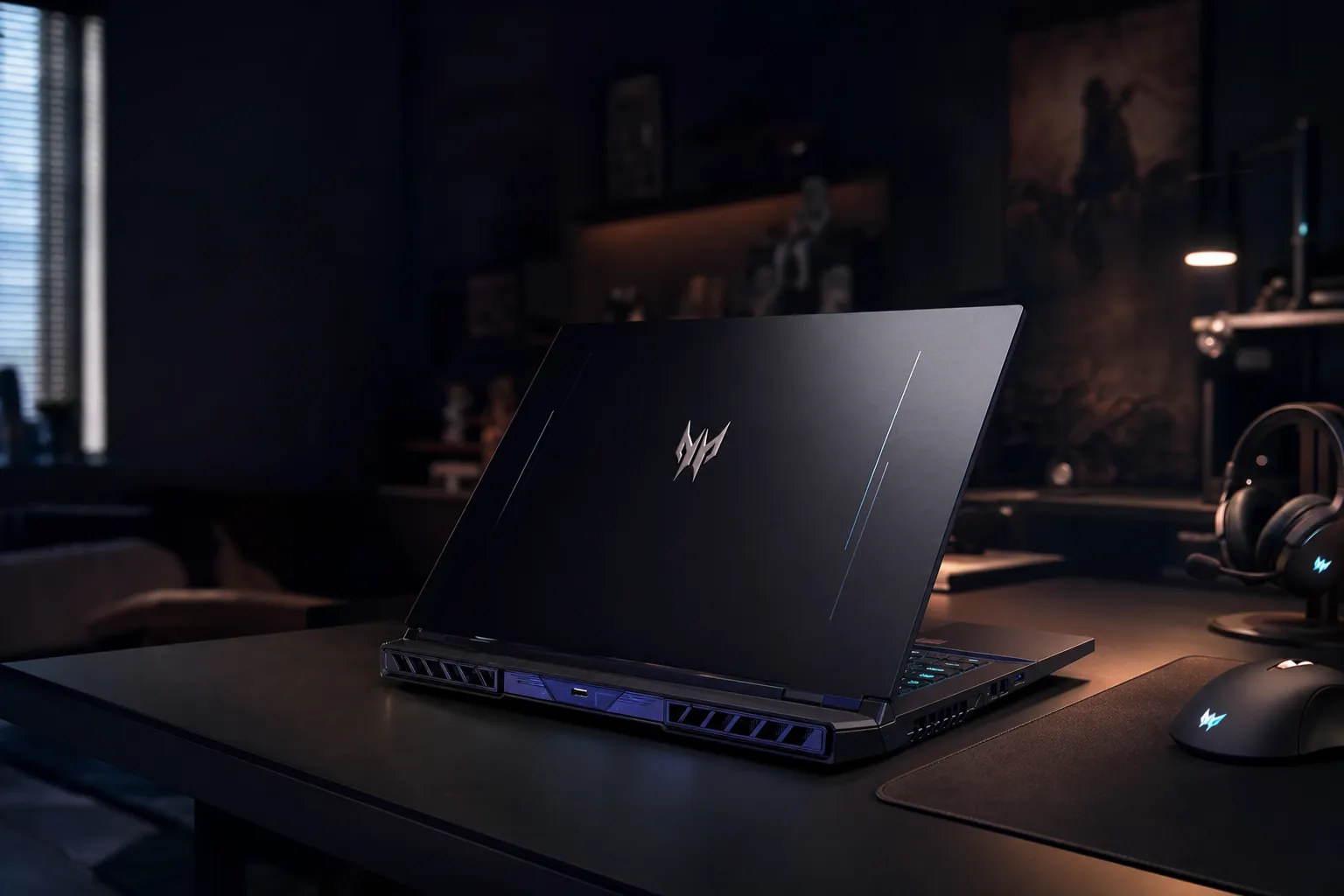
The Predator Helios Neo 16 family now spans a conventional IPS model and the slimmer OLED-equipped Helios Neo 16S AI reviewed here.
Gaming laptops are very good at making a simple buying decision feel like a minor research project. You start by wanting something that plays the latest games, then you discover power limits, panel types, processor generations, memory ceilings and enough acronyms to make a spreadsheet cry. The Acer Predator Helios Neo 16 sits right in the middle of that mess. It is neither a budget machine trying to look expensive nor a money-no-object desktop replacement. It is the sort of laptop aimed at people who want a properly capable gaming system without carrying around a small aircraft carrier.
See acer predator helios neo 16 review on Amazon UK
In 2026, the RTX 5060 Laptop GPU has become the interesting middle ground. It is the chip many people will actually consider rather than merely admire from a safe financial distance. The question is not whether it can run games at all. Of course it can. The more useful question is whether 8GB of GDDR7 memory and a healthy 115W graphics power target are enough to make a 2560 × 1600 display feel like an asset rather than an elaborate way of finding out which settings menu you dislike most.
Acer offered two notably different ways into this idea. The standard Predator Helios Neo 16, identified as the PHN16-I31, paired an Intel Core i7-14650HX with an RTX 5060 and a 180Hz WQXGA IPS screen. The Predator Helios Neo 16S AI, the PHN16S-71, took a slimmer route: Intel's Core Ultra 7 255HX, the same RTX 5060 class GPU with 8GB of GDDR7 memory, and a 16-inch 240Hz OLED panel. They share the name and much of the intent, but they do not feel like interchangeable configurations.
This review focuses on the Helios Neo 16S AI because it is the more revealing machine. Its OLED panel asks more of the GPU, its slimmer chassis asks more of the cooling system, and its Core Ultra processor gives us a clear view of what Acer thought a current mid-range Predator should be. I will also keep the PHN16-I31 in view where its IPS screen, larger cooling arrangement and different processor make the comparison useful.
Specs at a Glance: What You're Actually Getting Inside
The headline specification is refreshingly direct. The Helios Neo 16S AI combines an Intel Core Ultra 7 255HX with an NVIDIA GeForce RTX 5060 Laptop GPU. That processor has 20 cores in total: eight performance cores reaching 5.2GHz and 12 efficiency cores reaching 4.5GHz. It is a serious mobile processor rather than a low-power chip dressed up for a gaming laptop brochure, and that matters in games that lean on CPU throughput as much as graphics horsepower.
The RTX 5060 is configured with 8GB of GDDR7 memory, a 2125MHz core clock and a 115W TDP. Power limits are one of those details manufacturers can hide behind a very similar product name, so it is worth dwelling on this one. A 115W implementation gives the GPU room to behave like a gaming part rather than an apologetic visitor. In a laptop this slim, that is meaningful.
The supplied memory allocation is 16GB of DDR5-6400 RAM, with support for up to 64GB. Storage begins with a 1TB M.2 PCIe SSD and can reach 2TB. Two RAM slots and two M.2 positions give the wider Helios Neo 16 range a very practical advantage: it is not sealed into its launch-day configuration. That is a more important quality than it first sounds. Games grow, creative projects grow, Windows has a remarkable appetite for accumulating background activity, and 16GB can eventually feel less roomy than it did in the shop.
The key distinction: the Helios Neo 16S AI is the slim OLED version, while the PHN16-I31 is the more traditional Helios Neo 16 with a Core i7-14650HX, RTX 5060 and 180Hz WQXGA IPS display. The GPU badge alone does not tell the whole story.
The 16-inch, 2560 × 1600 OLED panel is the Helios Neo 16S AI's defining hardware choice: more immersive than a basic gaming display, but also more demanding of the GPU.
Built to Battle: Design, Build Quality and First Impressions
The "S" in Helios Neo 16S AI earns its keep. At a maximum thickness of 18.97mm, this is a slimmer interpretation of the Predator formula than the standard Neo 16. It measures 14.05 × 10.85 × 0.79 inches and weighs 2.3kg with its standard four-cell battery. None of that makes it a featherweight. It is still a 16-inch performance laptop with an HX processor and a dedicated graphics chip inside. But it does change the sort of bag you can reasonably use and the amount of desk space it demands.
That distinction becomes clearer beside the PHN16-I31. The standard machine uses a chassis with an extended rear section to accommodate its cooling design and comes with a 330W adapter. The slimmer OLED model uses a 230W adapter. A power brick is an easy thing to ignore in a specification list, then curse every time it lands on your foot or occupies half a rucksack pocket. The smaller adapter does not transform the Helios Neo 16S AI into an ultraportable, but it makes carrying the whole system less of a commitment.
The Helios Neo 16S AI retains the purposeful, angular language people expect from a Predator laptop. Acer has not tried to disguise it as a boardroom notebook, which is probably sensible. A high-refresh OLED gaming laptop does not need to pretend it was born for quarterly forecasting. Still, the slim profile stops it looking needlessly bulky. It has the visual confidence of a gaming machine without relying on sheer mass to make the point.
Its surface picks up some fingerprints, although not to an excessive degree. This is a small but welcome detail. Dark gaming laptops often seem to regard a clean lid as a personal insult, especially after an afternoon of being moved between rooms. Here, normal use will leave some marks, but the finish is not a daily cleaning ritual in waiting.
The practical design win is not just the thinner chassis
The 2.3kg Helios Neo 16S AI remains a substantial laptop, but pairing it with a 230W adapter rather than the standard model's 330W unit makes a real difference to the total kit you carry. Gaming portability is always relative. In this case, relative is still useful.
Acer's 4-zone RGB-backlit keyboard is appropriately at home here. Four-zone lighting is less individually granular than per-key RGB, but it still gives the machine a proper Predator identity without affecting the fundamental question: is the layout useful when you are playing rather than admiring it? The important part is that this is a full-sized 16-inch platform with room to be a laptop first, not a thin showpiece that happens to have a keyboard attached.
Slimmer Predator format
The Helios Neo 16S AI reaches a maximum thickness of 18.97mm, giving the OLED model a notably leaner profile than the extended-rear standard Neo 16.
Manageable for its class
At 2.3kg, it is not a casual one-handed carry, but it is a credible travel companion for a 16-inch HX-based gaming laptop.
4-zone RGB keyboard
The lighting adds the expected gaming atmosphere while keeping the machine focused on a conventional, usable laptop format.
5th-generation AeroBlade cooling
The slim model uses Acer's 5th-generation AeroBlade cooling fans to support the 115W graphics configuration.
There are a couple of omissions worth considering before you get carried away with frame-rate graphs. The standard PHN16-I31 omitted a physical webcam shutter and biometric login. These are not headline gaming features, obviously, but daily-use niceties still count. A laptop that spends time in a bedroom, university room or shared workspace should not be judged solely by how dramatic a boss fight looks at midnight.
The Helios Neo 16S AI does include a 1080p webcam and DTS:X Ultra audio. Neither changes the core gaming value proposition, but both make the machine easier to live with as a complete computer. That phrase matters. The best gaming laptop is not necessarily the one that produces the largest number in a graph. It is the one you do not resent opening for work, video calls, editing and everything else that happens between gaming sessions.
Screen Test: OLED vs IPS — Two Very Different Stories
The display is where the two Predator variants stop merely being different configurations and become different propositions. The Helios Neo 16S AI has a 16-inch OLED panel at 2560 × 1600 with a 240Hz refresh rate and a 16:10 aspect ratio. The standard PHN16-I31 uses a 180Hz WQXGA IPS panel. Both are high-resolution, high-refresh displays made for more than casual play, but OLED versus IPS changes how games, films, photos and ordinary desktop work appear.
First, the 16:10 ratio. It sounds like a small thing, which is exactly how laptop manufacturers prefer it because then they can list it in tiny type. In practice, those extra vertical pixels are useful every day. Documents, browser windows, photo timelines and code all benefit from a little more height. In games, the effect depends on the title, but the screen still feels pleasantly expansive rather than constrained by a classic 16:9 rectangle. It is a sensible compromise between productivity space and a gaming-friendly format.
The OLED panel covers 100% of the DCI-P3 colour space and reaches 500 nits of brightness. The IPS panel on the standard machine covers 99% sRGB, averages 399 cd/m² and records a 1400:1 contrast ratio. Those numbers tell a fairly clear story. The IPS option is a strong conventional gaming display with broad sRGB coverage and enough brightness for typical indoor use. The OLED is the more ambitious panel: wider colour coverage, higher stated brightness and the qualities people seek OLED for when they want games and media to look especially vivid.
| Display feature | Predator Helios Neo 16S AI (PHN16S-71) | Predator Helios Neo 16 (PHN16-I31) |
|---|---|---|
| Panel type | OLED | IPS |
| Size and resolution | 16-inch, 2560 × 1600 | WQXGA |
| Refresh rate | 240Hz | 180Hz |
| Aspect ratio | 16:10 | 16:10 |
| Colour coverage | 100% DCI-P3 | 99% sRGB |
| Brightness | 500 nits | 399 cd/m² average |
| Contrast | OLED panel | 1400:1 |
For gamers, the obvious attraction is the 240Hz refresh rate. Competitive titles can benefit from it, assuming the game and settings are sensible enough to supply the frames. It would be daft to expect every demanding modern game to hold 240fps at 2560 × 1600, especially on an RTX 5060. But the panel is not solely there for the most punishing releases. Lighter, competitive games and older titles can make excellent use of the extra headroom, whilst the display's visual quality still pays off in slower, cinematic games.
For creators, 100% DCI-P3 is more than a luxury bullet point. It means the OLED version is more naturally suited to work involving wide-gamut photography, video and visual design. A screen can be technically sharp and still make colour work awkward if its gamut is limited. The Helios Neo 16S AI removes that particular concern. It is not merely a gaming screen that happens to display a desktop. It is a panel with enough colour scope to make the laptop useful when the game is closed.
OLED and IPS are not a simple good-versus-bad choice here: the Neo 16S AI prioritises colour and 240Hz fluidity, while the standard PHN16-I31 offers a strong 180Hz WQXGA IPS alternative.
Choose the screen before you choose the logo on the lid
The OLED model makes most sense if you divide time between games, media and colour-sensitive work. The 180Hz IPS option remains the more straightforward choice for someone who wants a high-refresh WQXGA panel without making OLED the centre of the purchase.
OLED ownership does come with one responsibility that old-school LCD buyers never had to think much about. Acer includes OLED-care options in PredatorSense, including pixel shift and dimming controls. That is the right approach. Desktop icons, static taskbars and HUD-heavy games are normal parts of laptop life, and it is sensible to have panel-care tools close at hand rather than treat them like a hidden service menu. There is no need to become precious about using the display; the point of a premium screen is to enjoy it. But it is good that Acer acknowledges the technology properly.
The brightness difference also matters outside a controlled gaming corner. The OLED's 500-nit specification gives it more headroom for brighter rooms, whilst the IPS panel's measured 399 cd/m² is still respectable for a gaming laptop. Neither figure makes sunlight disappear, because sunlight is undefeated and remains annoyingly well-funded. But both are credible figures for real indoor use, with the OLED providing the stronger visual proposition overall.
RTX 5060 Under the Microscope: Benchmark Results Across 2026 Titles
Let us deal with the central issue plainly: the RTX 5060 Laptop GPU is capable of credible 1600p gaming in this chassis, but it is not a magic wand. That is not a criticism. It is a sensible description of where this GPU belongs. At 2560 × 1600, you are asking it to render substantially more pixels than a 1080p laptop display, and the 240Hz OLED panel can expose the difference between "playable", "smooth" and "absurdly fast" with unusual honesty.
The good news is that Acer has not put a deliberately restrained version of the RTX 5060 in the Helios Neo 16S AI. Its 115W TDP is healthy for this class, and the GPU's 8GB GDDR7 memory is paired with a 2125MHz core clock. The standard PHN16-I31 also sustained an average GPU power of 112W in monitoring, despite Acer listing up to 100W GPU subsystem power. In other words, neither model reads like an RTX 5060 that has been asked to perform with one hand tied behind its heatsink.
That sustained performance matters more than a flashy result from a short benchmark run. The PHN16-I31 maintained consistent clock speeds through a one-hour gaming simulation, with no progressive performance drop. That is exactly what you want from a gaming laptop. Short bursts are easy. Keeping the same character after an hour of demanding play is the actual job.
Counter-Strike 2 at 152fps at 1600p with Very High settings tells us a lot about the machine's competitive gaming credentials. It does not hit the screen's theoretical 240Hz ceiling in that reported result, but it does deliver a high frame rate on a high-resolution panel. That is a satisfying result because it keeps the experience firmly on the "fast and responsive" side without requiring you to throw visual settings into the sea.
Black Myth: Wukong is the sobering counterpoint, and it is the more useful one for anyone buying a laptop to play the demanding blockbuster releases of 2026. At 1200p Cinematic, the figure was 40fps. This is not an indictment of the laptop; it is a reminder that very demanding games at aggressive settings will force choices even on a well-powered RTX 5060. You can have high resolution, ambitious visual presets and high frame rates, but with this class of hardware you should expect to balance the three rather than assume they will all arrive at once carrying flowers.
What the numbers mean in practice: esports and well-optimised games are the natural habitat for the 240Hz OLED. In demanding cinematic games, the RTX 5060 is better understood as a capable 1600p GPU that benefits from sensible settings choices rather than a guarantee of maximum-detail, maximum-frame-rate gaming.
DLSS is therefore not an embarrassing emergency button. It is part of the expected toolkit for this performance tier. Modern upscaling lets you preserve a higher output resolution whilst easing the native rendering load, and that is particularly relevant on a 2560 × 1600 display. The Helios Neo 16S AI does not need you to abandon its lovely screen; it asks you to use the graphics options with a bit of common sense.
Ray tracing is where that common sense becomes especially important. Demanding ray-traced games benefit from DLSS or reduced settings at native 2560 × 1600. That is the honest line. The RTX 5060 can participate in the modern lighting conversation, but it is not the tier I would choose if your entire plan is to activate every ray-tracing switch, keep every other setting at maximum and insist on a very high refresh rate. If that is you, you are shopping in a different bracket.
Still, there is a real benefit to the GDDR7-equipped 8GB frame buffer. Memory capacity is not the whole story, but memory bandwidth and the way a GPU handles modern assets matter. At this level, 8GB remains enough for the intended role provided expectations are sensible. It is not limitless. It will not make the growing appetite of current games disappear. But in a 115W implementation, it has enough room to make 1600p gaming feel plausible rather than purely aspirational.
The RTX 5060 Laptop GPU in the Helios Neo 16S AI runs at 115W, a configuration that gives the mid-range GPU a fair chance at 1600p rather than treating it as a low-power compromise.
The standard PHN16-I31 reinforces that point from another angle. Its longer gaming simulation showed stable clocks without a progressive drop, and its average monitored GPU power reached 112W. Larger gaming laptops used to win simply by being huge. Here, Acer's two versions show a subtler split: the standard model gives cooling more physical room, while the slim model keeps the RTX 5060 at a healthy 115W. Neither approach undermines the GPU's core capability.
There is also a psychological advantage to buying a 1600p laptop with a GPU that cannot brute-force every game at the panel's maximum refresh rate: it encourages reasonable settings. That sounds oddly moralistic for a review of a gaming laptop, but bear with me. Medium and high settings often look excellent; the distinction from ultra can be minor in motion; and a smoother experience can matter more than a screenshot-ready reflection on a puddle. The Predator's screen is good enough to reward considered tuning rather than punish it.
CPU and System Performance: Core Ultra 7 255HX vs Core i7-14650HX
The GPU gets the headline because games make it easy to talk in frame rates. But a laptop's processor decides a great deal about whether the overall experience feels brisk, especially when you are compiling, rendering, exporting, streaming, working with lots of browser tabs or attempting all of those things while a launcher quietly updates three games in the background.
The Helios Neo 16S AI uses Intel's Core Ultra 7 255HX. Its 20-core design consists of eight performance cores at up to 5.2GHz and 12 efficiency cores at up to 4.5GHz, for 20 cores and 20 threads altogether. This is a large, performance-focused processor intended for systems that can support it, and the Predator is clearly built around that expectation.
The PHN16-I31 takes a different route with the Core i7-14650HX. It is an older processor generation and remains a serious gaming-laptop chip, but it does not make the same platform statement as the Core Ultra 7 255HX. The split is useful because it lets buyers decide what they value. If the standard laptop's IPS display and cooling-focused body are the appeal, the i7 configuration is still firmly in performance-laptop territory. If you want the newer CPU platform alongside OLED, the 16S AI is the more current-looking package.
There are no verified Cinebench R24 results or Blender render times to wave around here, and I am not going to manufacture a chart just because a laptop review is apparently incomplete without one. The specification tells us what it can: the 255HX has a wide core allocation and high stated clock speeds, making it well suited to demanding parallel workloads. Crucially, it also means the RTX 5060 is not paired with a lightweight CPU that could limit the machine in processor-heavy games or broader productivity tasks.
The Core Ultra branding also brings an NPU into the conversation. AI is an overused word in consumer technology at the moment, often deployed with the confidence of a cat walking across a keyboard. Still, local AI features, operating-system tools and creator applications increasingly have reasons to use dedicated AI acceleration. The NPU does not suddenly turn the Helios Neo 16S AI into a workstation for every possible task. It does, however, give this model a more modern platform footing than a conventional CPU-and-GPU summary suggests.
Memory deserves a practical note. The supplied 16GB of DDR5-6400 memory is workable for mainstream gaming and everyday productivity, but the ability to go up to 64GB is important for buyers who edit large projects, use demanding applications or simply want their laptop to age more gracefully. Likewise, the 1TB SSD is a sensible starting point, not a promise that you will never see a storage warning again. Two M.2 positions are exactly the sort of unglamorous feature that can save you money and irritation later.
This is the right system balance for the GPU. The Core Ultra 7 is not there simply to make a specification sheet look muscular. It supports the basic premise of the laptop: this is supposed to be a machine you can game on seriously and use for substantial non-gaming work. It has the ingredients for both.
Cooling and Sustained Performance: The Bit That Decides Long Sessions
Gaming laptop cooling is not glamorous. Nobody chooses a machine because they love the phrase "heat dissipation". But it is the difference between a laptop that performs nicely for the first 15 minutes and one that remains useful when you are deep into a long session, a render or a weekend of being far too invested in a co-operative campaign.
The Helios Neo 16S AI uses 5th-generation AeroBlade cooling fans, while the standard PHN16-I31 combines one metal AeroBlade fan with a conventional plastic fan. Acer's approaches are different because the chassis goals are different. The standard Neo 16 has its extended rear section and a larger 330W adapter; the 16S AI has a slimmer body and a 230W adapter. Neither is inherently superior. They prioritise different forms of gaming-laptop compromise.
The most reassuring result is the standard model's performance consistency. In a one-hour gaming simulation, it maintained stable clock speeds rather than progressively slowing down. That matters because performance figures without a time context can be misleading. A laptop can look heroic in a short run and then quietly become less interesting once internal temperatures settle. The PHN16-I31 did not show that progressive decline.
The Helios Neo 16S AI also ran significantly cooler than the 2024 model. Short-term CPU spikes reached around 100–105°C, which sits at the Intel HX platform's 105°C TJ max. That figure can look alarming without context, but high short-term peaks are normal behaviour for this class of Intel HX processor under intense bursts. What matters is not simply seeing a large number; it is whether the system can manage that behaviour without collapsing into a sustained performance problem.
The reported underside temperature of around 55°C under gaming is less abstract. That is hot. It means this is a desk laptop when gaming, not something to balance on bare legs while pretending the word "laptop" is a binding contract. This is true of plenty of performance machines, but it remains worth saying aloud. Use a solid surface, leave its vents room to breathe and do not treat it like an oversized tablet.
Heat reality check
The Helios Neo 16S AI's short CPU peaks around 100–105°C are within the Core Ultra 7 255HX's 105°C maximum temperature behaviour, but a roughly 55°C gaming underside means a proper desk setup is the sensible way to use it under load.
For many buyers, this section is the real answer to "How far does an RTX 5060 get you?" It gets you further when the laptop can sustain its configured power. The standard Neo 16's average monitored GPU power of 112W and its stable one-hour gaming behaviour are evidence of that. The slim 16S AI's 115W configuration and improved cooling relative to the 2024 model tell a similarly positive story, albeit in a body where you should respect the heat it is moving.
Cooling is central to the Helios Neo 16 proposition: the slim OLED model uses 5th-generation AeroBlade fans, while the standard Neo 16 has a larger rear cooling section.
Battery Life and Daily Portability: Gaming Laptop Realism Check
Battery life and gaming laptops have made peace with one another, but they are not exactly best friends. A machine with an HX processor, dedicated RTX graphics and a high-resolution 240Hz OLED screen is not designed to spend all day away from a socket pretending it is a low-power office notebook. That is fine. The trick is to understand what "portable" means for this type of laptop.
The Helios Neo 16S AI has a 76Wh battery and ships with a 230W AC adapter. Its battery life was below average for the class. That is the plain conclusion, and it should influence your expectations. It can handle untethered tasks, but it is not the model to choose if your priority is an entire workday away from mains power with the screen bright and every background service doing its thing.
The standard PHN16-I31 produced seven hours of use with a 92Wh battery in Balanced and Eco modes. That is a more encouraging result, and it demonstrates that battery endurance is not determined by the Predator name alone. The larger battery and the different configuration matter. If your routine involves lectures, meetings, travel or regular work away from a desk, this is one of the clearest functional differences between the two models.
Gaming on battery remains a special case. It is useful for brief sessions or getting through a quieter title, but the experience is never the reason to buy a high-performance laptop. Maximum performance comes with the power adapter connected; that is simply how this category works. The battery is there to make the device mobile, not to let a 115W GPU operate like it has found a secret nuclear reactor in your backpack.
Helios Neo 16S AI battery
The slim OLED model uses a 76Wh battery. Its endurance was below average for its class, so plan around charging rather than treating it as an all-day laptop.
Standard Neo 16 result
The PHN16-I31 managed seven hours of use with a 92Wh battery when set to Balanced and Eco modes.
Adapter difference
The 16S AI uses a 230W adapter, compared with the standard model's 330W unit — a welcome reduction in travel bulk.
Portable, with context
The 16S AI weighs 2.3kg. It travels more easily than a desktop replacement, but it still belongs in a capable backpack rather than a small shoulder bag.
Daily usability remains good because Acer has equipped the system with a generous range of ports. There is USB-A connectivity, USB-C connectivity, HDMI, a 3.5mm audio connection and a microSD card reader. The listed configuration includes two USB4 40Gbps ports and two Thunderbolt 4 connections, alongside USB-C Power Delivery. That is a strong setup for a gaming laptop that may also be used with external storage, displays, docks and cameras.
The microSD reader is especially welcome on a machine that can plausibly be used for content work. It is one of those ports that can feel irrelevant right up until it saves you carrying a dongle. The same goes for HDMI: a dedicated display output remains more convenient than hoping a dongle you found in a drawer has decided to cooperate today.
So the daily-use verdict is mixed but sensible. The Helios Neo 16S AI is easier to carry than its overall performance suggests, thanks partly to the 2.3kg chassis and smaller 230W adapter. Its battery life is the compromise. The standard model carries more bulk but offers the more reassuring seven-hour result in Balanced and Eco modes. Decide which inconvenience you dislike more: a larger bag or more frequent charging.
PredatorSense, OLED Care and the Everyday Software Story
Gaming laptops are often judged as though hardware lives in a vacuum. It does not. The control software influences whether you can sensibly manage performance, lighting and display behaviour without spending half an hour in buried menus. PredatorSense is Acer's central utility here, and on the Helios Neo 16S AI it has an especially relevant role because it includes OLED-care settings.
Pixel shift and dimming controls are the kind of tools you may barely notice when things are going well. That is the point. They help manage static screen elements in the background, allowing you to enjoy the OLED panel as a normal laptop screen rather than constantly fret about every persistent icon or game HUD. The best panel-care system is one that makes sensible protection available without turning ownership into homework.
The software also belongs in the performance conversation. A laptop with a 240Hz OLED panel, a 115W GPU configuration and a high-core-count processor needs a straightforward way to balance behaviour depending on whether you are gaming, working quietly or trying to extend battery life. The standard PHN16-I31's seven-hour result in Balanced and Eco modes is a useful illustration of why those modes matter. Hardware is only half the equation; sensible power management decides how livable it is away from the mains.
DTS:X Ultra audio and the 1080p webcam round out the non-gaming basics. Neither is a reason to buy the laptop in isolation, and that is perfectly fine. They are there to make it a more complete tool. A 16-inch gaming laptop will inevitably be used for calls, videos and streaming. It should not feel like it resents those jobs.
For OLED buyers: PredatorSense includes pixel shift and dimming controls on the Helios Neo 16S AI. These features are worth leaving enabled as part of ordinary ownership, particularly if your use involves static desktop elements or HUD-heavy games.
Predator Helios Neo 16S AI vs Predator Helios Neo 16: Which One Makes More Sense?
Although this is a single-product review, the standard PHN16-I31 is too closely related to ignore. It is not a random rival from another manufacturer; it is the clearest alternative within Acer's own range, and it highlights how much a chassis, display and battery choice can reshape a laptop built around the same RTX 5060 class GPU.
The Helios Neo 16S AI is the best choice for someone drawn to display quality, a slimmer profile and the Core Ultra 7 255HX platform. Its OLED has 100% DCI-P3 coverage, 500 nits of brightness and a 240Hz refresh rate. This is the more visually ambitious machine. If you edit photos, enjoy cinematic games or simply want a screen that makes ordinary media look better, it is the obvious direction.
The PHN16-I31 is more straightforwardly practical in a different way. Its 180Hz WQXGA IPS panel still offers 99% sRGB coverage, 399 cd/m² average brightness and a 1400:1 contrast ratio. It has two RAM slots and two M.2 positions, an extended rear cooling design, stable one-hour gaming performance and a seven-hour result with its 92Wh battery in Balanced and Eco modes. That is a very solid collection of traits for someone who sees the laptop as a gaming workhorse first and a display showcase second.
| Feature | Predator Helios Neo 16S AI PHN16S-71 | Predator Helios Neo 16 PHN16-I31 |
|---|---|---|
| Processor | Intel Core Ultra 7 255HX | Intel Core i7-14650HX |
| Graphics | RTX 5060 Laptop GPU, 8GB GDDR7 | RTX 5060 Laptop GPU |
| GPU power detail | 115W TDP | 112W average monitored GPU power |
| Display | 16-inch 2560 × 1600 OLED, 240Hz | 180Hz WQXGA IPS |
| Colour coverage | 100% DCI-P3 | 99% sRGB |
| Battery | 76Wh | 92Wh configuration recorded seven hours in Balanced and Eco modes |
| Adapter | 230W | 330W |
| Body | 2.3kg; maximum 18.97mm thickness | Extended rear cooling section |
The two RTX 5060 Predator choices are aimed at different priorities: the Helios Neo 16S AI leans into OLED quality and a slimmer profile, while the PHN16-I31 emphasises traditional cooling space and endurance.
The meaningful point is that neither model automatically invalidates the other. It depends on how you spend your time. A competitive player who mainly uses a desk, plugs in most evenings and wants the better panel should gravitate to the 16S AI. A buyer who values a larger battery result, a conventional IPS panel and long-session consistency may see the standard version as the quieter sensible choice. Both are recognisably Predator laptops. They simply make different arguments.
Who Should Buy the Acer Predator Helios Neo 16S AI?
The Helios Neo 16S AI is not for every gamer, and that is not a flaw. Trying to be everything to everyone is how laptops end up with a mediocre screen, an underpowered GPU and a suspiciously low starting price that rises the moment you select the configuration anyone actually wants. Acer has made a more defined machine here.

Best for visual-first gamers
The 240Hz 2560 × 1600 OLED, 100% DCI-P3 coverage and 500-nit brightness make the Helios Neo 16S AI the strongest choice for people who care as much about how games look as the settings menu does.
Best for mixed competitive play
Counter-Strike 2 reached 152fps at 1600p Very High, giving the 240Hz panel a meaningful role in esports and lighter competitive games.
Best for gaming creators
The wide-gamut OLED, Core Ultra 7 255HX, 16GB DDR5-6400 memory and expandable RAM/storage make it a credible dual-purpose machine for games and visual projects.
Best for occasional travel
The 2.3kg chassis and 230W adapter make the 16S AI more manageable than a bulkier desktop replacement, provided you accept that its battery endurance is below average for the class.
I would recommend the Helios Neo 16S AI to the person who wants a gaming laptop that does not make them choose between play and visual quality. The OLED panel is not a throwaway luxury here. It is the feature that changes how the machine feels in every task, from gaming and streaming to editing and everyday browsing.
I would be more cautious if your priority is maximum battery endurance. The standard PHN16-I31's seven-hour result with a 92Wh battery in Balanced and Eco modes is the more comforting figure. Likewise, if your dream purchase is a laptop that runs the most demanding games at maximum ray-traced settings, at 1600p, with extremely high frame rates and no compromises, the RTX 5060 is not the right place to start. It is capable, not unlimited.
There is also a simple question of whether you value the OLED enough. If your use is overwhelmingly competitive gaming and you are less interested in wide-gamut colour, the standard 180Hz IPS model remains a compelling alternative. Its screen is no slouch, and its traditional chassis has practical strengths. The slim OLED model is best understood as the more premium-feeling experience, not automatically the only correct one.
Pros, Cons and Gadget Scout Rating
Pros
- Excellent 16-inch 2560 × 1600 OLED with 240Hz refresh rate, 100% DCI-P3 coverage and 500-nit brightness.
- RTX 5060 Laptop GPU runs at a healthy 115W with 8GB of GDDR7 memory.
- Counter-Strike 2 reached 152fps at 1600p Very High settings.
- Core Ultra 7 255HX provides a substantial 20-core / 20-thread processor platform.
- Up to 64GB of RAM and 2TB of storage, with two RAM slots and two M.2 positions.
- 230W adapter is more manageable than the standard Neo 16's 330W power brick.
Cons
- Battery life on the 76Wh Helios Neo 16S AI was below average for the class.
- Demanding games still require settings judgement; Black Myth: Wukong recorded 40fps at 1200p Cinematic.
- Gaming use can make the underside reach around 55°C, so desk use is the sensible option.
- The dark surface can pick up fingerprints, even if it is not excessively prone to them.
- The standard PHN16-I31 omitted a physical webcam shutter and biometric login.
The rating reflects a machine with a genuinely excellent screen, a well-configured RTX 5060 and enough processor headroom to be useful beyond gaming. It loses ground on battery life and on the simple fact that 8GB of VRAM, even with GDDR7, still asks you to be realistic about the heaviest games at this resolution. That is not a scandal. It is the normal trade-off of a mid-range GPU paired with a premium display.
The Helios Neo 16S AI makes the most sense as a plugged-in gaming and creator machine that happens to travel reasonably well, rather than an all-day battery laptop.
Acer Predator Helios Neo 16 FAQ
Final Verdict: A Proper 1600p Mid-Range Gaming Laptop
The Acer Predator Helios Neo 16S AI answers the RTX 5060 question rather well: it gets you to genuinely enjoyable 1600p gaming, provided you approach demanding new releases with sensible settings rather than blind faith in an Ultra preset. The GPU's 115W configuration, 8GB of GDDR7 memory and the Core Ultra 7 255HX make this far more than a token gaming laptop.
The star is the 240Hz OLED display. Its 100% DCI-P3 coverage, 500-nit brightness and 2560 × 1600 resolution give the laptop a premium visual character that the RTX 5060 can make good use of, even if it cannot fill 240 frames per second in every modern blockbuster. Counter-Strike 2 at 152fps demonstrates the fun side; Black Myth: Wukong at 40fps shows where restraint enters the chat.
Battery life is the clear compromise, and the 55°C gaming underside means this is happiest on a desk. But if you want a slim-ish 16-inch gaming laptop that handles games, creative work and high-quality media with equal confidence, the Helios Neo 16S AI is one of the more convincing RTX 5060 implementations. It is not limitless. It is, importantly, properly useful.
See acer predator helios neo 16 review on Amazon UK