
Why Ignoring A Broken Laptop Hinge Can Destroy The Whole Machine
That crack at the corner of your screen isn't just cosmetic — left alone, it quietly works its way through everything underneath.
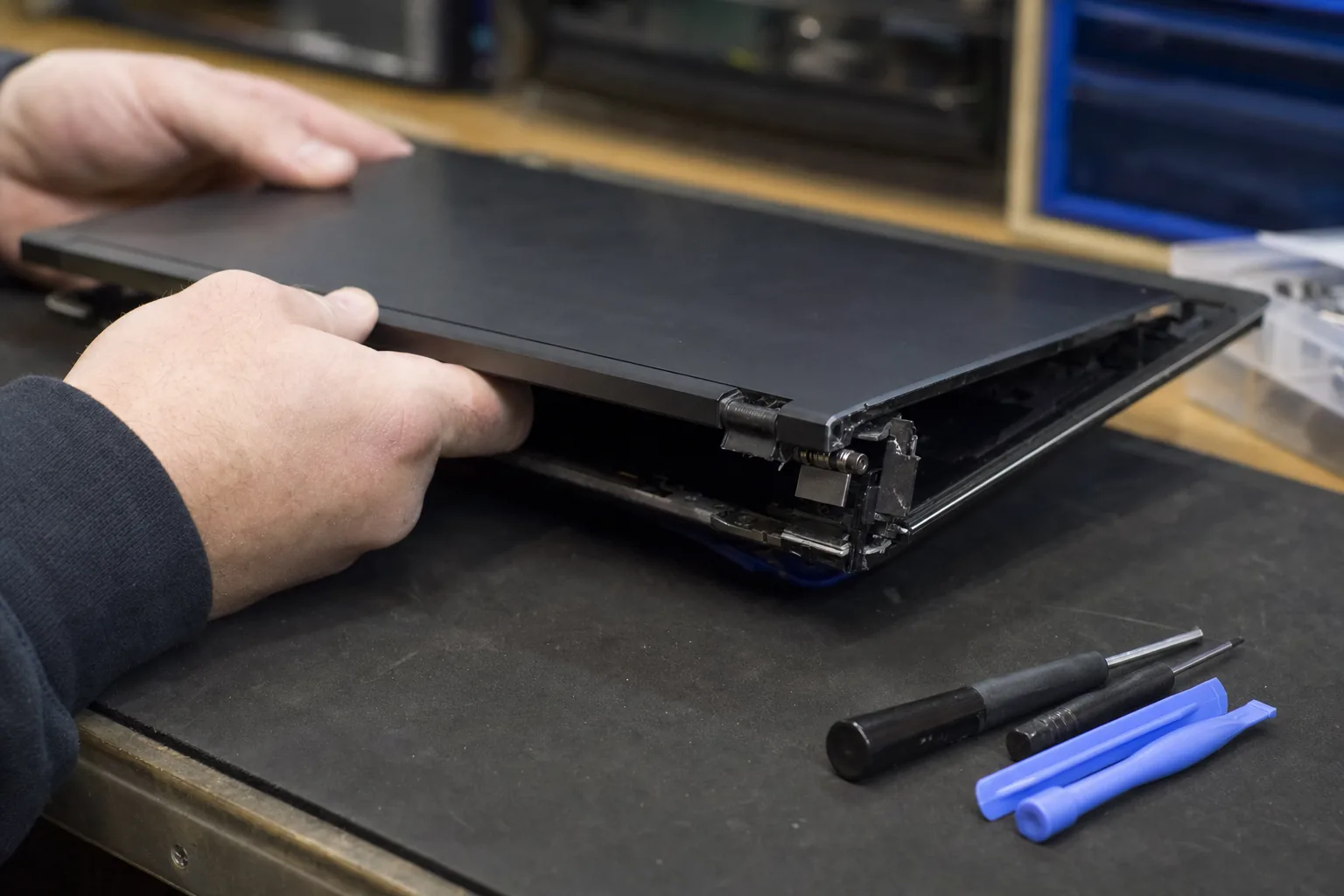

A customer brought in a Lenovo IdeaPad a few months ago. The lid had a slight wobble, there was a small crack in the plastic near the right hinge, and she'd been meaning to get it looked at for about a year. By the time it arrived on my bench, the screen was half-delaminated, the display cable had been slowly sawn through by a sharp edge of broken chassis, and the whole bottom corner of the lid had split open. What started as a £60 hinge job had turned into a conversation about whether it was even worth repairing.
I see this more than almost anything else. A hinge breaks, the owner notices the lid feels loose or hears a faint crack, and then — because the machine still works — they carry on using it. That decision is usually what turns a straightforward repair into an expensive one.
What's actually happening inside
Laptop hinges are bolted directly to the chassis, not just the outer plastic. When a hinge breaks or comes loose, it doesn't stay still — every time you open and close the lid, it flexes and twists a little more. That movement does several things, none of them good.
- It cracks the plastic surround. What looks like cosmetic damage spreads with each open-and-close cycle, and eventually structural pieces start snapping off.
- It stresses the display cable. The ribbon cable that carries the picture to your screen runs right past the hinge. A shifting hinge rubs against it, frays it, or pinches it — leading to flickering, lines across the screen, or a completely dead display.
- It can crack the screen itself. Enough twist in the lid and the pressure transfers directly to the panel. Screen replacements cost considerably more than hinge repairs.
- It damages the chassis base. On many laptops the hinge mounts pass through to the bottom half of the machine. A loose hinge can tear those mounting points clean out of the plastic.
How to tell if your hinge is going
You don't need to be technical to spot the warning signs. Have a look and feel for these:
- The lid feels stiff on one side, loose on the other, or doesn't sit flat when closed.
- There's any cracking or lifting of the plastic near the corners of the screen — even a hairline crack counts.
- You hear a faint grinding or popping when opening the lid. That's the hinge moving against broken plastic or a loose mounting point.
- The screen flickers or shows lines that come and go depending on the lid angle. That's often the display cable being pinched by a shifting hinge.
If you're seeing any of those, stop opening and closing the lid more than you have to, and get it looked at. Leaving it on the desk at a fixed angle whilst you arrange a repair is genuinely sensible — it stops the damage progressing.
What the repair actually involves
On most laptops a hinge repair means stripping the lid down, replacing the hinge or hinges, and assessing whether the plastic mounts have held up. If it's caught early, it's usually a fairly modest job. The hinges themselves are often inexpensive; the labour is the main cost, and that's still far cheaper than a new screen or a new machine.
Where it gets costly is when the chassis is cracked beyond a clean repair, or the display cable has already failed. At that point you're replacing multiple parts, and the maths on whether to repair versus replace gets harder.
The honest message from my bench is this: a wobbly hinge is not a cosmetic problem. It's a mechanical fault that gets worse every single day you use the machine.
The Repair Bench verdict
If your lid wobbles or the plastic is cracking near the hinge: don't keep using it as normal — the damage compounds quickly and what's repairable today may not be next month.
Watch for: flickering screens or lines at certain lid angles; that's the display cable being affected and it needs attention straight away.
Best advice: get a hinge looked at while it's still just a hinge problem — before it takes the screen, the cable, or the chassis with it.