
How to Choose a UPS to Protect Your PC and Router From Power Cuts
Sizing VA and watts, understanding line-interactive versus offline topologies, and the models genuinely worth buying to ride out brownouts and blackouts.
We link to the exact model on Amazon UK. Prices change often, so check the live price before you buy. As an Amazon Associate we earn from qualifying purchases.
Every unit below is a 230V model sold in the UK, and the socket type is stated for each because it decides whether you need adaptors. UPS model codes are unusually treacherous: the same family name can carry completely different voltages and sockets by region, so always check for the -UK or MI suffix on the exact unit you order.
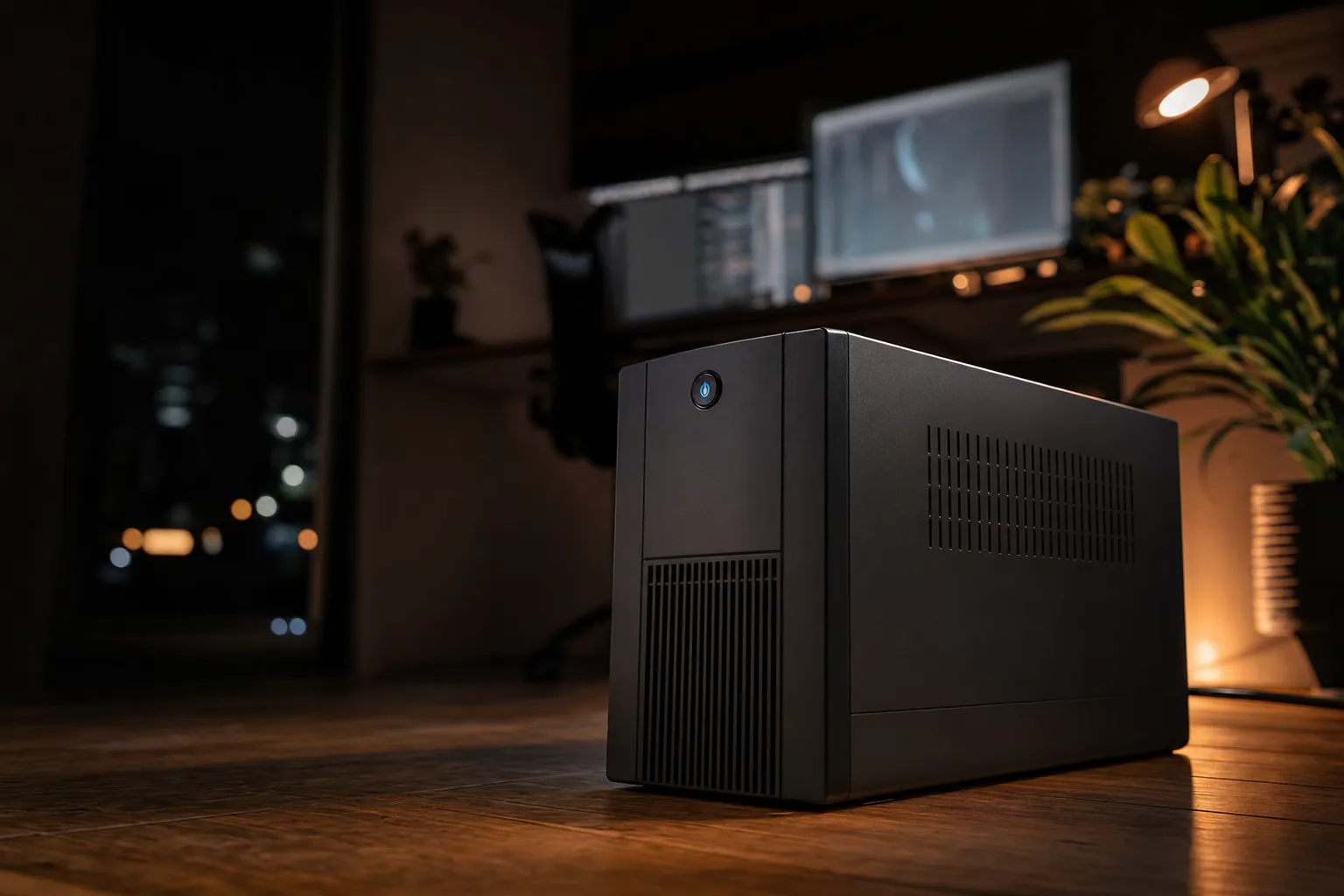
A UPS sits quietly under your desk until the moment the lights flicker — then it earns its keep.
Here's the honest truth: most people don't think about a UPS until the exact second the power drops mid-video-call, or their gaming PC hard-crashes during a boss fight, or the router reboots and drops the whole household off the Wi-Fi for two minutes. A UPS — an Uninterruptible Power Supply — is one of those unglamorous bits of kit that you buy once, tuck under the desk, and quietly thank for years. In this guide I'll walk you through exactly how to pick the right one, whether you just want to keep the internet alive through a flicker or you want your entire desktop rig to survive long enough to save your work and shut down gracefully.

See APC Back-UPS BE850G2-UK on Amazon UK
Check today's price & availability on Amazon UK
I'm going to keep this practical. We'll cover what VA and watts actually mean (and why the sticker on the box is a bit sneaky), the difference between the cheap offline units and the smarter line-interactive ones, how to work out your runtime, and which specific models are worth your money for different jobs. By the end you'll be able to look at any UPS and know instantly whether it's right for your setup or a waste of shelf space.
What a UPS Actually Does (and What It Doesn't)
Let's start at the beginning, because there's a lot of confusion here. A UPS does three jobs, and it's worth understanding all three because different models emphasise different ones.
Battery backup during a cut
The headline feature. When the mains drops, the UPS switches to its internal battery in a few milliseconds — fast enough that your PC and router never notice. This buys you time to save your work and shut down, or simply keeps low-power kit like a router running for hours.
Voltage regulation for brownouts
A brownout is when the voltage sags rather than disappears — the lights dim, the fridge grumbles. Better units use Automatic Voltage Regulation (AVR) to correct these dips and surges without ever touching the battery, which protects your gear and saves battery cycles.
Surge protection
Every decent UPS also acts as a surge protector, clamping down on spikes from nearby lightning strikes or dodgy grid switching. Some models back this with a connected-equipment guarantee worth hundreds of thousands of pounds.
What a UPS is not: it's not a generator, and it's not designed to run your PC for hours. A traditional desktop-class UPS gives you minutes, not hours, of runtime under a heavy load — enough to save and shut down cleanly. The exception is the modern breed of mini lithium UPS units aimed specifically at routers, which can genuinely run for three to five hours because networking gear sips power. We'll cover both.
If your only goal is "keep the Wi-Fi alive during outages," you probably don't need a big desktop tower UPS at all — a small dedicated router UPS will do the job for far longer and far more quietly. If you want to protect a full PC, that's a different tool. Many people end up buying both.
Understanding VA vs Watts (The Number That Trips Everyone Up)
This is the single most misunderstood spec in the UPS world, so let's demystify it. Every UPS is rated in two units: VA (volt-amps) and watts. Manufacturers love to shout the VA number on the box because it's bigger and more impressive. But the watts figure is the one that actually limits what you can plug in.
The relationship between the two is the power factor. A 1500VA/1000W unit has a power factor of about 0.67. A 600VA/330W unit is around 0.55. The wattage is always the real ceiling — if the combined draw of your devices exceeds the watt rating, the UPS will overload and shut off, regardless of whether you're under the VA figure.
Here's how to size it in three simple steps:
- Add up the watts of everything you want to protect. Use the figures above as a rough guide, or check the labels on your kit. A router, modem, network switch and a mid-range PC might total around 150–200W.
- Add roughly 25% headroom. UPS batteries and inverters don't like running flat-out constantly, and you want room to grow. So 200W of kit points you towards a UPS rated for around 250–300W minimum.
- Check the watt rating, not just the VA. A UPS marketed as "1500VA" might only be rated for 900W or 1000W of actual continuous draw. Match your padded wattage figure to that watt number.
Pro Tip: Don't oversize wildly
It's tempting to buy the biggest UPS you can afford, but a hugely oversized unit costs more, weighs more, and doesn't actually give you proportionally more runtime for a light load — the inverter's own efficiency and the battery chemistry both matter. For a PC-plus-router setup, an 850VA to 1500VA unit is the sweet spot for the vast majority of homes.
The wattage figure — not the flashy VA number on the front — is the real limit on what you can safely plug in.
Line-Interactive vs Offline (Standby): The Topology That Matters Most
Beyond size, the biggest decision you'll make is the topology — the internal architecture of the UPS. For PC and router protection there are two you'll realistically choose between: offline (standby) and line-interactive. There's a third, double-conversion online, but that's overkill and overpriced for home use, so I'll only touch on it briefly.
Offline / Standby UPS
The cheapest type. It passes mains power straight through to your devices and only switches to battery when the power fails or drops badly. The switchover — the transfer time — is typically 5 to 10 milliseconds. That's fast enough for most PCs and routers, but there's no active voltage smoothing, so during a brownout the unit either rides it out or flips to battery, chewing through cycles.
Line-Interactive UPS
The smart middle ground and, in my experience, the right choice for almost everyone reading this. A line-interactive unit adds Automatic Voltage Regulation, meaning it can boost a sagging voltage or trim an over-voltage without going to battery. Transfer times are quicker too — often in the 2 to 4 millisecond range for well-designed units. In areas with frequent flickers and brownouts (a lot of the UK, frankly), this saves an enormous number of battery cycles and extends the life of the whole unit.
| Feature | Line-Interactive | Offline / Standby | Online (Double-Conversion) |
|---|---|---|---|
| Typical transfer time | 2–4 ms | 5–10 ms | 0 ms (no switch) |
| Voltage regulation (AVR) | Yes, active | No | Yes, continuous |
| Battery cycle wear in brownouts | Low | Higher | Lowest |
| Best for | PCs, NAS, network racks | Basic router/modem backup | Servers, lab gear |
| Relative cost | Moderate | Low | High |
| Noise | Usually silent until fault | Silent | Fan often runs constantly |
My rule of thumb
For anything with a computer attached, buy line-interactive with AVR. For a dedicated router-and-modem-only backup, a good offline unit — or better still a purpose-built lithium mini UPS — is perfectly fine and often better value. Only consider double-conversion online if you're running a home server rack or sensitive lab equipment, and you already know why you need it.
How Much Runtime Do You Actually Need?
Runtime is where expectations and reality collide most often. People imagine a UPS will keep their gaming PC running through a two-hour blackout. It won't — and it's not supposed to. Let's set realistic numbers based on actual measured performance.
For a full desktop under meaningful load, you're looking at minutes. A 1500VA/900W-class unit running a 300W load will typically give you somewhere in the region of 15 to 25 minutes. As a rule of thumb, a 500W-class UPS carrying a 200W load lands in that bracket, but check the runtime curve published for the exact model you buy. That's ample to save your work, close everything down properly, and switch off — which is the entire point for a PC.
These are rated output figures rather than measured runtimes. We have deliberately not published runtime minutes for these units: runtime depends entirely on the load you attach, and quoting a figure measured on a different model in a different market is how the previous version of this guide went wrong. Check the runtime chart on the exact model's datasheet against your own load.
Measured runtimes vary hugely with load — the same UPS that lasts minutes under heavy draw can last far longer with light kit attached.
Now flip it around for routers. A modem-and-router combo typically draws just 10 to 20 watts. Put that on the same battery capacity and the numbers transform completely. A modest 400–600VA unit can keep a router running for 30 minutes to well over an hour. Most UPS units designed specifically for wireless routers deliver anywhere from one to eight hours of backup, depending on the router's appetite and the battery size.
And this is exactly why the purpose-built lithium router UPS category has grown. These are small DC units built to power networking equipment for several hours during a blackout, rather than to hold up a PC. They do one job — keeping you online — and do it well. If you go this route, check two things before ordering: that the output voltage matches your router’s power brick, and that the exact model is sold for the UK market.
The runtime rule that saves disappointment
Runtime roughly doubles every time you halve the load. If a UPS gives you 10 minutes at full load, it'll often give you 25+ minutes at half load and much longer with a tiny router-only draw. So the trick is: put only what you truly need on battery, and leave the peripherals on the surge-only sockets.
The Features Worth Paying For (and the Ones That Don't Matter)
Once you've settled on size and topology, here are the extras that genuinely change the ownership experience — and a couple that are pure marketing fluff.
Worth it
Pure sine wave output
Cheaper units produce a "simulated" or stepped sine wave, which can upset modern PCs with active PFC power supplies — they may buzz, refuse to switch to battery cleanly, or shut off. A pure sine wave output avoids that problem on most active-PFC supplies, which is why it is worth looking for on a PC UPS. It is not a universal guarantee — compatibility depends on the specific power supply — so check your PSU documentation if you are unsure.
Automatic Voltage Regulation (AVR)
Already covered, but it bears repeating: AVR corrects minor fluctuations without draining the battery, which is essential if you live somewhere with frequent voltage wobble. It's the defining perk of line-interactive units.
User-replaceable battery
UPS batteries wear out — typically after three to five years. A unit with a user-swappable cartridge (APC's BE and BX ranges take standard replaceable cartridges) means you refresh the battery rather than binning the whole thing. Look for a resettable circuit breaker too, so you never fiddle with fuses.
An LCD status screen
Being able to glance at your load percentage, estimated runtime and input voltage is genuinely useful — it takes the guesswork out of sizing and tells you when the battery's ageing. Most of the models I'd recommend include one.
Nice but not essential
- USB charging ports — the APC BE850G2-UK's Type-A and Type-C ports are handy for topping up a phone, but they're a convenience, not a reason to buy.
- Connected-equipment guarantee — Connected-equipment guarantee — several makers offer one. Check the terms that apply to the UK model you are buying, as the headline figures quoted online are often the US policy.
- Data-line/coax protection — useful if lightning is a real concern in your area, otherwise a bonus.
Don't lose sleep over
- Enormous VA ratings — as we covered, the watts figure is what counts.
- Software suites — auto-shutdown software is lovely for unattended servers, but for a desktop you're usually there to shut it down yourself.
The Models Worth Buying
Right — theory done. Here are the units I'd actually put my money on, split by what you're trying to protect. I've tried to match each to a real-world job rather than just listing specs.
From full-fat desktop towers to pocket-sized lithium router boxes, the right UPS depends entirely on what you're keeping alive.
1. APC Back-UPS BE850G2-UK — Best for Plug-and-Play
See APC Back-UPS BE850G2-UK on Amazon UK
Check today's price & availability on Amazon UK
If you want a UPS you can unbox and use without hunting for adaptors, this is the one. It is the rare model that gives you eight BS 1363A sockets — actual UK three-pin outlets — rather than the IEC C13 kettle-lead sockets most tower UPS units use.
APC rates it at 850VA/520W on 230V, with USB-A and USB-C charging ports on the front and a user-replaceable battery. It mounts on the floor or a wall, which is genuinely useful behind a media unit or under a desk.
For a PC, a monitor and a router, this is the sensible default in the UK — no adaptor chain, no guessing whether the sockets will fit your plugs.
Pros
- Eight genuine UK BS 1363A sockets — no IEC adaptors needed.
- USB-A and USB-C charging built in.
- User-replaceable battery, so it need not be landfill in three years.
- Floor or wall mounting.
Cons
- Not a line-interactive model — check the topology suits your kit.
- 520W ceiling rules out a big gaming PC plus monitors.
2. APC Back-UPS BX950MI — Best Line-Interactive All-Rounder

See APC Back-UPS BX950MI on Amazon UK
Check today's price & availability on Amazon UK
The BX range is APC's line-interactive tier, which means it uses automatic voltage regulation to correct sags and swells without dipping into the battery every time the mains wobbles. On an older UK circuit that shares a ring with a kettle and a washing machine, that matters more than raw capacity.
950VA/520W on 230V, with IEC C13 outputs. You will need C13 kettle leads (most PCs and monitors already use one) or a C13-to-BS 1363 adaptor for anything with a moulded UK plug.
Pros
- Line-interactive with AVR — corrects voltage without draining the battery.
- 950VA gives useful headroom over the 750VA model.
- IEC C13 suits PCs and monitors directly.
Cons
- IEC outputs mean adaptors for anything with a moulded UK plug.
- No USB charging ports.
3. APC Back-UPS BX750MI — Best Compact Line-Interactive

See APC Back-UPS BX750MI on Amazon UK
Check today's price & availability on Amazon UK
The smaller sibling: 750VA/410W on 230V, four IEC C13 outputs, line-interactive with AVR. If the job is a router, a switch and a NAS rather than a full desktop, this is enough and it costs less.
410W is the number to plan around, not the 750VA. A router and a NAS together rarely trouble 100W, so you get a genuinely long runtime on a load like that.
Pros
- Line-interactive protection at the lowest price in the range.
- Long runtime on a light network load.
- Compact tower footprint.
Cons
- Four outlets only.
- 410W is not enough for a desktop PC plus monitors.
4. CyberPower BR700ELCD-UK — Best LCD Readout
See CyberPower BR700ELCD-UK on Amazon UK
700VA/420W on 230V, line-interactive with AVR, six outlets and an LCD panel that actually tells you load, runtime and battery condition rather than leaving you to guess from a row of LEDs.
CyberPower quotes an input operating range of 165V to 290V, which is a wide window — useful if your supply is genuinely unstable rather than merely occasionally interrupted.
Pros
- Informative LCD readout instead of guesswork.
- Wide 165–290V input window.
- Line-interactive with AVR.
Cons
- 420W ceiling.
- Check the exact -UK SKU: the EU variant ships with different sockets.
5. CyberPower UT650EG — Best Budget Entry

See CyberPower UT650EG on Amazon UK
Check today's price & availability on Amazon UK
The honest entry point. Line-interactive topology with AVR, aimed at a computer, a router or a small POS setup rather than a full workstation.
If the goal is simply that your broadband and your NAS ride out a five-second cut without a dirty shutdown, this does that job for the least money. Do not ask it to hold up a gaming PC.
Pros
- Cheapest way to get line-interactive AVR protection.
- Enough for a network stack.
- Small footprint.
Cons
- Limited capacity and runtime.
- Basic status indication.
Head to Head: Which One Fits Your Job?
All five are 230V UK units. The important split is the socket type: the APC BE850G2-UK gives you UK three-pin outlets, while the rest use IEC C13, which suits a PC and monitor directly but needs an adaptor for anything with a moulded plug.
| Model | Capacity | Topology | Outlets | Notable |
|---|---|---|---|---|
| APC BE850G2-UK | 850VA / 520W | Back-UPS | 8× BS 1363A | UK sockets, USB-A + USB-C |
| APC BX950MI | 950VA / 520W | Line-interactive, AVR | IEC C13 | Most headroom here |
| APC BX750MI | 750VA / 410W | Line-interactive, AVR | 4× IEC C13 | Compact |
| CyberPower BR700ELCD-UK | 700VA / 420W | Line-interactive, AVR | 6 | LCD readout, 165–290V input |
| CyberPower UT650EG | Entry class | Line-interactive, AVR | — | Cheapest AVR option |
The Honest Pros and Cons of Living With a UPS
No product is perfect, and it's only fair to give you the full picture before you spend. Here's the balanced view after years of running these things.
Pros
- Genuinely prevents data loss and hard crashes — your PC survives every flicker
- Line-interactive AVR protects gear from brownouts without wearing the battery
- Router-focused lithium units keep you online for hours during real blackouts
- Doubles as a quality surge protector, often with an equipment guarantee
- User-replaceable batteries mean a five-plus year useful life from one purchase
- Silent in normal operation — most only make noise during a fault or self-test
Cons
- Conventional towers give minutes, not hours, under a heavy PC load
- Batteries degrade and need replacing every three to five years
- Cheaper simulated-sine units can upset modern active-PFC PC power supplies
- The VA-vs-watts marketing makes sizing confusing for newcomers
- Bigger tower units are heavy and take up desk-adjacent floor space
- Some units emit a beep on battery that you'll want to silence
Who Should Buy What
Let me boil the whole guide down to a decision you can make in thirty seconds.
The desktop power user
You've got a proper PC, a monitor, maybe a NAS, and you want everything to survive cleanly. Go for the APC BX950MI — line-interactive with AVR, 520W of headroom and enough runtime to shut down properly.
The home-office worker
A modest PC and a network stack, and you value long light-load runtime over raw wattage. The APC BE850G2-UK is the sweet spot, and its eight BS 1363A sockets mean no adaptors.
The "just keep the Wi-Fi on" household
You don't care about the PC, you just hate losing internet. A small line-interactive unit such as the CyberPower UT650EG will keep a router and NAS running for a long time on their tiny load. Lithium mini-UPS units also exist for this job — check the exact model is sold for the UK 230V market before ordering.
The tidy-setup minimalist
No room for a tower and a router that runs on odd DC voltages? A fanless DC mini-UPS with switchable output voltage disappears behind a TV unit — just confirm the output voltage matches your router's power brick and that the unit is sold for the UK market.
Setting It Up Properly (The Bit People Skip)
Buying the right UPS is only half the job — plugging it in correctly makes the difference between real protection and a false sense of security. Here's the routine I follow with every new unit.
1. Charge it fully first
Most UPS units arrive partly charged. Plug it into the mains and leave it for the recommended charge period (often a good few hours) before you rely on it. Testing a half-charged unit will give you disappointing runtime and a false impression.
2. Use the right sockets
Only your essential gear — PC, router, NAS — goes on the battery-backed outlets. Peripherals like printers, monitors' USB hubs and chargers go on the surge-only sockets. This maximises the runtime available for the kit that actually matters and stops a power-hungry printer eating your battery.
3. Do a real-world test
Once charged, run your normal workload and pull the mains plug (not the UPS off switch — the actual wall plug). Confirm your PC stays up, watch the LCD's estimated runtime, and time roughly how long you've got. Now you know your real runtime rather than guessing from the box.
4. Schedule a battery check
Batteries fade silently. Set a reminder every six months to repeat the pull-the-plug test. When runtime has dropped noticeably, order a replacement cartridge. A UPS with a dead battery is just an expensive extension lead.
The overlooked auto-shutdown trick
If your UPS has a USB data port and you leave your PC on unattended, install the manufacturer's software so the PC shuts itself down safely if the battery runs low while you're out. It turns "minutes of runtime" into genuine bulletproofing for a machine you can't babysit.
How I'd Rate the Overall UPS Experience
Taking the category as a whole — a good line-interactive UPS paired with the right expectations — here's my honest scoring of what you get for your money.
Protection scores nearly full marks because that's the core job and modern units do it superbly — clean, near-instant switchover and proper voltage regulation. Runtime value takes a small knock only because people arrive expecting hours from a PC-class unit and get minutes; once you understand what the tool is for, that grievance evaporates.
Match the UPS to the job and set your expectations correctly, and it becomes one of the most quietly satisfying bits of kit you own.
Frequently Asked Questions
The Verdict
Choosing a UPS comes down to two honest questions: what are you protecting, and how long do you need it to last. Once you've answered those, the rest falls into place.
For a full desktop and network stack, buy line-interactive with AVR — the APC BX950MI is the all-rounder I would hand most people at 950VA/520W. If you would rather not deal with IEC adaptors at all, the APC BE850G2-UK gives you eight genuine UK three-pin sockets plus USB-A and USB-C. And if your real goal is simply never losing the internet, a compact CyberPower UT650EG or BX750MI will hold a router and NAS for a long stretch on their tiny load. Size it by watts not VA, add 25% headroom, pick line-interactive with AVR, charge it fully, put only the essentials on battery, and test it properly. Do that, and you'll have one of those rare purchases that just quietly does its job for years — which, when the lights next flicker, is exactly what you want.
- APC Back-UPS BE850G2-UKView on Amazon
- APC Back-UPS BX950MIView on Amazon
- APC Back-UPS BX750MIView on Amazon
- CyberPower UT650EGView on Amazon