
How to Tell if a USB-C Cable Will Actually Fast-Charge Your Phone
That identical-looking black cable in your drawer might be quietly trickling 2.5W into your phone. Here's how to decode wattage, USB-PD and the cryptic markings on cheap cables — so you stop buying duds.
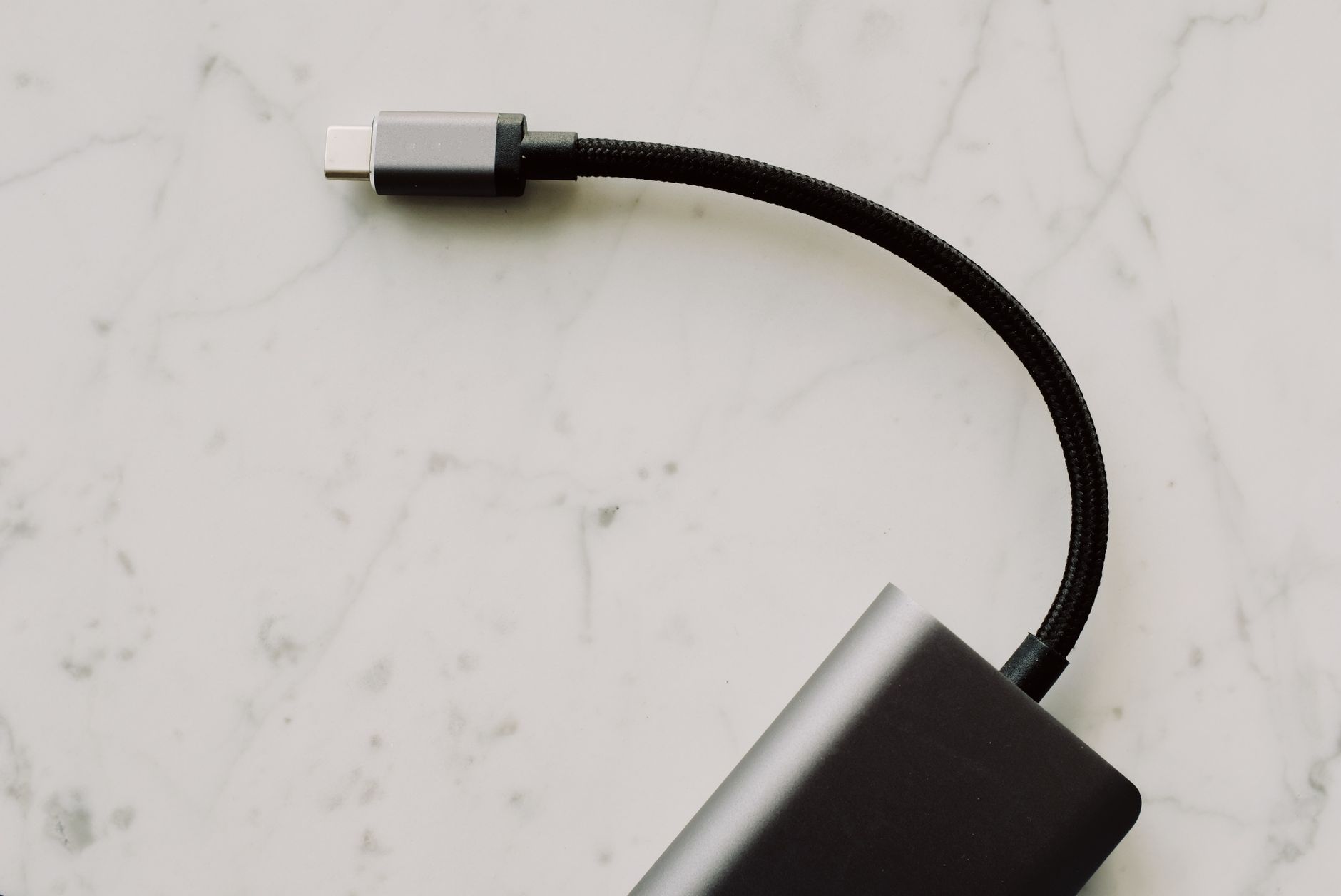
They all look the same. They are absolutely not the same.
What this guide covers
- Why all USB-C cables look identical but aren't
- The 24 pins and the one that matters
- USB-A vs USB-C: the cold socket problem
- Wattage ranges explained (2.5W to 240W)
- The three-component rule
- 5 ways to identify a fast-charge cable
- USB-IF certification logos decoded
- Proprietary chargers (SuperVOOC, FlashCharge)
- FAQ and final verdict
Search USB-IF-certified e-marked USB-C cables on Amazon UK; match connector, data rate and charging protocol to both devices.
Why Two Identical Cables Behave So Differently
The cruel joke of USB-C is that the connector standardised the shape of the plug but did absolutely nothing to standardise what's inside the cable. A £2 cable from a petrol station and a £25 premium braided lead can be visually indistinguishable — same reversible oval connector, same matte finish — yet one might top out at 60W whilst the other happily pushes 240W into a laptop.
That's because charging speed isn't decided by the connector. It's decided by the wires inside, the presence (or absence) of a tiny negotiation chip, and whether the cable can carry the higher voltages and currents that fast charging demands. A cable that physically cannot tell your charger "yes, I can handle 9 volts" will never deliver fast charging, no matter how good your charger and phone are.
Once you understand the handshake that happens the moment you plug in, the whole mystery dissolves. So let's start with the pin that runs the show.

The numbers that matter: from a feeble 2.5W trickle all the way to a 240W firehose.
The 24 Pins and the One That Runs Everything
A USB-C connector contains 24 pins, but for charging you only need to care about a handful of wires. The five essential ones are:
VBUS
The positive power line — this is the wire that actually carries the juice into your phone.
GND
The negative, or ground, return path that completes the circuit.
D+ and D−
The pair of USB 2.0 data wires that handle file transfer and legacy communication.
CC — Configuration Channel
The single most important pin for fast charging. This is where all the negotiation happens before any serious power flows.
The CC pin is the unsung hero of the entire USB-C ecosystem. In a single thin wire, it juggles an astonishing amount of responsibility. It determines which device is the power source and which is the power drain. It works out the plug orientation, which is why you can flip a USB-C cable either way and it still works. And crucially, it negotiates which charging technology to use and handles the Power Delivery voltage and current negotiation.
Here's the part that catches people out: most modern USB-C ports — particularly on laptops — are what engineers call "cold sockets". They deliver no power whatsoever until the CC pin signals that a device is genuinely connected and ready. This is a brilliant safety feature; it means you can't electrocute yourself or short the port by jamming something metallic in there. But it also means that if your cable doesn't properly wire up the CC pin, the port simply stays dark. No handshake, no power.
Pro Tip
For USB Power Delivery to work, all three components — the charger, the cable, and the device — must agree via CC communication. The CC pin is the conversation, and if the cable can't take part in that conversation, your phone is left charging at the most basic, conservative speed available.
USB-A vs USB-C: Why That Old Charger Block Holds You Back
This is the single biggest source of confusion I see, so it's worth slowing down on. Many people still reach for an old rectangular USB-A charger block — the kind that's been in every house for fifteen years — and pair it with a USB-A to USB-C cable. And then they wonder why their phone isn't fast charging.
The answer is brutally simple: USB-A ports do not have a CC pin. This is true even for the latest third-generation USB-A ports. Without a CC pin, there's no Configuration Channel, which means there's no way to conduct the Power Delivery negotiation. PD over a USB-A to USB-C cable isn't slow or unreliable — it's physically impossible.
On top of that, USB-A ports aren't cold sockets. They're "always on", meaning power flows the instant you connect, with no handshake at all. Convenient? Sure. But it means there's no mechanism to step the voltage up to fast-charging levels through proper PD.
A USB-A to USB-C cable will still charge your phone — it just can't deliver true USB Power Delivery fast charging. If you want genuine PD speeds, you need a USB-C to USB-C cable connected to a USB-C charger.
Now, there's a nuance worth knowing. USB-A isn't entirely a dead end for speed. Generic USB-A to USB-C cables typically span a 2.5W to 36W range. To reach the upper end — up to 36W — the cable and charger need to support Qualcomm Quick Charge 3.0, which works across a 3.6V to 20V range at up to 3.0A. That's a genuinely useful amount of power, and many older Android phones were designed around exactly this. But it's a different technology to USB-PD, and it relies on Quick Charge being supported at both ends.
| Feature | USB-C to USB-C (PD) | USB-A to USB-C (QC 3.0) | USB-A to USB-C (Generic) |
|---|---|---|---|
| Has CC pin negotiation | Yes | No | No |
| True USB Power Delivery | Yes | Not possible | Not possible |
| Typical power range | 15W up to 240W | Up to 36W | protocol-dependent; generic USB-A does not guarantee 36W |
| Default fallback speed | 7.5W or 15W (non-PD) | Depends on QC support | ~2.5W |
| Port behaviour | Cold socket (safe) | Always on | Always on |
| Best for | Modern phones, laptops, tablets | Older Quick Charge phones | Emergency top-ups only |
Decoding the Wattage Numbers
Let's put some real figures around what "fast" actually means, because the word gets thrown around so loosely it's nearly meaningless on its own.
A bog-standard, no-frills USB port delivers roughly 2.5W. That's the trickle you get from a cheap unmarked cable on a basic block, and it's painfully slow for any modern phone — we're talking many hours for a full charge. Fast charging proper begins at around 15W on the low end and, since USB PD 3.1 added its Extended Power Range, climbs all the way up to 240W at the top. The old 100W figure was the ceiling before that revision, and you will still see it quoted as though it were current. At those higher wattages, some devices genuinely charge from 0 to 100% in under an hour, which still feels a little like magic the first time you see it.
Here's a visual sense of how those tiers stack up against each other:
Notice something important here: a plain USB-C to USB-C cable carries 3A, which is 60W, with no special electronics inside it at all. That is the baseline, and it is plenty for any phone and most thin-and-light laptops. The 7.5W and 15W figures you see quoted belong to non-PD legacy charging, not to C-to-C. To go beyond 60W — and the ceiling is now 240W — the cable needs an electronic marker, a small chip that tells the charger it can safely carry 5A. That is what you are paying for in a 240W cable.
One thing worth being precise about, because it is widely muddled: the cable does not choose the voltage. The charger and the device negotiate that between themselves over the CC channel. The cable simply advertises what it is able to carry, and the negotiation respects that limit.
An inline USB-C power meter is the only way to see what the charger is really supplying.
The Three-Component Rule (The One Thing to Remember)
If you take nothing else away from this entire guide, take this. Fast charging is a chain, and a chain is only as strong as its weakest link. For fast charging to actually happen, all three of these must support it:
1. The charger / AC adapter
The plug in the wall must support the fast-charging standard you're after — whether that's USB-PD, Quick Charge, or a brand's own flavour.
2. The cable
The cable must be built to carry Power Delivery (or the relevant standard) — correctly wired CC pin and conductors rated for the voltage and current.
3. The device
Your phone or tablet must itself support fast charging and the specific standard your charger speaks.
The hard truth
A fast-charging cable paired with a standard adapter equals no fast charging. A fast-charging adapter paired with a standard cable equals no fast charging. You can have two out of three perfect components and still crawl along at trickle speeds. Every link in the chain has to agree.
This is exactly why "I bought an expensive cable, why isn't it faster?" is such a common complaint. The cable was never the problem — the charger block was. Diagnose the whole chain, not just the part you most recently bought.
Five Practical Ways to Identify a Fast-Charge Cable
Right — enough theory. Here's how I actually work out, in the real world, whether a given cable is going to fast charge. I run through these methods in roughly this order.
Method 1: Check the packaging or listing
The easiest win. Look at your phone's box, the cable's packaging, or the online product listing for the magic words: "Fast Charging," "Adaptive Fast Charging," "Quick Charge," "USB PD," or "USB Power Delivery." If a cable's listing is suspiciously silent about charging speed, that silence is usually the answer.
Method 2: Inspect the cable physically
Pick the cable up and have a proper look. Fast-charging cables tend to be thicker than standard ones — they need beefier conductors to carry more current — though I'll be honest, the difference isn't always obvious to the eye. More reliably, look at the connectors and the cable jacket for a lightning bolt icon or the letters "QC" (for Quick Charge), which are sometimes printed or embossed onto the plastic. The catch? Most USB-C cables carry no fast-charging label at all, so a blank cable isn't necessarily bad — it's just unmarked.
Method 3: Use a measurement app
A caveat first, because this method is oversold everywhere including, until now, here. An app like Ampere reads what the phone's battery subsystem reports, and operating systems do not consistently expose the real input voltage and current, so it is a useful hint rather than proof. To see what is actually being delivered, a cheap inline USB-C power meter sits between charger and cable and measures it directly. With that said: install the app, plug the cable in and watch the reading. Anything above 5V suggests fast charging is happening. A reading stuck stubbornly at 5V with nothing above it generally means you're on the basic trickle.
Method 4: Watch the Android lock screen
Many Android phones make it easy: when fast charging kicks in, they display the words "Fast Charging" right there on the lock screen. If you swap to a different cable and that text vanishes, you've just identified the weak link.
Method 5: Just use the original cable
The boring-but-effective approach. The cable that came in the box with your phone is, by definition, designed to deliver your phone's full charging capability. If you've lost it, the next best thing is a cable made specifically for your phone model. Brand-matched cables and chargers are the surest route to maximum speed — no detective work required.
My honest workflow: I check the listing first, look for the 60W or 240W marking on the plug, and if I am still unsure I put an inline power meter on it. Thirty seconds of testing beats weeks of slow charging.
USB-IF Certification: The Logo Worth Trusting
If you want to skip the detective work entirely, certification is your friend. The USB Implementers Forum (USB-IF) is the non-profit organisation that manages USB standards, and they run a certification programme for cables. A certified cable carries a standardised logo that tells you, at a glance, exactly what it can do.
These logos display two key ratings: the data transfer speed and the power rating. A great example of the format you'll see is something like "Combined Performance and Power 20Gbps/60W" — telling you it'll move data at 20Gbps and carry up to 60W of power. The logo may be printed onto the cable or embossed directly onto the connector, so it's worth examining the plug closely.
A USB-IF certification logo spells out both data speed and power rating — no guesswork required.
When a cable carries one of these official logos, you don't need to faff about with measurement apps or squint at vague listings. The certification is a guarantee, backed by an independent body, that the cable meets the spec it claims. If you buy nothing else from this guide's advice, buy certified.
Where to grab a reliable one
Brands like Anker, Belkin and Ugreen consistently produce USB-IF-certified USB-C to USB-C cables in the 60W and 240W classes - the two ratings USB-IF now requires on every certified C-to-C cable - and they're widely available.
Check the latest price and any current bundles on Amazon.
The Proprietary Exceptions: SuperVOOC, Warp Charge and FlashCharge
Just when you thought you had it all worked out, along come the proprietary standards to muddy the water. Several Chinese manufacturers have built their own ultra-fast charging systems that bend the usual rules — and some of them even achieve blistering speeds over USB-A.
| Standard | Brand | Max Power | Notes |
|---|---|---|---|
| USB Power Delivery (PD) | Universal | Up to 240W (PD 3.1) | The open standard using CC pin negotiation |
| Quick Charge 3.0 | Qualcomm | Up to 36W (USB-A) | 3.6V–20V at 3.0A |
| Adaptive Fast Charging | Samsung | Brand fast charge | Samsung's own branding |
| SuperVOOC / Warp Charge | Oppo / OnePlus | Up to 65W (USB-A) | Proprietary cables only |
| FlashCharge | Vivo / iQOO | Up to 120W (USB-A) | Proprietary cables only |
Here's the clever bit. Oppo and OnePlus's SuperVOOC and Warp Charge reach up to 65W via USB-A to USB-C, and Vivo and iQOO's FlashCharge hits a staggering 120W over USB-A to USB-C — wattages that should be impossible over USB-A according to everything we discussed earlier. They pull this off using specially modified USB-A connectors with specific extra pins enabled, sidestepping the standard USB-A limitations entirely.
The catch is enormous: these proprietary systems only work with brand-matched chargers, brand-matched proprietary cables, and compatible devices. They are absolutely not universal. Use a SuperVOOC cable on a non-Oppo phone, or with a generic charger, and you'll drop straight back to ordinary speeds.
So if you own a OnePlus, Oppo, Vivo or iQOO phone and want those headline charging speeds, hang on to the exact cable and brick that came in the box. There's genuinely no substitute, and a third-party cable — however premium — simply cannot replicate a proprietary handshake it wasn't designed for.
Strengths of getting cables right
- Genuine 0–100% charges in under an hour on capable devices
- USB-IF certified cables remove all guesswork
- USB-C to USB-C with PD scales up to 240W — phones and laptops alike
- An inline USB-C power meter shows exactly what is being delivered
- Quick Charge 3.0 still delivers up to 36W on USB-A setups
The pitfalls to avoid
- USB-A to USB-C can never do true PD — no CC pin
- a 3A C-to-C cable may carry up to 60W when USB-PD negotiates it; default Type-C current without PD is at most 15W
- Most cables carry no charging label at all
- Proprietary standards lock you to brand-matched gear
- The whole chain must agree — one weak link kills the speed
Who Should Buy Which Cable
The everyday phone owner
Get a USB-IF certified USB-C to USB-C cable rated for at least 60W, and pair it with a proper USB-C charger. You'll comfortably hit your phone's full fast-charge speed.
The laptop charger
You need the higher end — a certified USB-C to USB-C cable carrying the 240W marking, which means it has the electronic marker needed for 5A. USB-IF now requires every certified C-to-C cable to be labelled either 60W or 240W, so those are the two numbers to look for on the plug. A 140W MacBook Pro or a 240W-class gaming laptop will not draw its full rate through a 60W cable.
The OnePlus / Oppo / Vivo owner
Keep your in-box proprietary cable and brick. SuperVOOC, Warp Charge and FlashCharge speeds simply won't survive a generic third-party swap.
Frequently Asked Questions
The Verdict
The frustrating truth about USB-C charging is that the connector standardised the shape and almost nothing else. Two identical-looking cables can differ wildly — one trickling 2.5W, the other delivering a full PD-fed 240W. But once you understand the CC pin's role, the cold-socket safety mechanism, and the three-component rule, the mystery evaporates.
My advice is refreshingly simple. For everyday phone charging, buy a USB-IF certified USB-C to USB-C cable rated for at least 60W and pair it with a real USB-C charger. Stop reaching for that ancient USB-A brick — without a CC pin it can never deliver true Power Delivery. If you are ever unsure, an inline USB-C power meter will tell you exactly what is being delivered - phone apps only report what the battery subsystem believes. And if you own a OnePlus, Oppo, Vivo or iQOO, cherish the proprietary cable in the box, because nothing else will hit those headline 65W and 120W speeds.
Get the chain right — charger, cable, and device all speaking the same language — and you'll wonder how you ever tolerated those overnight charges that somehow finished at 60%.